
The most popular advice about Wi-Fi is also some of the least useful: buy the newest router and choose the fastest internet plan. That approach ignores the operational problems that cause many poor connections, including uneven coverage, crowded airtime, outdated firmware, sticky clients, failed authentication, and the question nobody asks before purchase: what still works when the cloud or internet connection is unavailable?
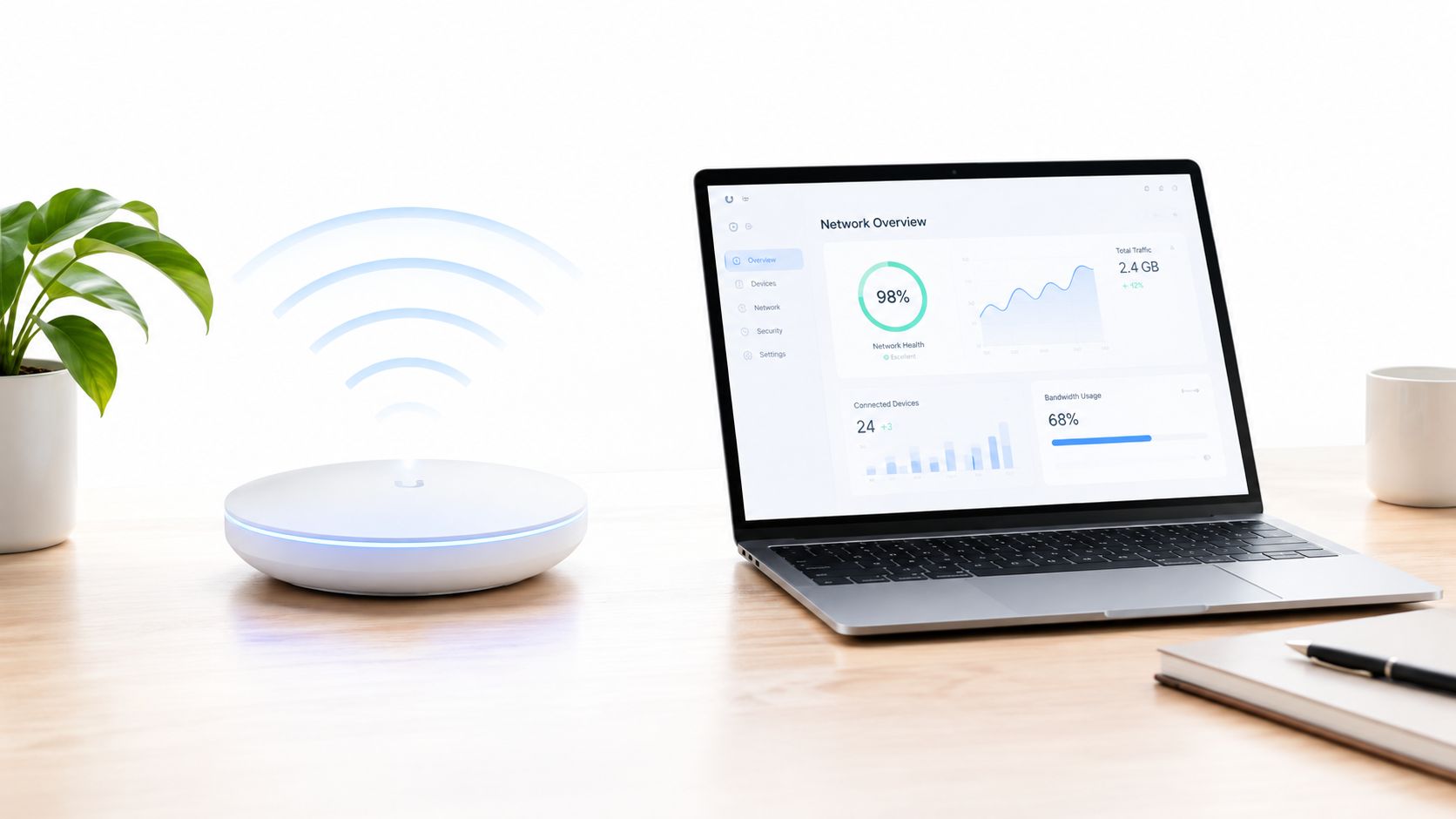
Cloud-managed Wi-Fi addresses those problems by moving network administration from individual boxes to a centralized software platform. The important benefit isn't a theoretical speed increase. It's consistent configuration, better visibility, controlled updates, and a practical way to manage connectivity across a busy home, several offices, or a small business without treating every access point as a separate project.
The Shift to Software Defined Connectivity
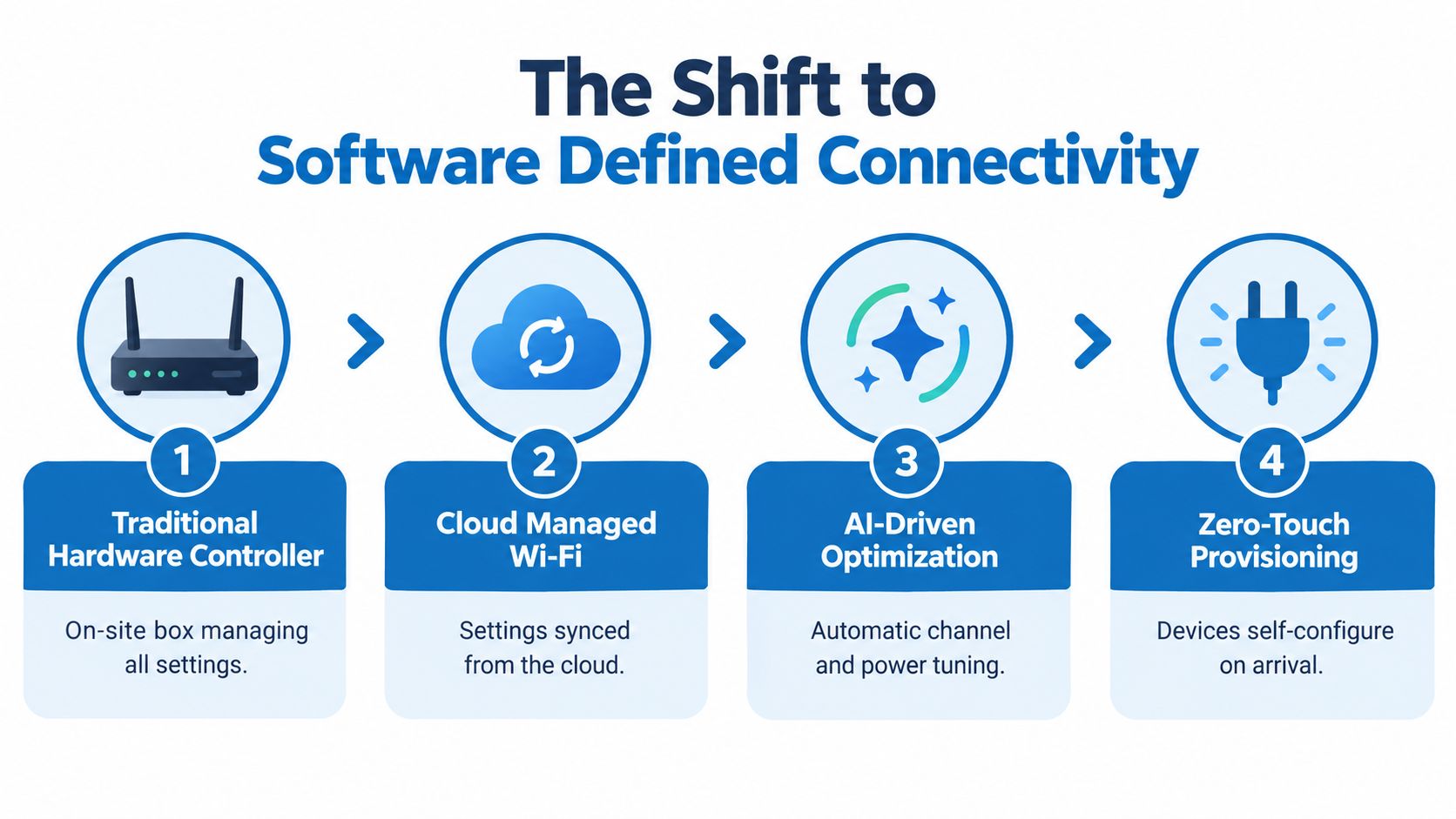
People often describe cloud-managed Wi-Fi as a remote control for routers. That description is too narrow. A remote control changes settings on one device. Cloud management creates a software-defined operating model for connectivity, where administrators can provision, monitor, secure, and update many locations from one interface.
The model emerged around 2007, when early cloud-managed systems replaced site-based wireless controllers with virtualized control functions hosted in the cloud and administered through a web interface. The change established centralized provisioning, remote monitoring, policy management, firmware updates, and troubleshooting for geographically distributed networks. An IDC-based industry analysis reported that cloud-managed enterprise WLAN infrastructure represented just under 20% of the enterprise WLAN infrastructure market in 2015, with adoption forecast to exceed one-third by 2020.
From isolated appliances to shared policy
In a traditional design, each site may have its own controller, access-point configuration, firmware process, and troubleshooting routine. A change to an employee SSID, guest policy, or security setting can require manual work at every location. That creates configuration drift. One office eventually behaves differently from another, not because anyone designed it that way, but because the network evolved through separate interventions.
Cloud-managed Wi-Fi replaces that model with templates, shared policies, and a common operational view. An access point can arrive at a site, connect to the management platform, and receive its intended configuration without an engineer building the network from scratch on location. Administrators can see which devices are online, which clients are struggling, and which access points need attention.
The broader Wi-Fi environment made this shift more practical. Cisco projected that public Wi-Fi hotspots would grow from 159.4 million in 2018 to 616.7 million by 2023, and a later summary reported approximately 628 million global public hotspots compared with 169 million in 2018. Cisco's Annual Internet Report summary illustrates why manual administration becomes harder as wireless moves from a convenience in one room to infrastructure spread across homes, offices, venues, and public spaces.
Why households benefit too
A family doesn't need an enterprise campus to benefit from centralized management. A modern home may contain laptops, phones, televisions, cameras, speakers, appliances, consoles, and work devices. The useful features are often operational rather than glamorous:
- Consistent policy: Separate work, guest, family, and smart-home devices.
- Remote diagnostics: Identify whether a problem affects one device, one access point, or the upstream connection.
- Lifecycle control: Apply equipment updates without relying on a homeowner to remember each device.
- Device management: Pause access, apply schedules, and inspect connection behavior from a dashboard.
For small businesses, the same architecture supports standard settings across offices and reduces dependence on a person physically present at every site. A managed Wi-Fi and SEO resource from Premier Broadband isn't a substitute for sound radio design, but the principle is the same: software can make repeatable operations easier to manage than isolated hardware.
Cloud-managed Wi-Fi is therefore a change in how connectivity is operated, not merely where a router's settings page lives.
How the Management Plane Separates from Local Data
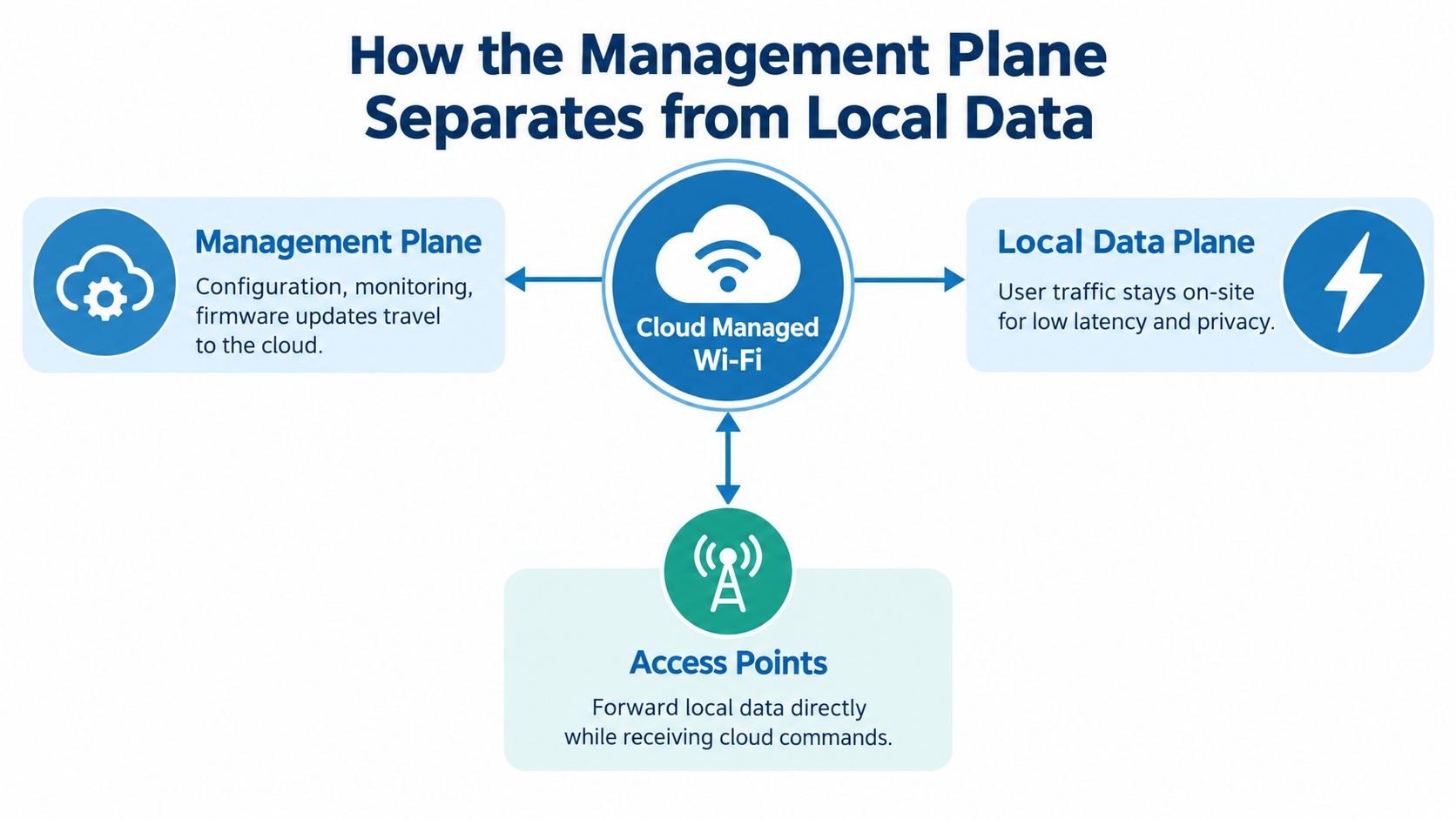
Cloud management doesn't usually mean that every web page, video call, or camera stream travels to a vendor's cloud before reaching the internet. That would add an unnecessary dependency and could introduce latency. Most cloud-managed designs separate the management plane from the local data plane.
The access point forwards user traffic locally to the switch, gateway, or broadband connection. At the same time, it maintains an encrypted management connection to the cloud platform for configuration, firmware status, health telemetry, and diagnostics. A comparison of controller-based and cloud-managed access points describes this distinction and emphasizes that cloud management doesn't alter the underlying IEEE 802.11 radio protocol.
What happens locally
When a laptop joins a wireless network and reaches a website, its traffic generally stays on the local path. The access point sends frames to the local network, and the gateway sends them over the broadband connection. The vendor's cloud service isn't carrying the household's ordinary user traffic.
That local forwarding supports a valuable form of resilience. If the access point has a valid cached configuration and loses contact with the management platform, already-connected clients may continue to pass traffic. The exact behavior varies by platform, so it must be tested rather than assumed. Some systems preserve local forwarding while losing cloud visibility, while others may depend more heavily on cloud services for authentication or policy decisions.
What needs the cloud
Cloud access typically supports functions such as:
- Provisioning: New equipment retrieves its assigned configuration.
- Policy changes: Administrators update SSIDs, VLAN assignments, security settings, or schedules.
- Telemetry: The platform receives health, client, radio, and diagnostic information.
- Firmware operations: Teams schedule and coordinate updates across the fleet.
- Remote support: An administrator investigates a site without being physically present.
This is why a cloud outage and an internet outage aren't identical events. A broadband failure can stop both ordinary internet use and cloud management access. A vendor control-plane outage may leave local traffic functioning while preventing new configuration changes or remote diagnostics. A local authentication service failure can affect onboarding even if the access points and cloud dashboard are available.
Practical rule: Ask which functions continue locally, which policies are cached, and how administrators regain access when the management connection is unavailable.
The design also affects privacy and security decisions. Management traffic should use protected networks, offline authentication behavior should be documented, and local-survivability settings should be included in acceptance testing. Cloud-managed Wi-Fi improves central control, but it doesn't remove the need to understand the path and dependency of each function.
Optimizing Airtime Efficiency for Dense Device Environments
A fast fiber connection can still feel poor when the wireless network wastes airtime. Wi-Fi is a shared medium, so connected devices compete for transmission opportunities. A network with modest radio demand can feel excellent, while a network with many small, simultaneous conversations can produce delays even when a speed test looks healthy.
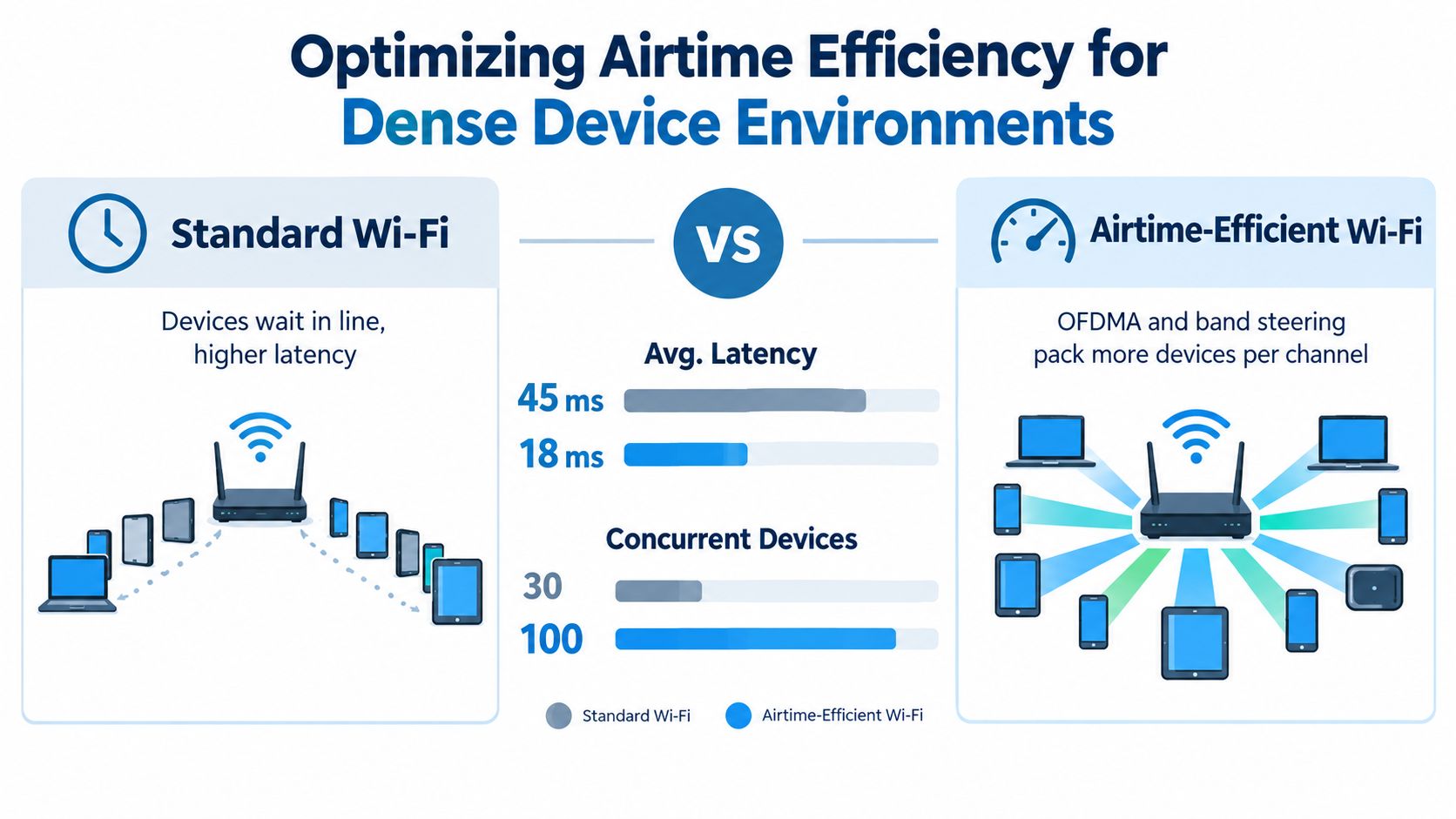
Wi-Fi 6 introduced OFDMA, which divides a transmission opportunity into smaller resource units. Instead of allowing one device to occupy the full opportunity for a small amount of data, an access point can serve multiple devices more efficiently. That matters when phones send notifications, smart-home devices exchange small messages, and laptops maintain video calls at the same time.
Capacity is more than link rate
Intel testing found that latency increased by a factor of 3.5 as the user population grew on Wi-Fi 6, compared with a factor of 14 on Wi-Fi 5. The testing also reported lower packet loss and better support for larger client populations when OFDMA and MU-MIMO were enabled. Intel's Wi-Fi 6 testing paper supports a practical conclusion: network quality depends on how efficiently the access point serves clients, not only on the highest advertised link speed.
A managed platform can help expose the conditions behind a complaint. Useful metrics include:
- Client airtime: Shows which devices consume disproportionate radio time.
- Retransmissions: Indicates interference, weak signals, or poor client conditions.
- Channel utilization: Reveals whether a radio is busy before users report a problem.
- Latency: Helps distinguish congestion from a broadband or application issue.
- Band behavior: Shows whether capable clients remain on an appropriate band.
Tune for clients, not maximum power
Maximum transmit power isn't automatically better. Excessive power can let a client hear a distant access point more strongly than a nearby one, creating a sticky client that stays attached to a poor radio. Well-designed policies use client steering, sensible power levels, appropriate channel planning, and verified 5 GHz coverage rather than just turning every radio up.
The practical sequence is straightforward. First, map coverage where people work, call, stream, or play. Next, inspect airtime and retransmissions during busy periods. Then adjust access-point placement, channel behavior, power, and steering rules. Only after that should you decide whether a faster broadband tier or newer hardware addresses the primary constraint.
Teams responsible for office deployments can use this RF guide for network teams to deepen their approach to radio-frequency planning. The important lesson is operational: a cloud dashboard is valuable when it helps someone make a better radio decision, not when it merely displays a large number of graphs.
This short demonstration provides another way to visualize how airtime efficiency affects busy wireless networks:
The Operational Relief of Managed Network Services
Local network management sounds inexpensive until someone has to perform it. A homeowner may spend an evening testing dead zones and restarting equipment. A small business may lose productive time identifying whether a slow application comes from a client device, a wireless channel, a switch, a gateway, or the broadband service. The hardware cost is visible. The recurring attention cost is easier to miss.
A managed service changes who performs the routine work. Instead of asking a business owner or office administrator to inspect each access point, a provider can maintain configurations, review alerts, coordinate updates, and investigate service issues through a centralized platform.
Local administration versus managed operation
| Responsibility | Local management | Managed service |
|---|---|---|
| Configuration | Someone on-site changes devices individually | Policies can be applied centrally |
| Troubleshooting | Users gather symptoms and test equipment | Support can inspect network health remotely |
| Firmware | Updates depend on manual attention | Updates can be scheduled and coordinated |
| Security policy | Staff maintain settings themselves | A provider can manage defined controls |
| Expansion | New sites require local setup | Equipment can be prepared through a shared platform |
The comparison isn't entirely one-sided. Local management offers direct control and may suit a technically capable owner with a simple network. A managed service introduces provider dependency, recurring charges, and the need to understand what support includes. Some providers manage only the access points, while others also cover the gateway, security policy, switches, broadband handoff, and user support.
Where the service earns its place
For households, managed Wi-Fi can include expert installation, whole-home coverage work, device controls, schedules, content filtering, and proactive maintenance. Those features matter most when the household includes remote workers, children, cameras, gaming systems, and several users competing for airtime.
For businesses, a Managed Network Edge service can combine deployment, monitoring, security, and operational support. That helps when the business doesn't have a dedicated network engineer, when several locations need consistent policy, or when a wireless failure affects voice calls, point-of-sale workflows, cameras, and cloud applications at once.
The useful return isn't “faster Wi-Fi” in the abstract. It's fewer hours spent diagnosing problems that a network platform can identify and a support team can resolve.
A provider's communication workflow also matters. Ask how incidents are opened, how customers receive updates, whether the provider can distinguish an internet outage from a wireless fault, and whether customers retain local access to basic controls. Services such as Premier Broadband's support and communication tools are relevant only when they fit a defined support process, not as a replacement for clear service boundaries.
Evaluating Local Survivability and Cloud Dependence
Cloud-managed Wi-Fi is not automatically hands-off or resilient. It distributes control, but it also creates dependencies that need to be named before installation. The right question isn't “Does the cloud work?” It's “Which parts of this network still work during each failure?”
Consider four separate events. The broadband connection may fail while the local network remains powered. The WAN may remain available while the vendor's control plane becomes unreachable. A cloud subscription or management account may be unavailable. Or an authentication integration may fail while access points and local switching continue normally. Each event creates a different user experience.
Build a failure-mode checklist
Ask the provider these questions before choosing a platform:
- Existing clients: Can already-authenticated devices continue exchanging local and internet traffic when cloud management is unreachable?
- New clients: Can a new device join, or does onboarding require a live cloud or identity service?
- Authentication: Are credentials, certificates, or policy decisions cached locally, and for how long?
- Policy changes: Can an administrator modify an SSID, emergency rule, or guest policy during an outage?
- Administration: Is there local console access or a backup administrator account?
- Recovery: Can equipment be restored with a known configuration if vendor access is unavailable?
- Firmware: Is there a tested rollback path after a failed update?
- Support: What escalation route exists for a management-plane or provider incident?
A remote worker may tolerate the loss of a dashboard but not the loss of an active video call. A VoIP user may need local calling behavior documented. A business with cameras should determine whether recording continues locally, stops, or changes mode when cloud connectivity disappears. The distinction resembles the broader decision between cloud and local recording for UK properties, where the location of storage changes what remains available during a service interruption.
Design for degraded operation
A resilient deployment can include a tested emergency SSID, local fallback authentication, documented console access, spare equipment, and a support procedure that doesn't depend on the same failed channel as the network. Those controls don't eliminate cloud dependence, but they make the dependency visible and manageable.
A platform dashboard may show a green status until the exact function a user needs fails. Test from the user's perspective: disconnect the WAN, block cloud reachability where practical, restart an access point, attempt a new login, place a call, access a camera, and restore service. Record the result for each function instead of accepting a general claim that the network “survives.”
For businesses evaluating provider communication, a clear service announcement process is part of the operating model. A structured announcement tool from Premier Broadband may support communication, but customers should still request documented outage procedures, maintenance notifications, and escalation responsibilities.
A Pragmatic Framework for Next Generation Upgrades
Wi-Fi 7 can be valuable, but “newer” doesn't answer the buying question. The useful question is whether your clients, applications, radio environment, and wired infrastructure can use its capabilities. Replacing access points without checking those dependencies often produces an expensive change with little visible improvement.
Adoption remains transitional. Only 7% of surveyed organizations described Wi-Fi 7 as the predominant generation in their networks, while 59% planned to begin a Wi-Fi infrastructure upgrade within 12 months, according to the cited industry research. A separate estimate placed Wi-Fi 7-capable enterprise devices at only 5% to 10%, despite more than 1,200 compatible device models. The referenced 2025 network infrastructure research points to a mixed environment rather than an automatic replacement cycle.
Start with the bottleneck
Upgrade when the evidence points to a radio or client limitation:
- Dense usage: Offices, classrooms, busy homes, and venues with many simultaneous active clients can benefit more than lightly loaded spaces.
- Latency-sensitive work: Gaming, interactive collaboration, uploads, and high-quality video calls may benefit when the client and access point support the relevant features.
- Multi-link support: Confirm that the devices you care about support Multi-Link Operation, not merely that the access point advertises it.
- Channel compatibility: Check whether client devices support the available bands and channel widths in your region.
- Wired capacity: Ensure switches, power, cabling, and the broadband connection won't become the new limit.
- Coverage first: If the actual problem is poor placement, interference, or weak 5 GHz coverage, a newer radio won't repair the layout.
Wi-Fi 5 and Wi-Fi 6 devices can share a network with newer clients, but mixed generations still require sensible airtime policies and expectations. A lightly loaded home may see more improvement from repositioning an access point, reducing interference, or fixing a roaming issue than from purchasing Wi-Fi 7 hardware.
The practical decision is to measure before replacing. Identify the affected rooms, devices, applications, airtime conditions, retransmissions, and wired path. Upgrade the part that limits the experience, then verify the result with the same user tasks that exposed the problem.
Premier Broadband offers managed Wi-Fi through Premier Protects, with expert installation, continuous support, proactive maintenance, network security, and device controls for homes, while its Managed Network Edge service supports centralized business network operations. Visit Premier Broadband to discuss a cloud-managed Wi-Fi design based on your coverage, device density, outage requirements, and upgrade priorities.