
Before you even start comparing providers, you need a clear picture of what you actually need. Think of it like creating a blueprint for your daily online life, whether that's streaming, gaming, or working from home. Getting this part right saves you from overpaying for speeds you'll never touch or, even worse, picking a plan that leaves you staring at a buffering wheel.
Assess Your Internet Needs Before You Shop

Jumping straight into comparing plans without knowing what you need is like going grocery shopping on an empty stomach—you’ll end up with a cart full of stuff you don’t need and a bill that’s way too high.
So, first things first: take stock of your household's internet habits. Are you a solo user who mostly scrolls social media and streams some Netflix in HD? Or is your home a busy hub with multiple people gaming, jumping on video calls, and streaming 4K movies all at once? Each of these activities puts a very different kind of demand on your connection.
Download vs. Upload Speed: What Matters More?
Most people fixate on download speed. That’s the big number ISPs advertise, and it controls how fast you can pull data from the internet—like when you’re loading a website or streaming a show.
But in today's world, upload speed is just as critical. It determines how fast you can send data out to the internet, and it’s a game-changer for things like:
- Video Conferencing: A solid upload speed is what keeps your video from freezing on Zoom or Teams calls.
- Online Gaming: For competitive gaming, fast uploads mean your actions register instantly without any frustrating lag.
- Remote Work: Sending big files to colleagues, backing up data, or sharing your screen all hammer your upload connection.
That’s why a symmetrical connection, where your upload and download speeds are identical, is the gold standard. This is where fiber-optic internet really shines.
The Rise of Fiber Connectivity
When it's time to choose, putting fiber-optic connections at the top of your list is a smart move for any modern home. The demand for better internet has been explosive, with worldwide fiber connections recently jumping by 10.4%. While cable is still common, fiber is quickly becoming the go-to because it delivers the low latency and symmetrical speeds our data-hungry lives depend on.
I’ve seen it time and again: someone picks a plan based on a huge download number, only to find their video calls are constantly choppy because of a tiny upload speed. A 1 Gbps fiber plan with symmetrical speeds will always outperform a cable plan with the same download speed but only a fraction of the upload.
Nailing down these basics puts you in the driver's seat. For an even deeper look at making the right call, especially from a professional standpoint, this guide on how to choose an internet provider for business success has some really useful insights.
Understanding Internet Technology and Speed Tiers
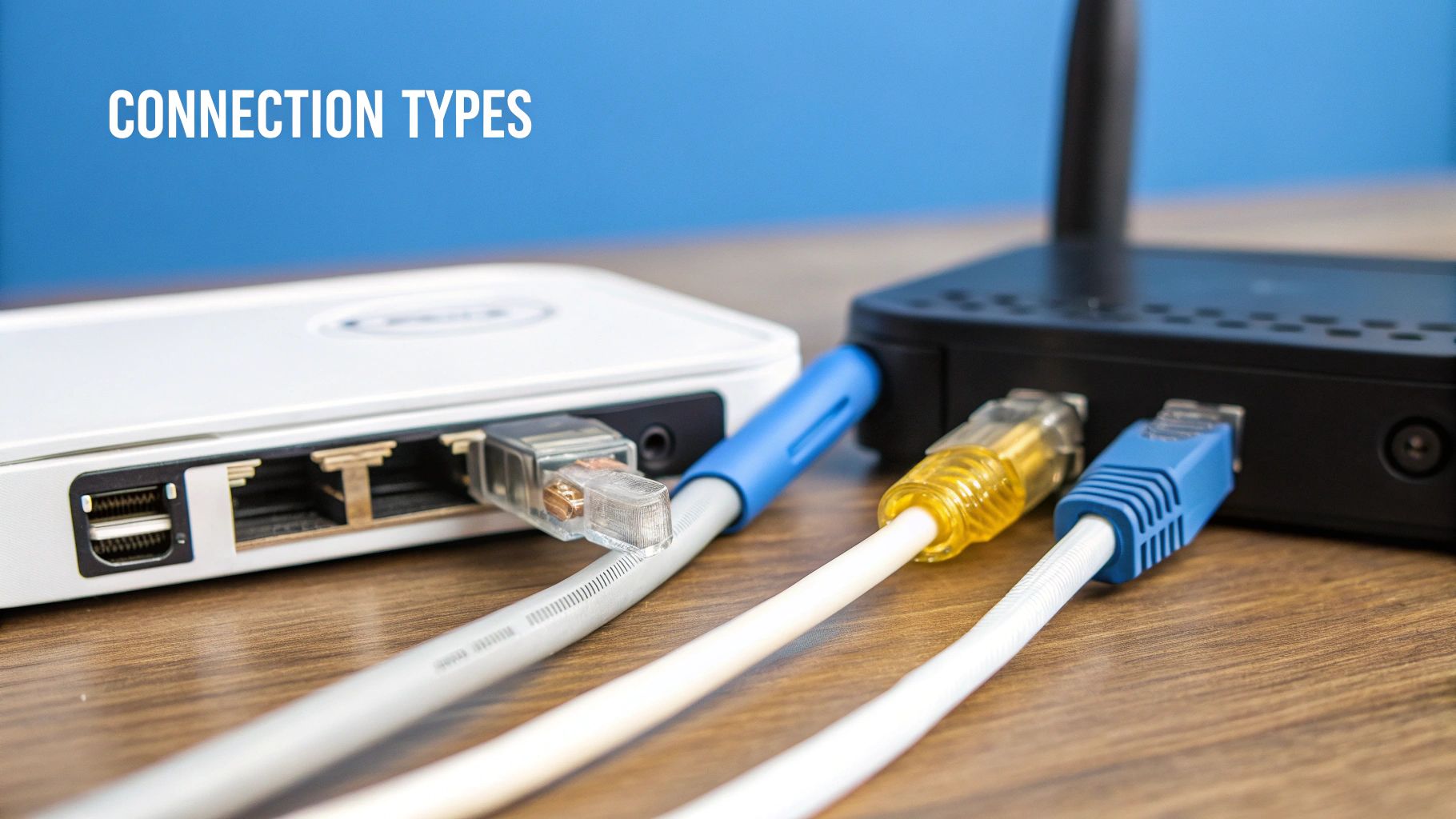
Before you even look at pricing, you need to understand what’s powering your internet connection. The technology bringing that signal into your home—be it fiber, cable, or DSL—matters just as much as the advertised speed. These aren't just marketing buzzwords; they represent completely different delivery methods, each with its own set of pros and cons.
Think of it like this: you wouldn't use a garden hose to put out a house fire. In the same way, connecting a home full of 4K streamers and competitive gamers with an old-school DSL line is just asking for a headache. The key is to match the technology to your actual, everyday needs.
Comparing Internet Connection Types
Not all internet is created equal. The most common options you’ll run into are fiber, cable, DSL, and now 5G home internet. To help you cut through the noise, here's a quick side-by-side look at how these technologies stack up in the real world.
| Technology Type | Typical Download Speed | Typical Upload Speed | Latency | Best For |
|---|---|---|---|---|
| Fiber-Optic | 300 Mbps – 8 Gbps | 300 Mbps – 8 Gbps | Lowest | Gamers, remote workers, content creators, large families |
| Cable | 50 Mbps – 2 Gbps | 5 Mbps – 50 Mbps | Low to Moderate | General streaming, browsing, smaller households |
| DSL | 5 Mbps – 100 Mbps | 1 Mbps – 20 Mbps | Moderate to High | Basic browsing and email in areas with limited options |
| 5G Home Internet | 50 Mbps – 1 Gbps | 10 Mbps – 50 Mbps | Low to Moderate | Renters, areas with poor wired infrastructure |
This table gives you a great starting point, but let's dig into what those numbers really mean for your day-to-day experience.
The Critical Role of Symmetrical Speeds
For years, the internet conversation was all about download speed. That’s changing. Now, symmetrical speeds—where your upload and download capabilities are identical—are what truly matter, especially for anyone who spends time on video calls, uploading large files, or gaming online.
This isn't just a niche feature anymore. The global broadband market is projected to skyrocket from $714.40 billion in 2025 to $1.12 trillion by 2032, largely driven by the demand for symmetrical fiber. With 91.8% of North American households online, activities like Zoom calls and cloud backups have made powerful upload speeds a necessity.
Our deep dive into why fiber internet is superior to cable internet explains the technical advantages in more detail.
A 100% fiber network is the only way to guarantee you get the same powerful speeds for uploading as you do for downloading. It’s a game-changer for remote workers, who report up to a 30% boost in productivity simply by eliminating the lag and stuttering common on asymmetrical cable plans.
Matching Speeds to Your Real-World Needs
So, how much speed do you actually need? It's easy to get upsold on a gigabit plan you'll never fully use. The trick is to translate megabits per second (Mbps) into what you and your family actually do online.
A single person who just streams Netflix and browses social media can get by just fine on a 100 Mbps plan.
But a family of four is a different story. If you've got multiple 4K streams running, a gamer who can't tolerate lag, and someone working from home on constant video calls, you'll feel the strain on anything less than 500 Mbps. For power-user households like that, stepping up to a 1 Gbps plan is often the smartest move to keep everyone online and happy.
How to Find and Compare Local Providers
Alright, you've figured out what you need. Now comes the real hunt: finding out who can actually deliver internet to your front door. You'd think this would be straightforward, but options can change from one block to the next. The key is to look past the big names that show up first in a search.
The easy starting point is using one of those online search tools where you punch in your address. They’re great for a quick look at the national carriers, but they rarely tell the whole story.
These comparison sites often miss the smaller, regional companies—the ones that might be laying brand-new fiber in your neighborhood. If you stop your search here, you could miss out on the best connection available.
Look Beyond the Big Names
To get a true lay of the land, you’ll need to do a little local digging. Oftentimes, the best internet comes from regional fiber companies that are investing directly in the community.
A perfect example is a provider like Premier Broadband, which focuses on building out 100% fiber networks in specific service areas. These companies might not have the giant marketing budgets of the cable monopolies, but what they do offer is cutting-edge tech and local teams who actually answer the phone.
Here’s a quick checklist to uncover all your options:
- Search Locally: Try Googling things like "fiber internet [your city name]" or "best ISP in [your county]." This helps surface the local players.
- Ask Your Neighbors: This is the best intel you can get. Hop on a local Facebook group or neighborhood forum and just ask. You’ll get honest, unfiltered feedback about who’s reliable and who’s not.
- Check with Your HOA: If you're in a newer neighborhood, the developer might have partnered with a specific fiber provider. It’s always worth asking.
Evaluate Providers with a Critical Eye
Once you have a shortlist, it's time to see if they live up to their promises. "Lightning-fast" speeds on a billboard mean nothing if the service cuts out every day. This is where customer reviews are pure gold, but you have to read them the right way.
Look for trends. A couple of grumpy reviews are normal for any business, but a constant stream of complaints about outages, hidden fees, or non-existent support? That’s a huge red flag. Pay close attention to how the company responds when things go wrong.
The number of providers competing for your business directly impacts service and price. Research shows that in areas with three or more ISPs, customers often pay 10-15% less and experience far better network reliability.
Competition is your best friend here. The global ISP market is a massive $966.6 billion industry, according to data from IBISWorld, but it's often dominated by just a few giants. When new providers enter a market, it forces everyone to up their game. You get better service and better prices.
Create Your Final Comparison
Now, lay it all out. A simple chart comparing your top two or three choices can make the final decision feel a lot less overwhelming.
To give you a clear framework, you can use our guide to compare home internet plans to see how different packages stack up. This last step turns all that research into an obvious choice, making sure you end up with the best possible provider for your home.
Decoding Contracts, Fees, and Equipment Costs
The price you see in an ad is almost never the price you’ll actually pay. That eye-catching $50 per month deal is designed to grab your attention, but the real cost is often buried in the fine print.
You'll find it hidden behind a maze of fees, equipment charges, and post-promotional price hikes. Learning to spot these extra costs is the key to choosing a plan that’s truly affordable, not just one that looks good on a flyer. A great deal on paper can quickly become a budget-buster if you’re not careful.
Spotting Hidden Fees and Promotional Traps
First things first: understand the difference between the promotional rate and the standard rate. That low introductory price usually only lasts for the first 12 months. After that, your bill can jump by $20, $30, or even more without warning. Always ask what the price will be after the promotion ends.
Beyond that initial teaser rate, watch out for a list of common "below-the-line" fees that can inflate your monthly bill:
- Installation and Activation Fees: These are one-time charges that can range from a modest $50 to over $150. Some providers waive them if you sign a long-term contract, but always ask upfront.
- Broadcast TV or Regional Sports Fees: Often found on bundled plans, these are mandatory charges that ISPs pass on to customers, even if you don't watch those channels.
- Network Maintenance Fees: A vague charge some providers add to cover the cost of upkeep. It's essentially a way to increase the base price without changing the advertised rate.
Understanding Data Caps and Overage Charges
While many fiber providers offer unlimited data, some cable and satellite companies still impose data caps. This is a limit on how much data you can use each month, typically around 1.2 terabytes (TB).
For most households, that’s plenty. But if you have a family of heavy streamers, online gamers, or remote workers, you could hit that limit faster than you think. When you do, you’ll face overage fees, which add up quickly—often $10 for every additional 50 gigabytes (GB) of data.
If you think you'll get close to the cap, paying for an unlimited data plan is almost always cheaper than risking surprise charges. A deeper look into affordable home internet plans can help you identify options that avoid these kinds of costs.
The Great Debate: Renting vs. Buying Equipment
Every internet connection needs a modem and a router. Your provider will happily rent you their equipment for a monthly fee, which is a convenient, hands-off option.
Renting your equipment is simple, and it comes with full technical support. If it breaks, they replace it. But that convenience comes at a cost, usually $10 to $20 per month, which adds up to $120-$240 per year for gear you'll never own.
Buying your own compatible modem and router is a smart long-term investment. The upfront cost might be $150 to $300, but it typically pays for itself within two years. More importantly, it gives you full control over your home network, often providing better performance and more features than standard rental gear.
Contract vs. No-Contract Plans
Finally, you need to decide between a long-term contract and a month-to-month plan. Contracts often come with perks like a lower promotional rate or free installation. But you're locked in for one or two years.
If you need to cancel before your term is up, you'll face a hefty Early Termination Fee (ETF). These fees can be a flat rate or, more commonly, a prorated amount that decreases each month—for example, $15 for every month remaining on your contract. For renters or anyone who might move soon, a no-contract plan offers the flexibility to leave anytime without penalty, which is often worth the slightly higher monthly cost.
Matching a Plan and Add-Ons to Your Lifestyle
You've narrowed down the providers and have a solid handle on the costs. Now for the final piece of the puzzle: picking the actual plan that fits your life. This isn't just about grabbing the fastest speed or the lowest price; it's about matching the right features to what you actually do online every day.
The right plan transforms the internet from a simple utility into a seamless part of your work and entertainment. It’s the difference between a connection that just works and one that makes everything you do online feel effortless.
Finding the Right Fit for You
Your internet plan should feel like it was made for you. If you’re a remote worker, that means prioritizing symmetrical speeds so your video calls are flawless. For a busy family, it might mean powerful Wi-Fi that reaches every nook and cranny of the house.
Let's break down what different types of users should be looking for.
Internet Plan Recommendations by User Type
This table gives you a great starting point for finding the perfect plan based on your primary online activities. Think of it as a guide to get you in the right ballpark.
| User Profile | Recommended Speed (Minimum) | Key Feature to Prioritize | Example Scenario |
|---|---|---|---|
| The Remote Worker | 300 – 500 Mbps | Symmetrical Upload Speeds | Uploading huge project files to the cloud while on a crystal-clear video call, with zero lag. |
| The Competitive Gamer | 500 Mbps – 1 Gbps | Low Latency (Fiber) | Playing a fast-paced online game where split-second reactions depend on a stable, low-ping connection. |
| The Streaming Family | 500 Mbps – 1 Gbps | Whole-Home Wi-Fi Coverage | Streaming 4K movies in the living room while the kids watch cartoons on their tablets and game in their bedrooms. |
| The Casual Browser | 100 – 300 Mbps | Reliability and Price | Checking emails, scrolling through social media, and streaming HD video on one or two devices without interruption. |
While this table helps narrow down the speed, the real value comes from pairing your plan with add-ons that solve specific headaches.
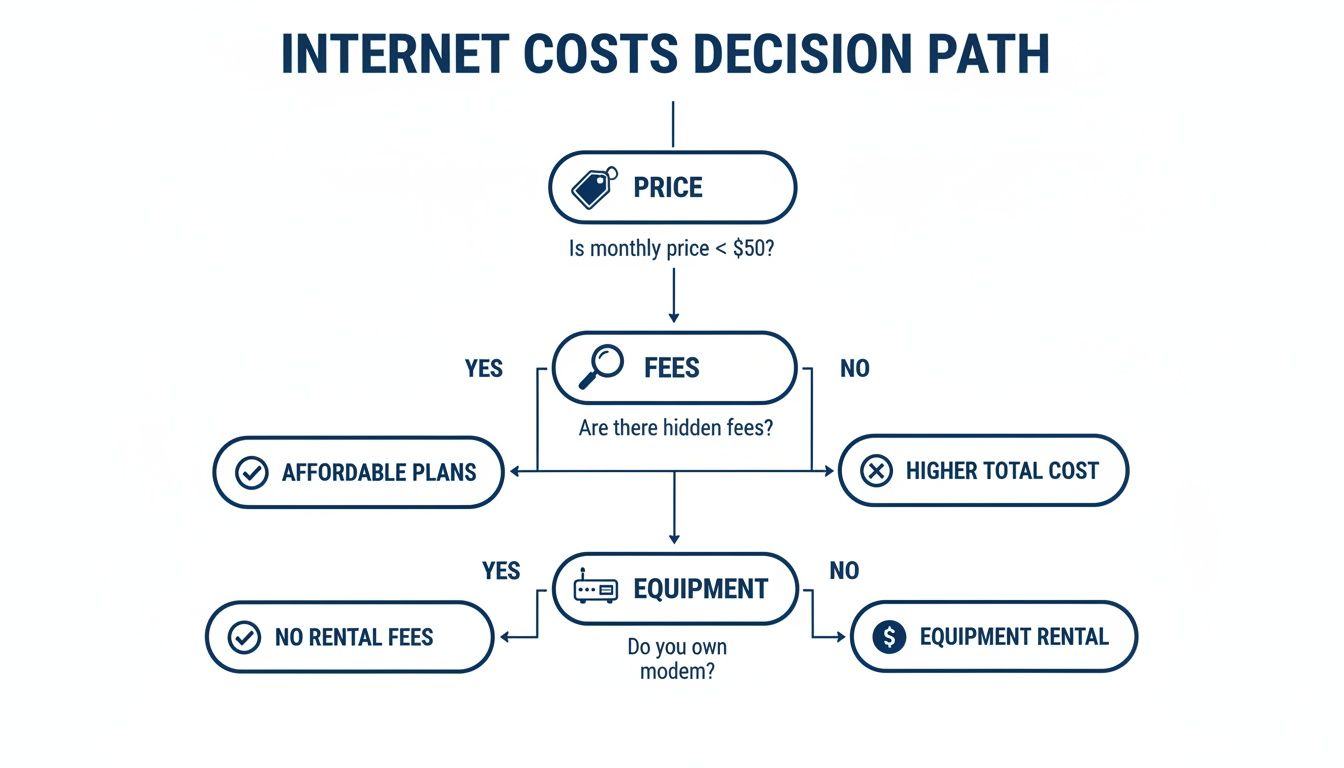
This flowchart is a great reminder that the sticker price is just the beginning. Always factor in those extra fees and equipment costs to understand what you'll really be paying each month.
Smart Add-Ons That Make a Real Difference
Modern internet service is so much more than just a data connection. Providers now offer a whole suite of services designed to make your online life better, from managing your home network to helping you save money on TV. These aren't just upsells; they're genuinely useful tools.
- Managed Wi-Fi: Instead of messing with router settings and fighting dead zones yourself, a managed service handles it all for you. It guarantees strong, consistent coverage and usually comes with extra security features and parental controls.
- VoIP Phone Service: Perfect for a home office or anyone who still wants a reliable landline. Voice over IP (VoIP) gives you crystal-clear calls over your internet connection, often for less than a traditional phone line.
- Streaming Bundles: Cutting the cord can feel overwhelming. Services like MyBundle.TV often partner with ISPs to make it simple. They help you find the streaming services with your must-have channels, potentially saving you up to 50% compared to your old cable bill.
Think of add-ons as force multipliers for your plan. A family might pair a 1 Gbps plan with managed Wi-Fi to make sure that incredible speed actually reaches every device. A remote worker could bundle a VoIP line with their fiber plan to create a professional, full-service home office.
In the end, this is what choosing an internet provider is all about. You’ve checked the tech, compared your local options, and decoded the contracts. Now you get to build a solution that perfectly matches how you live. By picking a plan tailored to your needs and boosting it with smart add-ons, you’re not just getting internet—you’re getting a connection that will keep up with you for years to come.
Finalizing Your Choice and Getting Installed
You’ve done the hard work. You’ve waded through the options, compared the different technologies, and read all the fine print. Now it’s time to make the final call and get your new service up and running.
This last step is all about locking in your choice with confidence and making sure your new internet starts off without a hitch. Before you hit that "order" button, just take a moment for one last check.
Your Pre-Order Checklist
Trust me, it's way easier to double-check these details now than trying to sort things out after the technician has already driven away.
- Final Monthly Cost: What's the bottom-line number that will actually show up on your bill, including all those little taxes and fees?
- Post-Promo Price: When does that sweet introductory rate expire, and what will the new, standard price be? No surprises later!
- Contract Length: Are you agreeing to a 12 or 24-month term, or is this a more flexible month-to-month plan?
- Installation Details: Is there a fee for the setup? And what's the exact date and time window for the technician's visit?
A quick five-minute call to a sales rep can be the most valuable part of this whole process. Just confirm these points, get the name of the person you spoke with, and jot down the details. It's great to have for your records.
Preparing for a Smooth Installation Day
A little bit of prep work can make installation day go a whole lot smoother.
First, clear out the area where the technician will need to work. Make sure they can easily access the spot where your new equipment will go. If you’re getting a brand-new fiber line, they will need to run a new cable into your home. You can see what that involves in our guide on fiber-optic home installation for homeowners.
When the tech arrives, feel free to ask questions. Confirm the best spot to place the router for solid Wi-Fi coverage throughout your house.
And one last tip: before they leave, pull out your phone or laptop and run a quick speed test. This is the best way to confirm you’re getting the speeds you signed up for right from day one.
Frequently Asked Questions
When you're close to picking a new internet provider, a few final questions always seem to pop up. Getting those last details ironed out is the key to making a choice you feel great about. Here are the answers to some of the most common ones we hear.
What Is a Good Internet Speed for My Home?
There’s no magic number here—a "good" speed really depends on your household.
If you’re a couple or live alone and mostly use the internet for web browsing, email, and streaming HD shows, a plan with 100-300 Mbps is usually plenty. You'll get a smooth, buffer-free experience without overpaying.
But for a busy family—think multiple 4K streams, online gaming, and a few people working from home all at once—you’ll want to look at plans in the 500 Mbps to 1 Gbps range. Don't forget about upload speed, either. If you're on a lot of video calls or upload large files, a symmetrical fiber connection is a game-changer.
Should I Buy My Own Modem and Router or Rent from the ISP?
Renting equipment from your provider is all about convenience. They handle the tech support, and if anything breaks, you get a free replacement. Plus, you often get access to services like managed Wi-Fi that automatically keep your network running smoothly.
On the other hand, buying your own gear can save you money over time, typically paying for itself within 12 to 18 months. It also gives you more control and access to advanced features. Just remember, you're responsible for setup, compatibility, and any troubleshooting.
For most people, renting is the simple, hassle-free route. But if you're tech-savvy and want total control over your network, buying your own equipment is a great investment.
How Can I Find Out Which Internet Providers Are Available at My Address?
Start with the big comparison websites, but don't stop there—they often miss smaller, local companies. Your next step should be to go directly to the websites of the major national carriers and use their address lookup tools.
Most importantly, do a quick search for regional fiber providers in your city or county. Companies like Premier Broadband are often building out brand-new networks that offer fantastic speeds and service you won't find on the big aggregator sites. And for the best real-world intel, ask your neighbors in a local online forum. They’ll tell you who really services the area and how reliable they are.
Ready to experience the difference of a 100% fiber network? Premier Broadband delivers the symmetrical speeds and reliability you need for everything from gaming to remote work. Explore our flexible internet and VoIP plans today.