
Tired of searching "internet service provider near me" only to get lost in a sea of confusing tech jargon and flashy, empty promises? We get it. This guide is your map to finding a better, more reliable internet connection that just works, starting with the most basic step: figuring out which providers actually service your address.
Your Search for a Better Connection Starts Here
Finding the right local ISP is about so much more than just speed. It's about securing a dependable connection for your entire digital life, whether you're a remote worker who can't afford to have a video call drop or a family streaming movies on multiple screens at once.
We'll help you cut through the noise and focus on what really matters for your home or business. Instead of getting bogged down in technical details, you'll learn how to translate your family’s daily internet habits into real-world requirements.
The Modern Internet Is All About Fiber
Let's face it: the demand for fast, stable internet has exploded. The global ISP market is booming, expected to jump from $592.368 billion in 2021 to a massive $711.109 billion by 2025. This isn't just a number—it shows a huge shift toward better technology, especially fiber-optic networks.
This growth means you have more and better options than ever before. You're no longer stuck with old-school cable or DSL. Modern solutions from providers like Premier Broadband are built on 100% fiber networks, which deliver a fundamentally better, more reliable experience from the ground up.
The best internet connection isn't just fast—it's consistent. It gives you the stability you need for everything from a critical work presentation to an uninterrupted family movie night. That's the core promise of a dedicated fiber connection.
What This Guide Will Do for You
We built this guide to be your practical roadmap. To effectively find an "internet service provider near me," it helps to understand how local companies show up in your results. For a deeper dive, you can explore the strategies for ranking higher in 'near me' searches to see the other side of the coin.
Here’s a quick look at how we’ll help you make a smart decision:
- Define What You Really Need: We’ll walk you through assessing your actual speed and performance needs, so you don't end up overpaying for bandwidth you'll never use.
- Decode the Features: Learn what terms like symmetrical speeds, managed Wi-Fi, and VoIP phone services actually mean for your daily use.
- Compare Providers Like a Pro: Get a clear framework for looking at pricing, contracts, and a company's real-world reputation for reliability and customer support.
How To Determine the Internet Speed You Actually Need
Before you start comparing internet plans, let's figure out what your home actually needs. "Fast internet" means something different to everyone. What feels snappy to a casual email checker is painfully slow for a competitive gamer or someone working from home.
This isn't about chasing the biggest number on an ad. It's about matching your real-life internet habits to the right plan so you're not overpaying for speed you don't use—or worse, getting stuck with a connection that’s constantly buffering.
What Does Your Internet Usage Look Like?
Picture a typical evening in your house. Is one person streaming a 4K movie while someone else is in an intense online game? Is a video call for work happening while your smart cameras, speakers, and thermostat are all running in the background?
All those activities add up fast. A home with multiple people and devices doing high-demand things at once will almost certainly need a gigabit plan to keep everything running smoothly.
For example, a busy family is often juggling:
- 4K Streaming: This eats up a lot of download bandwidth, often 25 Mbps or more for a single stream.
- Online Gaming: This depends on low latency (ping) and solid upload speeds to avoid frustrating lag.
- Smart Home Devices: All those connected gadgets create a constant hum of network traffic that can strain a weaker connection.
It's no surprise the demand for better internet is growing. The global broadband market was valued at a massive $555.98 billion in 2025, with nearly 6.04 billion people online worldwide. Here in North America, where household internet penetration is 91.8%, symmetrical fiber plans are becoming essential for modern life.
The goal isn't just about getting more speed; it's about getting the right kind of speed. For today's connected homes, upload speed is just as important as download speed.
Why Symmetrical Speeds Are a Game-Changer
For years, internet plans were asymmetrical—you got much faster download speeds than upload speeds. That worked fine when we mostly just consumed content like browsing websites or watching videos.
But our habits have changed. We're now creating and collaborating online more than ever. A remote professional isn't just watching a presentation; they are broadcasting their own high-quality video for hours a day.
This is where symmetrical speeds, a key feature of 100% fiber networks like ours, become so important. When your upload speed matches your download speed (like 1 Gbps up and 1 Gbps down), you get rid of the bottlenecks that cause choppy video calls, slow cloud backups, and agonizing waits when sending large files.
Matching Internet Speed to Your Household Activities
Use this guide to estimate the right download and upload speeds based on how your household uses the internet.
| Household Profile | Common Activities | Recommended Download Speed | Why Symmetrical Upload Speed Matters |
|---|---|---|---|
| The Power User Family | Multiple 4K streams, online gaming, dozens of smart devices, remote work, and school happening at once. | 1 Gbps or higher | Ensures lag-free gaming, smooth video calls for work, and fast cloud backups, even when everyone is online. |
| The Remote Pro or Creator | Frequent video conferencing, uploading large work files (videos, designs), constant cloud syncing, and live streaming. | At least 500 Mbps | High upload speed is critical here for crystal-clear video calls and sending huge files without long waits. |
| The Streamer & Gamer | Streaming movies in 4K, competitive online gaming on consoles or PC, and downloading large game files. | 400-500 Mbps | Prevents buffering during peak streaming hours and provides the low latency needed for a competitive gaming edge. |
| The Casual User | Web browsing, social media, email, and streaming HD video on one or two devices at a time. | 100-300 Mbps | A fiber connection, even at lower speeds, provides superior reliability for a frustration-free experience. |
Matching your actual usage to a plan ensures you get the performance you need without paying for bandwidth you'll never touch.
Before you make a final decision, it’s a great idea to see what you're getting now. Check out our guide on how to test your internet speed accurately to get a reliable baseline. Knowing your current numbers makes it much easier to see the difference a better provider can make.
Look Beyond Speed to Find a Truly Great Plan
When you’re hunting for an internet provider, it’s really easy to get tunnel vision. All the ads scream about speed, plastering huge numbers like “1 Gig” or “2 Gig” everywhere you look. It makes you think that’s the only thing that matters.
But honestly, a great internet plan is about so much more than just a flashy download number. The real difference between a frustrating connection and one that just works is in the details—the tech, the gear, and the features that make your life online easier and more reliable. Let's dig into what you should actually be looking for.
The Foundation of a Superior Connection
First things first, you have to look at the network itself. Not all internet is built the same. Old-school tech like cable and DSL was designed for a time when all we did was consume content. Now, our internet use is a two-way street, with constant video calls, cloud backups, and online gaming.
This is where a 100% fiber optic network is a complete game-changer. Unlike cable, which often uses shared copper lines, fiber sends your data as light through dedicated glass strands. The result? A much more stable connection that doesn't bog down when everyone in the neighborhood logs on.
Even better, true fiber allows for symmetrical speeds. This means your upload speed is just as fast as your download speed, giving you a powerful, balanced connection for everything you do. To see how much of an impact this makes, you can learn more about why fiber internet is superior to cable internet.
Here’s a simple way to think about it: A cable connection is like a highway with five lanes coming into town but only one lane leaving. Fiber gives you five lanes going in both directions. No more traffic jams when you’re trying to send files or jump on a video call.
Features That Enhance Your Everyday Experience
Once you've confirmed the provider is running on a solid fiber network, it’s time to check out the features that come with their plans. These extras can take your internet from a basic utility to a full-service solution for your home.
Here are some of the most valuable features to keep an eye out for:
- Managed Wi-Fi: A lot of providers just hand you a modem and wish you luck. Managed Wi-Fi is different. The company provides a high-end router and actively manages your network to make sure you have a strong, reliable signal in every room. It’s the perfect hands-off way to get rid of dead spots for good.
- VoIP Phone Systems: A Voice over IP (VoIP) phone system runs through your internet connection, giving you crystal-clear calls and modern features. Look for perks like voicemail-to-email, caller ID, and mobile apps that let you take your home phone anywhere.
- Network Security and Parental Controls: A good ISP gives you the tools to keep your family safe. Services like Premier Protects offer powerful content filtering, block malicious sites right at the network level, and let you manage screen time for your kids' devices.
- Equipment Protection Plans: Life is unpredictable. Pets chew on cords, and accidents happen. An equipment protection plan gives you peace of mind, covering the cost to repair or replace gear so you aren't hit with an unexpected bill.
Don't Forget to Read the Fine Print
Finally, a truly great plan is a transparent one. As you compare your options, pay close attention to the details to avoid any nasty surprises. Look for hidden fees, data caps, equipment rental charges, or installation costs that aren't spelled out clearly upfront.
A provider you can trust will be straightforward about their pricing and terms. They’ll offer simple plans without confusing promo rates that jump up after a few months. Finding a company that values honesty is just as important as finding one with high speeds and great features.
How to Compare Local Internet Providers and Contracts
Alright, you've got your list of potential providers. Now it’s time to really dig in and see what’s behind the flashy ads and too-good-to-be-true offers. The goal here isn't just to find the cheapest plan for the next year—it's to find a reliable partner for your home internet.
A good deal is about way more than the monthly price tag. You need to understand the contract, the provider's track record for keeping you online, and whether you can actually get a human on the phone when you need help. Let's get into the nitty-gritty.
Decoding the Dollars and Cents
Those introductory prices are designed to reel you in, but what you really need to know is the standard rate you’ll be paying long-term. Always ask a sales rep to tell you exactly what the price will be after that promo period ends.
You also have to keep an eye out for sneaky fees that can bloat your bill. Some of the most common ones are:
- Equipment Rental Fees: Most providers charge a monthly fee for their modem or router, usually around $10-$15.
- Data Caps: Some companies will limit how much data you can use each month. Go over, and you'll get hit with extra charges.
- Installation and Activation Fees: This is a one-time charge to get your service running, though sometimes you can get it waived.
Paying attention to these details is critical. The ISP market is growing fast, with U.S. broadband expanding at a 7.5% compound annual growth rate. While the national giants are big, local providers are seeing a 9.6% jump in customers by focusing on what really matters: honest pricing and reliable service.
A great provider won't make you hunt for the real price. They'll be upfront about all costs, including the standard rate you'll pay after any promotions expire. If they're cagey about the details, consider it a red flag.
Reliability and Support Matter More Than Price
What good is a cheap internet plan if it’s always dropping out? Or if you spend hours on hold just to talk to tech support? This is where a provider’s reputation for reliability and customer service really comes into play.
Check out recent, real-world customer reviews on Google, Yelp, or local community Facebook groups. Look for comments about downtime, speeds that don't match what was promised, and experiences with the support team. Are people generally happy, or is there a clear pattern of frustration?
This is an area where community-focused providers like Premier Broadband really stand out. We’re not some faceless corporation; we’re part of the communities we serve. We invest in local infrastructure and are accountable to our neighbors, which translates to better, more personal service when you need it.
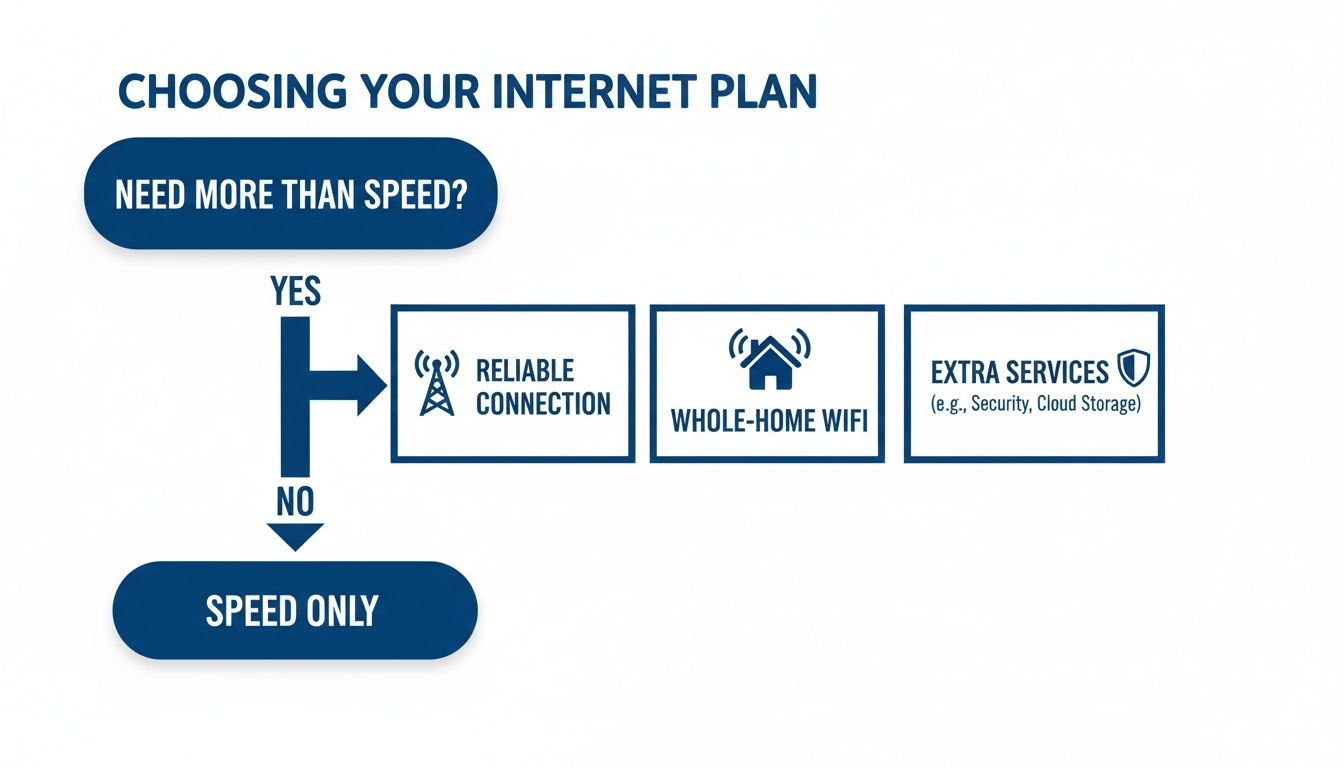
As you can see, once you know the speed you need, things like whole-home Wi-Fi, added security, and a consistently stable connection become the real deciding factors.
ISP Comparison Checklist
To help you stay organized, use this checklist to compare your top contenders side-by-side. It makes it easy to see who really offers the best overall value.
| Feature/Term | Provider A | Provider B (e.g., Premier Broadband) | Provider C |
|---|---|---|---|
| Advertised Download Speed | |||
| Advertised Upload Speed | |||
| Promotional Monthly Price | |||
| Standard Monthly Price | |||
| Equipment Rental Fee | |||
| Data Cap? (Yes/No) | |||
| Contract Length | |||
| Early Termination Fee | |||
| Installation Fee | |||
| Managed Wi‑Fi Available? |
By filling this out for each provider, you'll get a much clearer picture of the total cost and commitment involved, helping you avoid any unpleasant surprises.
Asking the Right Questions Before You Sign
When you get on the phone with a provider, have a list of questions ready. This is your chance to get straight answers and compare them on more than just the advertised download speed.
To see how we stack up, you can explore our detailed guide and compare home internet plans right on our site.
Make sure you ask every provider these key questions:
- What will my total monthly bill be after the promotional period ends?
- Are there any data caps on this plan? If so, what are the overage fees?
- Is there a contract? What’s the early termination fee if I have to cancel?
- Do you offer managed Wi-Fi to make sure I get a strong signal everywhere in my house?
- What’s your process for handling technical support issues and network outages?
Getting direct answers to these questions will help you cut through the marketing fluff. You'll be able to make a final choice based on what really counts: transparent cost, solid performance, and service you can trust.
Navigating the Signup and Installation Process
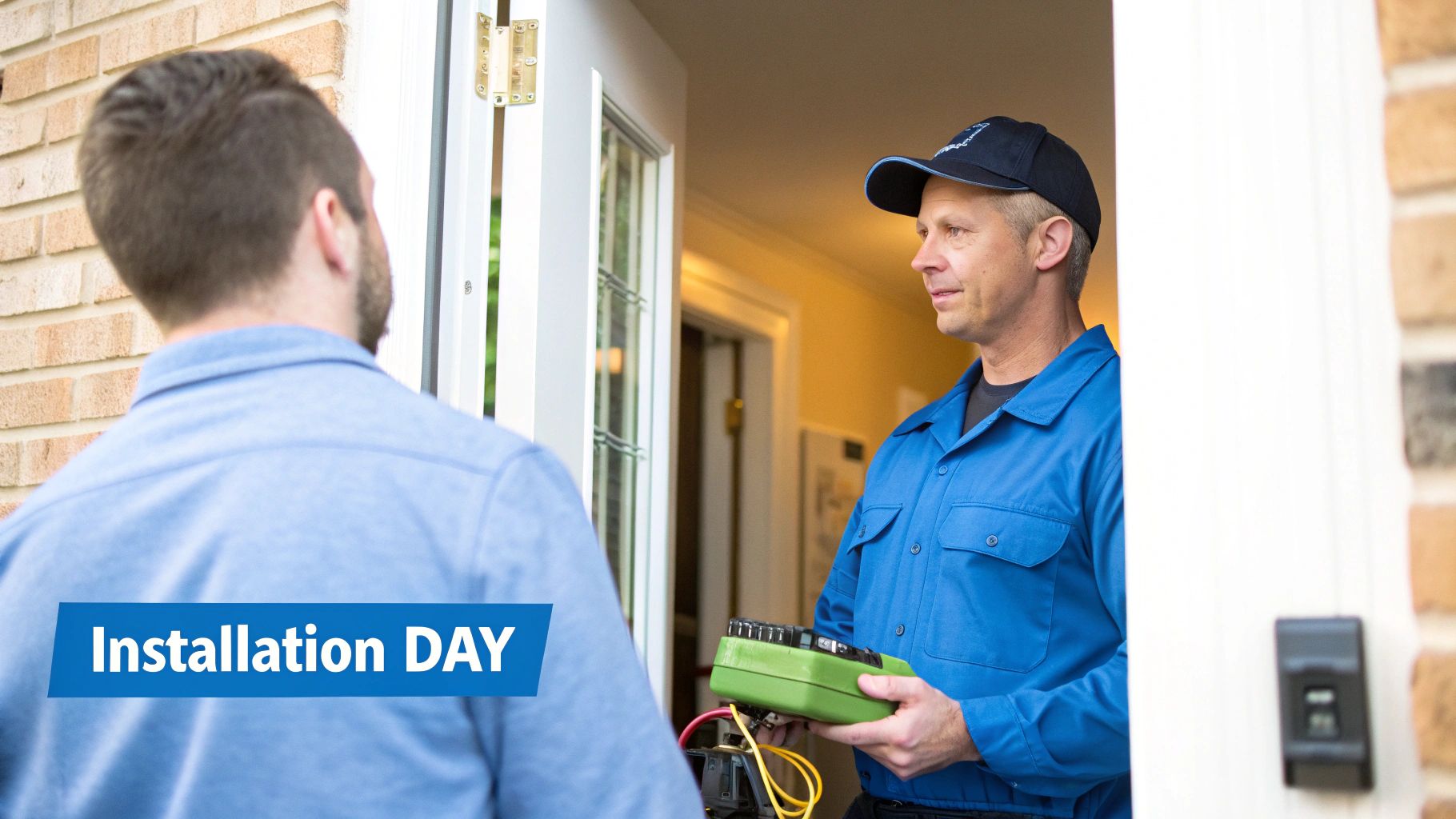
You’ve done the research, compared your options, and picked the best local provider. Now for the exciting part: getting your new, faster internet up and running. This final step should feel like a win, not a hassle. Knowing what’s coming next makes the whole process smooth and stress-free.
Signing up is usually pretty simple. You can typically order online or call to confirm your plan, give your address, and lock in an installation date. This is also when you’ll find out if you need a pro to come out or if a self-install kit is available for your service.
Professional Installation Versus Self-Installation
Most of the time, your provider will know the best way to get you connected. For a brand-new fiber optic hookup, a professional installation is almost always necessary. A technician has to run a new fiber line from the main network to your house and install a special piece of gear called an Optical Network Terminal (ONT) inside.
Self-install kits are more common with older tech like cable or DSL, where the wiring is probably already in place. They can be convenient, but they also open the door to headaches if the outlets are old or you hit a technical snag.
Having a pro on-site means any unexpected issues get solved right away, and your connection is optimized from the get-go. It’s really the only way to guarantee you’re getting the full power of a high-speed fiber plan.
Key Takeaway: For a 100% fiber connection, a professional installation is essential. It guarantees the new infrastructure is set up correctly, giving you the full benefit of the speed and reliability you're paying for.
Want a better idea of what happens when the technician shows up? Check out this simple guide for homeowners on fiber optic installation for a full walkthrough.
Preparing for a Smooth Installation Day
Once your appointment is on the calendar, a little prep work can make the visit fly by. Taking a few simple steps helps avoid delays and gets you online without any trouble.
First, think about where your new router should go. For the best Wi-Fi coverage, you’ll want it in a central, open spot. Try to avoid tucking it away in a closet, down in the basement, or behind the TV cabinet where the signal can get blocked.
Next, clear a path. Make sure the technician can easily get to the area where the new line will enter your home and the spot you've picked out for the router.
Here are a few tips to make install day a breeze:
- Clear the Path: Give the technician easy access to the outside wall where the fiber line comes in and the interior wall outlet they'll be using.
- Plan Your Router Placement: Pick a central spot for the router before the tech arrives to maximize your Wi-Fi signal across the house.
- Have Questions Ready: This is your chance to ask an expert about setting up a guest network, using parental controls, or anything else on your mind.
A little planning goes a long way in helping the technician work efficiently.
What to Ask Your Installation Technician
Think of your installation technician as more than just an installer—they're a valuable resource. They can help you get your network perfectly tuned for how you use it, so don't hesitate to ask questions while they’re there.
Here are a few must-ask questions to get the most out of the visit:
- "Can you test the speed before you leave?" Ask them to run a speed test on a device plugged directly into the router. This confirms you're getting the performance you signed up for right from the start.
- "What's the best way to manage my Wi-Fi network?" See if there's an app or website you can use to change your password, set up guest access, or see what devices are connected.
- "Any tips for avoiding Wi-Fi dead spots in my home?" Based on your home's layout, they might suggest a Wi-Fi extender or a mesh system to ensure strong coverage everywhere.
A quick chat with your technician can make all the difference, ensuring you’re not just connected, but you actually know how to manage your powerful new internet from day one.
Your Top Questions About Choosing an ISP, Answered
Picking an internet service provider can feel overwhelming. It’s easy to get lost in the technical jargon, but you don't need to be a network engineer to make a great choice. You just need clear, honest answers.
We've heard all the common questions people ask when looking for "internet service providers near me." Let's break them down so you can feel confident in your decision.
What Is the Difference Between Fiber, Cable, and DSL Internet?
This is the big one. The technology delivering your internet has a massive impact on your daily experience. While they all get you online, how they do it is what really matters.
Here’s the simple breakdown:
- Fiber-Optic Internet: Think of it as the superhighway. Data travels as pulses of light through super-thin glass strands. This makes it incredibly fast, stable, and capable of delivering symmetrical speeds. It's the gold standard and the most future-proof option out there.
- Cable Internet: This service uses the same coaxial lines as your cable TV. It can deliver fast download speeds, but the upload speeds are often much, much slower. This can create a real bottleneck for video calls, online gaming, or uploading large files.
- DSL (Digital Subscriber Line): This technology runs on old-school copper telephone lines. It’s usually the slowest and least reliable option, and performance often gets worse the farther you are from the provider’s main office.
For almost any modern home or business, fiber is the clear winner for both raw performance and day-to-day reliability.
What Does Symmetrical Speed Mean and Why Does It Matter?
You’ll see the term "symmetrical speed" mentioned a lot with fiber internet, and it’s a huge advantage. It simply means your upload speed is the same as your download speed. So, a 1 Gbps symmetrical plan gives you 1 Gbps for downloading and 1 Gbps for uploading.
This is critical because we send a ton of data out, not just pull it in.
Symmetrical speeds are essential for:
- Clear Video Calls: Stop your video from freezing or looking grainy during important work meetings or family chats.
- Competitive Online Gaming: Reduce lag by making sure your commands hit the game server instantly.
- Uploading Content: Share high-resolution photos, post videos, or back up files to the cloud without waiting forever.
Cable and DSL connections are asymmetrical—their upload speeds are just a fraction of their download speeds, creating frustrating digital traffic jams when you try to send data out.
Should I Use the Router My ISP Provides or Buy My Own?
This is a classic question. Using the router your provider gives you is definitely the easiest option. It's guaranteed to work with their service, and their support team can help you directly if something goes wrong.
Many providers, like Premier Broadband, offer a managed Wi-Fi service. This means we provide a high-quality router and actively manage it to ensure you get a strong, consistent signal everywhere in your home. It takes all the guesswork out of your network setup.
Buying your own router can save you money on monthly rental fees, which can add up to over $100 a year. A third-party router might also offer more advanced features.
The trade-off is responsibility. If you buy your own, you're on the hook for setup, security, and troubleshooting. For most people, the convenience and optimized performance of a managed Wi-Fi solution from their provider is the better, hassle-free choice.
How Can I Accurately Test My Current Internet Speed?
Knowing your current speed shows you if you're getting what you pay for. It also gives you a real-world baseline to use when comparing new plans.
For the most accurate result, don't just run a test on your phone. Follow these steps:
- Plug your computer directly into your modem with an Ethernet cable. Wi-Fi can be unpredictable, so a wired connection gives you the true speed.
- Close any other apps or browser tabs that could be using bandwidth.
- Use a reliable speed test tool like Speedtest.net or Fast.com.
- Run the test a few times throughout the day—morning, afternoon, and evening—to see how your speed holds up during peak hours.
This quick check will give you the hard numbers you need to decide if it's time for an upgrade.
Ready to experience the difference a 100% fiber network can make for your home or business? Premier Broadband delivers the symmetrical speeds and rock-solid reliability you need for everything from 4K streaming to professional video conferencing.