
Let's be blunt: the biggest myth in the business world is that cybercriminals only go after the big fish. The hard truth is that your small business is a very attractive, high-value target for attackers. Thinking about network security for small business isn't just an IT expense; it's a fundamental part of staying in business.
Why Your Small Business Is a Prime Target for Cyberattacks
Many small business owners fall into a dangerous way of thinking: "We're too small for anyone to care about." Unfortunately, cybercriminals see things very differently. To them, a small business often looks like the path of least resistance—a target of opportunity with valuable data and way fewer defenses than a major corporation.
This misconception is a huge vulnerability. While big companies pour money into security teams and fancy tools, attackers know that small businesses are often working with tight resources, making them much easier to crack. They aren't always looking for one massive payday; they make their money by hitting thousands of smaller, less-protected businesses.
Your Expanding Digital Footprint
Just think about how your business operates now compared to a few years ago. All the modern tools that make work easier have also dramatically expanded your attack surface—that's just a term for all the possible ways an attacker could get in.
Your digital footprint probably includes things like:
- Cloud Services: You're storing customer lists, financial records, and private documents on platforms like Google Drive or Dropbox.
- Remote Work: Employees are connecting to your business network from their homes, sometimes over Wi-Fi that isn't very secure.
- VoIP Phone Systems: Your phone calls run over the internet, which means they can be intercepted if not locked down.
- Online Payment Portals: You're handling sensitive customer credit card details every single day.
Every one of these is like a new door an attacker can try to jiggle open. Without a real network security plan, too many of those doors are left unlocked. And since you count on fast, reliable connectivity to run your business, a solid network is more important than ever. Our guide on fiber internet for small business explains how to build that secure foundation.
The Real-World Consequences of a Breach
The fallout from a cyberattack is much more than a temporary tech headache. The Guardz 2025 SMB Cybersecurity Report found that 43% of U.S. small and medium-sized businesses have already been hit by a cyberattack. The damage from an incident like that can be catastrophic.
It's a grim statistic, but a crucial one: 60% of small businesses that suffer a cyberattack go out of business within six months. They just can't absorb the combined financial hit and the damage to their reputation.
This isn't just about losing data. It's about losing the trust of your customers, getting hit with regulatory fines, and dealing with operational downtime that your business simply can't afford. Being proactive about network security is your best defense against becoming another statistic.
Decoding the Top Cyber Threats You Actually Face
To build a solid defense, you first need to know what you're up against. Cyber threats aren't some far-off problem that only happens to giant corporations; they're very real attacks hitting small businesses like yours every single day. Let's cut through the jargon and break down the dangers you really need to worry about.
Picture your business network like your physical office. A burglar doesn't always need to smash down the front door. Sometimes, all they need is an unlocked window or an employee who's been tricked into handing over the keys. That’s the reality of network security for small business today—the simplest tricks often cause the biggest headaches.
Phishing and Credential Theft
The most common way criminals get in? They just ask. That's the whole idea behind phishing. It's a digital con where an attacker sends a bogus email, text, or social media message to fool someone into giving up sensitive info.
For a small business, this isn't just generic spam. We're talking about clever messages designed to look like a real invoice from a supplier, a password reset from your bank, or an urgent request from a coworker. The goal is always to create panic or trust, getting an employee to click a bad link or type in their username and password without thinking.
And once they have those credentials, they have the keys to the kingdom. They can get into your company email, log into your accounting software, or walk away with your customer list.
Phishing emails and stolen credentials are the silent killers, responsible for over 80% of breaches. Small businesses are prime targets, receiving the highest rate of malicious emails—about 1 in 323—as AI-powered attacks make these scams more convincing than ever. You can find more details on these threats at Guardz.com.
This is precisely why training your team is just as crucial as any security software.
Ransomware: The Digital Hostage Situation
Imagine walking into work one morning to find every file cabinet locked shut. All your customer files, financial records, and project plans are inside, but you can't get to them. Then you see a note on your desk demanding a huge payment to get the keys back. That's ransomware in a nutshell.
It’s a nasty piece of software that encrypts your files, making them totally useless. The attackers then demand a ransom, usually in cryptocurrency, in exchange for the key to unlock them.
For a small business, a ransomware attack can be devastating. Work stops dead, customer trust evaporates, and the financial hit can be crippling. Worse, paying up is no guarantee you'll get your data back, and it basically paints a target on your back for the next attack.
Malware: The Unwanted Guest
Malware, which is short for malicious software, is the catch-all term for any software built to cause trouble on your network. Think of it like a spy or a vandal who sneaks into your office to operate in the shadows.
There are a few common types that hit small businesses hard:
- Viruses: These nasty bits of code latch onto clean files and spread through your network, corrupting data and bringing everything to a standstill.
- Spyware: Just like it sounds, this software secretly collects information from a computer—logins, browsing history, sensitive company data—and sends it straight back to the attacker.
- Trojans: Disguised as legitimate software, trojans trick people into installing them. Once inside, they can create backdoors for attackers to slip through, steal your data, or launch other attacks.
Malware usually finds its way in through phishing emails, shady downloads, or by exploiting software that hasn't been updated. Getting a handle on these key threats is the absolute first step to building a security plan that actually works.
Building Your First Line of Digital Defense
Knowing the threats is one thing, but now it's time to build your defenses. You don't need a massive budget or a dedicated IT department to get started. It’s all about putting a few fundamental security controls in place—the ones that give you the biggest bang for your buck in network security for small business.
Think of it like layering up for cold weather. One thin jacket won't do much, but a shirt, sweater, and coat work together to keep you warm. These security controls create a layered defense that makes your business a much tougher target for cybercriminals. Let's walk through the essentials.
Your Digital Bouncer: The Firewall
Imagine your business network is an exclusive club. A firewall is the bouncer at the front door, checking IDs and deciding who gets in. Its entire job is to watch the traffic coming in and out of your network, blocking anything that looks shady or breaks the rules you've set.
This is your absolute first line of defense. A well-configured firewall stops tons of automated attacks and shady login attempts before they even get close to your computers. It’s a non-negotiable for any business connected to the internet.
This chart shows the main threats a solid security plan protects you from.
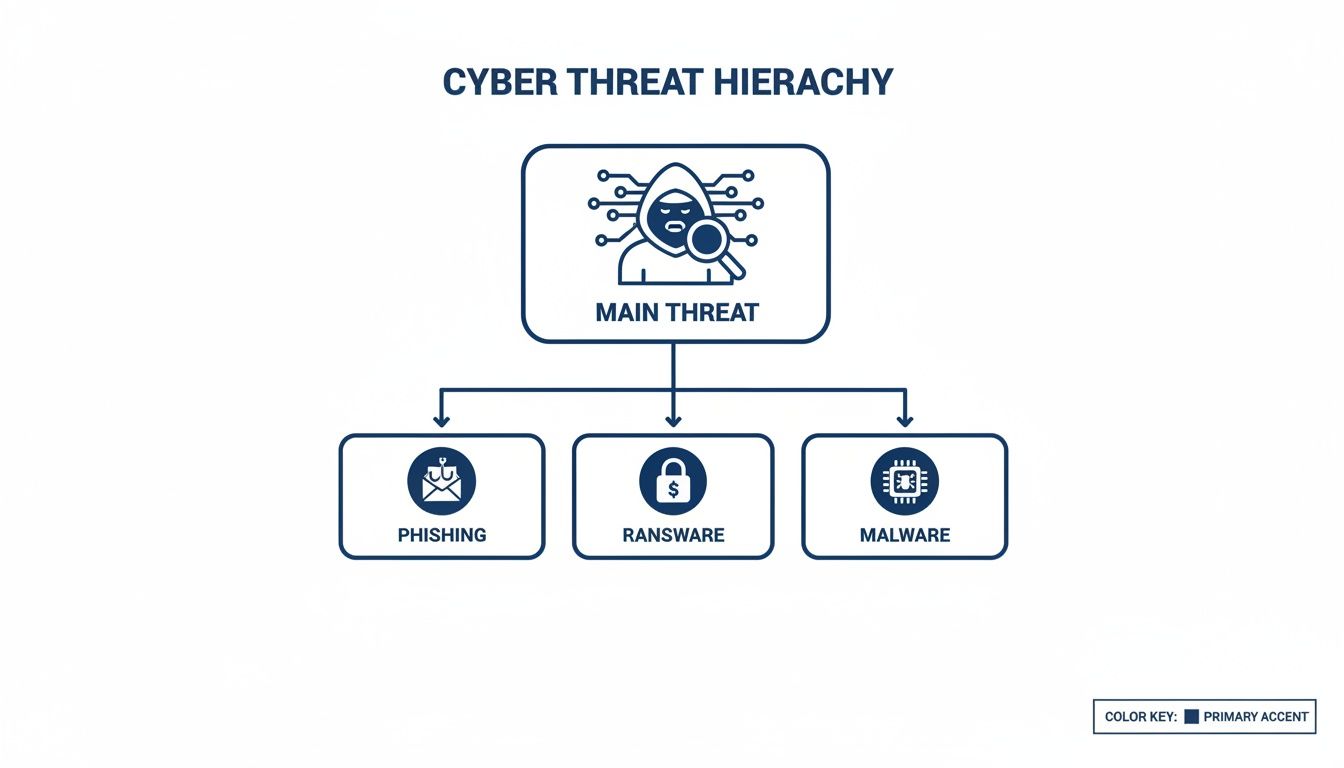
When you can see the most common attacks like phishing and ransomware, it's easier to understand where your defenses need to be the strongest.
Your Digital Safe: Segmenting The Network
Not all your data has the same value. Customer credit card numbers are way more sensitive than the marketing flyers on your public website. Network segmentation is simply the act of dividing your network into smaller, isolated zones.
It’s like keeping your cash and important documents in a locked safe inside your office, instead of leaving everything out on the front counter.
If a breach happens, segmentation contains the damage. An attacker who gets into a less critical area, like your guest Wi-Fi, can't just wander over to the part of your network with financial records or your point-of-sale system.
This single move makes it incredibly difficult for an intruder to move around, turning a potential disaster into a minor headache.
The Double-Lock: Multi-Factor Authentication
If a password is the key to a door, Multi-Factor Authentication (MFA) is the heavy-duty deadbolt you add for extra security. It forces anyone logging in to provide a second piece of proof that they are who they say they are.
After you type in your password, MFA will ask for something else. This is usually:
- Something you have: A temporary code from an authenticator app or a text message sent to your phone.
- Something you are: Your fingerprint or a face scan.
Turning on MFA is one of the most powerful security moves you can make. Even if a hacker steals an employee's password, they're stopped cold because they don't have that second piece of the puzzle. Microsoft reports that MFA can block over 99.9% of account compromise attacks.
The Secure Tunnel: A Virtual Private Network
When your team works from home or logs on from the Wi-Fi at a local coffee shop, they’re using networks you have zero control over. A Virtual Private Network (VPN) creates a private, encrypted "tunnel" from their device straight back to your business network.
This tunnel scrambles all the data traveling through it, making it unreadable to anyone trying to eavesdrop on the public network. Think of it as sending sensitive documents via an armored truck instead of just dropping them in the mail. For remote work, a VPN is absolutely essential. To go deeper, you can find more best practices for network security to round out your strategy.
To give you a clearer picture, here’s a quick checklist of these core security tools, why you need them, and where to start.
Essential Security Controls Checklist
| Security Control | Primary Function | Implementation Priority |
|---|---|---|
| Firewall | Blocks unauthorized network traffic from entering or leaving. | High – Your first line of defense. |
| Multi-Factor Authentication (MFA) | Adds a second layer of identity verification to logins. | High – Prevents most account takeovers. |
| Virtual Private Network (VPN) | Encrypts internet traffic for remote and mobile workers. | High – Critical for securing remote access. |
| Network Segmentation | Divides the network into isolated zones to contain breaches. | Medium – A powerful next step after basics. |
Starting with the "High" priority items will give you the most significant security boost right away. These foundational controls all work together, creating that layered defense that dramatically improves your security. For more hands-on guidance, check out these excellent Cybersecurity for Small Businesses: Practical Steps designed specifically for smaller operations.
Turning Your Team into a Human Firewall

You can have the most advanced security tech in the world, but it can all be brought down by a single, accidental click. This simple fact completely changes the conversation around network security for small business. It’s not just about hardware and software anymore; it’s about your greatest asset and, potentially, your biggest risk—your people.
Think of it this way: technical defenses like firewalls are your locked doors and MFA is the deadbolt. But what good are they if an attacker can sweet-talk an employee into just opening the door for them? This is why building a “human firewall” isn't just a clever phrase. It's an absolutely essential layer of your defense.
The idea isn’t to make everyone a cybersecurity guru. It's about fostering a strong security culture where safe habits become second nature. That journey starts with clear, simple policies your team can actually follow without getting bogged down in jargon.
Creating Simple and Effective Security Policies
Nobody reads a 20-page security manual. For a small business, simple is effective. Your policies need to be straightforward guidelines, not dense technical documents. The two most critical areas you need to lock down are password management and data handling.
A strong password policy is the foundation. It’s the difference between a flimsy screen door and a bank vault. Your policy should mandate a few non-negotiable rules:
- Complexity Requirements: Mix it up. Require a combination of uppercase and lowercase letters, numbers, and symbols to make passwords tough to crack.
- Length Minimums: Size matters. Enforce a minimum length of at least 12 characters—longer passwords are exponentially stronger.
- Password Uniqueness: Don't recycle passwords. Prohibit using the same password across different services to stop one breach from turning into ten.
- Discourage Writing Down Passwords: Instead of sticky notes, get everyone on board with a reputable, business-grade password manager.
Your data handling policy is just as vital. It needs to answer one simple question: "What am I allowed to do with this information?" This policy should clearly define what data is sensitive (like customer info or financial records) and spell out the approved ways to store and share it.
By creating straightforward rules for handling data, you reduce the risk of accidental exposure. For example, a clear policy might state that sensitive client files must only be stored in the designated secure cloud folder and never on a personal device.
This approach removes the guesswork. It empowers your team to make the right security call every time, turning your policies into practical, everyday actions.
Empowering Employees with Engaging Training
The final piece of the puzzle is ongoing security awareness training. A boring, once-a-year presentation just won't cut it. To build a truly resilient human firewall, training needs to be regular, engaging, and relevant to the threats your team faces every single day—especially phishing.
Forget dry definitions. Make it interactive. Use real-world examples of phishing emails that have targeted businesses just like yours. A fantastic way to do this is with simulated phishing campaigns, where you send safe, fake phishing emails to your own team. This isn't about tricking people; it's an incredibly powerful teaching tool.
When an employee clicks on a simulated phishing link, it becomes a perfect coaching opportunity. You can provide immediate, contextual feedback that points out the red flags they missed. This hands-on approach makes abstract threats feel real, empowering every person on your team to spot a scam and become a proactive defender of your business.
What to Do When an Attack Actually Happens
It's the phone call or alert every business owner dreads, but the smart ones are ready for it. No matter how strong your defenses are, a truly determined attacker might just find a way in. When that happens, panic is your worst enemy, and a clear, well-rehearsed plan is your absolute best friend.
This is where an incident response plan (IRP) comes in. Think of it as a fire drill for a cyberattack. It’s your pre-written playbook that cuts through the chaos, guiding you and your team to take calm, decisive actions to stop the bleeding and minimize the damage. A solid plan turns a potential catastrophe into a manageable crisis.
The scary part? A lot of small businesses are flying blind. With ransomware attacks hitting businesses every 11 seconds, you’d think everyone would be prepared. But shockingly, only 34% of small businesses actually have a formal incident response plan, leaving the majority completely exposed when the worst happens. You can find more stats on small business cybersecurity preparedness on TotalAssure.com.
The First Steps: Contain, Assess, and Communicate
Your IRP needs to be built around a few core phases, kicking in the very second you suspect a breach. The goal isn't to fix everything all at once—it's to stop the damage from getting any worse.
-
Contain the Threat: Your number one priority is to isolate the infected systems to keep the attack from spreading across your network. This might be as simple as unplugging a compromised computer from the wall or as drastic as temporarily shutting down a key server. You're building a digital firewall around the problem.
-
Assess the Damage: Once the threat is contained, you need to figure out exactly what happened. Which systems were hit? What kind of data was accessed, copied, or encrypted? This is no time for guesswork. You'll likely need to bring in a professional to carefully diagnose the situation. Getting familiar with some basic network diagnostic utilities can also help you get a clearer picture of your network's health.
-
Communicate Effectively: Being transparent is critical, but it has to be handled with care. You’ll have to notify the right people—customers, employees, and maybe even regulators—depending on your legal obligations. A clear, honest communication plan helps you hold on to the trust you've worked so hard to build.
An incident response plan isn’t just a technical document; it's a business continuity tool. It needs to spell out exactly who is in charge of each step, how critical decisions get made, and who to call for help, like your IT provider or a dedicated cybersecurity firm.
This structured approach keeps you from making high-stakes decisions on the fly in the middle of a crisis.
Your Ultimate Safety Net: Reliable Data Backups
After you've contained the immediate threat, your focus has to shift to recovery. This is where the absolute, non-negotiable importance of reliable, regularly tested data backups shines. Your backups are a complete, clean copy of your business, stored safely away from the disaster.
When you're up against something devastating like a ransomware attack, those backups are often the only way out that doesn't involve paying a criminal. If a hacker encrypts all of your files, you can simply refuse the ransom, wipe the infected machines clean, and restore your entire operation from your most recent backup.
For this to work, your backups have to be:
- Automated and Frequent: Backups should run like clockwork, ideally every day, to make sure you lose as little data as possible.
- Isolated: Your backup data must be stored separately from your main network. Whether it's in the cloud or on a physically disconnected drive, it needs to be out of reach so a ransomware attack can't encrypt your safety net, too.
- Tested Regularly: An untested backup is nothing more than a guess. You have to periodically test your ability to restore data from your backups to be certain they’ll actually work when you need them most.
Without this safety net, an attack could mean losing your financial records, customer lists, and critical files forever. It could force you to rebuild your business from the ground up. A solid backup and recovery strategy isn't just a good idea—it's your best defense.
Finding the Right Managed Security Partner
As a small business owner, you wear a lot of hats. You're the CEO, the head of sales, the customer service lead—everything. But "full-time cybersecurity expert"? That's probably one role you don't have the time for, yet the need for rock-solid network security for small business has never been more critical.
This is where a good partnership changes the game. You don’t have to go it alone. Just like you’d bring in an accountant for your taxes or a lawyer for contracts, you can get a dedicated expert to handle your digital defenses so you can focus on running your business.
Why DIY Security Is a Full-Time Job
Trying to manage network security on your own might feel like it's saving money, but it quickly turns into a marathon that drains your time and energy. The threats out there are constantly changing. New attack methods, new software bugs—it’s a daily battle just to keep up.
This goes way beyond just installing some antivirus software. True security involves:
- 24/7 Monitoring: Someone has to watch the network traffic for anything suspicious, even at 3 AM on a weekend.
- Patch Management: Every single piece of software and hardware needs constant updates to plug security holes before hackers can exploit them.
- Threat Intelligence: You have to stay on top of the latest phishing schemes, malware, and ransomware tactics to know what to look for.
- Tool Management: Properly setting up and maintaining firewalls, intrusion detection systems, and other complex security tools is a specialized skill.
For most small businesses, this is just not sustainable. It pulls you away from what actually grows your company and leaves you with security gaps because you can’t possibly be an expert in everything.
Introducing the Managed Security Service Provider
The smart solution is to partner with a Managed Security Service Provider (MSSP). Think of an MSSP as your dedicated, off-site security team. They bring the expert staff, the proven processes, and the powerful technology needed to protect your network, all for a predictable monthly fee.
An MSSP lifts the entire security burden from your shoulders. They work proactively to stop problems before they start, giving you a level of protection that would be far too expensive and complicated to build yourself. It’s how you get enterprise-grade security tools and expertise at a small-business-friendly price.
Partnering with an MSSP turns security from a constant, stressful worry into a professionally managed service. It’s the difference between trying to be your own security guard and hiring a dedicated, 24/7 professional firm to protect your entire property.
This approach is not only more effective, but it’s also much more affordable than hiring a full-time, in-house security expert whose salary alone can be a huge expense.
The Power of a Managed Network Edge
One of the best solutions a provider can offer is a Managed Network Edge. This is an all-in-one approach that completely simplifies your network. Instead of juggling a separate router, firewall, and Wi-Fi system from different vendors, a Managed Network Edge combines it all into a single, cohesive platform.
Your provider monitors and manages this unified system for you. It’s the ultimate set-it-and-forget-it solution for small business network security. The benefits are clear and immediate:
- Simplified Management: You have one company to call for all your network and security needs. Simple.
- Enhanced Security: The system is configured by pros and always updated to defend against the newest threats.
- Scalability: As your business grows, your security grows right along with it without needing a massive new investment.
- Peace of Mind: You can finally run your business knowing a team of experts is watching over your network around the clock.
Offloading this critical job frees up your time and focus. To see how this all comes together, learn more about the powerful managed network security solutions built specifically for the challenges small businesses like yours are up against. The right partner ensures your network is a secure foundation for growth, not a source of constant worry.
Answering Your Top Network Security Questions
Diving into network security can feel a bit overwhelming, and it's natural to have questions. Let's tackle some of the most common ones we hear from small business owners who are trying to get a handle on protecting their company.
Is Network Security Really Affordable?
Yes, it absolutely can be. Good security isn't some massive, all-or-nothing expense. In fact, some of the most effective first steps are low-cost or even free. Just think about enabling Multi-Factor Authentication on your cloud services or creating a solid password policy—those are powerful moves that don't cost a dime.
From there, you can look into managed security services. These bundle advanced tools like firewalls and 24/7 monitoring into a simple, predictable monthly cost. This approach puts professional-grade network security for small business within reach and is always more affordable than cleaning up after a data breach.
Where Should I Start with a Limited Budget?
When you're working with a tight budget, you want to focus on the biggest bang for your buck. Start with the basics that shut down the most common attack vectors.
- Enforce Multi-Factor Authentication (MFA) on every important account. This means your email, online banking, and any financial software, no exceptions.
- Set up a reliable, automated data backup system. The key here is to test it regularly. A backup you can't restore from is just a waste of space.
- Conduct basic security awareness training. Keep it simple and focused on one thing: helping your team spot and report phishing emails.
These three steps alone will dramatically lower your risk without a major investment.
If you want to get a clear picture of where you currently stand and find any weak spots, a security audit in network security is a great next step. It can really help you prioritize your efforts.
How Is Managed Security Different from Antivirus?
This is a great question. Think of it this way: basic antivirus is like a good lock on a single office door. It protects one computer. A managed network security service, on the other hand, is like the comprehensive security system for your entire building.
It's the whole package: a perimeter firewall (the fence and gatekeeper), active 24/7 monitoring (security cameras), content filtering (like checking packages at the front door), and the expert team that keeps it all running. It protects your entire network from all kinds of threats, not just a single computer from known viruses.
Protecting your business shouldn't be a full-time job. Premier Broadband simplifies your defenses with Managed Network Edge, an all-in-one solution that streamlines deployment, monitoring, and management. Learn more about our managed network security solutions today.