
At its core, a business VoIP system takes your voice, turns it into a digital signal, and sends it over your internet connection. This completely replaces the need for old-school, copper-wire phone lines.
It’s a lot like the switch from sending letters in the mail to sending an email. One is slow and stuck in the past, while the other is instant, flexible, and loaded with features that a traditional landline just can’t match. For any modern company, this move means big cost savings and a whole new world of communication tools.
Why Businesses Are Making the Switch to VoIP

Moving away from a traditional phone system isn't just a trend—it's a smart business decision. Business owners are realizing their communication system can either hold them back or help them grow. An old-fashioned landline keeps your business tied to one physical spot, offering little more than a dial tone.
In contrast, modern VoIP systems for business make your phone a powerful, connected tool. This is about more than just making calls. It’s about building a system where your voice, messaging, and video all work together perfectly.
To see just how different these two approaches are, here's a quick side-by-side look.
Traditional Landline vs. Modern VoIP System
| Feature | Traditional Landline (PSTN) | VoIP System |
|---|---|---|
| Technology | Copper wires | Internet connection |
| Location | Tied to a physical office | Works anywhere with internet |
| Cost Structure | High line rental fees, per-minute charges | Lower monthly fees, often with unlimited calling |
| Key Features | Basic calling, maybe voicemail | Call routing, voicemail-to-email, mobile apps, video conferencing |
| Scalability | Difficult; requires new physical lines | Easy; add or remove users with a few clicks |
| Remote Work | Not supported; requires call forwarding | Fully supported on laptops and mobile devices |
The difference is clear. A landline gets the job done, but a VoIP system gives your business the tools it needs to compete and grow.
The Real-World Advantages of a Digital Phone System
Switching to a VoIP solution gives your business an immediate leg up. It's a fundamental shift in how you connect with customers and support your team.
Here’s what you gain right away:
- Connect Your Team, Anywhere: Employees can make and receive calls from their business number on any device, whether they’re at the office, working from home, or on the road. It brings your whole team together.
- Lower Your Monthly Phone Bill: Businesses often see their phone expenses drop by up to 50-60%. You get to say goodbye to expensive line rentals and unpredictable long-distance fees.
- Create a Better Customer Experience: Features like smart call routing, auto-attendants, and branded caller ID get customers to the right person fast—and helps them trust the call they’re getting from you.
The proof is in the numbers. The global VoIP market was valued at $132.47 billion in 2023 and is expected to hit $326.27 billion by 2032. This massive growth is happening because businesses are leaving outdated phone systems behind for something more flexible and affordable. You can explore the full story behind these VoIP market trends to see where things are headed.
A Strong Foundation for the Future
Ultimately, upgrading to VoIP is about setting your business up for future success. Providers like Premier Broadband are on the front lines, helping companies integrate their phone system with all their other digital tools to create one powerful communications hub.
When you move your voice communications to the cloud, you get the freedom to scale up or down in an instant, add new features with a click, and adapt to whatever comes next. It’s a foundational step that builds a more productive, flexible, and efficient business for years to come.
Choosing Your Path: Hosted vs On-Premise VoIP
When it comes to a business VoIP system, your first big decision is a classic: rent versus own. This choice sets the stage for everything else and boils down to two models: Hosted VoIP and On-Premise VoIP. Getting this right is the first step to finding the perfect phone solution for your company.
Think of Hosted VoIP like leasing a modern, fully-serviced office. Your provider handles all the tricky stuff—maintenance, security, and upgrades. You just pay a simple monthly fee and get back to what you do best: running your business.
On the other hand, an On-Premise VoIP system is like buying and owning your own building. You get total control, from the ground up. But that also means you're on the hook for all the maintenance, security, and expensive renovations. It offers ultimate customization, but it requires a serious upfront investment and a team to manage it.
Hosted VoIP: The Effortless Cloud Solution
Hosted VoIP, often called a cloud phone system, is the go-to choice for most businesses today, and it’s easy to see why. With this setup, your provider owns and operates all the complex hardware in their own secure data centers. You just connect to the service through your internet connection.
This completely lowers the barrier to entry. Instead of a huge upfront cost for servers and hardware, you pay a predictable monthly subscription, usually per user. It makes budgeting simple and straightforward.
The biggest win for hosted solutions is how easily they scale. Businesses love hosted VoIP because adding a new employee's phone line is as simple as updating your plan. Your phone system can grow right alongside your company, without ever worrying about hardware limits.
Because the provider manages everything behind the scenes, you automatically get the latest software updates, new features, and security patches. This keeps your VoIP systems for business modern and secure without any extra work for you or your IT team.
On-Premise VoIP: The Path of Total Control
An On-Premise VoIP system means you buy and keep all the server hardware right in your own office. Your team is then responsible for everything: installation, management, and ongoing maintenance.
This path usually appeals to large corporations with big IT departments and very specific security or integration needs. Having the hardware on-site gives you absolute control over your data and how the system is configured.
But that control doesn't come free. The initial cost for servers, licensing, and setup can be massive. You're also footing the bill for all maintenance, software upgrades, and security. If the system goes down, it’s your problem to fix. Need to add more phone lines? That means buying more expensive hardware.
Comparing Your Options Head-to-Head
To make the right call, it helps to see how these two options stack up on the factors that matter most to your budget, team, and growth plans.
| Feature | Hosted VoIP (Leasing) | On-Premise VoIP (Owning) |
|---|---|---|
| Initial Cost | Low (Minimal to no hardware costs) | High (Requires purchasing servers and equipment) |
| Ongoing Cost | Predictable monthly subscription fee | Variable (Maintenance, upgrades, IT staff) |
| Maintenance | Handled entirely by the provider | Your IT team is fully responsible |
| Scalability | Excellent (Add or remove users instantly) | Limited (Requires new hardware and configuration) |
| Control | Limited to software settings | Total control over hardware and software |
| IT Resources | Minimal IT involvement needed | Requires a dedicated, skilled IT staff |
For the vast majority of small and medium-sized businesses, a hosted solution just makes sense. It gives you all the powerful communication features you need with almost no financial risk or operational headaches, letting you focus on growing your business.
Unlocking Growth with Essential VoIP Features

A modern VoIP system isn't just a simple replacement for your old landline. It's a complete communications toolkit loaded with features that boost your team's efficiency, make customers happier, and help your business grow. These aren't just bells and whistles; they turn your phone system into a real strategic advantage.
While a traditional phone line gives you a dial tone and not much else, a VoIP system for business offers a whole suite of smart tools built for how we work today. Let's look at the must-have features that give you a serious return on your investment.
Direct Every Call Perfectly with Auto Attendants
Think of an auto attendant as a digital receptionist who’s on the clock 24/7 and never calls in sick. It's that professional, automated voice that greets callers and guides them to the right place with a simple menu—"Press 1 for Sales, Press 2 for Support."
This one feature makes a huge difference right away. It means your customers get where they need to go without being put on hold or bounced around from person to person. Every call gets routed correctly, which cuts down on customer frustration and frees up your team to solve real problems.
It’s not just about being efficient, either. An auto attendant instantly makes your business sound bigger and more organized, giving every caller a great first impression.
Stay Responsive with Voicemail to Email
We all miss calls, but that doesn't mean follow-ups have to be slow. The voicemail-to-email feature is a game-changer for any busy professional. When someone leaves a message, the system automatically turns it into text and shoots it straight to your email, usually with the audio file attached.
Now you can read voicemails from your phone or laptop without ever dialing in. You can quickly scan messages to see what's urgent, forward them to the right person, or file them away. It's a simple way to make sure important messages are never lost in the shuffle.
Go Mobile Without Sacrificing Professionalism
With a VoIP mobile app, your team's smartphones become full-powered extensions of your office phone system. This lets your employees make and receive calls from your main business number, not their personal ones.
This is a huge win for any business, especially if you have people working from home or on the road.
- Professional Image: Customers always see your business caller ID, keeping your brand looking sharp and consistent.
- Work-Life Separation: Your team can keep their personal cell numbers private, which helps prevent burnout.
- Total Mobility: Your sales team can take calls from anywhere, and your support staff can handle urgent issues from home, all while appearing to be right in the office.
A salesperson on the road can take a call from a major client on their mobile app. The client sees the main office number, and the salesperson has access to the full company directory, making the experience seamless and professional. This is how deals get done in a modern business.
Build Trust and Boost Answer Rates
In a world full of spam, people are understandably wary of answering calls from numbers they don't recognize. Smart VoIP features cut through the noise, helping you connect with more customers and earn their trust from the moment their phone rings.
Branded Caller ID
This feature is a game-changer. It lets you display your company's name, logo, and even why you're calling right on the customer's screen. Instead of a random number, they see "Premier Broadband – Appointment Confirmation." That context matters. In fact, studies show it can increase answer rates by over 200%.
AI-Powered Analytics
Today's VoIP platforms give you incredible insight into your call patterns. You can see your busiest call times, how long customers are waiting, and even track performance metrics for your team. This data helps you make smarter decisions, like staffing your support desk for peak hours or finding coaching opportunities for your sales reps. When you understand your communication flow, you can fine-tune your operations for success.
Ensuring Call Clarity and System Security
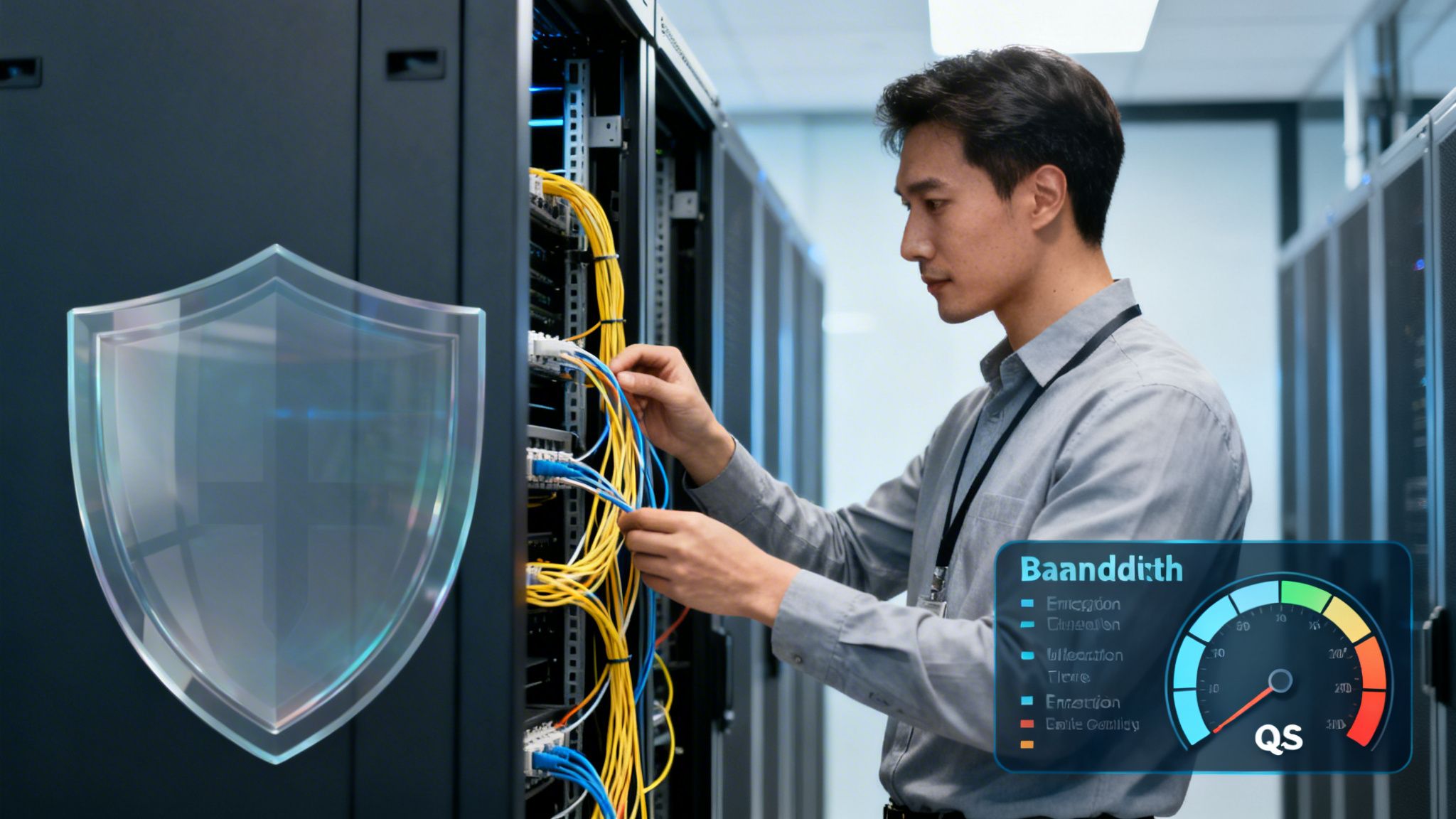
A VoIP system’s fancy features don’t mean a thing if the calls sound terrible. Jittery audio and dropped connections aren't just frustrating—they can cost you customers and slow your team down.
To get those crystal-clear calls, your network needs to be up to the task of handling real-time voice data.
Think of your internet connection as a highway. Your total bandwidth is the number of lanes available for all your company’s traffic—emails, web browsing, video meetings, and more. If you don't have enough lanes, you get a digital traffic jam. To get a better handle on your needs, you can check out our guide on calculating the right bandwidth for VoIP.
But bandwidth is only half the story.
Prioritizing Voice with Quality of Service
Even on a wide-open highway, a big file download can act like a slow-moving truck, getting in the way of your voice calls. This is where Quality of Service (QoS) comes in. Think of it as a dedicated express lane just for your voice traffic.
QoS tells your network to put voice data packets first, ensuring they travel quickly and in the right order. This simple bit of traffic management prevents the choppy audio and delays that can make a professional conversation sound anything but. A reliable provider will help set up QoS to guarantee your VoIP systems for business always deliver exceptional quality.
VoIP has become a cornerstone of remote and hybrid work. In fact, managers report their distributed teams are 62% more productive thanks to reliable voice services that support seamless calls and collaboration. This shift, which exploded during the pandemic, has the market on track to hit $178.89 billion in 2025. You can discover more insights about VoIP's impact on productivity from Zoom.
Safeguarding Your Business Conversations
Because your VoIP calls travel over the internet, security is non-negotiable. You wouldn’t discuss sensitive client or financial details on an open line, and your digital calls deserve the same protection. Modern VoIP providers use powerful security tools to keep your conversations safe.
Here are the key protocols that keep you secure:
- Transport Layer Security (TLS): This encrypts all the setup information for your calls, so no one can snoop on who is calling whom.
- Secure Real-Time Transport Protocol (SRTP): This encrypts the actual voice data—the conversation itself—scrambling it so it’s completely unreadable to anyone trying to listen in.
These two work together to create a secure, end-to-end tunnel for your calls. It ensures your confidential business stays that way: confidential.
Managed Network Edge and Compliance
For businesses needing the highest level of security and performance, a Managed Network Edge service is the answer. This is a solution we offer at Premier Broadband that combines your network security, monitoring, and management into a single, powerful platform. It’s like having a dedicated security guard at the entrance to your network, inspecting all traffic and enforcing security rules before anything gets in.
To get the best call quality and security, you need a solid network foundation. That includes a properly configured Managed Ethernet Switch to make sure your VoIP system runs smoothly. When you partner with a provider who offers both high-performance connectivity and managed security, you can be confident that every conversation is reliable, private, and compliant.
Calculating the True Cost and ROI of VoIP
Understanding the financial side of a VoIP system for business isn't just about the monthly bill. It’s about seeing the complete picture—how it slashes hidden costs, gets rid of expensive hardware, and actively helps your business grow. Old-school phone systems came with heavy upfront investments and surprise maintenance fees. VoIP offers a much clearer and more predictable path.
The pricing for most hosted VoIP solutions is simple: a flat, per-user, per-month fee. This changes your communication costs from a massive, unpredictable capital expense into a stable, manageable operational one.
No more surprise bills for service calls or pricey contracts for basic features. You know exactly what you’re paying for, which makes budgeting and planning for growth a whole lot easier.
This straightforward approach is a game-changer for small and medium-sized businesses. It's no wonder that over 60% of SMEs worldwide now use VoIP systems. The reason is simple: VoIP can cut phone costs by an average of 50-60%, freeing up cash for other parts of your business while giving you features traditional systems can't match. You can find more details on these powerful VoIP statistics and see just how big the impact is.
Identifying Your Direct Savings
The first step in calculating your return on investment (ROI) is to add up the direct savings. Traditional phone systems are famous for nickel-and-diming businesses with fees that add up fast. A modern VoIP system eliminates many of these expenses from day one.
Here are the key areas where you'll see immediate savings:
- Lower Phone Bills: Most VoIP plans come with unlimited local and long-distance calling, which dramatically cuts down or even eliminates per-minute charges.
- Reduced International Costs: Calling another country with VoIP is often just a fraction of what traditional carriers charge.
- No Maintenance Contracts: We manage the hardware and software for you, so you can say goodbye to expensive service contracts for an on-site PBX.
These direct savings are just the start. Your true ROI becomes even clearer when you add in the value of the advanced features that come standard with your plan.
Factoring in Productivity Gains
Often, the biggest financial impact from VoIP comes from making your team more efficient. The features included in most business VoIP plans directly boost your bottom line by saving time and improving how your team works.
Think about it:
- Mobile Apps: Let your team stay connected and get work done from anywhere. All that travel time can now be productive time.
- Auto Attendants: Free up your front desk staff from constantly directing calls, allowing them to focus on more important tasks.
- Voicemail-to-Email: Helps your team respond to urgent messages faster so you never miss a critical opportunity.
When you start looking at the numbers, the business case for switching becomes crystal clear. Here’s a quick example of what the ROI might look like for a small business.
Sample ROI Calculation for a 10-Person Business
| Cost Category | Traditional PBX (Annual Cost) | Hosted VoIP (Annual Cost) | Annual Savings |
|---|---|---|---|
| Line Rentals & Call Charges | $4,800 | $3,000 | $1,800 |
| PBX Maintenance Contract | $1,500 | $0 | $1,500 |
| System Hardware (Prorated) | $1,000 | $0 | $1,000 |
| International Calling | $600 | $120 | $480 |
| Total Annual Cost | $7,900 | $3,120 | $4,780 |
In this scenario, a simple switch delivers nearly $5,000 in direct savings every year. This translates to an ROI of over 150% in the first year alone, without even accounting for the significant boosts in team productivity.
A business that embraces a flat-rate VoIP model not only simplifies its billing but also empowers its team with tools that boost productivity. When you stop worrying about call costs and complex hardware, you can focus entirely on serving customers and growing your revenue. This shift in focus is where the most significant ROI is found.
Your Smooth Migration Plan to VoIP
Making the switch to a modern VoIP system for business can feel like a big project. But with a solid plan, it's a straightforward process that won't disrupt your daily work. We'll walk you through a clear, step-by-step roadmap for a seamless transition.
First things first: take a look at your current communications setup. You need to know what you have before you can figure out what you need. Document everything—how many phone lines you use, what your average monthly bill looks like, and any special gear like conference phones or fax machines.
This simple audit gives you a baseline. It helps you pinpoint the must-have features for your business and highlights any pain points you're ready to leave behind.
Your Migration Checklist
Once you have a handle on your current system, you can start the migration. Following a checklist ensures nothing important gets missed, making the whole process predictable for your team and your customers.
Here’s a step-by-step guide to get it done right:
- Select the Right Provider: Not all providers are the same. Find a partner who has real experience moving businesses like yours to VoIP. Ask them about their setup process, customer support, and how they can grow with you.
- Port Your Existing Phone Numbers: This is a big one. The process, called number porting, lets you keep your main business number—the one your customers already know. Your new provider should handle this entire transfer to ensure you have zero downtime.
- Deploy Hardware and Apps: You'll need to decide if you want new IP phones, adapters for your current phones, or softphone apps for computers and smartphones. A good provider will help you choose the right tools and get them configured correctly.
- Train Your Team: A new phone system is only powerful if your team knows how to use it. Set aside time for a training session to show everyone the new features, from making calls on the mobile app to getting voicemail delivered to their email.
This infographic breaks down the key benefits that drive businesses to make this change, from immediate cost savings to long-term productivity boosts.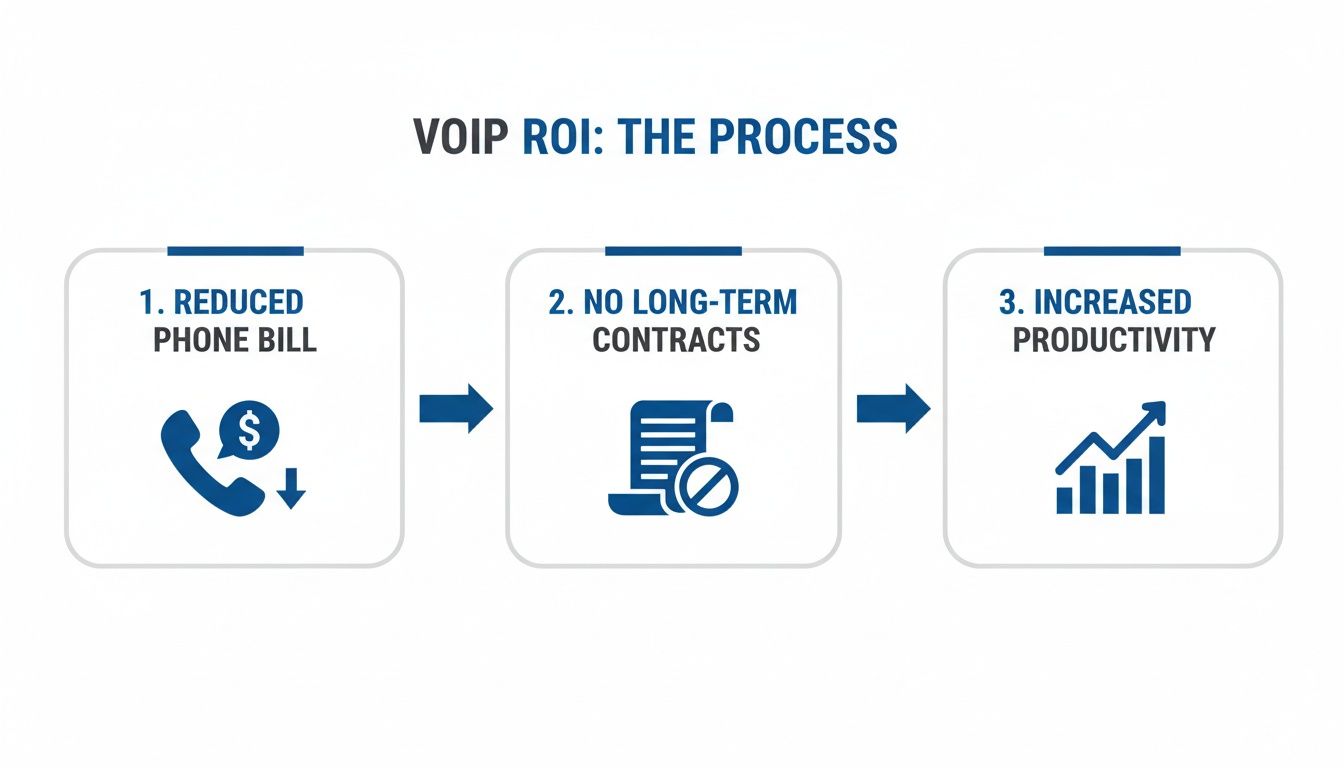
As you can see, moving to VoIP cuts your core expenses right away while unlocking new ways for your team to get more done.
Managed Migration vs. DIY
While you might be tempted to handle the switch yourself to cut costs, a do-it-yourself migration is risky. One wrong setting can lead to dropped calls, poor audio quality, or even a full service outage—all things that can hurt your business.
Choosing a managed migration with a provider like Premier Broadband is the safest and most effective path. We handle all the technical details, from network setup to number porting, so your transition is completely seamless. Our experts take care of the IT headaches so you can focus on running your business.
A managed approach guarantees your system is set up for peak performance and security from day one. You also get a dedicated partner for ongoing support as your business evolves. If your setup needs more advanced configurations, you can also check out our guide on how SIP trunks work to learn more about the technology behind it.
Your Top Questions About Business VoIP, Answered
Making the switch to a new phone system is a big step, and we know you've got questions. Let's get right to it and clear up some of the most common things business owners ask about VoIP systems for business.
Can I Keep My Existing Business Phone Number?
Yes, you absolutely can. We wouldn't have it any other way.
The process is called number porting, and it's a standard part of any professional VoIP setup. We handle the entire transfer for you, making sure there's zero downtime. Your customers will never know anything changed—they'll just keep calling the number they've always used.
Your business number is a key part of your brand. Porting it over means all your signs, business cards, and marketing materials stay relevant.
What Happens If My Internet Goes Down?
This is a great question, and one we've built our system to handle. Modern VoIP isn't like an old landline that's dead without power. Our systems have what's called call continuity or failover protection built right in.
If your office internet has a problem, your incoming calls don't just stop. They automatically and instantly get sent to other numbers you've chosen. This could be:
- Your team's mobile phones
- A phone at another branch office
- An external answering service
You'll never miss an important call, even during a local power or internet outage. Your business stays open for your customers.
The Bottom Line: With automatic call forwarding to cell phones, a VoIP system is often more reliable during an outage than a traditional landline that's stuck to one building and its power cord.
Is VoIP Secure Enough for Confidential Calls?
It is. Business-grade VoIP services use powerful security measures that make them just as secure—and often more secure—than old-school phone lines. We use end-to-end encryption to shield your calls from anyone trying to listen in.
Think of it like a two-layer security system. We use TLS (Transport Layer Security) to secure the call information itself, and SRTP (Secure Real-time Transport Protocol) to encrypt the actual audio of your conversation. Paired with a secure network from Premier Broadband, you get a protected connection for all your calls.
Do I Need to Buy All New Phones?
Not always. While brand-new IP phones give you the best experience with all the latest features, you have other options that can save you money.
Many VoIP systems, including ours, can work with your current analog desk phones. We just use a simple piece of hardware called an ATA (Analog Telephone Adapter). Better yet, your team can use softphones—which are just apps on their computers or smartphones—to make and receive business calls. This can dramatically lower, or even get rid of, your hardware costs.
Ready to see how a modern, secure, and cost-effective VoIP system can help your business grow? Premier Broadband offers crystal-clear voice solutions with all the advanced features you need. Explore our business VoIP services today!