

Your phone rings, but the caller gets a busy signal. Or they reach the main number, wait, get transferred, and land in the wrong place anyway. For a small business, that feels bigger than a phone problem. It feels like lost trust.
Remote work creates a different version of the same mess. One person answers from a desk phone, another from a laptop app, another from a mobile phone, and nobody wants customers guessing which number to use. That’s often when people start asking, what is a DID number, and whether it can simplify everything.
A DID number gives a person, team, or function its own direct phone number without requiring a separate traditional phone line for each one. It’s one of those telecom ideas that sounds technical at first, then becomes very practical once you see how it works.
The End of the Busy Signal
A DID number stands for Direct Inward Dialing. The name is old-school telecom language, but the idea is simple. Someone dials a direct number, and the call goes straight to the right employee, department, or device.
That matters because many homes and small businesses still think in terms of “one business number.” That setup works until calls overlap. Then customers hit delays, voicemail piles up, and staff start forwarding calls manually.
What problem does a DID solve
Without DID, a business often relies on a main line and some kind of manual routing. That can mean a receptionist, an auto-attendant, or a lot of call forwarding rules. It works, but it adds friction.
With DID, you can assign separate direct numbers like these:
- Sales line for new inquiries
- Support line for existing customers
- Owner direct line for priority contacts
- Home office line for remote work calls
- Fax or specialty line for specific workflows
The caller doesn’t need to know your internal setup. They just dial the right number and reach the right place.
Practical rule: If people regularly say “Can you transfer me?” your phone setup probably needs more direct routing.
Why it feels modern even though it isn’t new
DID has been around for decades, but it fits today’s work style better than ever. It helps a growing company look organized. It also helps a solo professional separate personal and work calls without juggling a patchwork of numbers.
For remote workers, that’s especially useful. Your work number can stay consistent even if you answer on a desk phone one day and a softphone app the next. For customers, it feels effortless. For you, it removes a lot of avoidable phone chaos.
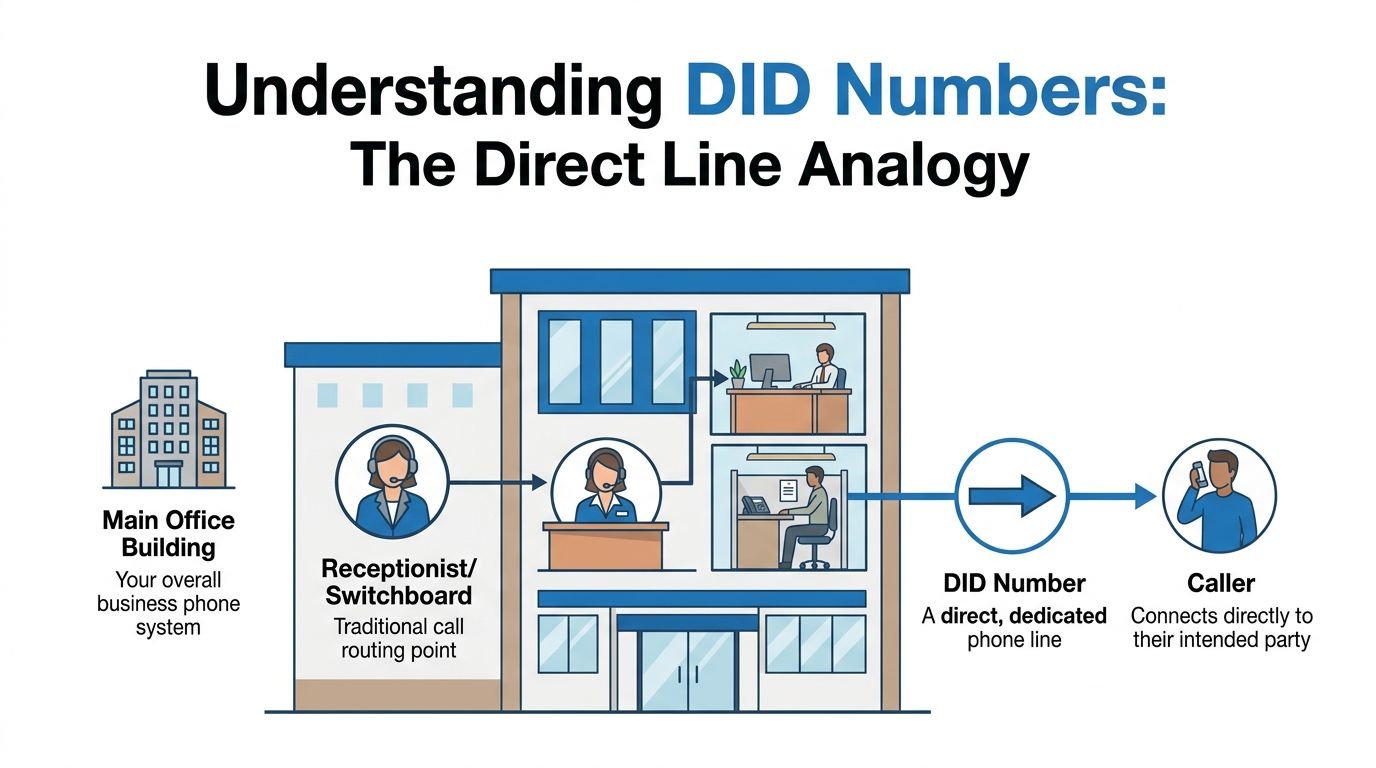
Understanding DID Numbers With a Simple Analogy
Think of your phone system like an apartment building.
The building has one main street connection. Inside the building, each apartment has its own number. A visitor doesn’t need to stop at the front desk and ask where to go. They use the apartment number and reach the right resident directly.
That’s what a DID number does for calls.
The basic parts in plain English
A few telecom terms confuse people, so here’s the plain-language version.
- PSTN means the traditional public phone network.
- PBX means the business phone system that decides where calls go once they arrive.
- Trunk lines are the shared connection paths that carry calls into the system.
- DID numbers are the direct numbers assigned to people or departments.
Direct Inward Dialing began in the 1960s and let businesses with PBX systems use multiple direct extensions over fewer physical lines. A company could use 10 trunk lines to serve 25 employees, cutting physical line requirements by 60 to 75%, according to the Direct Inward Dialing history summary.
Why this setup was such a big deal
Before DID, a business might need far more dedicated lines or rely heavily on an operator-style setup. DID changed that by separating the idea of a phone number from the idea of a one-to-one physical wire.
That’s why modern teams still rely on the same core logic. If you’re comparing options for mastering multiple business phone lines, DID is one of the key concepts that makes those setups manageable instead of expensive and messy.
If you’re newer to internet-based calling, this overview of how VoIP phone work helps connect the old phone-system concept to today’s cloud calling tools.
A DID number is less like “another line installed” and more like “another door into the same building.”
How DID Powers Modern VoIP and SIP Trunks
In older systems, DID worked through physical telecom infrastructure. In modern systems, it usually works through VoIP and SIP trunks.
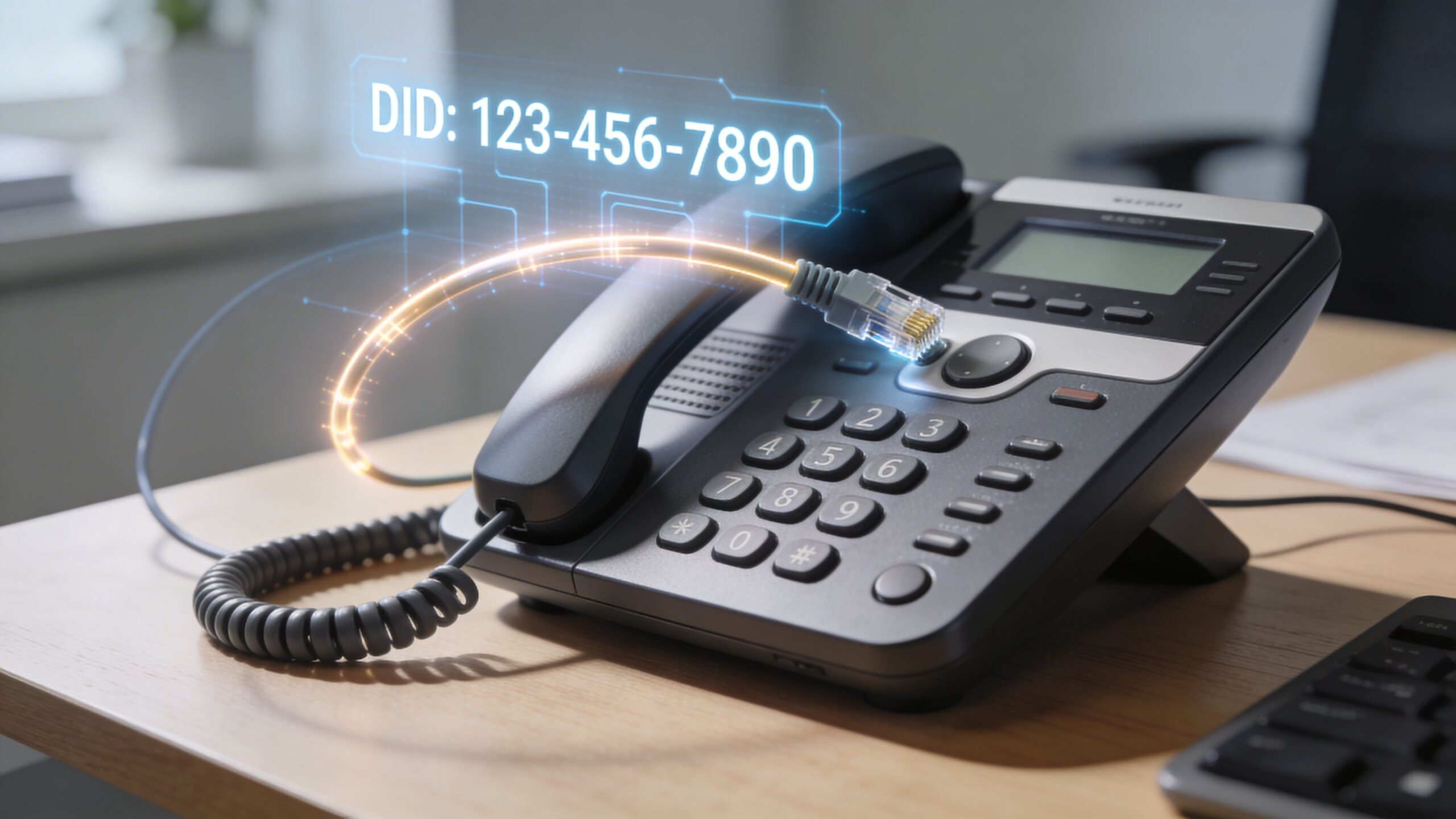
VoIP sends voice as internet data. A SIP trunk is the digital path that carries those calls between the phone network and your business phone system. The DID number tells that system where the call should land.
What happens when someone calls
Here’s the simple version:
- A caller dials your DID number.
- The call travels through the phone network into your VoIP setup.
- A SIP message carries the called number in the “To:” header.
- The VoIP PBX checks its routing rules.
- The system sends the call to the right endpoint, such as a desk phone, laptop softphone, or mobile app.
According to NICE’s explanation of contact center DID, VoIP systems route DID calls through SIP INVITE messages containing the DID in the “To:” header, and the PBX matches that number to its internal database. NICE also notes 150 to 200ms latency, 99.99% uptime on fiber networks, and that geo-targeted DIDs can improve answer rates by 25 to 40% because local numbers feel more familiar to callers in many cases. You can review that in NICE’s guide to what contact center direct inward dialing means.
Why remote teams care so much
DID then transitions from a telecom term to a daily convenience. Your number is no longer tied to one desk in one office. A remote employee can keep the same business number while answering from home. A small company can publish local numbers for different markets without opening physical offices there. A home office can look polished without feeling overbuilt.
If you want the infrastructure side explained without telecom jargon, this page on how SIP trunks work is a useful next step.
Key Benefits of Using DID Numbers for Your Business
Users often first consider DID for cleaner call routing. Then they realize the bigger value is operational. It can lower costs, improve the caller experience, and make growth less painful.
Lower phone costs without adding line after line
Businesses using DID numbers can reduce telephony expenses by 40 to 70% by eliminating dedicated physical lines, and SIP trunking can save up to 60% on international calling compared with legacy PRI lines, according to 3CX’s overview of DID and SIP trunking for business phone systems. That same source says the global VoIP market is projected to reach over $140 billion by 2025.
For a small business, that means you’re not paying for a bloated traditional setup just to give different people direct numbers.
A better experience for callers
Callers don’t want a maze. They want the right person.
DID helps with that by letting you create direct paths such as:
- Department numbers so support and sales don’t compete for the same front door
- Staff direct numbers so repeat customers can reach the person they already know
- Location-based numbers so a local customer sees a familiar area code
Easier scaling for real businesses
Adding a new employee shouldn’t require a construction project. With DID-based VoIP, you can usually assign a new number and route it to a device or user account much more easily than building out old-style line infrastructure.
That’s useful for:
- Home offices adding a dedicated work number
- Growing teams that need numbers for new hires
- Seasonal operations that need temporary routing changes
- Hybrid companies where people work across office and home setups

Bandwidth still matters. Voice traffic is lighter than video, but poor connectivity can still hurt call quality. If you’re evaluating call performance, this guide on bandwidth for VoIP is worth reviewing.
Clean routing saves money, but it also saves attention. Your team spends less time fixing phone flow and more time helping customers.
Choosing the Right Type of DID Number
Not every DID number serves the same purpose. The best choice depends on who’s calling you, what impression you want to create, and how you plan to track inbound calls.
DID number types at a glance
| DID Type | Primary Use Case | Cost Profile |
|---|---|---|
| Geographic | Local presence in a specific city or region | Typically chosen for local trust and familiarity |
| Toll-Free | National reach without tying the brand to one local area | Often selected when businesses want broad accessibility |
| Vanity | Memorable branding for campaigns and high recall | Often chosen when memorability matters most |
When each type makes sense
A geographic DID is a practical fit for local service businesses. If you’re a plumber, attorney, consultant, or clinic serving one region, a local area code often feels familiar to the caller.
A toll-free DID works well when your customer base is spread out. It signals that your business serves a wider footprint and gives marketing a single number to promote nationally.
A vanity DID is about recall. If a number is easy to remember, people are more likely to dial it later without searching for it again.
According to Nextiva’s DID overview, direct routing can lower average handle time by 15 to 20% by removing IVR friction, and unique vanity or local DIDs for campaigns can increase inbound call volume by 18 to 35% in major markets. That’s especially useful when you want clearer attribution across campaigns. You can see those details in Nextiva’s article on direct inward dialing for business communications.
A simple decision filter
Ask yourself three questions:
Do local customers matter most
Choose a geographic number.Do you market across a broad area
Consider toll-free.Do you want your phone number to be part of the brand
Vanity is worth exploring.
For a broader explanation of the numbering side of business calling, this guide on what VoIP phone numbers are helps fill in the background.
How to Get and Port DID Numbers
Getting a new DID number is usually easier than people expect. Porting an existing one is where frustration tends to show up.
If you’re starting with a new number
Most providers let you choose from available numbers based on location and type. You’ll usually decide:
- Which area code fits your audience
- Which user or department should receive calls
- Which devices should ring
- Whether the number should go direct to a person, a ring group, or voicemail
This is often the cleanest path for a new business or a home office that wants to separate work calls from personal calls.
If you’re porting an existing number
Porting means moving your current number from one provider to another. It sounds simple, but the paperwork and carrier coordination can get messy.
According to SIP.US, number porting in the US averages 5 to 10 business days, and the process has a 28% failure rate due to carrier disputes. That’s why provider experience matters when the number is business-critical. Their discussion of those portability issues appears in this article about DID numbers and SIP trunk portability challenges.
Don’t cancel your old service the moment you submit a port request. Keep service active until the port is confirmed complete.
Common mistakes that slow things down
- Mismatched account details like the wrong billing address or business name
- Porting the wrong number because the inventory list wasn’t checked carefully
- Canceling old service too early, which can interrupt the transfer
- Skipping a fallback plan for inbound calls during the transition
For small businesses and remote workers, the goal isn’t just getting the number moved. It’s keeping your calls reachable while the move happens.
Frequently Asked Questions About DID Numbers
Is a DID number the same as an extension
No. A DID number is the full phone number an outside caller can dial directly. An extension is usually the shorter internal number used inside a phone system.
A caller can often reach an extension because the DID points them there. But the DID and the extension aren’t the same thing.
Can I have multiple DID numbers on one system
Yes. That’s one of the main benefits. You can assign different numbers to employees, departments, campaigns, or services while managing them inside one phone system.
Are DID numbers only for big companies
Not anymore. They’re useful for solo professionals, home offices, and small teams because they create direct routing without requiring a big traditional setup.
Can I use a DID number on my computer or mobile phone
Yes, in many VoIP setups, a DID can ring a desk phone, softphone app, or mobile app. That’s one reason DID fits remote and hybrid work so well.
What does a DID number look like
Usually, it looks like a normal phone number. The difference is in how the system routes the call after someone dials it.
Are DID numbers good for marketing
They can be. Businesses often use separate DID numbers for different campaigns, services, or locations so they can see which published number is generating calls.
What about E911
E911 matters with VoIP. If you use DID numbers with internet-based phone service, make sure your emergency service address is set correctly with your provider and updated when your work location changes. That’s especially important for remote workers who move between home, office, or shared spaces.
Do I need technical expertise to use DID numbers
Usually not. Most of the complexity sits behind the scenes. What you need is a clear plan for who gets which number, where calls should ring, and how you want voicemail and failover handled.
If you’ve been asking what is a DID number, the shortest answer is this: it’s a direct business-ready phone number that helps callers reach the right person faster, without forcing you to build a separate old-style phone line for every user.
If you want help choosing, setting up, or porting business phone numbers on a reliable fiber-backed connection, Premier Broadband can help you build a VoIP setup that works for home offices, remote teams, and growing businesses.