

You step away from your desk for ten minutes. That’s when the school nurse calls. Or a new customer. Or the one client who never leaves voicemail.
Many users don't think about call forward phones until they miss something that mattered. A home phone rings in an empty house. A business desk phone lights up while the owner is on a job site. A remote worker leaves their office for lunch and comes back to a silent screen and a frustrated caller.
Call forwarding fixes that, but the old advice people find online is too narrow. It tells you a star code, maybe a menu path, and stops there. That doesn’t help if you use VoIP, if your internet drops, or if your smart home setup starts acting strangely when calls get rerouted.
This guide is built for how people use phone service now. Homes have WiFi calling, tablets, cameras, and app-based voice service. Small businesses have desk phones, mobile staff, after-hours coverage, and customer expectations that don’t pause because someone left the office.
A solid forwarding setup turns one phone number into a reachable system instead of a single device. That matters whether you’re trying to catch every lead, keep family calls from disappearing into voicemail, or make sure work calls follow you without giving out your personal number.
Never Miss an Important Call Again
A missed call often feels small right up until you realize who it was.
For home users, it might be a doctor’s office calling back from an unfamiliar number. For a small business, it might be a new lead who won’t call twice. For a remote worker, it’s often the moment when the desk setup looked fine, but the underlying problem was that the call never reached the right device.
When one ringing phone isn't enough
Many people blame the wrong thing first. They assume the phone was on silent, the app glitched, or the network had a brief hiccup. Sometimes that’s true. If your mobile device isn’t alerting you at all, this practical guide on why your iPhone might not be ringing is worth checking before you change your forwarding rules.
But many missed calls aren’t a ringtone problem. They’re a routing problem.
Your number is tied to one place, while your day isn’t. You start at your desk, move to the kitchen, head to a job site, drive between appointments, then work from a laptop in the evening. If your calls stay pinned to one device, availability becomes an accident.
Practical rule: If reaching you matters, don’t rely on one endpoint. Route calls to the place you’re most likely to answer.
Why forwarding matters more now
Call forwarding used to be a convenience feature on a landline. Today it’s part of how people build continuity across home phones, mobile devices, desk phones, and softphone apps.
That’s why the basic question isn’t “How do I forward my calls?” It’s “Which calls should go where, and under what conditions?”
A parent may want the house line forwarded only when no one answers. A contractor may want office calls to hit a cell phone while they’re on-site. A remote team may want calls to ring a desk phone first, then move to a mobile device if no one picks up.
The right setup gives you three things:
- Coverage: Calls keep moving even when you do.
- Control: You decide whether all calls forward or only specific situations trigger it.
- Consistency: Callers keep using the same number instead of chasing you across devices.
That’s a key benefit of call forward phones. They help your phone number act like a system, not just a piece of hardware.
Understanding Your Call Forwarding Options
Call forwarding works best when the rule matches the situation. Forward every call all the time, and you can miss calls that should have rung at home or on your desk phone first. Keep the rules too narrow, and important calls die on the wrong device during a power cut, internet outage, or a Wi-Fi issue caused by a busy smart home network.
The four forwarding modes that matter
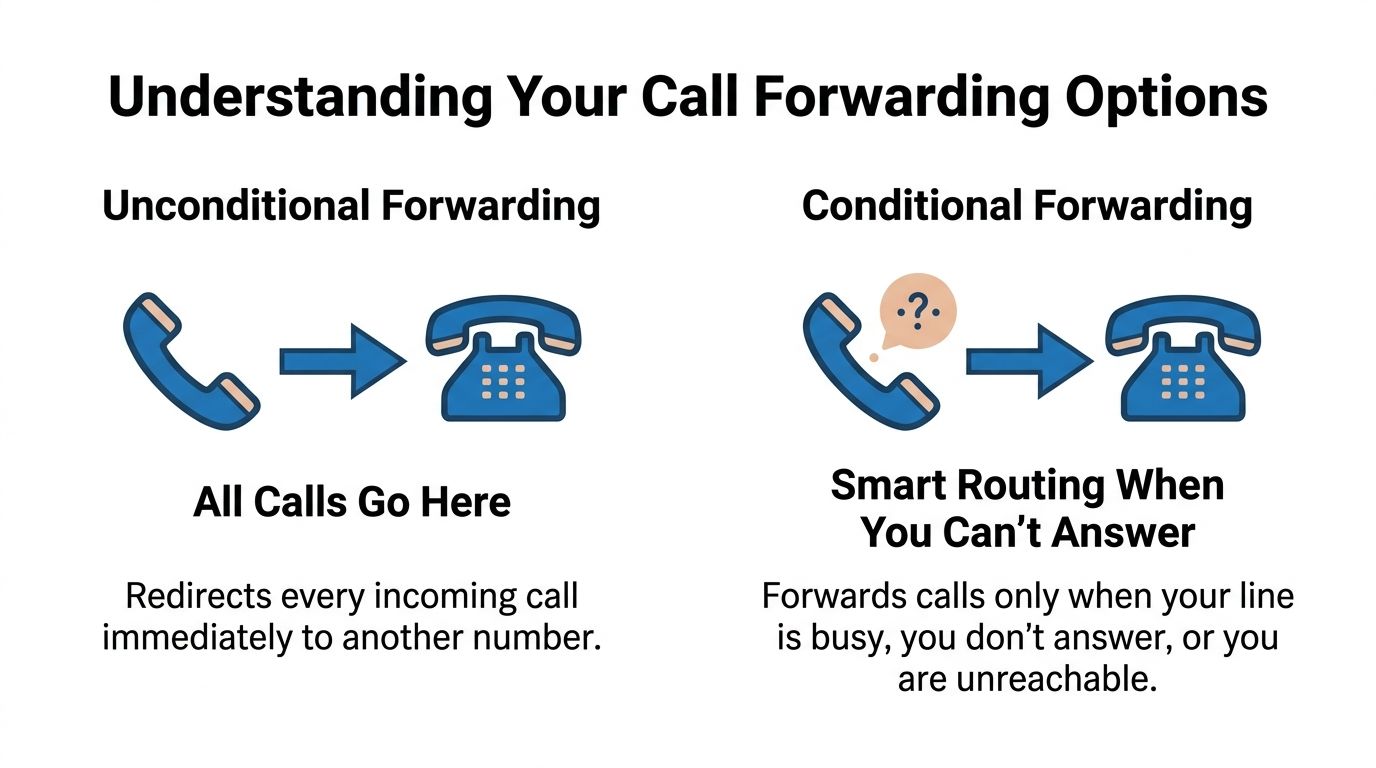
Unconditional forwarding sends every incoming call to another number right away. The original phone does not ring. This fits travel days, temporary office closures, and any time you want one device or number handling everything.
No answer forwarding lets the primary phone ring first, then sends the call elsewhere if nobody picks up. For many home offices and small businesses, this is the safest default because it preserves normal call flow while adding backup coverage.
Busy forwarding routes calls somewhere else when you are already on a call. That can mean another team member, an answering service, or voicemail, depending on how your provider handles busy conditions.
Unreachable forwarding applies when the device or endpoint cannot be reached at all. That includes a phone being powered off, losing registration, or dropping offline during an internet interruption. This option matters more with VoIP because the phone on your desk may be fine, but the network path behind it is not.
A simple comparison
| Forwarding type | What it does | Best fit |
|---|---|---|
| Unconditional | Sends all calls to another number immediately | Travel, after-hours coverage, temporary office closure |
| No answer | Forwards only after your main phone rings and isn’t answered | Home offices, solo professionals, reception backup |
| Busy | Forwards when you’re already on a call | Sales, service desks, shared team coverage |
| Unreachable | Forwards when your device can’t be reached | Mobile workers, outage planning, backup routing |
Traditional forwarding versus VoIP forwarding
Older phone service usually relies on star codes and a limited set of forwarding behaviors. That still works for simple cases. It falls short when you need schedules, device priority, failover, or different handling during an outage.
VoIP forwarding is more flexible because the call rules often live in the provider platform, not only on the handset. You can set routing in a portal, app, or desk phone menu, and in many systems you can decide what happens if your internet drops, your ATA loses power, or your desk phone stops registering. That is the difference many people miss. The forwarding rule may exist, but where that rule lives determines whether it still works when your local equipment does not.
The practical question is not just which code turns forwarding on. It is whether your provider can keep routing calls in the cloud when your home network is having a bad day. For a closer look at how hosted VoIP call forwarding works, including provider-side routing options, see Premier Broadband’s call forwarding feature guide. Quo also explains how conditional forwarding works in a VoIP context at https://www.quo.com/blog/conditional-call-forwarding/.
Choosing the right option for your day
A single default rule is usually enough to start.
- For home use: Set no answer forwarding so the house phone still rings first, then rolls to a mobile if nobody is nearby.
- For solo business owners: Combine busy and no answer so callers are not stuck when you are already helping someone else.
- For travel days: Use unconditional forwarding to send calls straight to the device you are carrying.
- For VoIP users: Check how unreachable forwarding behaves during internet or power problems. Cloud-based routing earns its keep in these situations.
- For smart homes with crowded Wi-Fi: Test whether voice devices stay registered when cameras, TVs, and other gear are active. If they do not, route calls through provider-side failover instead of relying only on the local phone.
Good forwarding setups are specific. They reflect how you work, what can fail, and which calls need a second path.
How to Set Up Call Forwarding on Your Devices
A forwarding rule that works during a quiet test can still fail when the internet drops, a mobile app signs out, or a smart home starts choking your Wi-Fi. Good setup means picking the right control point first. Some rules belong on the phone. Others belong with the carrier or in your VoIP portal, where they keep working even if a handset goes offline.
Forwarding calls on an iPhone
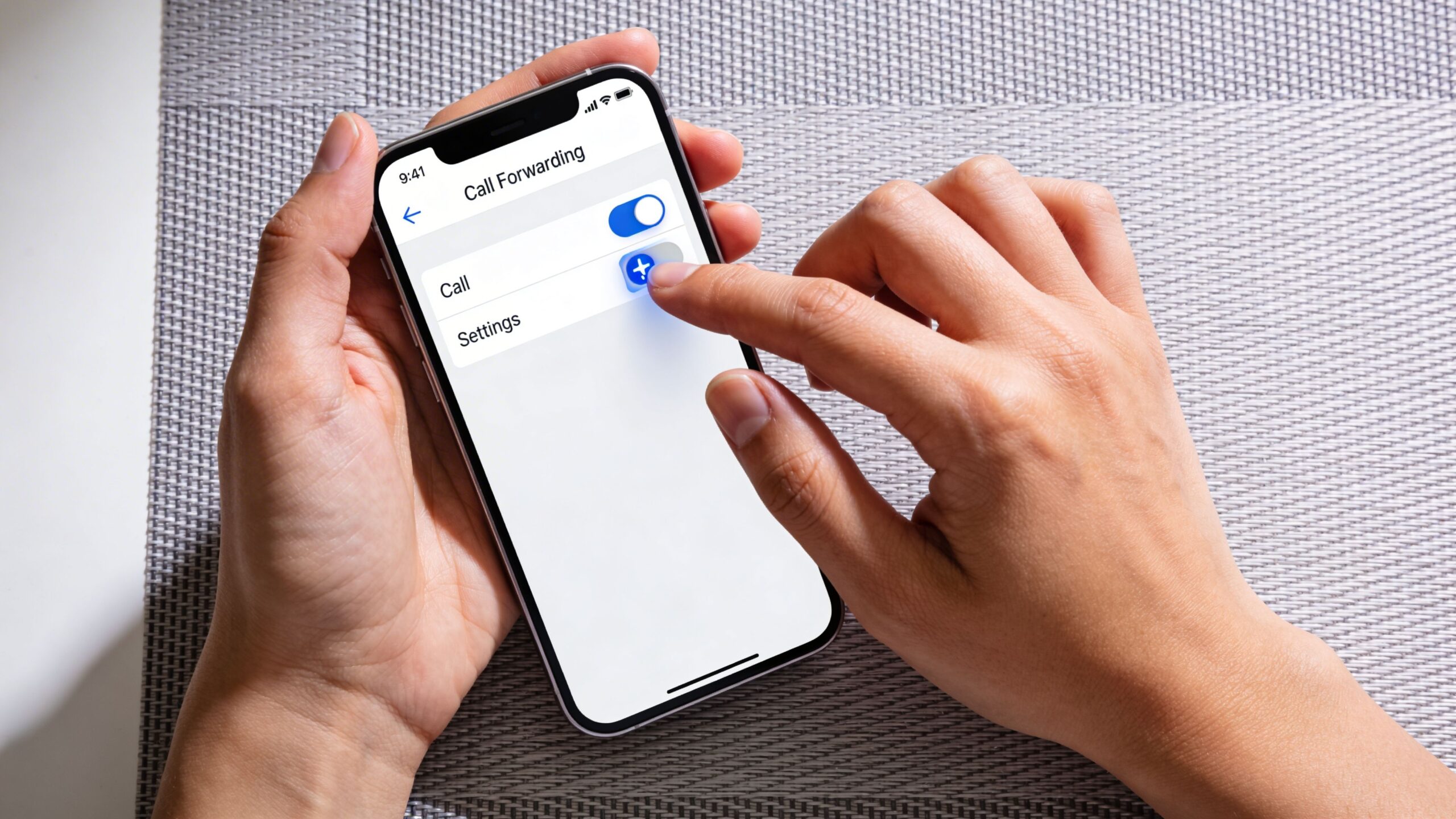
iPhone handles simple all-call forwarding well. If your carrier supports it, open Settings, go to Apps, then Phone, then Call Forwarding. Turn it on and enter the destination number.
That setting is best for temporary rerouting, such as a travel day or a short office closure. It does not usually give you detailed logic for busy, no-answer, or unreachable conditions. Those rules often sit with the carrier or your hosted phone provider.
Use this approach:
- Use iPhone settings for immediate forwarding of every call.
- Use provider settings for no-answer, busy, or unreachable rules.
- Run a live test call after saving the change.
If you take calls on larger mobile devices, it also helps to know how tablets can make phone calls, especially if you want a backup device during desk-phone or mobile issues.
Forwarding calls on Android
Android usually gives you more forwarding choices right inside the Phone app, but menu names vary by brand and carrier.
Open Phone, tap the menu, then look for Settings, Calling accounts, or Supplementary services. Choose Call forwarding. On many Android phones, you can set always forward, when busy, when unanswered, and when unreachable.
The labels change across Samsung, Pixel, and carrier-customized models, so focus on the behavior instead of the wording:
- Always forward: Send every call somewhere else right away.
- When busy: Useful for a line that is often in use.
- When unanswered: A good everyday setting for home or small office use.
- When unreachable: Worth setting if cellular coverage is spotty or the phone may lose registration.
One practical note from field setups. If you use Wi-Fi calling on Android in a busy smart home, test forwarding while cameras, TVs, and other devices are active. Congestion can affect whether the phone stays available long enough for your preferred rule to trigger.
Traditional landline call forwarding
Landline and landline-style services still rely on star codes in many cases. The familiar example is *72 to turn forwarding on, but the exact code depends on the provider.
A safe process looks like this:
- Dial the activation code
- Enter the destination number
- Wait for the confirmation tone or message
- Place a test call from another phone
This method works for simple all-call forwarding. It gets limiting fast if you need schedules, app ringing, voicemail fallback, or internet-outage routing handled in the cloud.
Setting up forwarding on a Cisco desk phone
Cisco desk phones give you two common ways to set forwarding. You can do it on the handset, or you can use the phone’s web interface if your system allows it.
Cisco’s support documentation for the IP Phone 8800 and 7800 Series Multiplatform shows that users can press the CfwdAll softkey on the phone, enter the destination number, and press Call. The same documentation also shows web-based options under Advanced, Voice, then User, where admins or users can set Cfwd Setting, Cfwd No Ans Dest, Busy Dest, and Cfwd No Ans Delay. As noted in Cisco's support documentation at https://www.cisco.com/c/en/us/support/docs/smb/collaboration-endpoints/cisco-ip-phone-8800-series/smb5644-forward-calls-on-a-cisco-ip-phone-8800-series-multiplatform.html, forwarding behavior depends on both the phone settings and the underlying SIP and provisioning setup.
That matches what we see in real deployments. If one extension forwards correctly and another does not, the handset is often not the primary problem. Check the extension profile, trunk settings, and user permissions before replacing hardware.
If you are building out a hosted system from scratch, Premier Broadband’s guide on how to set up a VoIP phone system is a useful starting point before you layer on forwarding rules.
Using a hosted phone portal
A hosted phone portal gives you more control than a handset menu. That matters when calls need to keep moving during a local outage, a desk phone reboot, or a conflict between your home network and your voice devices.
Instead of changing settings on each device, you set the rule on the number or extension itself. The call can ring a desk phone, a mobile app, and a backup number based on time, availability, or failure conditions.
| Portal task | What you set | Why it matters |
|---|---|---|
| Immediate forward | Send all calls to another number | Best for travel days or office closures |
| No-answer route | Delay, then redirect to mobile or voicemail | Keeps your main line active first |
| Busy handling | Send active-line calls elsewhere | Helps teams avoid bottlenecks |
| Device fallback | Ring app, desk phone, or alternate line | Useful for remote and hybrid work |
For VoIP users, this is often the better long-term setup because the logic stays with the service, not just the device on your desk.
Watch the process before you change yours
A visual walkthrough often makes these menus easier to follow, especially if your provider uses a web portal or app.
Test the rule, not just the setting
Testing should cover more than one scenario. Place a call from an outside number. Then test again while the line is busy. If you use no-answer forwarding, let it ring through the full delay. If you rely on VoIP, test what happens when the desk phone is unplugged or loses internet access.
These checks catch many setup mistakes:
- Wrong destination number: One typo breaks the route.
- Conflicting device status: Do Not Disturb, signed-out apps, or disabled Wi-Fi calling can change the result.
- Provisioning gaps: The rule may exist, but the extension or trunk may not be fully configured.
- Local network issues: Poor Wi-Fi can interfere with handset registration, which changes how unreachable or no-answer forwarding behaves.
Reliable call forwarding is not just enabled. It is tested under the conditions that usually cause missed calls.
Practical Use Cases for Home and Business
A missed call looks different in every setting. For a contractor, it can be a lost estimate. For a parent, it can be a school nurse going to voicemail. For a remote employee, it often means the call rang the wrong device while they were on a laptop in the next room.
That is why good call forwarding starts with the situation, not the feature menu. The best setup depends on where calls should go when internet service drops, a smart home app grabs attention, or the person answering is away from the desk.
The contractor who is rarely at the office
A small contractor may start the day near the desk phone and spend the next eight hours in a truck, at a supply house, or on a job site. If the office line only rings one handset, new customer calls stack up in voicemail.
A practical rule is simple. Let the main business number ring the office first, then send unanswered calls to the owner’s mobile after a short delay. Customers still call one published number, and the owner does not have to hand out a personal cell number on yard signs or invoices.

This is also where hosted VoIP earns its keep. Forwarding rules live in the phone service instead of one physical handset, which gives the business more control during outages, staff changes, and after-hours coverage. Companies comparing cloud calling options for this kind of setup can review VoIP solutions for small business.
The remote worker with calls split across devices
Home offices create a different problem. The desk phone may be on one floor, the laptop softphone may be active in another room, and the mobile app may be the only thing within reach during school pickup or a quick errand.
In that case, forwarding should act as backup, not a permanent detour. Ring the primary work device first. Then send the call to a mobile app or cell phone if there is no answer. That keeps call handling predictable and avoids turning every business call into a personal mobile call from the start.
Some remote workers also use tablets as secondary endpoints for VoIP apps, front-desk coverage, or shared household workspaces. If you are weighing that option, this quick read on how tablets can make phone calls is useful context.
The family that wants to keep a real home number
A home phone number still matters in plenty of households. Schools, doctors, relatives, and service companies often call the number they already have on file.
The problem is that nobody sits beside the kitchen phone anymore. A better fit is conditional forwarding based on time or no-answer status. During work hours, unanswered home calls can go to one parent’s mobile. During evenings, the house phone can stay local so family members are not chasing every routine call on their cell phones.
This setup is especially useful during trips. Temporary forwarding lets the household catch urgent calls without changing the number everyone knows.
The smart home conflict many people find after setup
I see this one catch people off guard. A home with video doorbells, security apps, Wi-Fi calling, and a VoIP line can behave oddly if every call is forwarded with one blanket rule.
The issue is not that forwarding is wrong. The issue is that connected devices often depend on call state, app presence, or which endpoint is currently registered. If a call jumps away too quickly, alerts, ring behavior, or app handoff may stop working the way the household expects.
The safer approach is selective forwarding.
- Keep home and work traffic separate: Use different rules for household calls and business calls.
- Forward on no-answer instead of forwarding everything: This gives the primary device a chance to ring normally.
- Check smart home apps after changes: Test doorbell apps, intercom features, and Wi-Fi calling behavior after you update forwarding.
- Plan for internet outages: If your VoIP service allows network-failover forwarding, point it to a mobile number so calls still reach someone when the home connection is down.
That last point matters more than many basic guides admit. With modern VoIP, call forwarding is often part of outage planning as much as call convenience. A family can keep the house number reachable during an ISP issue. A small business can keep inbound calls moving even when the office phones go offline. That is the difference between having forwarding available and having it set up for real life.
Advanced Routing Strategies and Troubleshooting
Once basic forwarding works, the next step is making it reliable under stress. That means handling missed answers, protecting privacy, avoiding loops, and knowing what breaks first when the setup isn’t quite right.
Use Find Me Follow Me with restraint
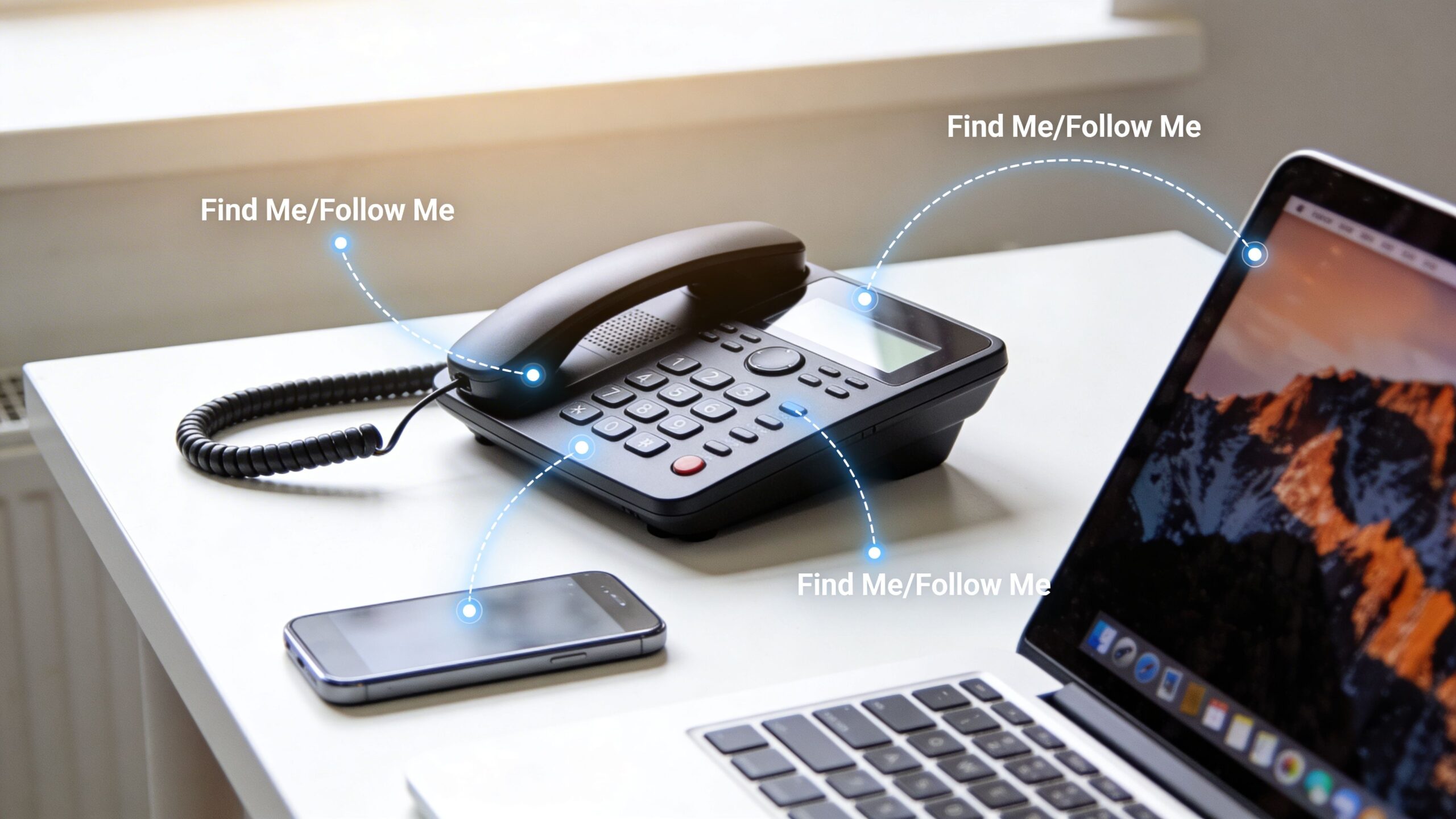
One of the most useful advanced patterns is Find Me Follow Me. Instead of sending calls to one place, the system rings multiple destinations in a sequence or according to a rule.
That can mean desk phone first, mobile second, app third. Or it can mean one published number that follows a salesperson through the day.
This strategy solves a problem, but it can become messy if you stack too many destinations or point one forwarding rule into another. The cleaner the path, the easier it is to troubleshoot.
A good sequence usually has these traits:
- A clear first device: Start with the device you most want to answer from.
- A limited chain: Don’t build a maze of handoffs.
- A final stop: End at voicemail, an attendant, or a live backup person.
Preserve caller ID when it matters
Forwarding is much more useful when the recipient can still see who originally called.
Business-grade systems can differ sharply from simple carrier forwarding. ESI’s documentation for Intelligent Call Forwarding explains that preserving original caller ID when rerouting to a cellular phone or branch office requires PRI ISDN circuits plus correct programming. The steps include enabling external forwarding and trunk-to-trunk transfer in Installer Function 32, assigning call-forward/no-answer keys in Function 35, and confirming the outside line has carrier-provided caller ID. In properly configured PRI-enabled setups, success rates are over 95%, but missing the required settings causes 100% failure, and ESI says this shows up in 20% to 30% of misconfigurations. The technical reference is here: http://www.holtzelectric.com/assets/04500674_rev_d_intellcfwdg_feat_ovvu.pdf
That’s a strong reminder that forwarding quality depends on the phone system architecture, not just the button you press.
Keep your personal number private
A common mistake in small businesses is forwarding office calls straight to an employee’s personal cell and then letting outbound return calls reveal that number.
That may be acceptable for a one-person shop. It’s not ideal when you want a business identity to stay consistent.
A better approach is using a hosted voice setup that keeps the business number in front, then routes calls behind the scenes. If you’re comparing the network side of that setup, this primer on SIP trunking is useful: https://premierbroadband.com/how-do-sip-trunks-work/
A troubleshooting checklist that catches most issues
When forwarding fails, the symptoms usually look simple. The cause often isn’t.
Start with this checklist:
- Check the destination number: Confirm you entered the right number and included any required area code.
- Verify the triggering condition: If you meant no-answer forwarding, make sure all-calls forwarding isn’t active instead.
- Look for conflicting settings: Do Not Disturb, app logout, or another forwarding rule can override what you expect.
- Test from outside the system: Internal extension behavior may differ from external inbound calls.
- Review provisioning: In business systems, a trunk or extension can be partially configured and still look normal from the handset.
- Watch for loops: If number A forwards to B and B points back to A, callers may hear repeated ringing or abrupt disconnects.
The fastest troubleshooting step is a live test from a different phone while you watch each handoff happen in real time.
What works during outages and what doesn't
People often make dangerous assumptions regarding outages.
Basic forwarding codes may not help if the service depends on a live internet connection and the logic lives on the device or local endpoint. More resilient setups use cloud-side routing so the call can still be redirected even when the usual desk phone path isn’t available.
That’s also why app-based and portal-managed voice systems tend to give you more recovery options than a single hardware phone. You’re not trying to save one device. You’re preserving the number and the route.
Avoid overbuilding your call flow
Power users sometimes create forwarding trees that are overly complex for daily use.
If your team can’t explain the rule in one sentence, it’s probably too complicated. “Ring my desk phone, then my app, then voicemail” is good. “Ring extension A except on Tuesdays unless the mobile app is online and the after-hours group is active” is usually asking for trouble.
Use advanced features to reduce missed calls, not to create a puzzle.
Take Control of Your Communications
Call forwarding looks straightforward from the outside, but the difference between a basic setup and a good one is huge.
A basic setup just redirects calls. A good setup protects your availability, supports the way you work, and gives callers a consistent experience whether you’re at home, in the office, on the road, or dealing with a device problem.
For households, that can mean a long-standing home number still reaches someone when no one is near the base station. For remote workers, it means client calls don’t die on one desk phone. For small businesses, it means the number customers know keeps working even when staff move between locations and devices.
The strongest call forward phones setups share a few habits:
What smart setups get right
- They use the right forwarding mode: No-answer, busy, unreachable, or all-calls each solve a different problem.
- They get tested: One real inbound test is worth more than any menu confirmation.
- They stay simple: A short chain with a clear fallback beats a complicated routing map.
- They account for modern realities: VoIP behavior, mobile apps, and connected-home conflicts all affect results.
Why modern voice service changes the game
Traditional forwarding still has its place. But modern VoIP gives users more control over where calls go, when they move, and how they recover when the main device isn’t available.
That matters because people don’t live at one phone anymore. They move between rooms, screens, offices, and networks. Your phone number has to move with you in a way that feels invisible to the caller.
If your current setup still depends on a star code and hope, it’s worth reviewing how your calls are routed today, especially if you work remotely, run a small business, or rely on home voice service for important calls.
If you want a simpler way to manage call forwarding, mobile app routing, and hosted voice features in one place, take a look at Premier Broadband.