

You line up the shot. Your crosshair is on target. You click first.
Then your screen hiccups.
Your character rubber-bands backward, the enemy teleports a few feet to the side, and the kill cam tells a different story than what you saw. If you play online games long enough, you know that feeling. It’s not just annoying. It feels unfair, because it is. You made the right move, but your connection didn’t deliver it on time.
A lot of players respond by shopping for a “gaming router” and hoping the box with the most antennas will fix everything. Sometimes it helps. Sometimes it doesn’t. That’s because the best wifi for gaming isn’t just about the router sitting on your shelf. Your router is only the last stretch of the trip. The internet connection feeding that router matters even more.
If the line coming into your house is unstable, overloaded, or slow to respond, even expensive Wi-Fi gear can’t save the match. But if the connection is solid and your home network is tuned correctly, gaming over Wi-Fi can feel fast, smooth, and dependable.
That One Moment Lag Cost You Everything
A lot of lag shows up at the worst possible time.
Not while you’re standing in a lobby. Not while you’re sorting inventory. It shows up when the match is tied, the circle is closing, and you need one clean input. You strafe left, hit jump, fire, and the game freezes for half a second. By the time it catches up, you’re eliminated.
Most gamers blame “bad internet” as one big mystery problem. That’s understandable. From your chair, all connection issues feel the same. The game stutters, your ping jumps, voice chat breaks up, or everyone else starts moving like stop-motion animation.
But those problems usually come from different causes.
Sometimes your Wi-Fi signal is weak because your router is buried in a cabinet behind a TV. Sometimes your house is full of devices fighting for airtime. Sometimes your mesh node is relaying traffic through a bad wireless hop. And sometimes your home Wi-Fi is fine, but the internet connection feeding it is the bottleneck.
That last part trips people up. They buy a better router and still get lag spikes because the incoming service itself isn’t stable enough for real-time gaming.
Good gaming Wi-Fi starts before Wi-Fi. It starts with a connection that can deliver low latency consistently, not just high download speed on a speed test.
That’s why the best wifi for gaming is really a stack. At the bottom is your internet service. On top of that sits your modem or gateway. Then your router or mesh system. Then your console, PC, or handheld. If any layer is shaky, your game feels it immediately.
What Good for Gaming Actually Means
When people say they want “fast internet,” they usually mean big download numbers. That matters for downloading game updates, but it’s not the main thing that decides whether online play feels smooth.
For gaming, the key is how your connection behaves moment to moment.
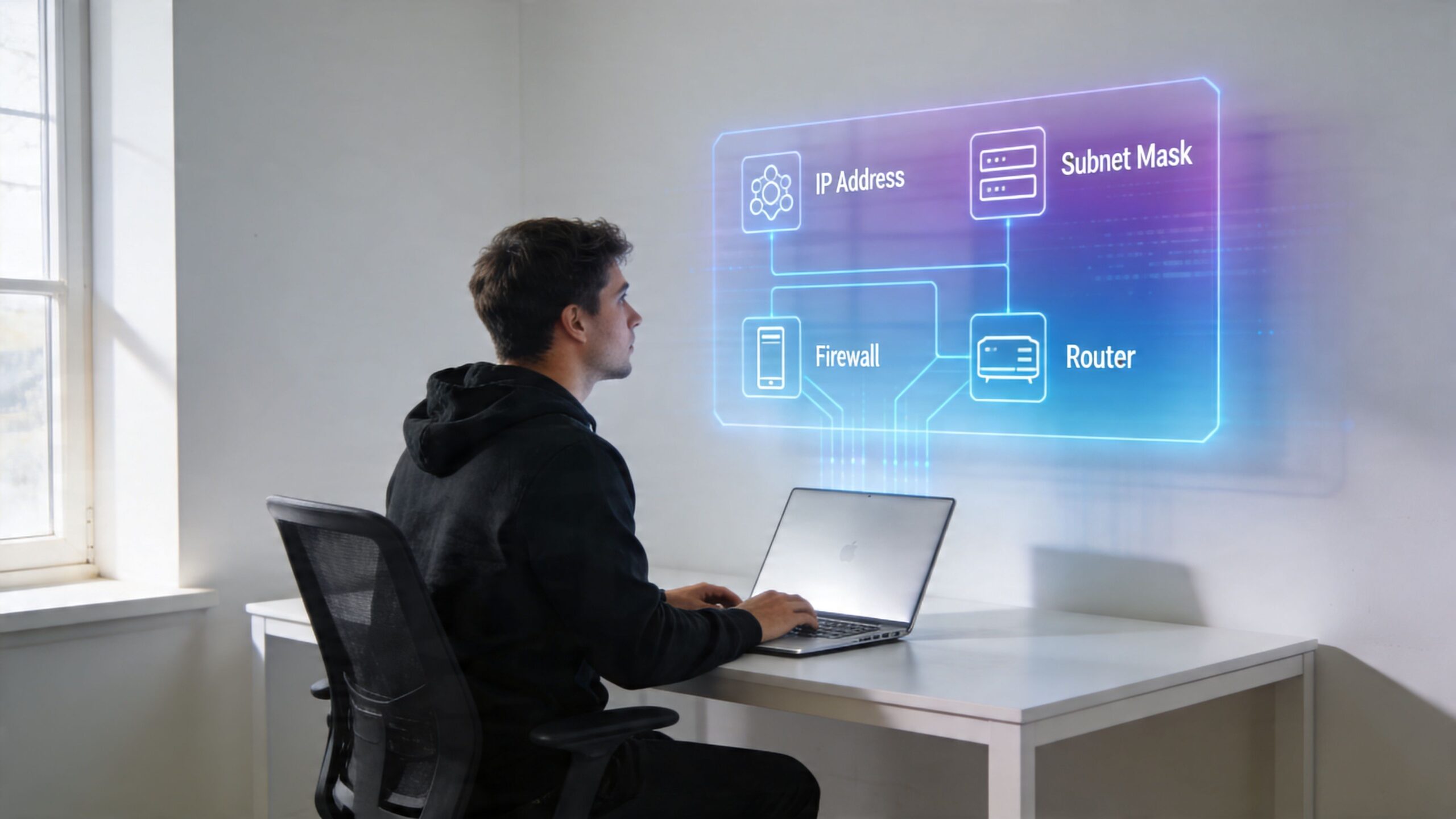
Think of your network like a highway
A simple highway analogy clears up most gaming jargon.
- Bandwidth is the number of lanes. More lanes let more cars move at once.
- Latency is travel time. It’s how long your action takes to reach the game server and come back.
- Jitter is stop-and-go traffic. Your packets don’t arrive in a steady rhythm.
- Packet loss is missing cargo. Some information never arrives.
A lot of homes have enough bandwidth but still have a bad gaming experience. That’s like owning a wide highway full of random traffic jams. The road looks impressive on paper, but the drive still feels awful.
Latency is the big one for competitive play. It’s your connection’s reaction time. Press a button, move your aim, peek a corner, throw a grenade. Those actions all need to travel quickly to the game server. If they arrive late, the game world is already moving on without you.
Jitter is more subtle, but gamers notice it fast. A stable connection sends traffic with a steady rhythm. A jittery connection speeds up and slows down in bursts. That’s when enemies seem to skip around, voice chat sounds robotic, or your ping graph looks like a seismograph.
Why upload speed matters more than people think
Many gamers only look at download speed because that’s what providers advertise most heavily. But gaming is a two-way conversation. Your device constantly sends position data, actions, voice chat, and match updates back to the server.
That’s where symmetrical speeds matter. Fiber connections can offer the same speed up and down, which helps when you’re gaming, streaming, uploading clips, or doing all three at once. If your uploads are weak, your connection can feel fine until you start a Twitch stream, join party chat, or another person in the house starts pushing data out.
The practical takeaway is simple. You don’t need the biggest download number on the market for good gameplay. You need a connection with stable latency, low jitter, and enough upload capacity to avoid choking under pressure. If you want a plain-language breakdown of what counts as a solid gaming connection, this guide on good internet speed for gaming is a useful companion.
A speed test can fool you
A speed test might say your internet is fast, and the game can still lag.
That happens because speed tests mostly measure throughput. They don’t always capture the short spikes, interference, or inconsistency that ruins online matches. A connection can download a big file quickly and still struggle with the tiny, time-sensitive packets that gaming depends on.
Practical rule: For gaming, consistency beats headline speed. A steady connection feels better than a faster one that hiccups.
If you remember only one thing from this section, remember this. Good for gaming means low latency, low jitter, minimal packet loss, and enough stable upload capacity. Everything else is secondary.
Choosing Your Wireless Technology Wisely
Once you understand what causes lag, router shopping gets a lot easier. You stop chasing flashy marketing terms and start looking for features that reduce congestion, shorten wireless delays, and keep traffic moving cleanly between your device and the router.
That’s where Wi-Fi generations matter.
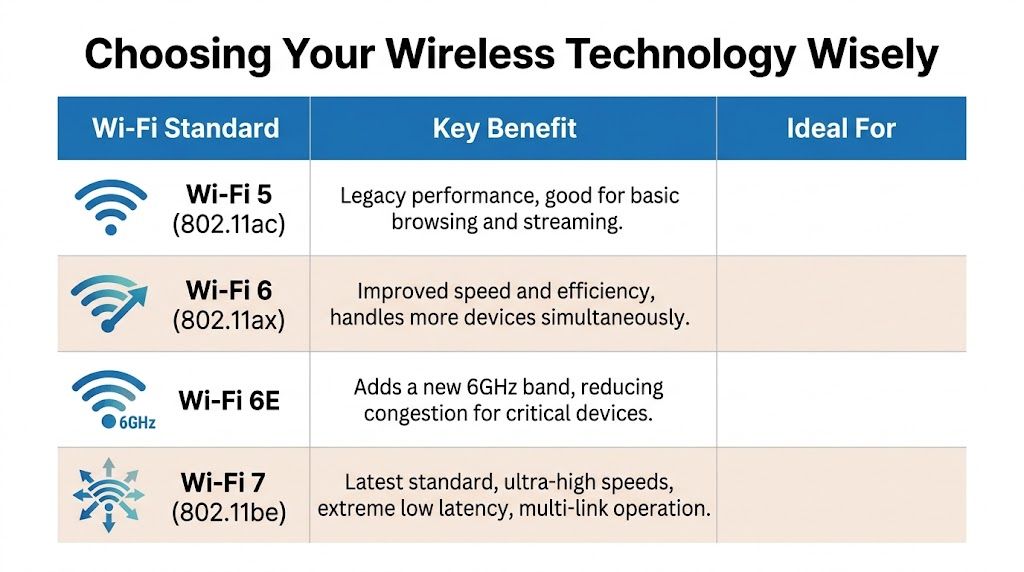
Wi-Fi generations compared for gaming
| Feature | Wi-Fi 5 (802.11ac) | Wi-Fi 6 and 6E (802.11ax) | Wi-Fi 7 (802.11be) |
|---|---|---|---|
| General feel | Older but still usable | Better efficiency in busy homes | Built for very high performance |
| Best use case | Basic gaming near the router | Homes with many devices | Competitive play and demanding households |
| Congestion handling | More limited | Better at handling multiple active devices | Strongest option for mixed traffic |
| Access to cleaner spectrum | No 6 GHz | 6E adds 6 GHz | Uses 6 GHz with wider channels |
| Gaming upside | Fine for casual setups | More stable in crowded environments | Lowest-latency wireless option in the right setup |
Wi-Fi 5 isn’t automatically bad. If your gaming device is close to the router and the home network isn’t crowded, it can still work well. The problem shows up when several devices are active at once, or when your router has to handle gaming, streaming, video calls, and smart home traffic together.
Wi-Fi 6 improved efficiency and device handling, which made it a good fit for busy homes. Wi-Fi 6E added access to the 6 GHz band, which helps reduce congestion for compatible devices. That cleaner airspace can make a real difference when your 5 GHz band is packed with phones, TVs, tablets, and neighboring networks.
Why Wi-Fi 7 gets so much attention
Wi-Fi 7 is the first wireless generation that really starts to feel like a serious rival to wired networking for many gaming situations.
According to Intel’s overview of Wi-Fi 7 for gaming, Wi-Fi 7 delivers approximate wireless speeds of 5.8 Gbps compared to 2.4 Gbps for Wi-Fi 6, using 320 MHz channel bandwidth and Multi-Link Operation. Intel also notes that Multi-Link Operation can reduce latency by approximately 60% versus Wi-Fi 6.
That matters because gaming traffic hates waiting in line. Wider channels move more data at once, and Multi-Link Operation lets compatible devices send traffic across multiple bands instead of relying on one crowded path, much like opening multiple express lanes on the same highway.
If you’re comparing wireless generations and want a broader device-level overview, this breakdown of Wi-Fi 5 vs Wi-Fi 6 technology helps separate meaningful features from marketing fluff.
Single router or mesh system
This decision matters almost as much as the Wi-Fi version.
A single router is usually the cleaner gaming choice if your home is small enough for strong coverage from one central location. There’s no handoff between nodes, no relay hop, and fewer moving parts to misbehave.
A mesh system makes sense when your house has dead zones, thick walls, multiple floors, or a gaming setup far from the main router. But not all mesh systems are equal for gaming.
Here’s the key issue:
- Wireless backhaul means mesh nodes talk to each other over Wi-Fi. That can add delay and reduce stability.
- Wired backhaul means the nodes connect by Ethernet. That’s much better for gaming.
- Tri-band and newer mesh hardware can help, but they still depend heavily on placement and the quality of the internet connection underneath.
If you use mesh for gaming, the best version is usually mesh with Ethernet backhaul. You get whole-home coverage without asking your game traffic to make an extra wireless jump.
A simple buying rule
Choose based on your home, not the box art.
- Small apartment or modest home: a strong single router often wins.
- Larger home with dead zones: mesh is worth it, especially with wired backhaul.
- Competitive gamer on newer hardware: Wi-Fi 7 is the premium wireless path.
- Mixed household with many active devices: Wi-Fi 6E or Wi-Fi 7 makes congestion easier to manage.
The right hardware helps. But hardware still can’t outrun a weak internet feed.
The Unbeatable Foundation of a Fiber Connection
You can buy a fast router, place it perfectly, and still lose fights to lag.
That usually happens because the problem starts before your Wi-Fi signal ever reaches your console or PC. Your router manages traffic inside your home. Your internet connection feeds that router. If the incoming line is unstable, your router is trying to direct traffic on a highway that already has potholes, slowdowns, and random lane closures.
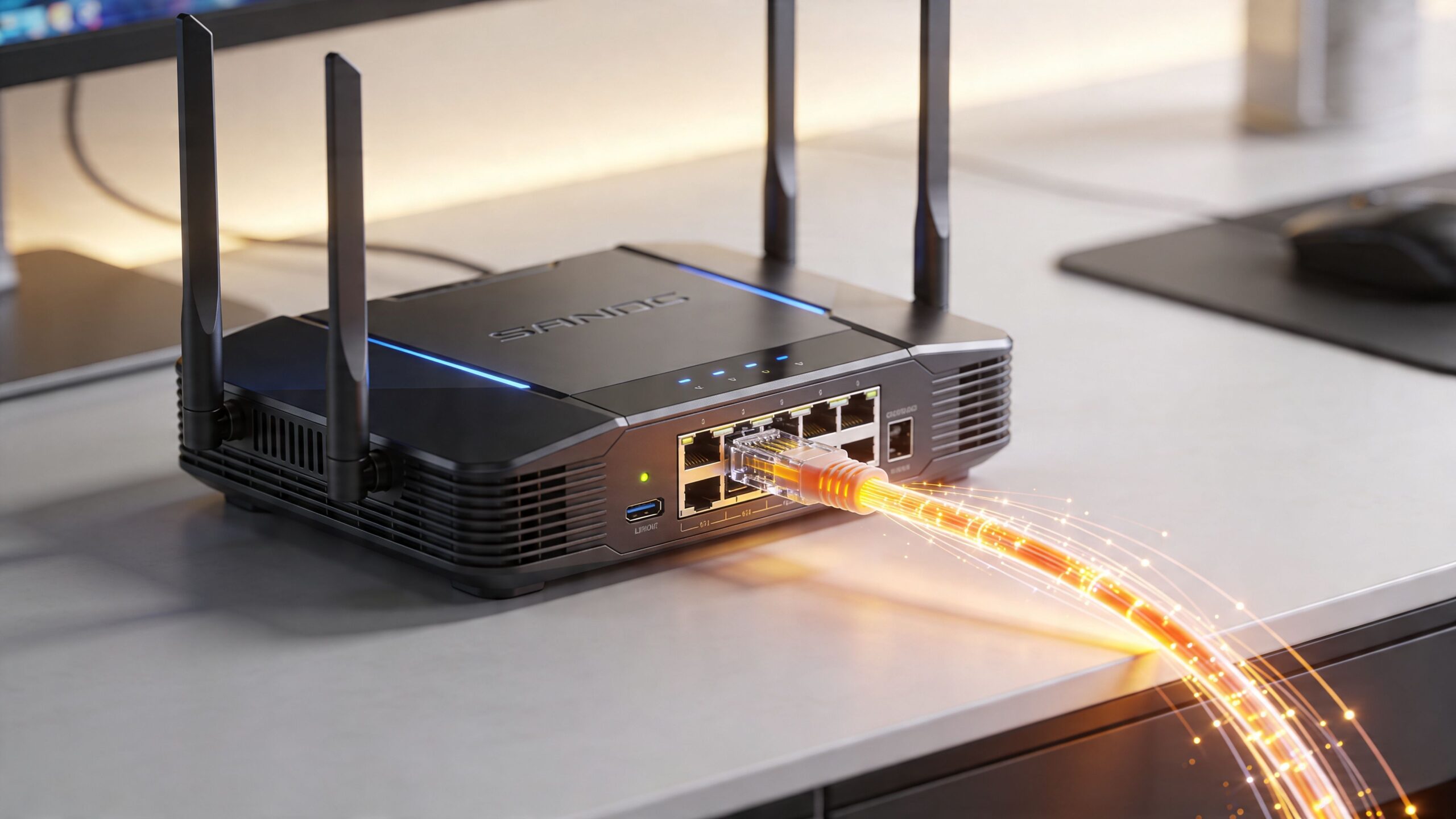
Why fiber gives Wi-Fi a better starting point
Good gaming Wi-Fi depends on three network conditions more than many players realize: latency, jitter, and available backhaul.
- Latency is the travel time between your device and the game server.
- Jitter is how much that travel time changes from moment to moment.
- Backhaul, in this context, is the internet capacity feeding your whole home network.
A router can improve local wireless performance, but it cannot clean up a shaky internet feed. If the line coming into the house has inconsistent delay or gets crowded easily, every device behind that router feels it.
Fiber gives your Wi-Fi a stronger foundation because it usually delivers a cleaner path to the wider internet. Data travels over fiber as light, which tends to reduce the line noise and instability that can show up more often on older copper-based services. For gaming, that matters in practical ways. Inputs reach the server faster, timing stays more consistent, and the connection is less likely to feel fine one second and sloppy the next.
Uploads matter here too. A lot.
Why upload quality affects gaming more than people expect
Gaming is not just downloading map data and character positions. Your setup is constantly sending information back out: movement, shots, voice chat, party audio, cloud saves, clips, and sometimes a live stream. If upload capacity gets cramped, your whole connection can start behaving like a one-lane road with traffic trying to merge from every side.
That is why fiber often feels steadier in a busy house. Symmetrical service gives uploads and downloads similar room to breathe. If someone is backing up photos, posting videos, or joining a work call while you play, your match is less likely to get hit by sudden delay spikes.
A lot of players call that problem "bad Wi-Fi" even though the real issue is upstream congestion.
Fiber helps before the signal reaches your room
Cable and DSL can absolutely be playable. Plenty of gamers use them every day. The difference is consistency under stress.
With older connection types, performance can vary more during busy hours or heavy household use. Fiber usually holds its shape better because the service itself is built for higher capacity and lower variation. That gives your router a better internet feed to work with, which is the whole point. Better Wi-Fi starts with better conditions underneath the Wi-Fi.
BroadbandNow notes in its gaming ISP comparison at BroadbandNow that fiber is often treated as the top tier option for serious gaming because of its lower latency and stronger performance for tasks like streaming and esports play.
If you want the clearest explanation of that relationship, Premier Broadband has a useful article on why fiber changes online gaming and streaming.
Physical setup still matters too. If you are planning a dedicated gaming space, Game Entertainment Room Remodeling can make Ethernet runs, console placement, and access point placement much easier.
The short version is simple. Your router is only as good as the internet connection feeding it. For gaming, fiber is often the strongest base you can start with.
How to Optimize Your Home Network for Zero Lag
You can’t promise literal zero lag on the public internet, but you can remove a lot of the problems that create it inside your home. Most gaming setups improve noticeably after a few practical changes.
Start with the fixes that cost nothing.
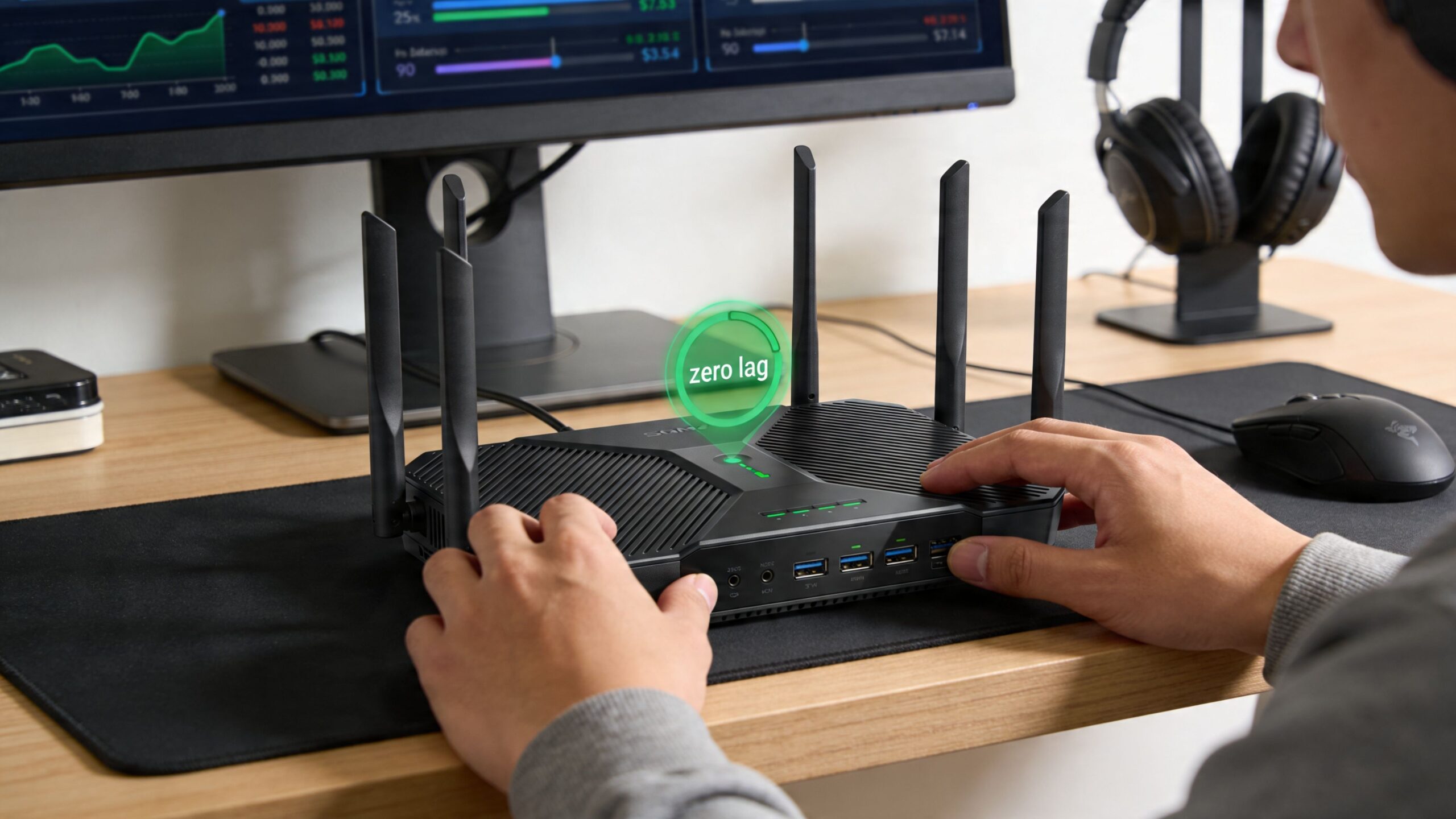
Put the router where it can actually work
Wi-Fi is radio. Radio hates obstacles.
If your router sits on the floor, inside furniture, beside a fish tank, behind a metal TV stand, or in a far corner of the house, you’re making the signal fight through clutter before it ever reaches your console.
Use these placement rules:
- Keep it central: Put the router as close as possible to the places where gaming happens.
- Raise it up: A shelf or table is better than the floor.
- Leave it open: Don’t hide it in a cabinet.
- Separate it from noisy electronics: TVs, soundbars, microwaves, and other electronics can contribute to messy wireless conditions.
If you’re building or redesigning a dedicated gaming space, room layout matters more than people expect. A well-planned setup can make wired runs, console placement, and mesh node locations much easier. That’s one reason some homeowners look at Game Entertainment Room Remodeling before they lock in where screens, furniture, and network gear will live.
Use Ethernet where it counts
For a stationary device, Ethernet is still the safest move.
A wired link removes wireless interference, cuts down on random signal swings, and usually gives you a more stable path. If your gaming PC, PlayStation, Xbox, or docked handheld stays in one place, cable it if you can.
Good candidates for Ethernet:
- Gaming PCs: Especially for competitive shooters or ranked play
- Consoles: Ideal if they live beside the TV full-time
- Mesh nodes: Wired backhaul is one of the biggest quality upgrades for a mesh system
- Streaming boxes: Offloading them from Wi-Fi leaves more wireless room for gaming devices
Tune the wireless side for gaming
If you need Wi-Fi, make it easier on yourself.
Try these adjustments:
Use the cleaner band for your gaming device
If your console or PC supports newer bands well, connect it to the less congested option available in your setup rather than leaving band selection entirely to chance.Split bands if your router allows it
Some routers combine everything into one network name. That’s convenient, but it can make devices roam badly. Separate names can give you manual control.Change the Wi-Fi channel
In crowded neighborhoods, interference from nearby networks can create unstable performance. A different channel can help.Update router firmware
Router software fixes aren’t glamorous, but they often improve stability and compatibility.Turn on Quality of Service
QoS tells the router to treat gaming traffic as time-sensitive. That matters when other devices in the house are downloading, streaming, or backing up files.
A lot of modern systems hide these controls in mobile apps, so you usually don’t need deep networking knowledge to find them.
Here’s a useful walkthrough if you want to see a network technician go through common setup ideas:
Mesh can help or hurt depending on setup
Mesh solves coverage problems. It doesn’t automatically solve performance problems.
If your game room is far from the main router, mesh might be necessary. But try to avoid putting your gaming device on a weak satellite connection that’s barely hanging onto the main node. That’s where extra delay and instability show up.
A stronger approach looks like this:
- Put the main node near the incoming connection
- Place satellites where they still have a healthy link, not at the edge of failure
- Use Ethernet backhaul if possible
- Connect the gaming device to the nearest strong node, not whichever one appears first
If you need help planning that layout, this guide on how to set up mesh WiFi is a practical reference.
Don’t optimize only for signal bars. Optimize for the number of wireless hops your gaming traffic has to survive.
Premier Broadband Plans for Elite Gamers
A gaming plan should match the traffic in your house, not just the speed number on the ad.
Your router works like the on-ramp to a highway. If the road feeding that on-ramp is crowded, inconsistent, or narrow in one direction, even an expensive router cannot keep your match traffic moving cleanly. That is why plan selection starts with the connection coming into the home. Low latency, steady jitter, and enough upload capacity matter more to gaming than flashy hardware alone.
A lighter home setup usually needs something different from a busy one. One casual player checking in for a few matches at night puts a very different load on the network than a house with ranked play, Discord chat, cloud saves, video calls, smart TVs, and a large game update running in the background.
Casual play and everyday households
If gaming is only one part of how your home uses the internet, a mid-tier fiber plan is often the smart fit. You want a stable connection that stays responsive during normal household use, with enough headroom that a stream or download in another room does not spike delay.
Managed Wi-Fi can help here because it keeps coverage more consistent across the house. That reduces the weak-signal situations that often feel like "internet lag" but are really local wireless hiccups.
Competitive gaming and streaming setups
The bar rises fast once gaming shares the line with streaming or content creation. Ranked matches care about timing. Livestreaming and cloud uploads care about a clean upstream path. If the upload side gets congested, the whole connection can feel sticky, even when download speeds still look fine on a speed test.
Premier Broadband offers fiber residential plans, including options such as Home Office Hero, that fit homes where two-way traffic matters. That kind of plan makes sense for players who also stream, upload clips, or share the network with remote work and video calls. As noted earlier, gaming and streaming on the same connection put extra pressure on upload stability, not just download speed.
If your console or PC still struggles after the network side looks healthy, the issue may be hardware instead of Wi-Fi. In that case, gaming console repair can save you from chasing the wrong fix.
The practical match between plan and player
A simple way to choose is to match the plan to the traffic pattern:
- Solo gamer in a smaller home: choose a fiber plan known for low latency and stable performance.
- Family with several active devices: choose a plan with enough headroom for multiple people using the connection at the same time.
- Streamer or clip-heavy creator: choose a fiber plan with strong upload performance, because upstream congestion can wreck game feel.
- Remote worker plus gamer household: choose consistency under load, so calls, uploads, and matches can coexist without traffic jams.
The main idea is simple. A better router can improve Wi-Fi inside your home, but it cannot fix a shaky connection feeding it. For gamers, the cheat code is a fiber plan that stays calm under pressure, then a home network set up to pass that stability along to your device.
A Quick Guide to Troubleshooting Connection Problems
When a game lags, the first job is to figure out where the problem lives. Is it your Wi-Fi, your internet service, your device, or the game server itself?
A short test sequence usually tells the story.
Start with a simple comparison
First, test the same game or network condition in two ways if possible:
- Over Wi-Fi
- Over Ethernet
If the lag mostly disappears on Ethernet, your issue is probably inside the home wireless network. That points to placement, interference, mesh backhaul, or router settings.
If the lag is bad on both wired and wireless connections, the issue is more likely upstream. That could mean the internet service is unstable, the game server is having trouble, or the network is under load beyond your router.
Check for patterns, not just single bad moments
Ask a few practical questions:
- Does lag happen only at certain times of day? That can hint at congestion.
- Does it happen only in one room? That usually points to Wi-Fi coverage.
- Does party chat break up when someone starts streaming video? That suggests local traffic competition.
- Does one device struggle while another works fine? That can point to the device itself.
Sometimes the console is the problem, not the network. If your system overheats, disconnects randomly, or has damaged ports, you may waste hours tuning Wi-Fi when the hardware needs attention. In that case, a specialist in gaming console repair can be a useful next stop.
Use evidence when you call support
Before you contact your provider, gather a few notes:
- Write down when the lag happens
- Compare wired versus wireless behavior
- List which devices are affected
- Note whether reboots change anything
The better your notes, the faster support can separate a Wi-Fi issue from a service issue.
That gives you a clean conversation. Instead of saying “my internet is bad,” you can say “wired and wireless both spike during evening play” or “only the upstairs mesh connection has the problem.” That’s much easier to diagnose.
Frequently Asked Questions About Gaming Wi-Fi
Is mesh Wi-Fi bad for gaming
Not automatically. Mesh is helpful when one router can’t cover the whole home. The catch is how the nodes connect. Mesh works much better for gaming when the backhaul is wired, or when node placement is strong enough that devices aren’t hanging onto a weak relay.
Is 5 GHz or 6 GHz better for gaming
The better band is the one that gives you the most stable connection in your room. In many homes, 6 GHz can be cleaner because fewer devices use it, while 5 GHz often has better reach. Newer hardware can take advantage of cleaner spectrum more effectively, but distance and walls still matter.
Do I need huge download speeds for online gaming
Not necessarily. Online gameplay itself usually doesn’t need extreme download capacity. What matters more is low latency, low jitter, and enough connection quality to handle the rest of your household activity without interfering with the match.
Should I always use Ethernet instead of Wi-Fi
If your device stays in one place, Ethernet is usually the safer choice. It removes a lot of variables. But good Wi-Fi can still perform very well when the signal is strong, the hardware is modern, and the connection feeding it is stable.
Will a gaming router fix bad internet service
No. It can improve your home network, but it can’t fix an unstable incoming connection. That’s the main reason people spend money on new hardware and still see lag. The router can only work with the internet it receives.
If you’re tired of chasing random lag and want a connection built for real-world gaming, streaming, and busy home networks, take a look at Premier Broadband. A strong Wi-Fi setup starts with a strong line feeding it. That’s the part most gamers overlook first.