

Your home phone usually gets attention only when something goes wrong. A call sounds hollow, your voicemail email never arrives, or a relative says they kept dialing but never heard it ring. It's common to jump straight to “the service is down,” but that skips the useful part. You can usually narrow the problem down yourself in a few minutes with the right phone testing number and a simple routine.
For fiber VoIP at home, that matters. VoIP problems aren't always total failures. More often, they show up as delay, one-way audio, wrong caller ID, or calls that work on one network but not another. Those details help you fix the issue faster, or hand support a much better trouble report.
Why Your VoIP Phone Needs a Check-Up
A lot of home phone issues feel random until you test them on purpose. One day the line sounds fine. The next day your voice breaks up only when calling a mobile phone, or inbound calls go straight to voicemail even though your handset is sitting right there. That's exactly why a dedicated phone testing number is useful. It gives you a controlled target instead of relying on guesswork.
The idea isn't new. The practice of reserving numbers for specific network functions goes back to 999 in London in 1937, the first public emergency number, which showed how standardized numbers could support system-wide services and later influenced dedicated testing numbers for technical validation, as summarized in telephone number history on Wikipedia.
If you've ever dealt with old business handsets or retired office gear, the same principle applies there too. Before replacing or repurposing equipment, some people also look at services that resell office phone systems because testing and inventorying the hardware often reveals whether the problem is the line, the phone, or both.
What a check-up actually catches
A quick check-up helps you separate three common situations:
- The phone is fine, but the route isn't. You can dial out, but some people can't reach you.
- The route is fine, but the audio path is weak. Calls connect, yet voices sound delayed or robotic.
- The account feature is the problem. Caller ID, forwarding, or voicemail handling isn't doing what you expect.
If you want the plain-language version of how the service itself works, how VoIP phone service works is a useful background read before you start testing.
A phone problem is easier to fix when you know whether it failed before the call connected, after it connected, or only on one type of network.
That's the mindset to use. Don't ask only “is my phone working?” Ask what part of the call path is failing.
Your Essential VoIP Testing Toolkit
You don't need a lab bench to test home VoIP. You need a short contact list, a notepad, and a repeatable way to listen. The most useful phone testing number is usually an echo test or loopback line. You speak, it plays your audio back, and you judge what the other side would hear.
That one call can tell you a lot. If your voice comes back late, you may be hearing delay. If it comes back choppy or metallic, something in the connection is affecting audio delivery. If the number won't complete at all, you may have a dialing, formatting, or routing issue before voice quality even matters.
Keep a simple test list
Here's a practical toolkit to keep in your contacts.
| Test Type | Example Number | What It Checks |
|---|---|---|
| Echo or loopback test | Your provider's test number | Whether your outbound audio is clear and whether delay is noticeable |
| Mobile phone call | Your own cell phone | Basic outbound calling, caller ID, and ring timing |
| Inbound test from mobile | Your home VoIP number | Whether your line rings properly and accepts incoming calls |
| Time or weather service | A public local service if available in your area | Third-party outbound call completion |
| Friend on another carrier | A trusted contact on a different network | Cross-carrier reachability and routing consistency |
The exact numbers vary by provider and region, so the best move is to save the testing numbers your service supports and use them consistently. If you want a broader set of connection checks beyond voice alone, network diagnostic utilities can help you compare what the phone is doing with what your internet connection is doing.
What to test first
Industry guidance for phone testing recommends checking four layers in order: formatting, reachability, routing, and voice quality, while combining one-off tests with scheduled tests from multiple carriers and documenting what you find over time in United World Telecom's phone number testing guidance.
Use that order at home:
Formatting
Make sure the number is entered correctly in the first place, especially for saved contacts and international-style formatting.Reachability
Can the call connect at all from your phone and to your phone?Routing
Does the call land where it should, every time?Voice quality
Once connected, does it sound usable and natural?
Practical rule: Don't change three things at once. Run the same test again after one change so you know what actually helped.
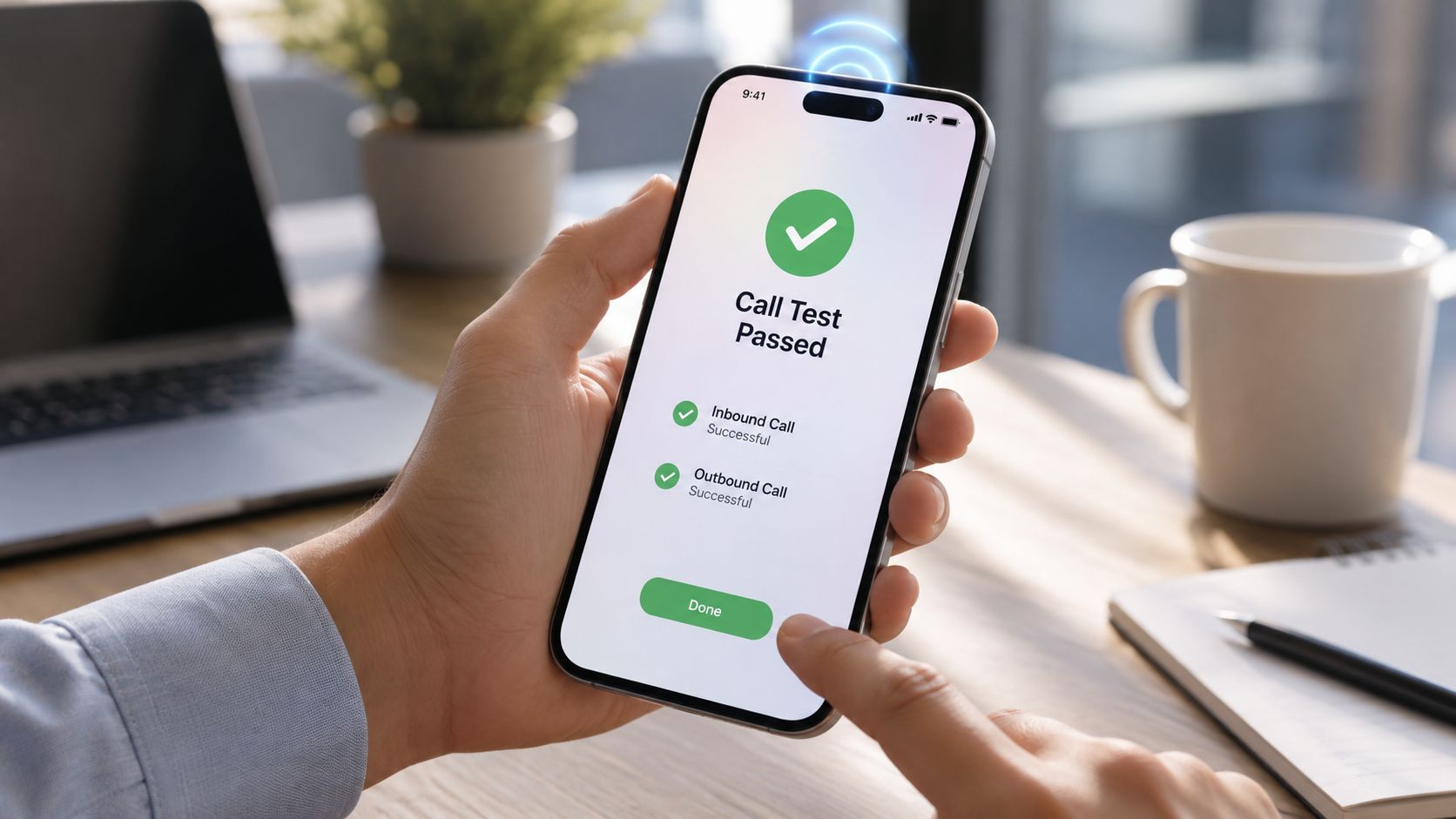
Verifying Inbound and Outbound Call Functions
Basic audio checks are only the start. A home VoIP line has to complete the whole journey cleanly in both directions. That means your outbound calls should place reliably, your inbound calls should ring reliably, and features tied to the number should behave the way you expect.
Run an outbound test
Start by calling your mobile phone from your home VoIP line. Don't just check whether it rings. Pay attention to the sequence.
- Dial the number and listen for ring start. If there's a long pause before ringing begins, note it. That delay matters.
- Watch the caller ID on the mobile. Make sure your number appears correctly.
- Answer and speak both ways. Count a few numbers, say a sentence, then stay quiet for a moment to catch clipping or background artifacts.
- Hang up and redial once more. One clean call doesn't always prove consistency.
If your provider offers dedicated test destinations, keep those handy too. For provider-specific options, Premier Broadband testing numbers are the right place to check.
Run an inbound test
Now reverse it. Call your home VoIP number from your mobile phone, then from another person's phone if possible.
Inbound services aren't judged by “sort of reachable.” The practical benchmark for these services is whether calls connect, produce a ring tone, and land at the correct endpoint without misrouting or busy signals. Guidance on inbound testing also notes that for inbound services, a busy tone is a failure signal, not normal behavior, and testing from different networks helps surface region- or carrier-specific problems in Cyara's phone number testing article.
Check the feature layer
A lot of “phone issues” are really feature issues. Test those separately.
Caller ID name and number
Place a call to a device that displays caller information. If the number is right but the name looks wrong, that's different from a routing failure.Voicemail-to-email
Let the call roll to voicemail. Leave a short message and confirm the email notification arrives with the expected audio attachment.Call forwarding or Do Not Disturb behavior
If calls don't ring where they should, confirm whether a setting changed in the account portal or handset menu.
If one inbound test works from your mobile but fails from another carrier, the issue may not be inside your house at all. That's why cross-network testing matters.
A clean result here looks simple: outbound calls place quickly, inbound calls ring normally, your number displays correctly, and voicemail features follow the rules you set.
Measuring VoIP Call Quality Like a Pro
You finish a call with the GP surgery, and every third sentence sounded clipped or metallic. The phone never fully failed, so the problem is easy to dismiss. In home VoIP service, that kind of partial failure usually points to call quality, not basic call routing.
The three metrics that matter most
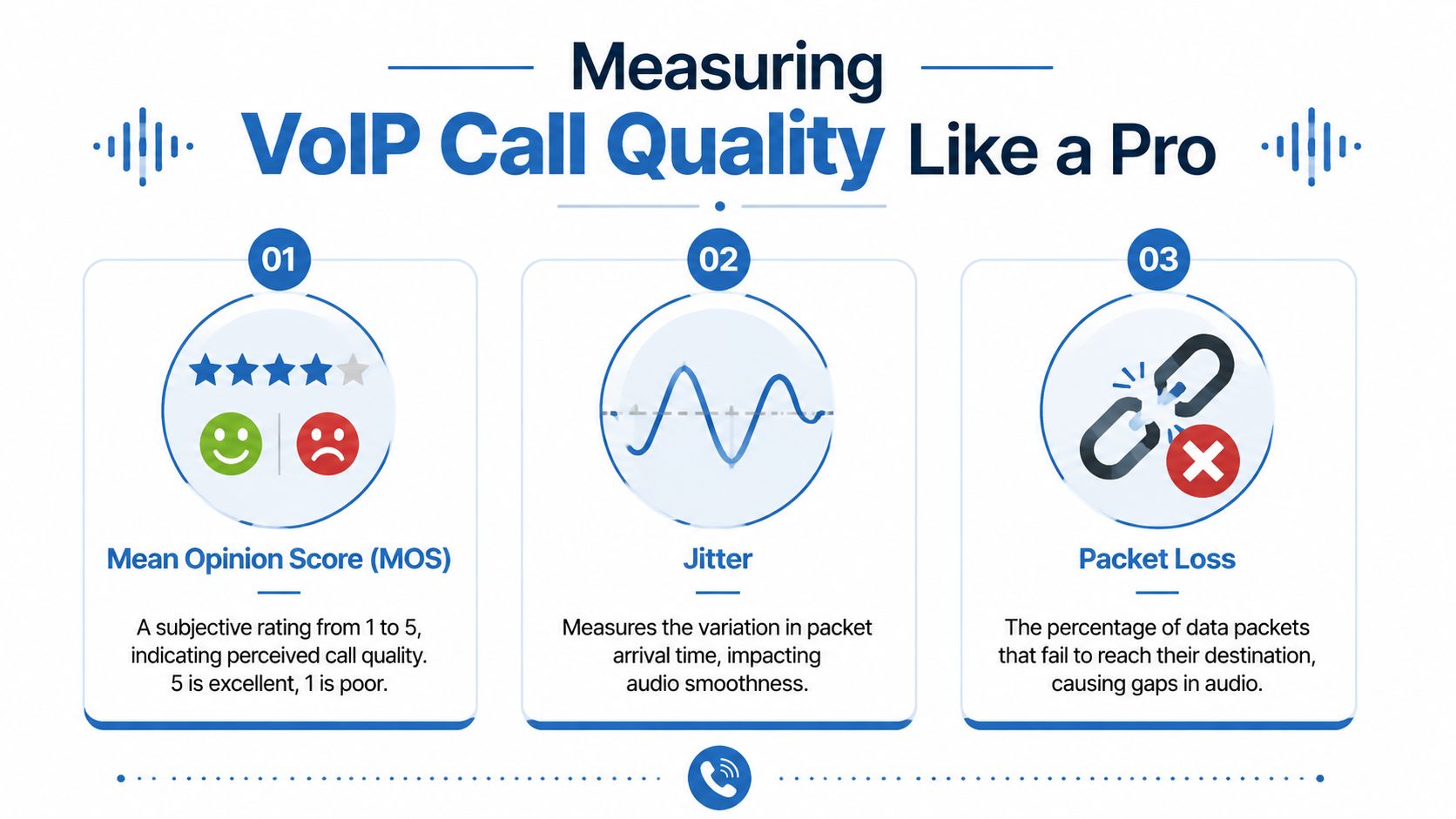
For a fiber VoIP home phone, three readings explain most of what you hear on a call: MOS, jitter, and packet loss.
MOS stands for Mean Opinion Score. It rates call quality on a 1 to 5 scale, with 5 closer to a natural conversation and 1 clearly poor. If your router, ATA, or phone portal shows MOS, use it as a quick summary, not a diagnosis by itself.
Jitter measures how unevenly voice packets arrive. In a good call, packets show up at a steady pace. If that timing starts to wander, voices can sound robotic, choppy, or slightly synthetic even when the call stays connected.
Packet loss measures missing voice data. You hear that as clipped words, tiny gaps, or sudden bits of silence.
Delay matters too. If you speak, then wait long enough for the other person to answer over the top of you, latency is part of the problem even if the audio itself sounds clean.
Turn the numbers into a home test
You do not need enterprise monitoring tools to check this. A few controlled test calls tell you a lot.
Run the same short call three times. First with the house quiet, then while someone streams video, then again after the traffic stops. Keep the destination the same if possible so you change only one variable at a time.
Use these practical ranges as a guide:
- MOS above 4 usually sounds good at home
- Jitter under 30 ms is a healthy target for voice
- Packet loss near 0% is the goal
- Latency under 150 ms one way usually still feels conversational
If your equipment exposes those values, write down one set from a good call and one set from a bad call. That comparison is often what helps isolate the fault. I see this a lot with home fiber setups where broadband speed looks fine on paper, but voice quality drops only during busy periods because timing is unstable, not because the line is slow.
Match the symptom to the metric
The wording people use on support calls is often accurate enough to point you in the right direction.
- "Robot voice" usually lines up with jitter
- "Words are missing" often points to packet loss
- "We keep talking over each other" suggests delay
- "It cleared up after I hung up and called back" fits an intermittent path or congestion problem
That last one matters. A clean second attempt often means the phone itself is not dead. The call took a better path, or the network was less busy a minute later.
This quick explainer can help if you want a visual refresher before checking your own setup:
Build a record you can actually use
For home troubleshooting, a simple log beats a vague complaint every time. Keep the notes tight and repeatable.
| What to note | Why it helps |
|---|---|
| Time of day | Evening slowdowns often point to congestion inside the home or on the local network |
| Device used | A problem on one handset but not another suggests equipment, not the whole service |
| What you heard | Robotic audio, echo, delay, and silence usually point to different causes |
| What else was happening online | Streaming, backups, gaming, or large downloads can affect voice timing |
| Whether Wi-Fi or Ethernet was used | A wired test helps separate wireless issues from service issues |
If you want to compare voice symptoms against your connection behavior, a VoIP bandwidth test for home phone troubleshooting is a useful companion check.
Good notes help your provider test the right thing first, and they help you avoid changing three variables at once.
Troubleshooting Common Home Phone Issues
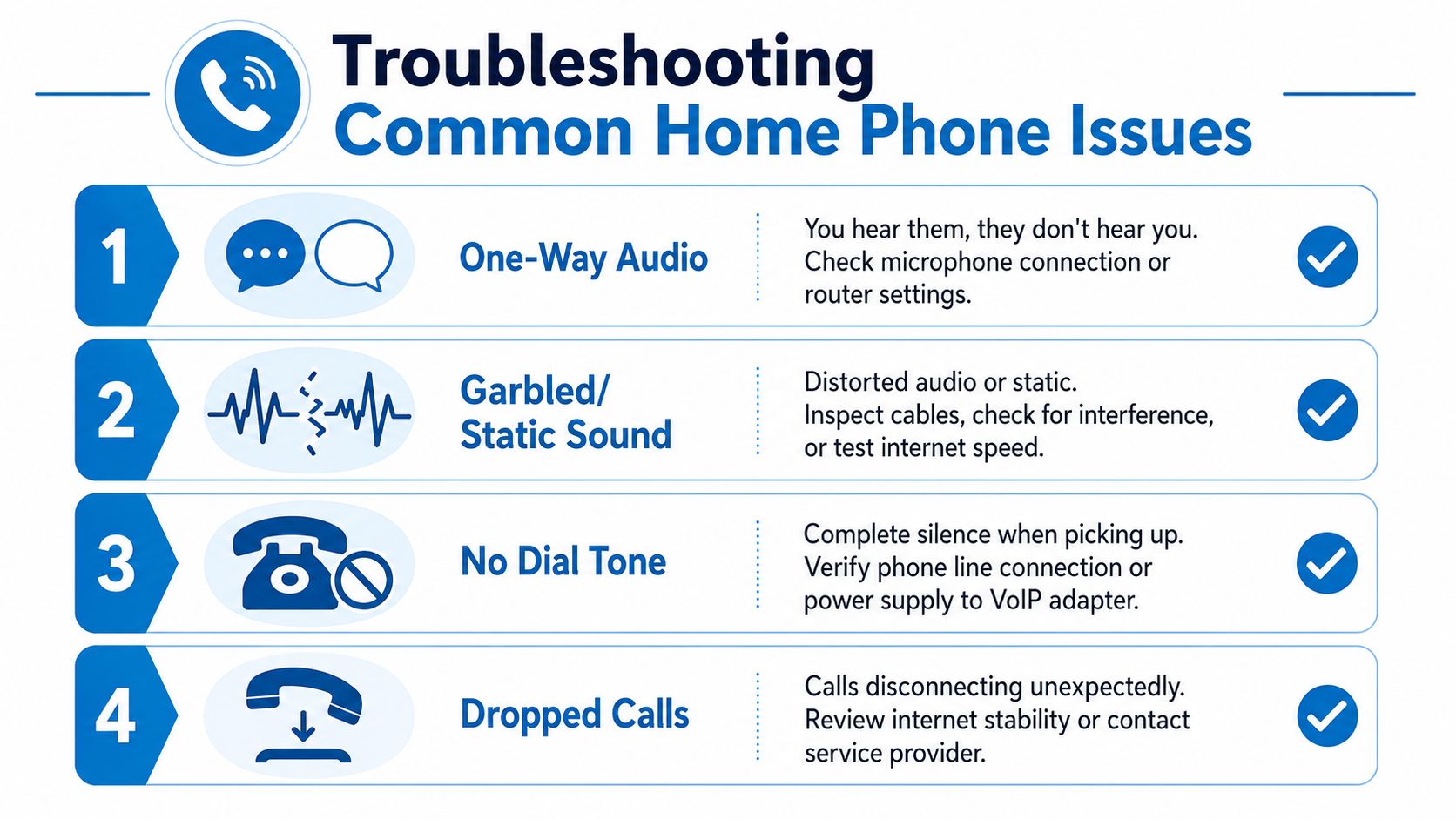
A failed home phone test is only useful if it changes what you do next. The fastest way to narrow a VoIP problem is to match the symptom to one controlled test, then check whether call quality improves.
When you have one-way audio
You can hear the other person, but they cannot hear you. Or they hear you and you hear silence.
On a fiber VoIP setup, that usually points to a traffic path problem, a handset setting, or the adapter losing its session with the phone service. Check the simple items first. Confirm the handset is not muted, the base station is seated properly, and the phone cable is fully clicked in. If you use a separate ATA or phone adapter, reboot the adapter first and test again before rebooting the router. That keeps the test clean.
Then run one practical isolation check. Place the same call again after moving the phone equipment to Ethernet, if your hardware allows it. If the problem disappears on a wired connection, the service is usually fine and the weak spot is Wi-Fi stability inside the home.
When audio sounds garbled or calls drop
Garbled speech, robotic audio, and mid-call drops often come from timing problems rather than a total loss of service. In plain terms, your calls are arriving late, out of order, or with pieces missing.
Run these checks in order:
Pause heavy internet use
Stop streaming, cloud backups, large downloads, and console updates for five minutes.Repeat the same test call
Call the same number again so you are comparing like with like.Check cables and power
Reseat the phone cable, Ethernet lead, and power plug on the router, ONT, and adapter.Switch from Wi-Fi to Ethernet
A wired test removes one of the most common home VoIP trouble spots.Listen for the pattern
Robotic audio usually points to packet timing issues. A clean call that suddenly drops can point to a session or registration problem.
For home users, this is the part many business VoIP guides skip. You do not need to read packet captures to get useful answers. If a call clears up as soon as other traffic stops, or as soon as you go wired, you have already found a strong lead.
When calls go straight to voicemail or never ring
If outbound calls work but inbound calls skip the handset, check call handling before blaming the connection. Do Not Disturb, call forwarding, simultaneous ring, blocked caller settings, and handset registration can all change what happens before the phone ever rings.
A good quick test is to call your home number from two different phones, such as your mobile and a friend's line. If one rings through and the other goes straight to voicemail, the issue may sit with call routing or a carrier handoff rather than your handset.
If your tests point to account-level settings such as forwarding rules or voicemail behavior, a managed service can save time in this situation. Premier Broadband's home phone support can directly verify how those features are set, which helps when the line is active but the call is being handled the wrong way.
If voicemail answers consistently but the handset never rings, the number is often working and the problem is usually the endpoint registration or a call handling rule.
Don't confuse call testing with E-911 validation
Regular phone testing numbers confirm that a call can connect. They do not confirm that your emergency address is correct in the E-911 database.
That matters for fiber VoIP users who move equipment between rooms, replace adapters, or use service at a new address. Tennessee's E-911 testing guidance explains that location issues can come from database update delays, and that standard test calls do not verify E-911 readiness, as explained by Tennessee's E-911 testing guidance.
Check the service address on your account if anything about the setup or location has changed. Do not place a casual 911 test call.
Maintaining Crystal-Clear Call Quality
The most useful habit isn't a fancy tool. It's running the same small set of checks before a minor issue becomes a major annoyance. Save your test numbers, note what a normal call sounds like, and repeat the same routine when something changes. That gives you a baseline.
For a home VoIP user, the winning pattern is simple. Test outbound audio. Test inbound ringing. Try a second network. Write down what happened. If the symptom follows a pattern, it's much easier to fix than a random complaint with no details attached.
When you do need help, bring your notes. Saying “inbound calls from my mobile work, but calls from another carrier hit a busy tone” is far more useful than “the phone is acting weird.” That shortens the path to a real fix.
If you'd like help reviewing your home phone setup, checking service options, or troubleshooting a persistent VoIP issue, contact Premier Broadband. A quick support conversation goes much faster when you already know what your phone testing number results showed.