

A lot of businesses start the same way. One main number, one cell phone, maybe a basic desk phone, and a team that “just makes it work.”
Then the cracks show. A customer calls while someone is already on the line. A new lead hits voicemail because the owner is out on a service call. Staff start using personal numbers to cover the gaps, and now call handling feels scattered instead of professional. If you're looking into multi phone lines for business, you're probably already feeling that strain.
The good news is that the fix usually isn't complicated. Modern hosted VoIP gives small businesses a practical way to handle multiple calls, route them properly, support remote staff, and keep the whole system easy to manage. The part many buyers miss is this: the phone system matters, but the network under it matters just as much. If your connection is unstable, extra lines and advanced features won't save the call experience.
Why Your Business Needs More Than One Phone Line
A single line works until it doesn't. Once calls begin overlapping, every limitation becomes visible to customers first.
The most obvious problem is missed opportunity. When one person is speaking to a client, the next caller may hit a busy signal, wait too long, or leave without trying again. A multi-line setup changes that by letting your team handle more than one call at the same time, route overflow, and keep reception from becoming a bottleneck.
There's also an image issue. Using personal mobiles or sharing one central handset can make a growing company sound smaller and less organized than it really is. Separate extensions, a main business number, and structured call flows make even a lean team sound reachable and coordinated.
For many small teams, the shift starts with cloud calling rather than old-school phone hardware. Hosted VoIP gives you business features without tying everything to one desk or one office. Staff can answer on a desk phone, laptop, or mobile app while keeping business identity separate from personal devices. If you're comparing practical business phone solutions for small offices, retail counters, and hybrid teams, it helps to see how line handling and user flexibility fit together.
A clean setup also grows with you. You can start with what you need today, then add users, extensions, and routing as the business changes. For a closer look at how cloud calling fits small teams, Premier's guide to VoIP solutions for small business is a useful reference.
Practical rule: If your staff ever says, “I was already on the phone, so that call went to voicemail,” you've outgrown a single-line setup.
Assessing Your True Communication Needs
Most businesses don't need to guess. They need to audit how calls move through the day.
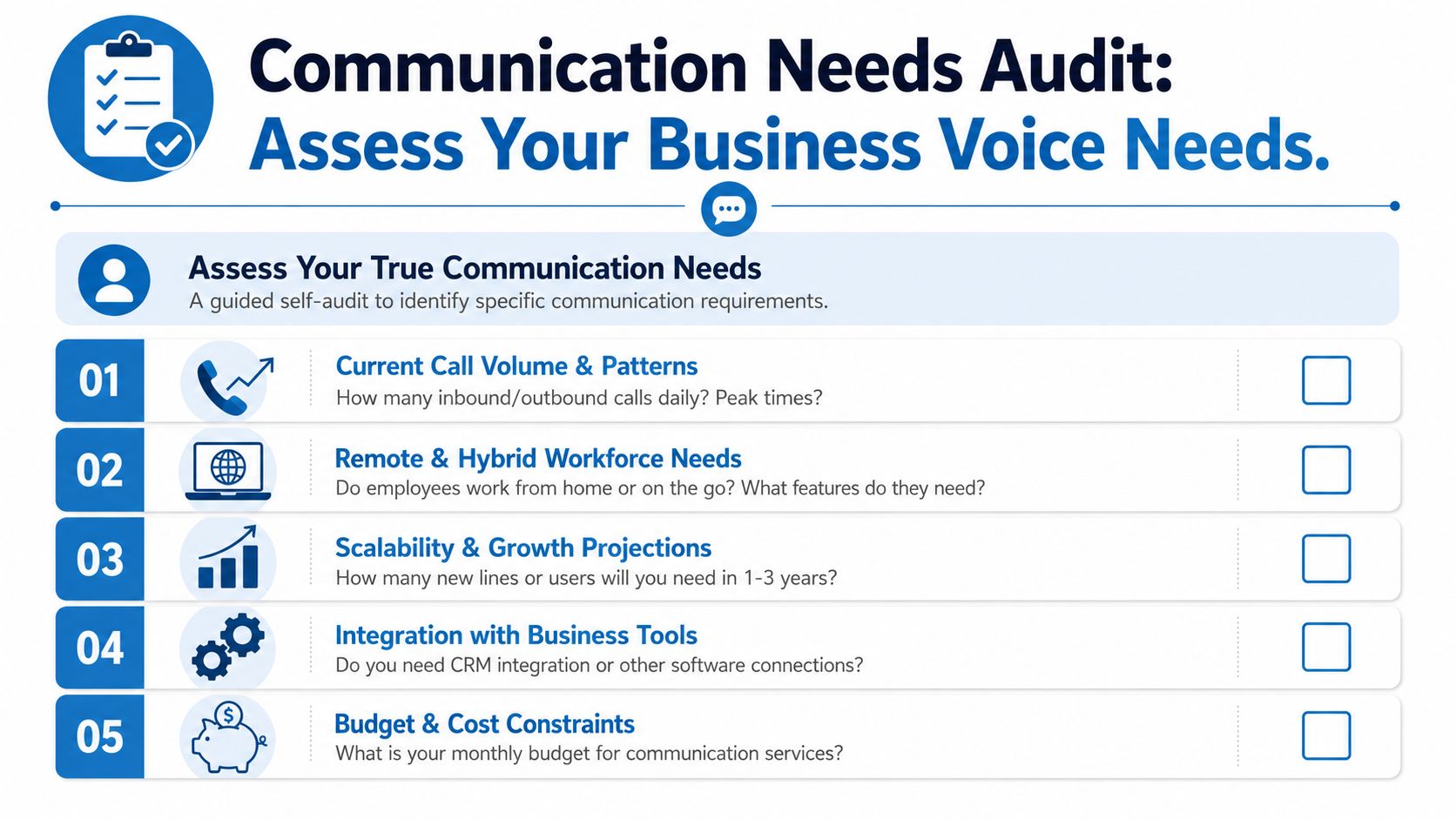
Small businesses typically begin with two to five dedicated lines, based on team size and daily call volume. Businesses with larger teams or heavier inbound demand, including legal, healthcare, and real estate operations, are often better served by five or more lines to avoid missed opportunities, according to Sunco's multi-line phone system analysis.
Start with concurrent calling, not headcount
Don't begin by asking how many employees you have. Ask how many people need to be on calls at the same time.
A five-person company may only need a modest setup if only two people regularly answer customers. On the other hand, a three-person office can need more line capacity if all three handle inbound calls and one person also places outbound calls throughout the day.
Use these questions as your baseline checklist:
- Who answers live calls: List every role that needs direct access, not just every employee on payroll.
- When calls pile up: Identify peak windows such as lunch rushes, opening hour, appointment reminders, or seasonal surges.
- What happens after hours: Decide whether calls should ring a mobile app, go to voicemail, or route to an on-call person.
- Which calls need privacy: Sales, billing, HR, and patient or client conversations may need separate handling paths.
A business that gets steady inbound traffic usually benefits from a main number plus individual extensions. A field team may need fewer desk phones but stronger mobile app support.
Define the features you'll actually use
Features sound impressive on a proposal. What matters is whether they solve a real workflow problem.
Create a short “must-have” list before you talk to providers:
| Need | Why it matters |
|---|---|
| Auto-attendant | Directs callers without tying up a person at the front desk |
| Voicemail-to-email | Lets staff respond faster when they're away from the desk |
| Mobile app access | Keeps remote and on-the-go staff reachable on the business number |
| Call recording | Supports training, compliance, or dispute review where appropriate |
| Ring groups | Prevents missed calls when one user is busy or unavailable |
A lot of teams overbuy features and underbuy usability. If no one will manage complex dashboards, keep the admin side simple.
For businesses evaluating the full connection stack, this overview of internet and phone for small business helps tie call needs to the underlying service plan.
Write down your busiest hour, your after-hours policy, and your must-have features before you request a quote. That one-page note will save time and prevent a bad fit.
Choosing Your Modern Phone System and Provider
The old choice used to be simple. Buy phone equipment, wire the office, and call a technician when something changed.
That model doesn't fit how most businesses work now. Staff move between desks, home offices, job sites, and mobile devices. A hosted PBX, also called a cloud phone system, handles extensions, routing, voicemail, and line management in software instead of tying everything to a closet full of hardware.

What a good provider should solve
A provider shouldn't just give you dial tone. They should make ongoing administration easier.
Look for these decision points:
- User management that's simple: Adding an employee should feel like creating a user, not planning a wiring project.
- Flexible device support: Desk phones are useful at reception and in private offices. Softphones and mobile apps matter just as much for hybrid staff.
- Clear support ownership: When call quality slips, you need a direct path to troubleshooting.
- Feature depth without clutter: Auto-attendants, ring groups, call routing, voicemail-to-email, and transfer options should be available without a confusing interface.
Some businesses also need the phone system to fit into a larger service workflow. If your team handles support tickets, inbound sales, and shared customer history, this complete SMB customer support platform guide gives useful context for how voice tools fit into broader support operations.
Why the network and voice provider relationship matters
Often, many buying decisions go sideways. A phone service can look excellent on paper and still perform poorly if the internet side is unstable or the troubleshooting responsibility is split across multiple vendors.
If one provider handles voice and another handles connectivity, each can point at the other when users report choppy audio, one-way sound, registration issues, or dropped calls. That slows down resolution and leaves your staff stuck in the middle.
A practical alternative is an integrated setup where internet and cloud voice are designed to work together. One example is what a cloud phone system looks like, especially when paired with business-grade connectivity instead of consumer internet. Premier Broadband offers fiber internet and VoIP under the same umbrella, which can simplify accountability for businesses that want one point of contact.
Buy support paths, not just features. The easier it is to identify who owns the issue, the faster your phones get back to normal.
Setting Up Lines and Smart Call Features
Once the plan is clear, setup becomes a workflow exercise. The best systems mirror how your business already operates, then remove the friction.

Take a small accounting firm as an example. During routine months, the office manager fields most calls, one accountant handles client questions, and the owner takes selected calls. During tax season, everything changes. Calls overlap, voicemail fills faster, and clients want quick routing to the right person.
Assign users and extensions by job function
Start with roles, not devices. Decide who needs a direct extension, who belongs in a shared group, and who only needs outbound calling on the company number.
A simple structure might look like this:
- Main line and front desk: The published business number rings the receptionist or office manager first.
- Direct extensions for specialists: Accountants, sales reps, and service coordinators get their own internal extension.
- Mobile app users: Owners, field staff, and remote employees answer on smartphones or laptops while still presenting the business caller ID.
- Shared departmental groups: Billing, support, or scheduling can ring more than one person at once.
That structure prevents a common mistake, which is assigning everyone a line but no clear call path.
Build the first call flow
Most businesses need a straightforward flow before they need advanced automation.
A practical starting point is:
- Main greeting with business name and basic options.
- Auto-attendant menu such as “Press 1 for new clients, Press 2 for existing accounts, Press 3 for billing.”
- Ring groups or hunt groups for departments where more than one person can answer.
- Fallback rules that send unanswered calls to voicemail, another user, or a mobile app after hours.
If you're refining overflow coverage or after-hours routing, a focused guide to phone call forwarding can help you think through real routing scenarios without overcomplicating the setup.
Don't make callers memorize your org chart. Keep the menu short and route by the reason they're calling.
Configure the features that save time every day
The features that matter most are usually the ones your team uses dozens of times a day without thinking about them.
Set up these basics early:
- Voicemail-to-email: Good for owners and managers who aren't always at a desk.
- Business hours and holiday schedules: Avoid sending callers into dead ends.
- Warm transfer options: Let staff speak to the next person before moving the call.
- Call parking or shared hold behavior: Useful at front desks and reception counters.
- Branded caller ID and outbound identity controls: Helps maintain consistency when different users place calls.
A lot of teams stop there, but transfer handling deserves more attention. Recent 2025 data shows 54% of customers abandon calls after 2 transfer attempts due to lost context, and newer cloud VoIP platforms are adding smart transfer tools that share call history and notes between agents automatically, according to Business.com's overview of multi-line phone systems. That matters because transferring a call isn't just moving audio. It's handing off the conversation without making the customer repeat everything.
Here's a quick visual overview before you build out advanced routing:
Test like a customer, not like an admin
After setup, place test calls from outside the office. Call during business hours, after hours, and while one or more users are already busy.
Check these points:
| Test | What to listen for |
|---|---|
| Main greeting | Is it clear, short, and current? |
| Menu routing | Do key options reach the right person or group? |
| Transfers | Does the receiving user know who's calling and why? |
| Voicemail delivery | Do messages land where staff will actually see them? |
| Mobile answering | Does the call feel consistent off-site and on-site? |
The strongest multi phone lines for business setups don't just add capacity. They reduce handoff errors, make the caller experience smoother, and give your team a repeatable process.
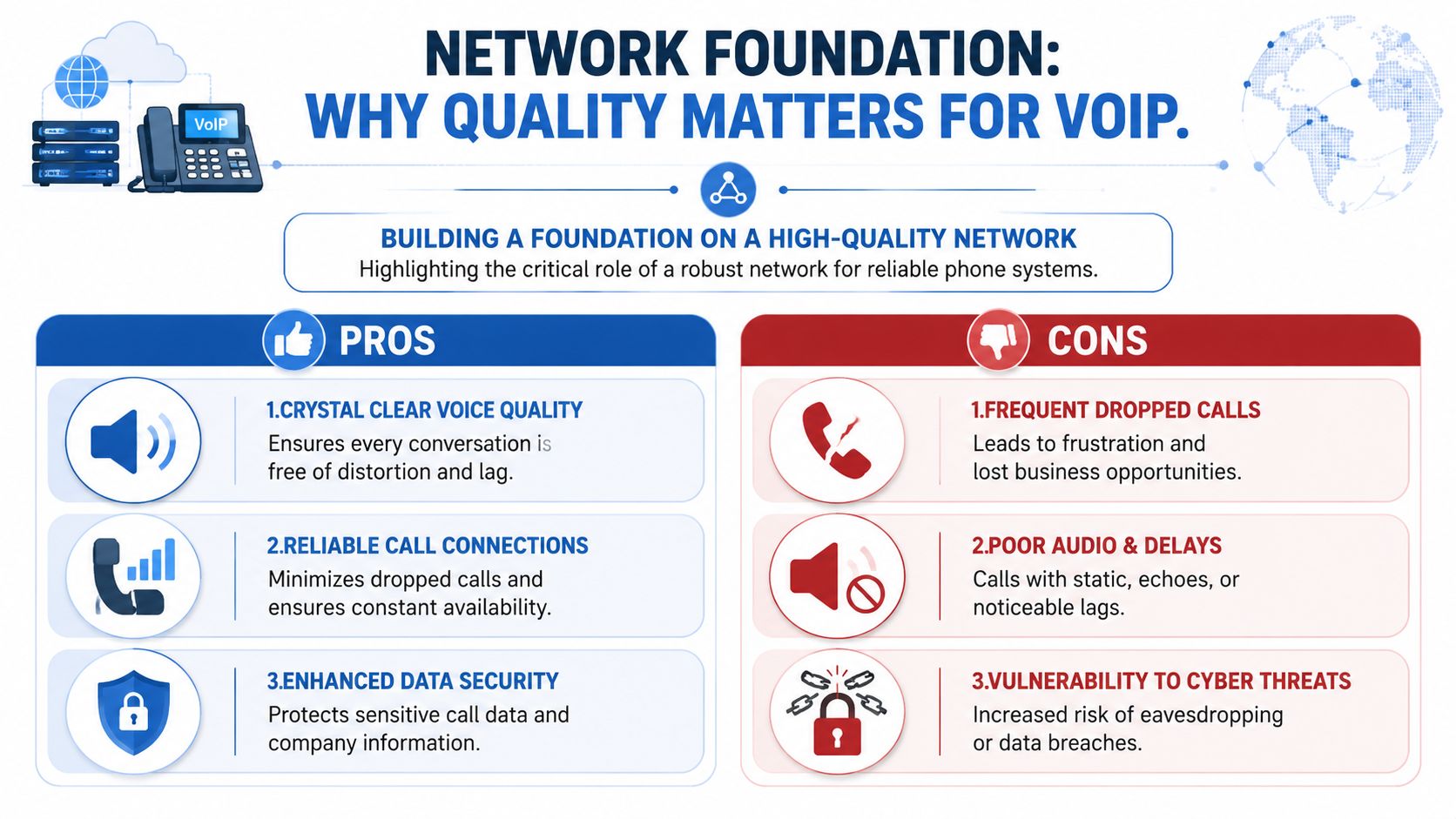
Building a Foundation on a High-Quality Network
This is the part that gets overlooked most often. Buyers spend time debating handsets, menus, and line counts while the underlying problem sits underneath the whole system.
A VoIP phone call doesn't need much raw bandwidth. What it needs is a clean path. According to Nextiva's multi-line phone system guide, a VoIP call requires only ~100 kbit/s but needs less than 1% packet loss and less than 30ms latency to perform well. The same source notes that 68% of failed multi-line setups are traced to router/NAT issues rather than line capacity.
Why bandwidth alone doesn't fix voice quality
This surprises a lot of people. A business can buy faster internet and still have bad calls.
Here's why:
- Latency is delay. People start talking over each other because the conversation arrives late.
- Jitter is inconsistency. Audio comes in uneven bursts, which makes speech sound robotic or broken.
- Packet loss is missing voice data. Words drop out and sentences become hard to follow.
Shipping fragile items is a good parallel. A larger truck helps if you have more boxes, but it doesn't solve a rough road. Voice traffic cares about the smoothness of the trip.
Why fiber is the right base for business voice
For multi-line VoIP, fiber is strong because it supports stable performance and symmetrical upload and download speeds. That matters when multiple people are on voice calls while the office is also sending files, running cloud apps, or holding video meetings.
A better voice network usually includes more than the circuit itself:
- Business-grade router behavior: Especially around session handling and call traversal
- Proper traffic prioritization: So voice isn't competing with everything else equally
- Consistent Wi-Fi design where wireless handsets are used: Dead spots create voice issues fast
- Managed oversight: So someone is watching the network before users flood the help desk
For businesses tuning their environment specifically for calling, Premier's page on bandwidth for VoIP is a helpful reference point.
A clear phone system starts with a clean network. If the connection introduces delay and loss, every advanced feature sits on shaky ground.
What works and what doesn't
What works: auditing router behavior, checking latency and packet loss, using business-grade equipment, and treating voice as a real-time application.
What doesn't: assuming bigger bandwidth numbers automatically fix call quality, reusing aging networking gear without validation, or blaming the phone service before testing the path the calls travel on.
If your calls sound inconsistent at random times of day, don't start by changing greetings or replacing handsets. Start with the network.
Porting Numbers and Scaling for the Future
Most businesses hesitate at the same point. They're ready for a better phone setup, but they don't want to lose the number customers already know.
Number porting is usually manageable when the paperwork is clean and the timing is planned. Before you begin, gather the current service records, confirm the exact business name and address on the account, list every number that must move, and identify any lines that still support alarms, faxing, or other legacy services. One mismatch in account details can slow the process.
A smooth port also depends on sequencing. Keep your current service active until the transfer is complete, test inbound and outbound calling as soon as the port window closes, and make sure your team knows where calls should land on day one. If you're moving from a single line to a hosted setup, map each old number to its new destination before the request is submitted.
Scaling after that is much easier than it used to be. Adding a user, an extension, or a ring group is an administrative change, not a construction project. That's why multi phone lines for business are such a practical move for growing teams. You can start with the structure you need now, preserve your established number, and expand without rebuilding the system every time the business changes.
The strongest results come from keeping the basics in order. Know your call flow, choose features your staff will use, and build everything on a high-quality connection so the phones sound as professional as the rest of your operation.
If you're planning a move to cloud voice or want to fix call quality before adding more lines, Premier Broadband offers business internet and VoIP services built around fiber connectivity, along with resources for evaluating network readiness, phone system options, and scalable business communications.