

You're probably paying for a phone system that makes simple tasks harder than they should be. Calls ring on desks nobody uses, remote employees rely on personal numbers, and a supposedly “low” monthly rate grows after taxes, number porting, hardware, and add-ons appear on the first invoice. That's the common starting point for a small business evaluating hosted VoIP for small business.
Hosted VoIP can fix those problems, but only if you budget for the network and the complete deployment. The provider's per-user price is just one line item. Your call volume, internet connection, security requirements, hardware choices, and contract terms determine whether the migration is economical.
What Hosted VoIP Means for Your Business
A small service company may have one main number, several extensions, a receptionist, and technicians working from different locations. With a traditional PBX, changing the call flow often requires access to physical equipment in a network closet. A remote employee may need call forwarding, a separate mobile number, or a workaround that makes the business appear less organized to customers.
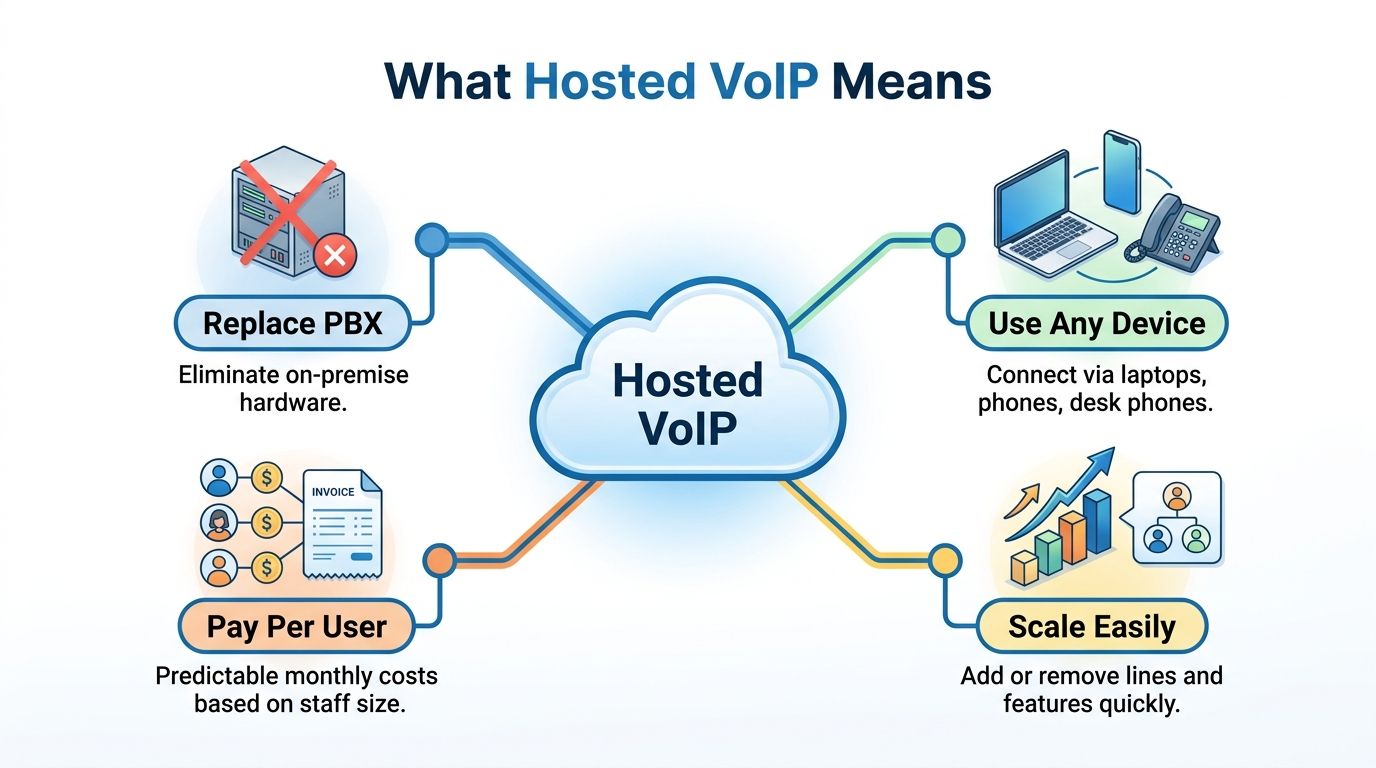
Hosted VoIP places the phone system on a provider-managed cloud platform instead of inside your office. Employees can use desk phones, computer softphones, mobile apps, or browser tools. The provider operates the telephony infrastructure, while calls travel as digital voice data over the internet. Updates, maintenance, and platform changes that once fell to internal IT are handled through the service.
From PBX hardware to cloud calling
The technology has existed longer than many owners realize. Commercial VoIP software appeared in the mid-1990s, and adoption accelerated after major carriers introduced VoIP services in the early 2000s. By 2004, more than 20 service providers had launched VoIP offerings, while businesses were using internet calling alongside legacy PSTN and PBX systems. These milestones appear in hosted VoIP market background from DataIntelo.
Small businesses adopted hosted calling because it reduces the ownership burden of an on-premises PBX. Physical systems require hardware planning, maintenance, upgrades, backups, and someone who can repair a broken call flow. Hosted VoIP shifts much of that work into a recurring operating expense and an administrative portal.
That shift does not remove every cost. Your business still needs a reliable internet connection, suitable network equipment, properly configured phones or applications, and staff time for setup and training. Ignoring those requirements is how a low per-user quote becomes a larger deployment bill.
What employees use every day
The practical difference appears in routine work:
- Mobile access: Employees can answer the business number through an approved mobile app instead of publishing personal numbers.
- Softphones: A laptop can function as a business phone, supporting remote staff and reducing dependence on desk phones.
- Call flows: Administrators can route calls by department, schedule, location, or user availability.
- Business applications: Many platforms connect calling with CRM, help desk, calendar, messaging, and customer records.
Before signing, compare user licensing, device support, number porting, mobile access, administration, and implementation fees. Use the DialNexa Labs provider comparison for 2026 to organize provider questions, and share what a cloud phone system is with nontechnical stakeholders who need the basic model explained. Teams under 50 people should prioritize reliable call routing, mobile access, straightforward administration, and clear support terms over a long feature list.
Why Small Businesses Are Switching to Hosted VoIP
A five-person office can replace separate phone lines, conferencing tools, messaging services, and mobility add-ons with one hosted platform. That change affects both the monthly bill and how the team handles calls.
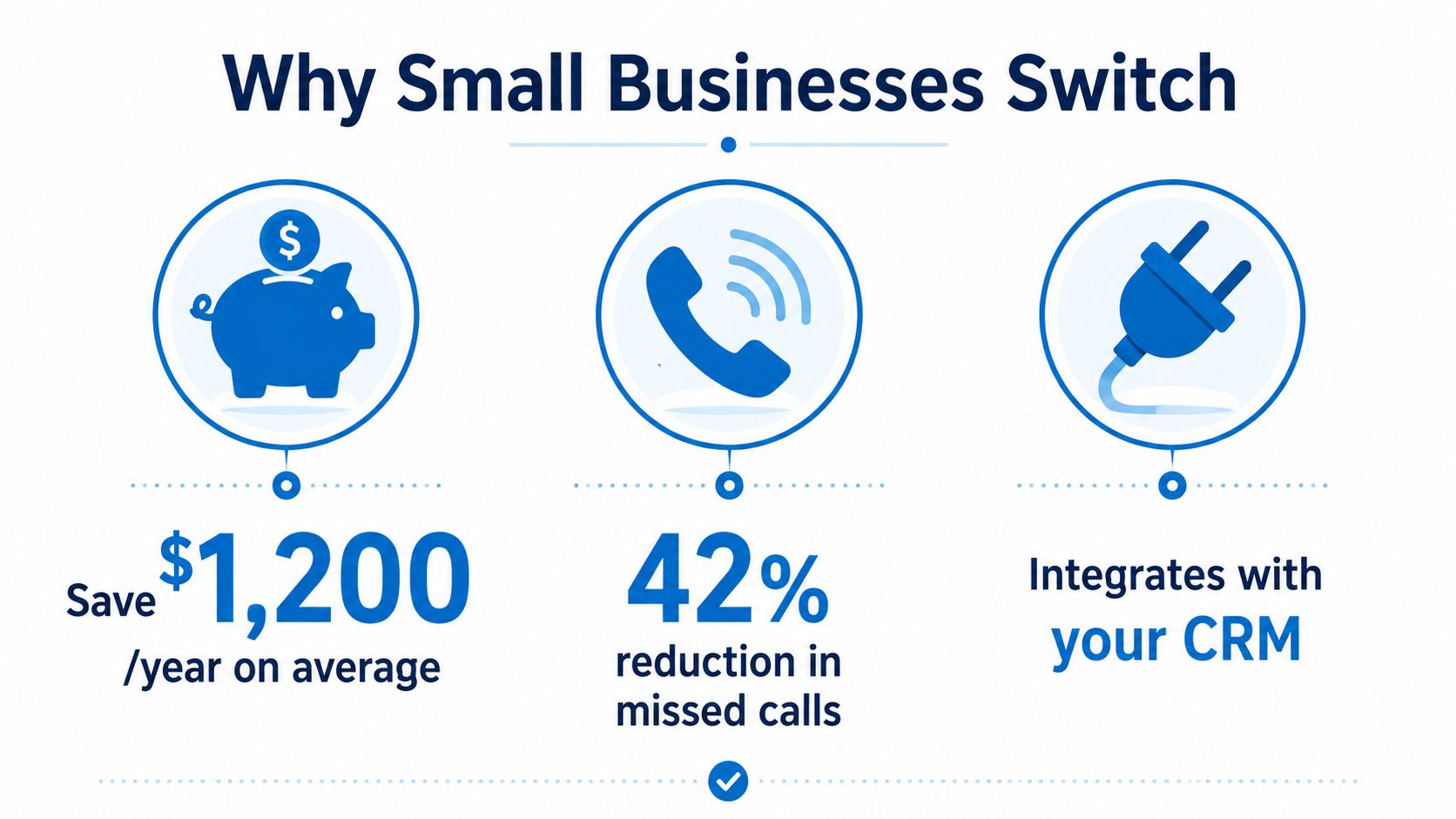
One industry summary reports that about 78% of U.S. small businesses use VoIP phone systems, while another cited figure places overall business VoIP adoption at around one-third. The same summary reports that U.S. business VoIP lines increased from 6.2 million in 2010 to 41.6 million in 2018, and that small businesses save an average of 68% after switching to VoIP. Review the underlying discussion in the hosted VoIP growth and telephone-service analysis.
Treat the savings figure as a reference point, not a promise. Cloud phone pricing often starts around $10 to $20 per user per month, as reported in the same industry summary, but the final invoice depends on plan limits, number porting, devices, integrations, support, and network preparation. Those overlooked requirements can push the deployment bill 15-25% above the initial quote.
Operational gains matter more than a lower phone bill
A new hire should not require a physical line installation or PBX expansion. An administrator can create a user, assign an extension, set permissions, and add the employee to a call flow through the provider portal. Budget for that setup, plus staff time for testing and training.
Remote access keeps the business identity consistent. Customers call one number, reach the right employee, and receive the same voicemail and routing experience whether that person is in the office, at home, or visiting a customer.
Useful features for small teams include:
- Auto-attendants: Send callers to sales, support, billing, or a directory without adding a full-time receptionist.
- Call analytics: Show call volume, unanswered calls, queues, and usage patterns so managers can address service gaps.
- CRM integration: Attach calls, notes, and follow-up tasks to customer records instead of making staff re-enter information.
- Mobility tools: Let employees use the business identity on desk phones, computers, and mobile devices.
- Messaging: Support business SMS or MMS when customers prefer texting.
Do not pay for a large feature package by default. A five-person professional office may need auto-attendant, mobile access, and voicemail-to-email, but gain little from contact-center functions. A growing support team may justify analytics and CRM integration because managers need visibility into customer interactions.
For provider questions and feature comparisons, review this guide to top VoIP providers for business. Compare licensing, device support, porting charges, implementation work, and support terms before accepting a per-user quote.
Use one test for every add-on: it should improve customer access, employee response time, or management control. If it does none of those, leave it out.
The following video provides a visual introduction to the business case for internet-based calling:
Hosted VoIP vs On-Premises Phone Systems
Hosted VoIP is the default choice for many small businesses, but it isn't automatically right for every site. The decision depends on internet reliability, existing equipment, compliance obligations, internal IT capability, and how quickly the company expects its communication needs to change.
An on-premises PBX gives the business direct control over local equipment. That can matter when an organization has already invested heavily in compatible phones, needs a tightly controlled environment, or operates where internet service is unreliable. The tradeoff is ownership of maintenance, upgrades, failures, backups, and future expansion.
| Factor | Hosted VoIP | On-Premises PBX |
|---|---|---|
| Deployment | Provider-managed cloud setup, with local network preparation | Hardware installation and local system configuration |
| IT requirements | Network administration, user management, and troubleshooting | PBX expertise, hardware maintenance, upgrades, and backups |
| Scaling | Add users, devices, and call flows through the platform | May require licenses, cards, equipment, or new system capacity |
| Feature updates | Provider delivers platform updates and plan changes | Business plans and performs upgrades |
| Disaster recovery | Can use provider routing, mobile access, and alternate endpoints | Business must design and maintain local recovery |
| Cost profile | Recurring service fees plus implementation extras | Larger ownership costs plus maintenance and replacement planning |
| Flexibility | Strong fit for remote, hybrid, and multi-location teams | Strong fit for controlled environments with stable infrastructure |
When on-premises still earns consideration
Regulated businesses should examine retention, access control, recording, data handling, and audit requirements before choosing a platform. A useful resource on multi-line phone setup for regulated industries can help frame those questions, but your compliance adviser must validate the final architecture.
On-premises may also make sense when the company already owns a capable PBX and phones, has dependable internal support, and doesn't need frequent changes. Replacing functional equipment solely to follow a trend is poor IT management.
Decision rule: Choose hosted VoIP when flexibility, remote access, and reduced infrastructure ownership matter more than local control. Keep or consider on-premises when compliance, sunk investment, or unreliable connectivity outweighs the cloud model's advantages.
Don't calculate break-even from the monthly subscription alone. Compare the complete hosted quote with PBX support, hardware replacement, maintenance labor, backup power, software upgrades, carrier charges, and the cost of an outage. This business phone systems comparison can help structure the review.
Essential Features That Actually Matter for Small Teams
Small teams don't need a feature catalog. They need a short list that matches how customers contact the business and how employees work after answering.
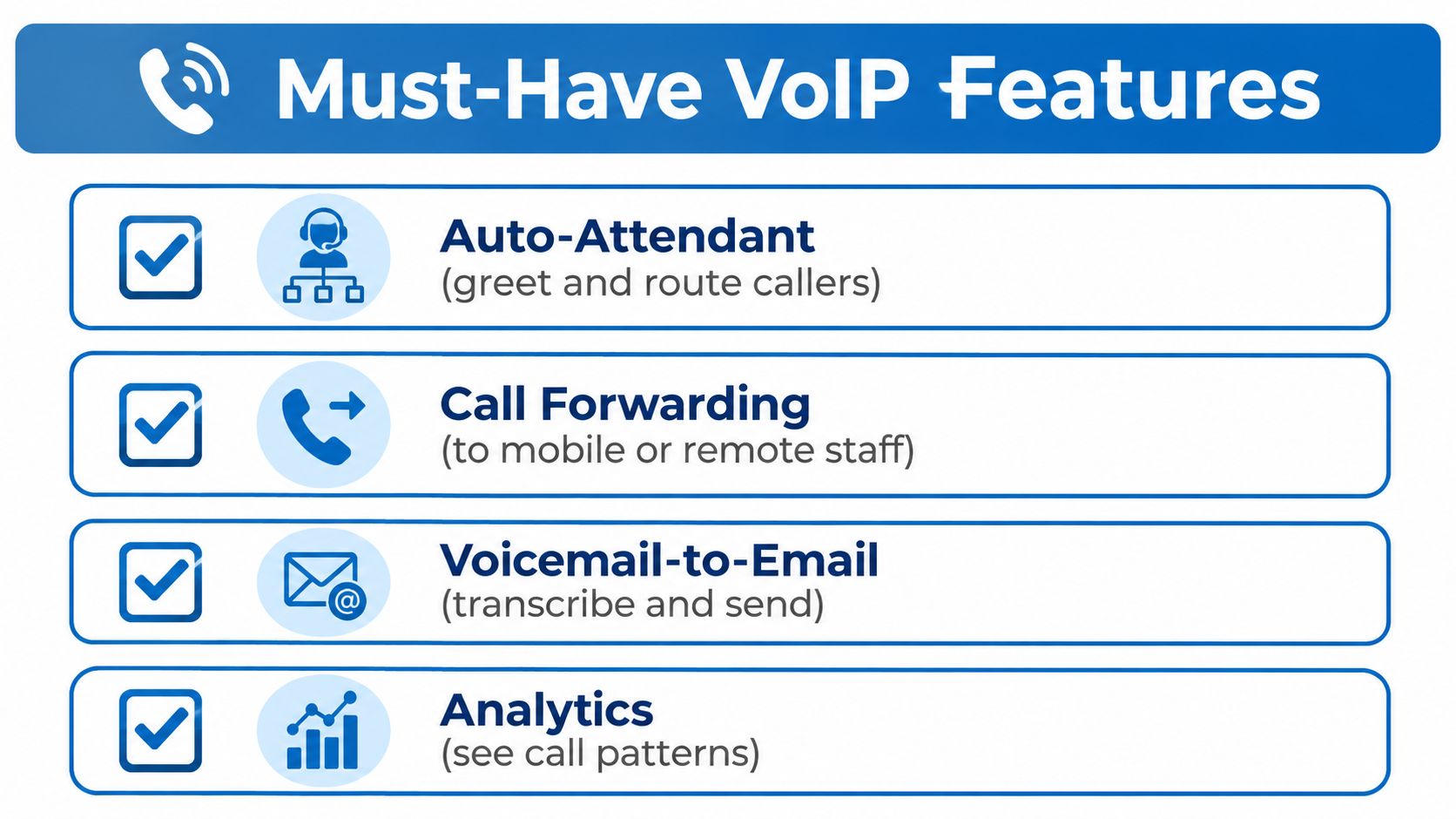
Start with the basic call path. A customer should reach the right person without guessing extensions, waiting through an unnecessary menu, or leaving a voicemail that nobody monitors. That makes an auto-attendant, sensible call forwarding, voicemail-to-email, and mobile access more valuable than a long list of advanced functions.
Build the must-have checklist first
Use this order when reviewing plans:
- Auto-attendant: Select it if one main number serves multiple people or departments.
- Call forwarding: Require it when employees work remotely, travel, or share on-call responsibilities.
- Voicemail-to-email: Choose it when staff need searchable messages, transcription, or faster handoff.
- Basic analytics: Use it when managers need to understand unanswered calls, queues, or busy periods.
- Mobile and desktop apps: Include them when employees need the business number away from a desk.
- Business SMS and MMS: Prioritize them when customers routinely confirm appointments, request updates, or send photos.
A small office with a single receptionist may need only routing, forwarding, voicemail, and a simple administrative portal. A sales team may need click-to-call, CRM screen pops, call notes, and recordings. A field-service company may place business texting and mobile availability ahead of elaborate desk-phone controls.
Use this business phone system features guide to turn your operational needs into a provider checklist.
Add advanced tools only when there's a clear job
AI transcription can reduce note-taking for sales, support, and professional services teams. Analytics become more useful when managers coach staff, investigate missed calls, or need evidence for staffing decisions. Omnichannel routing can help a support operation combine voice, text, chat, and other channels, but it's unnecessary for a company that handles only occasional inbound calls.
Recent cloud phone platforms increasingly bundle AI-powered analytics, mobile-first applications, omnichannel routing, texting, and stronger security. Trend coverage describes AI as becoming a core platform feature rather than a niche add-on, while market summaries estimate that SMEs represented 54.3% of new seat activations in 2025 and project SME growth at a 13.1% CAGR through 2034. Those figures appear in hosted PBX trend coverage for 2025. Treat them as market context, not as a reason to buy every AI module.
Security deserves its own approval step. Ask about encryption, fraud controls, role-based administration, audit logging, device management, and compliance support relevant to your industry. A low-cost plan that exposes call recordings or gives every administrator unrestricted access isn't a bargain.
The Cost of Hosted VoIP Beyond the Sticker Price
A hosted VoIP quote is a starting point, not a deployment budget. Small businesses often see the gap on the first invoice, when number porting, setup, taxes, regulatory charges, hardware, and add-on features appear outside the base plan.
A 2026 small-business guide places hosted VoIP commonly around $10 to $30 per user per month. Annual billing may reduce the price by 10% to 30%, while included features and extra charges can change the total. The same guidance warns that the final cost can run 15% to 25% above the advertised rate after fees. Review the small-business hosted VoIP cost FAQ for that pricing context.
Build the quote from the edges inward
Require the provider to separate recurring charges from one-time costs. Put every line item on your worksheet:
- User licenses and minimum seat commitments
- Local, toll-free, and additional phone numbers
- Number porting and implementation fees
- Desk phones, headsets, adapters, and replacement coverage
- Call recording, transcription, analytics, SMS, MMS, and CRM add-ons
- International calling and metered usage
- Taxes, regulatory fees, and emergency-service charges
- Training, onboarding, custom call-flow design, and support tiers
- Internet upgrades, backup connectivity, QoS-capable networking, and power protection
“Unlimited” requires a written definition. Confirm fair-use rules, international destinations, SMS registration requirements, recording storage, transcription limits, and charges for inactive or temporary users. These details often determine whether the advertised rate reflects your actual operating cost.
Monthly flexibility has a value
Annual billing can lower the unit price, but it limits flexibility when staffing changes or the platform fails to meet expectations. Monthly billing may cost more while protecting a young company from a long commitment. Choose annual terms only after testing the administration portal, support response, mobile application, call quality, and porting process.
Ask for an all-in quote: “What will I pay in the first invoice, and what will I pay in a normal month after implementation?”
For a small team, the budget is more than seats multiplied by a headline rate. Include migration work, infrastructure changes, and the recurring tools employees will use. Put number ownership, cancellation terms, hardware returns, support boundaries, and international calling in writing before signing.
Technical Requirements and Implementation Roadmap
Hosted VoIP needs a stable network more than it needs a huge internet package. Voice quality depends on how traffic behaves during busy periods, not just on the connection's advertised download speed.
For planning, use about 100 Kbps per active call in each direction as a practical baseline. Business guidance commonly frames the requirement as 80 to 100 Kbps per active call, so calculate capacity from concurrent calls rather than employee count. The VoIP quality of service guidance explains why voice traffic should be protected from competing file transfers and cloud-application bursts.
Prepare the network before moving numbers
Your router and switches should support QoS, and voice traffic should be separated with appropriate prioritization or a dedicated VLAN. Measure peak simultaneous calls, include external callers and internal conferencing where relevant, and leave room for normal business traffic. A business with enough raw bandwidth can still experience poor audio when congestion, unstable access, or weak wireless coverage causes packet delay.
Voice quality is constrained mainly by latency, jitter, and packet loss. ITU-T G.114 guidance places one-way delay at 150 milliseconds or less for good conversational quality, while practitioner targets commonly keep jitter below roughly 30 milliseconds and packet loss below about 1%, as outlined in VoIP latency, jitter, and packet-loss guidance.
Practical rule: Test the network during the busiest business period, not only during a quiet morning.
Use a controlled rollout
A small-business migration should follow a deliberate sequence:
- Inventory the current system. Record numbers, extensions, schedules, call queues, emergency-call information, devices, recordings, and integrations.
- Design the call flow. Decide what happens during business hours, after hours, holidays, queue overflow, and an internet outage.
- Prepare users and network equipment. Configure QoS, VLAN policies, router settings, phones, headsets, mobile apps, and permissions.
- Pilot the platform. Test inbound and outbound calls, transfers, voicemail, SMS, recording, mobile access, CRM behavior, and failover.
- Port numbers and launch. Schedule porting carefully, keep the old service available during the transition where practical, and publish a support contact for employees.
- Review after launch. Inspect call-quality reports, missed-call patterns, user issues, and unexpected charges before expanding the configuration.
Premier Broadband offers business VoIP delivered over its 100% fiber network, with a web management portal and mobility features. For businesses evaluating connectivity and hosted voice together, that combination is relevant because the access network forms part of the calling experience.
Making the Decision and Next Steps
Choose the provider that fits your workflow and network, not the one with the shortest sales pitch. Evaluate reliability commitments, support ownership, number-porting assistance, contract flexibility, security controls, mobile usability, and the features included at your actual tier.
Your best fit will usually look like this:
- Solo operators: Choose a simple business number, mobile app, voicemail-to-email, and straightforward billing.
- Teams of 5 to 15: Prioritize auto-attendant, call forwarding, shared routing, SMS, and an easy admin portal.
- Growing teams of 20 to 50: Add analytics, CRM integration, call queues, permissions, and a clear expansion path.
- Remote teams: Require mobile and desktop calling, consistent caller identity, failover routing, and support that understands distributed networks.
Watch for sales red flags. Be cautious when a provider won't provide an itemized quote, hides add-on pricing, avoids explaining number ownership, promises perfect quality without reviewing your network, or requires a long commitment before a pilot. Ask current customers how porting went, how quickly support responded to real incidents, whether invoices matched the quote, and which features they stopped using.
A practical rollout can follow a 30-60-90 day pattern. During the first 30 days, audit the current system, gather quotes, test the network, and select a provider. By day 60, complete call-flow design, user configuration, pilot testing, and number-porting preparation. By day 90, review quality, billing, adoption, and security, then remove unused features and correct any routing problems.
Hosted VoIP is a strong move when it reduces infrastructure ownership without creating network or billing surprises. Treat the migration as an IT project, not a phone-plan purchase, and the result will be easier to manage, easier to scale, and more useful to the people answering your customers.
Premier Broadband provides business internet and hosted VoIP options, including fiber connectivity, business voice features, mobility tools, and web-based management. Visit Premier Broadband to review connectivity and hosted voice services for a deployment built around your team's actual calling needs.