
An ATA adapter for VoIP is a simple little box that connects your traditional analog phones, conference phones, or even fax machines to a modern, internet-based phone service.
Think of it as a translator. It lets your trusty, old-school hardware speak the digital language of today's voice communication, saving you from a costly and complete replacement of everything. It's the perfect bridge for upgrading your home or office phone system.
Your Digital Bridge to Modern Voice Communication
Imagine you want the power and savings of a VoIP system, like Premier Broadband’s hosted VoIP, but you love the trusty analog phones you already own. An Analog Telephone Adapter (ATA) is what makes that possible.
It's the smart-tech device that connects your existing phones, fax machines, or conference units to a digital phone system.
The value is crystal clear: you get to keep your perfectly good, familiar hardware. This helps you avoid the expense and waste of replacing every single device, offering a brilliant upgrade path for anyone looking to modernize their communications.
How an ATA Connects the Old with the New
So, how does it work? An ATA acts as a converter. It takes the analog voice signal from your standard phone and converts it into digital data packets, which are then sent over your fiber internet connection.
When you get a call, the process simply reverses. The ATA turns the incoming digital packets back into smooth, clear audio you can hear through your earpiece.
An ATA is the ultimate solution for integrating your existing hardware with the future of communication. It lets you keep what you have while unlocking the powerful capabilities and cost savings of VoIP.
Beyond just making and receiving calls, an ATA opens up a whole new world of advanced calling options. It's worth taking a moment to explore various voice communication features on modern platforms to see the full potential you can tap into.
This technology isn't just a small-time fix; it's a market that's booming. The global VoIP adapter industry is projected to jump from USD 2,172.7 million in 2025 to an incredible USD 4,500 million by 2035. That's a compound annual growth rate of 7.6%.
This massive growth, driven by major tech players, is perfectly in line with providers like Premier Broadband who are leading the way with fiber-backed VoIP. You can even check out the full market analysis from top industry experts to see exactly where the technology is heading.
How an ATA Adapter Translates Analog to Digital
So, how does an ATA adapter for VoIP actually pull off its little bit of technological magic? Think of it as a translator, sitting between your old-school phone and the modern internet, making sure they can talk to each other. The whole process starts with a couple of simple plug-and-play connections.
First, you’ll plug your trusty analog phone into the adapter's FXS (Foreign Exchange Station) port—that's just a fancy name for the standard phone jack you've been using for years. Then, you connect the adapter's Ethernet port to your internet router. This gives it a clear path to your VoIP provider through the web.
The Journey of a Phone Call
With everything plugged in, the real translation work begins the moment you pick up the phone. When you speak, your voice creates analog sound waves. The ATA’s job is to grab those sound waves and digitize them on the fly.
This is the core of what it does. The adapter takes the continuous analog wave of your voice and chops it up into tiny, neat bundles of information called data packets. These packets are then zipped across your internet connection to whoever you're calling. When they talk back, the process happens in reverse—the ATA receives the incoming data packets and instantly reassembles them into the smooth, clear audio you hear in your earpiece.
This diagram helps visualize how your voice travels from an analog phone, through the ATA, and out over the internet.
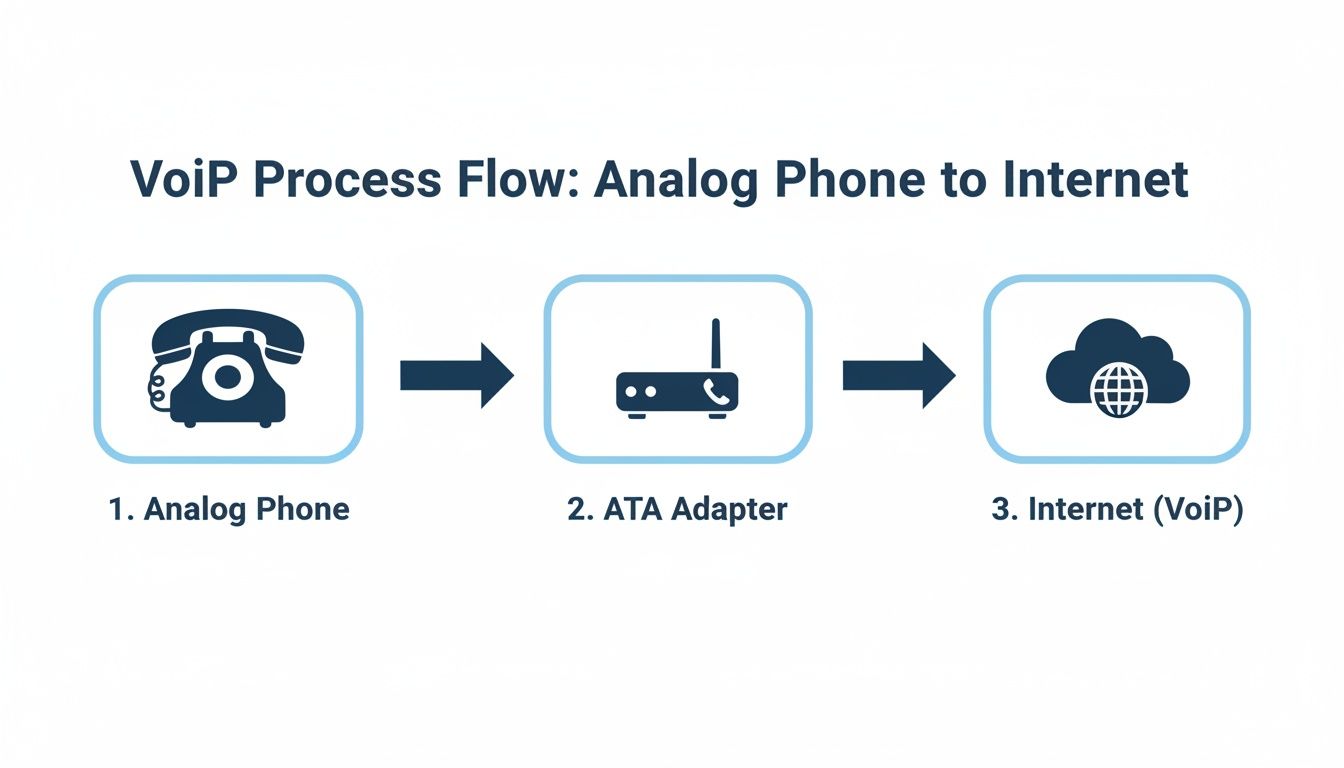
As you can see, the ATA is the critical bridge connecting your desk phone to the cloud. This entire translation has to happen in near real-time, which is why a stable, high-speed connection from a provider like Premier Broadband is essential to make sure every word comes through without a hitch. If you want to dive even deeper into the nuts and bolts, you can read more about how VoIP phones work in our guide.
It’s not just phones, either. An ATA serves as a digital bridge for other legacy gear, too. A similar concept allows analog fax machines to work on modern networks, often using devices like VoIP gateways to operate without needing a traditional phone line.
Of course, for any of this to work, the ATA needs a common language to speak with your VoIP provider’s network.
Session Initiation Protocol (SIP) is that language. It's the set of rules that tells the VoIP service when to start a call, how to route it, and when to hang up. Think of SIP as the air traffic controller for your phone calls, making sure all the voice data gets where it needs to go, every single time.
Choosing Between an ATA and a Native IP Phone
So, you’ve decided to make the switch to VoIP. Great choice. Now for the next question: what about the phones? You have two main paths. You can use a special ATA adapter for VoIP to keep your current analog phones, or you can go all-in on a new set of dedicated IP phones.
The right answer really comes down to your budget, the equipment you already own, and the features your home or business can't live without.
For many, an ATA adapter is the smartest and most budget-friendly way to get started. If you're a home user or a small business owner keeping a close eye on expenses, an ATA lets you jump into VoIP without the big upfront cost of new hardware. A solid ATA typically runs between $30 and $50, while a single good-quality IP phone can start at $50 and go up to $200 or more.
This makes the ATA a clear winner if you want to get more life out of the equipment you already have. You get all the perks of internet-based calling, like lower monthly bills and modern features, while using the familiar phones you're already comfortable with.
When to Choose an ATA Adapter
An ATA adapter is the perfect fit for a few key situations. It’s not just about saving a few bucks—it’s about being practical and holding on to hardware that still has value.
An ATA is probably your best bet if you:
- Are on a tight budget: It’s hands-down the most affordable way to move to VoIP, since you’re using phones you already paid for.
- Have specialized analog equipment: Have a cool vintage rotary phone? A high-end analog conference phone? What about a security gate or fax machine? An ATA lets you connect them to your VoIP service without having to replace expensive or irreplaceable gear.
- Want to switch to VoIP gradually: An ATA lets you migrate to our hosted VoIP service in stages. You can test the waters and then replace phones over time as your needs and budget allow. It's a low-risk way to start.
An ATA is the ideal solution when you have existing analog hardware that is too valuable, specialized, or beloved to simply throw away. It bridges the gap without forcing a complete and costly overhaul.
When a Native IP Phone Is the Better Bet
While an ATA is a fantastic bridge to modern phone service, sometimes it just makes more sense to start fresh with native IP phones. These phones were built from the ground up for VoIP and come packed with integrated features that an analog phone-and-adapter combo just can't match.
You should go straight for native IP phones when:
- You're starting a brand-new business: If you don't have any old hardware, it’s best to build your communication system with modern, feature-rich IP phones from day one.
- You need advanced VoIP features: IP phones are designed for features like company-wide directories, handling multiple lines, video calling, and one-touch call transfers that are essential in a busy office.
- You want a simple, standardized setup: For bigger teams, managing just one type of phone makes training, support, and deployment so much easier.
ATA Adapter vs. Native IP Phone: Which Is Right for You?
Still on the fence? This head-to-head comparison should help you decide whether to stick with your current phones using an ATA or invest in new IP phones for your VoIP service.
| Consideration | ATA Adapter | Native IP Phone |
|---|---|---|
| Upfront Cost | Low. Use existing phones, only need to buy the adapter. | Higher. Requires purchasing a new phone for each user. |
| Hardware | Keeps your familiar analog phones, fax machines, or other gear. | Modern, all-in-one device built specifically for VoIP. |
| Feature Access | Basic VoIP features like caller ID, voicemail, call waiting. | Advanced features like video calls, HD voice, and integrated directories. |
| Setup Simplicity | Requires connecting the ATA to your router, power, and phone. | Plugs directly into your network port. Simple Power-over-Ethernet (PoE). |
| Best For | Budget-conscious homes, small offices, or users with special analog gear. | New businesses, growing teams, and anyone needing advanced call features. |
Ultimately, choosing between an ATA and a native IP phone is about balancing the immediate savings and convenience of an ATA against the powerful, integrated features you get with a dedicated IP phone. Both are great options for using Premier Broadband’s hosted VoIP service.
Key Features to Look for in an ATA Adapter
When you start shopping for an ATA adapter for VoIP, it’s easy to get lost in the tech specs. But picking the right one doesn't have to be complicated. It really just comes down to knowing what you need today and what you might need tomorrow.
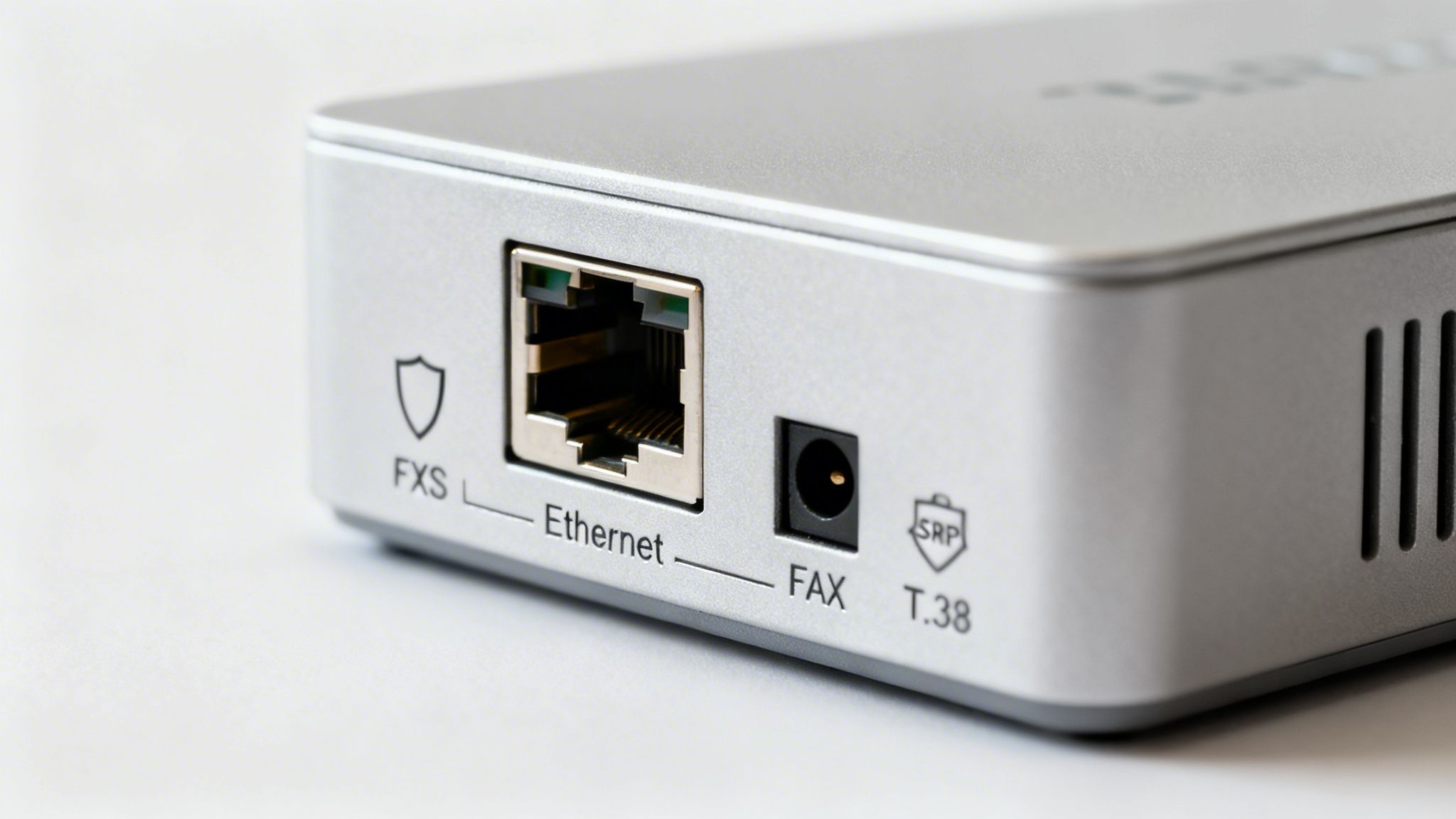
The first thing to check is the number of ports. If you’re just connecting a single phone in your home, an adapter with one FXS port (that’s the classic phone jack) is all you need. Simple and straightforward.
But what if you're a small business? You might need to connect both a phone and a fax machine. In that case, look for a model with two or more FXS ports. It’s a much cleaner and more cost-effective setup than juggling multiple single-port adapters.
Getting the Tech Specs Right
Once you’ve settled on the ports, it's time to peek under the hood at the features that really drive performance. These details make all the difference between crystal-clear calls and frustrating glitches.
Codecs (G.711 vs. G.729): Think of a codec as the language your adapter uses to send voice over the internet. G.711 gives you that crisp, uncompressed audio quality you’d expect from a landline, but it uses more internet bandwidth. G.729 is a great alternative if your connection is slower, as it compresses the audio to use less data, with only a minor trade-off in quality.
Fax Support (T.38 Protocol): If you still rely on a fax machine, this is a big one. You need an ATA that specifically supports the T.38 protocol. It's designed to make sure faxes go through reliably over the internet. Without it, you're just setting yourself up for failed transmissions and headaches.
Security (SRTP/TLS): For any business—and even for privacy-minded home users—call security is essential. Make sure the adapter you choose supports SRTP (Secure Real-time Transport Protocol) and TLS. These protocols encrypt your calls, keeping your conversations private and secure from anyone trying to listen in.
Provider Compatibility and What’s Happening in the Market
Here’s arguably the most critical step: make sure the ATA works with your VoIP provider. Many providers, including us at Premier Broadband, will either give you a pre-configured ATA or provide a list of recommended models. This guarantees it will work perfectly with our network right out of the box.
This plug-and-play approach saves you a ton of time and avoids the hassle of manual configuration. The market for these devices has taken off, offering a cheap and reliable path for homes and businesses to modernize their phone systems. The market hit $1.2 billion in 2022 and is on track to reach $2.4 billion by 2030, growing at an 8.5% CAGR. We're seeing huge growth in single FXS port models for residential customers. You can read more about these market trends and their impact on connectivity.
Choosing an ATA that is certified or recommended by your provider is the single best way to guarantee a smooth setup and reliable performance. It eliminates guesswork and ensures all features work as expected right out of the box.
A Simple Guide to Setting Up Your ATA
Worried about a complicated setup for your new ATA adapter for VoIP? Don't be. You don't need a background in IT to get your new phone service running. We can break the whole thing down into three simple stages.
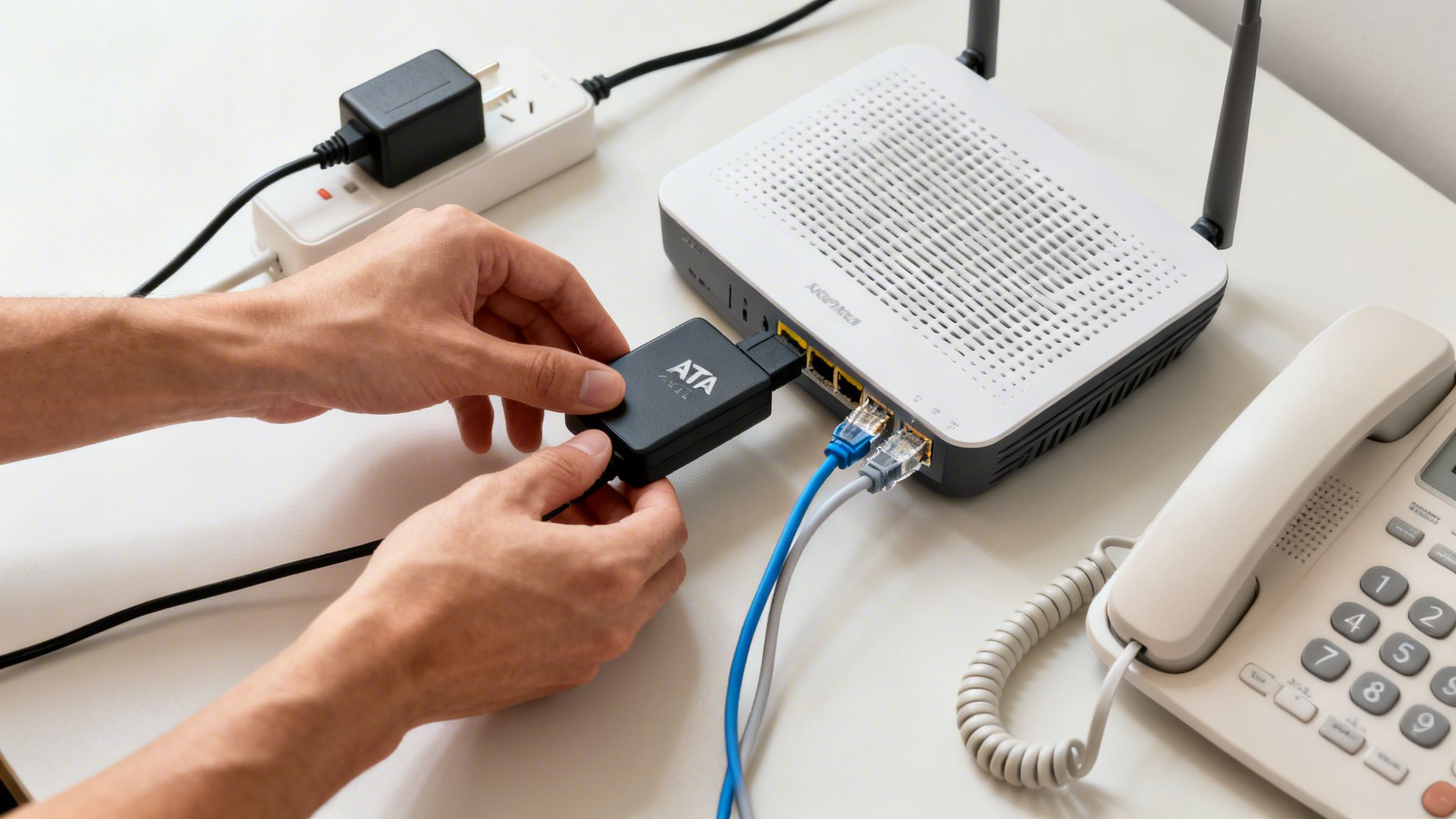
First up is the physical connection. This part is as easy as it sounds—you’re just plugging in a few cables. Connect your ATA to a power outlet. Then, run an ethernet cable from the ATA to your internet router and a standard phone cable from the ATA’s phone port to your analog phone. That's it. The hardware is ready to go.
Network Configuration and Service Provisioning
The next stage is network configuration, and honestly, this part is almost always automatic. As soon as you plug the ATA into your router, it gets all the network settings it needs on its own. It just works.
Finally, there's provisioning. This is just a fancy word for the process where your VoIP provider—like us here at Premier Broadband—sends your account details to the device. It's how the adapter knows what phone number to use and how to connect to our service.
The best part? Many providers now offer pre-provisioned ATA adapters. This means we can ship the device to you already configured for your account. Your setup literally becomes plugging it in and making your first call.
This plug-and-play approach gets you connected quickly and without any technical headaches.
One final tip for a smooth experience: make sure your internet connection is up to the task. Before you plug everything in, it's smart to do a quick check. You can run a bandwidth test for VoIP to ensure your network can handle the crystal-clear call quality you expect. This quick step helps guarantee a flawless transition from day one.
Optimizing Call Quality and Performance
Once your ATA adapter for VoIP is up and running, the final piece of the puzzle is dialing in its performance. Nothing is more frustrating than choppy audio or dropped calls, and the key to avoiding those glitches is learning how to manage your network’s data traffic.
Think of your internet connection like a busy highway. When everyone in your home or office tries to use it at the same time—streaming video, downloading huge files, and making a phone call—it creates a digital traffic jam. Your voice data can get stuck behind less important traffic, which leads to jitter and lag.
That’s where Quality of Service (QoS) saves the day.
Creating a Fast Lane for Voice Data
QoS is a powerful feature built into most modern routers that acts like a dedicated express lane for your voice traffic. When you enable QoS, you’re telling your network to always give voice data packets top priority over less urgent things, like a Netflix binge or a big software update.
Making this one simple tweak ensures your calls get the bandwidth they need, giving you a stable and crystal-clear connection even when the network is congested. It's the single most effective way to guarantee professional-grade call quality. To see how much bandwidth you really need, check out our guide on required bandwidth for VoIP.
Essential Security Best Practices
Of course, great performance isn't just about speed—it’s also about security. Since an ATA connects directly to your network, protecting it is non-negotiable.
Here are two simple rules to keep your conversations private and your network secure:
- Change the Default Password: The very first thing you should do is change the ATA's administrative password. Factory-default passwords are a huge security risk and the first thing hackers try.
- Keep Firmware Updated: Manufacturers regularly release firmware updates to fix security holes and improve performance. Make a habit of checking for and installing these updates to keep your device protected from the latest threats.
VoIP adapters are becoming a cornerstone of modern communication. The market was valued at $1.2 billion in 2025 and is expected to more than double, hitting $2.5 billion by 2032 with a strong 9.5% CAGR. This is all part of a massive shift, as the entire VoIP services market is projected to reach an incredible $326.27 billion by 2032. As you can see in the full research about the VoIP phone adapter market growth, this technology isn’t just a trend—it's the future.
Common Questions About ATA Adapters
Even after seeing how an ATA adapter for VoIP works, you probably still have a few questions. That's completely normal.
Let's walk through some of the most common ones we hear to make sure you have all the answers you need.
Can I Use My Existing Phone Number with an ATA Adapter?
Yes, absolutely. In most cases, you can bring your current phone number right over with you. This process is called "number porting," or more officially, Local Number Portability (LNP).
When you sign up for a VoIP service like ours, you just need to request to transfer your number from your old phone company. Your new provider—like Premier Broadband—takes care of all the technical heavy lifting. The whole process usually just takes a few business days, letting you upgrade your phone system without anyone missing a beat.
Will My Phone Work During a Power Outage?
This is a really important question to ask. Since your ATA adapter, internet router, and modem all need electricity to run, your VoIP phone service won't work during a power outage.
Pro Tip: The best way to prepare for this is to plug your networking gear and ATA adapter into an Uninterruptible Power Supply (UPS). A UPS is a simple battery backup that kicks in instantly, giving you a window to make emergency calls until the power comes back on.
Is It Possible to Use a Fax Machine with an ATA?
You bet. You can connect a traditional fax machine to an ATA, but there’s one critical detail you need to know for it to work reliably.
For faxing to be successful, you have to use an ATA adapter that specifically supports the T.38 protocol.
T.38 is the industry standard built for sending faxes over an IP network, also known as Fax over IP (FoIP). While a fax might occasionally go through on a non-T.38 connection, the protocol is designed to eliminate errors and make sure your faxes arrive successfully every time. Always confirm that both your ATA and your VoIP provider support T.38 for the best results.
Another key piece of the puzzle is how your router handles VoIP traffic. Some router settings can actually interfere with calls and faxes. To learn more, you can check out our guide on what SIP ALG is and why it's so important for clear communication.