

Monday’s dashboard says one sales rep had a strong morning. Another rep made just as many calls and closed nothing. Your front desk says customers keep complaining about hold times. Finance asks why the phone bill jumped. IT insists the system is working.
All three people may be looking at the same problem from different angles.
A call detail report gives you the missing evidence. It does not tell you what people said. It tells you what happened around each call. Who called whom. When the call started. How long it lasted. Whether it was answered, missed, busy, or failed. Which route the call took. In many systems, it can also show costs and technical clues that point to quality issues.
For a business manager, that matters because phone problems rarely stay “just phone problems.” They turn into missed revenue, frustrated customers, wasted labor, billing disputes, and poor staffing decisions. Raw call logs look technical at first. Used well, they become business intelligence.
The Hidden Data in Your Business Phone Calls
A common scenario looks like this.
Your office manager says the support queue gets slammed before lunch. Your sales manager thinks the team is calling at the wrong times. Your accountant wants to verify carrier charges. Everyone has an opinion. Nobody has a reliable record that ties call activity to outcomes.
That is where the call detail report earns its keep.
Think of it as the operational footprint of every call your business handles. If your team feels busy but results are uneven, a call detail report helps separate feeling from fact. It can show whether calls are being answered promptly, whether transfers are creating friction, and whether one department is using far more call time than expected.
The biggest surprise for many small and midsize businesses is this: the answers are often already sitting inside the phone platform. They are just not being reviewed in a useful way. A modern reporting view such as Premier’s call analytics tools can turn a pile of events into something a manager can act on.
What managers usually want to know
Most non-technical leaders come to call data with a short list of practical questions:
- Why is one rep outperforming another when call counts look similar?
- Where are customers getting stuck in the call flow?
- Are we paying for calling patterns that do not help the business?
- Is poor call quality random, or is it tied to a trunk, time of day, or route?
Those are not telecom questions. They are management questions.
Tip: If you are trying to solve a people problem, a process problem, or a phone bill problem, start with the call detail report before changing staffing or blaming the provider.
A useful call detail report turns “we think” into “we know.” That shift is where cost control and service improvement begin.
What Is a Call Detail Report
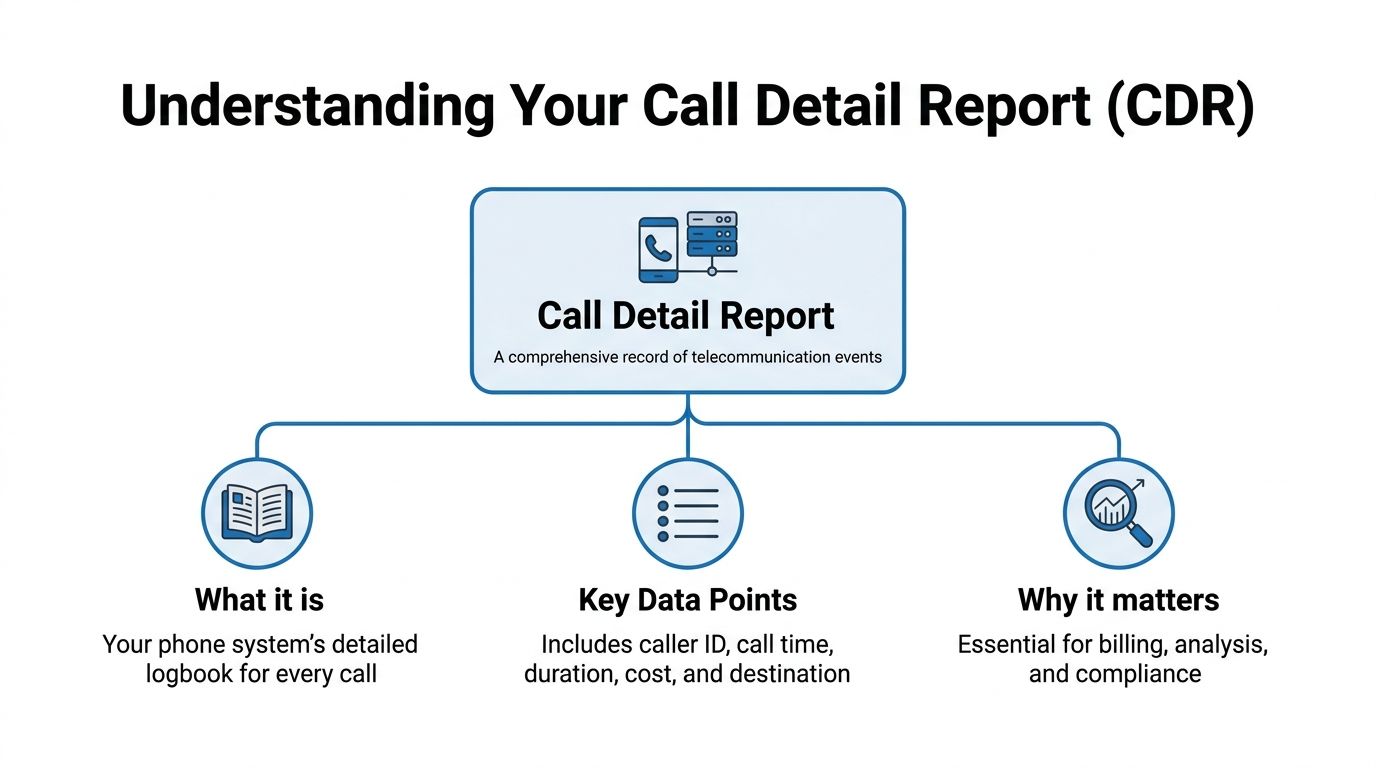
A call detail report is your phone system’s logbook for each call. The easiest analogy is package tracking.
When a shipping company handles a package, it records the sender, destination, timestamps, route changes, and final status. A call detail report does the same thing for phone activity. It records the call’s participants, start and end times, duration, direction, status, and in some systems, billing or quality-related details.
A business record, not a conversation transcript
Readers often get confused at this point. A call detail report is not the same thing as call recording.
A recording captures the conversation itself. A call detail report captures the metadata around that conversation. That distinction matters. You can learn a lot about performance and costs without listening to a single call.
Historically, Call Detail Records originated in telecom networks as standardized logs created by switches for billing and tracking. That practice goes back to the 1970s, and in the VoIP era the records expanded to include media quality indicators such as packet loss, jitter, and MOS. The same source notes that poor call percentages often exceed 5 to 10% in enterprise deployments when network issues are present, which is exactly why these records matter for troubleshooting as well as billing (Netlink Voice overview of CDRs).
Why this matters more in VoIP
Older business phone systems often hid this information behind the carrier or PBX vendor. VoIP changed that. Today, businesses of all sizes can access reporting through a web portal, export data, and connect it to broader analysis.
If you want a non-telecom way to think about that shift, this guide to business intelligence reporting is useful because it frames reporting as a decision tool, not just a data dump. That is exactly the right mindset for call data.
A modern VoIP platform also makes this data easier to reach. If you want a plain-English foundation first, this overview of how VoIP phone systems work helps connect the reporting side to the way calls move through a cloud phone system.
The simple definition
A call detail report is a structured history of your business calling activity.
It answers five basic questions:
- Who was involved
- When the call happened
- How long it lasted
- What the result was
- How the call moved through the system
That sounds simple. In practice, those five answers are enough to improve staffing, routing, customer experience, and spend.
Anatomy of a Standard Call Detail Report
A call detail report works like a package tracking log for every business call. One line shows where the call started, where it went, how long each step took, and how it ended. For a business manager, that matters because every field connects to money, staffing, or customer experience.
Open a CSV export and the columns can look technical at first. The useful approach is to translate each field into a business question. Which number did the customer call. Which team handled it. Did someone answer quickly. Did the call fail because of a busy line, a bad number, or a transfer path that broke midway.
Some VoIP platforms include many fields for one call event, such as record IDs, participant IDs, route details, timestamps, and call outcome codes. The 3CX call detail record guide is a good example of how these fields map the full path of a call instead of just its start and end. That level of detail helps a manager separate a staffing problem from a routing problem.
Read the record in business terms
A manager rarely needs every column at once. Start with the fields that answer practical questions about cost, service quality, and team performance.
| Field Name | Description | Business Insight Example |
|---|---|---|
| cdr_id | Unique identifier for one record | Lets support or finance trace one exact call when a customer disputes a charge or reports a failed call |
| call_history_id | Links related records in a complex call flow | Groups transfers and forwarded legs into one customer interaction so reports do not overcount activity |
| source_participant_id | The originating number or extension | Shows whether demand started with an outside caller, a salesperson, or an internal transfer |
| destination_participant_id | The number or extension reached | Reveals which team, queue, or employee received the traffic |
| source_participant_is_incoming | Direction flag for inbound or outbound | Separates sales outreach from inbound service demand |
| participant_trunk_did | Inbound trunk or direct inward dial number | Shows which advertised number brought in the call, useful for campaign tracking and route troubleshooting |
| start timestamp | When the call began | Highlights peak call windows so managers can schedule enough coverage |
| end timestamp | When the call ended | Helps confirm the sequence of events during complaints or audits |
| duration | Total length of the call | Flags very short failed attempts, very long support calls, or possible hold-time issues |
| status or disposition | Answered, missed, failed, busy, voicemail, and similar outcomes | Shows missed revenue chances, service gaps, and unreachable destinations |
| termination_reason | Technical or system reason the call ended | Helps separate customer hang-ups from carrier, routing, or device issues |
Group the fields the way a manager makes decisions
A standard report becomes easier to read when you sort the columns into five plain-language buckets:
- Who: source number, destination number, extension, queue, agent
- When: start time, answer time, end time
- Outcome: answered, missed, busy, failed, voicemail
- Path: trunk, DID, call leg, transfer chain
- Control fields: cdr_id and call_history_id
That last group is easy to overlook. It is also what keeps your reporting honest.
A simple inbound call may fit neatly into one row. A transferred support call, a forwarded sales inquiry, or a conference can create several linked rows. If you read each row as a separate customer interaction, your missed-call count, agent activity, and queue performance can all look worse or better than reality.
What one customer interaction can reveal
Say a prospect calls your main number at 9:02 a.m. They choose Sales from the menu, ring one extension, get transferred to another rep, wait on hold, then hang up before anyone closes the loop.
A raw export may show several records. A manager should read those linked rows as one lost sales opportunity.
That is the shift that turns telecom data into business intelligence. The call was not just "missed." Marketing generated demand, the phone system accepted it, and the handoff process failed. Once you see that pattern repeated, you can decide whether to change staffing, ring groups, transfer rules, or training.
If you need to compare system activity with rep follow-up habits, a practical sales call report template can sit alongside your CDRs and give managers a cleaner coaching view.
Call detail reports versus call recordings
A CDR and a recording answer different questions.
The CDR shows the skeleton of the call. The recording shows the conversation itself. If the report shows that calls to a certain queue are long and often end after a transfer, a business call recording solution helps you hear whether the issue is agent training, a confusing script, or a customer being placed on hold too often.
Use the report to find the pattern. Use the recording to confirm the reason.
Where managers misread the report
One common mistake is counting every row as a finished call. In multi-leg VoIP call flows, one customer interaction can create several records.
Another mistake is treating duration as a scorecard by itself. A long call could mean a productive sales conversation. It could also mean a customer waited too long, got bounced between extensions, or sat in a queue before giving up. The useful interpretation comes from the combination of time, status, path, and termination fields.
Putting Your Call Data to Work
A call detail report becomes valuable when it changes a decision.
That usually happens in four areas: cost control, customer experience, team performance, and risk management. If you already have the records, you already have the raw material.

Sales timing and connect rates
Time stamps are not just administrative details. They can expose when your team is most likely to reach people.
In modern business VoIP and contact center operations, sales teams use Call Detail Reports to improve connect rates by 15 to 20% through analysis of optimal calling windows identified in the data (Alpharun on call detail reporting software). For a small business, that can change how managers schedule outbound blocks and allocate rep time.
If your CRM and phone data live in separate silos, you miss that picture. A system with CRM and VoIP integration helps connect the calling pattern to the customer record, which is where the operational insight becomes usable.
Hold times and transfer friction
Customer complaints about “nobody picked up” are often really transfer-path problems.
The same Alpharun source notes that CDRs can monitor hold times, with hold times capped at 30 to 60 seconds to retain 90% caller satisfaction, and that analyzing IVR call paths can reduce transfer abandons by 18%. For a manager, that means a call detail report is not just a history file. It is a map of where callers lose patience.
A quick review might reveal patterns like:
- Reception answers fast but transfers slowly
- One queue performs well while another has repeated abandoned calls
- A specific menu option sends callers into a dead end
- One route or trunk produces more failures than others
Cost, fraud, and billing review
A business does not need a telecom analyst to use call data for financial control.
When you sort by destination, duration, or route, unusual usage patterns stand out. Repeated international attempts after hours. Long failed calls. Heavy calling volume from one extension that does not fit the role. These are management signals.
Tip: Review costs and call outcomes together. A high bill with strong answer rates may be justified. A high bill with repeated failed or misrouted calls points to waste.
Support and service quality
Support teams benefit from the same records, but for different reasons.
A manager can review answer patterns, transfer chains, and failed outcomes to see whether service problems come from staffing, routing, or a technical bottleneck. In one office, the issue may be too few people on the queue. In another, the problem may be that calls arrive on a route that performs poorly at certain times.
The power of a call detail report is that it turns every one of those possibilities into something you can test, not guess.
How to Generate and Interpret Your Reports
Most business administrators do not need SQL access or telecom training to start. They need a repeatable routine.
The usual process begins in your VoIP portal. You sign in, open the reporting or call history area, choose a date range, filter by user, queue, number, or call type, and export the results. The export is often a CSV file because spreadsheets remain the fastest way for most managers to sort, filter, and compare events.

Start narrow, not wide
If you pull too much data at once, the report becomes noise.
A better first pass is one of these:
- One department for one week
- One main number during a complaint period
- One sales team during a campaign
- One trunk or route tied to call failures
That keeps the question clear.
What to look for first
Use your spreadsheet filters to scan for patterns in this order:
- Disposition patterns: answered, busy, failed, missed, voicemail
- Time clustering: repeated issues at the same hour or day
- Destination concentration: one extension, queue, or DID receiving a problem pattern
- Duration outliers: unusually short or unusually long calls
- Linked calls: events tied together through a common history field
This last point is critical. In Asterisk-based and similar cloud phone systems, one real-world call can generate multiple records because of dynamic bridging. If you read those rows one by one without post-processing, duration metrics can be inflated by 15 to 20%. The practical fix is to use reporting tools that aggregate records through a unique call_history_id, which can reveal the true pattern, including cases like 30% dropped calls on a specific trunk, as documented in the Asterisk CDR specification.
Practical interpretation examples
If your report shows many Busy results to your sales line, you may have enough demand but not enough capacity during that window.
If many inbound calls hit reception and then fail after transfer, the phone system may be functioning exactly as configured while the workflow itself is failing customers.
If duration suddenly spikes but outcomes worsen, do not assume agents are having better conversations. Check whether those longer durations are hold events, transfer loops, or duplicated call legs.
Later in your review process, training videos can help administrators get comfortable with report screens and filters:
A simple manager workflow
A non-technical manager can build a useful weekly routine:
- Monday: Export the prior week’s report
- Sort by outcome: Look for failed, missed, and busy calls
- Filter by time: Check whether issues bunch around opening, lunch, or late afternoon
- Review linked events: Make sure transfer-heavy calls are grouped properly
- Escalate with examples: Send exact call IDs or grouped call histories to IT, operations, or your provider
Key takeaway: The fastest way to make a call detail report useful is to review it with one business question in mind. “Why are customers abandoning after transfer?” beats “Let’s look at all the data.”
Best Practices for Managing Call Detail Reports
A call detail report can help you improve service and control costs. It can also create privacy, security, and governance issues if you handle it casually.
These records contain sensitive calling metadata. Even without recordings, they may expose customer numbers, employee activity, business relationships, and operational patterns. That means access should be limited to people who need it for finance, administration, support, or compliance work.
Treat CDRs like sensitive business records
A few habits make a major difference:
- Limit access: Give report access only to authorized staff
- Store exports carefully: Do not leave CSV files in shared folders with broad permissions
- Define retention rules: Keep reports only as long as business or legal needs require
- Audit usage: Review who is pulling reports and why
For businesses in regulated environments, this is not optional. Call metadata can fall under privacy and customer data rules even when the call content itself is not stored.
Build one standard review process
Many small businesses make the same mistake. They pull a report only when something goes wrong.
That approach misses the bigger value. A monthly or weekly review catches billing anomalies, suspicious calling patterns, and service drifts before they become expensive. It also gives managers a shared language. Sales, support, finance, and IT can all look at the same evidence.
Keep context attached to the data
A raw export without notes is hard to use later. When a manager identifies an issue, capture the business context beside it.
For example:
- customer complaint spike
- suspected routing issue
- invoice review question
- after-hours call anomaly
- staffing change during that week
That extra note turns a spreadsheet into a record of decisions, not just events.
Tip: The strongest reporting habit is consistency. The same filters, same time range, and same review questions each cycle make trends visible.
A disciplined process protects the business twice. It protects customer information, and it protects managers from acting on guesswork.
Turn Your Call Data into a Strategic Asset
A call detail report is not just a telecom log. It is a business record that can explain missed calls, uneven sales performance, transfer friction, billing questions, and recurring quality problems.
Used well, it helps you make better decisions about staffing, routing, coaching, and cost control. It also helps teams stop arguing from anecdotes. The record shows what happened.
For SMBs, that is a significant shift. Raw call activity turns into operational intelligence. A front desk manager sees where callers stall. A sales manager sees when calls connect. Finance verifies usage. IT gets cleaner evidence when troubleshooting.
The businesses that benefit most are not necessarily the most technical. They are the ones that review call data regularly and tie it to decisions. If your phone platform makes call history easy to access, filter, and export, the value is already within reach.
If you want help turning call data into something your team can use, Premier Broadband offers business internet and VoIP solutions that support practical reporting workflows for SMBs, including call history access, filtering, and export tools that make day-to-day analysis easier for managers and administrators.