

You step out for ten minutes, and that’s when the call comes in.
It might be a new customer ready to book, a school nurse trying to reach a parent, or a vendor confirming a delivery that can’t be missed. Individuals often don't think much about call forwarding until the timing goes wrong once. After that, it becomes one of those features you wish you’d set up earlier.
For households, call forward phones solve everyday problems. For businesses, they do something bigger. They keep your number working even when you’re away from your desk, on another call, or dealing with an internet or power problem that takes your main phone offline. The trick is knowing which type of forwarding to use, how to set it correctly, and how to avoid the common failures that basic guides skip.
Never Miss an Important Call Again
A missed call usually doesn’t feel serious until you know who it was.
A homeowner waiting on a contractor may only get one callback window. A small business owner might be in the warehouse when a high-value client calls the front desk. A remote worker could be tied up on a video meeting while a family member tries the home line. In each case, the number works, but the person who needs to answer isn’t in the right place.
That’s where call forward phones earn their keep.

Why this feature still matters
Call forwarding isn’t new. It became a major telecommunications innovation in the mid-20th century, invented by Ernest J. Bonanno, and it changed business communications by eliminating the need for answering services to maintain physical connections to every client line, as described in the call forwarding history overview.
That history still matters because the original problem hasn’t changed. People move around. Calls keep coming. The number on the business card or website still needs to reach a real person.
Before forwarding, if you missed the call, that was often the end of it. Today, you can send that same call to a mobile phone, a coworker, an answering service, or a backup destination.
What call forwarding fixes in real life
Some of the most useful examples are simple:
- Running errands during work hours: Your home or office line can send calls to your cell.
- Taking a meeting: Calls can ring elsewhere when you’re already busy.
- Leaving for vacation: A teammate can cover your number without asking customers to learn a new contact.
- Working from home: A desk phone can route calls to another device when you step away.
Practical rule: If callers reach voicemail before they reach a person, your forwarding plan probably needs work.
Value isn't in the feature itself. It’s the continuity. The caller still uses the number they know. You decide where the call goes next.
Choosing the Right Type of Call Forwarding
Not all forwarding rules do the same job.
A lot of frustration comes from using the wrong mode. People turn on “forward all” when they only need coverage during meetings. Or they rely on a basic no-answer rule when what they really need is protection during an outage.
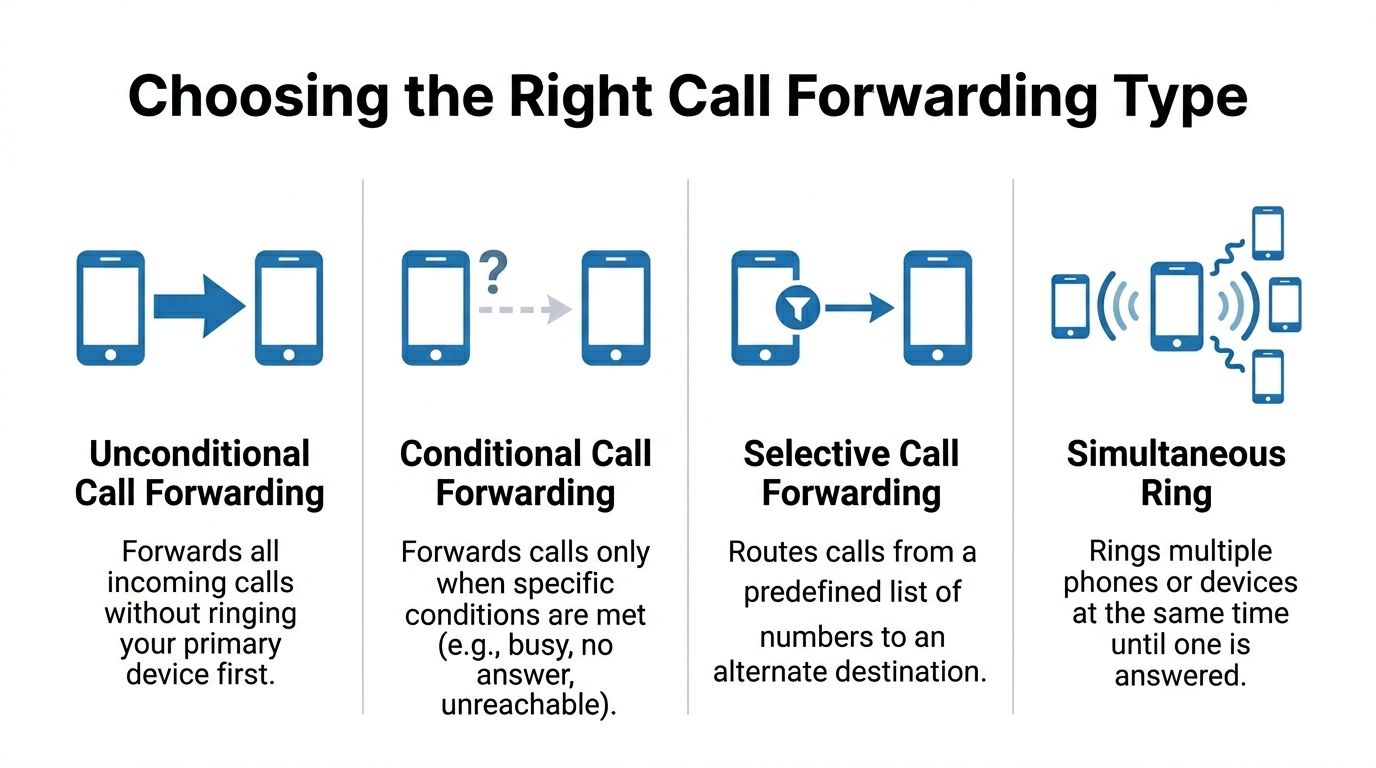
Unconditional forwarding
Unconditional call forwarding sends every incoming call to another number right away. Your main device usually won’t ring first.
This is the cleanest option when you know you won’t be available at the original phone.
Use it when:
- You’re traveling: Send office calls to your mobile for the day.
- You’re closing a location temporarily: Route calls to another site or answering team.
- You want a single answer point: Forward a home phone to the person who’s available.
This setting is simple, but it can be too blunt. If you forget it’s on, every call keeps going elsewhere.
Conditional forwarding
Conditional call forwarding only activates under certain conditions. That makes it a better fit for people who still want their main phone to ring when possible.
The most common conditions are:
| Type | What it does | Best use |
|---|---|---|
| Busy | Forwards when you’re already on a call | Solo professionals and reception desks |
| No answer | Forwards after you don’t pick up | Home offices and shared business lines |
| Unreachable | Forwards when the device or service can’t be reached | VoIP users and mobile users with service gaps |
Forward when busy
This is the setting for anyone who spends part of the day on the phone already.
If your line is tied up, the next caller doesn’t just hear a busy signal. The system sends that call somewhere else, often to a second employee, an assistant, or a mobile.
This is useful in small teams where one missed live conversation can mean a lost opportunity.
Forward when no answer
This one is more forgiving. Your main phone rings first. If you don’t answer in time, the call moves to a second destination.
It works well when you’re sometimes available, but not always close enough to pick up.
A few good fits:
- Front desk coverage during lunch
- Households that want the home phone to ring before a parent’s cell
- Remote workers who want desk calls to move to mobile if they step away
Forward when unreachable
This is the setting many guides barely mention, and for VoIP users it’s often the most important one.
If your internet drops, power fails, or the device goes offline, unreachable forwarding can keep calls moving to a backup number instead of letting them die at the primary endpoint. That’s a very different job from “busy” or “no answer.”
The right forwarding type depends less on your device and more on the reason you might miss the call.
Two other patterns worth knowing
Some systems also support:
- Selective forwarding: Send only certain callers to another destination.
- Simultaneous ring: Ring multiple devices at once until someone answers.
If you’re comparing modern hosted systems with traditional phone service, those options often make the difference. A good cloud phone system gives you more control than a single star code ever will.
A Practical Guide to Enabling Call Forwarding
A forwarding setup only works if it still does its job on a bad day.
A parent forwards the home line to a cell before leaving for work. A small business routes the main number to an on-call technician after hours. Both setups look fine until the modem loses power, the desk phone goes offline, or someone forgets which device is handling the rule. Good call forwarding starts with the right menu or code, but reliable call forwarding also depends on what happens when your internet, equipment, or carrier does not cooperate.
A traditional landline, an iPhone, an Android device, and a hosted VoIP desk phone all handle forwarding differently. The quickest path is to use the method built for that service and then test the failure scenario that matters to you.
Using star codes on traditional phone service
For many landlines and carrier-based services, the classic codes still work.
The most common pattern is:
- Activate forwarding: Dial *72 and then enter the destination number
- Turn it off: Dial *73
As noted earlier, these are common activation and deactivation codes in North America. Some lines also give a short ring or a changed dial tone to show forwarding is active.
Three practical checks matter here.
- Carrier support: Not every plan includes forwarding by default.
- Charges: Traditional providers may bill toll charges tied to forwarded calls.
- Testing: Call the original number from another phone right after setup.
If you are forwarding a home line to a mobile, make that test call before you leave. One mistyped digit can send callers to the wrong person or nowhere at all.
Setting it on iPhone and Android
Mobile phones often let you manage forwarding in settings instead of with star codes.
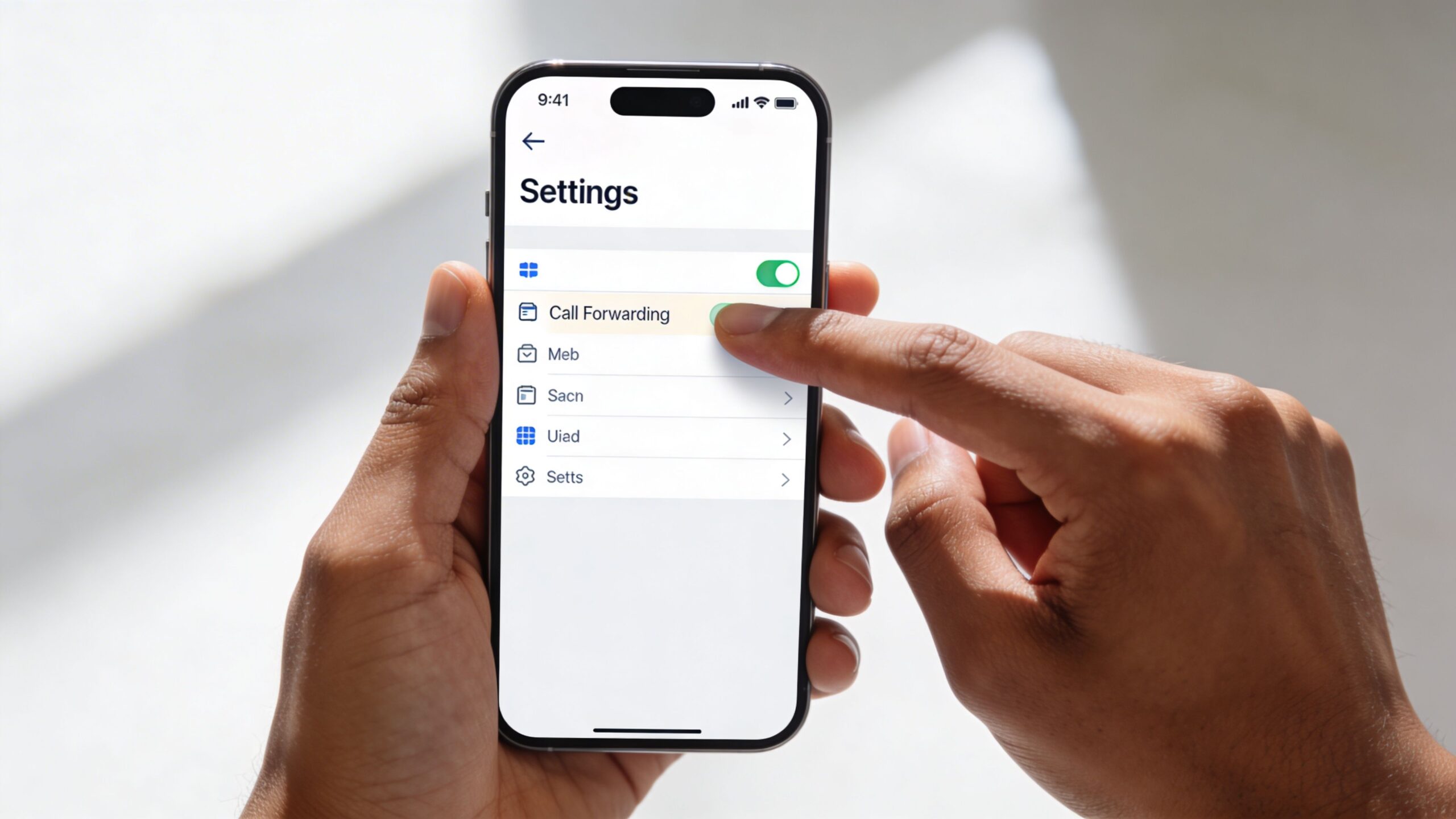
On iPhone, open the Phone settings, turn on call forwarding if your carrier supports it, and enter the destination number.
On Android, the path depends on the manufacturer and carrier, but you will usually find it inside the Phone app settings under calling services or supplementary services. Many Android models let you set separate rules for always forward, busy, unanswered, or unreachable.
That menu is useful because it shows whether forwarding is active.
A few details cause trouble more often than people expect:
- Dual-SIM phones: Edit the correct line.
- Carrier restrictions: Some phones show the option even when the carrier still controls the feature.
- Conditional rules: Busy, no answer, and unreachable are often separate settings.
For mobile users, the biggest risk is assuming the on-screen setting overrides every carrier rule. It does not always. Test from an outside number and confirm the forwarded phone rings.
Hosted VoIP gives you more control, and more to think about
In a hosted VoIP system, forwarding is usually managed from a web portal, a desk phone interface, and sometimes a mobile app. That makes changes faster, especially for remote staff, shared lines, and after-hours coverage.
A standard VoIP portal may let you:
- Send all calls to another extension
- Forward after hours to a mobile
- Ring a desk phone and app at the same time
- Route unanswered calls to a queue or receptionist
- Set schedules for business hours, holidays, or lunch coverage
If you are rolling out a new business phone system, this VoIP phone setup guide for hardware and user configuration helps line up the devices, accounts, and forwarding rules before calls start coming in.
This is also where VoIP users need to think beyond convenience. If the desk phone depends on local power and the internet connection at that site, forwarding rules tied to that device may not help much during an outage unless the provider supports failover at the service level. The safer approach is to set backup routing in the hosted platform itself, then confirm where calls should go if the office loses power.
Security matters too. A poorly secured VoIP admin portal can let someone change forwarding rules and divert calls without you noticing. Use strong passwords, multi-factor authentication where available, and role-based access so only the right staff can edit routing. At Premier Broadband, this is one reason we push managed voice and reliable fiber together. Stable connectivity helps keep phones registered, and managed service reduces the odds of missed changes or unsafe default settings.
Cisco desk phones and web control
On enterprise-grade hardware common in business VoIP deployments, the controls are often straightforward once you know where to look.
The Cisco IP Phone 8800 Series forwarding guide describes Forward All, Busy, and No Answer options available through the phone’s web interface, with a configurable no-answer delay of up to 99 seconds.
Delay settings matter more than many teams expect.
If the delay is too short, calls leave your main device before anyone has a fair chance to answer. If it is too long, callers may hang up before the backup number rings. The right setting depends on who is covering, how far they are from the phone, and whether a mobile app is part of the setup.
Here’s a simple decision chart:
| Situation | Better rule | Why |
|---|---|---|
| You’re away all day | Forward All | No need to ring the original phone |
| You’re on customer calls often | Busy | A second caller still reaches someone |
| You move around the office or home | No Answer | Lets the main device ring first |
This video gives a quick visual walkthrough of the basics:
A setup habit that prevents mistakes
Forwarding problems are often operational, not technical.
People turn on forwarding in a rush, forget where calls are going, or stack multiple rules that conflict with each other. Keep the setup simple and document it, especially for shared business lines or family home phones that more than one person depends on.
- Pick one primary backup destination.
- Use only the forwarding type you need.
- Make one test call from outside your system.
- Confirm what caller ID appears on the forwarded phone.
- Check what happens during a power or internet outage.
- Turn temporary rules off when the situation ends.
If a coworker cannot explain the routing in plain language, the setup is too complicated for everyday use.
That is true for home users forwarding a house line to a cell, and for small businesses that need calls to keep moving even when the office loses power.
Strategic Call Routing for Your Business
Businesses don’t use call forwarding just to avoid missed calls. They use it to shape how customers experience the company.
A good routing plan makes a small team feel organized. A bad one makes a busy company sound unavailable.

Build a virtual office that still feels local
A local number doesn’t need to ring at one physical desk anymore.
You can route a main business line to remote employees, home offices, field staff, or an answering service while keeping the public-facing number consistent. To the caller, the business feels stable. Internally, the team can work from different locations.
This is one reason call forwarding became so important in the first place. As the earlier history shows, moving calls away from fixed physical connections helped lay the groundwork for distributed work.
Use routing to match the workday
The strongest call flows usually follow a schedule.
During business hours, a customer might ring the front desk first, then a sales group, then voicemail. After hours, that same number can go to an on-call technician, a manager, or an answering service.
A few common business patterns work well:
- Service businesses: Forward after-hours calls to the on-call phone.
- Sales teams: Route campaign numbers to the same central line while tracking which number was dialed.
- Professional offices: Send lunch-hour calls to a backup receptionist.
- Multi-location teams: Redirect overflow from one office to another.
If you’re planning physical space around these workflows, it also helps to think about how agents handle live calls. Teams that still take a high volume of customer conversations often benefit from better call center cubicles so forwarded calls land in a workspace built for concentration and privacy.
Caller ID continuity matters more than many teams realize
Forwarding a call is useful. Forwarding it without the original caller information is much less useful.
For businesses using PRI-based systems, Intelligent Call Forwarding preserves the original caller ID when the call is sent to an external number. According to the ESI Intelligent Call Forwarding overview, that can reduce missed business opportunities by up to 40% compared with setups that don’t pass through the original caller information.
That matters because employees answer differently when they know who’s calling.
If a mobile phone only shows the business number or a generic trunk number, the person answering loses context. If it shows the customer’s original caller ID, the handoff feels natural and informed.
Operational insight: Forwarding is most effective when the person answering sees enough context to continue the conversation without asking the caller to repeat everything.
Businesses looking at broader voice planning usually need this feature inside a larger hosted system, not as a one-off fix. A practical starting point is reviewing VoIP solutions for small business and checking whether original caller ID, mobile handoff, schedules, and overflow rules are supported together.
Protecting Your Privacy and Managing Costs
A lot of people assume call forwarding is harmless if it works.
That assumption causes two different problems. First, a forwarding rule can be abused if someone gets access to your account or mobile line. Second, forwarding can create charges or call path confusion that people don’t notice until later.
Unauthorized forwarding is a real risk
Call forwarding fraud and SIM-swapping attacks aren’t edge cases anymore. The FTC reported over 320,000 incidents in 2025, according to the Gadget Hacks write-up on call hijacking codes.
The risk is straightforward. A criminal redirects calls, then intercepts sensitive conversations or one-time passcodes.
If you suspect something’s wrong:
- Check diversion status: On GSM-based mobile service, *#62# can show forwarding for unreachable calls.
- Cancel if needed: The same family of carrier codes may let you clear suspicious forwarding.
- Review account access: Change passwords and check who has admin control.
- Look at call logs: Unexpected forwarding destinations or strange call behavior deserve attention.
If your number has been misused, this guide on someone is using my phone number is a useful next step for the cleanup side.
Privacy also includes the room you’re in
Forwarding solves reachability. It doesn’t solve eavesdropping.
If your team regularly takes rerouted customer calls in shared environments, physical privacy still matters. Offices with open layouts often add dedicated phone call privacy solutions like office telephone booths so confidential conversations don’t happen in hallways or over cubicle walls.
That’s especially relevant for legal, healthcare, HR, and financial conversations where the forwarded call may be secure in transit but not private in the room.
Don’t ignore the billing side
Traditional call forwarding can carry costs.
The call forwarding reference cited earlier notes that telephone companies may require a subscription for the feature and that users may bear toll charges associated with forwarded calls. That’s why old-school forwarding from a landline to a distant number sometimes creates surprises.
A few habits help keep costs in line:
- Use local or included destinations when possible
- Avoid forwarding chains
- Audit old rules after staff changes
- Check whether your provider includes nationwide calling
The cheapest forwarding plan on paper isn’t always the cheapest in practice. If the setup causes missed calls, repeat calls, or manual workarounds, the hidden cost shows up elsewhere.
Troubleshooting Common Call Forwarding Issues
Most call forwarding failures come down to one of five issues. The rule didn’t save, the destination number was entered wrong, another setting overrides it, the caller hits the wrong voicemail, or the service itself is offline.
When forwarding won’t activate
Start with the obvious check first. Confirm the destination number digit by digit.
Then look for conflicts:
- Do Not Disturb can block expected behavior on some systems.
- Forward All may override a more specific busy or no-answer rule.
- Carrier provisioning may be missing on traditional lines.
- Phone and portal settings may not match on hosted systems.
On some business phones, a visible icon or status message confirms that forwarding is enabled. If you don’t see one, don’t assume the rule took effect.
When calls hit the wrong voicemail
This usually happens when the forwarded destination doesn’t answer and its voicemail picks up before the original system can finish its own call flow.
The fix is to decide which mailbox should win.
If the caller should land in the business voicemail, shorten the forwarding delay or keep the call inside the business phone system longer. If the call should reach the employee’s mobile voicemail, the current behavior may be acceptable, but it should be intentional.
When internet or power problems break VoIP calling
This is the issue that standard setup guides usually miss.
Basic forwarding works when the primary service is alive enough to process the rule. But if a VoIP phone depends on local internet or power and that environment goes down, ordinary forwarding may not help unless the system supports network-level failover.
That’s why Forward When Unreachable matters so much on modern voice systems. During internet outages, which affected 1.2 million U.S. households monthly in 2025, 68% of standard VoIP users missed critical calls, according to the Quo conditional call forwarding article.
The better approach is automated failover routing at the service level. When the system detects that the primary endpoint is offline, it sends calls to a preset mobile or backup line. For homes, that protects important inbound calls during a broadband or power problem. For businesses, it keeps the main number working even when the desk phones in one location are down.
When your phone service depends on internet access, outage planning isn’t optional. It’s part of the phone setup.
A good troubleshooting habit is to test your outage plan before you need it. Don’t wait for a storm, a cut cable, or a dead battery backup to find out where your calls go.
If you want help setting up call forwarding that works reliably, including backup routing during outages and cleaner call handling for home or business lines, Premier Broadband can help you review your options at Premier Broadband.