
Is there anything more frustrating than your video call freezing mid-sentence or your game lagging at a critical moment? The simple fix is often an extension cable for internet—or as most of us call it, a long Ethernet cable. It creates a direct, wired link from your router to your device, giving you the full, stable speed you're paying for.
Why Your Wi-Fi Is Unreliable and How a Cable Can Help
Wi-Fi is a modern marvel, but let's be honest, it can be fickle. Wireless signals are surprisingly fragile. They have to fight their way through every wall, floor, and piece of furniture in your home, getting weaker with every obstacle.
It’s not just physical barriers, either. Common household appliances can shout over your Wi-Fi signal. That microwave heating up your lunch? It can create enough radio frequency "noise" to disrupt your connection. The same goes for some cordless phones and even certain Bluetooth devices. This interference is the hidden culprit behind many of those random disconnects and sudden lag spikes.
Common Causes of Poor Wi-Fi Performance
The layout of your home and even the materials it's built with can sabotage your signal. Here are a few things that are likely working against your Wi-Fi:
- Physical Obstructions: Brick, concrete, and even dense plaster are like kryptonite for Wi-Fi. A router tucked away in a basement office will always struggle to deliver a strong signal to a bedroom on the second floor.
- Appliance Interference: Microwaves are the most famous culprits, but they aren't alone. Anything that uses a similar radio frequency, including older cordless phones and some smart gadgets, can cause issues.
- Network Congestion: If you live in an apartment building or a dense neighborhood, your Wi-Fi is competing with dozens of others. All those networks are fighting over the same limited airwaves, which can slow everyone down.
- Router Distance: It's a simple fact of physics—the farther you get from your router, the weaker your connection becomes.
A wired connection with an extension cable for internet completely sidesteps all these problems. Think of it as your own private, interference-free data highway running straight from the router to your computer.
For any device that stays in one place and needs rock-solid internet—your gaming console, smart TV, or home office PC—a wired connection is the undisputed champion. It’s not just about raw speed; it's about unlocking the consistent, powerful performance your Premier Broadband service was built to deliver.
If you often find your WiFi connected but no internet access, it’s a strong sign of a reliability problem that a cable can solve for good.
For a deeper look at what might be causing your connection headaches, you can learn more about why your Wi-Fi keeps disconnecting in our detailed guide. A stable connection means faster downloads, flawless video calls, and a much smoother online experience.
How To Choose The Right Ethernet Extension Cable
Picking the right cable to extend your internet connection can feel overwhelming. You’ll see a bunch of options labeled Cat5e, Cat6, and Cat6a, and it’s not always clear what the difference is or why you should care. Let's cut through the noise so you can get exactly what you need for your Premier Broadband connection without overspending.
The "Cat" just means Category. As the number goes up, so do the potential speeds and bandwidth. Think of it like a highway—a higher category means more lanes, letting more data traffic flow smoothly and at faster speeds.
You're not alone in looking for a better-wired connection. Demand for stable internet is driving huge growth in extension cables, with the global market hitting $1.47 billion in 2024 and expected to climb to $1.75 billion by 2033. Most of that is from people just like you, needing a reliable extension cable for internet to reach devices far from their router. You can dig into the numbers in this extension cable market research.
Decoding The Categories: Cat5e vs. Cat6 vs. Cat6a
For most home and small business setups, your choice will boil down to three main types. While all of them can handle today's typical internet speeds just fine, picking the right one is a smart move for the future.
To make it simple, we've put together a quick comparison table. This should help you see at a glance which cable fits your needs.
Ethernet Cable Category Comparison
| Category | Max Speed (at 100m) | Max Bandwidth | Best For |
|---|---|---|---|
| Cat5e | 1 Gbps | 100 MHz | Basic internet use, HD streaming, and everyday tasks. The most budget-friendly choice. |
| Cat6 | 1 Gbps (10 Gbps <55m) | 250 MHz | Future-proofing your network, gaming, and 4K streaming. The best all-around value. |
| Cat6a | 10 Gbps | 500 MHz | Demanding multi-gig networks, professional use, and maximum future-readiness. |
Essentially, Cat6 is the sweet spot for most people. It gives you plenty of headroom for faster speeds down the road without the higher cost of Cat6a. While you might spot Cat7 or even Cat8 cables out there, they are complete overkill for residential use. If you're curious, you can learn more in our guide on Cat 7 cables.
Sometimes, the first step is just deciding if you even need a wired connection for a specific device. This guide can help.
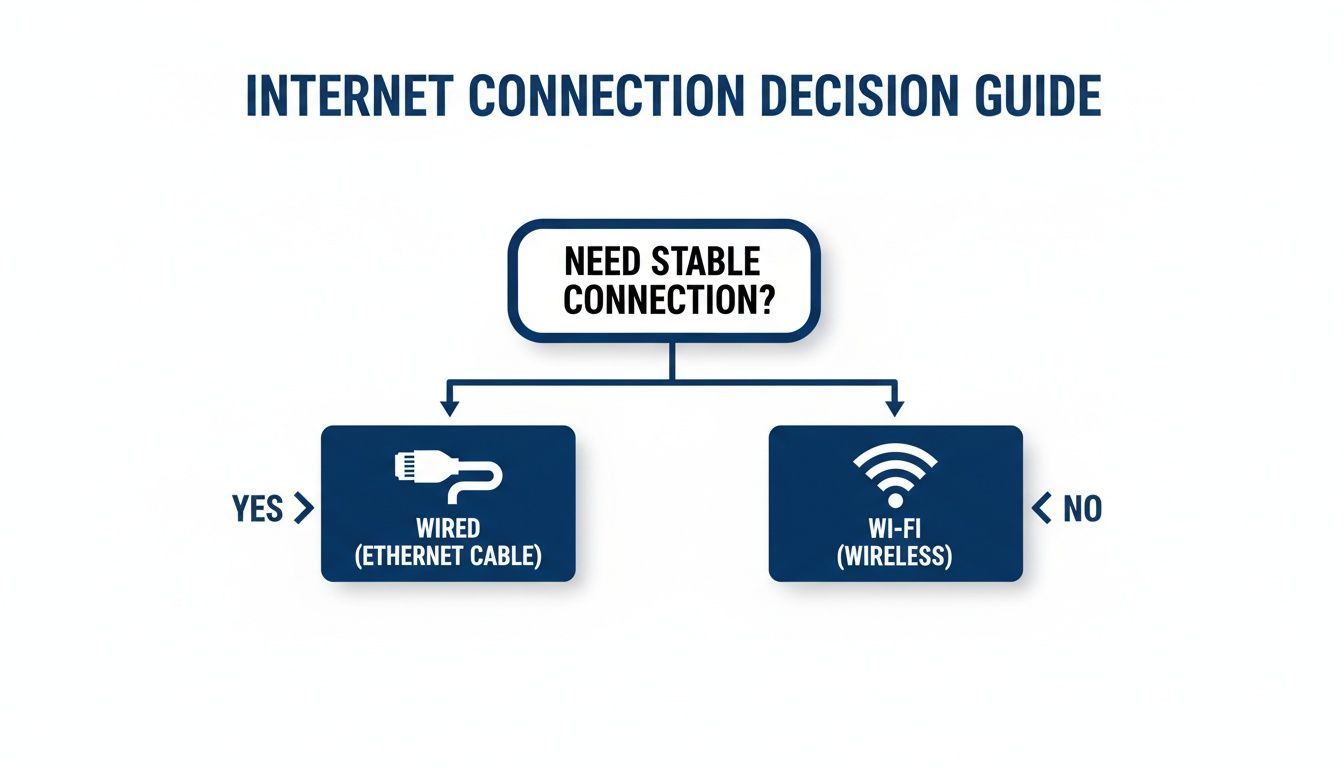
As you can see, if rock-solid stability is what you're after—for gaming, important video calls, or streaming in 4K—nothing beats a wired Ethernet connection.
Length And Shielding Also Matter
When you're choosing an extension cable for internet, remember that longer isn't always better. Ethernet cables are designed to work perfectly up to 100 meters (that's 328 feet), but buying a cable that's way too long just creates a tangled mess.
Measure the path from your router to your device, then add a few extra feet for slack. That's it. Try to avoid having a huge 50-foot coil of extra cable sitting behind your desk.
You'll also see cables labeled "UTP" or "STP." Here’s what that means for you.
UTP (Unshielded Twisted Pair) is the standard for most homes and offices and works great. But if you have to run your cable next to a bunch of power cords or near a major appliance like a microwave or refrigerator, grab an STP (Shielded Twisted Pair) cable. That extra shielding blocks electrical interference and keeps your signal clean and stable.
Clean and Safe Cable Installation Techniques
Let’s be honest, a long Ethernet cable stretched across the living room floor is more than just an eyesore. It’s a major tripping hazard, and it puts your expensive gear—and the cable itself—at risk of damage. Taking a few minutes to install your internet extension cable properly makes a huge difference, giving you a clean, pro-level look that protects your connection.
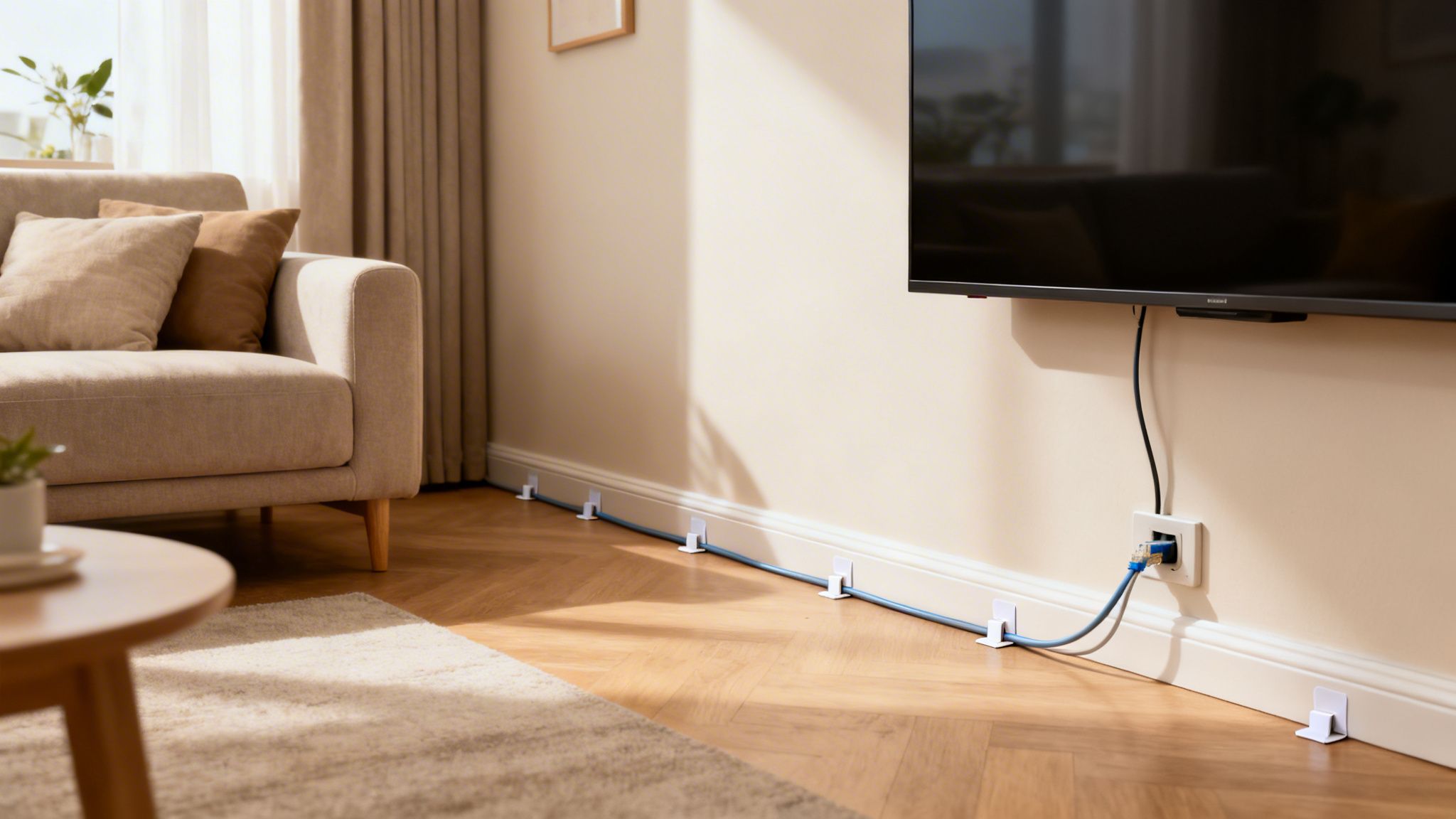
The easiest win is to simply run the cable along your baseboards and door frames. This tucks it away from foot traffic and keeps it mostly out of sight. You can grab some small, adhesive-backed cable clips to secure it. They’re easy to put on and take off without messing up your walls.
So, if you’re running a cable from the router in your den to a home office down the hall, just trace the path along the floor trim. A clip every few feet keeps it looking neat and tidy. It's the perfect fix for renters or anyone who doesn't want to make permanent changes.
For a Truly Hidden Look
Want the cable to completely disappear? Fishing it through the walls is the way to go. It’s a bit more involved and you'll need a few tools, but the result is a seamless connection with zero visible wires. This is a fantastic weekend project if you’re comfortable with some light DIY.
Pro Tip: Before you start drilling, always use a stud finder. You need to know where studs, pipes, and—most importantly—electrical wiring are hiding. Running an Ethernet cable right next to high-voltage lines can cause signal interference, so always try to leave a few inches of space between them inside the wall.
If you're planning a bigger wiring project, you might find some useful tips in our simple guide for homeowners on fiber-optic installation.
A Couple of Tools for a Tidy Network
A few inexpensive tools can make managing your internet extension cable a whole lot easier, especially if you have multiple devices or need to link a couple of shorter cables.
- Ethernet Couplers: These little adapters are lifesavers. They let you securely connect two shorter Ethernet cables to make a longer one. While we always recommend a single, long cable for the best performance, a coupler is a great, cheap fix when you’re just a few feet short of your goal.
- Patch Panels: If you’re running several cables to one spot—like an entertainment center or a home office with a few computers—a patch panel will be your best friend. It’s like a central switchboard for your network, keeping all your connections organized in one place. This makes future troubleshooting or changes a breeze.
Taking that little bit of extra time to manage your extension cable for internet really pays off. You get a safer home, a more reliable connection, and the peace of mind that comes with a job well done.
Exploring Alternatives to a Single Extension Cable
Running a single, long extension cable for internet is a great fix when you just need to connect one device across the room. But what if your needs are bigger than that?
Maybe you have an entertainment center packed with a smart TV, gaming console, and streaming box. Or a home office that needs more than one wired port. When one cable isn't enough, it's time to look at other ways to spread your Premier Broadband connection throughout your home or office.
These aren't just workarounds; they're smart ways to build a more powerful and flexible network that can handle everything you throw at it, from 4K streaming to lag-free gaming.
The Network Switch: A Multi-Port Powerhouse
This is one of my favorite solutions for media centers and home offices. Think of a network switch as a power strip for your internet connection—it’s that simple.
You run a single extension cable for internet from your router to the switch. From there, you can plug in multiple devices, and each one gets its own dedicated, high-speed wired connection. It's an incredibly effective and affordable way to turn one port into many.
- Best For: Entertainment centers and home offices where you have several devices that need a stable, wired connection.
- Key Benefit: It delivers the full speed of your connection to every device plugged into it, without splitting the bandwidth.
Powerline Adapters: Use Your Home’s Hidden Network
What if running a long cable is out of the question? This is where Powerline adapters come in. They use your home's existing electrical wiring to carry your internet signal, which is a clever way to avoid drilling holes or running cables along baseboards.
The setup is easy. One adapter plugs into a wall outlet near your router and connects to it via a short Ethernet cable. The second adapter can be plugged into any other outlet in your house, instantly creating a new Ethernet port right where you need it.
Powerline adapters essentially turn every electrical outlet in your home into a potential internet port. It’s a great way to get a wired connection to a second-floor bedroom or a detached garage without any complex installation.
Mesh Wi-Fi: The Ultimate Coverage Blanket
When you need flawless Wi-Fi coverage across a large or multi-story home, a Mesh Wi-Fi system is the best solution you can get. Instead of a single router trying to cover the whole house, a mesh system uses several "nodes" placed in different rooms.
These nodes work together to create a single, massive Wi-Fi network. As you walk through your home, your phone or laptop seamlessly switches to the strongest node, so you never experience dead zones or dropped connections. For even better performance, you can connect the nodes with an Ethernet cable (a method called Ethernet backhaul) to ensure maximum speed.
It’s the best way to get wall-to-wall coverage, and while it's wireless, it provides the kind of reliability most people associate with a wired connection. For a step-by-step guide, you can check out our guide on how to set up Mesh Wi-Fi.
The need for better home coverage has exploded. In fact, the global market for related technologies like Wi-Fi extenders is projected to grow by over $973 million by 2026. This is all driven by the rise of smart homes and our need for reliable internet in every corner of the house. You can explore the full Wi-Fi extender market forecast to see the data for yourself.
Internet Extension Methods At-a-Glance
Feeling a bit overwhelmed by the options? Don't be. Each method has its own strengths, depending on your home and what you're trying to accomplish.
This table breaks it down to help you see which solution is the right fit for your needs.
| Method | Best For | Pros | Cons |
|---|---|---|---|
| Network Switch | Entertainment centers, home offices with multiple devices in one room. | Simple, affordable, provides full speed to each connected device. | Requires running one cable from the router to the switch. |
| Powerline Adapter | Reaching difficult spots where running a cable or getting Wi-Fi is hard (e.g., basements, detached garages). | Uses existing electrical wiring, no new cables needed. | Performance can be affected by the age and quality of your home's wiring. |
| Mesh Wi‑Fi | Large or multi-story homes with Wi‑Fi dead zones. | Provides seamless, whole-home coverage with a single network name. | Higher initial cost compared to other methods. |
Ultimately, choosing the right method comes down to balancing cost, convenience, and performance. Whether you need more ports, better reach, or total coverage, there's a reliable solution to extend your Premier Broadband connection.
Troubleshooting Common Ethernet Connection Issues
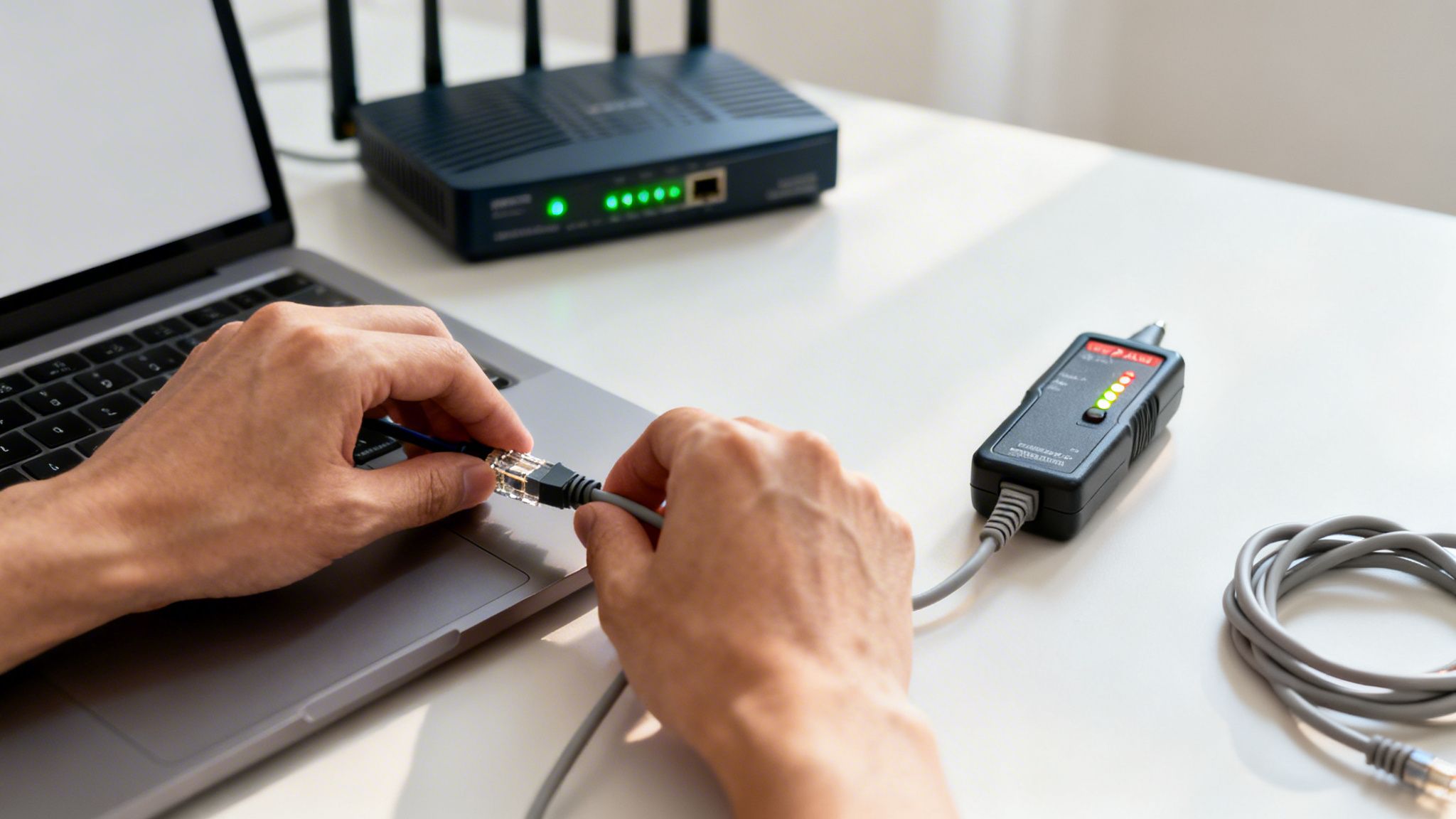
So, you’ve run your new extension cable for internet, plugged everything in, and… nothing. Or maybe you're getting frustratingly slow speeds. It’s a common situation, but don't panic or toss the cable just yet. Most of the time, the fix is surprisingly simple.
Let’s start with the most frequent culprit: a loose connection. An Ethernet plug is designed to make a distinct "click" when it’s fully seated in the port. If it feels loose or wiggles around, it’s not making a solid connection. Unplug it and plug it back in firmly until you hear and feel that click on both your device and the router.
If that doesn't do the trick, the port itself might be the issue. Routers have several LAN ports, so a quick test is to simply move the cable to a different one. If the light for the new port fires up and your connection comes to life, you’ve likely found the problem—a faulty router port.
Inspecting for Physical Damage
Now, take a close look at the cable itself. A signal can't get through a damaged wire, so a quick visual check can save you a lot of headaches.
- Sharp Kinks or Bends: A cable bent sharply at a 90-degree angle, especially around a corner or door frame, can easily damage the delicate wires inside.
- Visible Damage: Look for any cuts, scrapes, or places where furniture might have crushed the outer jacket. This kind of wear and tear is a red flag.
- Chew Marks: It sounds strange, but pets are notorious for chewing on cables. If you have a cat or a new puppy, check for any suspicious teeth marks along the length of the wire.
If you spot any real damage, that cable is almost certainly the problem. Taping it up with electrical tape won't fix the internal wiring. Your best and most reliable move is to replace it with a new one.
Isolating the Problem
If the cable looks fine and the connections are solid, it's time to figure out if the issue is with the cable, your device, or your internet service. A quick process of elimination works wonders here.
First, try a different device. If your laptop won't connect, plug that same extension cable for internet into a smart TV or gaming console. If that second device connects without a problem, the issue is probably with your laptop's network settings, not the cable.
If neither device works, grab a shorter Ethernet cable you know is good and plug your device directly into the router. If that works, your new extension cable is faulty. But if even the known-good cable fails to connect, the problem might be with your router or your Premier Broadband service.
Your Questions About Internet Extension Cables, Answered
Thinking about stretching your internet connection to a back room or home office? You’re not alone. We get a lot of questions about the best way to do this, so we’ve put together some straightforward answers to help you out.
It’s no surprise people are looking for wired solutions. With over 70% of homes now using 4K UHD TVs and smart audio systems, the need for a stable, glitch-free connection is huge. It’s why the market for these cables is expected to grow from USD 1.12 billion in 2026 to USD 1.51 billion by 2035. You can dig into the numbers in these market trends for extension cables.
Will A Long Extension Cable Slow Down My Internet Speed?
For nearly everyone, the answer is no. A standard Ethernet cable, like the Cat6 we often recommend, can run up to 100 meters (or 328 feet) without losing any speed. Unless you live in a mansion, your cable length won't be what’s slowing you down.
What really matters is the quality of the cable. A cheap, poorly shielded 15-foot cable is far more likely to have issues with signal interference than a well-made 75-foot one. Always opt for a quality cable from a brand you trust.
Can I Just Connect Two Shorter Ethernet Cables Together?
You sure can. All you need is a simple, inexpensive adapter called an Ethernet coupler. It's a great fix if you're just a few feet short of where you need to be.
But there’s a small catch.
Every time you add a connection point—like a coupler—you create a potential spot for the signal to weaken or fail. For the absolute best performance, a single, unbroken extension cable for internet is always the top choice.
Is An Ethernet Extension Cable Better Than A Wi-Fi Extender?
When it comes to raw speed and stability, nothing beats a wired Ethernet connection. It’s a direct physical link from your router to your device, which means you skip all the interference and lag that can sometimes affect Wi-Fi.
It really comes down to what you’re connecting:
- Wi-Fi Extenders are great for getting better coverage for mobile devices like your phone or tablet, where you’re moving around.
- Ethernet Cables are the clear winner for stationary devices that need a rock-solid connection—think gaming consoles, streaming boxes, or your work-from-home PC.
What Is The Difference Between An Ethernet Cable And An Internet Extension Cable?
This is a common question, and the answer is simple: they’re the exact same thing.
"Extension cable for internet" is just a handy way to describe using a standard Ethernet cable to stretch your connection from your router to a device that’s further away. When you go to buy one, you're just looking for a regular Ethernet cable—you'll simply pick the right type (like Cat6) and the length you need.
Ready to unlock the full potential of your fiber connection? Premier Broadband delivers the speed and reliability you need for a flawless online experience. Discover our flexible fiber internet plans today!