
You're probably here because your current internet is testing your patience.
A work call freezes right when you need to speak. A file upload crawls. Someone starts streaming in the living room and the whole house feels slower. So you search for fiber, find a fiber availability map, and hope for a simple yes or no.
That map can help, but it won't settle the question by itself. A good fiber availability map points you in the right direction. It shows where fiber is likely present, which providers may operate nearby, and how your area compares with others. What it doesn't always tell you is the part you care about most: whether your exact address can be installed today.
That gap is where people get frustrated. The map says one thing. The provider checker says another. Sometimes your neighbor can get service and you can't. Sometimes a whole neighborhood looks covered, but a specific building still isn't qualified.
The fix is to use the map for what it is. A starting point. Then move to the tool that can give you a real answer. If you're comparing options, this guide on how to choose an internet provider can help you sort through the details that matter beyond the coverage color on a map.
Why Finding Fiber Internet Can Be So Frustrating
A lot of internet problems feel random when you're living with them.
You might have decent download speed for casual browsing, but your video meetings still stutter. Or your movie starts fine, then buffers at the worst time. Or your game plays smoothly until someone in the house uploads photos, backs up files, or joins a call.
Fiber shows up in that moment as the obvious answer. People associate it with a smoother connection, faster uploads, and less fighting over bandwidth inside the home. So the first thing they do is pull up a fiber availability map and look for their street.
Why the map feels like a promise
Maps look authoritative. They use shaded areas, provider names, and neat boundaries, so it's easy to assume they're precise. If your neighborhood is highlighted, you naturally think service is ready for your house.
That's where confusion starts. A fiber availability map usually reflects network coverage at a broader level than a real install decision. It can show that fiber exists in your area without confirming that your building, unit, or lot has a live service path.
A map can be accurate in a general sense and still be wrong for your front door.
The real job of a fiber availability map
Think of the map as a screening tool, not a final approval.
It helps answer questions like:
- Is fiber active nearby so this area is worth checking further?
- Which providers show up in the market so you know where to look next?
- Does this region seem well served or still limited compared with other places?
Those are useful answers. They just aren't the last answer.
The reliable workflow is simple. Start broad with the map. Narrow down to likely providers. Then check your exact street address in the provider's own availability system. That last step is the one people skip, and it's usually the one that matters most.
Understanding What Fiber Maps Actually Show
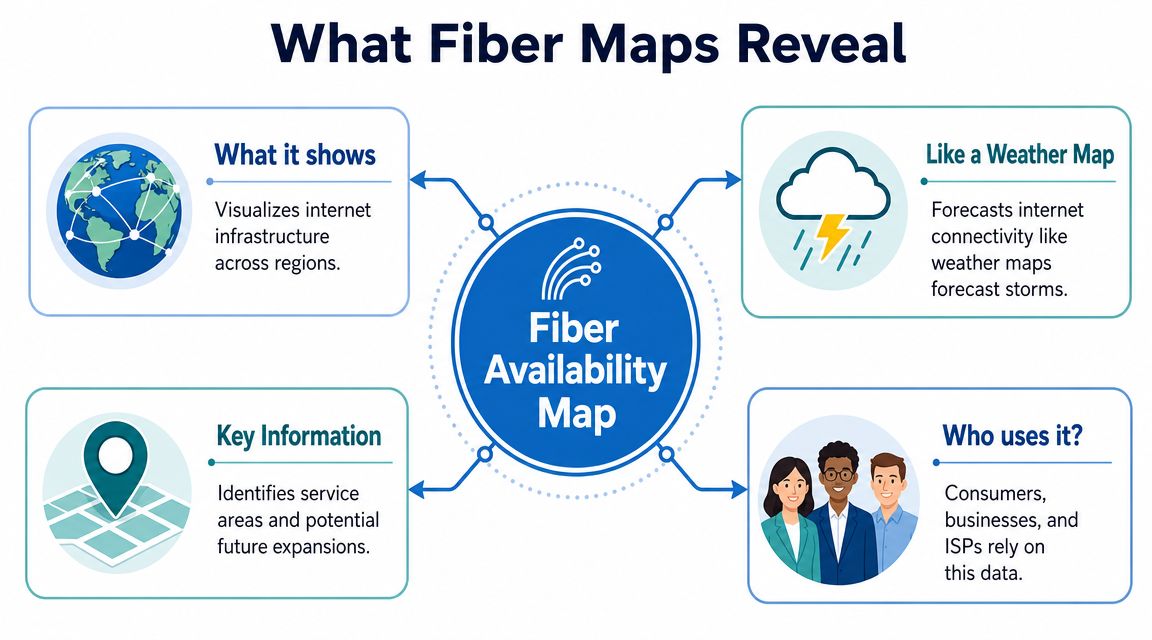
A fiber availability map shows network coverage across an area. It helps you see where fiber service is present in general, but it does not usually confirm whether one specific address can be installed today.
That difference trips people up.
A neighborhood can appear covered on a map even if only part of it is connected, or if service stops a few houses away. In apartment buildings, one unit may qualify while another does not. On rural roads, fiber may run nearby without a drop built to every property. The map is showing the shape of service in the area, not a guaranteed yes for each front door.
Where the map data usually comes from
These maps are usually built from provider-reported coverage, public broadband datasets, local records, or a mix of all three. That makes them useful for spotting broad service patterns across a city, county, or state.
The catch is timing and detail. A provider may report an area that is planned, partially built, recently activated, or still waiting on final service qualification. Some datasets are updated on a schedule, not in real time. By the time a map is published, construction, permitting, or address validation may have changed what is available on the ground.
The term "fiber" can also cover more than one setup. If you want to understand why one address qualifies and another does not, it helps to know what fiber to the home means, because a map label does not always tell you how the last segment of the connection reaches the building.
What these maps do well
Fiber maps are most useful for early research.
They can help you:
- Spot likely service areas: You can see where fiber appears to be present nearby.
- Identify providers to check: You get a shortlist of companies instead of starting from zero.
- Compare areas before a move: You can gauge whether one neighborhood appears better served than another.
- Understand the bigger buildout pattern: You can see whether fiber in your region looks widespread, limited, or still expanding.
That is why maps are worth using. They give you context.
The key is using them for the job they are built to do. A fiber map is a starting tool for narrowing your search. It becomes less dependable as you zoom in from a region, to a street, to one exact address.
How to Read a Fiber Availability Map Correctly
You pull up a fiber map, type in your town, and see your neighborhood shaded in color. It feels like a green light. Then you check your address and get a very different answer.
That gap usually comes from how the map is meant to be used.
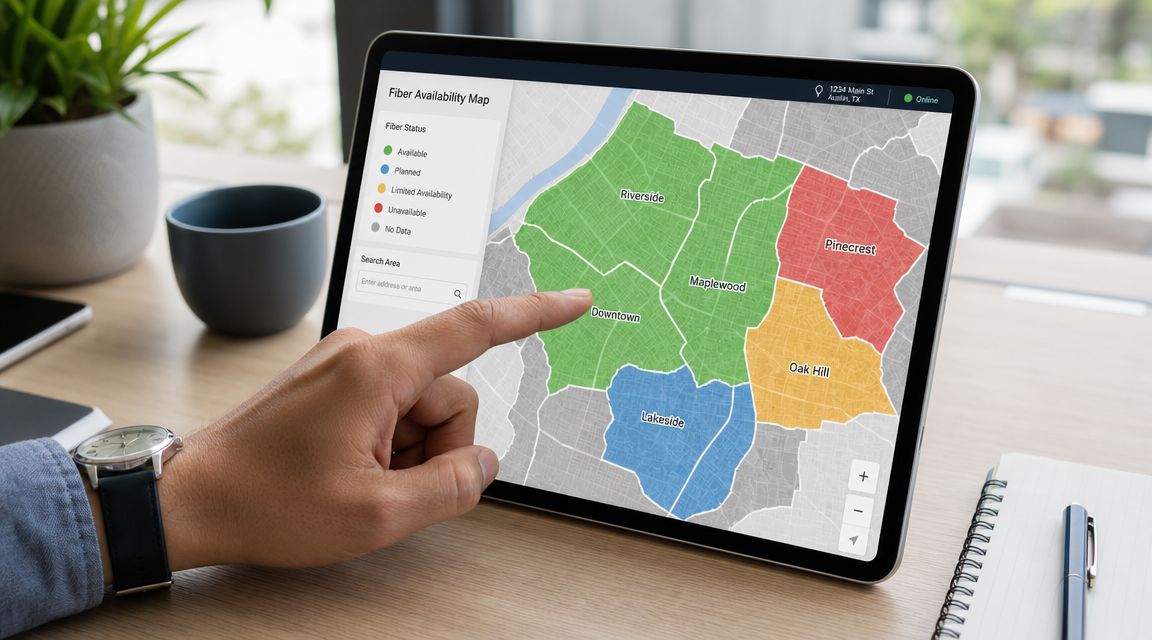
A fiber map works like a weather radar for internet service. It helps you see the general pattern. It does not always tell you whether your front door is ready for installation. If you read it that way from the start, the map becomes much more useful and much less frustrating.
What the common map signals usually mean
Maps use visual shortcuts. The trick is knowing what each shortcut can tell you, and what it cannot.
| Map element | What it usually suggests | What to watch out for |
|---|---|---|
| Shaded area | Fiber service is present somewhere in that area | The highlight may cover addresses that still do not qualify |
| Provider label | That company serves part of the area | Service may stop a street away, or exclude certain buildings |
| Speed color or filter | Higher tiers are available in at least some locations nearby | The top speed shown may not apply to every home in the zone |
| Pin or address search | The map is narrowing results to a smaller area | A pin is only as precise as the underlying address data |
Here is the practical question to ask each time you click on a map: Am I looking at area coverage, or confirmed serviceability for one address?
Those are different things. A neighborhood view answers the first question. A provider qualification check answers the second.
Read the map in layers
The easiest way to avoid overreading a map is to move from broad to specific.
Start with the area itself. Is fiber shown anywhere near your street, subdivision, or apartment complex? If yes, that is a good sign. It means you probably have providers worth checking.
Next, look at which providers appear. Make a short list. If one company shows up across several nearby blocks and another only appears at a city level, the first one may be more relevant for your address.
Then look for clues about how mature the buildout is. A provider may already be serving part of a town while still expanding into nearby pockets. For example, Premier Broadband's fiber-to-the-home expansion in Stamps, Arkansas shows how service grows in phases rather than appearing everywhere at once.
That matters because a map can show the footprint of a buildout before every serviceable address inside that footprint is fully qualified.
A good reading habit
Treat the map result as a lead, not a verdict.
If your area is highlighted, read that as: "fiber is close enough that I should check further." Do not read it as: "installation is approved for my exact address."
That one mindset shift clears up a lot of confusion.
The three-step way to use a fiber map well
Use the map for three jobs only:
Find likely fiber areas.
This tells you whether fiber appears nearby at all.Identify which providers to check.
This saves time and gives you a realistic shortlist.Decide whether an address-level lookup is worth doing.
If the map shows activity around you, the next step is to verify your exact location directly with the provider.
That is the right way to use a fiber availability map. It gives you direction. The final answer still comes from an address-specific check.
Why Your Fiber Map Might Be Lying to You
“Lying” is a blunt word, but it matches how many people feel after a map raises expectations and the address checker shuts them down.
Usually, the issue isn't bad intent. It's that maps simplify a messy, changing network reality. Construction schedules move. Databases update at different times. Multi-unit buildings need separate qualification. And many maps show only service presence, not the service quality that matters when you use the connection.
The biggest reasons maps miss the mark
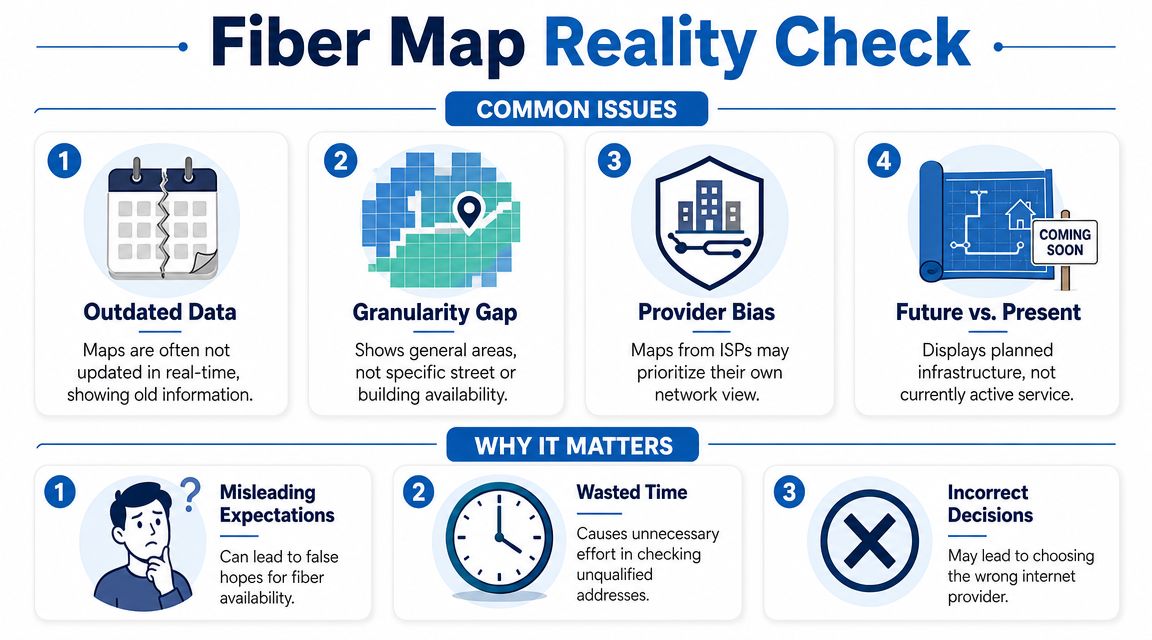
Some problems show up again and again:
- Coverage is generalized: A map may reflect a street, block, or census area rather than a specific serviceable address.
- Builds change over time: Expansion work, permitting, and activation don't all happen at once.
- Provider views differ: A third-party map and a provider's internal serviceability system may not refresh on the same timeline.
- “Fiber” can mean different things: Some listings don't make it easy to tell whether you're seeing true fiber-to-the-home or a hybrid setup.
One local expansion example is Premier Broadband's fiber-to-the-home expansion in Stamps, Arkansas. Announcements like that are useful for understanding where a network is growing, but they still don't replace an address-level qualification check.
The map often hides the performance details you care about
This is the subtle problem most shoppers miss.
A map may show that fiber exists nearby, but it often won't tell you whether the service is symmetrical, how it behaves during busy hours, or whether it fits a home office that uploads large files all day. The verified data notes that a key issue with fiber maps is that they rarely show performance differences such as symmetrical upload and download speeds, and it connects that gap to rising upstream traffic from remote work and cloud apps in this Connected Nation mapping reference.
That matters in everyday life:
- Remote workers care about stable video calls and uploads, not just download headlines.
- Gamers care about responsiveness and consistency.
- Small businesses care about cloud backups, VoIP, and multiple people working at once.
A map can tell you where service may exist. It usually can't tell you how that service will feel at 2 p.m. on a busy Tuesday.
That's why the map is useful, but incomplete.
The Definitive Way to Check Your Address for Fiber
You find your neighborhood on a map, see a bright fiber coverage area, and feel ready to order. Then the provider checker says your address does not qualify. That gap is where a lot of frustration starts.
The simplest way to avoid that dead end is to use maps for direction and provider tools for confirmation. A map gives you the big picture. The provider's address checker tells you whether a line can be installed at your specific home or business.
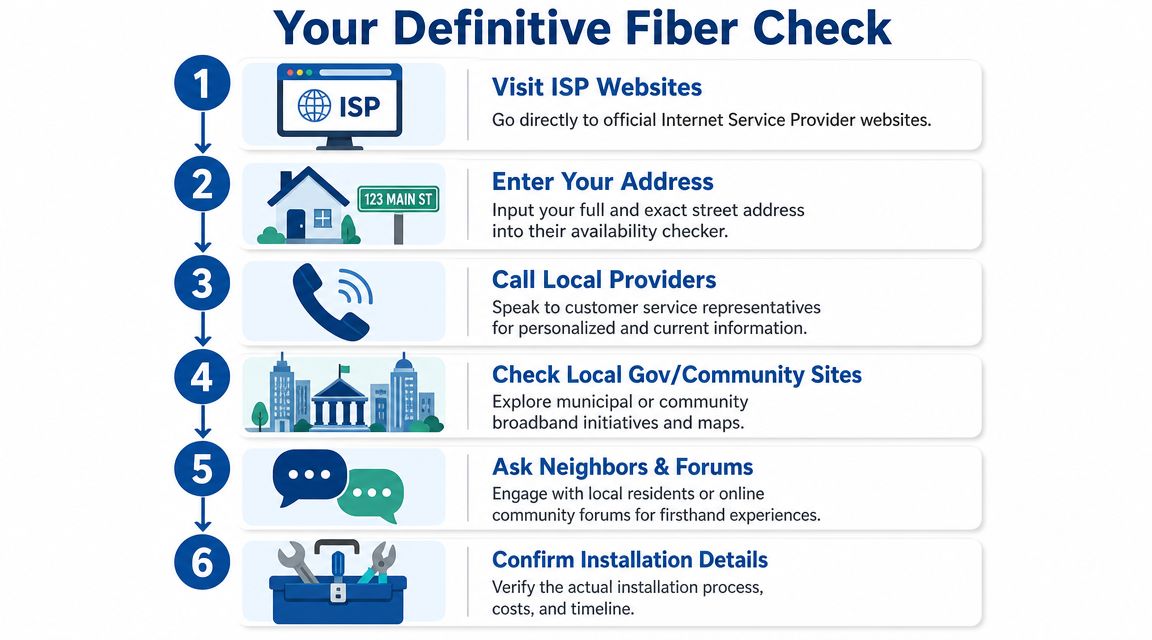
The workflow that works
Start with a broad map
Use a national, state, or local availability map to see which providers appear near your area. This is the scouting step, not the final answer.Make a short list of likely providers
Focus on the companies that show service close to your street, building, or neighborhood.Use each provider's official address checker
This is the point where general coverage turns into an address decision. If you are checking one of Premier Broadband's service areas, the Premier Broadband residential fiber availability page is the kind of address-level tool you want to use.Enter the full service address exactly
Small details matter here. Apartment numbers, directional markers, and street suffixes can change the result.Call if the result looks uncertain
A person can sometimes spot a formatting issue, a new build that is still being added to records, or a multi-unit property that needs separate review.Ask what “available” means for installation
Confirm whether the address is ready now, whether a site visit is needed, and whether the building owner must approve anything first.
Here's the video version of that process.
Why the provider checker is the final authority
A public map works like a weather radar. It helps you understand the area. Your address check works more like looking out your own window. It answers the question that matters most. Can this location be connected right now?
That is why the provider checker carries more weight than a general map. It is tied more closely to service records, construction status, and address matching. If a map says fiber is nearby but the provider checker says no, treat the checker as the better answer.
If you are comparing internet options for a home office or a small company, it can also help to understand what a broader telecommunication service provider may support beyond basic connectivity.
What to do if the answer is not available
“Not available” can mean several different things, and they do not all mean the same thing.
Your street may be close to the network but not connected yet. Your building may need its own qualification review. The address may exist in one database but not another. In some cases, construction is planned, but the location is not ready to accept orders.
That is disappointing, but it is still useful information. A clear no from an address-level checker saves you from planning around a map result that was only meant to be a starting point.
Getting Connected with Premier Broadband
Once you've done the broad search and you're down to actual provider options, the process should get simpler.
If your address qualifies, go to the residential fiber internet page and follow the address-check path from there. The important part is using the exact service address, including unit details if you live in an apartment or duplex. That reduces false negatives and cuts down on back-and-forth later.
What to expect after you check
If service is available, the next step is usually choosing a plan and confirming installation details. You'll want to ask practical questions: what equipment is included, where the connection enters the home, and whether your WiFi setup needs any adjustment for full-house coverage.
If service isn't available yet, ask whether there's a request list or future-build interest form. That doesn't guarantee a date, but it gives the provider a clearer picture of demand in your area.
Why this matters beyond the map
The whole point of checking fiber isn't to win a map search. It's to solve a real problem in the home or business.
For many households, that means fewer dropped calls, smoother streaming, and less waiting on uploads. For small businesses, it may also help to review what a broader telecommunication service provider can handle, especially if you're comparing internet with phone or managed communication needs across one vendor relationship.
A good fiber search ends with a clear answer, not a colorful guess. Use the map to spot possibilities. Use the provider checker to find out what's installable.
If you want a direct answer for your location, check availability with Premier Broadband. Enter your exact address, review the service options shown for your home, and if your area isn't ready yet, contact the team to ask about upcoming availability.