

If you're looking at Star City, Arkansas, you're probably not wondering about a trivia answer. You're asking a practical question. Can you live here, work here, stream here, run a business here, and stay connected when the weather turns rough?
That's the question most town guides skip. They'll tell you Star City is small, historic, and the county seat. Fine. None of that tells you whether your video calls will hold up, whether your cloud apps will behave, or whether your business phone system will keep working when you need it most.
Welcome to Star City A Guide for Modern Residents
A lot of people searching for Star City AR are doing some version of the same math. A remote worker wants dependable upload speed. A family wants smooth streaming in every room. A small business owner wants internet and phones that won't become tomorrow's headache.
That's why the usual city profile falls short. Public information about Star City tends to focus on the basics, while the more practical question is whether the town can support modern remote work and small-business operations. Star City had 2,173 residents in the 2020 census, and most easy-to-find coverage still centers on demographics and civic identity rather than actual internet performance, as noted in this overview of Star City, Arkansas.

What people actually need to know
If you're comparing smaller Arkansas communities, the question isn't whether Star City has a courthouse square feel. It does. The question is whether your day-to-day digital life will feel limited.
For most households and small offices, these are the key decision points:
- Remote work reliability: Can your connection handle meetings, file uploads, and cloud platforms without constant interruptions?
- Whole-home use: Can multiple people stream, game, browse, and work at the same time without fighting for bandwidth?
- Business continuity: Can a local office depend on internet and voice service for point-of-sale, scheduling, cameras, and customer communication?
- Storm recovery: If equipment gets damaged or has to be moved, do you have a clear path back online?
Star City doesn't need metro-scale hype. It needs practical infrastructure that fits how people live now.
That's where local guidance matters more than generic rankings. If you've already looked at nearby Arkansas communities, you've probably seen how often the digital side gets ignored. This regional Arkansas community resource helps frame that broader rural reality. People don't just choose a town anymore. They choose whether the town can support the way they work.
Understanding the Community of Star City AR
Star City isn't a boomtown story. It's a county-seat town that grew around civic function, local trade, and the routines of everyday life. That matters because it still shapes the place today.
The town was formally created by the Lincoln County court in 1871 and incorporated in 1876, with courthouse construction beginning in 1872. It sits in Lincoln County between the Arkansas Delta and the Arkansas Timberlands, and the 2020 census recorded 2,173 residents, according to this historical marker entry on Star City.
A town built around civic life
Star City's identity starts with county government. It wasn't built around one giant industrial event. It developed as a local center where people handled official business, traded goods, and built routines around a small but steady downtown role.
That tends to create a different kind of community culture. People know where things are. They know who's who. Daily life runs on consistency more than spectacle.
Small population, practical expectations
With a population this size, residents usually care less about flashy amenities and more about whether the essentials work. They want services that are dependable. They want a town where errands don't take all day. They want schools, local businesses, and home life to function without unnecessary friction.
That small-town scale changes how you should think about connectivity too. In a place like Star City, internet service isn't just entertainment. It's how people reach doctors, handle paperwork, talk to family, run payroll, monitor property, and keep up with work that no longer happens only inside an office.
Local reality: In a town this size, a service problem doesn't feel abstract. It lands directly in your workday, your school night, or your checkout counter.
What Star City feels like in practice
A move to Star City makes sense for people who value a slower daily pace but still need modern tools. That includes:
- Households seeking simplicity: You can get small-town living without giving up the ability to stream, work, and manage a connected home.
- Owners of lean businesses: Local shops and service companies can operate efficiently if their internet and phone setup is planned well.
- People tied to the region: If your work, family, or land is here, the right connectivity matters more than the town's size.
Star City works best for people who know what they need and don't want to overcomplicate it.
The Need for High-Speed Internet in Star City
In Star City, high-speed internet isn't a luxury add-on. It's core infrastructure. If a household depends on remote work, school portals, streaming, smart devices, or video calls, the connection has to stay steady under real-world use. The same goes for small businesses handling phones, payments, cloud software, and security systems.
Legacy internet options struggle most where consistency matters. Download speed alone doesn't solve choppy meetings, delayed uploads, or unstable voice calls. In a town where homes and businesses need to do more with fewer local workarounds, fiber makes more sense because it handles modern traffic cleanly in both directions.
Geography changes the internet conversation
Star City's physical setting matters more than most internet ads admit. The city sits at an elevation of 274 feet, and its flat topography can expose infrastructure to flooding risks. That's one reason a 100% fiber network with symmetrical upload and download speeds and storm-hardened protocols matters for VoIP clarity and service continuity during weather disruptions, according to this Star City census profile.
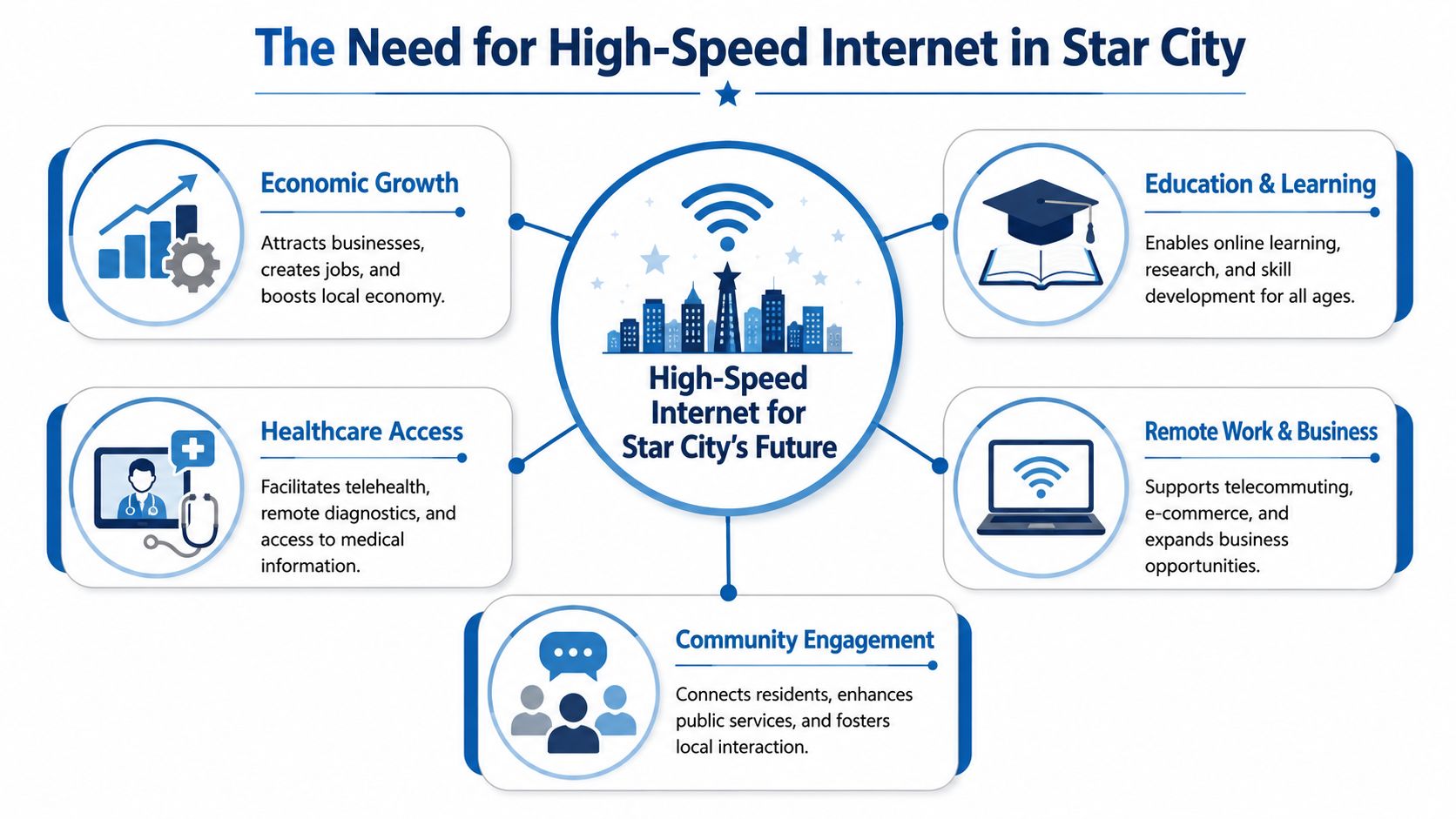
That's not technical trivia. It affects your experience on ordinary days and stressful ones. If bad weather hits, households still need working Wi-Fi, and businesses still need phones and online systems.
Where fiber makes a practical difference
Fiber's value in Star City shows up in routine moments:
- Morning work calls: Upload speed matters when your camera is on and your files are syncing in the background.
- After-school traffic: Multiple people can use the connection at once without one person's streaming crushing someone else's schoolwork.
- Business operations: Voice systems, cameras, and cloud dashboards work better on a stable connection than on patchwork service.
- Weather events: A storm-hardened network gives you a stronger foundation than older infrastructure that's more easily disrupted.
If your household or business depends on the internet to earn money, serve customers, or keep daily life running, symmetrical speed is the feature that stops small problems from turning into constant frustration.
My recommendation for Star City households and offices
Don't shop by advertised speed alone. Shop by whether the service supports uploads, voice quality, and resilience. In Star City AR, that's the standard that matters.
If you're weighing options, this guide to the key benefits of fiber optic internet is worth reviewing. It aligns with the specific needs of people in smaller communities. Stable work-from-home performance, low-latency use, and fewer compromises when several devices are active at once.
Premier Broadband Plans for Homes and Businesses
Choosing internet service often happens backwards, starting with a speed number and stopping there. That's a mistake. In Star City, you should choose based on use case first, then pick the plan that supports it cleanly.
For homes, the decision usually comes down to how many people are online at once, whether anyone works from home, and how sensitive you are to buffering, lag, or slow uploads. For businesses, the conversation gets broader fast. Internet is only one piece. Phones, cameras, and network management matter too.
Residential plan fit matters more than chasing hype
Here's a practical way to compare household options.
| Plan Name | Speed (Up/Down) | Best For | Key Feature |
|---|---|---|---|
| Essentials | Varies by address and offering | Light everyday use | A straightforward option for browsing, email, and connected basics |
| Streamer | Varies by address and offering | Homes with frequent streaming | Better suited for households that rely on TV streaming and multi-device use |
| Home Office Hero | Varies by address and offering | Remote workers, creators, gamers | Symmetrical performance supports video calls and file transfers more smoothly |
The names matter less than the match. A light-use household shouldn't overbuy. A remote worker absolutely shouldn't underbuy.
Business service needs are broader
A small business in Star City may need more than internet access. It may need hosted voice, AI-driven camera systems, and managed network gear that keeps operations organized instead of patched together. That's where a provider such as Premier Broadband's small business internet and phone service fits into the conversation, especially for offices that want one setup for connectivity and communications.
Budgeting matters too. In Star City, hardware purchases like VoIP phones or AI cameras are affected by a 9.75% combined sales tax, made up of a 6.5% state tax and a 1.25% local city tax, according to these Star City Arkansas tax rates. If you're planning an upgrade, separate the service cost from the equipment cost early. That keeps your budget honest.
Don't let a low monthly service quote distract you from hardware costs, taxes, and the long-term hassle of using mismatched systems.
Clear recommendations
Use this simple decision filter:
- Choose Essentials if your home use is basic and predictable.
- Move to Streamer if your family watches most entertainment online and several devices stay active at night.
- Pick Home Office Hero if your income depends on stable video meetings, uploads, or low-latency performance.
- Treat business internet separately from home internet if you run phones, payment systems, or cameras. Business operations need cleaner support and better reliability planning.
A good internet setup should disappear into the background. If you think about it every day, it's the wrong setup.
Your Simple Path to Fiber Internet
Switching internet service feels harder than it usually is. The confusion comes from not knowing the order of operations. Keep it simple. Check availability, choose the right fit, schedule the install, and make sure your home or office setup matches how you use the connection.
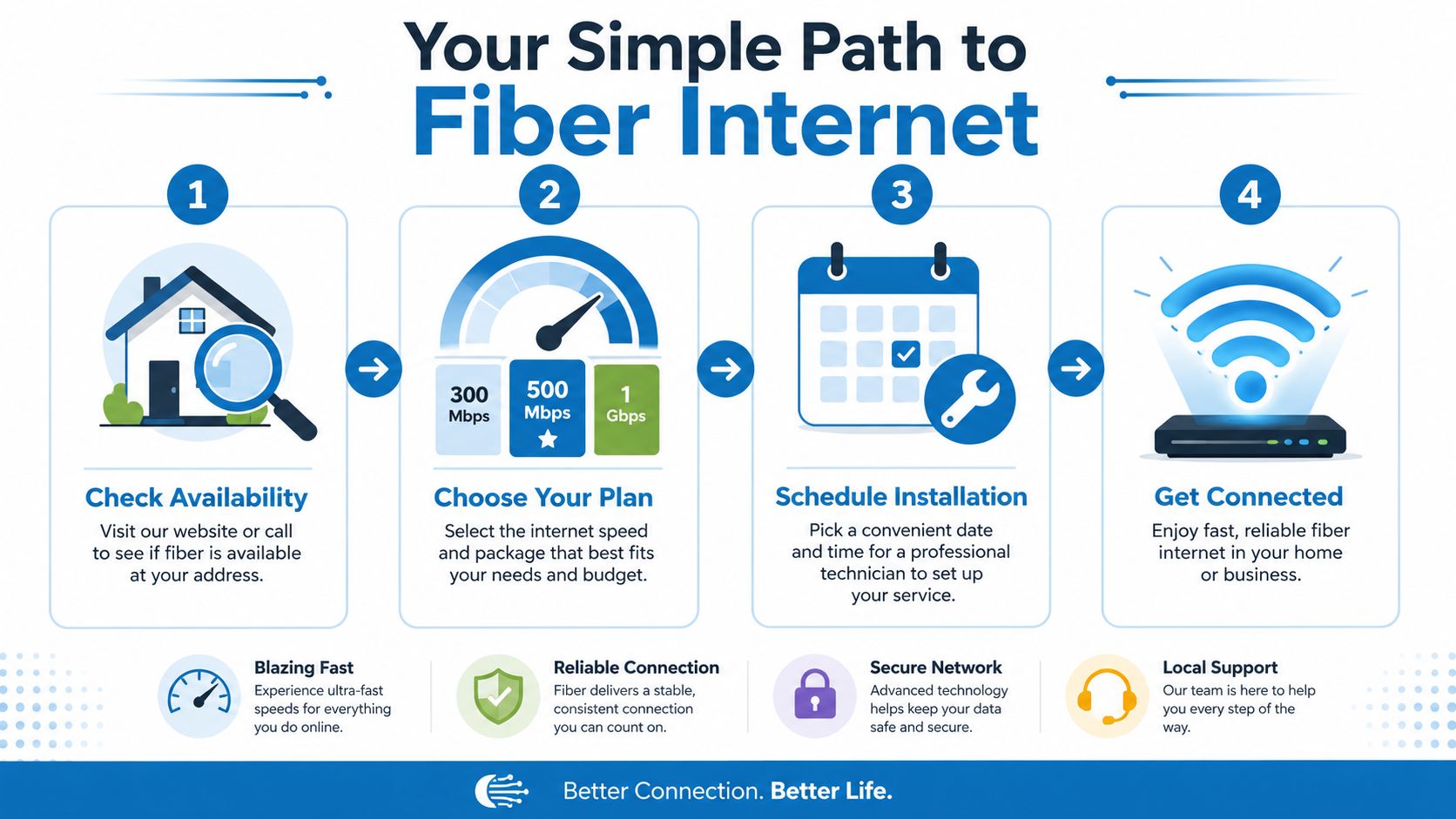
The four-step process that works
- Check your address first. Don't compare plans before you know what's available at your specific location.
- Choose for real use, not wishful thinking. If someone in the house works remotely or uploads large files, plan for that now.
- Book professional installation. A proper setup gives you a better result than improvising router placement and wiring later.
- Test your daily routines immediately. Run video calls, streaming apps, work platforms, and smart devices right away so any issues get fixed early.
If you want a closer look at what happens during setup, this walkthrough of the fiber internet installation process is useful because it breaks the job into plain, understandable steps.
Protect the setup after installation
Getting connected is only half the job. Keeping the service easy to live with matters just as much.
If your provider offers managed Wi-Fi, family content controls, or an equipment protection option, pay attention. In a town where weather and property issues can interrupt service, support for repairs or equipment relocation can save time and frustration. That's especially important for households with outdoor work, active kids, pets, remodels, or business equipment that can't sit idle for long.
Practical rule: The smartest installation isn't the one that goes fastest. It's the one you won't have to redo after the first storm, furniture move, or accidental cable snag.
There's also value in seeing how connection planning works for a new residence in general. If you're moving and trying to coordinate utilities and service timing, this guide to get your NBN sorted with Emmanuel Transport is helpful as a planning reference, even though the service framework is different from Arkansas. The useful part is the move-in mindset. Don't wait until move day to think about connectivity.
A quick visual overview helps too.
What to do before the technician arrives
- Clear access paths: Make it easy to reach the area where equipment will be installed.
- Think about device hotspots: Identify where work happens, where streaming happens, and where Wi-Fi usually gets tested hardest.
- Ask about voice and add-ons early: If you need phone service or whole-home Wi-Fi management, include that in the initial order.
- Plan around your schedule: Installation is smoother when someone who knows the household or office layout is on site.
Most internet frustration starts with a bad fit or a rushed install. Avoid both.
Your Star City Connectivity Questions Answered
Do small businesses in Star City really need fiber
Yes, if the business depends on cloud software, card processing, cameras, online scheduling, or voice service. A small office can't afford unstable internet just because it has a small headcount. Business size doesn't reduce the cost of downtime.
Is older internet service good enough for a normal household
Sometimes. Often, no. If your home only checks email and browses casually, a basic setup may work. If people stream heavily, game, work from home, or use video calls regularly, older service starts to show its limits fast.
What should I worry about most in Star City
Reliability after a disruption. In communities like Star City, people care about what happens after weather events and what it costs to keep a household online, while existing local content often doesn't answer those questions well, as reflected by this Arkansas revenue office location page tied to the local information gap.
What if equipment gets damaged or has to be moved
Ask before you sign up. Don't assume every provider handles repairs, relocations, or accidental damage the same way. If protection plans are available, review the terms and decide whether the convenience is worth it for your situation.
Is bundled voice still worth it
For many households, maybe not. For businesses, often yes. A hosted phone setup can still make sense when you need reliable calling, voicemail handling, caller ID features, or a more professional way to manage incoming calls.
What's the smartest way to shop for service in Star City AR
Use this shortlist:
- Start with reliability needs: Work, school, phones, and cameras come first.
- Check upload demands: Many people underestimate how much uploads affect daily performance.
- Review protection options: Repairs and relocations matter more in real life than flashy marketing.
- Separate equipment from service cost: That's how you avoid budget surprises.
If you're in Star City and need internet that can support modern work, streaming, and business operations, start with a provider that can explain availability, installation, voice options, and equipment support clearly. Premier Broadband is one place to begin that conversation.