

Ever had a video call where someone's voice suddenly turns robotic, or an online game where your character inexplicably jumps back to where they were a second ago? You've just experienced network jitter.
At its core, jitter is simply the variation in the time it takes for data packets to travel from their source to you. Think of it as an inconsistent rhythm on your internet connection. A smooth, steady beat becomes unpredictable and erratic, and that's when things get frustrating. This tiny metric, measured in milliseconds, is almost always the culprit behind lag and choppy real-time communication.
What Is Jitter in Networking Explained Simply
Let's break it down with an everyday example. Imagine you're getting a story in the mail, sent one sentence at a time on separate postcards. For the story to make sense, you need those postcards to arrive in the right order and at a steady pace.
Now, picture your mail carrier taking a different, unpredictable route every single day. Some postcards arrive right on time, others show up late, and a few might even arrive out of order. Suddenly, your story is a jumbled, confusing mess. That's exactly what high jitter does to your internet connection.

The internet doesn't send information in one big chunk. Instead, it breaks everything down into thousands of tiny pieces called data packets. For things like video calls, streaming, and gaming to work smoothly, these packets need to arrive in the correct sequence and with predictable timing.
To give you a clearer picture, here’s a quick rundown of the essential concepts behind jitter.
Jitter Fundamentals at a Glance
| Concept | Simple Explanation | Key Takeaway |
|---|---|---|
| What It Is | Variation in packet arrival time. | It’s about inconsistent timing, not speed. |
| How It's Measured | In milliseconds (ms). | Lower numbers are always better. |
| "Good" Jitter | Below 30 ms. | A stable, reliable connection. |
| "Bad" Jitter | Anything over 30 ms. | Leads to noticeable lag, choppy audio/video. |
Understanding these basics helps pinpoint why your connection might feel off even when your speed test results look great.
The Real-World Impact of Jitter
When jitter is high, the arrival time for those data packets becomes totally chaotic. Your computer or gaming console has to work overtime to buffer the incoming data, trying desperately to reassemble the jumbled stream into something that makes sense.
This delay and disorder show up in ways that are impossible to ignore:
- Choppy Audio: Voices on a VoIP or Zoom call start sounding robotic, or words get clipped and cut out entirely.
- Frozen Video: You're in a critical video conference, and someone's screen freezes mid-sentence, even though you can still hear them talking.
- Lag in Gaming: Your character in an online game suddenly "rubber-bands," snapping back to a previous position and making the game unplayable.
Think about a critical work-from-home meeting. You're trying to finalize project details, and your connection turns the conversation into a disjointed puzzle. That's jitter in action. While it's all about timing, it often goes hand-in-hand with another common problem you can read about in our guide on what is packet loss.
Why Jitter Ruins Your Online Experience
Jitter is more than just a techy buzzword; it's the invisible gremlin behind some of the most frustrating moments you have online. You might not know its name, but you’ve definitely felt its effects.
Think of a choppy video call, a family movie night ruined by constant buffering, or a critical moment in a game that suddenly freezes. That’s jitter. It’s the digital version of a conversation where someone keeps cutting out, making it impossible to follow along.
When the data packets carrying your video, voice, or game information arrive out of order, the apps you rely on struggle to piece everything together. This digital chaos turns what should be a smooth experience into a disjointed mess.

The Frustration of Unstable Voice and Video Calls
For anyone working from home or hopping on virtual meetings, jitter is a total productivity killer. One of the hardest-hit services is Phone over IP (VoIP), where even tiny delays can wreck call quality. High jitter turns clear conversations into robotic-sounding gibberish and dropped words, forcing you to ask, "Can you say that again?" over and over.
It's the same story with video conferences. Jitter is the culprit behind frozen screens and audio that's completely out of sync with the video. You’ll see a colleague's lips moving but hear their voice a few seconds later, which completely destroys the natural flow of a meeting. It can make you look unprofessional, even when the problem has nothing to do with you.
For any real-time communication, a stable connection is non-negotiable. Jitter that consistently goes above 30 milliseconds (ms) is considered high and will cause noticeable problems like audio distortion and lagging video.
How Jitter Sabotages Your Gaming and Streaming
When it’s time to unwind, jitter is just as disruptive. For competitive gamers, a sudden jitter spike can be the difference between a win and a loss. It's the cause of those infuriating moments in a game, like:
- Lag Spikes: The game freezes for a split second, and by the time it catches up, you’ve already been taken out.
- Rubber-Banding: Your character runs forward, only to be yanked back to where they were a moment ago, making movement feel impossible.
And if you're just trying to stream your favorite show? Jitter is what forces the video player to buffer. Instead of enjoying a crisp, high-definition picture, you’re stuck staring at that spinning loading icon, pulling you right out of the story.
Different apps can handle different amounts of jitter, but for anything happening in real-time, a stable, low-jitter connection is an absolute must. Understanding how it affects you every day is the first step toward fixing it for good.
How to Measure Jitter and What Is a Good Level
You can feel when high jitter is wrecking your online experience, but how do you prove it's the real culprit? You have to measure it. Measuring jitter means looking at the packet delay variation—that annoying inconsistency in how long it takes for data packets to arrive at their destination.
Thankfully, you don't need a degree in network engineering to run a check. Most modern online speed tests do more than just clock your download and upload speeds. They now show you vital stats like latency (ping) and jitter, giving you a quick snapshot of your connection’s stability.
For anyone who wants to dig a little deeper, dedicated network monitoring tools are the way to go. You can find out more about these in our guide to network diagnostic utilities. These tools can monitor your connection continuously, which is perfect for spotting patterns, like if your jitter only spikes at certain times of day.

What Do the Numbers Mean?
Once you have your jitter measurement in milliseconds (ms), the next question is simple: is my number good or bad? The answer really depends on what you’re trying to do online.
A jitter level that’s perfectly fine for scrolling through social media could turn a video call into a garbled, frustrating mess. Real-time activities are just far more sensitive to those timing hiccups.
Acceptable Jitter Levels by Application
To help you figure out what your jitter test results mean for you, we've put together a quick guide. It breaks down what’s considered excellent, acceptable, or problematic for the most common online activities.
| Application | Excellent Jitter (<10ms) | Acceptable Jitter (10-30ms) | Problematic Jitter (>30ms) |
|---|---|---|---|
| VoIP & Video Calls | Crystal-clear, seamless conversations. | Minor, barely noticeable audio or video artifacts. | Choppy audio, robotic voices, and frozen video feeds. |
| Online Gaming | Flawless gameplay with instant response times. | Generally smooth, but occasional minor lag spikes. | Frustrating rubber-banding, delayed actions, and lag. |
| Video Streaming | Instant playback with zero buffering. | Buffering is rare and playback is mostly smooth. | Frequent pauses and re-buffering, especially in HD/4K. |
| General Web Browsing | Pages load instantly and feel snappy. | No noticeable impact on browsing experience. | Sluggish loading, but usually only if jitter is very high. |
Essentially, the more "live" your activity is, the lower your jitter needs to be. For anything where you're talking, video conferencing, or competing in a game, keeping jitter below 30ms is the goal.
Jitter Thresholds for Key Activities
Let's break it down even further.
- VoIP and Video Conferencing: Jitter needs to stay below 30ms. Go any higher, and you'll get those dreaded robotic voices and frozen video screens that make communication impossible.
- Competitive Online Gaming: For serious gamers, the target is even tighter. You want jitter below 15ms for a real competitive edge, though anything under 30ms is usually playable. Higher jitter leads to lag spikes that can cost you the match.
- Video Streaming (Netflix, YouTube): These services are much more forgiving because they use buffering. Jitter below 50ms is typically fine. If it creeps higher, you might just see that annoying spinning wheel while the video re-buffers.
- General Web Browsing: This is the most resilient activity. You probably won't notice a thing unless your jitter is consistently sky-high (over 100ms).
By checking your test results against these benchmarks, you can quickly diagnose whether jitter is the root cause of your connection headaches and start working toward a fix.
The Most Common Causes of High Network Jitter
To really get a handle on jitter, you have to know where it comes from. High jitter isn't some random gremlin in your network; it’s a clear symptom of a deeper problem. Finding that root cause is the absolute first step to getting a stable, solid connection for your calls, games, and streams.
Picture your internet connection as a highway. Late at night, data packets (the cars) cruise along smoothly with tons of space. But hit rush hour, and suddenly everyone is on the road at once, causing a massive traffic jam. This digital gridlock is one of the biggest culprits behind jitter.
Network Congestion
More often than not, the source of high jitter is plain old network congestion. This happens when too many devices are all trying to send and receive data at the same time, maxing out your available bandwidth. Just like cars stuck in a jam, your data packets get held up, bunched together, and arrive at completely unpredictable times.
You’ll probably notice this most during peak usage hours—usually evenings when everyone in the neighborhood is streaming movies, downloading games, or catching up on work. For example, if your work calls start getting choppy around 9 AM when all the local businesses start their daily backups, you're seeing a textbook case of bursty jitter. In these situations, the delay between packets can spike wildly. In fact, some networks see packet loss jump to 5% during these peak-hour overloads, a trend you can explore in these network statistics insights from Obkio.com.
A congested network essentially forces your data packets to wait in a line (called a "queue") inside your router. Since this line fills and empties unpredictably, the timing between packets becomes erratic, which is the very definition of jitter.
Wi-Fi and Wireless Issues
Wi-Fi is incredibly convenient, but it’s also a major source of jitter. Wireless signals are vulnerable to all sorts of interference that can easily disrupt the steady flow of your data.
Common wireless headaches include:
- Signal Interference: Everyday devices like your microwave, cordless phones, and even your neighbor's Wi-Fi network can clash with your signal, causing packets to be delayed or resent.
- Physical Distance: The farther your device is from the router, the weaker the signal gets. A weak signal means more errors in transmission, which directly translates to higher jitter.
The stability of your Wi-Fi is everything. For a deeper look at this, check out our guide on the importance of signal strength in wireless networks.
Outdated Hardware and ISP Problems
Sometimes the problem isn’t your network traffic at all—it’s the gear you're using or an issue with your provider. An old router or modem might not have the muscle to keep up with today’s internet speeds and the demands of a dozen connected devices. This creates a bottleneck that pumps jitter into your connection.
Likewise, problems can start on your Internet Service Provider's (ISP) end. Things like misconfigured equipment or overloaded servers in your area can cause jitter that’s completely out of your hands.
A Step by Step Guide to Fixing High Jitter
Knowing what causes high jitter is half the battle. Now, let's get to fixing it.
This guide gives you a straightforward plan for troubleshooting and smoothing out the inconsistent packet delivery that’s wrecking your online experience. We’ll kick things off with the easiest and most impactful solutions you can try right now to get a more stable connection.
Start with a Wired Connection
Honestly, the single best thing you can do to fight jitter is to ditch Wi-Fi. It's incredibly convenient, sure, but wireless connections are magnets for interference and signal drops—both major culprits behind that annoying packet delay.
Plugging your computer or console directly into your router with an Ethernet cable creates a solid, physical link. This simple step bypasses all the potential wireless chaos, giving you a much more consistent data path. For anything important like a video call or a competitive gaming match, this can slash your jitter instantly.
This chart breaks down the most common reasons you're seeing high jitter, from a crowded network to Wi-Fi hiccups and hardware trouble.
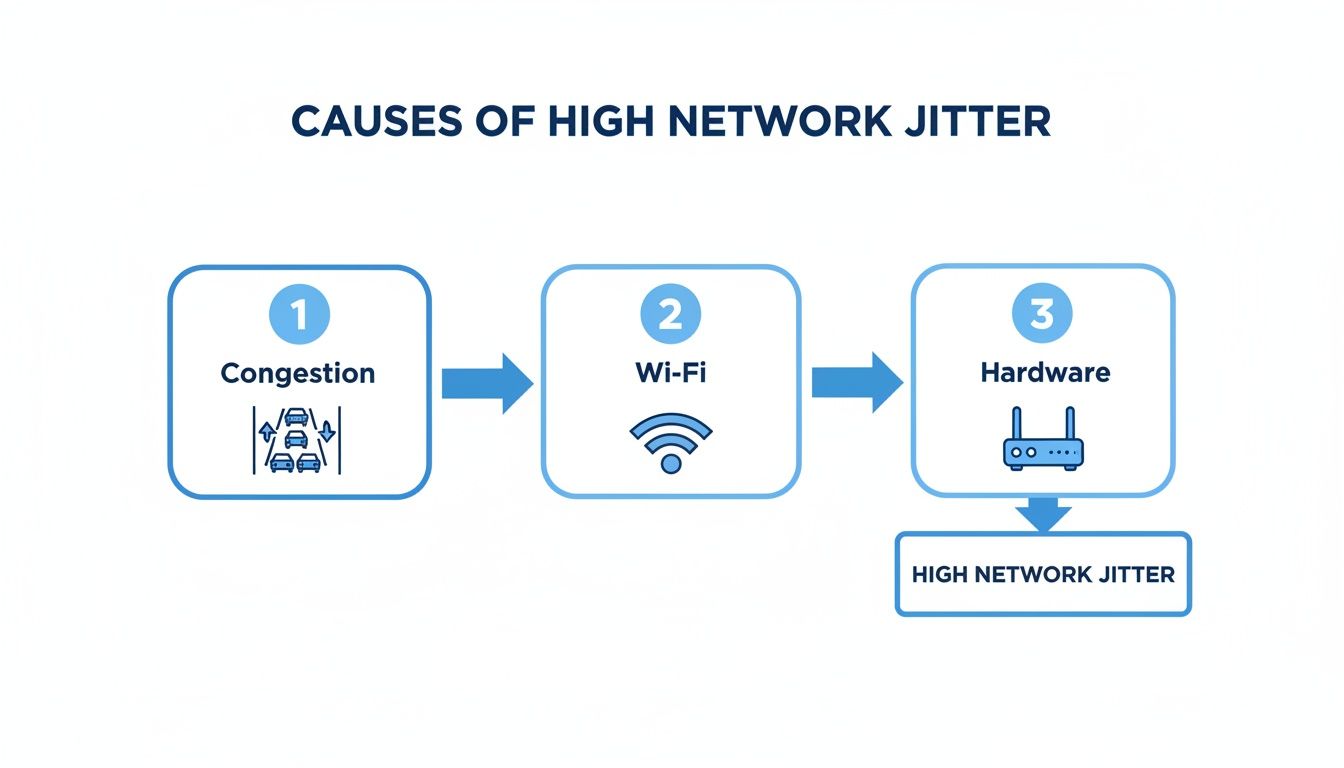
As you can see, a lot can go wrong with a connection. That’s why going wired is almost always the best first move.
Optimize Your Wi-Fi Network
If you absolutely can't use a wired connection, your next best bet is to fine-tune your wireless setup. Most Wi-Fi jitter stems from two classic problems: your router is in a bad spot, or your channel is too crowded.
Give these steps a try to boost your signal:
- Relocate Your Router: Get your router into a central spot in your home. Keep it away from thick walls, big metal things (like filing cabinets), and appliances like microwaves that can mess with the signal.
- Change Wi-Fi Channels: Your router probably came set to a default channel that all your neighbors are using, too. Log into your router’s settings and try switching to a less busy channel. This can seriously cut down on interference.
Making these small adjustments helps your devices get a stronger, more stable signal, which directly cuts down on the chances of data packets getting delayed or needing to be re-sent.
Prioritize Traffic with Quality of Service (QoS)
Ever notice how your online game turns into a lag-fest right when everyone else gets home and starts streaming? That's jitter at work. For gaming, anything above 30ms can make things unplayable as data packets arrive all out of order. If you want to dive deeper into how the pros set these thresholds, you can discover more insights about network jitter on PandoraFMS.com.
What is Quality of Service?
QoS is a smart feature built into most modern routers. It lets you tell your network which apps and devices get priority. Think of it as an express lane for your most important traffic, like VoIP calls or gaming, while file downloads take the scenic route.
By turning on QoS and marking your gaming console or work laptop as a high-priority device, you’re telling your router to let its data cut to the front of the line. This prevents other devices from hogging all the bandwidth and creating the congestion that causes jitter. It's a simple way to make sure your most important data always has a clear path.
How a Better Internet Connection Solves Jitter
While you can definitely fine-tune your local network to cut down on jitter, sometimes the problem isn't inside your home at all—it's the connection itself. The best long-term fix for persistent jitter is often to upgrade to a fundamentally more stable and powerful internet service. This is where the technology delivering your internet makes a huge difference.
Older technologies like cable and DSL just weren't built for the demands of today's real-time applications. They rely on infrastructure that’s easily bogged down by network congestion and interference, which are two of the biggest culprits behind jitter.
In contrast, a 100% fiber-optic network is designed from the ground up for superior performance. Because fiber sends data as light signals zipping through pure glass strands, it provides dramatically lower latency and incredible stability. It’s like trading a bumpy, congested backroad for a smooth, wide-open highway for your data. You can dive deeper into the technical advantages in our post explaining why fiber internet is superior to cable internet.
The Fiber Advantage for Real-Time Applications
A game-changing benefit of fiber, especially for anyone working from home or creating content, is symmetrical speeds. This simply means your upload speed is just as blazing-fast as your download speed.
Cable and DSL connections are notorious for slow upload speeds, creating a major bottleneck anytime you're on a video call, streaming live, or backing up big files. This upload traffic jam is a frequent and frustrating cause of high jitter.
With a fiber connection, your outgoing data has just as much room as your incoming data. This ensures your voice and video are sent out smoothly and instantly. For business-critical work, that stability is everything.
An unreliable connection, jitter included, can have a staggering financial impact. When data packets get rerouted and arrive out of order, applications have to pause and reassemble them. This buffering and re-syncing contributes to an estimated $700 billion in lost productivity for businesses every year. For many businesses, persistent jitter can push that variance up to 25ms during peak work hours—a problem a rock-solid connection solves. You can find more of these network statistics at Obkio.com.
Ultimately, if you’ve tried all the troubleshooting tips and are still battling choppy calls, laggy games, or buffering streams, your internet connection is the likely cause. Upgrading to a Premier Broadband fiber connection gives you the stable, high-capacity foundation you need to eliminate jitter for good.
Got Questions About Jitter? We Have Answers.
Let's dig a little deeper. Now that you know what jitter is and why it matters, you probably have a few follow-up questions. Here are some of the most common ones we hear.
Can You Ever Get Jitter Down to Zero?
In a perfect world, maybe, but not in the real one. Think of it like traffic—even on an empty highway, you still have to slow down for turns or toll booths. Your data has to pass through routers and switches, and each one adds a tiny, unavoidable delay.
So, a little bit of jitter is completely normal. The real goal isn’t to hit zero jitter; it's to keep it so low and consistent (under a few milliseconds) that you never even notice it.
Will a Faster Internet Plan Automatically Fix Jitter?
Not always. Upgrading your plan is like adding more lanes to the highway. It definitely helps with congestion, which is a major cause of jitter, but it's not a silver bullet.
If the problem is a weak Wi-Fi signal, an old router, or a faulty cable, that extra speed won't make a difference. It's important to remember that stability is different from speed. You can have a lightning-fast gigabit connection that still suffers from frustrating jitter spikes.
Jitter vs. Latency: What's the Difference?
People often mix these two up, but they measure different things.
Latency is your total commute time from point A to point B.
Jitter is how much that commute time changes every single day.
A long commute (high latency) is annoying. A commute that's 20 minutes one day and 90 minutes the next (high jitter) is completely unpredictable and disruptive.
What Is a Jitter Buffer?
This is a really smart piece of tech that services like VoIP and video streaming use to fight back against jitter. A jitter buffer is a small, temporary holding area for incoming data packets.
It collects the packets as they arrive—even if they're out of order—holds them for just a few milliseconds to get them all lined up correctly, and then releases them in a perfectly smooth, steady stream. This tiny, intentional delay makes the difference between crystal-clear audio and a call that sounds like a robot gargling.
Ready to put jitter in the rearview mirror with an internet connection built for rock-solid stability? Premier Broadband delivers ultra-reliable, high-speed fiber internet designed for flawless streaming, gaming, and remote work.