
Your internet probably feels fastest when nobody else is home, nothing is uploading, and you're sitting right next to the router. Then real life kicks in. A Zoom call freezes. A game stutters right when timing matters. Someone starts a movie in the living room, and suddenly the cloud backup on your laptop crawls.
That's the moment a lot of people start asking why is Fiber Internet faster than cable or DSL, and whether it changes day-to-day life or just looks better in ads.
The short answer is simple. Fiber uses a different kind of connection from the ground up. It sends data as light through thin strands of glass instead of pushing electrical signals through copper wires. That change affects speed, consistency, upload performance, and how well your connection holds up when a whole household is online at once.
But there's a twist most guides skip. A fast fiber line doesn't guarantee fast Wi-Fi in your kitchen or office. And not every plan marketed as “fiber” is the same thing. Those two details matter more than is often realized.
The End of Buffering and Lag
A lot of internet problems don't look dramatic. They look small and annoying.
Your video call gets blurry for ten seconds. Your child's class session drops for a moment. A game responds half a beat late. A movie pauses to buffer even though your plan sounded fast on paper. None of those problems feels like a total outage, but together they make your connection feel unreliable.
That's why people notice fiber so quickly. It doesn't just make downloads finish sooner. It changes how the connection behaves during normal, messy household use when several people are online at the same time.
The frustration most homes know well
One person is on a work call. Another is streaming. Someone else is syncing photos or downloading a game update. On older internet setups, those activities compete with each other and expose the limits of the line.
Fiber handles that traffic differently. It has more room to move data, and that room matters when your household isn't using the internet one task at a time.
Practical rule: The real test of internet quality isn't how it behaves during a speed test when the house is quiet. It's how it behaves on a busy Tuesday night.
People often think they need internet that is merely “faster.” What they usually need is internet that stays responsive under pressure. That's where fiber stands out. It tends to feel smoother because it can keep up with modern habits like video meetings, cloud apps, streaming, smart devices, and large updates happening in the background.
Why this feels like a technology jump
Moving from DSL or older cable to fiber often feels less like switching plans and more like replacing an old road with a newer one built for heavier traffic. The benefit shows up in dozens of tiny moments: cleaner calls, quicker uploads, fewer stalls, less waiting.
That's the heart of the answer to why Fiber Internet is faster. It isn't just about one impressive number. It's about a better delivery system for everything you already do online.
How Fiber Sends Data at the Speed of Light
At the physical level, fiber works differently from older internet lines. That's the whole story.
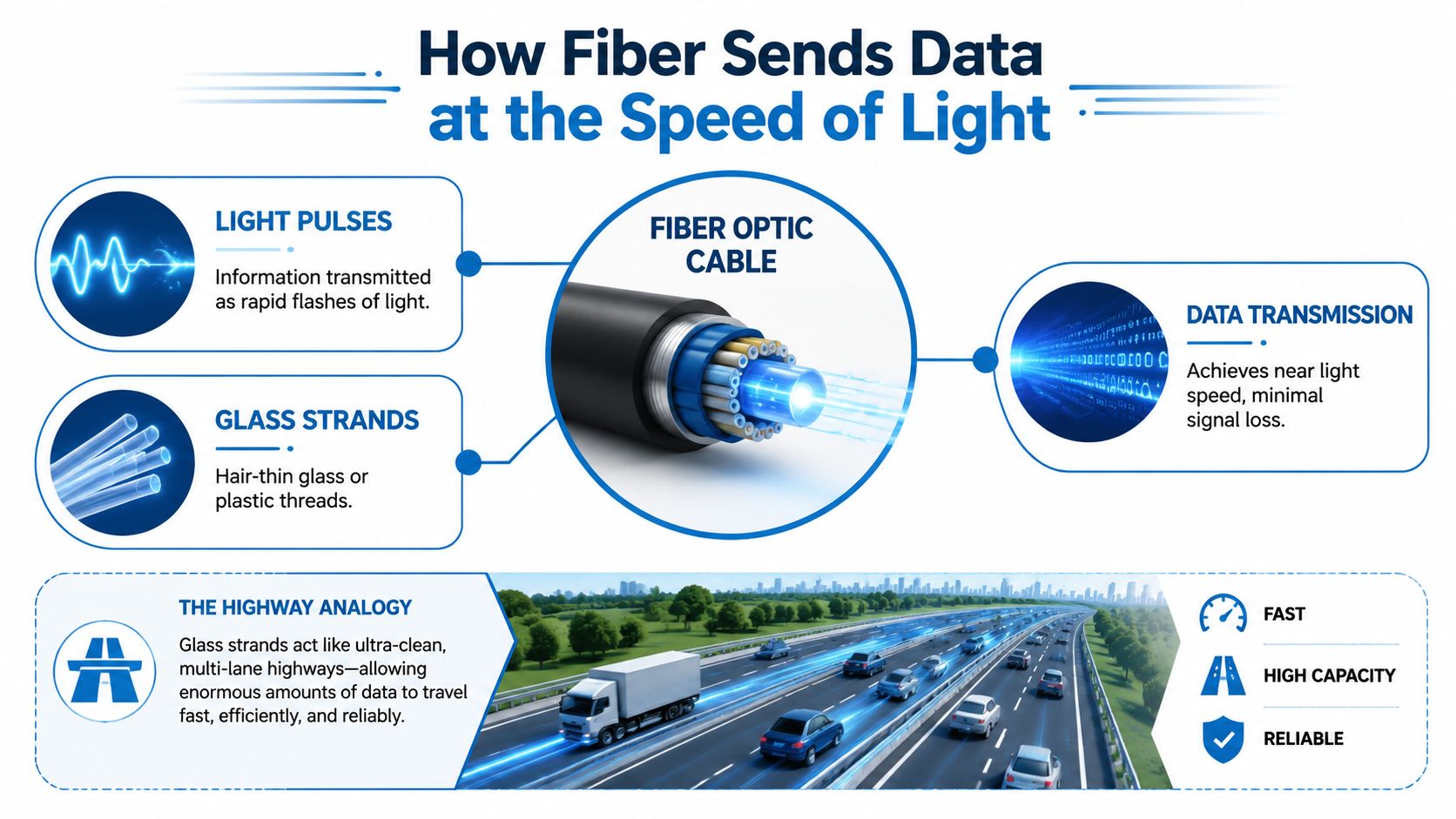
Copper-based services like DSL and many cable connections move data as electrical signals. Fiber moves data as light pulses through tiny strands of glass or plastic. If copper is like sending traffic down an older road with more friction and interference, fiber is like sending it on a clean, wide highway built for speed.
Light beats electricity for internet delivery
Fiber-optic internet can reach up to 1 million times faster than the current average U.S. internet speed because it transmits data using light pulses that travel at about two-thirds the speed of light, while traditional cable and DSL rely on slower electrical signals, according to Frontier's explanation of how fast fiber internet is.
That sounds abstract, so here's the plain-English version. Light moves fast, and fiber is built to guide that light efficiently. Electrical signals in copper have more limitations. They lose quality sooner, and they're more vulnerable to the kinds of noise and signal problems that make networks work harder.
Capacity changes everything
Fiber isn't just quick. It can carry an enormous amount of information at once. A single fiber-optic strand is theoretically capable of carrying up to 44 terabits per second, as described in this overview of fiber-to-the-home and how it works.
You don't need anything close to that in a home. But that huge ceiling helps explain why fiber feels less stressed when multiple devices are active. It has far more headroom than most households will ever use.
Here's a useful analogy:
- Copper line: more like a narrower road carrying electrical traffic that slows down as conditions get worse.
- Fiber line: more like a modern expressway built for a high volume of light-based traffic.
- Your home use: phones, TVs, laptops, consoles, cameras, and backups all trying to travel at once.
Fiber is fast for the same reason a better road system moves traffic better. It's not just the speed limit. It's the design.
Distance matters too
Fiber also holds a cleaner signal over much longer distances. The verified data notes that fiber can maintain signal integrity up to 100 km depending on laser power, while copper degrades within a much shorter range at high speeds. That means providers can deliver strong performance without fighting the same physical limits that hold older wiring back.
This is why Fiber Internet faster than older options isn't just marketing language. The medium itself is better suited to modern internet traffic.
More Than Just Fast Downloads
Many people shop for internet by looking at the biggest download number they can find. That's understandable, but it misses two of fiber's most useful advantages: symmetrical speeds and low latency.
Those two features matter because daily internet use isn't one-way traffic. You don't just pull data down. You also send it back up every time you join a meeting, upload a file, back up photos, post video, or play an online game.
Symmetrical speeds change everyday tasks
Fiber's architectural advantage includes symmetrical bandwidth, where upload and download speeds are identical, unlike DSL or cable where upload speeds are often 10 to 20 times slower, according to this discussion of why fiber connections are faster.
That means a 2 Gbps fiber connection can deliver 2 Gbps down and 2 Gbps up. On non-fiber networks, uploads are often much weaker than downloads.
For real life, that changes things like:
- Video calls: Your camera feed stays clearer because your connection can send data quickly, not just receive it.
- Cloud backups: Large photo libraries and work files don't choke the network every time they upload.
- Remote collaboration: Sending presentations, design files, and recordings feels less like waiting in line.
Low latency makes the internet feel responsive
Latency is the delay between your action and the network's response. Click a link. Press a game control. Speak on a call. If latency is high, the internet feels sluggish even when download speeds look decent.
Fiber tends to reduce that delay because the path is more direct and less constrained by old copper bottlenecks. That's why gaming feels snappier and conversations feel more natural.
A connection can test “fast” and still feel bad if uploads are weak or latency is high.
Fiber vs. Cable vs. DSL at a Glance
| Attribute | Fiber Optic | Cable | DSL |
|---|---|---|---|
| Data type | Light pulses through fiber strands | Electrical signals over coaxial-based infrastructure | Electrical signals over telephone copper |
| Uploads | Symmetrical speeds are common | Usually slower than downloads | Usually much slower than downloads |
| Latency feel | More responsive for real-time tasks | Can feel less consistent under load | Often the least responsive of the three |
| Best fit | Video calls, gaming, cloud work, multi-device homes | General home use where fiber isn't available | Light internet use |
If you want a broader look at the practical side of symmetrical service, this guide to key benefits of fiber optic internet gives a helpful overview.
What Fiber Speed Means for Your Home
A fast connection matters most when real people are using it in real rooms for real tasks.
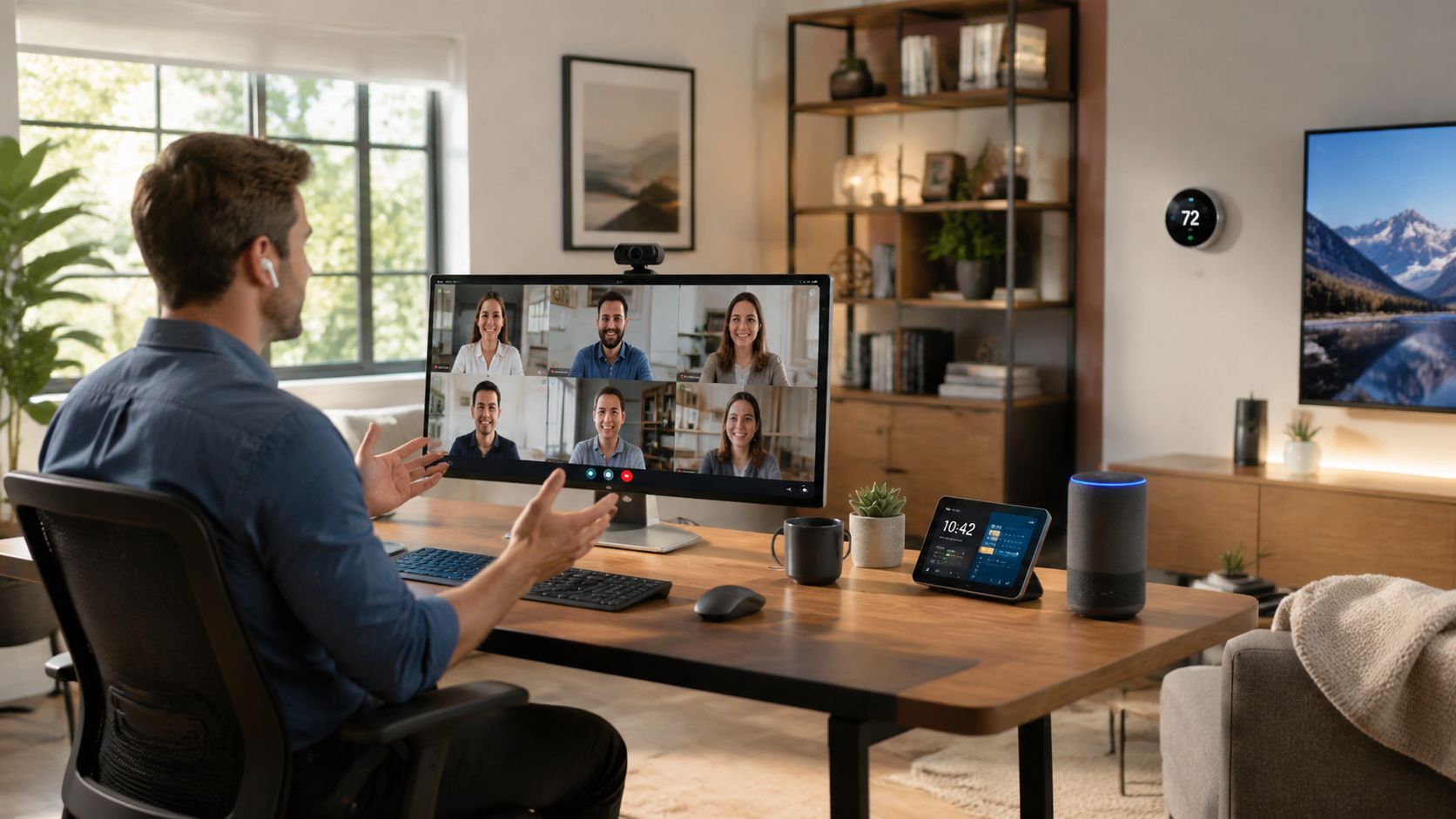
A parent starts a work call from the home office. A teenager downloads a game update upstairs. Someone in the living room streams a movie. Another device backs up photos in the background. On many older connections, that mix is where trouble starts. On fiber, it's much more manageable because the line is better at handling simultaneous demand.
Remote work feels less fragile
If you work from home, you probably care less about “top speed” and more about whether your connection embarrasses you during meetings. Fiber helps because it supports strong uploads, which is what your camera and microphone depend on.
That's especially useful if your work setup includes video meetings, large cloud files, or remote desktop tools. If you split time between home and coworking environments, it's also worth seeing how different spaces support privacy and focus. For example, some remote workers compare home internet needs with dedicated workspaces when they explore Madeira Remote's private rooms.
Gaming and streaming stop fighting each other
Gamers notice two things first: responsiveness and consistency. Streaming households notice whether the picture stays smooth when someone else starts using bandwidth.
Fiber helps both groups because it handles heavy traffic more gracefully. It's not magic. A game still depends on the game server, and a movie app can still have issues. But the home connection is less likely to be the weak link.
Here's a common before-and-after shift people describe:
- Before fiber: game downloads take over the network, calls get shaky, and streaming quality jumps around.
- With fiber: big downloads are less disruptive, calls stay steadier, and multiple devices can stay active without the whole house feeling cramped.
A short explainer can make that easier to visualize:
Families benefit from fewer tradeoffs
The biggest lifestyle change is often this: people stop negotiating internet use.
Nobody has to ask who's uploading. Nobody worries that starting a meeting will ruin movie night. Nobody avoids syncing files until midnight. Fiber gives a home more breathing room, which is why it often feels like a quality-of-life upgrade rather than just a technical upgrade.
Choosing a True Fiber Connection
Not every plan labeled “fiber” gives you the same experience. That's one of the biggest points of confusion in the market.
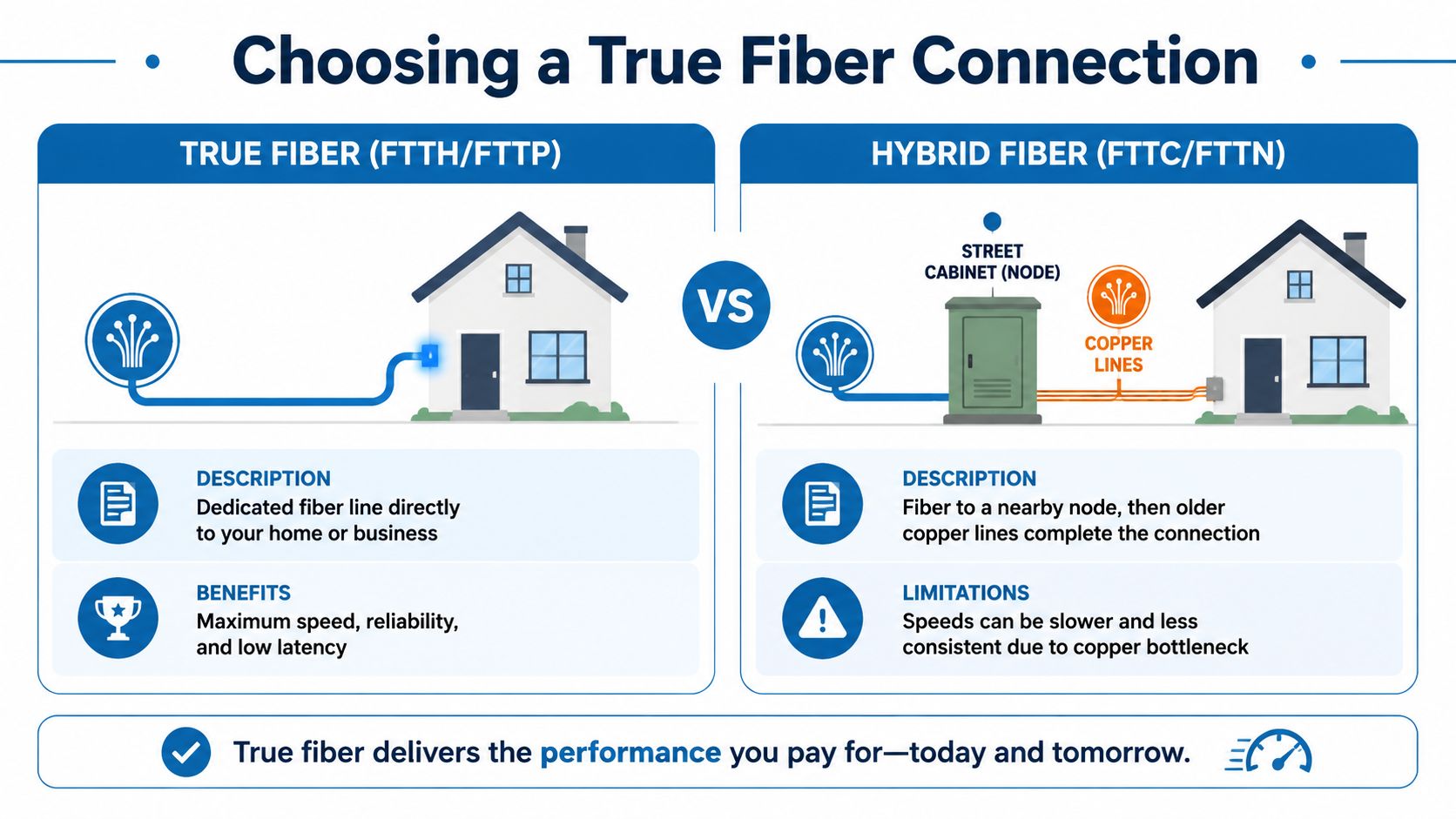
Some providers offer true Fiber-to-the-Home, often called FTTH or FTTP. That means the fiber line runs all the way to your home. Others sell something closer to a hybrid setup. Fiber gets part of the way, then older copper or coaxial wiring finishes the trip.
Why the last leg matters
Roughly 60% of advertised “fiber” plans in major markets are “fiber-rich” and still rely on copper for part of the connection. A 2025 FCC report cited in this explanation of true fiber vs. fiber-rich internet says those hybrid networks suffer 3 to 5 times higher latency and 70% slower upload speeds compared with true FTTH.
That difference is huge if you work from home, upload large files, or care about real-time responsiveness.
Questions worth asking before you sign up
Marketing language can blur the details, so ask direct questions:
- Does fiber run all the way to my home? If the answer is no, you're likely looking at a hybrid service.
- Are upload and download speeds symmetrical? If uploads are much lower, that's a clue you may not be getting true FTTH performance.
- What equipment is installed at the home? The answer can reveal whether the service is built around a full fiber drop or a mixed network.
When a provider says “fiber,” the important question isn't whether fiber exists somewhere in the network. It's whether it reaches your address.
If you want a plain-language breakdown of how full fiber compares with cable-based service, this article on why fiber internet is superior to cable internet is a useful reference. Providers that operate 100% fiber networks, including Premier Broadband, generally offer the kind of symmetrical service people expect when they hear the word fiber.
Getting the Speeds You Pay For
Sometimes people install fiber and still feel underwhelmed. In many homes, the bottleneck isn't the fiber line outside. It's the equipment inside.
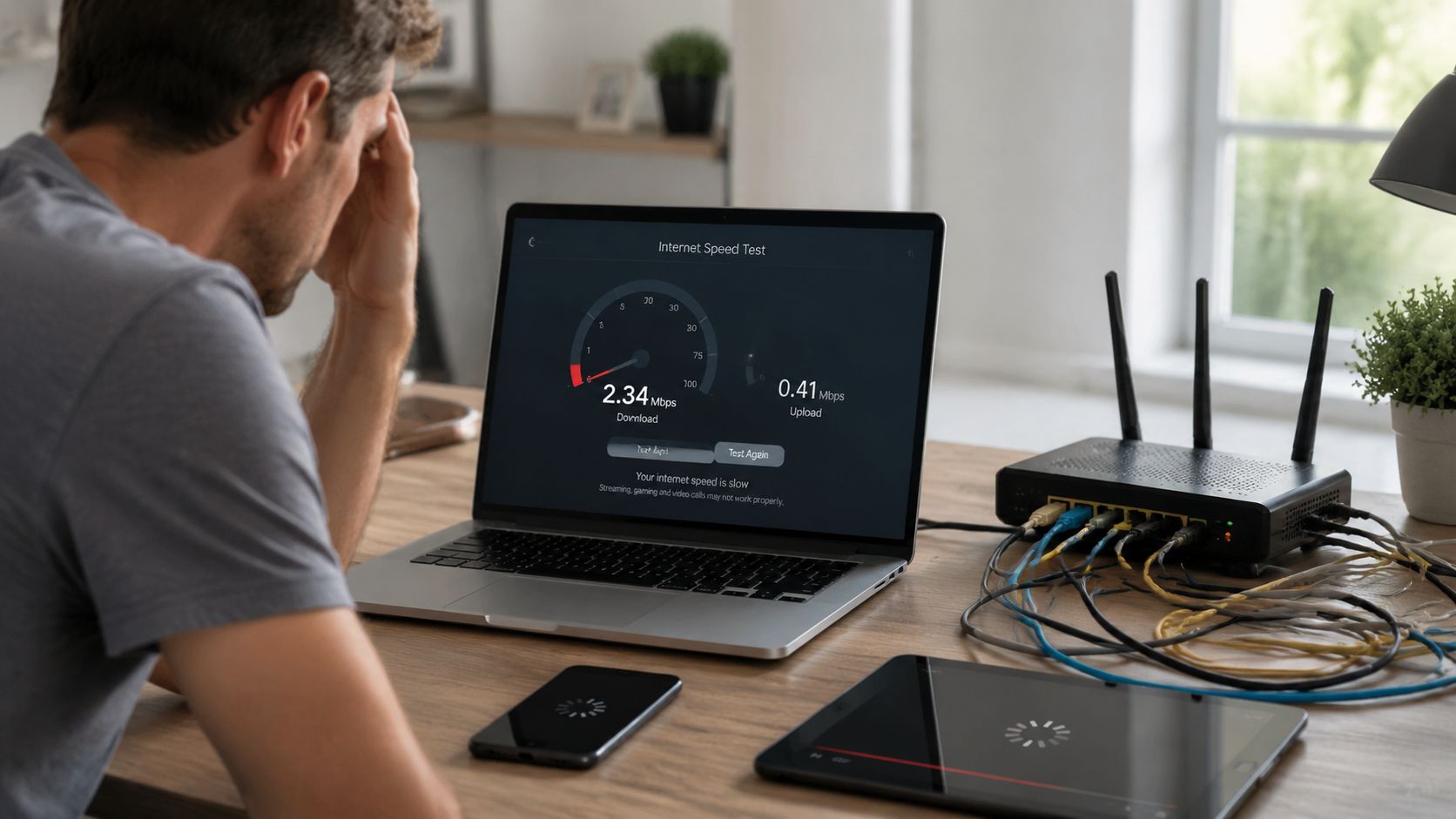
A 2025 study by the Broadbandnow Institute found that 43% of users with fiber subscriptions experience speeds below 50% of their plan's maximum due to indoor Wi-Fi congestion and outdated routers, not the fiber line itself, according to this look at why fiber optic internet feels fast and where it gets held back.
The last 100 feet problem
Your provider can deliver a strong connection to the house, but your device still has to reach it through your router, Wi-Fi signal, and sometimes old cables. That final stretch is where many speed complaints begin.
Common trouble spots include:
- Old router hardware: Older routers may not handle gigabit-class service well.
- Poor router placement: A router hidden in a corner, cabinet, or utility area can weaken coverage where you work.
- Wi-Fi interference: Walls, appliances, and neighboring networks can reduce performance.
- Outdated Ethernet cables: A wired device may be limited by the cable connecting it.
Simple fixes that often help
Start with a clean test. Run a wired speed test close to your main equipment, then compare it with the speed you see over Wi-Fi in the rooms you use most. This guide on how to test internet speed accurately walks through the process clearly.
Then work through the basics:
- Upgrade the router: A modern, gigabit-capable router can remove a major bottleneck.
- Use wired connections where possible: Desktops, workstations, and game consoles usually perform best over Ethernet.
- Move the router into the open: Central placement improves coverage and reduces dead zones.
- Review setup details: If you want a simple walkthrough of what home fiber equipment looks like, this practical AT&T Fiber setup explanation is a useful reference.
Fast fiber can't fix weak in-home Wi-Fi on its own. Your home network has to be fast too.
If you're comparing providers and want a connection built around full-fiber service, Premier Broadband offers 100% fiber internet with symmetrical speeds for homes and businesses. That kind of setup fits the very reasons people ask why Fiber Internet is faster in the first place: smoother video calls, quicker uploads, steadier gaming, and fewer slowdowns when everyone's online at once.