
You've got internet service set up. The phone line works. Bills are arriving at the right place. That feels finished.
For 911 address verification, it isn't.
This catches people all the time after a move, a new install, a suite change, or a business reconfiguration. The address on file for billing can be correct while the address used for emergency routing is outdated, incomplete, or not yet recognized by local public safety records. That gap matters most when someone dials 911 and expects help to go straight to the right place.
The good news is that checking your emergency address usually takes only a few minutes. The harder part is knowing what to do when the system says your address isn't valid, even though you know it exists. That's where most generic guides stop. This one won't.
Why Your 911 Address Is Different for VoIP and Fiber
A traditional landline had a simple advantage. The phone line was physically tied to one location, so the emergency address and the service location were effectively the same thing.
Internet-based voice service changed that. VoIP decouples the phone number from the physical line, which means the system can't safely assume where you are just because the phone works. If you plug a device in somewhere else, move service, or use a line tied to a broader account setup, the emergency record has to be checked and maintained separately.
What stays the same and what doesn't
Fiber internet gives you a physical service location. Your modem or ONT is installed at a real address. But if your voice service runs over IP, the emergency location is still a database record that needs to match a dispatchable civic address.
That's why people get tripped up by terms like:
- Billing address means where statements and account notices go.
- Service address usually means where equipment is installed.
- Emergency address means the civic location public safety systems are expected to use for routing and response.
Those may match. They do not always match automatically.
If you want a quick primer on how location records can differ, BatchData on address accuracy gives a useful plain-English breakdown of why a physical address and a mailing address aren't always the same.
Why this matters more now
Public safety systems are moving toward more standardized, GIS-based address validation. A major part of that shift is the U.S. Department of Transportation's National Address Database for NG911, which supports a more consistent, authoritative source for civic addresses used in emergency routing.
That doesn't mean every address everywhere is instantly perfect. It means the bar is higher. The address has to match authoritative records closely enough to work inside modern emergency systems.
Practical rule: If you moved, changed suites, opened a new office, or activated a new VoIP line, assume your 911 record needs to be checked until you confirm it.
Where non-fixed VoIP adds risk
Non-fixed VoIP creates the biggest opportunity for mismatch because the endpoint can be used in different places. That flexibility is convenient for remote work and multi-site use, but it also means someone has to keep the emergency location current. If you're using a setup that isn't tied to one permanent desk, it helps to understand the risks around non-fixed VoIP service.
What works is simple. Treat the emergency address as its own safety record.
What doesn't work is assuming a move order, account update, or working dial tone means 911 is fully aligned.
How to Verify Your Current 911 Address in Minutes
The fastest check is a 933 test call. This is the standard low-risk workflow for VoIP users because it reads back the emergency address currently registered to that line before a real emergency happens, as explained in this overview of 933 emergency address verification.
Start with the line you use for voice service. If you have multiple lines, test each one separately.
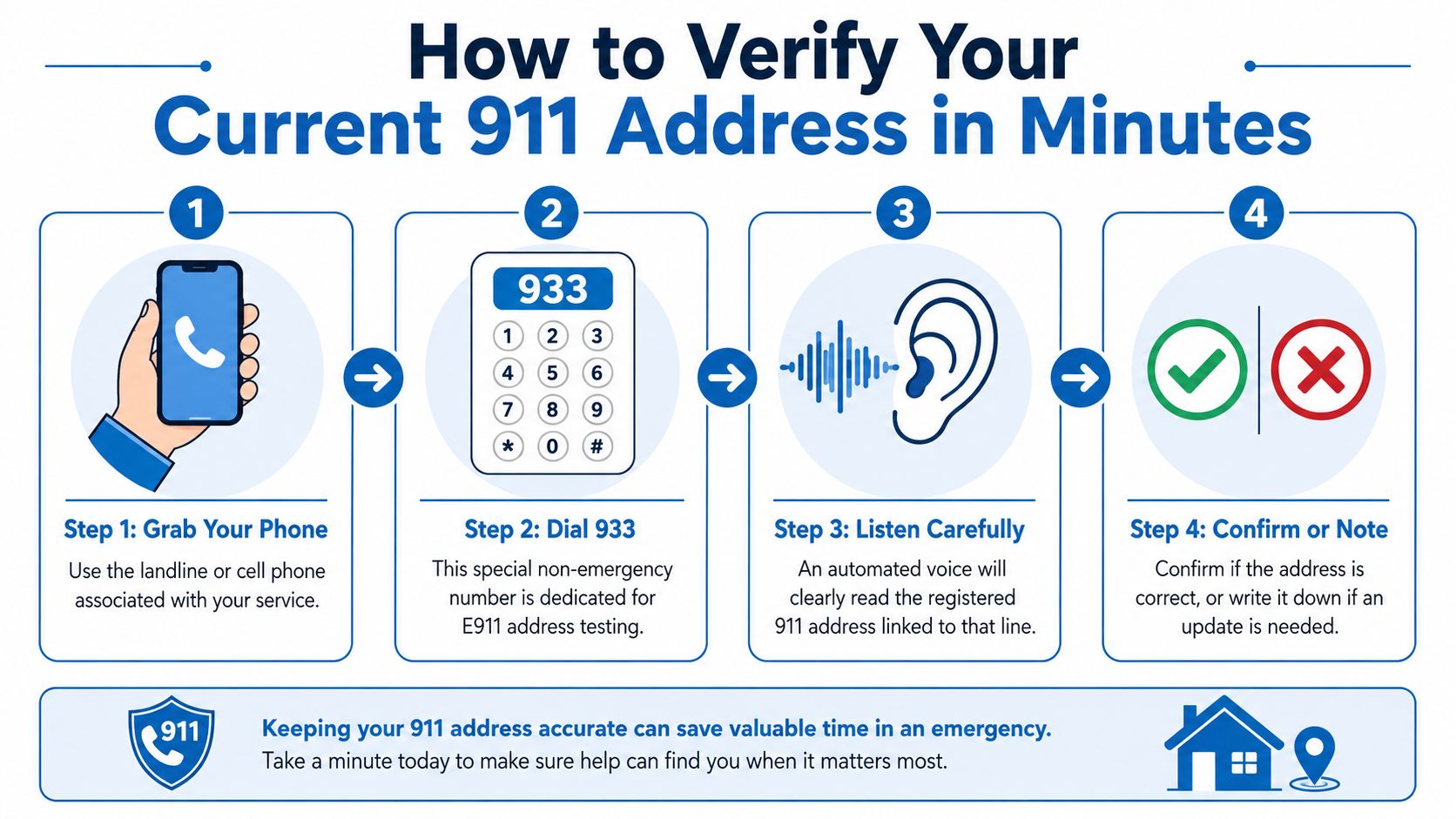
The fastest path
Use the correct phone
Pick up the desk phone, ATA-connected handset, or mobile app line tied to your voice service.Dial 933
This is a non-emergency test number. It should not connect you to live emergency dispatch.Listen to the readback
The system reads the emergency address on file for that specific line.Compare it to the actual location
Check street number, street name, direction, unit, suite, and municipality.
If the readback is wrong, incomplete, or old, that line needs an update.
A line can be active and still have the wrong emergency address. Dial tone proves service. It does not prove dispatch accuracy.
What to listen for
People often hear their street name and stop there. Don't. Listen for the parts that most often fail:
- Unit details such as apartment, suite, or office number
- Directional markers such as N, S, E, or W
- Road type such as Rd, St, Ave, or Ln
- Municipality if your mailing city differs from the actual jurisdiction
If any of those are wrong, write down exactly what the system said.
A second way to check is through your provider portal. Most customer portals show the emergency or E911 address in the voice-service settings. That's also where you'll usually make changes if the 933 readback doesn't match. If you're checking service details during setup, your local fiber availability map can help confirm the service footprint, but it shouldn't be used as a substitute for emergency address verification.
For a visual walkthrough, this short video gives a helpful overview before you test your own line.
When to repeat the test
Retest after any of these changes:
| Situation | Retest needed |
|---|---|
| You moved service | Yes |
| You changed suites or unit numbers | Yes |
| You ported or reassigned a number | Yes |
| You installed a new endpoint | Yes |
| You changed only billing details | Still worth checking |
That last one matters. Billing updates don't always change the emergency record you think they changed.
A Step-by-Step Guide to Updating Your E911 Address
If your 933 readback is wrong, fix the emergency address first. Don't wait for the next billing cycle, and don't assume support will catch it automatically later.
Most updates happen through the provider portal. The key is entering the address as a dispatchable location, not just as a customer contact record.
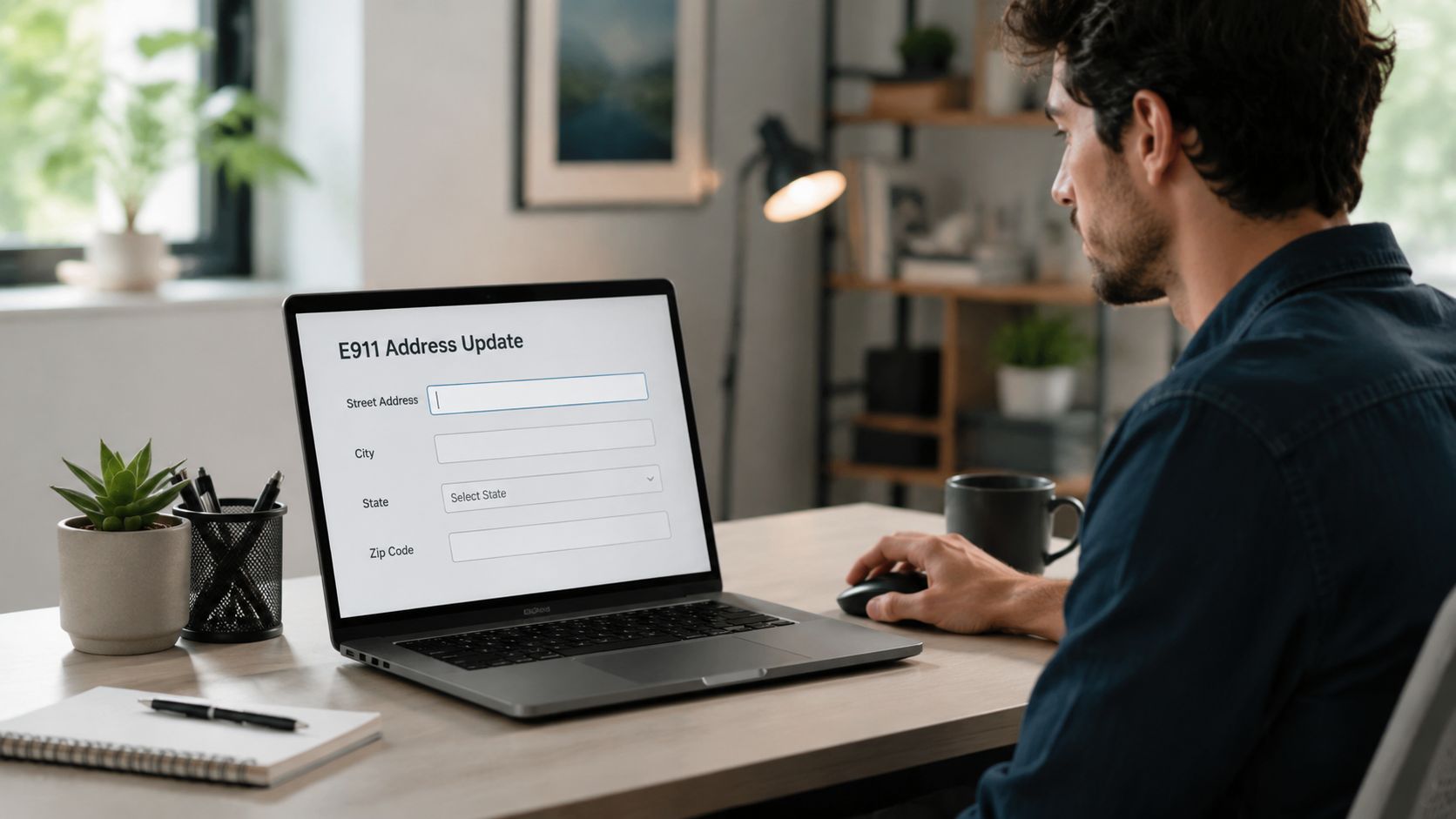
What to enter
Pull the service details in front of you before you start. Then fill the fields carefully.
Street number and street name
Use the official civic version, not a nickname or informal route description.Directional and suffix
If the address is East Main Street, enter the direction. If it's Road instead of Street, use that.Unit or suite information
This is where many records fail. Apartment 2B, Suite 300, Unit C, Floor 2, Office 14. Include the exact identifier if the building uses one.City, state, and ZIP code
Match the civic record as closely as possible, especially in places where mailing city and response jurisdiction differ.
A clean update workflow
Use this order:
- Open the voice or phone settings in your account portal.
- Find the E911 or emergency address field, not just profile or billing info.
- Replace the old location with the full civic address.
- Save the change and wait for the portal to confirm it.
- Dial 933 again and listen for the new readback.
That last step is the one people skip. Don't skip it.
Field note: If the portal accepts the update but 933 still reads the old location, the change may not have fully propagated or the wrong line may have been edited. Check line by line.
If the portal won't let you save
That usually points to one of three issues:
- The address format doesn't match what the system expects
- The address exists for billing but not for emergency validation
- The record needs manual review by support or by the underlying public-safety addressing process
When that happens, collect the exact address you entered, the exact error message, and the incorrect 933 readback if there is one. That saves time when support needs to escalate it.
What works is precise data and immediate retesting.
What doesn't work is editing your contact profile and assuming the emergency record changed with it.
Troubleshooting Common Address Validation Errors
The most frustrating support calls usually sound the same: “My address is real. Why does your system say it isn't?”
In many cases, the customer is right. The address is real. The problem is that emergency validation depends on the local 911 or GIS record, and those records may not yet include a new build, a renamed road, or a specific unit. That's the issue highlighted by local 911 guidance on verification or address requests.
Scenario one: New construction
A new house is built in a subdivision. Mail may already arrive. Utility installs may already be finished. But emergency databases can lag if the final address point hasn't been added through local processes.
What usually helps first is checking whether the address has a standardized version different from what the homeowner is entering. Sometimes the builder's version, county version, and postal version don't line up perfectly.
Scenario two: Rural properties
Rural addresses fail for different reasons. A resident may use a road name locally that doesn't match the official record. A driveway marker may exist, but the civic address record may still be incomplete, especially if the property was recently split or reassigned.
In those cases, “123 County Road” may not be enough if the official record expects a different road label, a directional, or a structure-specific identifier.
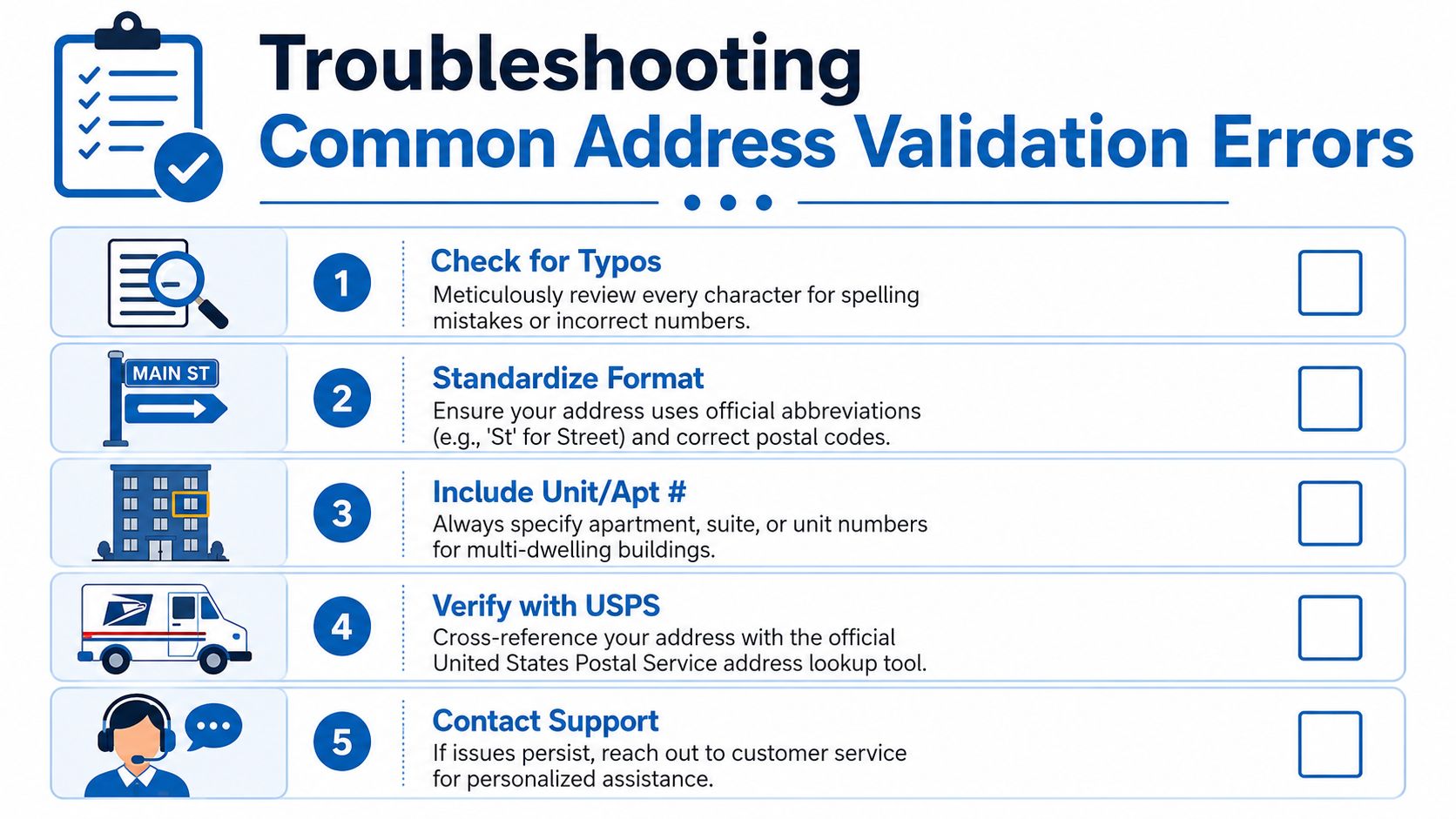
The troubleshooting order that saves time
Use a ladder, not guesswork.
Start with typing errors
Check every character. One swapped digit is enough to fail validation.Then standardize the format
Use the official street suffix and full civic structure. Don't improvise.Next, confirm the unit detail
Multi-dwelling addresses often fail because the apartment or suite is missing or entered in the wrong field.After that, compare against postal formatting
USPS formatting isn't the same thing as emergency validation, but it can help you find the standardized civic version.Finally, contact the local 911 addressing authority or GIS office
If the address still won't validate, the local agency may need to add or correct it in their records.
If your address is new, rural, recently renamed, or part of a subdivided parcel, local 911 staff may be the only people who can resolve the root issue.
One important distinction
A “verified” address in one system may still not be dispatch-ready.
That happens when the database record exists, but responders still need clearer on-site information such as posted address numbers, building entry details, or a correct unit marker. Businesses that rely on direct inward dialing should also keep their internal phone-location records organized. If you use individual line mapping or want to understand how number assignment works, a quick review of what a DID number is helps clarify why one endpoint can behave differently from another.
If you've hit a wall, stop retyping the same address five different ways. That rarely fixes a missing local record.
E911 for Businesses vs Residential Homes
Homes usually deal with one location and one main question: does this line point to the correct house or apartment?
Businesses rarely get off that easy. They have front desks, back offices, suites, shared spaces, remote workers, and phones that get reassigned. The more endpoints you have, the more important it is to treat 911 address verification as ongoing record maintenance.
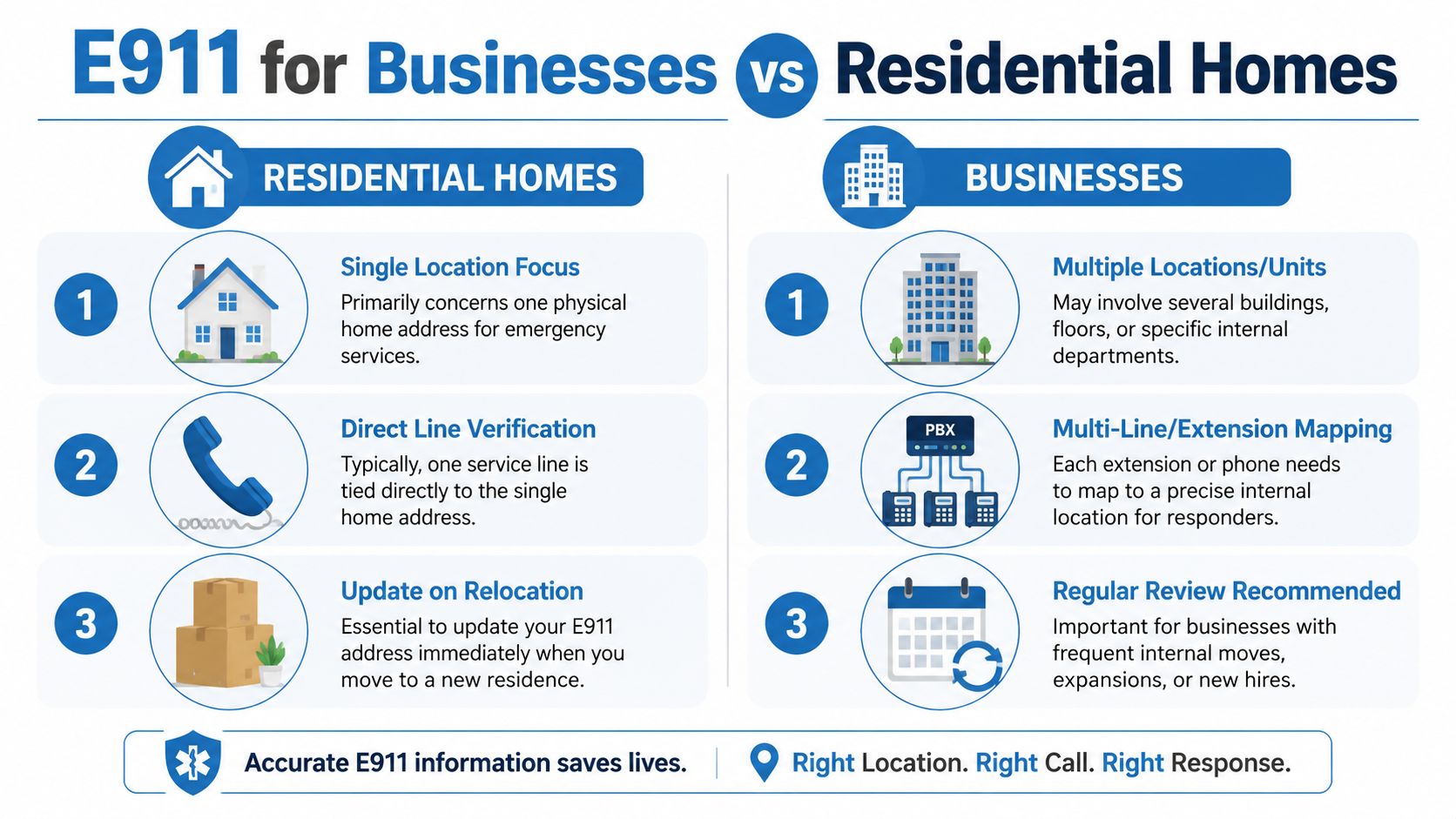
Side-by-side realities
| Residential homes | Businesses |
|---|---|
| Usually one main service location | Often multiple rooms, suites, floors, or sites |
| One or a few lines to verify | Many lines, extensions, or softphone users |
| Updates mostly happen after a move | Updates happen after every internal change |
| Main risk is stale move information | Main risk is stale user-to-location mapping |
Virginia's operational guidance for 9-1-1 addressing stresses that both the physical location and the database record have to stay current, because even accurate maps become unreliable when address points and structure identifiers aren't maintained over time. That's why this kind of 9-1-1 addressing best practice matters so much for business voice systems.
What homes should focus on
For a household, the checklist is shorter:
- Verify after activation
- Verify again after any move
- Include apartment or unit details
- Don't assume a billing update fixed E911
That's manageable, and most homes can confirm things quickly with a test call and a portal review.
What businesses need to manage
Businesses need tighter process discipline.
A phone assigned to the lobby shouldn't inherit the warehouse location. A receptionist moved from Suite A to Suite C shouldn't keep the old emergency record. A remote employee using the company voice app from home can't be treated like they're still sitting at headquarters.
Business E911 breaks down when IT, facilities, and HR all assume someone else updated the location.
For offices, clinics, retail sites, and distributed teams, build emergency-location review into routine administration. That includes onboarding, desk moves, department changes, number reassignments, and offboarding. If your organization relies on hosted calling, business internet phone systems usually make this easier to manage centrally, but central control only helps if someone owns the update process.
Residential users can often solve the problem with one check.
Businesses need ownership, policy, and repeatable review.
Best Practices for Ensuring Your 911 Address Is Always Accurate
The best 911 address verification process is the one that becomes routine.
That matters because address quality improves when teams add validation and location intelligence early in the workflow. In onboarding contexts, that can improve pass rates by up to 30%, according to this overview of address verification tools for high-volume onboarding. The lesson carries over directly to emergency-address setup. Catch the problem before activation, not after.
Keep the process simple
Verify right after service activation
Don't wait until you need the line in a crisis.Check again after every move or location change
New home, new suite, relocated desk, remote worker setup. Any of those can break the match.Use the full civic address every time
Include unit, suite, floor, or office details where they apply.Treat billing and emergency records as separate
If both changed, confirm both changed.
Build habits that prevent silent errors
For businesses, the best control is process. Add E911 review to user provisioning, office moves, and line reassignments. For households, do a periodic 933 check and keep a note of the correct readback.
If you work in ecommerce, fulfillment, or any environment where address quality affects operations, the same principle shows up in broader workflows like address validation for high-volume stores. Clean address data upstream prevents avoidable problems downstream.
The peace of mind here is practical. When the address is right, the system has a better chance of routing correctly, and responders have a better chance of reaching the right place without confusion.
If you want help reviewing your voice setup, confirming service options, or choosing a reliable internet and phone solution for your home or business, contact Premier Broadband. Their team can help you sort out service details before they become emergency-call problems.