
For most of us at home, a solid upload speed lands somewhere between 10 Mbps and 25 Mbps. That's usually enough juice to handle HD video calls, jump into online games, and share photos without those annoying slowdowns. Of course, the perfect speed for you really comes down to how many people and gadgets are connected at once.
Why Your Upload Speed Is More Important Than Ever
Internet providers love to talk about download speeds, but your upload speed is the unsung hero of a great online experience.
Think of your internet like a two-way street. Downloading is all the traffic coming to you—like when you stream a movie or load a webpage. Uploading is everything you send out. And we're sending out more than ever.
Every Zoom call you're on, you're sending a live video feed of yourself out to the world. Every online gaming match, your console is firing off constant updates to the server. Even something as simple as posting a family photo to Facebook depends entirely on your upload speed.
The Real-World Pain of Slow Uploads
When your upload speed can't keep up, you feel it almost instantly.
That choppy, pixelated video of you on an important work call? That's your upload speed struggling. The infuriating lag that gets you eliminated in a game? Yep, that's your upload speed again. It’s the digital bottleneck that makes sending a large email attachment or backing up your files feel like it takes an eternity.
A weak upload connection creates a digital traffic jam. You can still pull information down just fine, but your ability to send anything out is severely limited, making any real-time communication a frustrating mess.
Figuring out what is a good upload speed means looking at what you actually do online. The infographic below breaks down what some common activities demand from your connection.
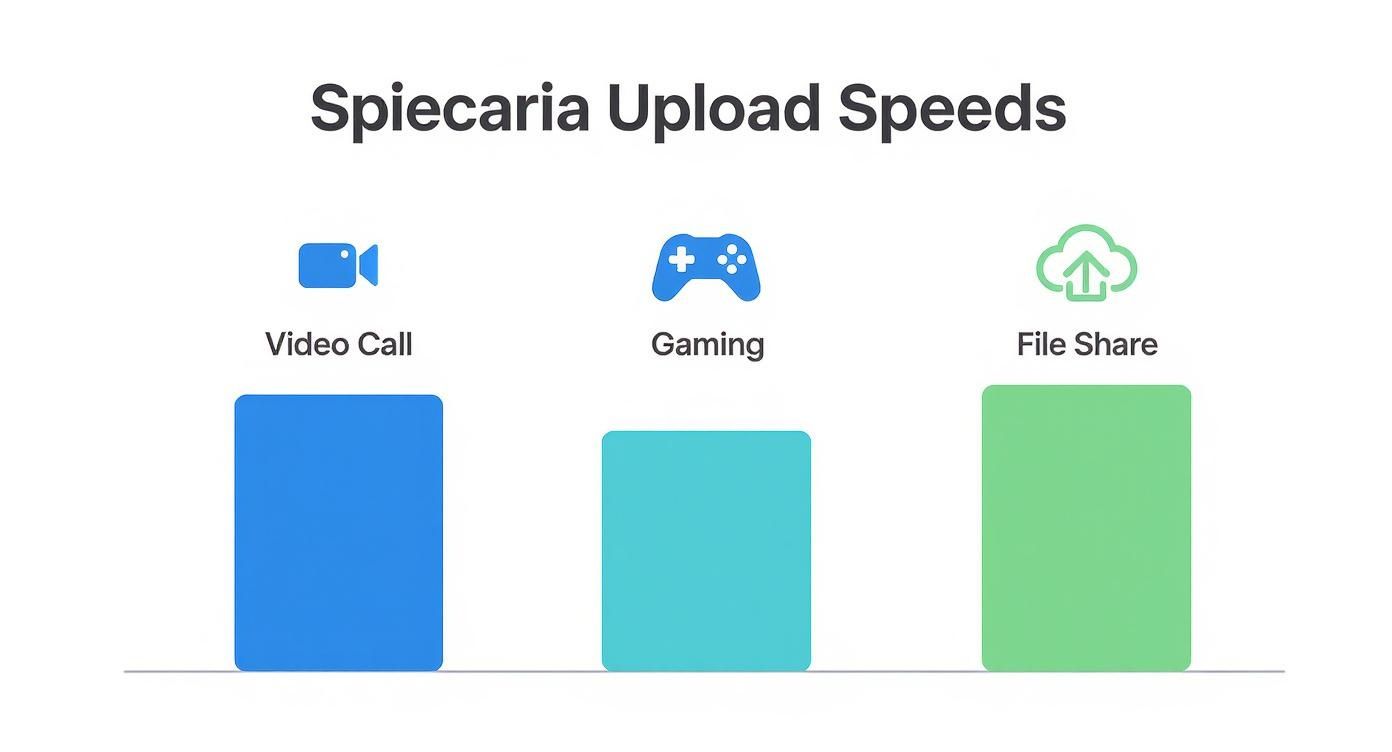
As you can see, things like video conferencing and gaming need a steady, reliable pipe for sending data out. Without it, those interactive experiences fall apart, proving that download speed is only half the story for how we use the internet today.
Understanding Upload Speed Versus Download Speed
To really figure out what is a good upload speed, we have to start with how it relates to its more famous counterpart: download speed. Think of your internet connection like a highway. For the longest time, most of the traffic was coming to you—companies sent you movies, websites, and music, and you consumed it. That’s all downloading.

This one-way flow is why most cable and DSL connections are built as asymmetrical connections. Picture a highway with eight lanes bringing traffic into town (downloading) but only a single, lonely lane for anyone trying to leave (uploading). This design worked fine when all we did was watch movies or scroll through websites, but it creates a massive traffic jam the second you need to send something out.
The Rise of Symmetrical Speeds
The way we use the internet has completely changed. We aren't just sitting back and consuming anymore; we're actively creating, sharing, and participating. Whether you're live-streaming your gameplay, jumping on a video call for work, or backing up photos to the cloud, our need to send data has exploded.
An old-school asymmetrical connection just can't keep up with these demands. That one outbound lane gets clogged fast, leading to frustrating lag, frozen video calls, and uploads that seem to take forever. This is exactly where symmetrical connections save the day.
Symmetrical internet, usually delivered by fiber-optic networks, is like a modern superhighway with the same number of lanes going in both directions. This balance makes sure that sending data is just as fast and dependable as receiving it.
This balanced design gets rid of the digital traffic jams that plague older internet types. Just look at the national numbers: the average download speed in the U.S. is around 209.01 Mbps, but the average upload speed crawls along at just 61.98 Mbps. That huge gap, highlighted in Ookla's research, shows the built-in limitations of most internet infrastructure.
Why This Balance Is Crucial
Understanding the difference between asymmetrical and symmetrical speeds is the key to picking an internet plan that actually works for you. If you do any of the following, a symmetrical connection isn't just a nice-to-have—it's a must.
- Remote Work: Keeps your video feed sharp and clear on calls, even while you’re uploading big project files in the background.
- Online Gaming: Gives you the low latency and steady data stream you need to compete without frustrating lag ruining your match.
- Content Creation: Slashes the time it takes to upload high-resolution videos to YouTube or entire photo albums to the cloud.
- Smart Homes: Lets all your devices, from security cameras to smart speakers, send data back to the cloud without grinding your whole network to a halt.
By making equal speeds a priority, fiber internet from providers like Premier Broadband offers a connection built for how we actually live and work today. It guarantees your ability to send information is never the weak link, creating a much smoother and more reliable online life.
How to Test Your Upload Speed Accurately
Ever wonder if you're really getting the internet speeds you pay for? The only way to know for sure is to run a speed test. It's a quick and simple check-up for your connection, giving you the hard numbers you need to see if there's a problem or just confirm you’re getting what you expect.
But before you click that "Go" button, a little prep work makes all the difference. For a truly accurate reading, plug your computer directly into your router with an Ethernet cable. Wi-Fi is great, but its speed can jump all over the place because of interference. A wired connection gives you a clean measurement of the internet speed actually coming into your home.
Getting the Most Accurate Results
Once you're plugged in, taking a few extra steps will ensure other things on your network aren't skewing the numbers. The goal is to isolate the speed test so it has the network all to itself.
- Close Background Apps: Shut down Netflix, any file-syncing services like Dropbox or Google Drive, and pause any big downloads. These apps can hog your bandwidth in the background and give you a false low reading.
- Disconnect Other Devices: For just a few minutes, kick everything else off your Wi-Fi—other laptops, your phone, smart speakers, and TVs. This prevents them from using up bits of bandwidth during the test.
- Run a Few Tests: Don't just test once and call it a day. Try running a test in the morning, afternoon, and evening. This shows you how your connection holds up when more people in your neighborhood are online. Taking the average of these results gives you a much more realistic picture of your typical speed.
Here’s what a typical speed test result looks like. It will show you download, upload, and another important number called "ping."
This example shows an incredible fiber connection where the upload speed (883 Mbps) is nearly as fast as the download speed (936 Mbps). That's what we call a symmetrical connection, and it's a game-changer.
You'll also notice the "ping" measurement. This is your connection's reaction time, also known as latency—super important for gaming and video calls. When it comes to ping, lower is always better. By running a test yourself, you can see exactly how your own numbers stack up.
What Is Slowing Down Your Upload Speed
When your speed test spits out a frustratingly low upload number, it's easy to point the finger at your internet provider. But more often than not, the real culprit is lurking right inside your own home. A few common issues can create a serious bottleneck, grinding your connection to a halt before the data even leaves your house.
Before you spend time on the phone, it’s worth playing detective to check for these speed traps. From an old router to a simple case of network overload, you can often find a quick fix yourself.
Your Router Is the Problem
Think of your router as the traffic cop for your home network. If it's old, tired, or just not powerful enough, it can't direct all that data effectively, leading to major slowdowns. You can have the fastest internet plan in the world, but an outdated router will ensure you never actually get to use those speeds.
This is a huge issue with older Wi-Fi standards. An aging router simply can't keep up with the demands of modern laptops, smart TVs, and phones, creating a traffic jam that impacts every single device connected to it.
Another common headache is simple network congestion. If you've got a dozen devices all trying to connect at once—someone streaming a 4K movie, another on a Zoom call, and a couple of phones endlessly scrolling social media—your router’s resources get stretched dangerously thin. Every device is fighting for its piece of the bandwidth pie, and your upload speed is usually the first to suffer.
A quick way to diagnose this is to disconnect everything except one computer and run another speed test. If your speeds suddenly jump up, you've found the issue: too many devices are competing for attention. Our guide on why your internet is slow has more great tips for troubleshooting these kinds of problems.
Hidden Bandwidth Hogs
Sometimes, the issue isn't how many devices are connected, but what they're secretly doing in the background. Things like automatic software updates, cloud backup services (think Dropbox or iCloud), and even some antivirus programs can chew through a surprising amount of your upload bandwidth without you ever knowing.
Think of your upload speed as a shared resource. If background apps are constantly phoning home to the cloud, there’s just less available for what you’re actually trying to do, like join a video call or send a big file.
Globally, internet infrastructure is always getting better, with the average fixed broadband download speed hitting 97.3 Mbps in early 2025. While the U.S. ranks an impressive sixth in the world with an average of 231.1 Mbps, these numbers don't tell the whole story. They often hide the upload limitations caused by our own gear and digital habits right at home.
Actionable Tips to Improve Your Upload Speed
Feeling the frustration of a lagging video call or a file transfer that takes forever? The good news is you can often get a serious boost in your upload performance without immediately having to upgrade your internet plan. A lot of the time, the culprit is right inside your own home network, and a few simple tweaks can make all the difference.
Let's walk through some practical steps to help you get the most out of the connection you already have. Start with the easy stuff first—you might be surprised how much of an impact it has.
Start with Simple Physical Adjustments
Before you get lost in complex network settings, take a look at the physical setup of your gear. Sometimes the biggest performance wins come from the simplest changes.
- Go Wired with an Ethernet Cable: When it really matters—like in a competitive gaming match or an important video meeting for work—nothing beats plugging in directly. An Ethernet cable completely bypasses any Wi-Fi interference, giving you the fastest and most stable upload speed your plan can possibly deliver.
- Move Your Router: Wi-Fi signals get weaker the farther they have to travel and can be easily blocked by walls, big furniture, or even a fish tank. For the strongest signal, place your router in a central, open area of your home, high up and away from obstructions.
The single most effective thing you can do for a critical device is to plug it directly into your router. Wi-Fi is for convenience; a wired connection is for performance.
If you’ve moved your router to the perfect spot and still have dead zones, you might need a better setup. Learning more about managing your home Wi-Fi can help you figure out if a mesh system or a Wi-Fi extender is the right solution for your home.
Optimize Your Network Settings
If repositioning your hardware isn’t quite enough, you can dive into your router’s software settings to tell it what’s most important to you.
- Use Quality of Service (QoS): Many modern routers have a QoS setting, which is just a fancy way of saying you can prioritize certain devices or activities. You can give your work laptop or gaming console first dibs on your upload bandwidth, making sure they stay fast even when other people are using the internet.
- Update Your Router’s Firmware: Just like your phone or computer, your router needs updates. Manufacturers release firmware updates to fix security issues and improve performance. A quick update can often solve those nagging connection problems and give your speeds a small but welcome boost.
At the end of the day, if you’ve tried all these tips and your upload speed still isn't cutting it, it might be time to think about an upgrade. An old router can definitely hold you back, but if your needs have simply outgrown your internet plan, only a faster connection with symmetrical speeds can truly solve the problem.
Why Symmetrical Speeds Are the Future of Internet
So, you've tried all the tricks—rebooting the router, closing background apps, even moving your desk closer to the Wi-Fi. But if you’re still facing frustrating slowdowns, you might be reaching a tough conclusion: the problem isn't your gear, it's the internet connection itself.
For anyone who relies on sending data out—remote workers, content creators, serious gamers—the only real fix is an internet connection built for two-way traffic. This is where symmetrical speeds completely change the game.
A symmetrical connection, powered by a 100% fiber-optic network, gives you identical upload and download speeds. It's simple: if you sign up for a 1 Gig plan, you get 1,000 Mbps down and 1,000 Mbps up. This balanced approach gets rid of the upload bottleneck that plagues older cable and DSL technologies, making modern digital life smooth and frustration-free.
The Power of Equal Speeds in Action
This isn't just about impressive numbers on a speed test; it's about how that performance transforms your daily internet use. With symmetrical fiber, the digital roadblocks just melt away.
- For the Remote Worker: Your video calls are crystal clear, with no more frozen screens or robotic voices. You can upload huge project files to the cloud while on that call without a single hiccup. A plan like Premier Broadband’s Home Office Hero is built for exactly this kind of demanding, simultaneous use.
- For the Content Creator: Uploading a 4K video to YouTube or a massive photo album for a client goes from an all-night chore to a quick coffee break. You can spend more time creating and way less time waiting.
- For the Gamer: Symmetrical speeds deliver the rock-solid, low-latency connection you need to compete. Your commands register instantly, giving you that split-second edge without the fear of lag spikes wrecking your game.
Symmetrical speeds mean your power to send information is just as strong as your power to receive it. This balance is what defines a modern, high-performance internet connection.
By tackling the core weakness of asymmetrical connections head-on, fiber internet provides a reliable foundation for our increasingly interactive world. To get a better handle on the technology behind it, check out our guide on why fiber internet is superior to cable internet.
Ultimately, making the switch to a symmetrical connection is the single best step you can take to put upload-related frustrations behind you for good.
Frequently Asked Questions About Upload Speed
Even after getting the basics down, you probably still have some specific questions about what all this means for your internet. Let's tackle some of the most common ones we hear.
Is 10 Mbps a Good Upload Speed?
For a lot of people, especially in a one or two-person home, 10 Mbps is a solid starting point. It’s usually enough to handle HD video calls, online gaming, and sending photos to family without frustrating delays.
But if you’ve got a full house with everyone trying to stream, game, or jump on video calls at once, you’ll definitely start to feel that 10 Mbps connection struggle. For busy households like that, bumping up to 25 Mbps or more is the way to go to keep things running smoothly for everyone.
Can My Router Affect My Upload Speed?
Oh, absolutely. Your router is the traffic cop for all the data leaving your home. If it's an old, outdated model, it can become a major bottleneck, throttling your speeds even if you're paying for a top-tier plan.
Think of it this way: you can have the fastest car engine in the world, but it won't do you any good if the car has tiny, bald tires. Modern routers are built to handle today's faster Wi-Fi standards and manage traffic way more efficiently. If your speed tests are coming in way lower than what your plan advertises—especially on Wi-Fi—your router is the first thing you should check.
Your router is the heart of your home network. If it's old, it just can't pump data out fast enough. It will hold back your entire connection, no matter how fast your internet plan is.
How Much Upload Speed Do I Need for Streaming on Twitch?
If you're looking to get into streaming, Twitch recommends a bare minimum of 3-6 Mbps upload speed. That’ll get you online, but if you want to look professional and keep viewers engaged, you’ll want more power.
For a really crisp, stable stream at 1080p and 60fps (frames per second), you should aim for an upload speed of 10-15 Mbps. This gives you plenty of bandwidth to handle both your stream and your game without any lag or dropped frames, ensuring your audience gets the best experience.
Ready to stop worrying about upload speeds for good? Premier Broadband delivers symmetrical fiber internet with equal download and upload speeds, ensuring a flawless connection for remote work, gaming, and streaming. Explore our fiber plans today.