

Finding the best security camera system for your small business isn't about buying the most expensive gadget—it's about matching the right tools to your real-world needs. A retail shop trying to prevent theft has totally different priorities than a warehouse needing tough, weatherproof cameras for 24/7 outdoor recording. The perfect solution is never one-size-fits-all; it's a strategic choice you make based on your specific environment.
Defining the Right Security System for Your Business Needs
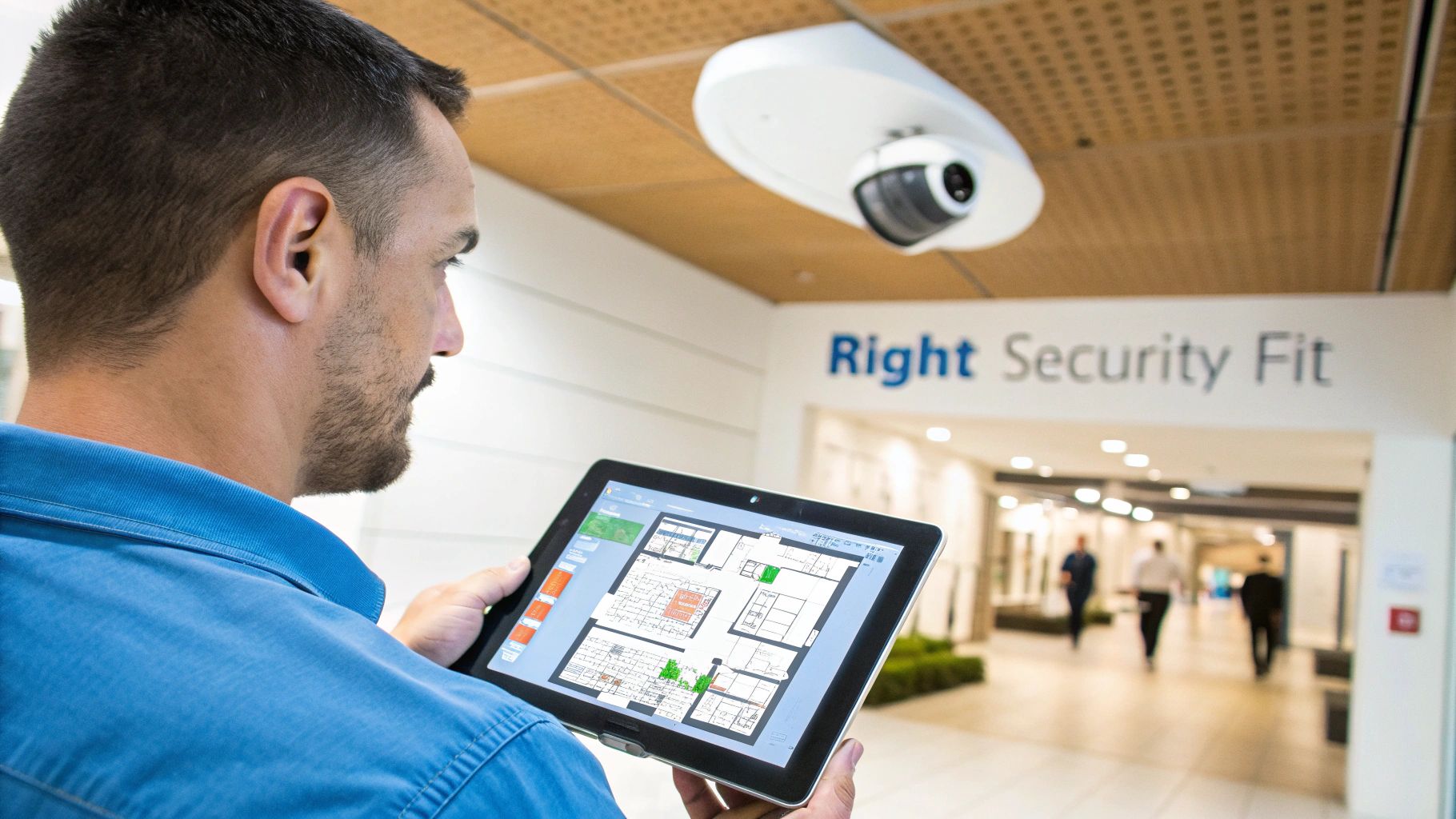
Before you even look at a single camera, the first step is to take a hard look at your business. Your physical layout, the biggest security risks you face, and how you operate day-to-day will all point you toward the right system.
Think of it this way: getting a handle on the core technologies first will help you make a much smarter decision down the road. It’s the difference between buying a tool and building a solution.
Core System Types at a Glance
Your first big decision is choosing the basic setup. This choice boils down to how you want to store your footage and access it, and each option comes with its own set of trade-offs.
| Feature | NVR Systems (Local) | Cloud-Based Systems | AI-Enhanced Systems |
|---|---|---|---|
| Primary Storage | On-site Network Video Recorder | Remote cloud servers | On-site NVR or cloud |
| Best For | Businesses wanting total control over their data with no monthly storage fees. Ideal if you have reliable power. | Businesses with multiple locations or owners who need to check in from anywhere, anytime. | Operations that need smart, proactive alerts for things like object detection and want business insights. |
| Internet Needs | Low. You only need bandwidth for remote viewing. | High. A stable, fast upload speed is critical for continuous recording. | Varies. You'll need an internet connection for alerts and remote access. |
Assessing Your Unique Business Requirements
With the basics covered, it’s time to get specific. A coffee shop on a busy street has different security concerns than a construction site on the edge of town. Answering a few straightforward questions will shine a light on what features are truly important for you.
- What are you protecting? Are you focused on cash registers, watching for shoplifters, securing a dark parking lot, or keeping an eye on expensive equipment?
- Where are your vulnerabilities? Walk your property and identify every entry point, blind spot, and high-value area that needs coverage.
- Who will manage the system? Do you have someone tech-savvy enough to handle an NVR, or is a simple, user-friendly cloud dashboard a better fit for your team?
As you build out your security plan, don't forget how physical barriers like commercial security gate solutions work hand-in-hand with your cameras. The global video surveillance market is expected to hit $88.06 billion by 2031, largely because powerful software and AI features are now within reach for small businesses, giving them tools that were once only available to large enterprises.
Decoding the Technology Behind Your Security System
Before picking a security camera system for your small business, you need to know the lingo. Understanding the core tech and terms helps you cut through the marketing noise and choose a system that actually fits how you operate. This isn't just about reading a spec sheet; it's about seeing how the technology translates into real-world protection for your business.
Every piece of the puzzle, from the camera's shape to where the video is stored, directly impacts how well your assets are protected. Let's break down the must-knows so you can make a smart decision.
Choosing the Right Camera for the Job
Not all cameras are built the same, and their physical design is the first clue to what they're good at. Putting the right camera in the right spot is the first step to effective surveillance.
- Dome Cameras: Their low-profile, enclosed design is perfect for indoor spots like retail floors, waiting areas, or offices. The tinted dome makes it tough to see exactly where the lens is pointing, which is a great deterrent.
- Bullet Cameras: These are the workhorses for outdoor security. Their classic, obvious shape sends a clear message: "You're on camera." They are built to handle tough weather, making them ideal for parking lots, building perimeters, and loading docks.
- PTZ (Pan-Tilt-Zoom) Cameras: Got a large area that needs active monitoring? PTZ cameras give you incredible flexibility. An operator can remotely pan across a wide space, tilt up and down, and zoom in on details, making them perfect for covering big warehouses or event venues.
A common mistake is trying to use one camera type for everything. A bullet camera is great for a parking lot but looks out of place inside a boutique. A dome camera is subtle indoors but doesn't have the same "don't even think about it" effect you need outside.
Video Resolution and Night Vision Capabilities
If you can't make out faces or license plates, your footage is practically useless. This is why video resolution is so important.
A camera with 1080p (Full HD) resolution is usually good enough for general monitoring in smaller indoor spaces. But if you need to cover larger areas or see details from far away, 4K (Ultra HD) gives you four times the pixels. This lets you zoom in on a recording without it turning into a blurry mess.
Just as important is what your cameras see when the lights go out. Modern night vision isn't the grainy green stuff you see in movies. Most business-grade cameras now use infrared (IR) LEDs to capture crisp black-and-white video in total darkness, so your property stays protected 24/7.
Wired vs. Wireless: The Reliability Factor
How your cameras connect to your network is a big deal, affecting both reliability and how tricky the installation is. While wireless cameras offer flexibility, they can introduce problems you just don't want in a business security system.
Wired systems typically use Power over Ethernet (PoE). A single Ethernet cable handles both the data connection and power for the camera, creating an incredibly stable and secure link. This hardwired connection isn't going to drop out or suffer from the interference that can plague wireless setups.
Wireless cameras, on the other hand, run on your Wi-Fi network. While they're easier to install in awkward spots, their performance can be hit-or-miss due to walls, network traffic, or even competing Wi-Fi signals from next door. For a business, a missed recording because of a dropped signal could be a disaster. The reliability of a wired PoE connection is almost always the better choice.
Many modern security camera systems are IoT devices, so it's critical to understand the IoT security challenges that come with anything connected to your network. A solid connection is your first line of defense.
As wireless tech gets better, knowing the details matters even more. You can dive deeper in our guide to Wi-Fi 5 vs Wi-Fi 6 technology to see how network upgrades affect all your connected devices, including cameras.
Storage Solutions: NVR vs. Cloud
Finally, where does all that video footage go? This choice is a balance of security, access, and cost.
An on-premise Network Video Recorder (NVR) is a physical box that stores all recordings on hard drives right there at your business. This gives you total control of your data, with no monthly storage fees, and it doesn't heavily tax your internet's upload speed. The big risk? If the NVR is stolen or destroyed in a fire or flood, your footage is gone forever.
A cloud-based storage solution sends your footage over the internet to secure servers. This gives you amazing accessibility—you can watch live and recorded video from any device, anywhere. It also keeps your footage safe from anything that happens on-site. The catch is that it demands a strong internet connection with plenty of upload bandwidth and usually comes with a monthly subscription fee for each camera.
NVR vs. Cloud vs. Hybrid: A Situational Comparison
Deciding between a Network Video Recorder (NVR), a pure cloud setup, or a hybrid model is one of the biggest calls you'll make for your small business security. This isn't just about technology; it's about what works for your daily operations, your budget, and your peace of mind. Forget a simple pros-and-cons list. Let's look at how these systems perform in the real world.
The right system really boils down to your specific needs, from your physical layout and internet connection to how you plan on accessing your footage.
The On-Site Fortress: The NVR System
A Network Video Recorder (NVR) system is the classic choice for businesses that want total control and self-sufficiency. All camera footage is recorded right to a physical box on your property, meaning you own your data completely and don't have to worry about monthly storage fees.
Think of a local manufacturing plant or a warehouse with valuable inventory. Their top priority is solid, 24/7 recording that keeps running even if the internet goes out. An NVR is perfect here because everything is stored locally. If the web connection drops, the cameras don't miss a beat, ensuring you have zero gaps in your security footage. You have full control over sensitive video and aren't constantly uploading gigabytes of data.
Of course, this control comes with responsibility. You have to secure the NVR itself—if a thief takes the recorder, your evidence is gone. You're also on the hook for hardware maintenance, like swapping out hard drives when they fail.
Unmatched Flexibility: The Cloud System
Cloud-based systems are a whole different ballgame, putting accessibility and ease of use front and center. With a cloud setup, video is sent directly from your cameras to secure servers off-site, getting rid of the need for a local recorder.
Picture a small retail chain with multiple locations or a restaurant owner who's always on the go. For them, being able to check in on any location from a phone or laptop is priceless. A cloud system delivers that freedom, letting them view live feeds, look back at events, and change settings from anywhere they have an internet connection.
This approach also provides fantastic protection against on-site disasters like a fire or theft. If something happens at one of the stores, all the critical video evidence is safely stored in the cloud, ready to be pulled up for law enforcement or insurance claims. The trade-off? You're completely reliant on a stable internet connection.
Key Differentiator: The single most important factor for a cloud system is your internet's upload speed. Each camera is constantly streaming high-definition video, which can easily swamp a standard business internet plan. A weak connection leads to choppy video, missed recordings, or poor quality, making the system unreliable when you need it most.
Before you jump into a cloud solution, you have to be sure your network can handle the demand. To get a better idea of what you’ll need, check out our guide on what is a good upload speed for your business operations to avoid any performance headaches.
This decision tree can help you visualize which camera type fits best based on your business location.
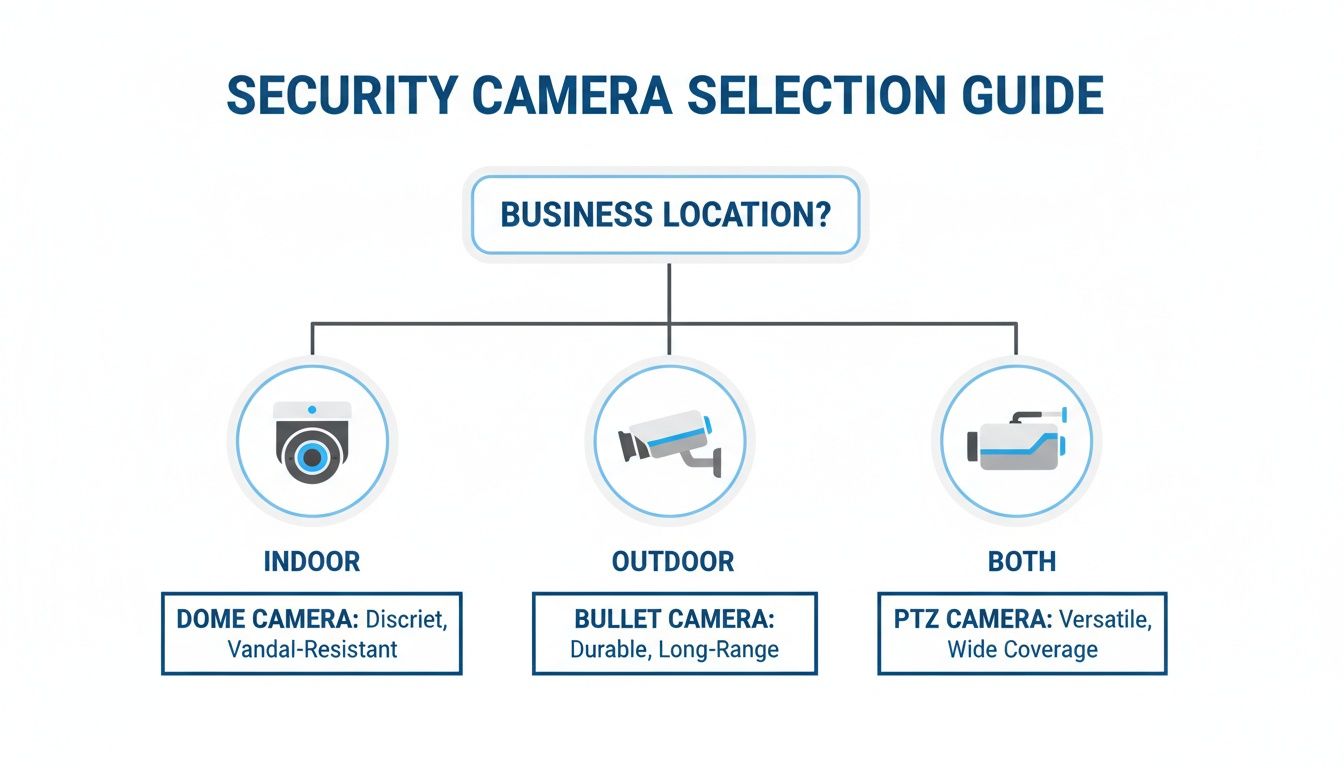
This flowchart helps simplify the initial choice, pointing you toward indoor, outdoor, or more versatile cameras based on your main surveillance priorities.
The Best of Both Worlds: The Hybrid System
So what if you want the rock-solid reliability of an NVR but also the remote access and backup security of the cloud? That’s exactly where a hybrid system comes in, offering a balanced approach that covers the weaknesses of the other two models.
A hybrid system records video to a local NVR as its primary method but also sends important event clips—like motion alerts—to the cloud. This strategy is ideal for businesses that can't afford any recording gaps but still need off-site access and a secure backup.
Take a professional office, like a law firm or an accounting practice. They need continuous, high-quality recording of their entryway and server room, which the on-site NVR handles without bogging down their internet during business hours. At the same time, they want an alert if there’s after-hours motion and need that specific footage backed up off-site in case of a break-in.
This dual-recording method acts as a powerful safety net. Most of your footage stays local for quick and easy review, while the most critical clips are kept safe in the cloud. This makes hybrid systems one of the most resilient and practical choices for small businesses looking for complete security without compromise.
System Architecture Comparison for Small Businesses
To make the decision clearer, here’s a direct comparison of how each system stacks up across the factors that matter most to small business owners.
| Feature | NVR System (Local) | Cloud System (Hosted) | Hybrid System (Local + Cloud) |
|---|---|---|---|
| Primary Storage | On-site hard drives | Remote cloud servers | On-site NVR with cloud backup for key events |
| Internet Dependency | Low (only for remote viewing) | High (constant upload required) | Moderate (uploads event clips, not continuous video) |
| Data Security | High control, but vulnerable to on-site theft/damage | Protected from on-site events, relies on provider's security | Best of both; local control plus secure off-site backup |
| Upfront Cost | Higher (NVR hardware) | Lower (often just cameras) | Higher (NVR hardware + subscription) |
| Ongoing Cost | Minimal (potential hard drive replacement) | Monthly subscription fees per camera | Monthly subscription for cloud backup features |
| Best Use Case | Warehouse with poor internet; high-security facilities | Multi-location retail; businesses needing remote access | Any business wanting reliability and secure backup |
Ultimately, this table highlights the trade-offs. While an NVR gives you control and a Cloud system offers flexibility, a Hybrid solution often provides the most complete and resilient security posture for a growing business.
Leveraging AI and Analytics for Smarter Security
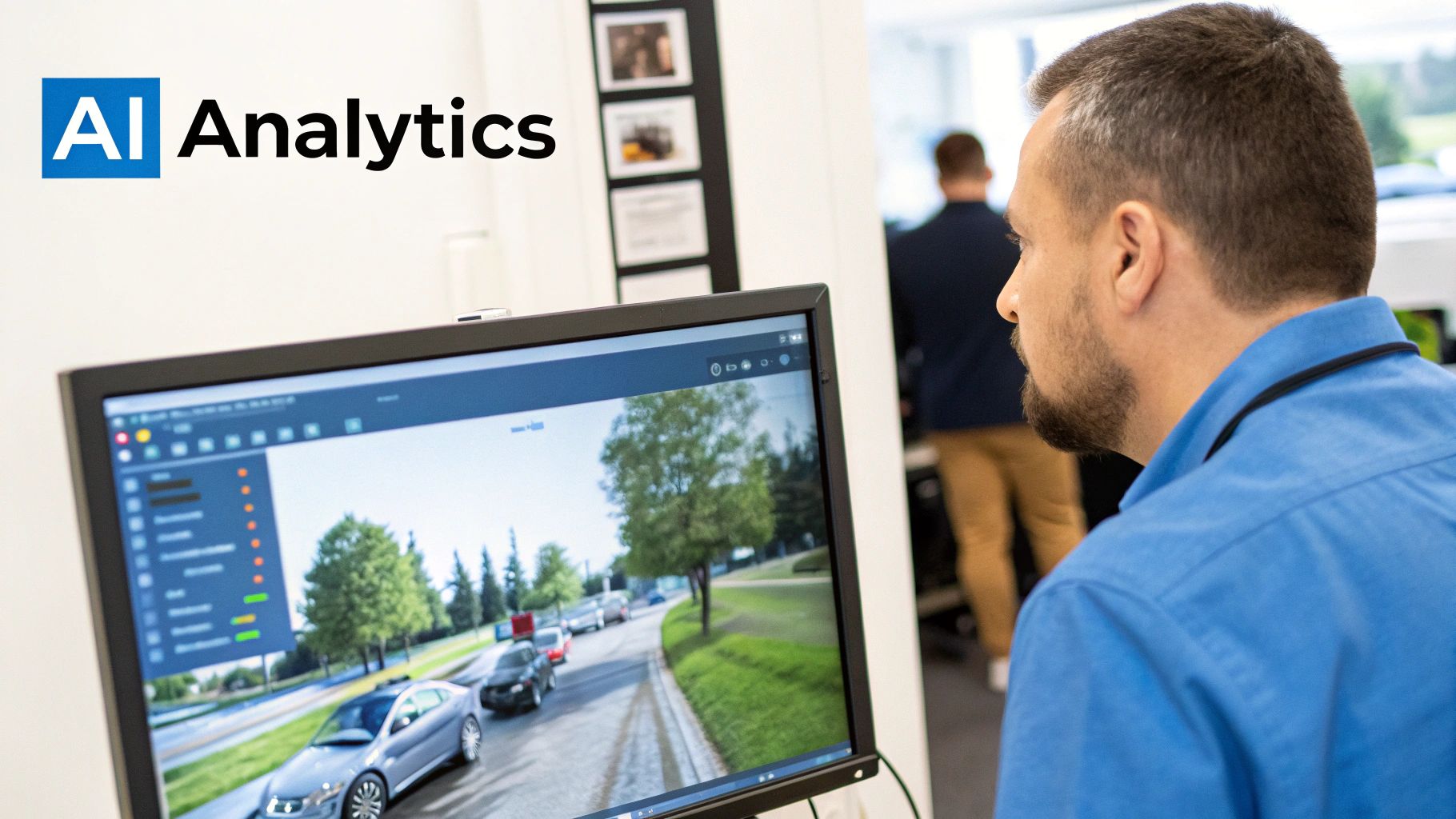
Today’s best security camera systems for small businesses do a lot more than just hit "record." They've become intelligent tools that give you real insights, turning your surveillance from a passive chore into a proactive part of your operation. This is all thanks to artificial intelligence (AI) and advanced video analytics.
Instead of just capturing hours of footage you have to sift through, these systems analyze video in real-time. This lets you automate monitoring, get very specific alerts, and even collect data that helps your business run smoother. The end result is smarter, faster security that saves you time and headaches.
Moving Beyond Basic Motion Detection
We’ve all been there with older security cameras. You get bombarded with false alerts—a tree branch swaying, a car’s headlights, or a stray animal trips the sensor. Pretty soon, you start ignoring the constant notifications.
AI-powered cameras fix this with intelligent detection. They’re smart enough to tell the difference between objects, so you only get alerts that actually matter.
- Person and Vehicle Detection: The system knows if it sees a person, a car, or something else. That means you get a ping when someone is at a restricted door after hours, not every time a raccoon wanders by.
- Reduced Alert Fatigue: By filtering out all that "noise," you can focus on real security events. This makes the whole system more effective because you won't miss a genuine alert buried in a sea of false alarms.
This is a huge upgrade. It turns your notifications from a constant annoyance into a reliable first line of defense. When an alert comes through, you know it’s worth checking out.
Proactive Security with Advanced Analytics
Beyond just telling people from pets, AI analytics can spot specific behaviors and patterns. This lets your security system get ahead of potential problems before they happen, offering a level of security that used to be reserved for huge corporations.
Smart analytics transform your cameras from passive observers into active sentinels. A system that can detect loitering outside your storefront after closing or identify a vehicle parked too long in a loading zone gives you the power to intervene before a problem occurs.
These advanced features bring real-world benefits to all kinds of businesses.
- Loitering Detection: Set up a camera to watch your storefront and alert you if someone hangs around for too long after you close, helping to deter vandalism or break-ins.
- Line-Crossing Alerts: You can draw a virtual "line" across a doorway or a sensitive area. If anyone crosses it, you get an instant notification—perfect for securing server rooms or stock areas.
- Object Removal Detection: In a retail shop, some systems can alert you the moment a high-value item is taken from a display, giving you an immediate chance to address potential theft.
These features are becoming central to modern security. In fact, by 2025, it's expected that security applications will make up 61.4% of the entire smart camera market. This shows just how much businesses are relying on this tech to protect their assets. You can find more details in this smart camera market report from AMRA & ELMA.
Unlocking Business Intelligence
The power of AI doesn't stop at security. The data your intelligent cameras collect can give you incredible insights into your business operations, helping you make smarter decisions to improve customer experience and increase revenue.
For a retail store, AI cameras can create heatmaps showing where customers spend the most time, helping you optimize your store layout. They can also count people coming in and out, giving you accurate data on your busiest hours so you can staff accordingly.
Premier Broadband offers a range of AI camera systems that deliver both top-tier security and valuable business analytics. By turning video into usable data, these systems provide a return on investment that goes far beyond just keeping your property safe.
Choosing Between Self-Managed and Professionally Managed Systems
One of the biggest decisions you'll make isn't about cameras or recorders, but about who is ultimately responsible for the system. Will you handle the installation, monitoring, and maintenance yourself, or will you hand it over to a professional service?
This choice really boils down to your most valuable resource: time. The right path depends on your budget, your technical skill, and how much you value being able to focus on your actual business. Let's break down what each option really means for you.
The Appeal and Reality of Self-Management
The main reason business owners go the DIY route is to save money upfront. When you buy the equipment and handle the setup yourself, you can definitely cut down on initial costs. This approach also gives you total control over where every camera goes and how every setting is configured.
But that control comes with a hidden price tag—one paid in your own time and effort. The health and security of the entire system rest squarely on your shoulders.
This means you're responsible for:
- Firmware Updates: You have to stay on top of updates for cameras and recorders to patch security holes and fix bugs.
- System Troubleshooting: When a camera goes offline or recordings fail, you're the one who has to figure out why and fix it.
- Cybersecurity Maintenance: It's up to you to make sure your system is secure from hackers, a critical step that's easy to overlook.
If you're tech-savvy and have a fairly simple setup, this can work. For most business owners, though, the hours spent troubleshooting can quickly erase any initial savings.
The Strategic Advantage of a Professionally Managed Service
Choosing a professionally managed service takes the burden of system management off your plate and gives it to a team of experts. This is the solution for business owners who just need their security to work, freeing them up to run their company.
A managed service provider handles it all, from designing the system and installing it professionally to ongoing support and maintenance. They make sure cameras are placed for perfect coverage, your network can handle the video streams, and the system stays secure.
A professionally managed system is an operational expense that buys back your time and provides expert peace of mind. Instead of becoming a part-time security technician, you gain a partner whose job is to guarantee your system is always protecting your business.
This approach offers more than just convenience.
Core Benefits of Professional Management
- Expert Installation: Certified technicians install your system correctly, avoiding common DIY mistakes like bad camera angles or network clogs.
- Proactive Monitoring: The provider actively monitors your system's health, often spotting and fixing a problem like a dying hard drive before you even know it exists.
- Guaranteed Performance: With a service level agreement (SLA), you get a guarantee of uptime and support, making sure your investment is always working for you.
A managed service is an ongoing partnership. For businesses that want a hands-off approach, exploring managed network security solutions shows how a complete service provides better protection without draining your time.
Answering Your Top Security System Questions
When you're choosing a security camera system for your business, a lot of questions come up. Getting straight answers is key to making a smart investment that actually protects your business without causing new headaches.
Let's dig into the most common questions we hear from business owners.
How Much Internet Bandwidth Do Security Cameras Use?
The amount of bandwidth your cameras use really comes down to the type of system you choose: cloud-based or a local NVR. It's a critical difference.
Cloud cameras are constantly uploading video, so they need a lot of upload speed. You can figure on needing about 1-2 Mbps for each HD camera running at all times. An NVR system, on the other hand, does most of its work on your local network. It only uses your internet connection when you decide to log in and watch a live feed or review old footage from somewhere else.
Before you even think about installing a bunch of cloud cameras, get a professional to check out your network. You have to be sure your internet can handle that constant upload demand without bogging down the things you need to run your business, like your payment terminals or customer Wi-Fi.
Are Wireless Security Cameras Reliable Enough for a Business?
It's tempting to go wireless for the easy installation, but for a business, they just don't have the reliability you need. Wireless cameras are prone to Wi-Fi interference from all the other devices in your building, and signals can get weak through walls. This can cause dropouts, leaving you with big gaps in your security footage.
When it comes to the important spots—your cash registers, doorways, and stock rooms—a wired Power over Ethernet (PoE) camera is always the right call. It’s just more stable. Save the wireless options for less critical areas where it’s tough to run a cable and a missed recording wouldn't be a disaster. For real protection, you need a solid, dependable connection.
How Long Should a Business Keep Security Footage?
How long you should hang on to security video really depends on your type of business, the risks you face, and any rules from your industry or insurance company.
For most small businesses, keeping footage for 30 to 90 days is plenty of time to look back on any incidents or settle disputes. But every situation is different. A retail shop might need to keep recordings longer to deal with potential slip-and-fall claims, while a small office might only need a few weeks' worth. With an NVR, you can add more hard drive space to store more video. Cloud plans usually come in fixed tiers, like 7, 30, or 60 days of storage.
Ready to build a smarter, more reliable security system for your business? The experts at Premier Broadband can design a solution with AI-powered cameras and managed network services that fits your exact needs. Learn more about our business solutions.