
Your current phone system usually starts failing long before it goes completely down. A front desk call drops during a quote request. A salesperson can't transfer a call cleanly. Someone working from home misses calls because the old setup was built for desks in one office, not a team spread across conference rooms, home offices, and mobile apps.
That's when most businesses start looking at VoIP. They expect new phones, lower monthly bills, and a cleaner admin portal. What they often don't expect is that VoIP phone system installation is really a network project first. The phones matter, but cabling, switch power, router policy, firewall behavior, and backup power are what decide whether the system feels solid or frustrating.
Upgrading Your Business Voice with VoIP
A lot of businesses come to this decision the same way. They're not chasing shiny technology. They're trying to stop living with a phone system that wastes time.
The pattern is familiar. The office has a legacy setup that still technically works, but every change feels harder than it should. Adding a user takes too long. Moving an extension means touching old hardware. Remote staff end up using cell phones because the main system wasn't built for flexible work. That's when VoIP stops being an upgrade and starts looking like basic operational cleanup.
The market already made that shift. In the United States, businesses added more than 35 million VoIP lines between 2010 and 2018, while residential VoIP lines grew to 76.6 million. During the pandemic, VoIP and video conferencing usage grew by more than 212%, which pushed internet-based communications even further into the mainstream, according to Tech.co's VoIP statistics roundup.
That matters because it changes how you should think about installation. Modern voice deployments usually aren't centered on a big PBX cabinet in a back room. They're centered on internet readiness, endpoint provisioning, call routing, and the physical network that supports everything.
What businesses usually underestimate
Organizations often prioritize handsets and features first. They ask about voicemail-to-email, mobile apps, call queues, and auto-attendants. Those are important, but they aren't the first things I check.
I look at the switch stack, whether the phones will have clean Ethernet runs, whether the office has enough power resilience for modem and router gear, and whether shared spaces such as conference rooms are being planned as part of the communications environment. If your office is also designing reliable conference room AV, it makes sense to coordinate that work with your voice and data layout instead of treating them as separate projects.
Practical rule: If the network is unstable, a new VoIP platform won't fix the user experience. It will expose the instability faster.
A successful deployment feels simple to the end user. That simplicity is built on planning. Not luck.
Your Pre-Installation Readiness Checklist
Monday morning cutovers go sideways for predictable reasons. The phones arrive on time, but one switch has no PoE budget left, two desk locations never got patched, the internet circuit looks fast on a speed test but drops packets under load, and the business owner is still waiting on a number port. By the time users notice choppy audio or dead handsets, the problem is already behind the wall or in the wiring closet.
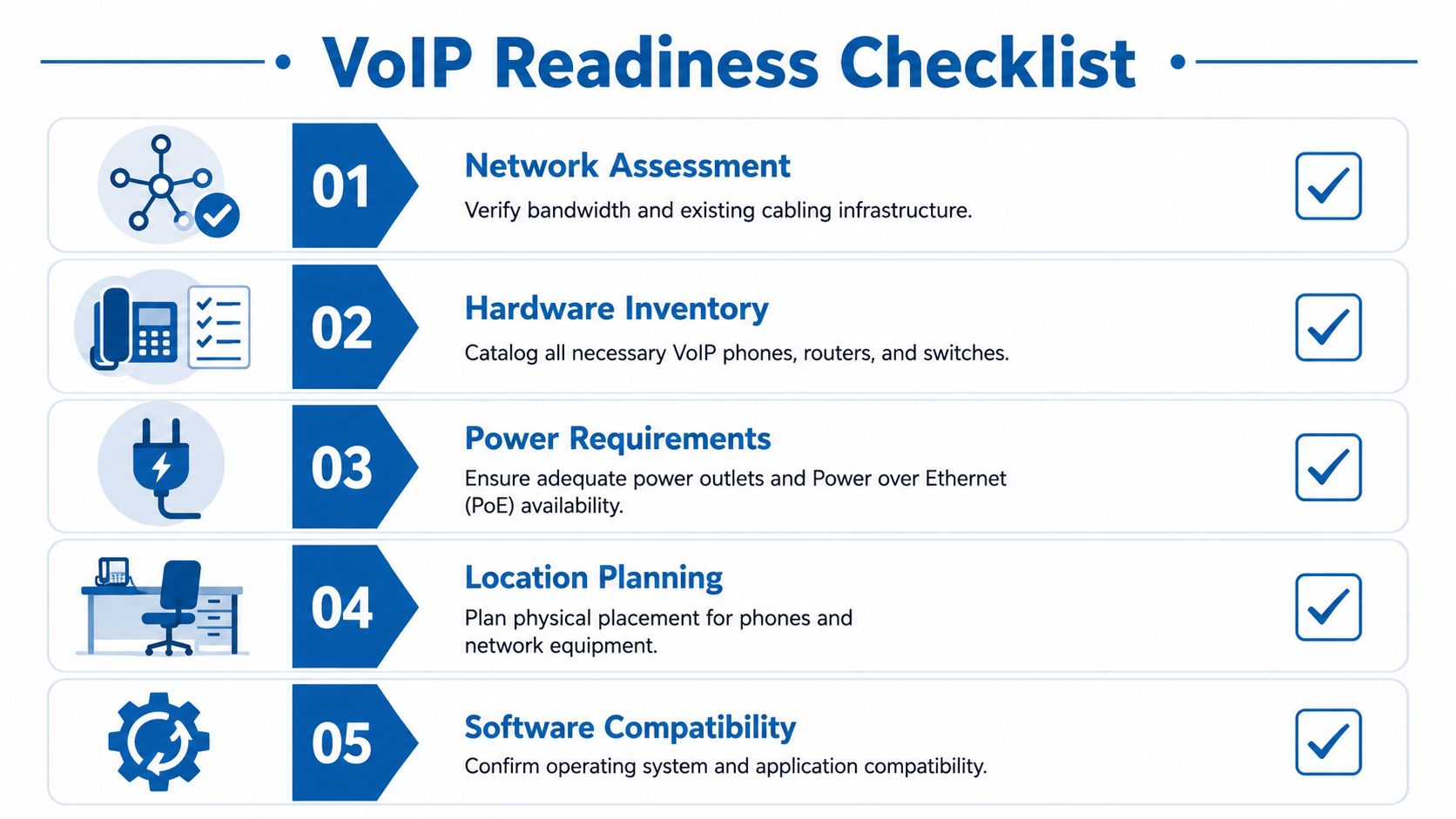
Before ordering devices or setting a go-live date, confirm the site can support voice traffic day after day.
Check bandwidth and network stability
Start with call volume, not headcount. A 12-person office might only carry three simultaneous calls, while a six-person sales team can keep every line active for hours. That number drives bandwidth planning, switch load, and the amount of troubleshooting margin you have when the network gets busy. For a practical way to size that demand, use Premier Broadband's guide to bandwidth for VoIP.
Then check the part many DIY guides skip. Voice quality depends as much on consistency as raw throughput. Latency, jitter, packet loss, overloaded firewalls, and poor QoS handling cause more user complaints than a simple lack of download speed.
Use this checklist before install day:
- Measure concurrent calls: Estimate how many calls happen at the same time during your busiest hour.
- Review switch capacity: Confirm the switching hardware has enough throughput and available ports for phones, PCs, and uplinks.
- Test wired connections: Desk phones and conference phones perform more predictably on Ethernet than on office Wi-Fi.
- Check router and firewall load: Older edge equipment often works fine for web traffic, then struggles once real-time voice is added.
- Look for packet loss and jitter: A connection can pass a basic speed test and still deliver poor call quality.
If the network already has random drops, VoIP will expose them fast.
Confirm power and physical readiness
This is the point where many projects stop being “plug and play.” Phones need clean cabling, available switch ports, stable power, and documented patching. If any one of those is missing, installation turns into a site remediation job.
Check the physical layer carefully:
- PoE availability: Verify your switches can power every planned handset, conference phone, and expansion module.
- UPS coverage: Put the modem, router, firewall, switches, and any on-site voice equipment on battery backup.
- Cable paths and jack locations: Confirm each desk, reception area, lobby phone, and conference room has a tested data drop where the device will live.
- Patch panel labeling: Clean labels save hours during cutover and make future support much easier.
- Shared spaces: Decide in advance whether break rooms, warehouse stations, entry doors, or conference rooms need phones or paging devices.
A handset booting up does not prove the site is ready. It only proves one outlet had power and link at that moment.
This is also where professional help starts to make financial sense. If your office has questionable cabling, no UPS coverage, or aging switches with limited PoE, fixing those gaps before cutover is cheaper than troubleshooting missed calls after staff are live.
Plan service details before cutover
Administrative prep causes just as many delays as wiring. Emergency location data, user mapping, call flow design, and number transfer paperwork all need to be right before the first production call hits the system.
Focus on the items that commonly hold up installations:
- E911 registration: Every extension, softphone user, and physical device needs accurate location information.
- Number porting: Existing numbers often take days or weeks to transfer, depending on the losing carrier and whether the paperwork matches the current service record. The FCC's local number portability guidance is a better reference point than vendor blog estimates.
- Fallback routing: Decide where calls should go if the port date slips or the primary internet connection fails.
- User and device inventory: Match each employee to an extension, phone model, app access, voicemail box, and any special routing needs.
- Reception and call handling rules: Finalize auto-attendant prompts, business hours, ring groups, and hunt paths before cutover.
If you are still deciding what platform you want the provider to provision, it helps to compare cloud and on premise PBX systems before you lock in the build.
Clean installs are rarely about luck. They come from doing the unglamorous work first, checking cabling, power, call flow, and carrier details before anyone unboxes a phone.
Choosing Your Setup Hosted vs On-Premises
This decision shapes everything that follows. It affects who manages the system, where complexity lives, and how much telecom responsibility your staff carries after go-live.
For most small and midsize businesses, the practical choice is a hosted VoIP platform. That's because the business usually wants reliable calling and easy administration, not another box in a closet that someone has to maintain. Still, there are environments where an on-premises PBX fits. The right answer depends on your internal IT depth, site complexity, and tolerance for owning infrastructure.
If you want another perspective before deciding, this breakdown that helps compare cloud and on premise PBX systems is a useful companion read.
Hosted VoIP vs on-premises PBX at a glance
| Factor | Hosted VoIP (e.g., Premier Broadband) | On-Premises PBX |
|---|---|---|
| Core platform location | Runs in the provider's cloud environment | Runs on hardware you manage locally |
| Upfront investment | Usually lighter, focused on endpoints and network readiness | Higher, because you're adding PBX equipment and related infrastructure |
| Ongoing maintenance | Provider handles platform-side maintenance and updates | Your team or contractor handles software, hardware, and support |
| Scalability | Adding users and locations is usually straightforward | Growth may require hardware expansion and additional configuration |
| Feature updates | New features are typically rolled out through the hosted platform | Updates depend on your upgrade path and maintenance process |
| Disaster recovery posture | Easier to support remote use and alternate locations | More dependent on the resilience of your local site |
| Best fit | Businesses that want flexibility and less telecom overhead | Organizations that need tight local control and have the staff to manage it |
What usually works best
Hosted systems fit the way most companies operate now. Staff move between desks, home offices, and mobile apps. Managers want a web portal. Admin teams want simpler adds, moves, and changes. Finance usually prefers predictable recurring costs over maintaining specialized phone hardware.
On-premises PBX can still make sense in niche scenarios, especially where a business already has telecom expertise in-house and specific control requirements. But it shifts more risk to your side. If the PBX, local power, or site network has a problem, your team owns that problem.
A hosted model doesn't remove the need for good installation. It just changes where the difficult parts are. Instead of maintaining a PBX server, you focus on the access network, handsets, call design, and endpoint deployment. If you're still getting oriented, this overview of what is cloud phone system helps frame the hosted model in plain language.
The Core VoIP System Configuration Process
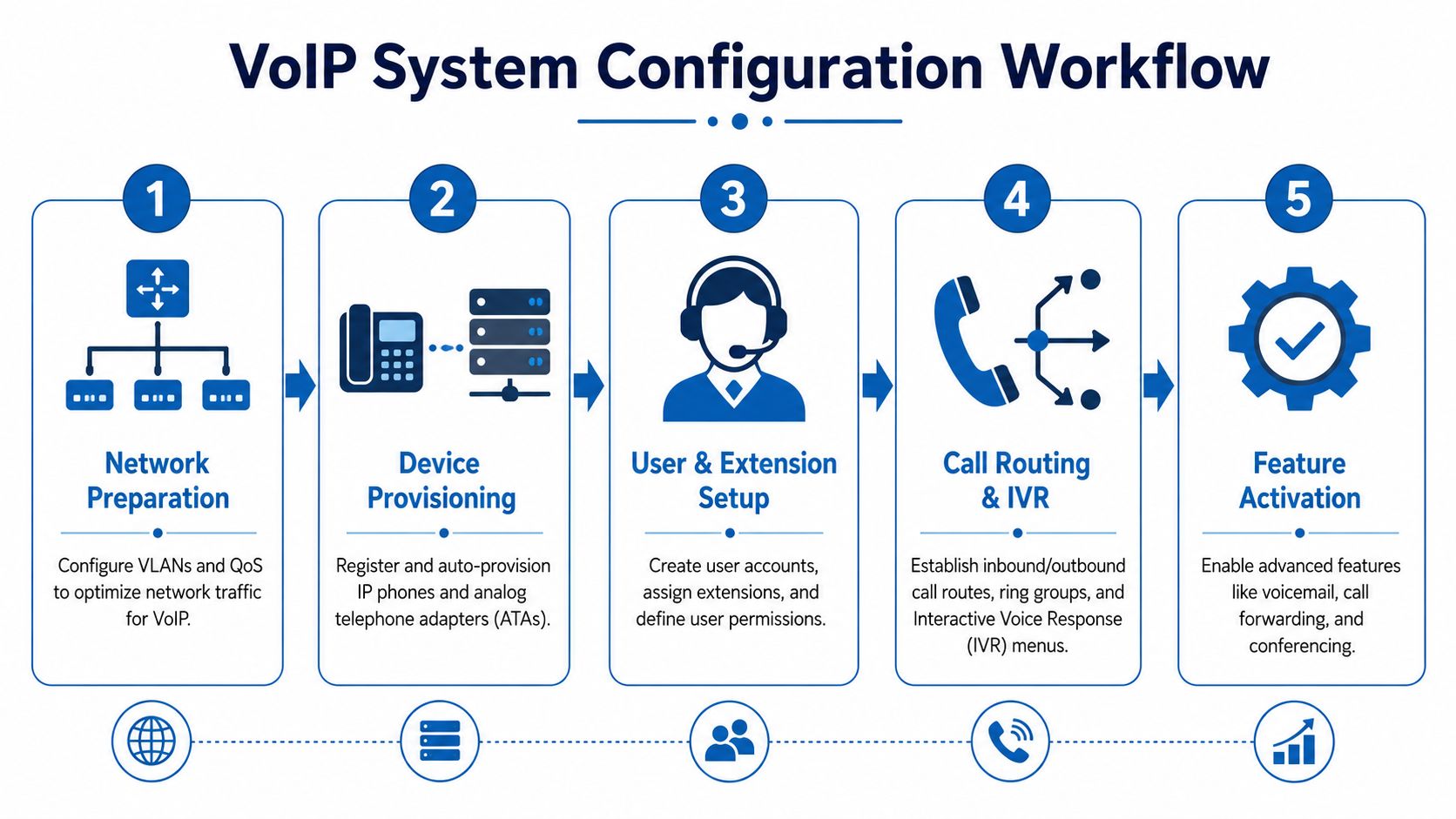
A clean deployment follows a sequence. The reliable approach is a five-stage workflow made up of pre-installation planning, network preparation, hardware selection, system configuration, and post-go-live optimization, as described in Nextiva's VoIP setup workflow. Teams that skip the order usually create their own troubleshooting later.
Start with the network. Don't start with ringtone choices.
Prepare the network first
Voice traffic needs consistency. That's why I treat switching and routing policy as part of the phone install, not as somebody else's problem.
At minimum, I want these items reviewed before user provisioning starts:
- Voice segmentation: Put phones and adapters on a voice-specific VLAN where practical. That makes policy, troubleshooting, and monitoring cleaner.
- QoS policy: Prioritize voice so routine internet traffic doesn't crowd out call packets during busy periods.
- Firewall review: Allow only the traffic the phone service needs. Open enough for the system to function, but not more than necessary.
- Wired preference: Put desk phones on Ethernet whenever possible. Wi-Fi may work, but it introduces variables you don't want in business voice.
For teams that want a more provider-oriented walkthrough, Premier Broadband's guide on how to set up VoIP phone gives a useful baseline for the connection and registration side of the process.
Here's a quick visual reference for the workflow:
Build users, extensions, and call flows
Once the network is ready, move into the admin portal or PBX.
This is the stage where the system starts taking shape for the business. Create users, assign extensions, and define who needs a desk phone, who needs a softphone, and who needs both. Keep naming consistent. Support gets harder when extension labels, user names, and departmental routing all use different conventions.
Then configure inbound behavior. That includes:
- Auto-attendants: Main greetings, keypress menus, business hours, and holiday schedules.
- Ring groups and hunt groups: Sales, service, billing, and after-hours routing.
- Voicemail policy: Individual mailboxes, group mailboxes, and delivery to email if the platform supports it.
- Outbound rules: Caller ID presentation, extension permissions, and any location-specific behavior.
Don't copy the old phone system line for line. Use the installation to simplify call flow. Most legacy systems carry years of patchwork routing nobody meant to keep.
Provision endpoints without improvising
Endpoint provisioning is where a lot of “simple” installs go sideways. A few phones register correctly, so the team assumes the rest will. Then an adapter won't authenticate, a conference phone has the wrong firmware, or a remote handset is plugged into the wrong network path.
Handle endpoints methodically:
- Assign device ownership clearly. Every handset, softphone, and ATA should be tied to a user or room.
- Load the right template. Button maps, BLF keys, time zones, and line appearances should be standardized.
- Check analog dependencies. If you're keeping fax, alarm, or analog devices, treat those ports and adapters as exceptions that need separate validation.
- Label everything physically. Desk labels, patch labels, and switch-port documentation save time later.
Tune after go-live
Go-live isn't the finish line. It's where optimization begins.
After users start making real calls, watch for patterns. One department may need a different ring strategy. A receptionist console may need cleaner line appearances. Remote users may need a different device profile or better local network guidance.
The strongest installs aren't the ones with the most features enabled on day one. They're the ones that launch cleanly, then get tuned based on actual call behavior.
Testing and Verifying Call Quality
A phone system isn't ready because the handsets booted and registered. It's ready when calls sound clean, routing behaves the way staff expect, and the cabling under the desk isn't waiting to fail two weeks later.
Testing needs structure. Random test calls don't tell you much.

What to test before you declare success
Run the same call checks every time. That gives you a baseline and makes troubleshooting much faster if something changes.
- Internal extension calls: Verify two-way audio, transfer behavior, hold, and voicemail access.
- Outbound calls to mobile phones: Listen for clipping, delay, echo, and volume imbalance.
- Outbound calls to external business lines: Confirm caller ID and call setup consistency.
- Inbound path tests: Make sure the main number, direct numbers, and menu routing all land where they should.
- Failover behavior: If your setup includes alternate routing, test that before anyone needs it.
Listen for one-way audio in particular. Users often describe it poorly. They'll say the phone is “glitchy” when the underlying issue is that one side of the call path isn't stable.
Validate the cabling, not just the call
Professional installers emphasize using a dedicated, certified data cable from the patch panel to each phone, with Cat5e minimum and Cat6 preferred, and they often certify those runs with tools such as a Fluke DSX before signoff, as highlighted in this VoIP cabling guidance video.
That matters because bad cabling causes intermittent failures that are hard to pin down. The call may work during a quick test, then start dropping packets when the office gets busy or when someone bumps a patch cord that was never terminated cleanly.
A VoIP system can survive on mediocre cabling for a while. Reliable business voice usually won't.
If the phones are important to your operation, certify the physical layer and document it. That's one of the biggest differences between a tidy install and a future support headache.
Fixing Common Issues and When to Call a Pro
Most VoIP issues fall into a few buckets. Audio quality problems usually point back to the network. Registration issues usually point to provisioning mistakes, firewall behavior, or device integration gaps. None of those are random.
The common installation pitfalls are network inadequacy and incomplete device integration, and standard guidance is to enable QoS on the router and allow only the required VoIP traffic through the firewall so voice packets aren't delayed or blocked, according to Voiso's VoIP setup recommendations.
Fast triage for common problems
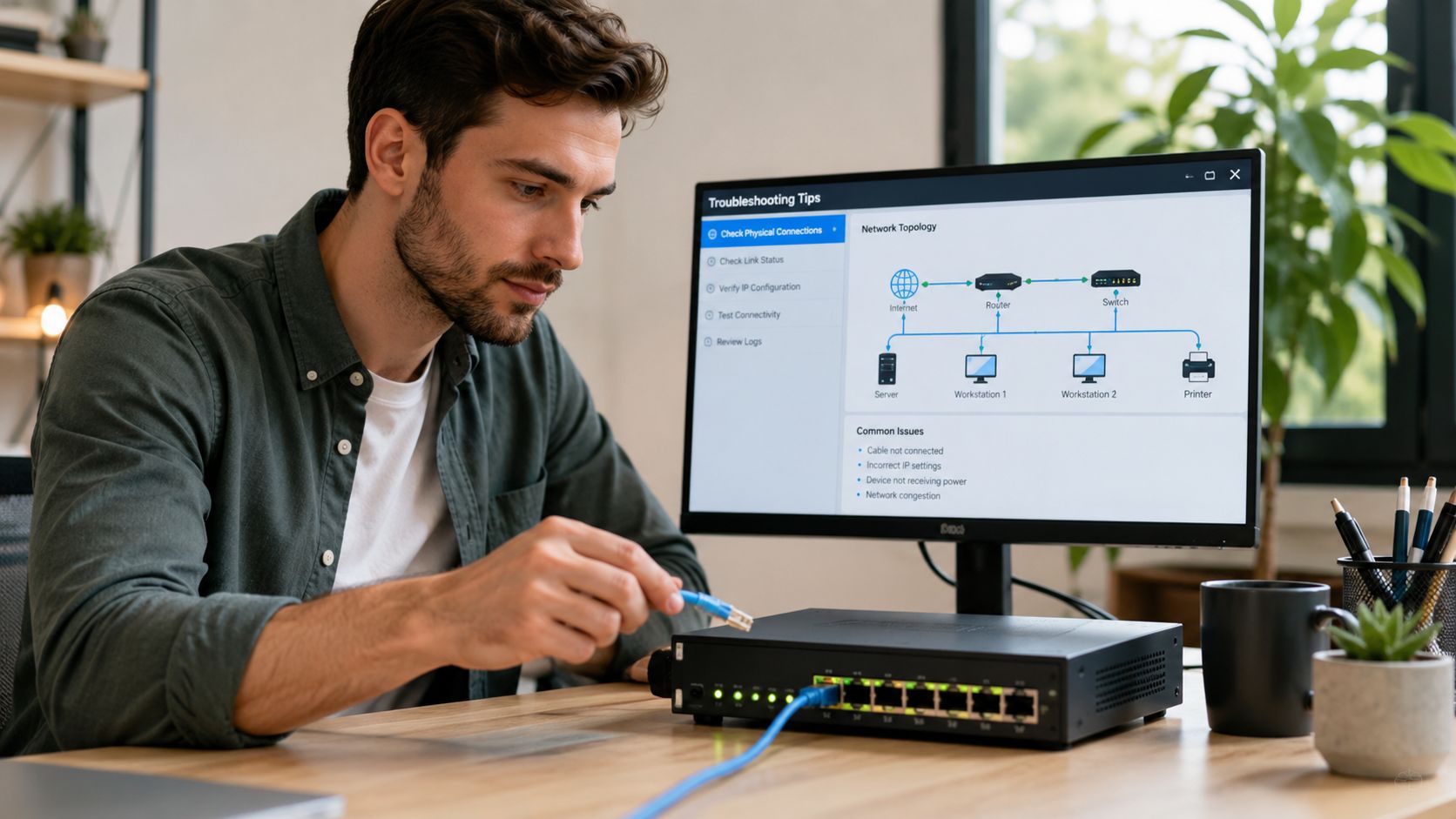
When a newly installed system misbehaves, start with the simplest likely failure points.
| Problem | Likely cause | First check |
|---|---|---|
| Choppy or delayed audio | Congestion, missing QoS, unstable path | Router policy, switch load, wired vs Wi-Fi connection |
| One-way audio | Firewall handling or incomplete session flow | Security rules and voice traffic allowances |
| Phone won't register | Wrong credentials, wrong template, blocked traffic | Account details, device profile, firewall behavior |
| Only some devices fail | Inconsistent provisioning or patching issue | Port assignment, cable path, endpoint template |
| Analog device is unreliable | Adapter setup or signaling mismatch | ATA configuration and extension mapping |
One item deserves special attention. Some routers handle SIP traffic in ways that interfere with modern hosted voice platforms. If you're troubleshooting unpredictable registration or call setup behavior, review whether the router is applying SIP ALG and whether that should be disabled. Premier Broadband has a straightforward explanation of what is SIP ALG and why it often shows up in VoIP troubleshooting.
When DIY stops being the smart option
There's nothing wrong with a self-install in a small, simple environment. A handful of users, clean switching, good cabling, and no unusual call flows can be manageable.
DIY gets risky when any of these conditions show up:
- Multiple locations: You're coordinating different networks, users, and cutover timing across sites.
- No dedicated IT staff: The person “handling phones” also runs operations, payroll, or front desk support.
- Complex call routing: You need queues, time schedules, paging, analog endpoints, or shared lines that affect daily workflow.
- Mission-critical uptime: Missed calls mean missed revenue, customer issues, or service delays.
- Weak infrastructure history: If the office already has messy patching, aging switches, or power issues, the voice rollout will expose it.
At that point, professional help isn't overkill. It's risk control.
A provider-managed approach can take ownership of the parts businesses struggle with most: edge configuration, device rollout, traffic policy, and ongoing support. For companies that want a more controlled deployment, a managed service model such as Premier Broadband's Managed Network Edge and professional installation services can centralize the network and voice setup under one operational process instead of splitting accountability across multiple vendors.
If your staff can't afford a bad phone week, the install shouldn't depend on guesswork.
If you're planning a VoIP rollout and want help validating the network, staging phones, or handling a cleaner cutover, talk with Premier Broadband about your environment before you order hardware. A short planning conversation can surface the issues that usually cause trouble later, especially around cabling, switch power, firewall behavior, and number port timing.