
Your internet drops during a video call. The movie buffers right when everyone settles in. A game update takes forever, and you're left wondering whether the problem is your Wi-Fi, your provider, or just where you live.
If that sounds familiar, you're not alone. A lot of households outside dense city centers end up sorting through a messy list of options that all sound similar at first glance. Fiber. DSL. Satellite. LTE. 5G home internet. Fixed wireless internet.
Fixed wireless internet sits in an interesting middle ground. It can bring broadband to places where running cable or fiber is difficult, and in the right conditions it can feel surprisingly solid. But it also has limits that many quick explainers gloss over.
Your Guide to Fixed Wireless Internet
You check your address for internet service and see a familiar rural-area shortlist: satellite, DSL, cellular home internet, and fixed wireless. At first glance, they can blur together. The difference that matters is how the connection reaches your house, and what that means once everyone is online at the same time.
Fixed wireless internet is often offered in places where laying new cable or fiber would take more time and cost more money. Instead of bringing the final stretch of the connection through a buried line, the provider sends it wirelessly from nearby network equipment to your home. For households outside dense neighborhoods, that can make broadband available much sooner.
The word "fixed" is the part that clears up most of the confusion.
Your phone can move from place to place. A hotspot can travel in a bag. Fixed wireless service stays tied to one address, with equipment installed for that specific location. It works more like a dedicated route to your home than a portable internet plan.
A simple way to view it is this: fixed wireless uses the air for the last leg of the trip, while fiber uses a physical line all the way to your house. That trade-off is the whole story. Wireless can be faster to deploy and very useful where wired service is limited. Fiber usually delivers a steadier connection, lower lag, and fewer slowdowns during busy hours.
That difference shows up in real life. A good fixed wireless connection can handle streaming, video calls, schoolwork, and everyday browsing just fine. If your job depends on large uploads, your household has several heavy users, or you care about the smoothest possible gaming and video conferencing experience, fiber is usually the better fit when you can get it.
If you are comparing fixed wireless with cellular-based home internet, it helps to look at real plan types side by side, including residential LTE internet plans.
Fixed wireless fills an important gap. It can be a smart, practical option in areas where fiber has not reached yet.
If fiber is available at your address, though, fiber is usually the stronger long-term choice for performance and reliability.
How Fixed Wireless Internet Actually Works
A good way to picture fixed wireless internet is a focused flashlight beam. The provider shines the signal from one point, and your home equipment has to “see” that beam clearly enough to catch it.
That doesn't mean you can see anything in the air. It just means the connection works best when the path between the provider's tower and your receiver is as clear as possible.
The three main pieces
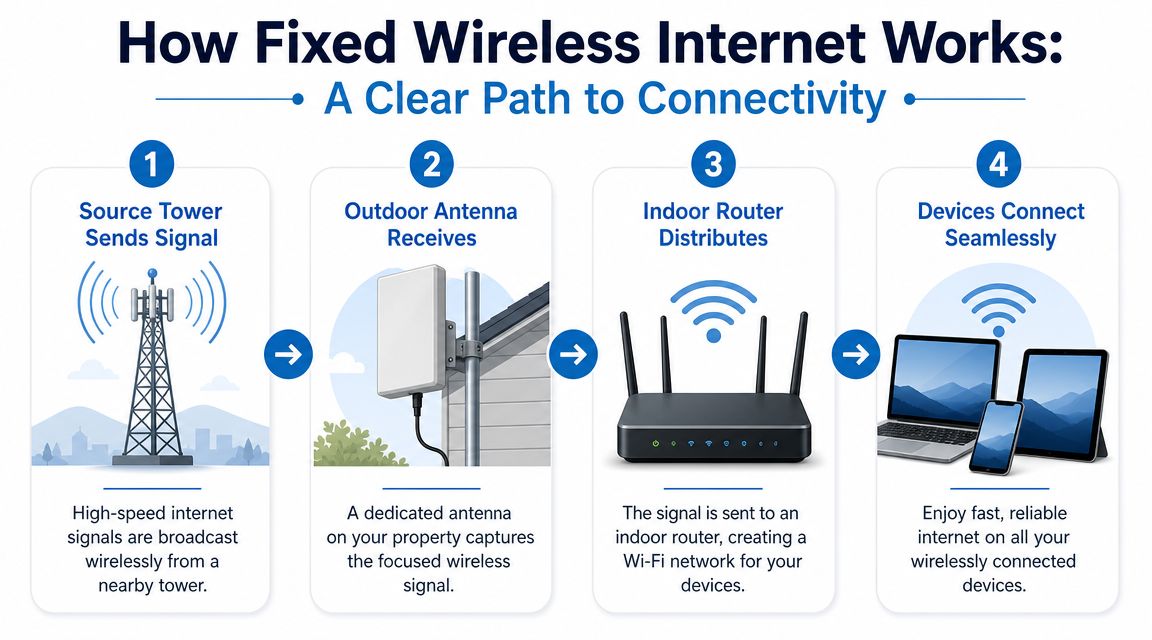
A fixed wireless setup usually has three parts:
The access point or tower
This is the provider's transmission site. It's connected back into the broader internet network and sends the wireless signal outward toward customers.The outdoor receiver or CPE
CPE stands for customer-premises equipment. This is the antenna or receiver mounted on your house, roofline, side wall, or another stable point on the property.The indoor router
Once the outdoor unit receives the signal, it passes that connection into a router inside your home. Then your phones, TVs, laptops, game consoles, and smart home devices connect like they would on any other internet service.
Why installation matters so much
Fixed wireless differs significantly from fiber. With fiber, a physical line reaches your home. With fixed wireless, that final connection depends on radio conditions.
According to Expereo's overview of fixed wireless technical specifications, performance is highly sensitive to line-of-sight, terrain, and antenna placement. Trees, hills, buildings, and even the exact mounting location can weaken the signal, which is why providers often use site surveys and propagation modeling before final installation.
A fixed wireless signal doesn't just need coverage in a general area. It needs a workable path from the tower to your exact property.
That's why two homes on the same road can have very different results. One may have a clean shot to the tower. The other may sit behind a treeline or a rise in the land.
What line of sight really means
People often hear “line of sight” and assume it means standing outside and spotting the tower with their eyes. Sometimes that's true. Sometimes it isn't.
In practice, line of sight is more about whether the radio signal has a clear enough path to travel reliably. A few obstacles might be manageable. Too many obstacles can turn a promising service check into a disappointing install.
If you want to understand why installers pay so much attention to mounting height and signal quality, this guide on the importance of signal strength in wireless networks helps connect the dots.
The last hop idea
One more piece clears up a common misunderstanding. Fixed wireless doesn't mean the whole internet is wireless all the way back to some distant data center.
The wireless part is usually the last hop from the provider's infrastructure to your property. After that, your traffic joins the provider's wired backbone. That's why installation quality at your location matters so much. It affects the first handshake your home makes with the network.
Performance What to Expect from FWA
The best way to judge fixed wireless is to separate headline performance from real-life consistency. Both matter.
Under favorable radio conditions, business-class fixed wireless can reach about 500 Mbps download, 50 to 100 Mbps upload, and 10 to 30 ms latency in mmWave 5G deployments, and some industry guides note service can extend up to roughly 10 miles from the tower depending on terrain and obstacles, according to Fatbeam's fixed wireless guide.
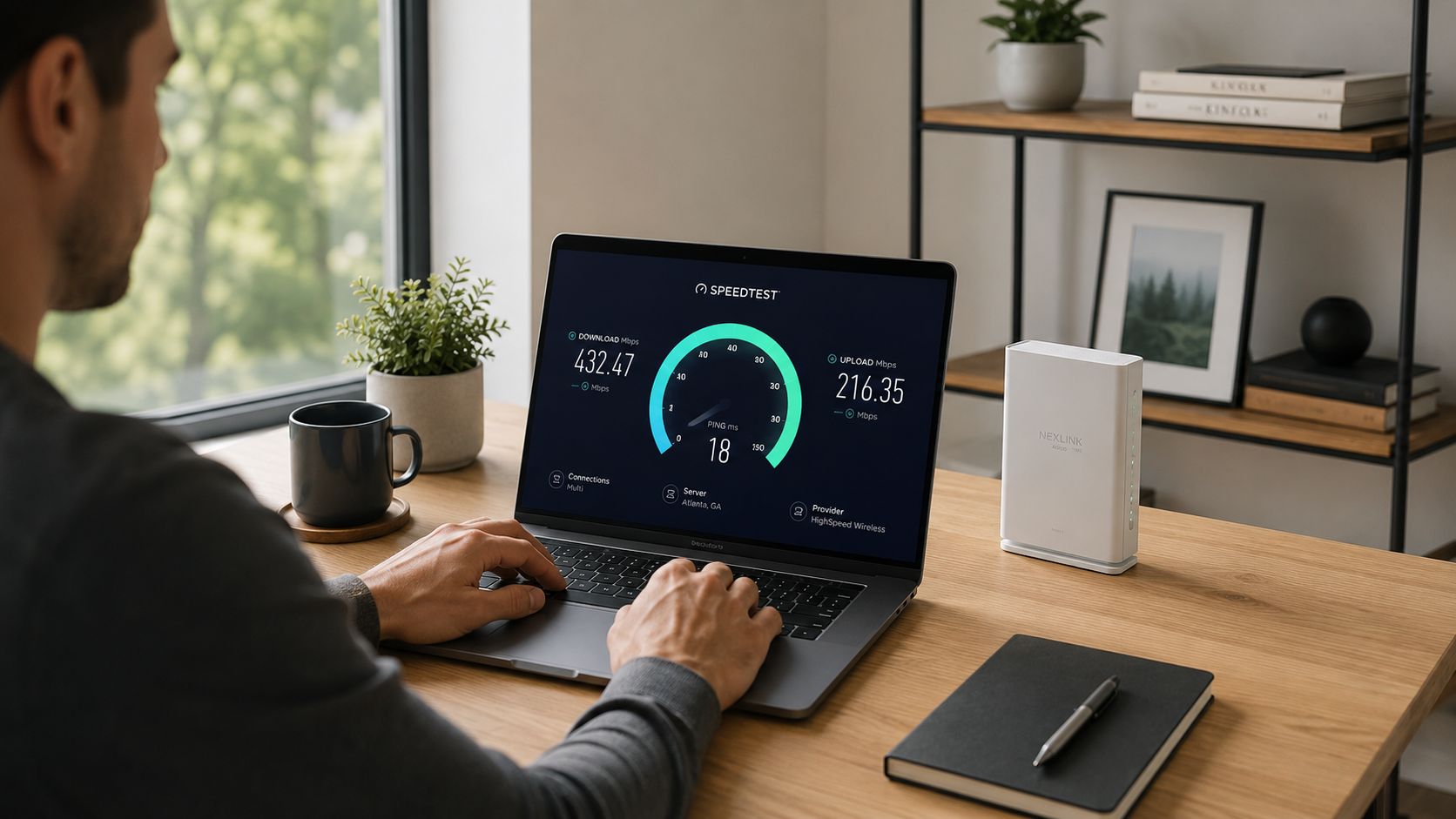
Those numbers sound strong because they are. In the right conditions, fixed wireless can absolutely handle streaming, cloud apps, schoolwork, video calls, and a lot of home office use.
What those numbers mean at home
Here's the practical version:
- For streaming: a healthy fixed wireless connection can usually support HD and often 4K streaming, as long as the signal stays stable and the network isn't heavily loaded.
- For work from home: video calls, shared documents, VPN access, and cloud backups can work well, especially if upload speed is decent.
- For gaming: latency matters more than raw download speed. Fast downloads help with updates. Low and steady latency helps with actual gameplay.
If gaming is a priority, it helps to understand how delay behaves beyond the basic speed test. This explainer on latency and packet loss for gamers gives a useful breakdown in plain language.
Why performance can vary
This is the part many advertisements skip. Fixed wireless is still a radio link. That means conditions can change.
A few common reasons performance shifts:
- Distance from the tower: farther isn't always bad, but it often makes the link more sensitive.
- Obstructions: trees, rooftops, and terrain can weaken or scatter the signal.
- Antenna alignment: a small placement issue can create a big real-world difference.
- Sector congestion: if many customers share the same tower sector at busy times, available capacity can tighten.
- Weather: heavy rain or snow can affect some deployments more than others.
Reality check: fixed wireless can test like wired broadband on a good day, but it usually won't match fiber for day-after-day consistency.
That's the key comparison. Fixed wireless can be fast. Fiber tends to be both fast and steady.
If your household depends on low-latency work tools, constant video meetings, or several people doing demanding tasks at once, a side-by-side look at fiber internet vs 5G home internet can help clarify where wireless starts to show its limits.
The Pros and Cons of Fixed Wireless
Fixed wireless internet solves a real problem. It gives people another path online when wired options are limited, delayed, or unavailable.
That doesn't make it perfect. It makes it useful in the right situations.
Where fixed wireless shines
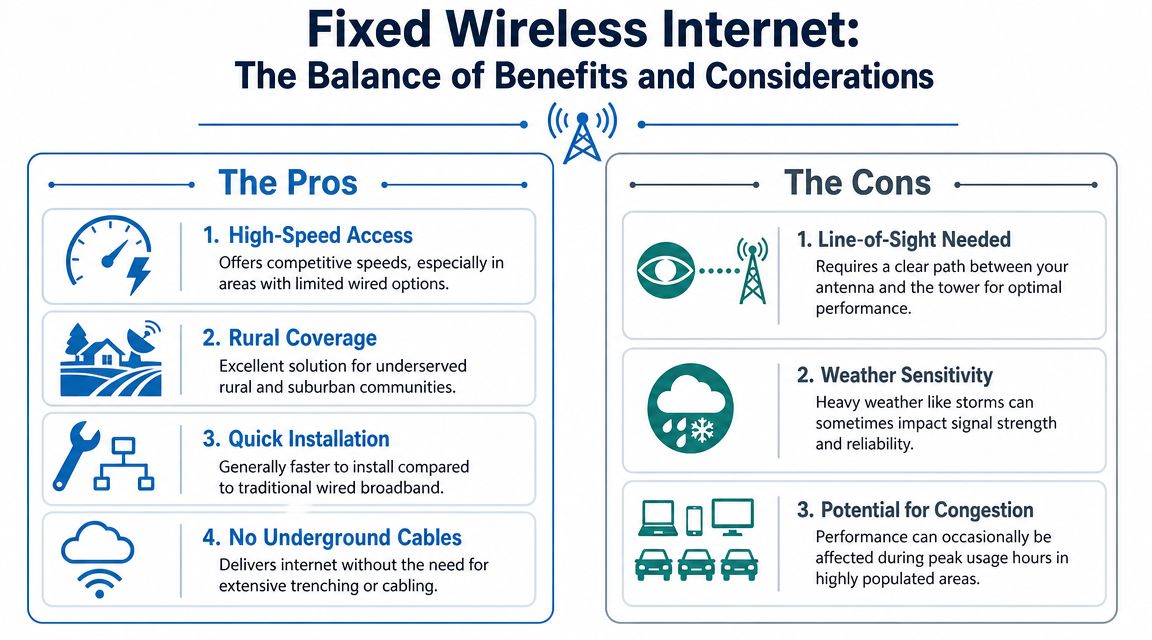
- It reaches harder locations. Homes outside dense service areas often get fixed wireless before they get fiber.
- Installation is usually simpler than trenching cable. A provider can often serve an address by mounting equipment and aiming it correctly, rather than waiting on major construction.
- It can feel like a major upgrade from older options. For households coming from weak DSL or inconsistent satellite service, fixed wireless may be a noticeable improvement in everyday use.
- It works well for practical internet needs. Streaming TV, browsing, online classes, voice calls, and remote work can all fit comfortably when the link is healthy.
A lot of families don't need a lab-perfect connection. They need internet that works reliably enough for normal life. Fixed wireless can do that in many places.
Where it falls short
The biggest trade-off is that the connection depends on wireless conditions outside your walls.
That means a few things can work against you:
- Line of sight matters. If your property has poor visibility to the tower, service may be weaker or unavailable.
- Performance can vary. You may notice stronger and weaker periods rather than the steady feel people associate with fiber.
- Busy sectors can affect speed. Shared wireless capacity can become more noticeable in high-demand areas.
- Weather and foliage can matter. Seasonal tree growth or rough weather can affect some installs.
A quick decision lens
Ask yourself these questions:
Is fiber available at my address?
If yes, fiber is usually the better performance choice.Is my current alternative DSL or satellite?
If yes, fixed wireless may be a strong upgrade path.Do I need rock-solid consistency for work or gaming?
If yes, pay close attention to latency and peak-hour behavior.
Some households love fixed wireless because it's finally good enough. Others outgrow it once multiple people are streaming, gaming, and uploading at the same time.
That's not a knock on the technology. It's just the practical truth. Fixed wireless is often the best available option in a location. It just isn't automatically the best option in absolute terms.
Fixed Wireless Compared to Fiber DSL and Satellite
Not all internet technologies fail in the same way. That's why comparisons matter more than marketing labels.
Fixed wireless often lands in a useful middle tier. It's usually more capable than older DSL and often more responsive than satellite for everyday use. But when fiber is available, fiber remains the benchmark.
Industry analysis from ABI Research says fixed wireless disadvantages include “variable network performance,” “line-of-sight & coverage limitations,” and “capacity limitations in high demand areas,” while fiber remains preferable when top-tier performance is required and available in ABI Research's enterprise FWA overview.
Internet Technology Comparison
| Technology | Typical Speeds | Latency | Reliability | Best For |
|---|---|---|---|---|
| Fiber | Very high, often with strong upload performance too | Very low | Excellent | Gaming, remote work, large households, heavy streaming, creators |
| Fixed wireless | Can be strong, but depends on signal and tower conditions | Usually better than satellite, often higher or less stable than fiber | Good in the right install, more variable than fiber | Rural homes, underserved areas, faster deployment needs |
| DSL | Often modest by modern standards | Moderate | Can be steady, but limited by aging copper lines and distance | Light browsing, email, basic use |
| Satellite | Often usable for basic broadband tasks, but can feel delayed | Highest among these options | Can be affected by environmental conditions and service design | Very remote locations with few alternatives |
Why fiber sits at the top
Fiber sends data through dedicated physical infrastructure to your home. It doesn't need a rooftop radio path. It doesn't depend on whether trees leafed out this spring. It doesn't ask your installer to find the least obstructed angle toward a tower.
That translates into the qualities people feel every day:
- Smoother video calls
- Faster uploads for cloud work
- Better gaming responsiveness
- More consistent speeds when multiple people are online
If your household has two remote workers, a gamer, and a few streaming TVs, fiber is the connection type that handles that load with the least drama.
Where fixed wireless fits honestly
Fixed wireless is often the right choice when fiber isn't available yet. It can also make sense for homes in remote areas that need broadband now, not after a long construction timeline.
It's also a better option than many people realize when the install is clean and the tower sector isn't overloaded.
But there are clear times when fixed wireless is the wrong answer:
- You already have access to fiber
- Your job depends on highly consistent uploads and low latency
- Your property has poor line of sight
- Your area has heavy usage on a shared wireless sector
If you're comparing options in a less connected area, a broader guide to internet for remote areas can help narrow the field based on location and use case.
The simplest rule
Choose fixed wireless when it solves an availability problem well.
Choose fiber when you have the option and you care about top-end performance, reliability, or long-term headroom.
How to Get Fixed Wireless Service
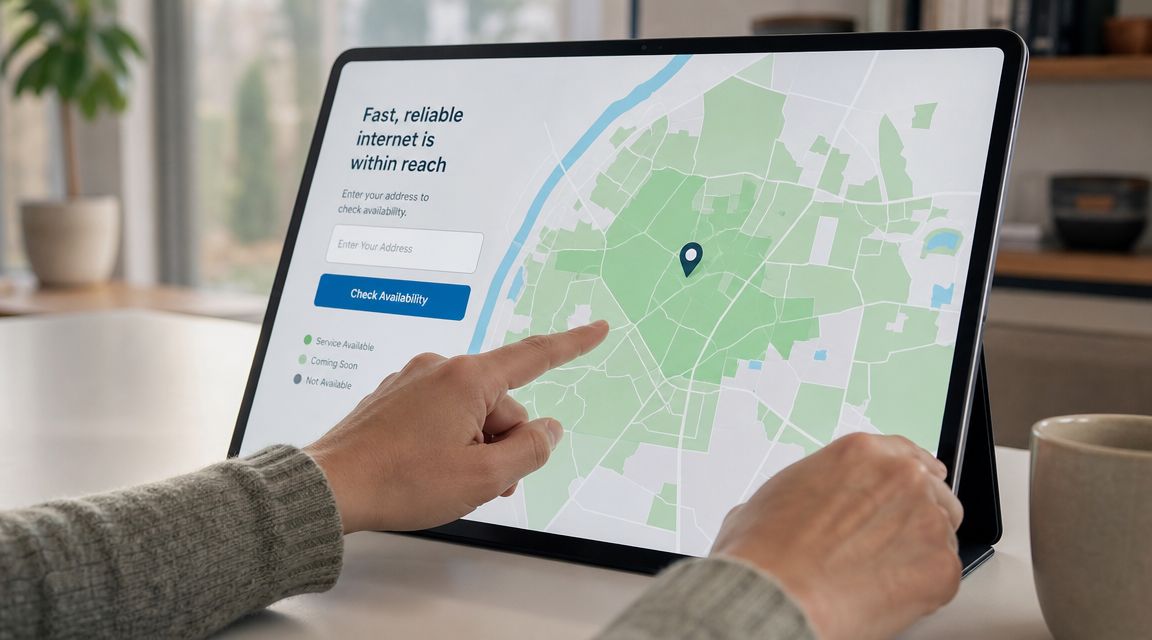
Finding fixed wireless service starts with your exact address, not your town name. Coverage can look broad on a provider map and still vary house by house because the key question is whether your property can support a workable installation.
In the U.S., FWA has scaled well beyond its early niche. S&P Global reports 9.4 million FWA subscribers, and CostQuest reports a 145% increase in licensed fixed wireless access coverage since the first BDC release, showing how quickly availability is changing for consumers in S&P Global's FWA subscriber research.
Step one check actual address eligibility
Start with local and regional providers, not just national brands. Enter your street address and see whether the provider lists service as available, pending survey, or unavailable.
If you're comparing providers, pay attention to:
- Installation type: indoor gateway vs outdoor antenna
- Plan details: whether speeds are fixed, variable, or “up to”
- Support expectations: how they handle service calls and equipment issues
- Usage fit: whether the plan matches streaming, work-from-home, or business use
If you're evaluating connectivity options for a home office or business site, resources on optimizing business internet with Etisalat can be useful as a checklist for comparing plan structure, service terms, and workload fit, even outside that provider's market.
Step two expect a site survey
A site survey is one of the most important parts of the process. A technician may visit to check tower visibility, mounting options, cable run length, and signal quality.
This visit can answer questions that online availability tools can't:
- Can the antenna be mounted high enough?
- Are trees blocking the path?
- Is the best location on the roof, eave, or side of the home?
- Will the indoor router sit where your Wi-Fi coverage also makes sense?
Field note: the install location that gets the best outside signal isn't always the same location that gives the best indoor Wi-Fi. Good installers plan for both.
Step three installation day
Most installs involve mounting the outdoor receiver, aiming it, running the connection inside, and setting up the indoor router. Then the technician tests the link and confirms your devices can get online.
One provider option in this category is Premier Broadband, which offers fixed wireless service in some coverage areas alongside its fiber offerings. The main thing to verify is whether your address qualifies and which connection type is available there.
This walkthrough gives a simple visual of what fixed wireless gear and setup can involve:
Step four live with it for a week like you normally would
Once service is active, test it during your real routine. Don't just run one speed test at noon and call it done.
Try these checks:
- Join your normal video call schedule and see whether audio and video stay steady.
- Stream during evening hours when usage tends to rise.
- Upload something meaningful like photos, work files, or cloud backups.
- Check router placement indoors so the Wi-Fi side of the setup isn't creating a false impression of poor internet.
If performance looks uneven, ask whether the issue is the wireless link itself or indoor Wi-Fi coverage. Those are different problems with different fixes.
Frequently Asked Questions About FWA
A lot of FWA questions come up after installation, when real life starts. The internet may look fine on a speed test, then feel different during a work call, a game download, or a rainy evening of streaming. That gap between the brochure and daily use is usually what people want help sorting out.
Is fixed wireless the same as 5G home internet
Not always. Fixed wireless is the bigger category. It means internet reaches your home over a wireless link instead of a physical line like fiber or cable.
Some fixed wireless providers use 5G. Others use different radio systems built for fixed service. A simple way to sort it out is this: 5G home internet can be one type of fixed wireless, but fixed wireless is not always 5G home internet.
How much does weather affect fixed wireless internet
Weather can matter, but the effect is not the same everywhere. It depends on the frequency being used, the distance to the tower, line of sight, and what sits between your home and the signal path.
Heavy rain, wet leaves, snow buildup, or strong seasonal growth can weaken some links. In plain terms, the wireless path works a bit like a flashlight beam. If the path is clear, performance is usually steadier. If trees, moisture, or debris get in the way, the signal can lose strength. If you work from home or stream every night, ask the provider what weather patterns tend to cause slowdowns in your area and how often they need to realign or service outdoor equipment.
Is fixed wireless good for gaming
It can be good enough, depending on the kind of gaming you do.
For casual gaming, many fixed wireless connections work well. For competitive shooters, racing games, or anything that depends on fast reaction times, consistency matters more than headline speed. Latency and jitter are the big things to watch. Download speed gets the game onto your console. Stable latency helps your controls feel responsive once you are in the match. Fiber usually does better here because the connection is more predictable from moment to moment.
Is fixed wireless a long-term option or just a stopgap
It can be either. In many areas, fixed wireless is a practical long-term service, especially where laying fiber takes time or costs too much right now. Industry analysts expect FWA to remain a meaningful part of the broadband market over the next several years, not a short-lived placeholder.
For your household, though, the better question is whether it will still fit six months from now. A connection that feels fine for one person browsing and streaming may start to feel tight once you add video meetings, cloud backups, schoolwork, smart home devices, and multiple TVs. If your internet needs are growing, fiber is usually the stronger long-term choice because it gives you more headroom and more consistent performance.
Should I switch if fiber becomes available later
In many cases, yes.
Fixed wireless often makes sense when it is the best available option at your address. Once fiber becomes available, the trade-off usually changes. Fiber gives you a direct physical connection to the network, which tends to mean steadier speeds, lower latency, and fewer interruptions from weather or signal conditions. That matters for households with multiple streamers, remote workers, gamers, or anyone uploading large files on a regular basis.
If fixed wireless got you connected, it served its purpose well. If fiber shows up later, that is usually the upgrade worth making.
If you're comparing internet options and want a clearer answer for your address, Premier Broadband offers both educational resources and service information for households and businesses. If fiber is available where you live, that is usually the top performance choice. If it is not, fixed wireless can still be a practical way to get connected now.