
Your internet drops right when you need it most. The call freezes in the middle of a client pitch, the checkout screen sits there spinning, or the clinic desk stares at a dead EMR screen while staff keep trying the same refresh key. In moments like that, network redundancy solutions stop being a tech buzzword and become a business decision about whether one failure can take everything down.
The hard part is that most outages don't look dramatic at first. A cable gets bumped, a router locks up, or a carrier path disappears, and the people using the network just see a service that won't load. Good redundancy is the discipline of designing around those single points of failure before they turn into a lost sale, a missed appointment, or a day of frustrated remote work. If you're also thinking about how continuity fits into a broader plan, this business continuity planning guide is a useful companion.
This topic gets sold too easily. People hear “buy two ISPs” and assume the problem is solved, but that only works if the rest of the path is fully independent. The sections below build from the basic idea of redundancy, then move into architecture choices, failover protocols, hidden shared dependencies, testing, and the practical differences between home, home office, and small business setups.
When the Network Goes Dark
A frozen connection usually arrives at the worst possible minute. A retail cashier is waiting for payment authorization, a remote worker is waiting for a video call to reconnect, or a receptionist is staring at a blank schedule while a patient is already at the counter. The equipment may look fine, but one weak link in the chain has already done the damage.
That's why redundancy matters. It's not about collecting extra gear for its own sake, it's about making sure one failure doesn't become a full stop. A business that depends on online work can't treat network design as an afterthought, because the network is part of the service customers experience.
A simple way to think about it is a city with a second bridge. If the main bridge closes, traffic doesn't disappear, it shifts. Network redundancy works the same way, with alternate paths, backup devices, and failover behavior that keep traffic moving when one component quits.
Practical rule: if one failed device can force everyone offline, you don't have redundancy yet. You have a fragile system with a spare box nearby.
For a plain-language overview that lines up well with this framing, the what is network redundancy guide offers a helpful starting point. The point isn't to memorize terms, it's to understand that resilience is designed into the network, not added after the outage.
What Network Redundancy Really Means
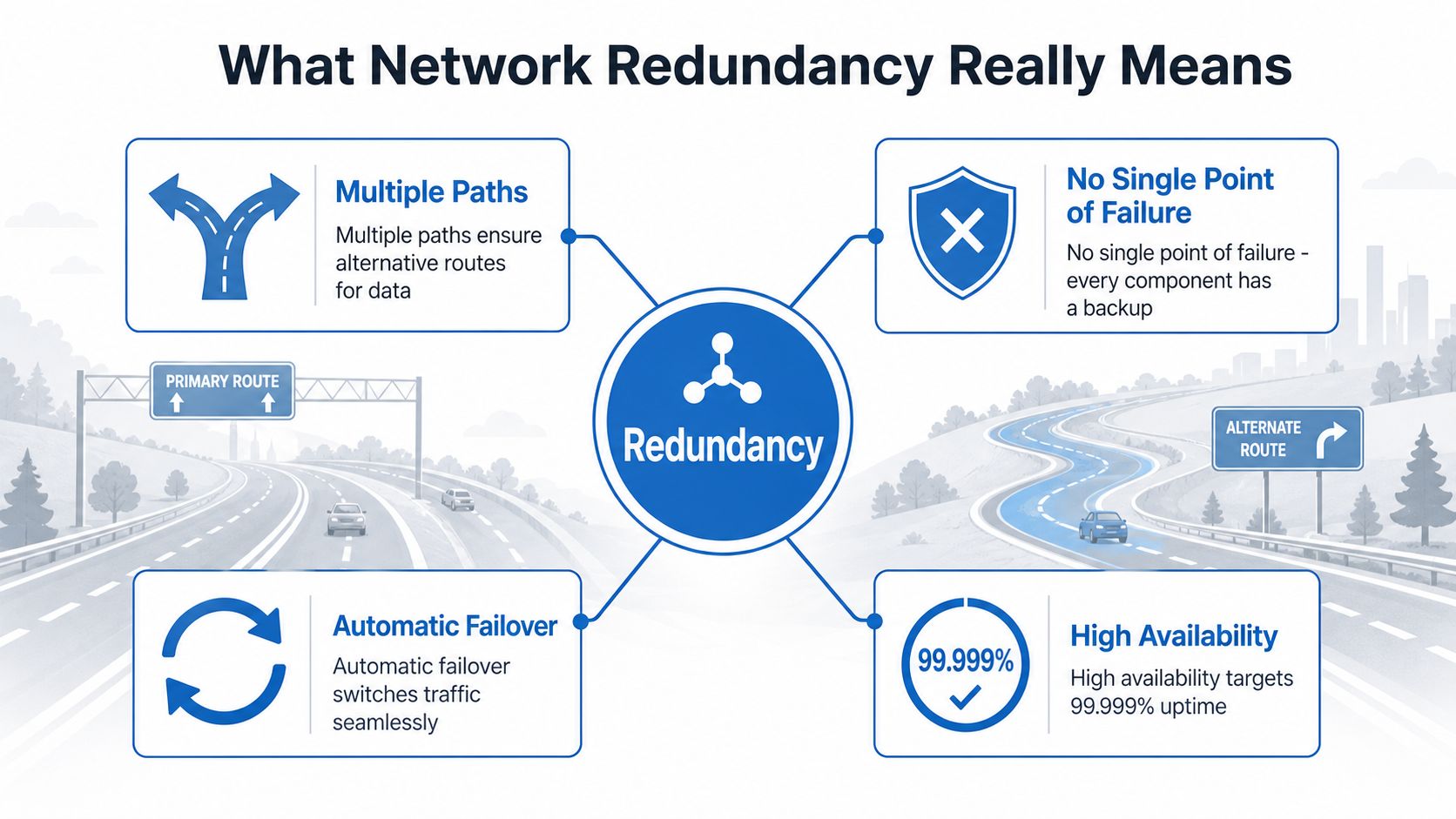
Redundancy means duplicate paths, devices, or services that keep traffic flowing when one part fails. Think of a highway system with an alternate route already open, not a detour someone invents after the wreck. In networking, the backup path has to be ready before the primary path goes dark, or the “backup” is just a delay.
Reading the uptime ladder
The business case shows up fast in the uptime math. A commonly cited availability ladder says 99.9% uptime still allows about 8.76 hours of downtime per year, while 99.999% uptime reduces downtime to about 5.26 minutes per year. In data-center design, Tier III facilities are rated at 99.982% availability, about 1.6 hours of annual downtime, and Tier IV at 99.995%, about 26 minutes. Those figures come from the network redundancy overview at Domotz.
The reason the numbers matter is simple. Each extra layer of redundancy doesn't just shave a little risk away, it can dramatically change how much interrupted time a business has to absorb. That's why a vendor SLA should never be read as a slogan, it should be translated into lost work, lost transactions, or lost service time.
The plain-English test
When you see an uptime claim, ask three questions. What's the backup path, what fails over automatically, and what still has no backup? If the answer to any of those is vague, the availability promise is probably weaker than it looks.
The same idea shows up in Throughwire's uptime approach, which is useful because it frames redundancy as a practical continuity measure, not just a technical label. That's the mindset to keep in place when comparing architectures, because the percentage only matters if the failure path is covered.
Common Redundancy Architectures Compared
Different environments need different levels of protection. A household usually doesn't need the same design as an online store or clinic, because the cost of interruption is different and the acceptable complexity is different too. The safest choice is the one that matches the business risk, not the one with the flashiest product sheet.
| Redundancy architectures at a glance | What it protects | Best fit | Complexity |
|---|---|---|---|
| Single path with standby devices | A router or switch failure, when the backup is ready to take over | Home office or small site with modest uptime needs | Low |
| Dual-homing with two carriers | A primary internet service outage, if the two links are truly diverse | Small business, branch office, point-of-sale sites | Medium |
| Multi-path routing across diverse links | Link, circuit, or carrier failure across more than one route | Operations that can't tolerate a single access failure | Higher |
| Full geo-redundancy across regions | A site-level outage, regional disruption, or upstream service issue | E-commerce, healthcare systems, distributed platforms | Highest |
The key difference is what each design still leaves exposed. A second circuit can still fail if it shares the same entry point, power feed, or physical route. A more advanced design spreads those risks across different layers, which is why complexity rises along with resilience.
Match the design to the business
A home user streaming video probably doesn't need full geo-redundancy. A small business with online orders, hosted voice, and remote staff often needs more than a single line and a spare router. A clinic or checkout-heavy store can't afford to guess, because the wrong design leaves the same failure path in place.
Design check: if your backup only protects the device and not the route into the building, the problem is still there.
For operators who want a more managed path, Premier Broadband's Managed Network Edge fits the category of a service that can package routing, visibility, and failover orchestration together instead of making the customer assemble each piece alone.
Core Protocols That Make Failover Work
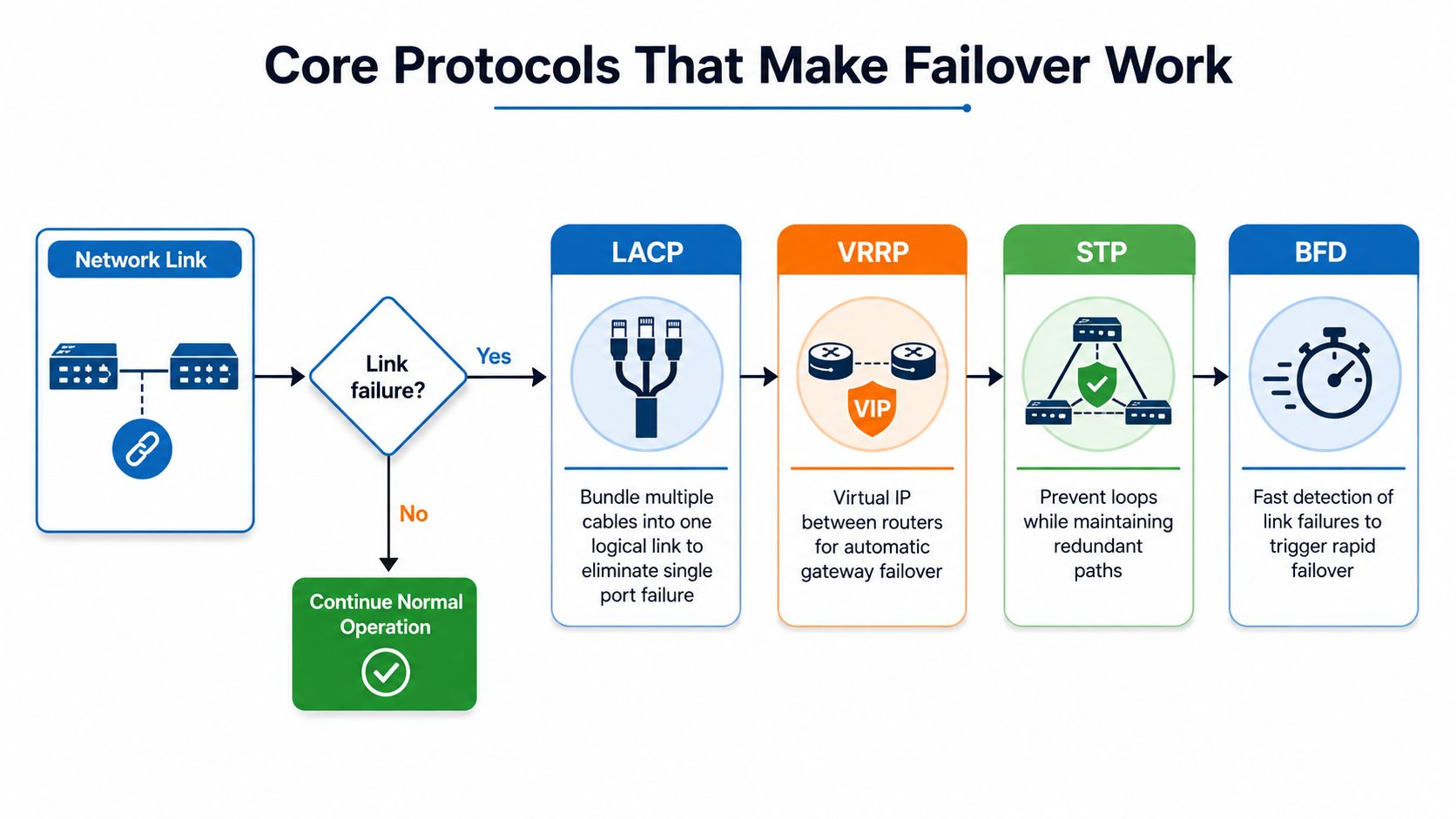
Redundant hardware by itself doesn't switch traffic. The protocols do the work by deciding what stays active, what sits in reserve, and how quickly traffic moves when something breaks. That's why two identical routers can feel very different in practice, depending on how they're configured.
LACP and layer-two protection
Link Aggregation Control Protocol, or LACP, lets multiple physical Ethernet links behave like one logical bundle. That improves resilience because a single cable or port failure doesn't have to interrupt the service, provided the bundle has spare capacity and the surrounding design doesn't create a loop. Industry guidance for redundant industrial and enterprise networks recommends pairing LACP with STP/RSTP so alternate switched paths exist without causing layer-2 loops, and it also stresses redundant switches, separate power supplies or UPS, and physically diverse cabling routes to avoid a hidden common-mode failure. That guidance is covered in Hallam ICS's best practices for redundant networks.
VRRP at the gateway
For gateway redundancy, VRRP is the main multi-vendor standard. Routers in a VRRP group share a virtual IP address and virtual MAC address, one router acts as the master, and backups stand ready to take over without forcing hosts to reconfigure their default gateway. The point is continuity at the edge of the network, where a lot of traffic first enters or leaves.
The protocol layer matters more than the box count
A backup router that can't be detected quickly is just a waiting replacement. Failover quality depends on how fast link-state loss, routing adjacency changes, and upstream path shifts are recognized and acted on. In other words, the protocol design decides whether the backup feels invisible or disruptive.
The ITU online VRRP and failover protocol guide is a useful reference if you want the gateway side explained in more depth. It keeps the focus where it belongs, on how the handoff happens.
The Hidden Common-Mode Failure Problem
Buying a second internet connection feels like a win until both links break for the same reason. Two carriers can still share the same building entry point, the same utility feed, or the same physical route into the property, and when they do, one event can take both down at once. That shared dependency is called common-mode failure, and it's the reason circuit count alone doesn't tell you how resilient the site really is.
What actually needs to be different
True path diversity means separating the things that can fail together. That includes the conduit into the building, the power source feeding the equipment, the carrier that owns the transport, the geographic route the signal follows, and even the building entrance the line uses. If any of those are shared, the redundancy story gets weaker.
This is the part most “dual WAN” pitches skip. They stop at “you have two links now,” but the key question is whether those two links are independent enough to survive the same construction cut, utility problem, or local incident.
If both circuits depend on the same last-mile route, the second link may only look like a backup on paper.
Why this changes the buying conversation
A smart redundancy design starts with failure domains, not with service plans. Separate carriers matter, but separate paths and separate power matter too. The result is a network that can absorb one hit without both links falling together, which is the only kind of backup that really changes the outage risk.
Cisco Live's guidance on path diversity captures this problem well in its discussion of shared dependencies, especially when duplicate circuits ride the same physical infrastructure. That's why the answer to “should we get a second ISP?” is usually “maybe, but only if the path is different.”
Designing and Implementing a Redundant Setup
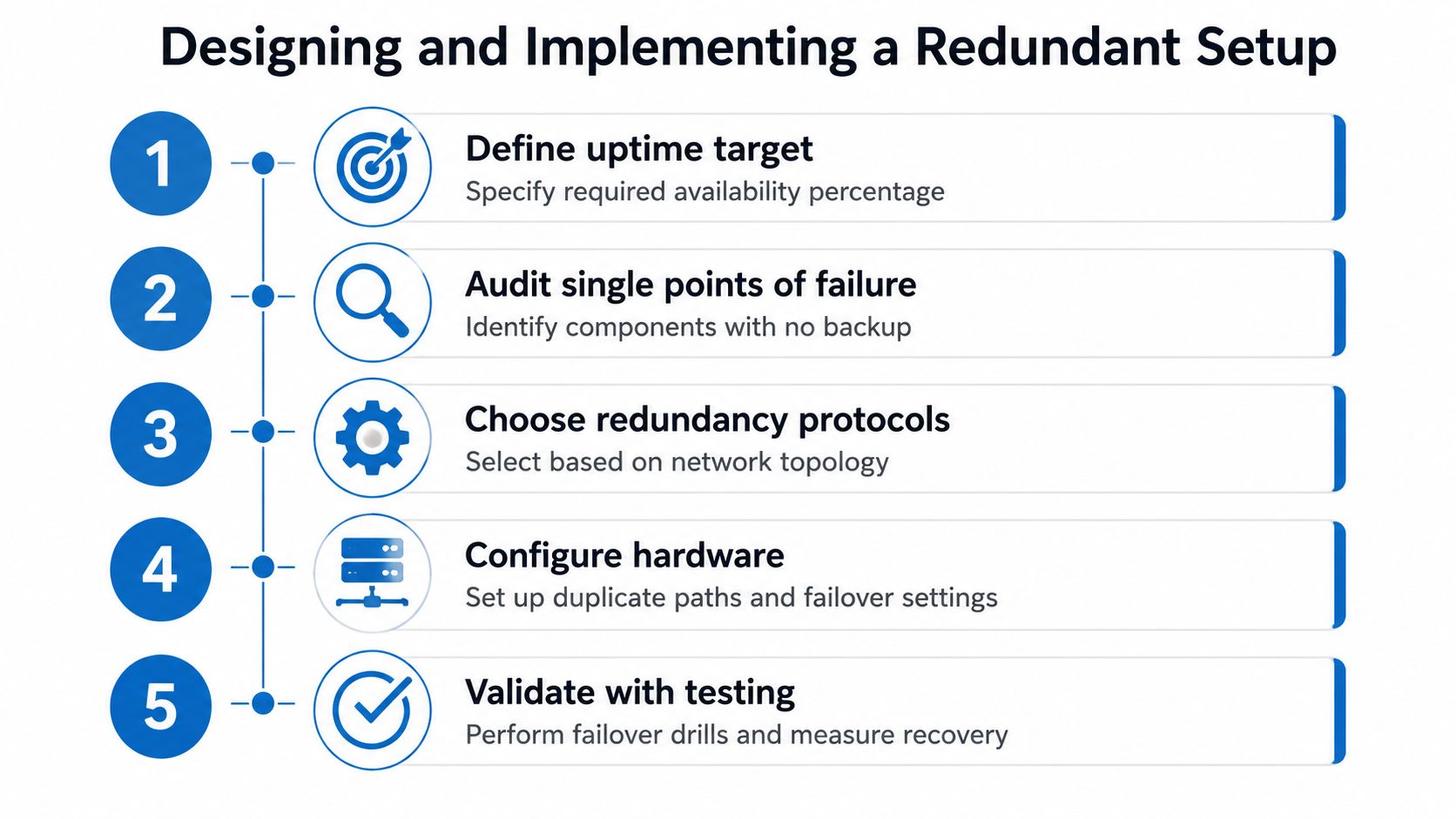
Good redundancy starts with a target, not with shopping. You need to know how much interruption the business can live with, which components have no backup today, and where the network currently shares a hidden dependency. A practical planning resource for that kind of structure is Forge Reliability's redundancy planning methodology, because the best designs begin with failure analysis, not gear selection.
A build sequence that actually works
- Define the uptime target. Decide whether the site needs near-continuous service or just graceful recovery from an occasional outage. That target drives every other choice.
- Audit single points of failure. Look at routers, switches, power supplies, cabling paths, and building entry points. If one item can take down everyone, mark it.
- Choose path diversity. Separate carriers, separate power, and separate physical routes matter more than adding a second subscription.
- Select protocols and failover behavior. LACP, VRRP, and related routing choices should match the topology, not the other way around.
- Document the handoff. Write down who checks what, what alerts fire, and what recovery action happens first.
Implementation details that close the loop
Cabling and switch placement come first, because redundancy can collapse before the router ever gets involved. After that, the router pair or gateway pair should be configured, followed by failover thresholds and any upstream routing logic. DNS failover and monitoring belong in the plan too, because a backup path that clients can't reach cleanly is only half useful.
For teams that want a more integrated edge stack, managed network edge basics is a practical way to think about how routing, visibility, and resilience can be handled together instead of pieced together one box at a time.
Testing, Monitoring, and Proving It Works
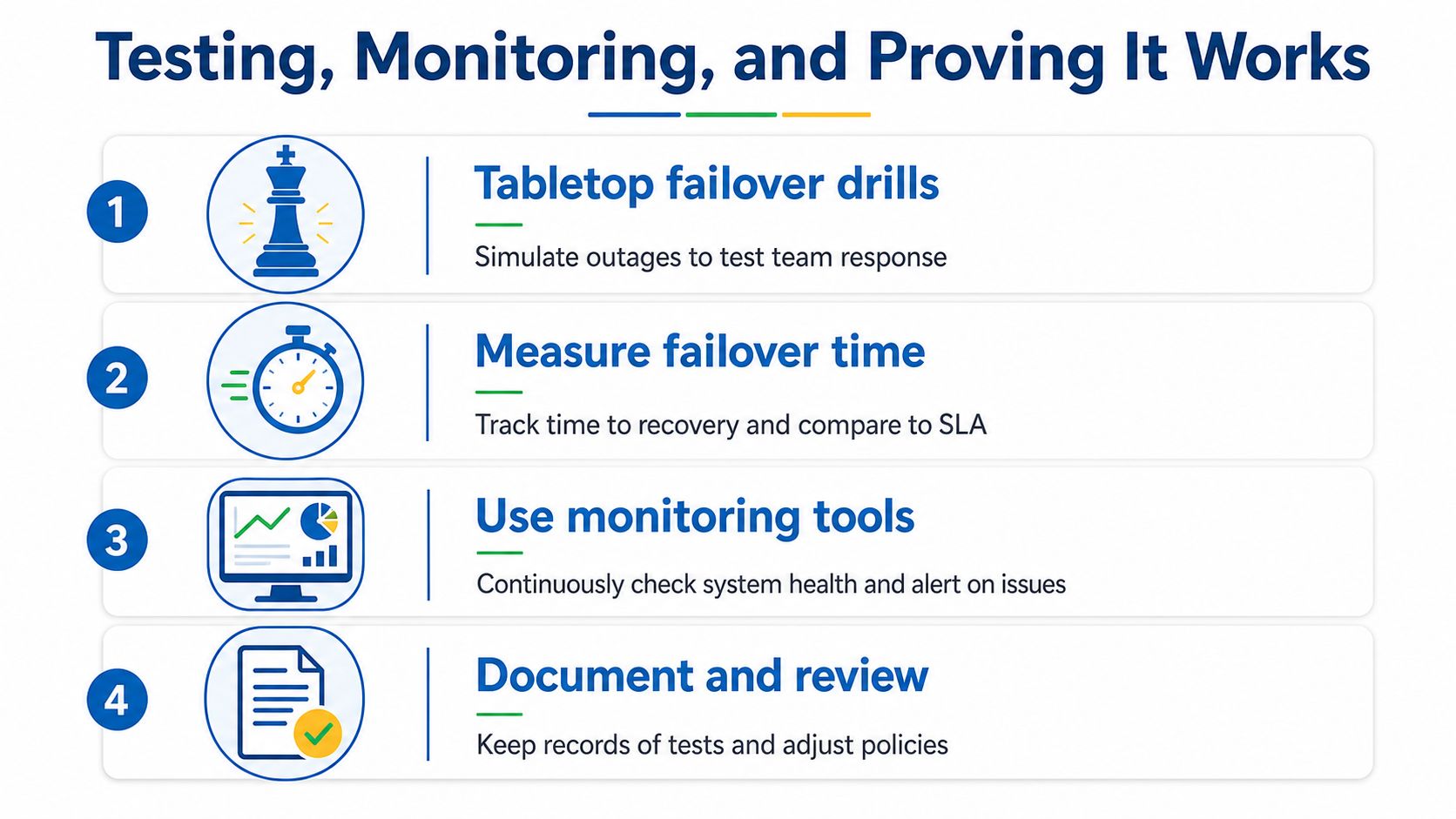
Redundancy on paper doesn't count until the switchover happens. Enterprise guidance and telecom training both stress that failover has to be tested, documented, and monitored regularly, because redundant hardware alone doesn't guarantee recovery during an incident. Modern setups also have to consider application-level and cloud-path diversity, not just switches and routers, which is why BGP multi-homing and multi-plane designs show up in current best-practice materials.
What to test
A tabletop drill is the easiest place to start. Staff walk through what happens if a circuit drops, a gateway fails, or a switch stack becomes unavailable. After that, simulate actual link and device failures during a planned window so the team can measure how long recovery takes and whether the backup path comes up the way it should.
What to monitor
Outside-in synthetic checks matter because they show whether the service is really reachable from beyond the local network. Interface alerts, routing alerts, and failover-event dashboards should make the problem visible in seconds, not hours. The goal is not just to know that something failed, but to know which path failed and whether the recovery path is healthy.
What to document
Write down the result of each failover drill, who responded, what changed, and whether the backup behaved the way the design said it would. Then review the evidence and adjust the configuration if the backup was slow, noisy, or incomplete.
Operational rule: a backup path that nobody has tested is a hope, not a plan.
If you want a cleaner view of monitoring as part of the bigger picture, the network monitoring and management guide shows why visibility is part of resilience, not an optional extra.
Matching the Right Solution to Your Setup
A household usually gets the most value from a solid fiber connection, a reliable router, and managed Wi-Fi before it ever needs a complex failover design. Adding LTE or another line only improves resilience when the new path is physically diverse, because a second connection that rides the same local dependency doesn't fix the underlying risk. That's why the right answer for many homes is stable primary service first, backup second only if the path is genuinely different.
Home offices and small businesses need a more deliberate mix. Dual WAN, a router that can handle gateway failover, and monitoring that tells you when the secondary path is live can make a big difference when video calls, hosted voice, or online orders can't pause for a reset. For teams building out that kind of environment, IT infrastructure planning for SMBs is a useful way to think about the broader stack around internet, voice, and security.
Managed services matter when the business doesn't want to own the orchestration. Premier Broadband's Managed Network Edge is one example of a service model that can take on the design, monitoring, and failover coordination piece so the customer doesn't have to stitch it together manually. That approach often makes more sense than buying hardware and hoping someone remembers to test it later.
The budget question comes back to the downtime math from earlier. If the cost of interruption is bigger than the cost of resilience, redundancy stops being optional and becomes part of operations. The right setup is the one that matches your actual risk, not the one with the longest spec sheet.
If you want help turning these ideas into a real design, Premier Broadband can help you compare options for resilient connectivity, managed networking, and failover-ready service. Visit Premier Broadband to talk through the setup that fits your home, office, or business before the next outage forces the issue.