
For anyone working from home, the verdict is in: the best internet for remote work is a high-speed fiber connection, plain and simple. You need symmetrical upload and download speeds to keep your video calls sharp and file transfers from dragging. It's the absolute foundation of a productive home office.
Your Remote Work Lifeline: Why Internet Matters More Than Ever
Let's get real. When you work remotely, a spotty internet connection isn't just a minor hiccup—it's a full-blown productivity crisis. Your internet isn’t just another utility bill; it's your office, your meeting room, and your entire filing system. If it goes down, your workday screeches to a halt.
Think of a weak connection like trying to drive to the office on a congested, single-lane dirt road. Every single task, from hopping on a video call to syncing a document in the cloud, gets stuck in an infuriating traffic jam. This digital gridlock is what causes those frozen video screens, painfully slow uploads, and sync errors that make you look unprofessional.

The Three Pillars of a Rock-Solid Connection
To build a home office that actually works, your internet needs to deliver on three key things: speed, reliability, and security. Nailing these is non-negotiable for keeping your momentum and producing high-quality work. A powerful connection isn't a perk; it's a core piece of your professional toolkit.
This reality is changing how people choose their internet providers. Studies show remote workers see a 35-40% productivity spike thanks to fewer distractions and more flexible hours, and 65% say it's easier to manage stress at home. But that success hangs on a connection that can handle clear VoIP calls and seamless collaboration—which is exactly where symmetrical fiber shines.
Of course, long-term productivity is also about taking care of yourself. Staring at a screen all day has consequences, so it's smart to know the common symptoms of digital eye strain and relief strategies.
Your internet connection is the foundation of your remote career. A stable, high-speed plan isn't just about convenience—it's about demonstrating professionalism, meeting deadlines, and protecting your work-life balance from technical frustrations.
This guide will give you a clear roadmap to figure out what you have now and choose an internet plan that can actually keep up with your career. Let's get you a connection you can truly count on.
Decoding the Numbers: What Internet Speed You Actually Need
Internet ads love to throw around big, flashy numbers and technical terms. But when you’re trying to find the best internet for remote work, what do those numbers really mean for your daily grind? Let’s cut through the noise and get straight to what matters.
Think of your internet connection like a highway for data. The different "speeds" you see are just different parts of that highway system, each with a crucial job to do.

Download Speed: The Information Superhighway
Download speed is the big number most providers shout about. It measures how fast you can pull information from the internet down to your computer. Think of it as the speed limit on the lanes of the highway coming directly to your house.
A higher download speed, measured in megabits per second (Mbps), lets you stream a training video without endless buffering, grab large files in a flash, and load complex websites instantly. For most everyday internet use, this is the number people notice the most.
Upload Speed: Your Professional Lifeline
Now, this is where it gets serious for anyone working from home. Upload speed measures how quickly you can send information from your computer back out to the internet. It's the on-ramp from your house to the rest of the world.
For remote work, this is arguably even more critical than download speed. Every time you're on a Zoom or Teams call, your video feed is being constantly uploaded. When you save a big design file to the cloud or email a presentation, that’s your upload speed at work.
A sluggish upload speed is almost always the culprit behind that choppy, pixelated video feed on a conference call. It’s the bottleneck that makes you look unprofessional and stalls a critical meeting right in its tracks.
Latency: The Unseen Productivity Killer
Finally, there’s latency, sometimes called "ping." This isn't about how much data you can move, but how fast it responds. Latency is the round-trip time it takes for a tiny piece of data to travel from your computer to a server and back again.
Imagine a phone conversation with a long, awkward delay. You say "hello," and there’s a weird pause before the other person even hears you. That delay is latency. In our digital world, high latency creates lag in online games, frustrating delays in VoIP calls, and an overall sluggish feeling, even if your speeds are high.
The Secret Weapon: Symmetrical Speeds
For years, most internet plans have been asymmetrical, offering blazing-fast downloads but painfully slow uploads (think 300 Mbps down but only 10 Mbps up). This worked when we were all just consuming content—watching videos and browsing websites.
But working from home changes the game entirely.
The best internet for remote work provides symmetrical speeds, meaning your upload speed matches your download speed (for example, 300 Mbps down and 300 Mbps up). This is the magic delivered by modern, 100% fiber optic networks. Symmetrical connections mean you can join a high-def video call, back up files to the cloud, and upload a huge project all at the same time, without a single hiccup. It completely removes the digital bottleneck that holds today's professionals back.
If you want to dig deeper, you can learn more about what is a good upload speed for your specific needs.
Building a Bulletproof Remote Work Connection
When you work from home, raw speed is only half the story. The real test of a great internet connection is its stability. A truly professional setup isn't just about a big Mbps number; it's about having a rock-solid digital foundation that can handle everything a modern, connected home throws at it.
Think of it this way: your home isn't just a home anymore. It’s a digital command center. This idea, called device density, is one of the biggest challenges for your internet performance. Every single device—your work laptop, your kid’s tablet, the smart TV, your phone—is in a constant battle for a piece of your internet connection.
The Battle for Bandwidth in Your Home
Picture your internet connection as the main water pipe coming into your house. If you're the only one home and you turn on the shower (i.e., join a video call), you get fantastic pressure. No problem.
But then, someone else starts streaming a 4K movie on Netflix (running the dishwasher), another person starts a video game download (flushing a toilet), and a smart speaker starts playing music (turning on the garden hose). Suddenly, the water pressure drops for everyone. That's exactly what happens when your internet can't handle high device density. Your critical work call starts to sputter just because other things are happening in the house.
A robust, fiber-powered internet plan is like installing a much, much larger water main to your home. It ensures everyone gets the bandwidth they need without causing a system-wide slowdown.
A professional-grade remote work connection has to be strong enough to support your critical work tasks and the collective digital life of your entire household, all without skipping a beat.
This isn't a small problem. The number of fully remote jobs has exploded, jumping from just 7% in 2020 to 28% today. That’s a massive 300% increase. Despite this shift, a shocking 75% of employees say their home tech setup desperately needs an upgrade. As you can discover from these remote work hiring statistics, fiber internet with symmetrical speeds is the most direct solution to the lag that kills video calls and makes file sharing a nightmare.
Mastering the Demands of Modern Work
Certain tasks are the ultimate stress test for an internet connection. If your current provider is failing at these, it’s a flashing red light that you need to make a change.
1. Flawless Video Conferencing
Video calls are the new boardroom. A choppy, pixelated video feed is the 2024 version of showing up late and unprepared. To look sharp and professional on camera, you need two things older internet technologies just can't deliver: low latency and powerful, stable upload speeds. Remember, your video feed is being uploaded constantly, and any hiccup can instantly tank your credibility.
2. Uninterrupted Cloud Backups
Your work is how you make a living, and protecting it is non-negotiable. Automated cloud backups are an absolute must, but they are notorious bandwidth hogs. If your upload speed is weak, a simple backup can take hours, dragging down everything else you’re trying to do. A powerful connection gets those backups done fast and in the background, so your data is safe without you even noticing.
3. Real-Time Collaboration
Ever been typing in a shared Google Doc and had to wait a few seconds for your words to appear? That's lag, and it's a productivity killer. Working on shared documents, virtual whiteboards, or design software requires near-instant data transfer. The best internet for remote work gets rid of that delay, making digital teamwork feel seamless and truly collaborative.
Why Fiber Internet Is the Gold Standard for Professionals
When you're figuring out the best internet for remote work, one technology consistently laps the competition: fiber optic internet. This isn't just a small step up from cable or DSL; it’s a complete game-changer in how data moves, making it the only real choice for professionals who depend on their connection.
Think of your internet like a highway. Older tech, like cable, is a shared local road. When everyone in the neighborhood hops on during peak hours to stream, game, or work, that road gets jammed up. Suddenly, your connection slows to a crawl.
Fiber, on the other hand, is your own private, multi-lane superhighway straight to your home. Data travels as pulses of light through glass strands, moving at nearly the speed of light with no traffic jams.
Unmatched Speed and Symmetry
The biggest win for fiber is symmetrical speeds. This means your upload speed is just as fast as your download speed—something that is absolutely critical for anyone working from home. Cable internet might brag about fast downloads for streaming movies, but those weak upload speeds create a serious bottleneck for your most important work tasks.
With a symmetrical fiber connection, you can host a crystal-clear video conference, sync a huge project file to the cloud, and run a full system backup all at the same time, without a single glitch. This is where fiber leaves older technologies in the dust. To see a deeper dive, check out our comparison of fiber internet versus cable internet.
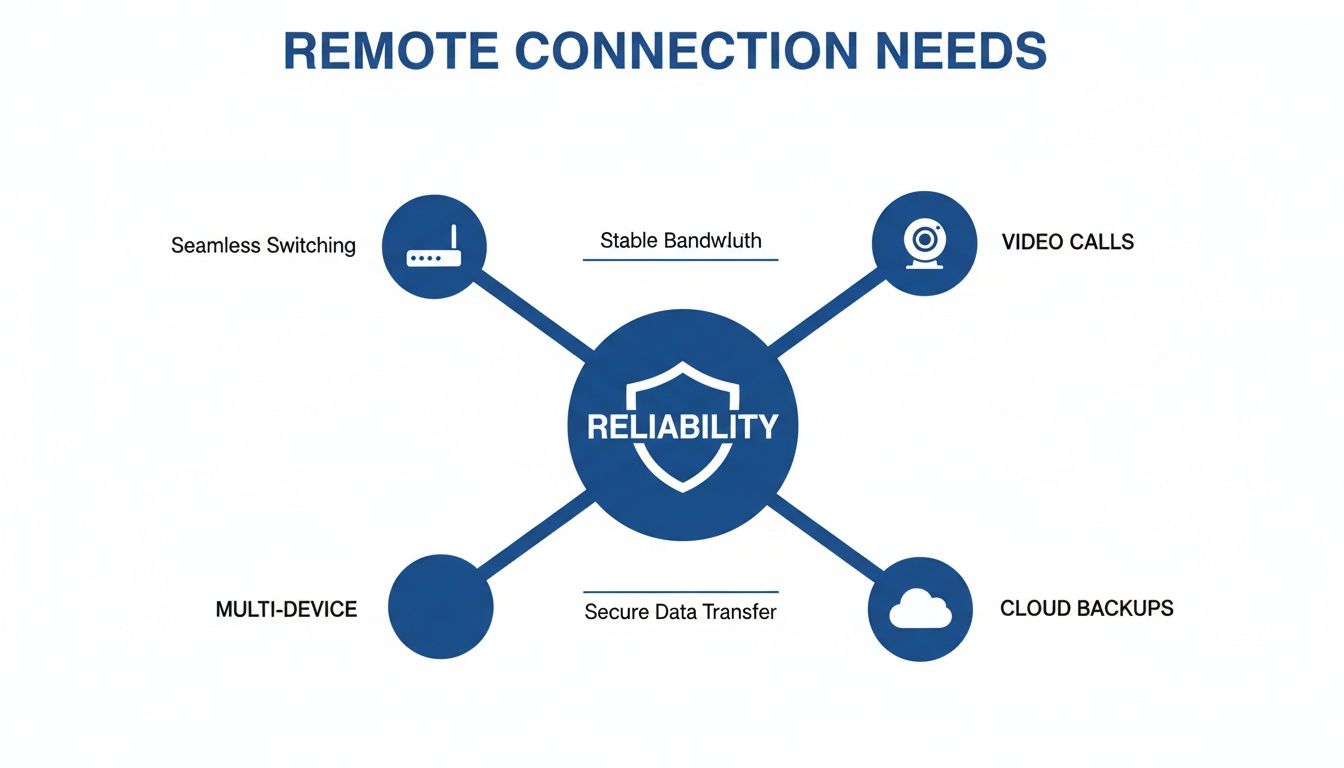
As you can see, reliability is the bedrock of a solid remote work setup. It supports everything from video calls to secure cloud backups, and that level of stability is something only fiber can consistently deliver.
Comparing Internet Technologies for Your Home Office
Not all internet is created equal, especially when your livelihood depends on it. This table breaks down how different technologies stack up for the modern professional.
| Technology | Typical Speeds | Upload vs Download | Reliability | Best For |
|---|---|---|---|---|
| Fiber Optic | 100 Mbps – 2 Gbps+ | Symmetrical (Equal speeds) | Extremely High & Consistent | Professionals, creators, large families, serious gamers. |
| Cable | 50 Mbps – 1 Gbps | Asymmetrical (Slow uploads) | Moderate to High (Shared) | General browsing, streaming, casual users. |
| DSL | 5 – 100 Mbps | Asymmetrical (Very slow uploads) | Lower (Distance sensitive) | Basic emailing and web browsing in rural areas. |
| Satellite | 12 – 100 Mbps | Asymmetrical (Very slow uploads) | Low (Weather dependent) | Last resort where no other options exist. |
The takeaway is clear: for demanding tasks like video conferencing, large file transfers, and using cloud applications, fiber's symmetrical speeds and reliability are in a league of their own.
Rock-Solid Reliability and Low Latency
It’s not just about speed. Fiber optic cables are fundamentally more durable and less prone to interference than the old copper wires used for cable and DSL. They aren't affected by electromagnetic interference or bad weather like heavy rain, ensuring your connection stays solid when you need it most.
Fiber also provides incredibly low latency, which is the delay between sending a command and seeing the result. For you, this means VoIP calls are crisp and clear without those awkward, painful pauses. It means your edits on a shared online document appear instantly for your colleagues.
For a remote worker, reliability is currency. A fiber connection ensures your digital office is always open for business, protecting your professional reputation from embarrassing technical glitches and dropped client calls.
The need for this level of performance isn't just a trend; it's the new standard. With over 32.6 million Americans working remotely—that’s 22% of the workforce—flawless video calls and quick file transfers are no longer a luxury. They're an expectation. The only way to consistently meet these demands is with a 100% fiber network that delivers the power and stability modern work requires.
How to Choose the Right Internet Provider and Plan
Now that you know what goes into a rock-solid internet connection, you're ready to pick the right service for your home office. This isn't just about grabbing the plan with the biggest speed number; it's about finding a reliable partner for your career.
You have to look past the flashy ads and zero in on what will actually support your day-to-day work. The right Internet Service Provider (ISP) doesn't just sell you speed—they deliver consistency and are there for you when you need help.
Start with Technology Availability
First things first: what can you actually get at your address? The world's greatest internet plan is useless if the provider can't run a line to your home. You'll typically run into three main options: fiber, cable, and DSL.
We've already covered why fiber optic is the gold standard. Its symmetrical speeds and unmatched reliability make it the clear winner. If a 100% fiber provider like Premier Broadband is available, it should shoot straight to the top of your list. Cable is a distant second, often giving you decent downloads but skimping on uploads. DSL, frankly, is usually too slow and unreliable for anyone working seriously from home.
Vet Their Reputation for Reliability
Once you know who services your area, it’s time to do a little digging. A provider's national reputation doesn't always tell you what the service is like in your specific neighborhood. The best intel comes from your neighbors.
- Check Local Reviews: Jump into community forums, local Facebook groups, and Google Reviews. Look for patterns in the comments—are people raving about uptime or constantly complaining about slowdowns during peak hours?
- Look for Uptime Guarantees: Some providers, especially those with business-grade plans, offer a Service Level Agreement (SLA). This is a promise that guarantees a certain percentage of uptime, and it’s a huge sign of confidence in their own network.
This local-level research is pure gold. An ISP with glowing reviews right down the street is a much safer bet than a national giant with a spotty track record in your town. Our detailed guide offers more tips on how to choose an internet provider you can actually count on.
Read the Fine Print and Ask the Right Questions
That headline price is almost never the full story. Before you sign anything, you need to put on your detective hat and hunt for hidden fees and tricky policies that can turn a great deal into a long-term headache.
Don't just glance at the monthly price. Dig into the contract for details on data caps, when introductory rates expire, and equipment rental fees. A plan that looks cheap today can get very expensive if it throttles your usage or the price doubles after the first year.
When you talk to a sales rep, come armed with a list of direct questions. This is how you cut through the sales pitch and get the facts.
- "Is this a promotional price? What will I be paying when the promotion ends?"
- "Are there any data caps on this plan? What are the fees if I go over?"
- "Is the modem or router rental included, or is that a separate monthly fee?"
- "What are the exact upload and download speeds for this specific plan?"
Getting straight answers to these questions is the only way to compare apples to apples. It ensures you're picking an ISP that fits both your work needs and your budget, setting you up for a smooth, frustration-free remote work experience.
Optimizing Your Home Network for Peak Performance
Signing up for the best internet for remote work is a huge step, but honestly, it’s only half the battle. Even the fastest, most reliable fiber connection can be brought to its knees by a poorly configured home network. To actually get the incredible performance you’re paying for, you have to make sure your home setup isn't a bottleneck.
Think of it this way: your internet plan is the engine in a race car, but your home network is the tires and chassis. A ridiculously powerful engine is useless if the car can’t get that power to the road. These simple optimizations will make sure your network is firing on all cylinders.
Strategic Router Placement
Where you put your Wi-Fi router has a massive impact on your signal strength and speed. So many people make the mistake of tucking their router away in a closet or a far-off corner office, which is one of the worst things you can do. Wi-Fi signals are just radio waves, and they get weaker every time they have to pass through walls, furniture, and even appliances.
For the best results, just follow these simple rules:
- Go Central: Place your router as close to the center of your home as you possibly can.
- Elevate It: Get that router off the floor. Putting it on a shelf or a bookshelf helps the signal travel farther and wider.
- Avoid Obstructions: Keep it away from thick walls, large metal objects (like your refrigerator), and other electronics (like microwaves) that are notorious for causing interference.
A well-placed router can dramatically improve your connection quality across your entire home. This single, five-minute adjustment is often the most effective way to solve common issues like weak signal strength and random disconnections.
For those who want to dive deeper into maximizing their wireless signal, our guide on how to improve your home Wi-Fi offers more advanced techniques.
The Ethernet Advantage
While Wi-Fi is incredibly convenient, it will never beat a direct, wired connection when it comes to raw speed and rock-solid stability. For your primary work computer—the one you rely on for critical video calls and hitting deadlines—an Ethernet cable is your absolute best friend.
Plugging your computer directly into your router with an Ethernet cable completely bypasses any potential Wi-Fi interference. This guarantees you get the maximum possible speed your plan offers with the lowest possible latency. It’s the single best way to create a bulletproof connection for your most important work device.
Creating a Resilient Backup Plan
Let's be realistic: even the most reliable internet connection can have an unexpected outage. For a remote professional, downtime just isn't an option, which is exactly why you need a backup plan. The simplest and most effective safety net is your smartphone’s mobile hotspot.
Before you ever need it in a pinch, test your phone’s hotspot feature. Connect your work laptop to it and run through a few basic tasks to make sure it works smoothly. It won't be as fast as your main fiber connection, but it provides a crucial lifeline that can keep you online to finish a report or join that can't-miss meeting.
This tiny bit of preparation can turn a potential crisis into a minor inconvenience, safeguarding your professional reputation. And when you're evaluating internet plans, don't forget the hardware. A good guide on choosing the right WiFi router can help ensure your home network can fully handle the speed you're paying for.
Frequently Asked Questions
Choosing an internet plan can feel like a high-stakes decision, especially when your job relies on it. We get it. To help clear things up, here are some straightforward answers to the questions we hear most about getting the right connection for working from home.
How Much Internet Speed Do I Really Need To Work From Home?
If you're a solo remote worker, a plan with at least 100 Mbps download and 20 Mbps upload is a great place to start. That's usually more than enough for crystal-clear video calls and your day-to-day work without annoying interruptions.
But if you’ve got a full house, that changes everything. When kids are online for school, someone's streaming a 4K movie, and another person is gaming, your connection gets crowded fast. In that scenario, stepping up to a symmetrical fiber plan of 300 Mbps or more is a game-changer. It gives you the breathing room you need to keep your work running smoothly, no matter what else is happening online.
Think of that extra speed like adding dedicated carpool lanes to a busy highway. It keeps your important work traffic flowing freely, so you never get stuck in a jam caused by someone else's Netflix binge.
Is Fiber Internet Really Better Than Cable for Remote Work?
Yes, without a doubt. For a remote professional, it all boils down to one crucial thing: symmetrical speeds. Cable internet was designed with slow upload speeds, which creates a serious bottleneck when you're on video calls, sending large files, or backing up your work to the cloud.
Fiber is different. It delivers the same blazing-fast speed for both uploads and downloads. When you combine that with its rock-solid reliability and lower latency, it's the clear winner for anyone serious about their home office setup. It’s a direct investment in your own productivity and sanity.
What Are the Easiest Ways to Improve My Current Internet?
Sometimes, you can squeeze a little more performance out of the connection you already have. Here are a few quick fixes to try.
- Plug In: Whenever possible, connect your main work computer directly to your router with an Ethernet cable. A wired connection is always faster and more stable than Wi-Fi.
- Reboot Weekly: Give your router a fresh start by restarting it at least once a week. This simple trick clears out its memory and can solve a surprising number of slowdown issues.
- Find the Sweet Spot: Place your router in a central spot in your home, up off the floor. Keep it away from thick walls or appliances like microwaves that can interfere with the signal.
While these tips can certainly help, they won't fix a fundamental problem like slow upload speeds. If you’ve tried them and your connection is still struggling to keep up, it's probably time to upgrade your plan.
Ready to build a home office connection that works as hard as you do? Explore symmetrical fiber plans from Premier Broadband and find the perfect speed for your professional needs. Discover your options at https://premierbroadband.com.