
When you sign up for fiber internet, our technician handles everything to get you online. They’ll run a super-durable fiber optic line from our main connection point to your home, install a small device called an Optical Network Terminal (ONT) inside, and connect your router. This professional setup gets you the fastest, most reliable connection possible, and it usually only takes a few hours.
Understanding the Fiber Installation Journey
Switching to fiber is a big upgrade, and knowing what to expect makes the whole process easy and stress-free. From the moment you place your order with Premier Broadband to that first jaw-dropping speed test, we want you to feel confident. This guide breaks down the entire journey, so you know exactly what’s happening behind the scenes and on the day of your install.
We’ll cover everything from the work we do in your neighborhood to the final setup inside your home. A big part of this is the technology itself—FTTH, or Fiber to the Home. This is the best connection you can get because it means a 100% fiber optic line runs directly into your house, not just to a box down the street.
Curious about why that matters? You can learn more about what FTTH means for your home’s internet performance and see why it leaves older tech in the dust.
From the Street to Your Screen
The work actually starts before our technician even knocks on your door. Our crews may be in your neighborhood running the main fiber lines, either along utility poles or underground, to get our network ready. Once that’s done, we’ll schedule a time that works for you to complete the final connection.
On installation day, the process is pretty quick and efficient. Here’s a quick look at what our Premier Broadband tech will do:
- Run the Fiber Drop: First, they’ll run a dedicated fiber optic cable from our main network line on your street directly to an agreed-upon spot on the outside of your home.
- Install the ONT: Next, they’ll install a small device inside your home called an Optical Network Terminal (ONT). It’s basically a modern modem that translates the light signals from the fiber line into an internet connection your devices can understand.
- Set Up Your Router & Wi-Fi: The technician will connect your router to the ONT and get your new, blazing-fast Wi-Fi network configured and running.
- Test and Activate: Before they leave, they’ll run a few speed and connectivity tests to make sure you’re getting the symmetrical speeds you signed up for. No guesswork—just proven performance.
To give you a clearer picture, here’s a breakdown of the key stages and what to expect for timing.
Fiber Installation at a Glance Key Stages
This table summarizes the main phases of a typical residential fiber installation, giving you a clear idea of what happens and how long each step usually takes.
| Installation Stage | Typical Duration | What Happens During This Stage |
|---|---|---|
| Exterior Work (The "Drop") | 1-2 hours | The technician runs the fiber optic cable from the main network line to the outside of your home. |
| Interior Wiring & ONT Placement | 1 hour | The tech brings the fiber inside, installs the ONT, and connects it to power. |
| Router Setup & Wi-Fi Configuration | 30 minutes | Your router is connected to the ONT, and your new Wi-Fi network is configured and secured. |
| Final Testing & Activation | 15 minutes | Speeds are tested to confirm performance, and the technician ensures all your devices can connect. |
Every home is a little different, but this gives you a solid idea of how your installation day will go.
Our goal at Premier Broadband is simple: make your fiber installation as smooth as possible. By the time our technician leaves, you'll be all set for a world-class internet experience from day one.
Preparing Your Home for Installation Day
A smooth and speedy fiber internet installation process starts before our technician even rings your doorbell. Taking just a bit of time to prepare can make a huge difference, ensuring the tech can work efficiently and get your new connection set up perfectly.
Just 30 minutes is all it takes to walk through your home and think about how and where you use the internet. This little bit of planning helps our technician understand your needs from the get-go and avoids any potential delays on installation day.
Scout the Perfect Spot for Your Equipment
Choosing the right location for your new router is probably the most important decision you'll make for your home network. This device is the heart of your Wi-Fi, and its placement directly impacts signal strength and coverage. It's tempting to hide it in a closet, but that can seriously slow things down.
Instead, look for a central, open location in your home. Keep these pointers in mind:
- Go Central: A router placed in the middle of your home provides the most even Wi-Fi coverage to all your rooms.
- Get it Elevated: Placing the router on a desk or shelf helps the signal travel over furniture and other household obstacles.
- Avoid Blockers: Keep the router away from thick walls, large metal objects like refrigerators, or even big mirrors. These can block or reflect Wi-Fi signals.
- Power Up: Your router and the Optical Network Terminal (ONT) both need power, so make sure there’s an electrical outlet nearby.
A common mistake we see is putting the router right next to the TV. While it seems convenient, that area is usually crowded with other electronics that can cause signal interference. Moving it just a few feet away into a more open space can make a world of difference.
Clear a Path for the Technician
On installation day, our technician will need safe and clear access to a few spots, both inside and outside your home. They’ll run a new fiber optic cable from the street to your house and then route it indoors to where you've chosen to place the ONT and router.
Think about the path that cable will take. Start outside by making sure the area around the utility box or pole on your property is easy to get to. If you have pets, it’s a great idea to keep them secured in another room so they don’t get in the way or accidentally slip out the door.
Inside, clear a path from where the fiber will enter your home (often a utility room or basement) to the spot you picked for the router. This might mean moving a bookshelf or a few boxes out of the way. A clear workspace lets our tech focus on giving you a clean, professional installation. For more details, check out this simple guide for homeowners on fiber optic installation.
Plan for Your Wired Connections
Wi-Fi is fantastic, but for pure speed and stability, nothing beats a direct, wired Ethernet connection. This is especially true for devices that need a rock-solid link, like a gaming console, a smart TV streaming 4K movies, or the computer you rely on for work-from-home video calls.
Before we arrive, figure out which devices you want to plug directly into the router. This is critical if you have a home office or use our Home Office Hero plan. Knowing this ahead of time helps us place the router in the best spot to avoid long, messy cables. If your main computer is in an upstairs office but the best spot for Wi-Fi is downstairs, talk to your technician. They can often suggest great solutions, like running a longer Ethernet cable neatly along a baseboard, to make sure your most important devices get the premium connection they deserve.
What Happens During the Technician Visit
On installation day, the real work of bringing your fiber connection to life begins. When a Premier Broadband technician arrives, their goal is to create a seamless, high-speed link from our network straight into your home or office. The whole visit is a well-planned process, designed to be as efficient and non-disruptive as possible.
You can expect the technician to walk you through the plan before they start. They’ll confirm the equipment location you picked out, go over the path the fiber line will take, and answer any questions you might have. This ensures the final setup is a perfect fit for your needs.
The Exterior Work and the Fiber Drop
The first major step happens outside. This is what we call the "fiber drop," where our technician runs a tough, weather-resistant fiber optic cable from a nearby service terminal right to your building. This terminal could be on a utility pole or in a small underground vault near the street.
The method we use depends on your neighborhood’s setup:
- Aerial Drop: If your other utilities like electricity are on poles, we'll run the fiber line overhead. This is a very quick and non-invasive way to get the job done.
- Buried Drop: If your utilities are underground, your fiber line will be too. Our techs use special tools to create a small, shallow path for the cable, carefully avoiding any sprinkler systems or other buried lines you’ve marked.
This part of the process is all about creating a solid physical connection. The technician will then mount a small, discreet box called a Network Interface Device (NID) on an exterior wall. This weatherproof box is what protects the connection point between the outdoor fiber and the indoor wiring.
This graphic lays out the simple things you can do to get your home ready, from choosing the best spot for your gear to clearing a path for the technician.
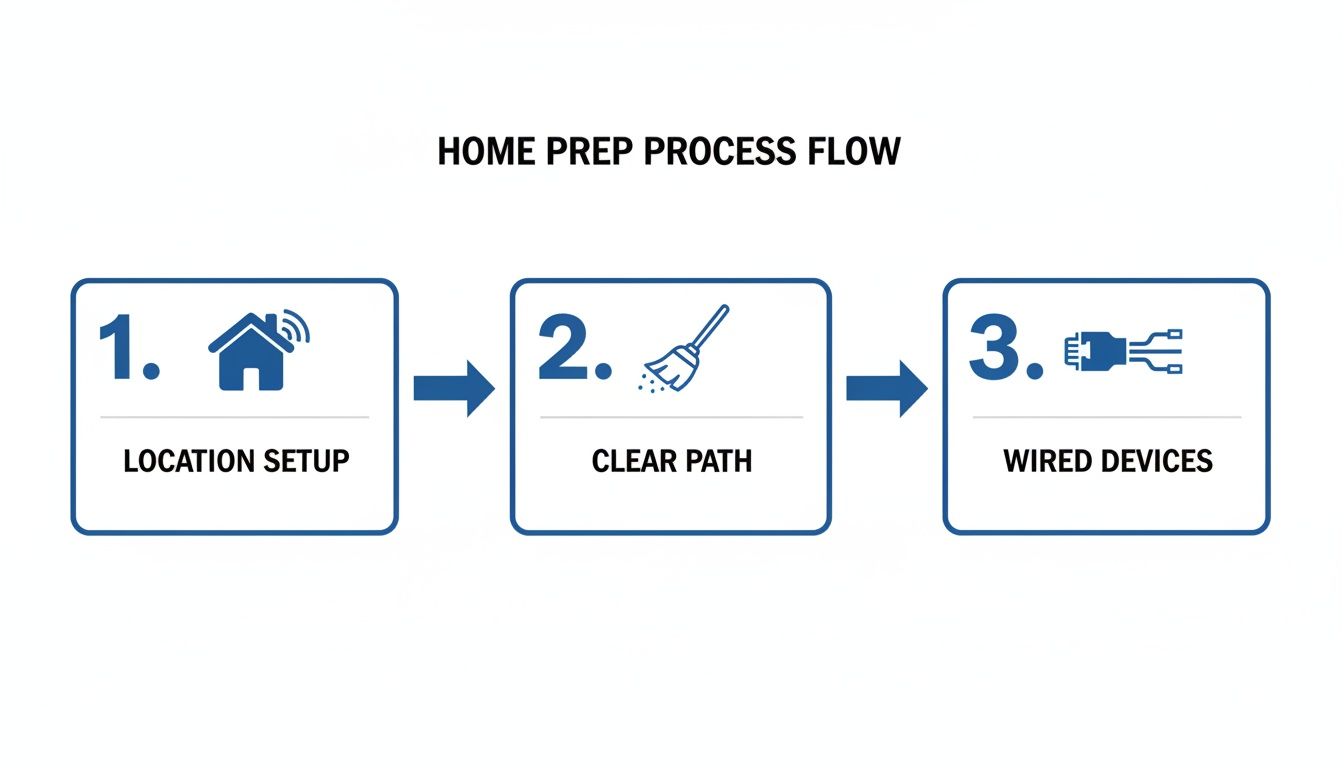
Following these prep steps helps our technician work efficiently, making for a much smoother installation day.
Bringing the Connection Inside
Once the outside line is secure, the technician moves indoors. Their next task is to carefully bring that delicate fiber optic strand from the NID into your home. This involves drilling a small, clean hole through an exterior wall, usually somewhere out of the way like a basement, utility closet, or garage.
The technician will always talk with you before drilling to find an entry point that makes sense both technically and for the look of your home. They’re trained to make this process as neat as possible and will properly seal the entry point when they're done.
From there, they run a thin wire from that entry point to the spot you've chosen for your new equipment. This is where your planning really pays off, ensuring the hardware ends up right where it needs to be for the best performance.
Installing the Optical Network Terminal (ONT)
The heart of your new fiber connection is the Optical Network Terminal, or ONT. This device is the bridge between the light signals of the fiber network and the electrical signals your router and devices use. Think of it as a translator, turning light into lightning-fast internet.
Our tech will mount the ONT on an interior wall, usually near a power outlet. Then comes one of the most critical parts of the install: connecting the indoor fiber line to the ONT. This takes real precision, as the glass strand inside is thinner than a human hair and needs to be perfectly aligned.
The ONT is where the speed of light officially enters your home. Unlike an old modem, this hardware is built specifically for the massive bandwidth of a 100% fiber network, so you get every bit of the symmetrical speed you're paying for.
After the fiber is connected, the tech will plug the ONT into power and check the lights to confirm it has a solid link to our network. This signal check is a key milestone—it means your home is officially "lit" with fiber.
The entire on-site visit is remarkably quick. A standard fiber internet installation for a home or business typically takes just 4 to 6 hours. That’s a small investment for the kind of symmetrical speeds you get with plans like Premier Broadband's Home Office Hero. You can explore more about how fiber is installed and why it’s such a game-changer.
Setting Up and Optimizing Your Home Network
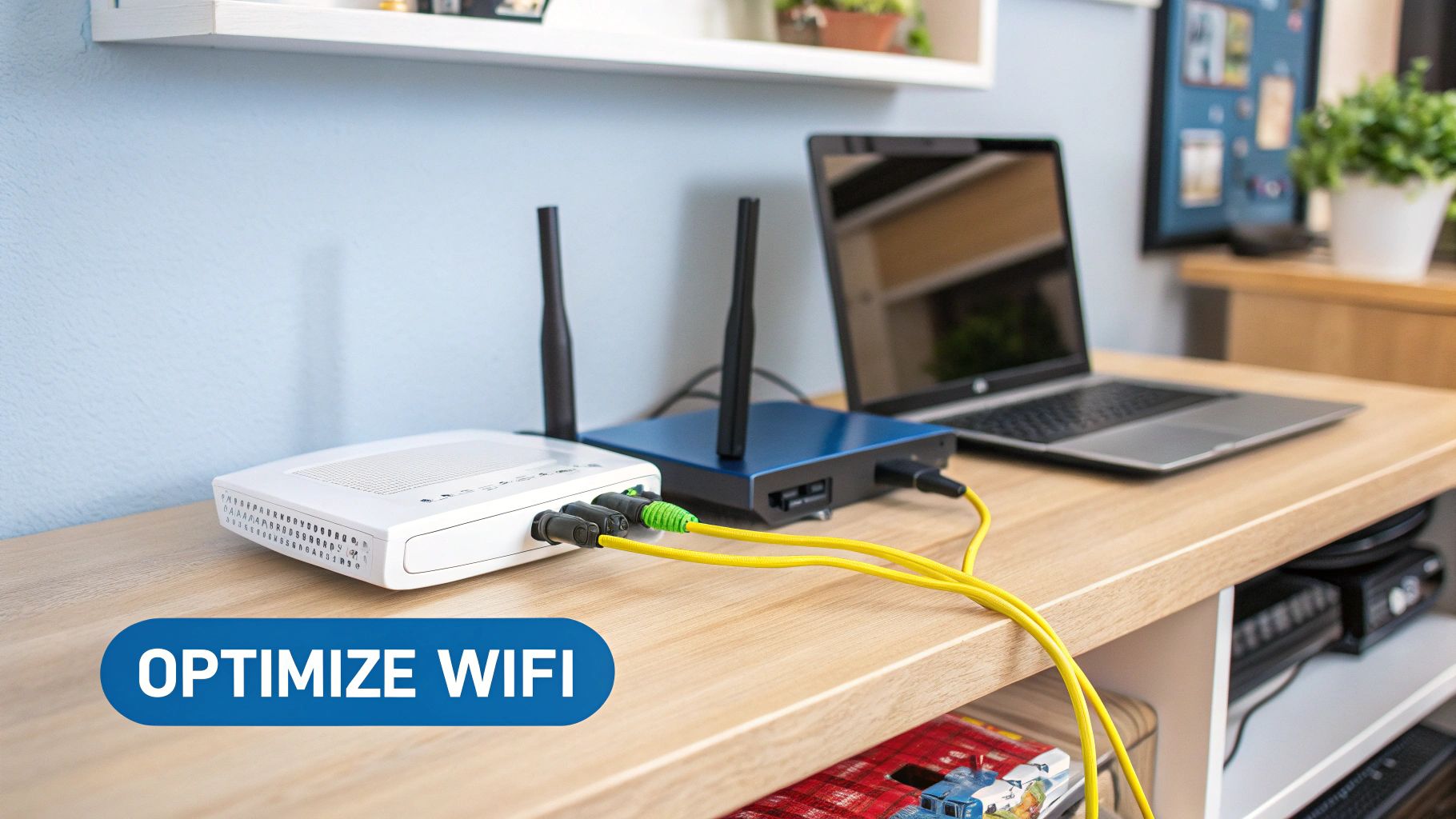
Once the Optical Network Terminal (ONT) is lit up and active, we get to the best part of the fiber internet installation process: turning that raw speed into a powerful, reliable network for your whole home. This is where the technician connects your new router to the ONT, getting it configured to broadcast a secure, high-speed Wi-Fi signal.
This isn't just about plugging in a box. It's about building your home network for peak performance from the get-go. Your tech will walk you through setting a network name (SSID) and a strong password to make sure your connection is secure from day one.
The Art of Router Placement
You wouldn't believe how much router placement affects your internet experience. It’s tempting to hide it in a cabinet or tuck it away in a basement, but that can absolutely kill your Wi-Fi signal. Think of your router like a speaker—the more walls and stuff you put between it and your devices, the weaker the signal gets.
For the best coverage, our technician will recommend a central, elevated spot. This helps the signal radiate outwards and downwards, blanketing more of your home evenly.
- Avoid Physical Barriers: Things like concrete walls, big metal appliances (fridges are notorious for this), and even fish tanks can block or soak up Wi-Fi signals.
- Minimize Electronic Interference: Try to keep the router away from microwaves, cordless phones, and other Bluetooth devices that can cause signal clutter.
- Stay in the Open: Placing it on a bookshelf or desk works way better than shoving it in a closet or behind a TV.
Getting this right is the first step to finally getting rid of those frustrating dead spots.
Maximizing Speed with Wired Connections
Wi-Fi is great for convenience, but for your most important devices, nothing beats plugging in directly. An Ethernet cable gives you a dedicated, interference-free lane straight from your router, delivering every single bit of your fiber speed.
This is a game-changer for:
- Gaming Consoles: A wired connection slashes latency (ping), which can be the difference-maker in online games.
- Home Office Computers: For video calls that can't drop and huge file transfers, Ethernet provides a rock-solid connection.
- 4K Streaming Devices: Plug your smart TV or media player in for guaranteed buffer-free binge-watching, even on a busy night.
Our technician can help connect these key devices during the install, often running a cable cleanly along a baseboard to your desk or entertainment center.
The demand for better connectivity is exploding. In 2022, telecom operators across Europe and the U.S. connected an extra 15.2 million households to fiber—a massive leap from the 9.9 million added back in 2018.
Achieving True Whole Home Wi-Fi
In larger homes or places with tricky layouts, a single router sometimes just can't cover every corner. That's where a managed Wi-Fi solution like Premier Protects really shines. It uses multiple access points to create one seamless mesh network, giving you a strong, consistent signal everywhere.
If you have a multi-story house or a separate office, our tech can talk you through setting up a mesh network for perfect coverage. For a deeper dive, you can check out our guide on how to set up a mesh Wi-Fi system.
Once your fiber network is up and running, you might also be interested in this DIY home automation system installation guide to make the most of your new high-speed connection.
Connecting Your Premier Broadband VoIP Service
If you bundled our VoIP phone service, the setup couldn't be easier. The technician simply connects your new phone adapter to the router. This little device lets your existing home phones make crystal-clear calls over your new fiber internet.
They’ll test the line to make sure you have a dial tone and that you can make and receive calls without a problem. From then on, you’ll have reliable home phone service with modern features, all running on your new super-fast fiber network.
Life After Installation: Getting the Most from Your Fiber
Just because the installation is complete doesn't mean our job is done. Your new fiber connection is live, but our partnership is just getting started. Our commitment is to provide ongoing support to make sure you love your internet experience.
Before our technician leaves, they run one final, critical check: a full speed and connectivity test. They don't just look for a signal; they confirm you're getting the incredible symmetrical upload and download speeds you signed up for. It’s our way of delivering on our promise of performance from day one.
Peace of Mind with the Premier Protection Plan
Life is unpredictable. A thunderstorm can cause a power surge, the new puppy might decide a cable looks like a chew toy, or a home renovation project goes slightly wrong. When equipment gets damaged, you shouldn't have to worry.
That's exactly why we offer the Premier Protection Plan.
This optional service is your safety net, covering the cost of service calls and equipment repairs or replacements from unexpected events. For a small monthly fee, you’re protected from surprise bills, making it a smart investment for any home or business.
The Premier Protection Plan isn't just a warranty; it's an assurance that your connection will be restored quickly and affordably, no matter what surprises come your way.
Take Control with Premier Protects
Your fiber connection is the heart of your digital life, powering everything from streaming movies to securing your home. Premier Protects is our managed Wi-Fi and security service that puts you in complete control.
With the easy-to-use Premier Protects app, you can manage your network like a pro:
- Family Content Controls: Set up filters to block inappropriate websites and content, creating a safer online space for your kids.
- Network Management: See every single device connected to your Wi-Fi, keep an eye on data usage, and even pause the internet for specific devices—perfect for getting everyone to the dinner table.
- Enhanced Security: The service adds a powerful layer of security to guard your network against online threats, helping keep your personal information safe.
Cut the Cord and Customize Your Entertainment
Are you tired of scrolling through hundreds of cable channels you don't even watch? We think your entertainment should be as modern and flexible as your new fiber connection. That's why we've teamed up with MyBundle.TV.
This service is fantastic for cutting the cord. It helps you build a streaming package that is personalized to your budget and what you actually watch. MyBundle.TV analyzes your favorite shows and movies to recommend the perfect mix of services like Netflix, Hulu, and live TV options, which can save you up to 50% compared to traditional cable.
It's the best way to pair world-class internet with a modern entertainment experience.
The demand for fiber is growing faster than ever. The global fiber optic network now stretches over 5 billion kilometers, showing a massive worldwide investment. Just last year, 9 million new installations were completed—a 13% increase. You can dive deeper into these global fiber optics trends and future growth to see how your new connection is part of a bigger movement. From installation day and beyond, Premier Broadband is here to help you unlock everything your fiber internet has to offer.
Common Questions About Fiber Installation
Even with a clear plan, it's totally normal to have a few questions about the fiber internet installation process. Getting them answered ahead of time just makes the whole upgrade feel smoother. We’ve pulled together some of the most common questions we hear from customers to give you the straight answers.
Our goal is simple: we want you to know exactly what to expect when you join the Premier Broadband 100% fiber network.
How Long Does the Entire Process Take?
The technician's actual visit to your home is pretty quick, usually wrapped up in just 4 to 6 hours. The full timeline, from the moment you sign up to your first speed test, can vary a bit.
Once you place your order, we get to work scheduling your on-site appointment. Sometimes, we need to do some outside work first to run the main fiber line to your property line. We’ll keep you in the loop every step of the way, but most installations are fully completed within one to two weeks of your order, assuming the neighborhood fiber infrastructure is ready to go.
Key Takeaway: The on-site appointment is quick, but the overall timeline depends on the existing network infrastructure. We'll always communicate clearly about what to expect for your specific address.
Will the Installation Damage My Yard or Home?
We take a lot of pride in being as meticulous and minimally invasive as possible. Our technicians are trained to treat your property like it’s their own.
If we need to bury a fiber line, we use specialized tools that create a very narrow slit in your lawn. It causes minimal disturbance and usually vanishes completely after a few weeks. For any work inside, drilling is kept small and discreetly placed in areas like basements, utility closets, or garages. Before we do anything, the technician will walk you through the plan and agree on the best entry points and equipment locations.
Can I Use My Own Router with Premier Broadband Fiber?
Yes, you're welcome to use your own router. However, to get the absolute best performance and reliability, we strongly recommend using the equipment we provide. Our routers are hand-picked and pre-configured to work perfectly with our network's top speeds.
Using our router also gives you access to our Premier Protects managed Wi-Fi service. This includes advanced security, content controls, and lets our team provide remote support if you ever hit a snag. If you do choose to use your own router, our ability to help you troubleshoot it will be limited.
What Is the Difference Between the ONT and a Router?
That’s a great question. These two devices are a team, but they have very different jobs.
- The Optical Network Terminal (ONT): Think of this as the gateway. It connects directly to the fiber optic cable and its only job is to convert the light signals from our network into a standard Ethernet signal that your devices can understand.
- The Router: This is your home's network director. It takes that Ethernet signal from the ONT and creates your Wi-Fi network, letting all your laptops, phones, and smart TVs connect wirelessly. It also has the physical ports for any wired connections you need.
Once you're all set up, you'll want to see your new fiber connection in action. Check out our guide on how to test your internet speed accurately for some expert tips.
Ready to experience the speed and reliability of a 100% fiber network? Contact Premier Broadband today to find the perfect plan for your home or business and schedule your installation. Get started now!