

Your monthly bill shows internet, TV, and maybe even a home phone line you haven't plugged in for years. Meanwhile, the Wi Fi still stutters during a video meeting, your kid's game update drags on forever, and the movie buffers right when everyone finally sits down to watch it.
That's why so many people are rethinking what they need. For many homes and small offices, the main priority isn't a giant bundle. It's a solid standalone connection that handles work, streaming, gaming, calls, backups, and all the little online tasks that fill the day.
Why More People Are Cutting the Cord on Bundles
A familiar household story goes like this. Someone signs up for a bundle because it looks simple. One bill, one provider, one promo. A year later, they're paying for cable channels nobody watches, a phone line nobody answers, and internet that still feels crowded when everyone gets online at once.
That frustration is one reason internet-only service has become the center of the modern home. Entertainment now comes from streaming apps. Calls happen on smartphones or video platforms. Schoolwork, banking, shopping, and work all run over the same connection. When people cut extra services, they're usually not cutting something important. They're trimming what no longer matches how they live.
Consumer demand reflects that shift. Analysis from Allconnect says the most popular standalone fiber plan is 200 Mbps and the most popular cable plan is 300 Mbps, which tells you many households want practical standalone service, not the flashiest multi-gig package (Allconnect's analysis of popular internet plans).
Why bundles feel outdated
The old bundle model was built around a living room TV and a house phone. Today, most homes act more like mini networks. Someone's on a work call, someone else is streaming, another person is gaming, and a security camera is uploading clips in the background.
That changes the buying question from “Which bundle is cheapest?” to “Which connection holds up when real life happens?”
- You use streaming instead of channels: You pick what you watch instead of paying for a giant package.
- You rely on mobile phones: A landline often becomes a line item, not a useful tool.
- You need internet for everything: Work, school, entertainment, and smart devices all compete for the same connection.
A bundle can look convenient on paper and still be the wrong fit for the way your household actually uses the internet.
Availability also shapes this decision. As of December 2023, about 66% of households had at least two providers offering service at 100/20 Mbps or faster, but roughly one-third of Americans still had only one high-speed provider or no access at all (Benton Institute's broadband competition summary). So cutting the cord is often smart, but shopping takes some homework because choices still vary a lot by address.
If you're moving away from old TV packages, a guide on switching from cable TV to wireless options can help you think through the tradeoffs.
What Are High Speed Internet Only Plans
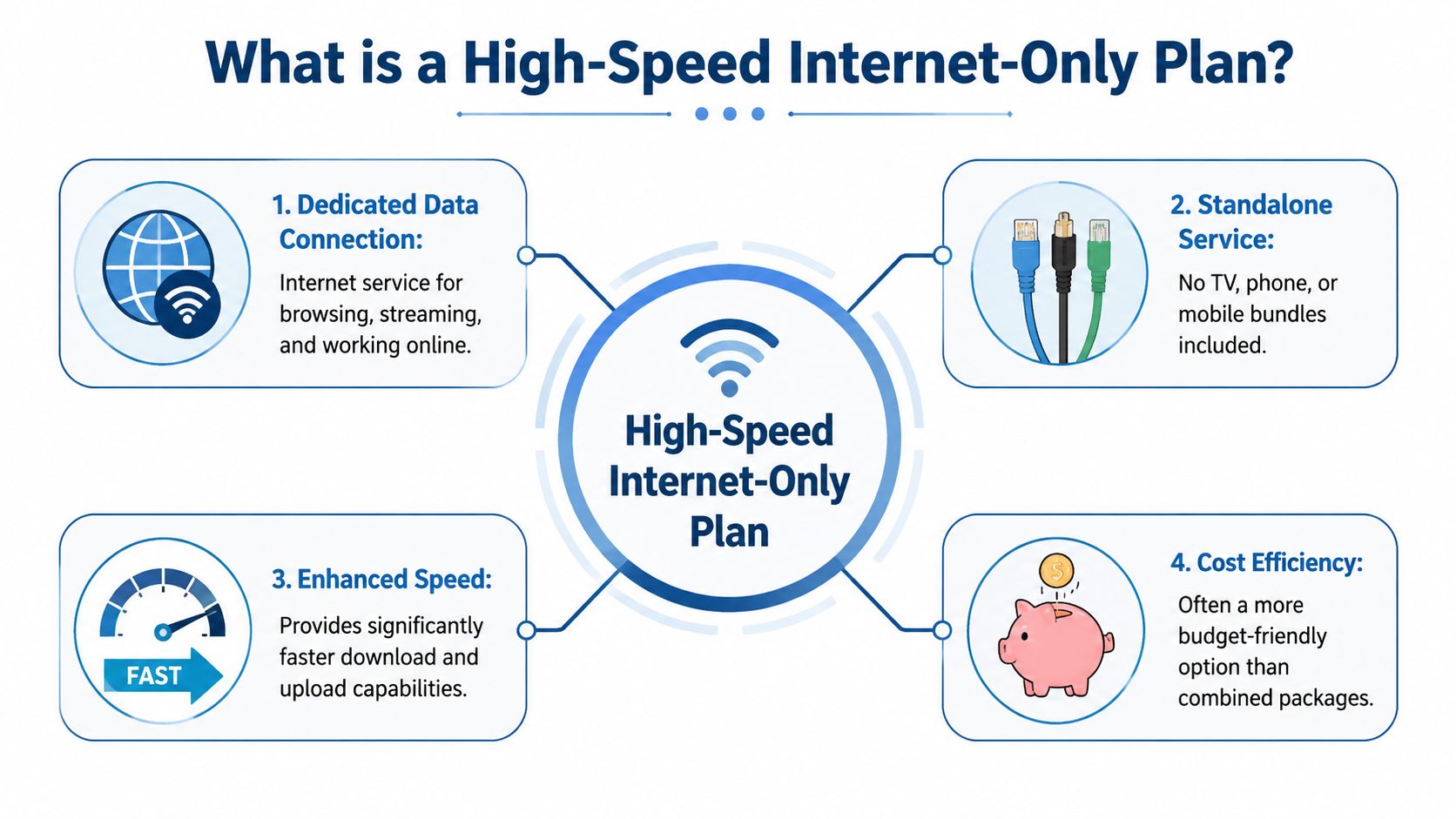
A high speed internet only plan is exactly what it sounds like. You pay for internet access by itself. No cable TV package. No traditional landline required. No forced combo meal when all you wanted was the main item.
That “combo meal versus à la carte” comparison helps a lot. A bundle gives you several services tied together. An internet-only plan gives you the one service most households use constantly. It's a cleaner choice, and it's often easier to match to your actual habits.
What's included and what isn't
What you're buying is the data connection that powers your devices. That includes browsing, streaming, app use, cloud tools, online gaming, and video calls.
What you're generally not buying includes:
- Traditional cable TV service: If you want shows or live channels, you add your own streaming services.
- Legacy home phone service: Some providers offer phone separately, but it isn't baked into the plan.
- Extra services you may never touch: That can make the plan easier to understand and manage.
Why this matters in plain language
A lot of buyers hear “high speed” and assume it only means a big download number. But the bigger point is simpler. You're choosing a dedicated internet connection that should fit how many people use it, what they do online, and how often they're doing those things at the same time.
The market has moved in that direction because standalone internet isn't a niche purchase anymore. It's a mainstream household utility. People still want speed, but they usually prefer a tier that covers normal life well instead of paying extra for performance they'll never notice.
Simple test: If your home watches TV through apps, calls people on mobile phones, and works online every day, you're already living like an internet-only household.
Key Features to Evaluate Beyond Download Speed
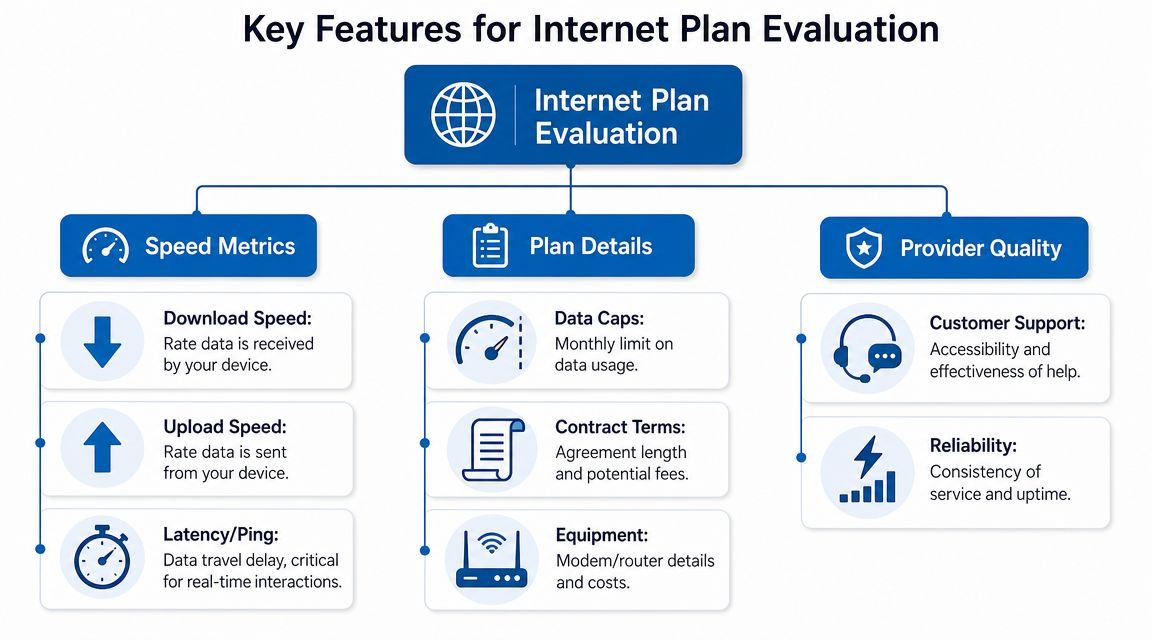
Most ads push one number first. Download speed. It matters, but it's only part of the story. If you've ever had a fast speed test and a terrible Zoom call five minutes later, you've already seen why.
Think of your internet connection like a road system.
Download speed is how many lanes bring traffic into your house.
Upload speed is how many lanes let traffic leave.
Latency is how long each car sits at lights and intersections.
Data caps are the monthly mileage limit.
A wide incoming highway doesn't help much if the outgoing side narrows to a single lane.
Upload speed changes daily life
People notice download speed because it's easy to imagine. Movies load. Websites open. Games install. But upload speed handles the stuff many homes now do all day long. Video meetings, cloud backups, sending large files, posting content, security cameras, and online gaming all depend on it.
Symmetrical speeds matter. A symmetrical plan gives you similar performance for downloads and uploads. That's common on fiber and much less common on many cable plans.
The difference shows up in real life:
- Remote work: Your face and voice stay clearer in video meetings when your connection can send data smoothly.
- Creative work: Uploading photos, project files, or videos feels far less painful.
- Homes with cameras or backups: Background uploads don't choke everything else as easily.
If you want a practical primer, this explainer on what counts as a good upload speed is worth reading before you compare plans.
Latency is the hidden cause of lag
Latency measures delay. It's not about how much data can move. It's about how quickly your actions travel back and forth.
Low latency matters most when timing matters. Gaming is the obvious example, but it also affects voice calls, live classes, remote desktop work, and smart home responsiveness. A plan can look fast on paper and still feel sluggish if latency is high or inconsistent.
When people say “the internet is weirdly slow,” they often mean delay, not just low speed.
That's why two homes with similar download numbers can have very different experiences.
Data caps deserve more attention
A strong plan should also be judged by whether it gives you room to use it freely. The Portland digital equity guidance notes that many cable providers impose a 1.25 TB monthly data allowance, while fiber networks often provide unlimited data and equal upload/download speeds (Portland digital equity internet guidance).
That matters more than many buyers expect. Streaming in high resolution, downloading games, syncing files, and backing up phones can build up. A cap doesn't always hurt light users, but heavy households can run into surprise headaches.
Don't ignore the plan details around the plan
Some frustrations don't come from the connection itself. They come from the fine print around it.
Look for these details:
- Equipment terms: Ask whether you rent the modem or router, whether Wi Fi gear is included, and whether you can use your own.
- Reliability expectations: Consistent service is often more valuable than a flashy headline number.
- Contract language: Promotional rates, early cancellation terms, and installation charges can change the total cost.
Matching Internet Speed Tiers to Your Household Needs
The right speed tier depends less on one person's habits and more on how many things happen at the same time. A house with one streamer and a couple phones needs something different from a home office where cloud backups, video meetings, and multiple TVs all run together.
The FCC defines high-speed broadband as 100 Mbps download and 10 Mbps upload, but practical guidance says plans in the 500 to 1,000 Mbps range are better at preventing contention when multiple 4K streams, cloud backups, and video calls happen at once (CompareInternet's overview of what counts as high-speed internet).
Which Internet Speed Do You Need
| Speed Tier | Best For | Example Activities |
|---|---|---|
| 100 Mbps | Smaller households with lighter simultaneous use | Web browsing, streaming on a few devices, video calls, homework |
| 200 to 300 Mbps | Average households that want more breathing room | Multiple streams, work from home, smart devices, game downloads |
| 500 Mbps | Busy homes with several people online at once | Concurrent video meetings, 4K streaming, cloud backups, gaming |
| 1 Gbps | Large families, heavy users, home offices, creators | Many devices active together, large file transfers, frequent uploads, always-on connected homes |
A few real world profiles
The solo streamer or couple at home
If your home mostly covers browsing, TV apps, occasional calls, and everyday device use, a lower or mid-tier plan often feels completely fine. This is why 200 Mbps and 300 Mbps tiers are so popular. They fit normal life without paying for bragging rights.
The remote worker household
One person on calls all day can change the whole equation, especially if someone else is streaming or gaming. In that setup, extra headroom helps because internet traffic doesn't arrive in neat little turns. It bunches up. A stronger tier reduces the chance that one big task crowds out a live meeting.
The gaming and streaming family
Gaming doesn't always require the highest raw download number, but game updates, patches, voice chat, and simultaneous streaming can create pileups. For these situations, a connection with better uploads and lower latency often feels better than a plan that merely advertises a bigger download figure.
Practical rule: Buy for your busiest hour, not your quietest one.
If you're unsure where your household lands, a simple guide on what's considered a good download speed can help translate plan labels into everyday use.
The mistake that leads to overpaying
A lot of people buy the fastest package because they don't want problems. That's understandable, but it often misses the underlying issue. If your pain point is laggy calls or slow uploads, jumping to a bigger download number alone may not solve it.
The smarter move is to match the tier to your simultaneous use, then check whether the plan also gives you the upload performance and low-latency behavior your household needs.
Your Decision Checklist for Choosing a Provider
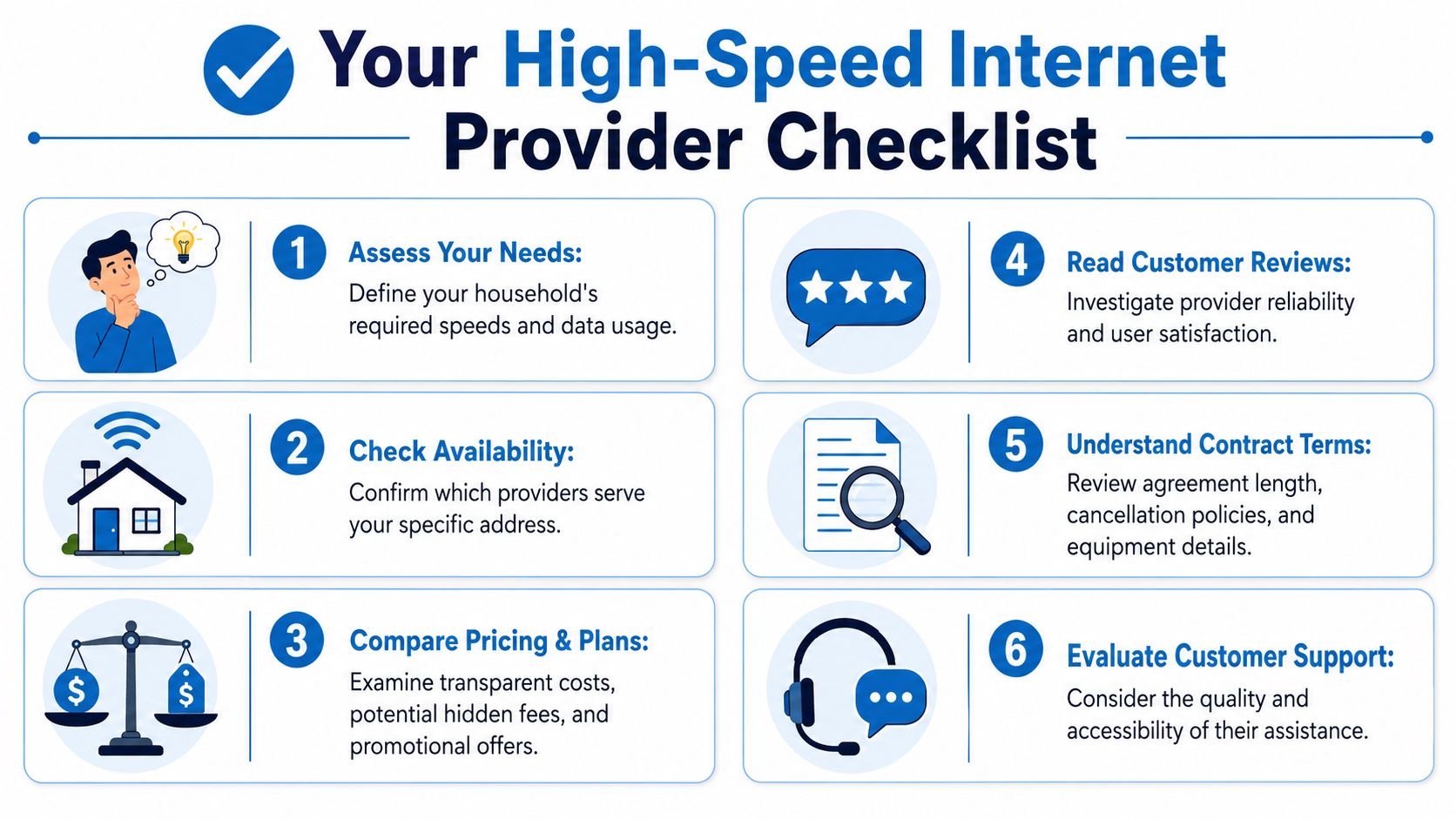
A good provider choice starts with a simple question. What will the service cost, and how will it perform at my address? That sounds obvious, but a lot of confusion comes from mixing advertised plans with real-world availability.
Finding a standalone plan also depends heavily on location and eligibility. Some areas have special affordability offers, but many households still need to verify local availability, provider rules, and total cost for themselves (low-cost plan guidance from Internet for All Now).
Questions worth asking before you sign up
- What's available at my exact address: Two houses on the same street can qualify for different plans.
- What happens after the promo ends: Ask for the ongoing monthly price, not just the introductory one.
- Are equipment and installation included: A low sticker price can look very different after add-ons.
- Is there a contract: If there is, ask about cancellation terms and timing.
- Does the plan have a data cap: This matters if your home streams heavily, backs up files, or downloads large games.
- What kind of network is this: Fiber, cable, fixed wireless, and other technologies can feel different in daily use.
Use this quick screening method
When you compare providers, don't open ten tabs and drown in details. Start with a short pass/fail list.
| Check | What to confirm |
|---|---|
| Availability | The plan is actually offered at your address |
| Total monthly cost | Service, equipment, installation, and other fees |
| Plan fit | Speed tier matches your busiest household usage |
| Fine print | Contract terms, price changes, and restrictions |
| Support | How you get help if service goes down |
A practical walkthrough on how to choose an internet provider can make this shopping process less frustrating.
How Premier Broadband Delivers a Modern Internet Experience
A modern internet plan should line up with the issues people complain about. Dropped video calls. Slow uploads. Wi Fi dead spots. A monthly plan that looks fine until hidden restrictions show up.

That's why fiber-based internet-only service often stands out for households that work, stream, and connect on multiple devices at once. Premier Broadband is one example. It offers residential and business internet over a 100% fiber network, which aligns with the priorities discussed earlier, especially symmetrical upload and download speeds for video conferencing, file sharing, gaming, and cloud-heavy use.
What that looks like in everyday use
A remote worker doesn't just need a plan that downloads quickly. They need stable video meetings and room for uploads. A family doesn't just want a movie to start fast. They want several devices online without the whole house feeling congested.
Premier Broadband also offers tools around the connection itself, including Premier Protects for managed Wi Fi and family content controls, plus the Premier Protection Plan for equipment-related support. For homes replacing old TV bundles, its MyBundle.TV partnership fits the internet-only approach by helping people build a streaming setup without going back to cable packages.
Why the surrounding services matter
A strong internet experience isn't only about the line coming into the house. It also depends on what happens inside the home. Weak router placement, unmanaged Wi Fi, and too many devices fighting over poor coverage can make a good plan feel mediocre.
That's why buyers should think in two layers:
- The connection coming in: Technology type, upload symmetry, latency, and restrictions.
- The network inside the home: Wi Fi management, coverage, and how devices share that connection.
The best internet plan on paper can still feel disappointing if the in-home setup isn't built for the way people actually use it.
For small businesses, the same logic applies. Internet, voice, and managed networking often work better when they're planned together instead of bolted on one piece at a time.
Finalizing Your High Speed Internet Choice
Choosing among high speed internet only plans gets much easier when you ignore the marketing noise and focus on what affects daily life. Start with your household's busiest moments. Who's streaming, who's on video calls, who's gaming, and what uploads are happening in the background?
Then look beyond the headline download number. Upload symmetry, latency, and data caps often explain the difference between a connection that merely sounds fast and one that feels smooth. If Zoom gets choppy, if cloud backups stall the house, or if game updates seem to take over everything, those are usually clues that the plan isn't the right fit in the ways that matter most.
Finally, shop like a careful neighbor, not a rushed customer. Check what's available at your exact address. Ask about total monthly cost, equipment, contracts, and restrictions. If a provider can't answer those questions clearly, that's useful information too.
A good internet-only plan should feel simple once it's installed. Your calls should stay steady. Your streams should play. Your uploads shouldn't bring the house to a crawl. That's the goal.
If you're ready to compare a standalone fiber option for your home or business, take a look at Premier Broadband and see what service is available in your area.