
Looking for a low-cost VoIP phone setup? The good news is you've got three straightforward paths: use a dedicated VoIP handset, connect an adapter to your current analog phone, or just install a softphone app on your computer or smartphone.
Each route gets you crystal-clear calls over the internet without that hefty traditional phone bill.
Making the Smart Switch to VoIP Without Overspending
Let's be real—you want modern phone features without the sticker shock. Getting there is easier than you think, and you definitely don't need a rack of expensive, corporate-grade hardware to do it. Think of this as your practical roadmap to affordable, high-quality calls, whether you're a remote worker who can't afford a dropped call or a family looking to slash your monthly bills.
This huge shift to internet-based calling isn't just some passing trend. It's happening worldwide for one big reason: massive cost savings. The VoIP market is on track to hit USD 161.79 billion in 2025, mostly because it turns international calling from dollars-per-minute into mere cents. It's no wonder VoIP is expected to grab a 56.7% market share of the voice services industry.
Three Paths to Low-Cost VoIP Calling
So, where do you start? Your journey to a low-cost VoIP phone setup begins by understanding your options. We'll cut through the tech jargon and look at the three main ways you can get set up, so you can find the perfect fit for your budget and how you actually use your phone. If you're running a small operation from home, a practical guide to VoIP for small business solutions can be a huge help in navigating these choices.
To make it even simpler, here’s a quick comparison of the primary methods. This table should help you immediately see which path might be right for you.
| VoIP Method | Best For | Typical Cost | Key Benefit |
|---|---|---|---|
| Dedicated VoIP Handset | Home offices or anyone wanting a professional desk phone experience. | $50 – $200+ | All-in-one solution with the best call quality and features. |
| VoIP Adapter (ATA) | Keeping your existing analog phones and phone number. | $30 – $70 | The "if it ain't broke" approach. Super easy and budget-friendly. |
| Softphone App | Maximum flexibility, frequent travelers, or minimalists. | Free – $50/year | Zero hardware cost. Take your phone line anywhere you have a device. |
Now that you've got the lay of the land, let's dig into what each of these actually means for you.
What Are My Real Options?
Here’s a quick breakdown of the three core methods we'll be exploring in this guide:
Dedicated VoIP Handsets: These look and feel just like the desk phones you're used to, but they're built from the ground up to work over the internet. They plug directly into your router and are perfect for a home office where you need professional features and reliability.
VoIP Adapters (ATAs): Don't want to throw out that trusty cordless phone you love? You don't have to. These small, simple boxes act as a bridge, letting you plug your current analog phones right into your internet service. It's a fantastic way to make them VoIP-ready in minutes.
Softphones: This is your zero-hardware-cost option. A softphone is just an app you install on your computer, tablet, or smartphone. It gives you a full-featured phone right on your screen, letting you make and receive calls from anywhere. It's perfect for when you're on the go or just want to keep things simple.
Choosing Your Gear: Handsets, Adapters, or Softphones
Alright, let's get down to the practical stuff: choosing your equipment. The best low-cost VoIP phone for you really comes down to how you use the phone, your budget, and whether you like the feel of a traditional handset.
We'll break down the three main paths you can take so you can pick the right one for your home or office. This chart can help you visualize which option—a dedicated handset, an adapter for your old phone, or a software-based phone—is the best fit.
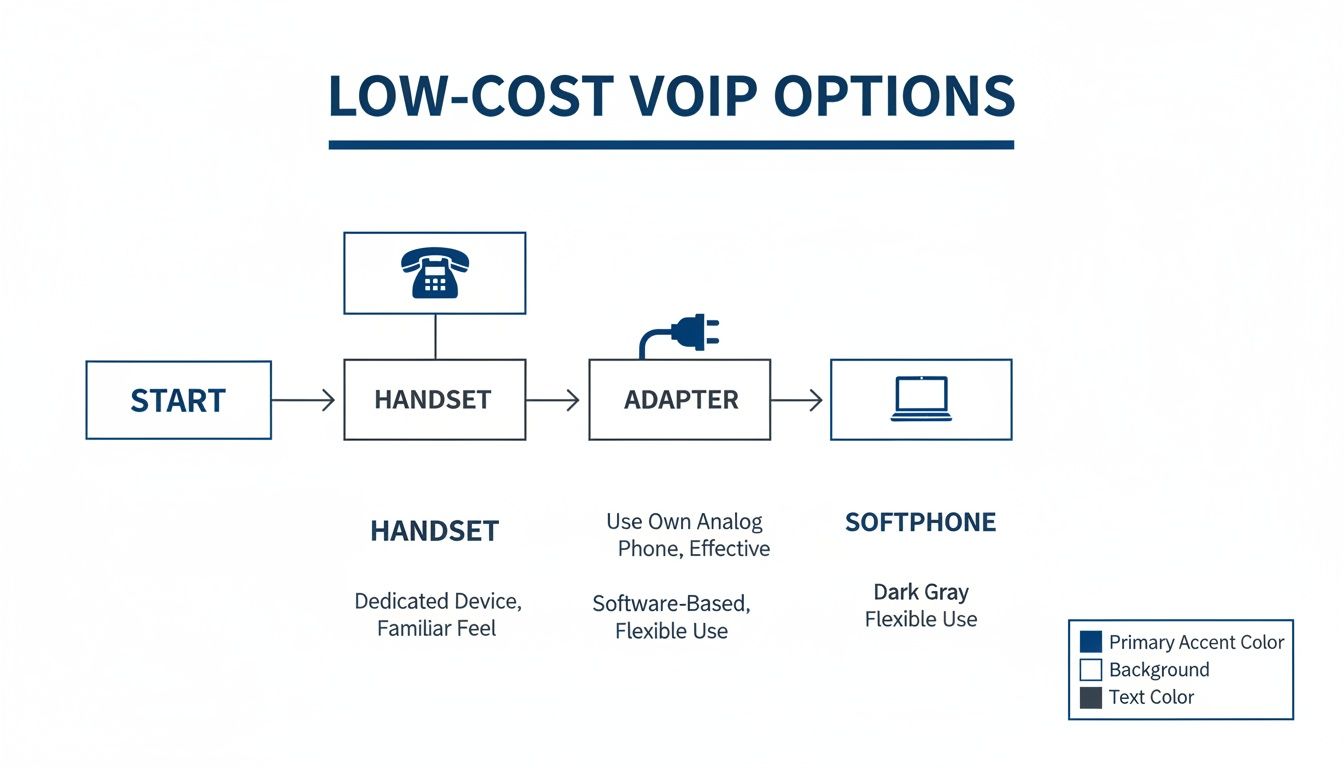
As you can see, it's all about balancing what you're willing to spend on hardware with the features and convenience you need.
Dedicated VoIP Handsets: The Professional Choice
If you're running a home office or just prefer the familiar feel of a desk phone, a dedicated VoIP handset is a fantastic choice. These phones are built specifically for internet calling. They plug directly into your router, giving you top-notch audio quality and reliability.
You don’t have to break the bank, either. Entry-level models from great brands like Yealink or Grandstream provide HD voice and key business features without a hefty price tag. This is your best bet if you make a lot of calls and want a dedicated, always-on device that doesn't tie up your computer.
Think of it as a small, one-time investment for a permanent, professional communication tool. It’s the perfect match for Premier Broadband’s Home Office Hero plan, making sure your client calls are always crystal-clear.
VoIP Adapters: Breathe New Life into Old Phones
But what if you love your current cordless phone system? That's where an Analog Telephone Adapter (ATA), or VoIP adapter, comes in. This clever little box bridges the gap between your trusty analog phone and your new digital VoIP service.
The setup couldn't be easier:
- Plug the adapter into your internet router.
- Plug your traditional phone right into the adapter.
And that's it. Your old phone now works as a fully functional VoIP device. A family can keep using the multi-handset cordless system they're already comfortable with while getting all the benefits of low-cost internet calling. You can learn more about how a phone internet adapter works right here on our blog.
This is the ultimate "if it ain't broke, don't fix it" solution. It cuts down on waste and eliminates any learning curve, which is why it's such a popular choice for many households.
Softphones: The Ultimate in Flexibility and Savings
For maximum mobility and zero hardware cost, a softphone is the undisputed winner. A softphone is just an app you install on your computer, tablet, or smartphone. It gives you a complete phone interface right on your screen, so you can make and receive calls from anywhere you have an internet connection.
This is a true game-changer for remote workers, frequent travelers, or anyone who wants a clean, minimalist setup. You can take your business line with you on a laptop to a coffee shop or answer your home phone on your mobile while running errands. It’s the most versatile and budget-friendly way to get started.
The growth in this space has been massive. Low-cost VoIP has completely changed the communications industry, with the market valued at USD 219.7 billion in 2025 and projected to soar to USD 909.7 billion by 2034. The mobile VoIP segment alone is expected to hit USD 58.21 billion by 2025, all driven by the incredible convenience of app-based calling.
Your Must-Have Feature and Compatibility Checklist
Before you get too excited and add that shiny new low cost VoIP phone to your cart, let's pump the brakes and run through a quick pre-purchase checklist. A few minutes of planning right now can save you a world of headaches later. This is about more than just finding a good deal; it's about making sure your new gear works perfectly with your service from the moment you plug it in.
The absolute first thing you need to verify is compatibility. Any handset or adapter you're considering must support the Session Initiation Protocol (SIP). Think of SIP as the universal language for all VoIP devices—without it, your phone is just a fancy paperweight.
Beyond that basic requirement, it’s always a smart move to see if your specific model is officially recommended by your provider, like Premier Broadband. Using an approved device almost always guarantees a pain-free setup and ensures every feature on your plan works as advertised.
Core Features That Truly Matter
Once you've confirmed a phone will actually work, it's time to think about the features that will make a real difference in your day-to-day life. It’s easy to get lost in a sea of technical jargon, but only a handful of features truly impact your calling experience at home or in the office.
Here are a few essentials you shouldn't skip:
- Voicemail-to-Email: This is a huge time-saver. Instead of dialing in to check messages, you get an audio file sent straight to your email inbox. You can listen, save, or forward it from literally anywhere.
- 3-Way Calling: Perfect for hashing out family plans or pulling a colleague into a quick discussion. It lets you add a third person to any call, turning a simple chat into a mini-conference on the fly.
- Caller ID and Call Waiting: These might seem basic, but they're non-negotiable. Knowing who’s on the other end before you answer and getting an alert for another incoming call are fundamental for modern communication.
Choosing the right features for your needs is crucial. A feature that's a nice-to-have for a home user might be absolutely essential for a business. This table breaks down the most common VoIP features to help you decide what to prioritize.
VoIP Feature Checklist for Home vs Business Users
| Feature | Essential for Home Use? | Essential for Business Use? | Why It Matters |
|---|---|---|---|
| Voicemail-to-Email | Recommended | Yes | Delivers voicemails as audio files to your email for easy access and record-keeping. |
| Call Forwarding | Yes | Yes | Never miss a call by automatically redirecting it to your mobile or another number. |
| Auto Attendant | No | Yes | Acts as a virtual receptionist to greet callers and direct them to the right department. |
| 3-Way Calling | Yes | Yes | Allows you to add a third person to a call for quick group conversations. |
| Caller ID | Yes | Yes | See who is calling before you answer, a standard feature for any phone system. |
| Call Recording | No | Recommended | Crucial for training, quality assurance, and maintaining a record of important calls. |
| Hold Music | No | Recommended | Provides a professional touch for customers waiting on hold. |
| Call Logs | Recommended | Yes | Keep a detailed history of all incoming, outgoing, and missed calls. |
Ultimately, the best features are the ones you'll actually use. Focus on what will make your communication smoother and more efficient, and don't get bogged down by options you'll never touch.
Don't just focus on the hardware. Remember that the quality of your internet connection is the foundation of your VoIP experience. A reliable connection eliminates the lag and jitter that plague calls on slower networks.
The Secret Ingredient: A Rock-Solid Network
Speaking of your internet, this is where the magic really happens. You could have the most advanced, feature-packed VoIP phone on the market, but it will still fall flat on a poor connection. Choppy audio, dropped calls, and frustrating delays are almost always symptoms of a weak network, not a faulty phone.
This is exactly why a 100% fiber network with symmetrical speeds is the secret sauce for crystal-clear VoIP. Unlike old-school cable or DSL where your upload speed is just a fraction of your download, fiber delivers equally fast performance in both directions. This means your voice goes out just as clearly and instantly as the other person’s voice comes in.
A stable, high-bandwidth connection is what allows your voice data to be prioritized and delivered without a hitch. If you want to dive deeper into how your connection speed affects call quality, you can learn more about the ideal bandwidth for VoIP in our detailed guide. Choosing the right device is step one, but pairing it with a powerful network is what truly guarantees a flawless calling experience.
How to Find Great Deals on VoIP Hardware
Getting a great deal on a low cost VoIP phone or adapter is the last piece of the puzzle to unlock some serious monthly savings. The good news? You don't have to pay full price for high-quality gear. Forget the generic advice—there are a few smart ways to find excellent hardware without blowing your budget. It really just comes down to knowing where to look and what to watch out for.
Think of it this way: a small investment upfront in the right device will pay for itself in no time through lower phone bills. And with the right strategy, that initial cost can be surprisingly small.
Explore the Refurbished Market Safely
One of the absolute best ways to save a buck is to buy refurbished hardware. We're not talking about used gear from a random seller. Reputable vendors professionally inspect, test, and bring these devices back to factory standards. Honestly, you often can't tell them apart from brand-new units, but you can snag top-tier brands for a fraction of the original price.
Of course, not all "refurbished" deals are the same. To make sure you don't get burned, only buy from vendors that stand behind their products.
- Look for a minimum 90-day warranty. This gives you plenty of time to get everything set up and confirm it's all working perfectly.
- Check for a clear return policy. If the phone isn't compatible or just doesn't work for you, you need a hassle-free way to send it back.
- Confirm certified technicians handled the work. You want gear that was restored by pros who know the equipment inside and out.
Keep an Eye on Provider Promotions
Before you start shopping around, your first stop should always be your service provider. Companies like Premier Broadband frequently run promotions for new customers that can slash your startup costs. These deals are specifically designed to make switching to their service as smooth and affordable as possible.
You'll often find offers for discounted or even free hardware when you sign up for a certain plan. For instance, you can usually save quite a bit with internet and phone bundles that include all the equipment you need. It’s a fantastic way to get a device that’s guaranteed to work seamlessly with your service right out of the box.
Always ask about bundled deals. Getting your hardware and service from the same place not only saves money but also simplifies setup and support, as you'll have a single point of contact if you need help.
Hunt for Open-Box and Clearance Deals
Here’s another little secret for finding affordable hardware: the open-box section of major electronics stores. These are usually items that someone else returned, often unused, simply because the box was damaged or they changed their mind.
These devices are practically brand new but get sold at a steep discount. The retailer inspects them, and they typically come with the full manufacturer's warranty. It’s the best of both worlds—a new product at a used price. Keep an eye on the websites of big retailers, as their stock changes all the time. You can definitely snag a high-end low cost VoIP phone for a steal if you're patient.
Getting Your New VoIP Phone Set Up
You’ve chosen your gear and you're ready to start making crystal-clear, affordable calls. Now for the final step: getting everything connected. Don't worry, setting up a low cost voip phone is usually a breeze and often takes just a few minutes.
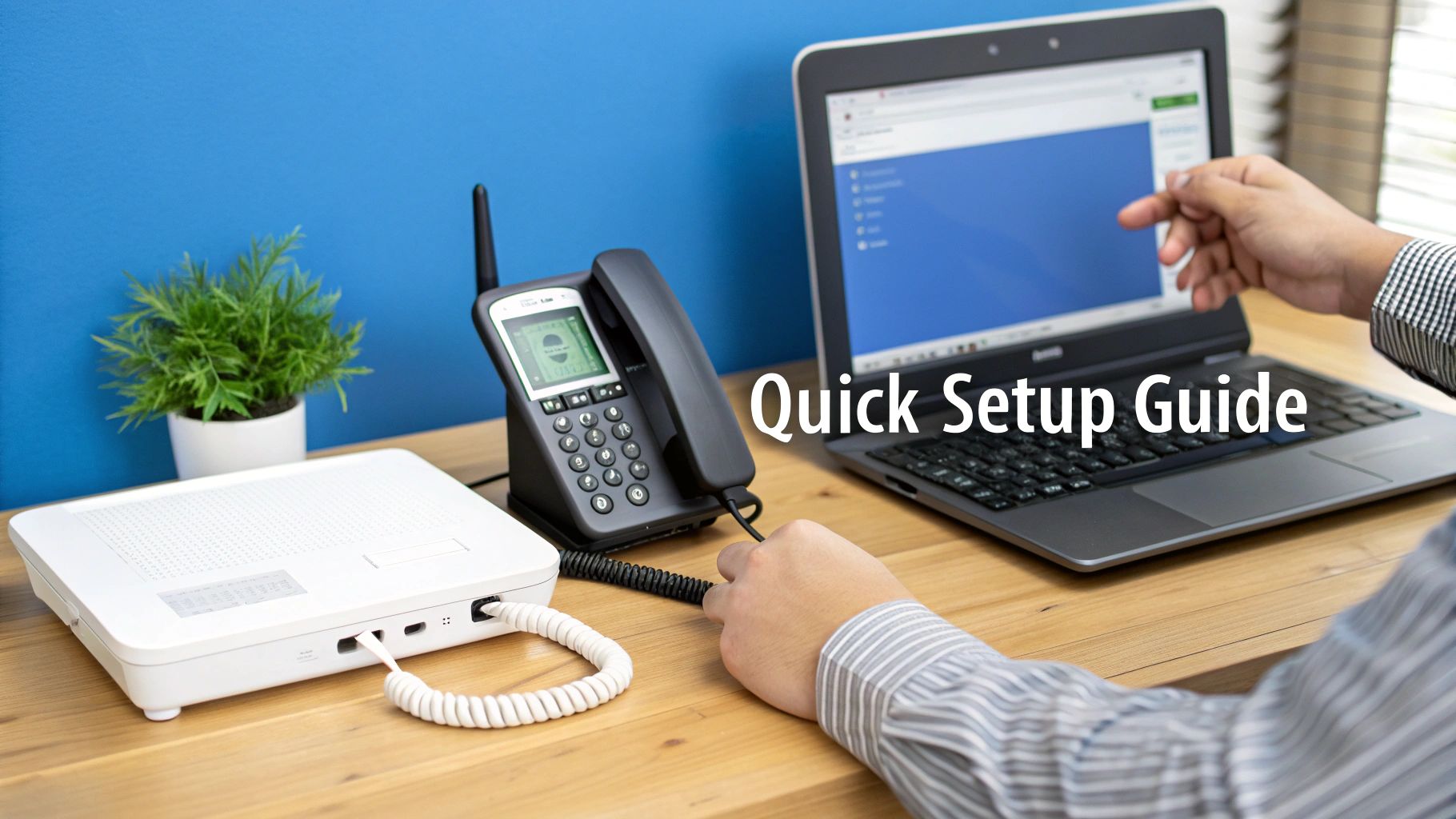
Whether you opted for a physical handset, an adapter, or a softphone, the process is pretty simple. The main goal is to connect your device to your internet and then plug in your account details.
Connecting Your VoIP Hardware
The specific steps really depend on what kind of hardware you picked. If you went with a dedicated VoIP handset, it’s typically a plug-and-play experience. You’ll just run an Ethernet cable from the phone directly into an open port on your router.
For an Analog Telephone Adapter (ATA), the process is a little different but just as easy. You'll connect the ATA to your router with an Ethernet cable, and then plug your old-school analog phone’s cord right into the phone port on the adapter. It’s a simple bridge between your old phone and your new service.
Pro Tip: Keep your SIP credentials handy before you start. Your VoIP provider, like Premier Broadband, will give you a username, password, and server address. You'll need these to get your device linked up to your account.
Configuring Your Device
After plugging everything in, the next step is a quick configuration. For most modern VoIP desk phones, you can punch in your SIP credentials directly through the phone's on-screen menu.
If you're using an ATA or a phone without a screen, you'll usually log into its web-based admin panel. You can get there by typing a specific IP address into your web browser, which opens up the device’s settings where you'll enter your account info. For a more detailed walkthrough, check out our guide on how to set up a cloud phone system for your home office.
With softphones, it's even easier. Just download the app to your computer or smartphone, open it up, and enter the username and password from your VoIP service.
Troubleshooting Common Setup Issues
Every once in a while, you might hit a small snag, but most issues are an easy fix. Here are a couple of common stumbling blocks and how to get past them.
- No Dial Tone: The most common culprit is a simple typo in your password or server address. Double-check those SIP credentials and enter them again carefully. Also, make sure all your cables are plugged in snugly.
- One-Way Audio: If you can hear the other person but they can't hear you (or vice versa), it’s often a firewall issue. Your router’s firewall might be blocking the data packets. Try disabling the firewall for a moment to see if that solves it.
- Poor Call Quality: If your calls sound choppy or garbled, check to see if other devices on your network are hogging all the bandwidth—like someone streaming 4K video or downloading huge files.
Common Questions About Low Cost VoIP Phones
Even after weighing all the options, you might still have a few questions rolling around in your head. That's completely normal. Making the jump to a low cost VoIP phone is a significant change, so let's clear up some of the most common concerns.
A lot of folks immediately worry about call quality. The thinking goes that "low cost" must mean a drop in performance, but with modern VoIP, that's just not how it works anymore.
Will a Low Cost VoIP Phone Have Bad Call Quality?
Not at all. The price you pay for the phone itself has almost no impact on how clear your conversations will be. What really matters is the speed and stability of your internet connection.
With a high-speed, low-latency fiber connection—like the one you get from Premier Broadband—even the most budget-friendly VoIP hardware can deliver amazing, crystal-clear HD voice. Our symmetrical upload and download speeds make sure your voice goes out just as clearly as you hear the person on the other end.
Can I Keep My Current Phone Number?
Absolutely. This is a huge deal for most people, and the answer is a resounding yes. You can bring your existing landline or mobile number over to your new service through a process called number porting.
When you sign up, just let your new provider know you want to keep your number. Here's the most important tip I can give you: do not cancel your old phone service until the porting process is 100% finished. This keeps you from having any service gaps and, more importantly, ensures you don't accidentally lose your number for good.
The whole porting process can take anywhere from a few days to a couple of weeks. It’s a standard, reliable system, and your new provider handles all the technical stuff behind the scenes for you.
What Happens If My Internet Goes Down?
This is a great question. Since VoIP runs on your internet, a network outage will affect your phone service. But don't worry, any good VoIP provider has a fantastic backup plan ready to go.
It's a feature called call forwarding. You can set it up to automatically send all incoming calls to another number, like your mobile phone, anytime your internet goes offline. It’s a simple but powerful feature that gives you peace of mind, knowing you’ll never miss an important call.
Ready for crystal-clear calls and lower monthly bills? Premier Broadband offers reliable VoIP phone service backed by our 100% fiber network. Explore our internet and phone bundles today!