
A customer calls your business during lunch. The front desk phone rings four times, then drops into a voicemail box nobody checks until the end of the day. A second caller reaches an old auto-attendant with options that no longer match your staff. A third caller gives up and taps the next company in search results.
That's how a lot of small businesses lose revenue. Not because they do bad work, but because their phone setup still behaves like a utility instead of a live part of sales and service.
Many owners feel this problem before they can name it. The office line works, technically. But it doesn't fit remote staff. It doesn't route calls well. It doesn't help after hours. And when the internet flakes out or the power blinks, nobody is sure what happens next. For a restaurant, law office, clinic, contractor, or local retailer, that uncertainty is expensive.
Modern small business phone systems fix more than dialing. They shape first impressions, reduce missed opportunities, and help your team stay reachable from the office, from home, or on the road. Just as important, the right system keeps working when normal business conditions stop being normal.
Is Your Phone System Holding Your Business Back
Monday starts with a full schedule. By 9:15, the front desk is answering one caller, a salesperson is out on the road, and a customer with an urgent question hears ringing with no clear path to the right person. Nothing has crashed. Nothing looks dramatic. But the phone system is already slowing the business down.
That is how older systems create problems. They do not just miss calls. They create small breakdowns in response time, handoffs, and customer confidence.
For many owners, the bigger issue is reliability under stress. A phone system is part of daily operations, but it is also part of your backup plan. If internet service drops, power flickers, or one employee is out, can calls still reach someone who can help? If the answer is unclear, the system may be holding you back more than you realize.
A good way to frame it is this: your phone system works like your front door and your backup generator at the same time. It welcomes customers in normal conditions, and it keeps the business reachable when conditions are not normal.
What owners usually notice first
Business owners usually describe the problem in plain language:
- Calls pile up at busy times: One person can only answer so many calls, and overflow has nowhere useful to go.
- Staff are no longer all in one place: Field teams, home offices, and shared workspaces need the same business number to follow them.
- Customers hit dead ends: Outdated menus, weak voicemail workflows, and poor routing make simple questions harder than they should be.
- The business sounds less organized than it is: A capable team can still come across as hard to reach.
Those symptoms often point to a deeper risk. The phone system may have no failover plan, limited call routing, and no easy way to manage devices or permissions. In plain terms, one small outage or one busy hour can turn into missed appointments, delayed estimates, and frustrated repeat customers.
This matters beyond voice calls, too. Many small businesses still depend on fax for signed forms, records, or vendor paperwork, so it helps to understand how reliable document sending with VoIP fits into a modern setup.
A phone system should help your business stay reachable, even when the day stops going according to plan.
If your current setup is hard to update, tied to one desk, or uncertain during an outage, it is no longer just a communications tool. It is an operational weak point. If you are comparing options, this guide to the best VoIP phone system for small business can help you start with the right questions.
Decoding Your Three Main Phone System Options
A small business owner often notices the phone system only when something goes wrong. Calls fail during an internet outage. A front desk phone keeps ringing while the person who can help is off-site. A storm knocks out power in one location, and the whole business suddenly sounds closed.
That is why your phone system choice is not only about features. It is also about continuity. The essential question is simple: if your office has a busy day, a network problem, or a power issue, can customers still reach you?
Three common options dominate the small business market. They solve that problem in different ways.
What the terms actually mean
On-premise PBX puts the phone system equipment in your building. PBX stands for Private Branch Exchange, which is your internal call-routing system. If someone dials your main number, the PBX decides whether that call should ring the front desk, sales, support, or voicemail.
Hosted VoIP means a provider runs the phone platform for you, and calls travel over the internet. VoIP stands for Voice over Internet Protocol. In plain English, your voice is turned into digital data and sent over your internet connection instead of older copper phone lines.
Cloud PBX is close to hosted VoIP, but the experience is usually more app-based. You manage users, call flows, devices, and settings in an online dashboard, and staff can answer from desk phones, laptops, or mobile apps.
If your team still sends signed forms, intake sheets, or vendor paperwork, it also helps to understand how reliable document sending with VoIP fits into a modern setup, especially if you're replacing older analog lines.
On-Premise vs. Hosted VoIP vs. Cloud PBX at a Glance
| Factor | On-Premise PBX | Hosted VoIP | Cloud PBX |
|---|---|---|---|
| Where it lives | In your office | In the provider's environment | In the provider's cloud platform |
| How you pay | More upfront hardware and maintenance | Usually subscription-based | Usually subscription-based |
| IT responsibility | Mostly on your team | Shared, with provider handling more | Provider handles most core platform work |
| Remote work fit | Often clunky without added tools | Usually good | Usually excellent |
| Scaling | Can require hardware changes | Easier to add users | Easiest for fast changes and multi-location use |
| Control | Highest local control | Moderate | Usually more standardized |
| Risk to watch | Hardware aging and local support burden | Internet dependence | Internet dependence and vendor quality |
| Best fit | Businesses that want local control and have IT support | Small firms that want flexibility without owning infrastructure | Teams that want app-based access, mobility, and easier growth |
How small businesses usually choose
A simple way to sort these options is to ask who owns the moving parts, and who is responsible when something breaks.
With an on-premise PBX, your business keeps the equipment on-site and has more direct control. That can suit a company with in-house IT, strict internal requirements, or a reason to keep communications infrastructure local. The tradeoff is maintenance. If hardware fails, if power goes out, or if your building loses connectivity, your team needs a plan for failover, backups, and recovery.
With hosted VoIP, the provider carries more of that operational load. Your business still needs a stable internet connection and good internal network setup, but you are no longer maintaining phone servers in a closet or back office. For many small companies, that lowers support burden and makes it easier to keep calls flowing to mobile devices or alternate locations during a disruption.
Cloud PBX often makes the most sense for businesses that want flexibility first. It is usually the easiest option for hybrid teams, multi-location staff, and quick changes to call routing. If one employee is out, one office is closed, or one device fails, calls can often be redirected in minutes from an admin portal instead of a service visit.
The key point is reliability. A phone system is only useful when it keeps working under pressure. Ask how each option handles internet outages, power loss, device failures, admin permissions, and call rerouting during an emergency. Those answers matter more than a long list of extras.
For a more practical comparison of provider options, this guide to the best VoIP phone system for small business can help you build a shortlist.
Essential Features That Actually Drive Growth
A small business phone system should do more than ring. It should protect revenue when the front desk is busy, keep calls moving during staff absences, and give customers a clear path to the right person on the first try.
As noted earlier, missed calls are common for small businesses, and many customers still prefer calling after they find a local company online. That makes phone features an operations decision, not just a convenience purchase. If your phones fail at the wrong moment, the problem is not only one missed conversation. It can mean a lost sale, a delayed appointment, or a customer who calls a competitor next.
Features that make you easier to reach
Start with availability.
If a customer calls during lunch, after hours, during a weather closure, or while your receptionist is helping someone in person, your system should still have a plan. Good phone systems work like a backup route on a road map. If one path is blocked, the call takes another path instead of stopping.
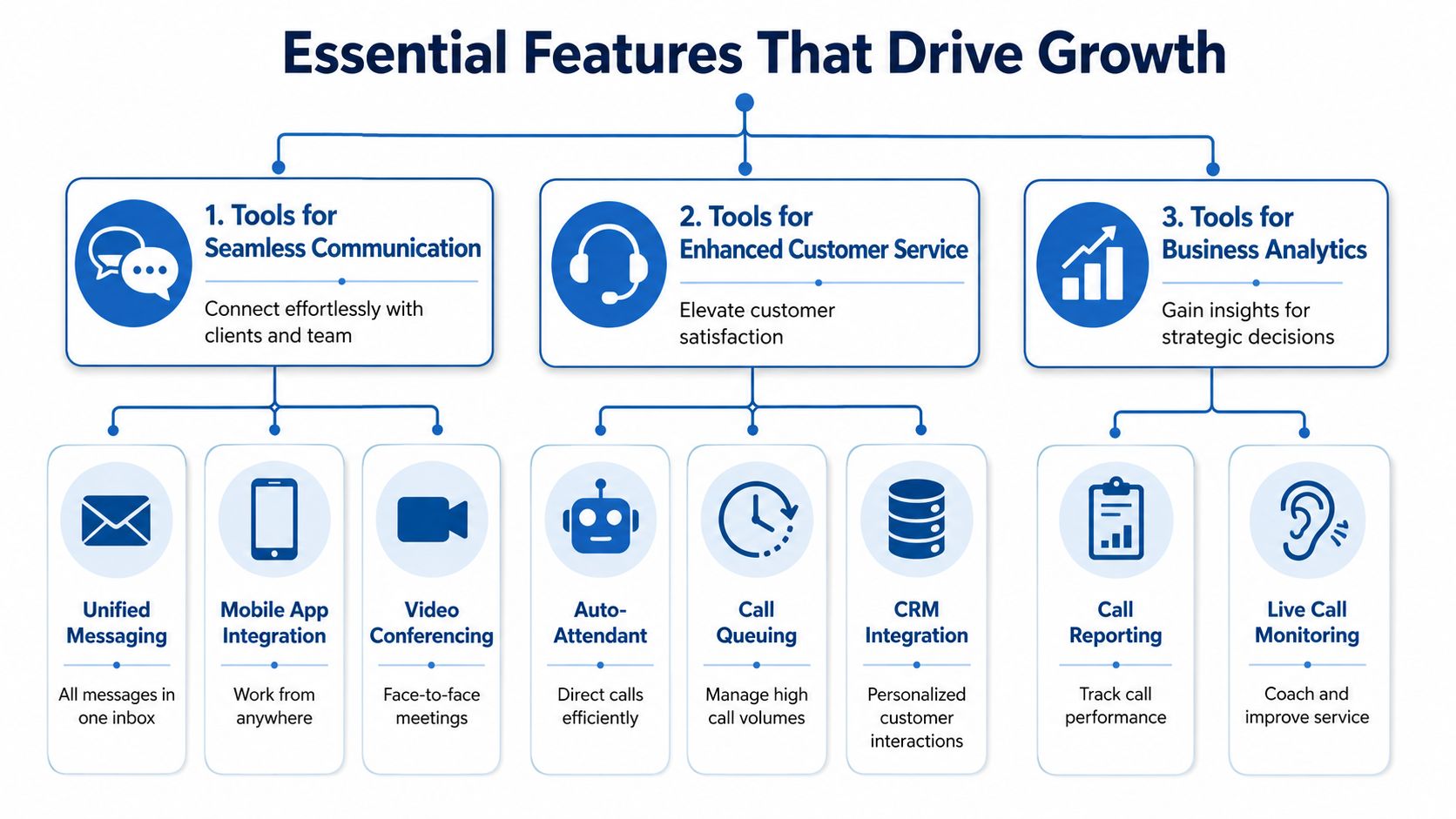
- Call forwarding: Sends calls to another employee, mobile phone, or backup number when the first line is not answered.
- Mobile app access: Lets staff answer business calls from their business number while away from the desk.
- Unified messaging: Delivers voicemail to email or an app so messages are easier to spot and return.
- Click-to-call: Shortens the path from website visit or search result to live conversation.
These tools help reduce missed opportunities, but they also support continuity. If one device fails or one person is unavailable, the system can keep working without forcing customers to start over.
Practical rule: Put reachability first. A feature that helps a live caller reach a real person usually matters more than an extra your team will rarely touch.
Features that make you sound organized
Customers notice structure. A clear phone experience signals that your business is attentive and prepared.
An auto-attendant works like a digital receptionist. It greets callers, offers options, and routes them to the right place. For a small team, that can create order without hiring another front-desk employee. The key is keeping the menu short and plain. If callers have to guess which button to press, the system creates friction instead of reducing it.
Call groups and ring groups also matter. They let multiple employees answer the same line, which is helpful for sales, scheduling, support, or any shared inbox style workflow. Instead of one person becoming a bottleneck, coverage is spread across the team.
Custom greetings do quiet but important work. They confirm the caller reached the right company, explain hours, and set expectations during holidays, outages, or high-volume periods. That last part matters for reliability. When something goes wrong, an updated greeting can direct callers to a mobile line, emergency contact, or self-service option instead of leaving them confused.
Here's a good visual explainer if you want to see how these pieces fit together in a modern setup:
Features that help your team do better work
Once the call is answered, the next question is simple. Can your staff respond quickly and accurately?
- CRM integration: Connects the phone system to customer records so staff can see context before they ask the caller to repeat basic details. If this is a priority, this guide to CRM with VoIP integration shows how call data and customer history can work together.
- Call reporting: Shows patterns such as missed-call windows, peak call times, and departments that need better staffing or routing.
- Call monitoring and coaching tools: Help managers train employees and improve call handling across the team.
These features support growth because they improve consistency. They also support security and uptime planning in a practical way. Reporting can reveal whether calls are failing at certain times, whether one location has recurring connectivity trouble, or whether rerouting rules need adjustment. In other words, the same tools that help service quality can also help you spot weak points before they turn into business interruptions.
Choose features by matching them to real operational problems. If calls go unanswered, start with forwarding, ring groups, and mobile access. If customers repeat themselves every time they call, look at CRM integration. If you need better oversight, reporting and coaching tools deserve attention. The strongest phone setup is the one that keeps communication steady when the day does not go as planned.
Understanding the True Cost of a New Phone System
A new phone system can look affordable right up until the first busy week. The monthly quote seems reasonable, then you add headsets, number porting, setup help, and a network fix to stop choppy calls. What looked like a phone purchase starts to look more like an operations decision.
That is the right way to view it.
The clearest way to judge cost is total cost of ownership. In plain terms, that means the full expense to buy, launch, support, secure, and keep the system reliable over time. A phone system is not just another software subscription. It is part of how customers reach you when they need help, want to place an order, or need an answer fast.
The monthly charge is only the starting point

Per-user pricing is common because it is easy to quote. It is also easy to misunderstand. One provider may include texting, call recording, mobile apps, and analytics in the base plan. Another may treat those as paid add-ons.
Read the quote like you would read a utility bill. The advertised rate is only one piece. Ask for a full list of charges, including:
- User licenses: The monthly charge for each employee, shared line, or extension
- Phone numbers: Local, toll-free, and extra direct numbers
- Feature tiers: Recording, reporting, integrations, and texting that may sit in higher-priced plans
- Taxes and regulatory fees: Charges that often appear outside the headline price
As noted earlier, small business VoIP pricing often falls into a wide range depending on user count and included features. That is why two quotes that look similar at first can produce very different monthly bills.
One-time costs affect the real budget
Cloud phone systems reduce hardware and maintenance compared with older on-site systems, but they rarely remove setup costs entirely.
You may still need:
- IP phones or conference phones
- Headsets for employees who spend a lot of time on calls
- Setup and onboarding
- Number porting
- Network cleanup if your office wiring, switches, or Wi-Fi setup are causing voice issues
A phone system works like a front door for your business. If the hinges stick, the problem is not always the door itself. Sometimes the frame needs work first. In the same way, a low monthly plan can become expensive if poor call quality leads to missed orders, repeat calls, or frustrated customers.
Reliability and security belong in the cost discussion
This is the part many buyers skip.
If your system goes down during an internet outage, a power problem, or a network misconfiguration, the cost is not limited to a monthly invoice. It can mean missed appointments, delayed sales, and staff using personal phones to patch together a temporary process. Security problems carry their own price too, especially if call routing, voicemail access, or admin controls are poorly managed.
That is why reliability features should be treated as budget items, not optional extras. Ask whether the proposal includes failover options, admin access controls, support for secure remote use, and guidance on network configuration for voice traffic. Paying for a system that stays available under stress is often cheaper than paying for downtime.
Your internet connection is part of the phone budget
VoIP sends voice over your internet connection, so your network becomes part of the phone system whether you planned for it or not. If that connection is unstable, your calls can sound delayed, clipped, or robotic even when the phone provider is doing its job correctly.
You do not always need more speed. You need the right fit for voice traffic, everyday business apps, guest Wi-Fi, and remote workers sharing the same connection. If you are estimating the full communications budget, review these business internet cost factors for small companies alongside the phone proposal.
A good provider should help you separate three buckets: monthly service, one-time deployment costs, and the network or security work needed to keep calls dependable. That gives you a number you can trust, and a system your business can keep using when a normal day turns into a messy one.
Your Step-by-Step Provider Evaluation Checklist
Many owners compare providers by feature list first. That's understandable, but it's not how I'd start. A phone system is only useful when it keeps working on ordinary days and bad days.
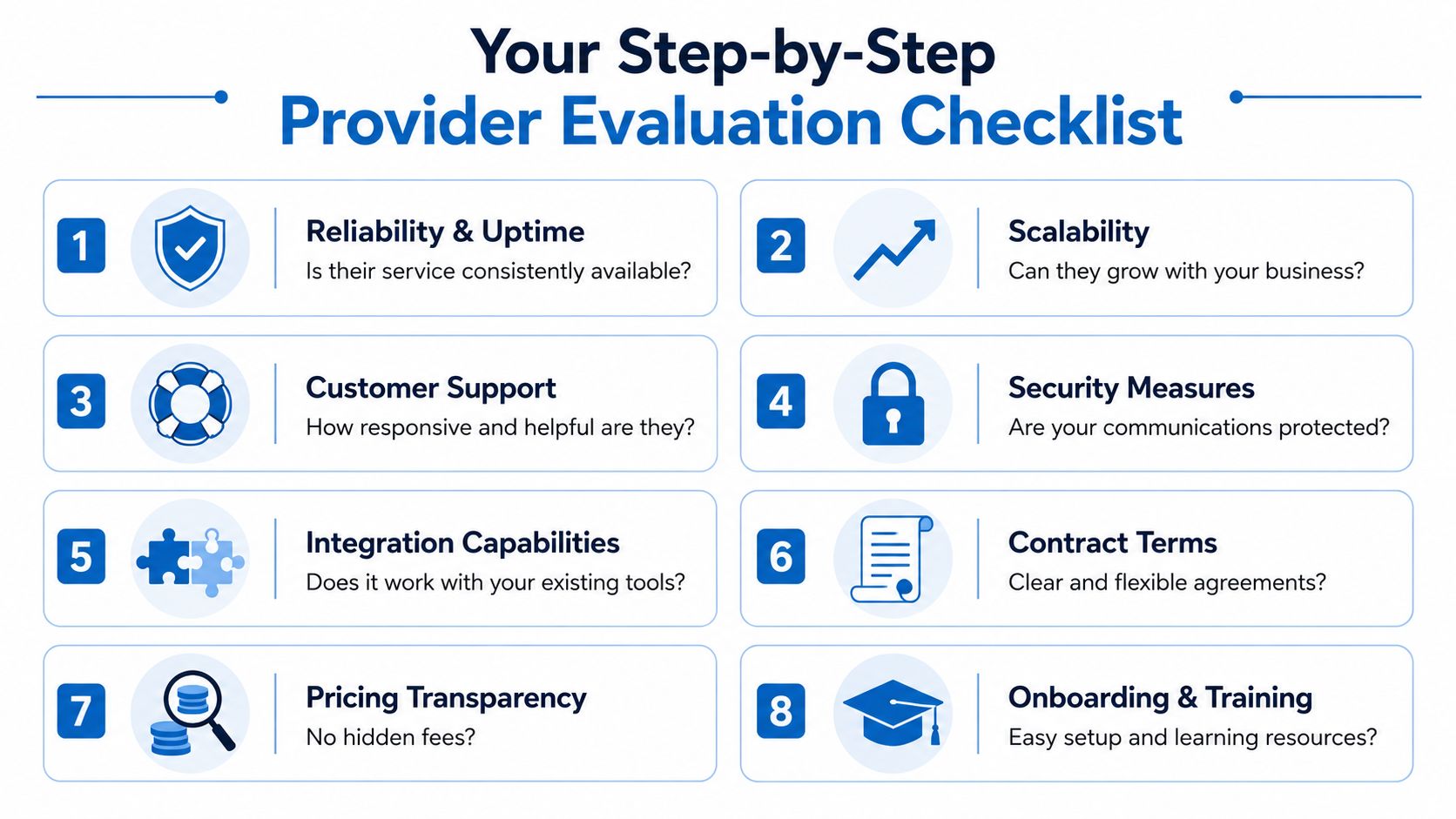
Independent guidance from the U.S. Chamber and Verizon notes that VoIP is now the dominant modern category for small business phone systems, but it also stresses a more practical issue: how calls keep working during an internet outage or power loss. The same guidance points to failover options such as mobile app handoff, call forwarding, and backup connectivity as critical parts of business continuity (U.S. Chamber guide on choosing business phone systems and failover planning).
Ask what happens when things go wrong
This is the first conversation I'd have with any provider.
If our office internet goes down, where do incoming calls go?
You want a specific answer, not a vague promise. Calls might route to a mobile app, another number, or a backup location.If power fails at our building, can staff still answer calls?
Cloud systems often help here, but only if the provider and your device strategy support it.What failover tools are included by default?
Some systems include continuity options. Others treat them as add-ons or require manual setup.
Ask providers to describe the outage workflow step by step. If they can't explain it clearly, support may be difficult later too.
Check support and operational maturity
Features matter less if nobody can help when something breaks.
Use questions like these:
- What are your support hours, and how do we reach support?
- Who handles onboarding and number porting?
- Do you provide training for admins and end users?
- How do you communicate incidents or service problems?
You're not just buying software. You're choosing a service relationship.
Look closely at security and compatibility
Voice traffic now rides your network, which means your phone system should be evaluated like any other important business service.
Ask:
- How do you protect communication data?
- What security controls are built into the service?
- Which phones, routers, and switches do you support?
- What happens if our network equipment causes call quality issues?
Make pricing and contract terms easy to compare
A good proposal should answer practical business questions in plain language.
| Question | Why it matters |
|---|---|
| What's included in the base plan? | Prevents bad quote comparisons |
| What costs more later? | Helps you budget growth |
| How easy is it to add or remove users? | Important for seasonal or growing teams |
| Is there a contract term? | Affects flexibility and exit planning |
| Who owns the setup details? | Reduces finger-pointing between vendors |
The strongest providers don't just sell features. They explain resilience, support, security, and deployment clearly enough that you can picture how your business will operate on day one.
Deploying Your System and Securing Communications
Once you've chosen a provider, the project shifts from buying to implementation. At this stage, many businesses either gain confidence or create preventable headaches.
The smoothest deployments are simple on paper. Keep your numbers, map your call flow, set up users, test every route, and train the team. In practice, each step touches both technology and operations.
What a normal rollout looks like
Most deployments follow a straightforward sequence:
- Port your current numbers: This lets you keep the business numbers customers already know.
- Build the call flow: Decide where main-line calls, after-hours calls, and department calls should go.
- Set up devices and apps: Desk phones, softphones, mobile apps, and headsets all need configuration.
- Test before go-live: Check inbound calls, outbound calls, voicemail, routing rules, and remote use.
- Train the staff: Even good systems fail if users don't know how to transfer, forward, or check messages.
The most common mistake isn't technical. It's assuming people will “figure it out.” A front-desk employee, dispatcher, scheduler, or office manager needs a short, practical training session built around everyday tasks.
Security isn't separate from deployment
A business phone system should be treated as a critical network service. Expert guidance emphasizes checking a provider's security protections, uptime history, and redundancy measures like failover routing because voice systems can fail due to ISP outages, LAN misconfiguration, or endpoint incompatibility (business phone buyer guidance on reliability, security, and redundancy).
That matters during deployment because security isn't just about the provider's platform. It also depends on how your local network is configured.
Your phone system can be cloud-based and still fail locally if the office network is poorly managed.
A secure rollout usually includes access controls for admins, supported network gear, and a clear understanding of which devices are approved for business calling. If employees will answer calls from home or from mobile devices, that policy needs to be intentional rather than improvised.
Why network management affects call quality
Small businesses often think of phones and internet as separate purchases. Operationally, they aren't. Voice quality, reliability, and remote access all depend on the network underneath.
That's why some businesses pair cloud voice with managed network oversight, especially when they don't have internal IT staff. Services such as managed network security solutions can simplify monitoring, improve consistency, and reduce the chance that a local configuration problem turns into a phone outage.
A helpful way to think about it is this: your phone platform is the engine, but your network is the road. A strong engine still struggles on a broken road.
How Premier Broadband Delivers a Better Connection
By the time most owners compare final options, the decision isn't really about who has the longest feature list. It's about which provider can support the whole environment around voice. That includes the internet connection, the call platform, support responsiveness, and the day-to-day reality of keeping a business reachable.
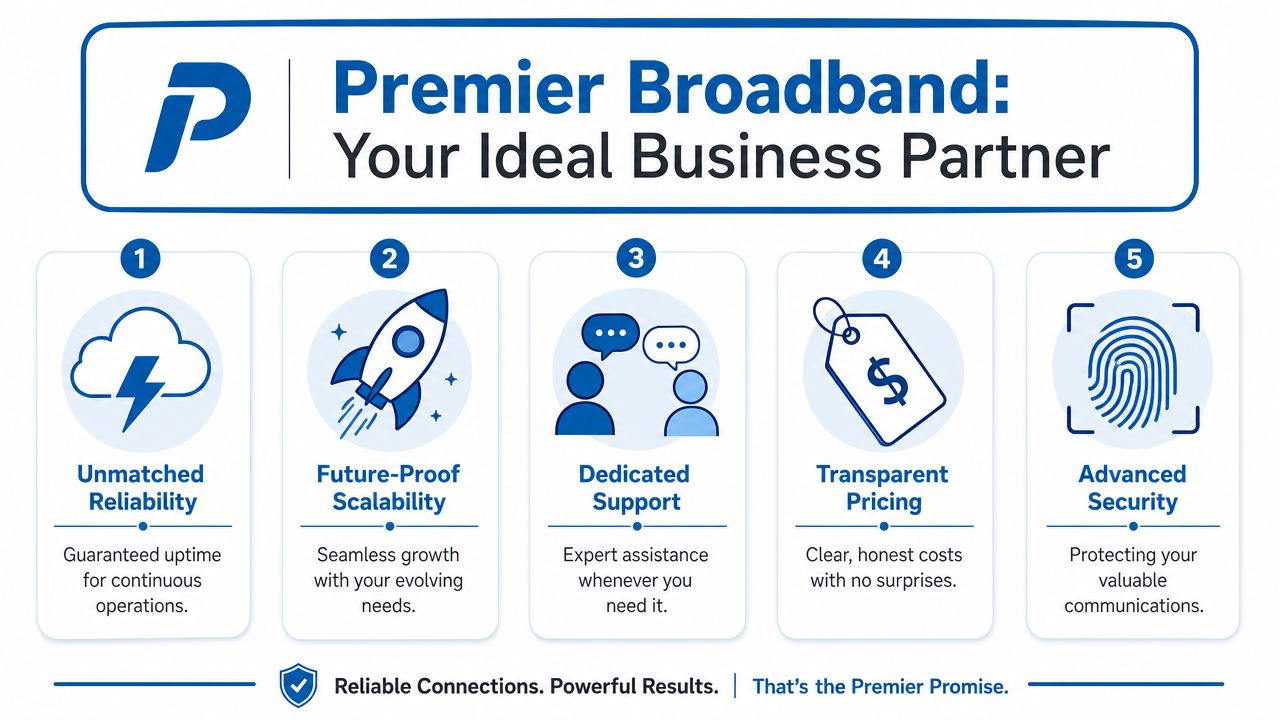
For companies that want internet and voice from the same partner, Premier Broadband offers hosted VoIP and business connectivity over a 100% fiber network, along with Managed Network Edge services for businesses that want a more unified approach to network operations and security. That combination fits the practical concerns discussed above: call quality depends on the underlying connection, and continuity depends on how well the network and phone service work together.
Why the combined approach matters
When internet, voice, and network oversight come from separate vendors, support can get messy. One points at the router. Another blames the ISP. A third says the phone app is fine. That slows down troubleshooting.
A single-provider model can reduce that friction. It won't remove every issue, but it can make ownership clearer and support paths simpler.
If you're comparing how other firms package telephony with connectivity, Constructive-IT network solutions offer another example of how businesses evaluate voice and data together instead of as separate silos.
The main takeaway is simple. A small business phone system works best when it's treated as part of your operating infrastructure, not as an isolated phone bill.
Frequently Asked Questions
Can I keep my current business phone number
Usually, yes. This process is called number porting. Your new provider coordinates moving the number from your current carrier to the new platform. Ask about timing, required paperwork, and whether there's a temporary overlap plan during the switch.
Do I need special phones for VoIP
Not always. Many systems support desk phones, computer softphones, and mobile apps. Some businesses keep physical handsets at the front desk and use apps for everyone else. The right mix depends on how your team works.
How much internet speed do I need
There isn't one universal answer because call volume, network quality, other office traffic, and remote usage all matter. What matters most is not just raw speed, but stability and whether your network is configured well enough to handle voice consistently.
How long does it take to switch
That depends on number porting, provider onboarding, device setup, and how complex your call routing is. A very simple setup can move quickly. A multi-location business with many users, menus, and integrations takes longer. Ask for a deployment checklist and a realistic timeline before signing.
Can remote employees use the business phone system
Yes, that's one of the biggest reasons companies move to hosted VoIP or cloud PBX. Staff can often answer from a laptop or mobile app using the business number, which helps keep personal numbers private and the customer experience consistent.
What's the biggest mistake small businesses make when buying a phone system
They focus on features and price while skipping reliability questions. The better question is, “What happens to our calls if the office loses internet, loses power, or closes unexpectedly for a day?”
If you're reviewing options for business internet and voice together, Premier Broadband is worth a look. Start with your real needs: how your team answers calls, what happens during outages, and whether you want one partner for connectivity, hosted VoIP, and network management. That approach usually leads to a phone system you can trust, not just one you can afford.