If you're serious about streaming, you need to aim for an upload speed of at least 10-15 Mbps for high-quality 1080p content. For a truly flawless 4K broadcast, you'll want 25 Mbps or more. This gives you enough power to deliver a smooth, professional stream without lag or pixelation, especially when other people are using your internet.
Why Upload Speed Is Your Streaming Secret Weapon
Ever wonder why your stream is choppy even with a "fast" internet plan? The secret isn't your download speed; it's the often-overlooked upload speed.
Think of your internet connection like a highway. Download speed is the wide, multi-lane road bringing content to you—like streaming Netflix or browsing websites. But upload speed is the path for sending your stream out to the world.
For most traditional internet connections, this outgoing lane is just a narrow side road. That creates a digital traffic jam, leading to all the classic streaming nightmares: pixelated video, dropped frames, and frustrating lag for your viewers.
The Great Internet Imbalance
This upload bottleneck is the number one enemy of streamers, content creators, and even remote professionals. The problem comes from how most internet plans are structured: asymmetrically. Providers love to advertise huge download numbers (like 500 Mbps) but give you just a tiny fraction of that for uploads (maybe 20 Mbps).
This imbalance creates some major headaches:
- Inconsistent Quality: Your stream’s video quality will jump all over the place as your connection struggles to send data out consistently.
- Household Conflicts: The moment someone else in your home starts a video call or uploads a big file, your stream's performance can tank.
- Limited Potential: Forget about reliably streaming at higher resolutions like 1080p at 60fps or 4K. You just won't have enough headroom.
It’s time to start thinking differently about internet performance. It’s not just about the big number on the advertisement; you have to understand what is a good upload speed for what you actually want to do online.
For those looking to grow their audience, mastering your upload speed is just as important as creating great content. It's the foundation for everything else, including learning the ultimate guide to streamer clipping to capture and share your best moments.
At the end of the day, a balanced, symmetrical connection—where your upload and download speeds are equal—is the only way to guarantee a flawless, professional-quality stream every single time you go live.
Breaking Down Speeds from 720p to 4K Streaming
It's time to translate the tech specs into real-world numbers you can actually use. Forget the guesswork—let's demystify exactly what you need to stream, whether you're going live for the first time or producing a professional 4K broadcast. Your needs really boil down to two things: resolution and frame rate.
Think of resolution (like 720p or 1080p) as the clarity of your video. Frame rate, measured in frames per second (fps), is all about smoothness. The higher you go with both, the more data you're sending out, and that demands a much faster upload connection.
This chart gives you a quick visual on the upload speeds you should be aiming for with different streaming qualities.
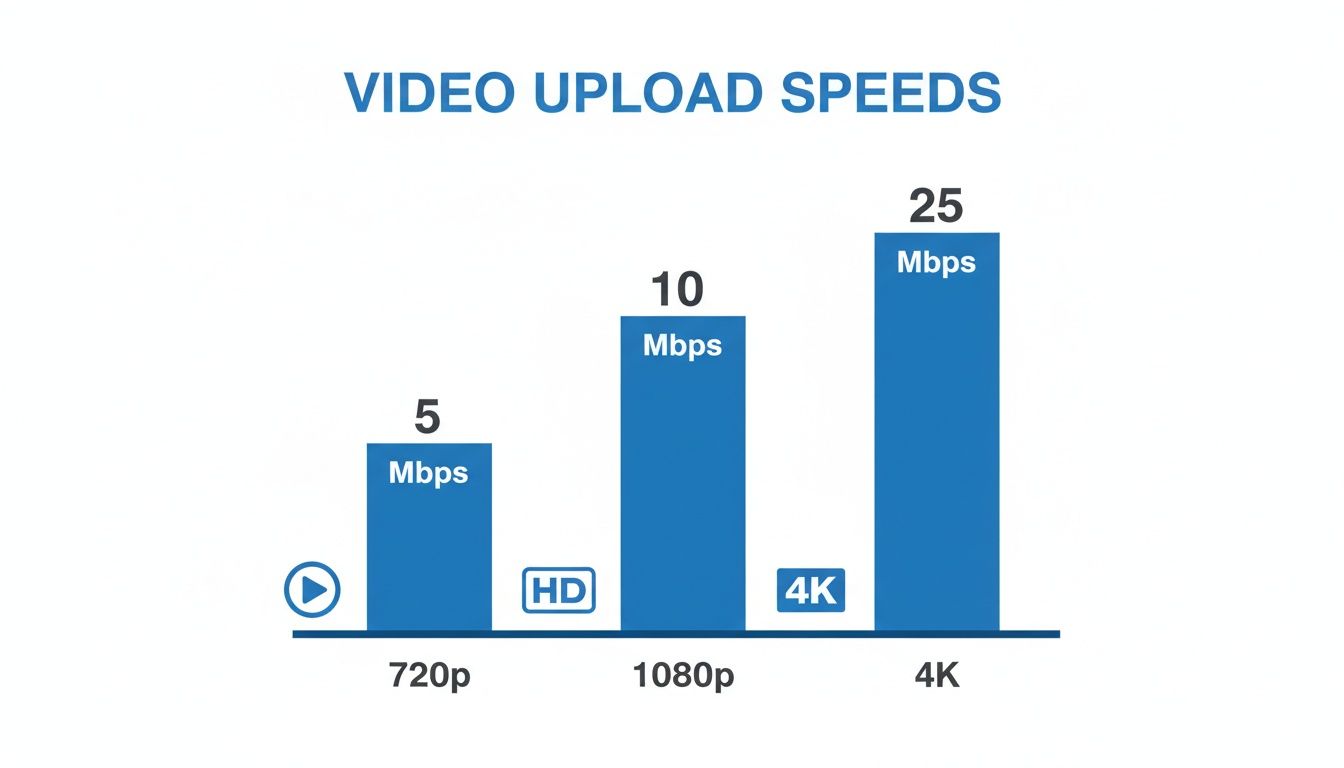
As you can see, jumping from standard HD to 4K isn't a small step. It's a huge leap that requires some serious upload bandwidth to keep your stream looking crisp and professional.
Recommended Speeds For Each Quality Tier
Matching your internet speed to what you want to achieve is the key to a buffer-free stream. Let's get into the hard numbers for the most popular platforms and resolutions.
For a basic 720p stream at 30 fps, you'll want a steady 3–5 Mbps upload speed. Stepping up to a sharper 1080p at 30 fps requires around 5–6 Mbps, and if you want that buttery-smooth look of 1080p at 60 fps, you should aim for 8–10 Mbps.
For creators serious about quality, pushing to 4K resolution at 30 fps is a whole different ballgame. The demand skyrockets to 20 Mbps or more to maintain a stable, high-quality picture.
Keep in mind, these are just starting points. To be safe, you always want some extra bandwidth to handle network hiccups or other people using the internet in your house.
While you're planning for higher speeds, it's also a great time to think about the other side of the equation. After all, a great stream is about more than just speed—it’s also worth considering the benefits of upgrading your audio and video equipment to deliver a truly top-tier experience.
Platform-Specific Considerations
While the general speed guidelines are a great start, every platform handles video a little differently. It’s always smart to check the specific recommendations for the service you’ll be using.
- Twitch: This platform is all about real-time interaction for gaming, so it prizes a stable, consistent connection above all else.
- YouTube Live: It's more flexible and can work with a wider range of speeds, but it definitely rewards you with better quality if you can provide a higher bitrate.
- Facebook Gaming: A good middle-ground option that balances quality with accessibility, with needs that are pretty similar to Twitch.
Ultimately, knowing these numbers gives you the power to make a smart choice. Check out our guide on the best internet for streaming and gaming to see how different plans can support your goals. Picking the right plan is the first step toward creating a reliable broadcast that will keep your audience coming back.
Calculating Your Household's True Upload Needs
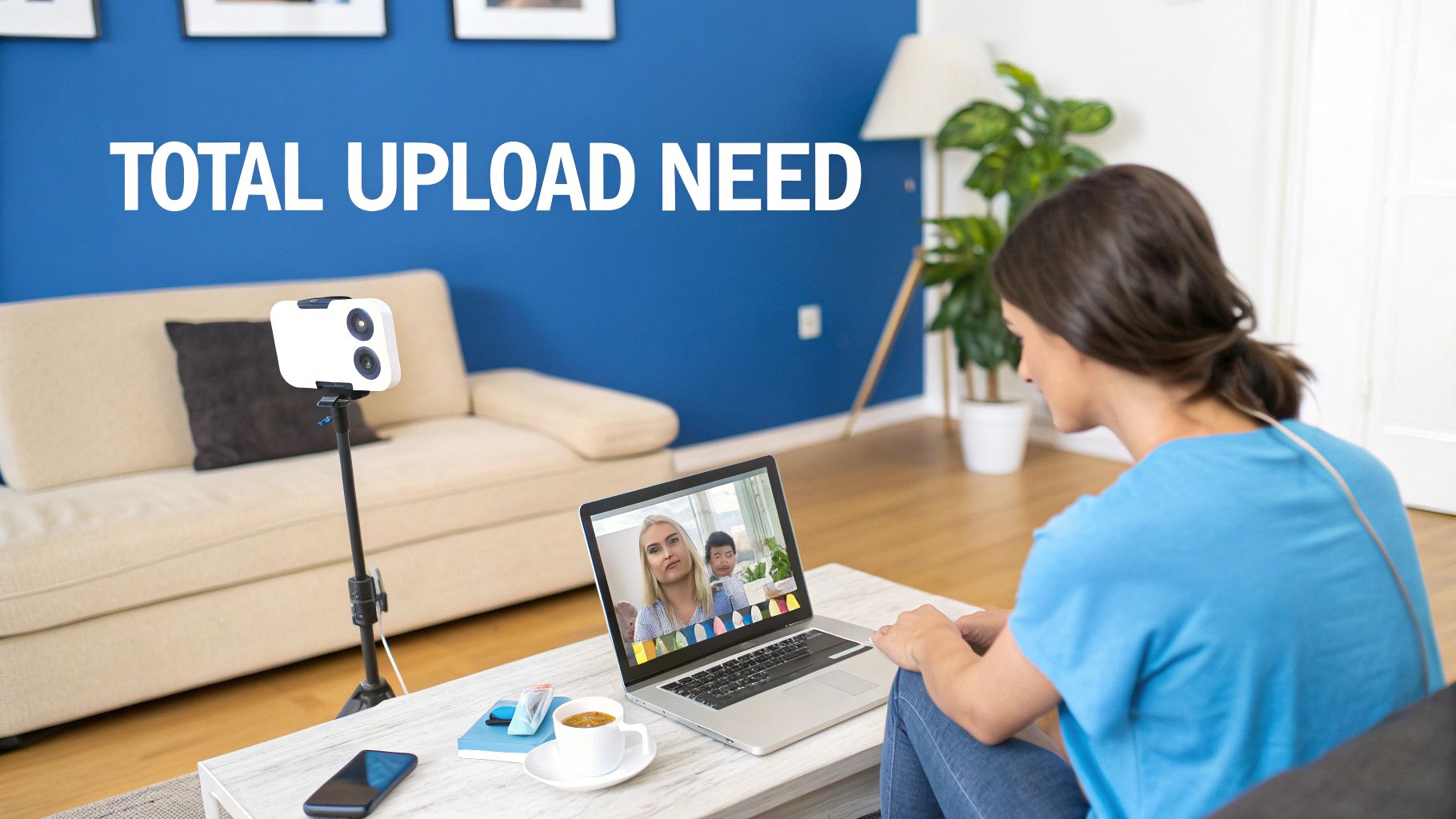
Those generic upload speed charts are a decent starting point, but let's be real—your home isn't a sterile lab. It's a busy ecosystem. To figure out what you really need for a flawless stream, we have to look past the single-stream numbers and calculate your household's total demand.
Think of your upload bandwidth as a highway. Every device sending data is a car trying to get on it. This simple formula helps you see just how many lanes you need to avoid a major traffic jam.
Your Stream's Bitrate + Other Household Uploads + 30% Buffer = Your Total Need
Let's break down each piece of that equation. You’ll quickly see how fast your needs can stack up and why that internet plan you thought was fast might be letting you down.
Part 1: Your Primary Stream
First things first, let's account for your broadcast. This is the amount of data your stream sends out every single second.
As we covered, a great-looking 1080p stream at 60 fps needs an upload speed of about 8-10 Mbps. This is your foundation—the biggest and most important car on the highway. We need to make sure it has a clear lane before anyone else merges.
Part 2: The Hidden Bandwidth Eaters
This is where things usually go wrong for streamers. Your broadcast is rarely the only thing happening in your house. Every other upload activity is fighting for its own piece of the pie, and these can easily sabotage your stream without you realizing it.
Picture this very common scenario:
- Your Stream: You’re live on Twitch or YouTube, pushing a crisp 1080p broadcast at 10 Mbps.
- Roommate's Zoom Call: Your roommate is in an important work meeting, and their video call is using about 3 Mbps of upload speed.
- Smart Security Camera: Your Nest or Ring camera spots a delivery driver and starts uploading the clip to the cloud, taking another 2 Mbps.
- Automatic Cloud Backups: Your phone decides now is the perfect time to back up your photos to Google Photos or iCloud, chewing up another 1-2 Mbps.
All of a sudden, your household isn't just using 10 Mbps for your stream. The real-time demand is now 16-17 Mbps. If your internet plan tops out at 20 Mbps, you are already pushing your connection to its absolute limit.
Part 3: The Crucial 30% Buffer
Finally, you need to build in a safety net. Internet speeds aren't set in stone; they fluctuate. A 30% buffer gives you the extra headroom to handle these small dips and spikes without your stream dropping frames or pixelating.
Let’s apply this buffer to our example:
- Total Active Uploads: 17 Mbps
- 30% Buffer: 17 Mbps * 0.30 = 5.1 Mbps
- True Upload Need: 17 Mbps + 5.1 Mbps = 22.1 Mbps
That simple bit of math reveals the truth. A 20 Mbps upload plan just won't cut it for this household. To guarantee a professional, stable stream, you'd want an internet plan offering at least 25 Mbps of consistent upload speed. This is how you find the right upload speed in the real world.
The Battle for Bandwidth in a Modern Home
Let’s picture what’s happening inside the average connected home today. Someone’s on a critical work video call, a student is logging into a virtual classroom, another person is live-streaming their gameplay to Twitch, and a 4K security camera is sending footage to the cloud—all at once.
This isn’t some far-off future scenario; it’s the reality for millions of families. Every one of these devices is locked in a silent, invisible fight, all trying to grab a piece of the very limited upload bandwidth most internet plans offer.
Think of your upload connection like a single-lane bridge leaving town. If only one or two cars need to cross, everything flows just fine. But when it’s rush hour and everyone is trying to leave at the same time? You get a total standstill. That’s exactly what’s happening on your home network.
When Devices Compete Everyone Loses
This digital gridlock is the real reason your video calls stutter and your connection drops. Your stream might need a solid 10 Mbps to look crisp and professional, but the moment a family member’s Zoom call starts, it instantly carves out 3-4 Mbps for itself. Then your smart home gadgets start phoning home with data, and just like that, the "lane" you thought you had is gone.
For a streamer, this means a frustrating and unprofessional experience for your audience. Buffering, pixelation, and dropped frames aren't just technical hiccups; they're the direct result of an upload connection that is completely maxed out. It’s a battle your stream is set to lose before it even begins.
Consider this common situation: you're trying to upload a large project file to the cloud while on a video call, just as someone else in the house starts their gaming live stream. This combination chews through upload bandwidth that typical cable connections just can't handle. It gets even worse with home security—a single 4K camera needs about 25 Mbps of dedicated upload speed to stream smoothly. For gamers, even casual players need 1–3 Mbps, but competitive players require at least 5 Mbps for split-second reaction times. You can explore a deeper dive into why upload speeds are more critical than ever.
The Problem with Asymmetrical Connections
The real culprit here is the "asymmetrical" nature of most cable and DSL internet plans. Providers love to advertise huge download speeds (the data coming to you), but they give you a tiny fraction of that for your uploads (the data you send out).
This imbalance creates a massive weak spot in your network. For anyone creating content, your ability to put out a high-quality product is directly limited by the weakest link in the chain—your upload speed.
This kind of setup was fine back when we mostly just consumed content online. But today, we are all creators, broadcasters, and remote collaborators. We’re constantly sending high-quality video, audio, and large files out into the world.
The demands of modern life have simply outgrown the capabilities of old internet technology. To truly win the battle for bandwidth and give everyone in your home a seamless online experience, there’s only one real solution: an internet connection built for the way we live now, a symmetrical fiber network.
How to Test and Troubleshoot Your Connection
Knowing the upload speed on your plan is one thing, but seeing what you actually get is a whole different story. Before you can fix a streaming problem, you’ve got to play detective. That means becoming your own tech support and running a few quick tests to see where your connection really stands.
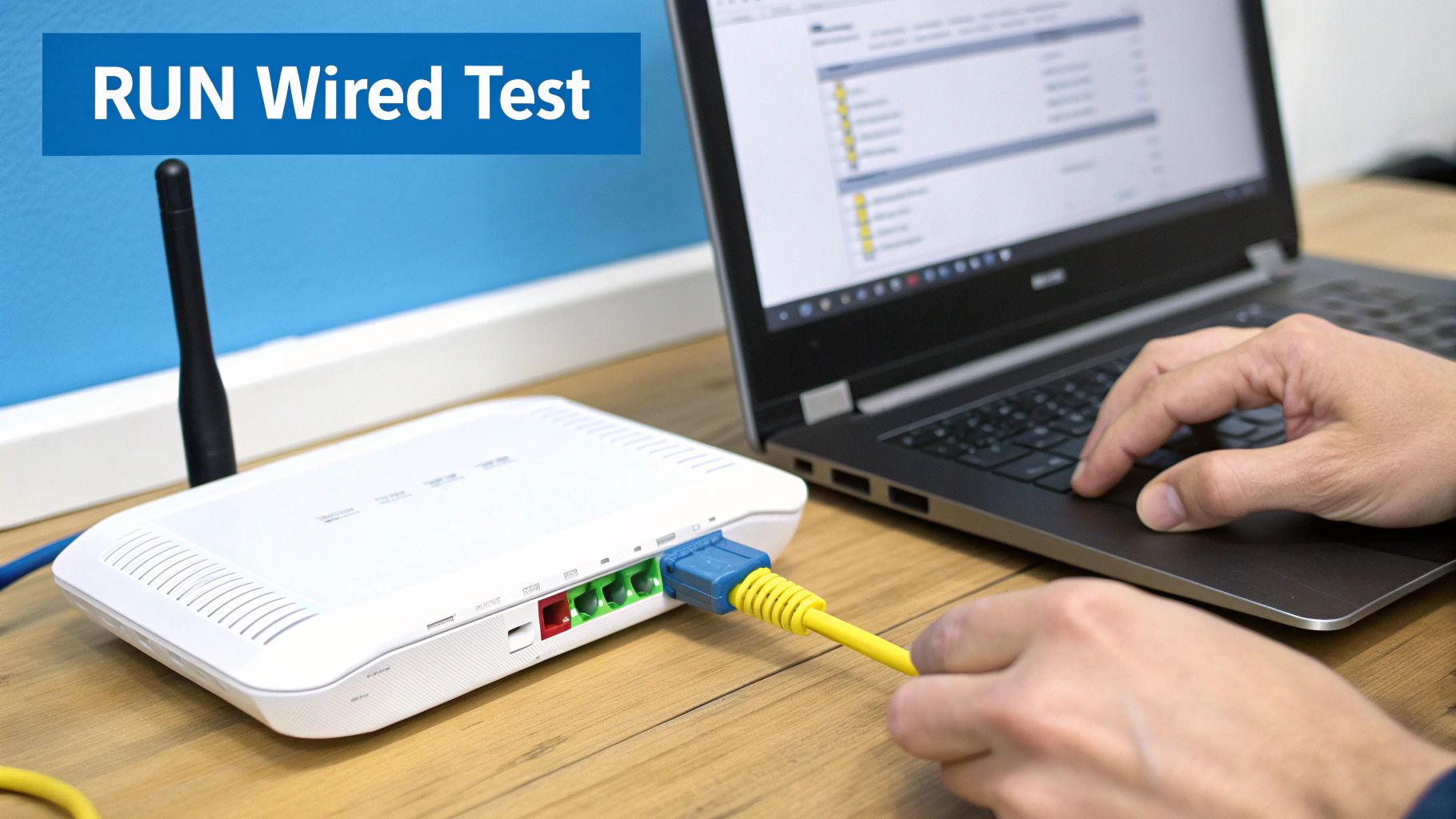
First things first: run an accurate speed test. There’s a right way and a wrong way to do this. Testing over Wi-Fi is a recipe for misleading results, thanks to all sorts of signal interference. For a true, unvarnished look at your speed, you absolutely must use a wired Ethernet connection straight from your computer to your router.
Plugging in directly gives you a clean read on the speeds your internet service provider is delivering to your home. With that number in hand, you can compare it to what you’re paying for and figure out if your plan itself is the bottleneck. Learning how to test your internet speed accurately is the single most important first step to a smoother stream.
Quick Fixes to Optimize Your Connection
If your speed test numbers look lower than you’d like—or your stream is still choppy—don’t jump to upgrading your plan just yet. You can often squeeze a lot more performance out of your current setup with a few practical tweaks.
These simple adjustments can make a surprising difference, telling your network that your stream is the top priority.
- Prioritize Your Stream with QoS: Dig into your router’s settings and look for something called Quality of Service (QoS). This awesome feature lets you tell the router which devices or apps matter most. Give your streaming PC top billing, and it will get first dibs on your upload bandwidth.
- Close Background Hogs: Are cloud backups, torrents, or huge software updates running silently in the background? These are notorious bandwidth thieves that can bring your upload speed to its knees. Shut down everything you don’t need before you go live.
- Check Your Hardware: Sometimes the culprit is an old router that can't keep up or even a frayed Ethernet cable. Make sure your gear is up-to-date and capable of handling the speeds you need.
By working through these steps—testing first, then optimizing—you'll get a crystal-clear picture of what's going on. This process will tell you for certain if the issue is in your home setup or if it’s truly time to look at a more powerful internet plan with a bigger upload pipe.
Why Symmetrical Fiber Is the Ultimate Upgrade
After running the numbers on your household’s internet use, you might find the real bottleneck isn’t a few apps hogging bandwidth—it’s the internet connection itself. This is where the ultimate fix comes in: symmetrical speed. It's a total game-changer for anyone who’s serious about streaming, creating content, or working from home.
So, what is it? Symmetrical speed just means your upload and download speeds are the same. A 1000 Mbps plan gives you 1000 Mbps for downloading and 1000 Mbps for uploading. Simple.
This finally gets rid of that frustrating imbalance you see with old cable and DSL plans, where you might get a massive download number but are left with a tiny fraction of that for all your uploads. This kind of balanced power is only possible with a fiber-optic connection, a vastly superior technology.
Fiber Versus Outdated Connections
Old-school cable internet works by pushing data through the same copper wires originally built for one-way TV broadcasts. It was never designed for the constant two-way street of modern internet traffic. That’s why cable providers have such a hard time offering decent upload speeds—their whole network is built around consuming, not creating.
Fiber optics are completely different. Data travels as pulses of light through impossibly thin glass strands, giving it enormous capacity in both directions.
This one core difference is what makes fiber the real solution to every upload headache we’ve talked about:
- No More Household Battles: With symmetrical speeds, your 4K stream doesn’t have to fight with your partner's video call for that tiny upload lane. Everything just works.
- Future-Proof Performance: As gaming, streaming, and video calls demand higher and higher quality, only a symmetrical fiber connection has the horsepower to keep up.
- Unmatched Reliability: Fiber connections aren't prone to the same weather interference or signal loss over distance that plagues copper lines, giving you a rock-solid foundation for everything you do online.
A symmetrical fiber connection gets right to the root cause of lag, buffering, and fights over bandwidth. It isn’t just a slightly faster plan—it's a real, future-proof upgrade for any modern home that depends on a stable internet connection.
Looking at the bigger picture really drives this home. According to 2021 data from Ookla, the median upload speed for fixed broadband across the globe was a mere 25 Mbps. For Premier Broadband customers on our fiber network, symmetrical speeds deliver a massive advantage for both work and play.
You can learn more in our complete guide explaining why fiber internet is superior to cable internet.
Streaming Speed Questions? We've Got Answers.
Even after breaking down all the numbers, you might still have a few questions floating around. Let's tackle some of the most common ones we hear from streamers and content creators.
Does My Download Speed Matter for Live Streaming?
Not when you're the one broadcasting! It's a common mix-up, but download speed is all about what you pull in from the internet—like watching a movie on Netflix or someone else's stream.
Upload speed is the opposite; it’s how fast you can send data out. For creators pushing their content to platforms like Twitch or YouTube, upload speed is the only metric that truly matters.
Is 25 Mbps a Good Upload Speed?
Yes, it’s fantastic. Having 25 Mbps of upload speed gives you more than enough power to run a crystal-clear 1080p stream at 60 fps, even if your family is using the internet for other things at the same time. It also puts you in a great position to start experimenting with 4K streaming.
What’s the Minimum I Need for 1080p Streaming?
To get a reliable 1080p stream off the ground, you need a solid foundation. For a smooth 30 fps broadcast, you'll want at least 5–6 Mbps.
If you're aiming for that super-fluid 60 fps look that gamers and high-action streamers love, you should bump that up to 8–10 Mbps or more. This helps prevent those frustrating dropped frames and keeps your stream looking sharp.
Don't forget the buffer! The best upload speed for your stream is always your bitrate plus any other uploads from your house, with an extra 30% on top for stability. This is the pro move to guarantee a smooth, lag-free broadcast every single time.
Ready to stop fighting for bandwidth and get an internet connection built for creators? Premier Broadband delivers symmetrical, high-speed fiber internet that gives you all the upload power you need. Upgrade your connection and stream flawlessly today.