
You're probably here because your internet plan sounds fast on paper, but your day-to-day experience says otherwise.
A work call freezes right when you need to speak. Your kid starts uploading a school project, and suddenly the movie in the living room buffers. The security camera takes forever to sync. Maybe you even ran a speed test and saw a decent download number, which only made the whole thing more confusing.
That disconnect is why so many people ask what is fast upload and download speeds and still leave frustrated. Internet ads usually spotlight download speed because it's the easy number to market. But modern homes don't just receive data anymore. They send it constantly through Zoom calls, cloud backups, smart cameras, gaming traffic, file sharing, and livestreams.
That's where upload speed stops being a side detail and becomes the bottleneck.
Why Your Internet Feels Slow Even with a Fast Plan
A lot of people buy a “fast” plan and assume the problem is solved. Then real life happens. Someone joins a video meeting, another person starts streaming, a phone begins backing up photos, and the whole connection feels like it's dragging.

The reason is simple. Most plans are built around download speed, not balanced performance. That worked better when internet use mostly meant watching videos and loading websites. It doesn't fit as well now that homes act more like mini offices and media studios.
The hidden traffic jam
Think about everything in your house that sends data outward:
- Video calls send your camera and microphone feed in real time.
- Cloud storage pushes files from your laptop or phone to remote servers.
- Smart cameras upload clips all day.
- Online gaming sends a constant stream of position and action data.
- Content creation means posting videos, photos, and large files.
If your upload side is narrow, your connection can feel bad even when the download number looks impressive.
Practical rule: If your streaming seems fine but video calls freeze, glitch, or go blurry when other people are online, upload speed is often the first thing to check.
This is also why “faster” isn't always the right question. The better question is whether your internet is fast in both directions, and whether your home setup can deliver that speed where you need it. If you want a broader practical guide for professionals on how network performance affects real apps, that resource helps connect internet speed with everyday work tools.
Upload vs Download The Two Sides of Your Internet Speed
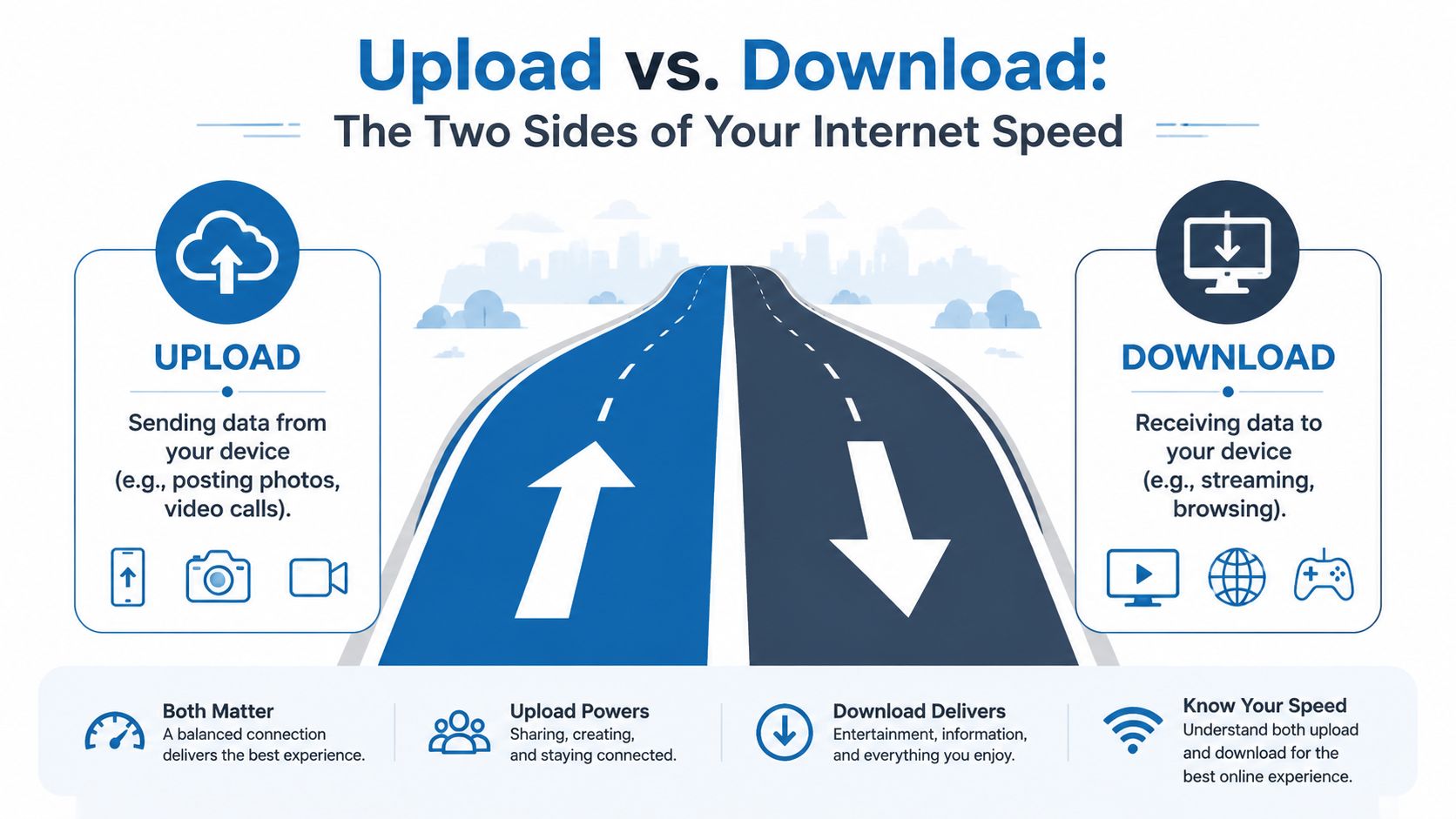
The easiest way to understand internet speed is to picture a road.
Download speed is traffic coming into your home. That's what you use when you stream a show, open a website, or download a game update. Upload speed is traffic leaving your home. That's what happens when you join a video call, post photos, save files to the cloud, or send game data back to the server.
What Mbps and Gbps actually mean
You'll usually see internet speed measured in Mbps or Gbps.
- Mbps means megabits per second
- Gbps means gigabits per second
These units tell you how much data your connection can move over time. In the road analogy, they describe how wide the road is. A wider road can handle more traffic at once.
That's useful, but bandwidth isn't the whole story.
Why latency matters too
Latency is the delay between your action and the internet's response. Gamers call it ping. Video callers notice it when people talk over each other. Voice calls reveal it as awkward pauses.
You can have a connection with plenty of bandwidth and still get poor performance if latency is high or unstable. That's why two homes with similar advertised speeds can feel very different.
A connection that's fine for streaming can still feel bad for gaming, VoIP, or live collaboration if delay and jitter get in the way.
Asymmetrical vs symmetrical connections
Many people find this confusing, so let's keep it plain.
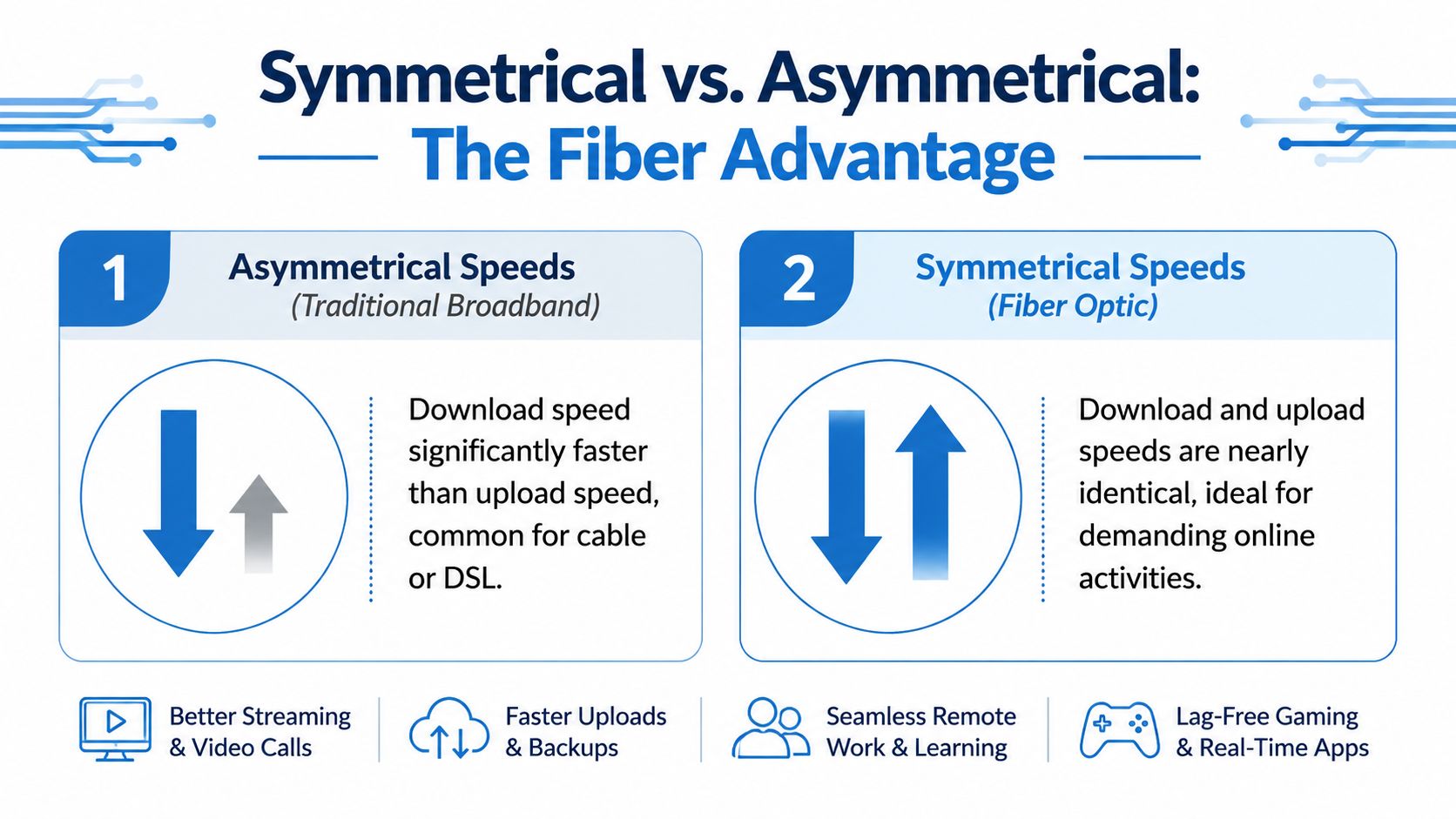
An asymmetrical connection gives you much more download than upload. That's common with older internet types. In asymmetrical technologies like Cable (up to 50 Mbps upload) and DSL (up to 20 Mbps upload), upload speeds are throttled. A 10 Mbps upload can only sustain a single 4K video call before packet loss occurs, whereas symmetrical fiber connections such as 1 Gbps download and 1 Gbps upload support simultaneous high-demand tasks without jitter. If you want a simple comparison of what counts as solid upstream performance, this explainer on good upload speed basics is useful.
A symmetrical connection gives you roughly equal speed in both directions. That's the big advantage of fiber. If your home sends as much data as it receives, symmetrical service fits the way you use the internet now.
A quick everyday example
Here's how the road analogy plays out in real life:
| Activity | Mostly uses download or upload | Why |
|---|---|---|
| Streaming a movie | Download | Data flows to your TV |
| Joining a Zoom call | Both, especially upload | You receive video and send your own |
| Backing up photos | Upload | Files leave your device |
| Downloading a game | Download | Large files come to your console |
| Posting a video | Upload | You send the file to a platform |
Once you see internet as a two-way system, the phrase fast upload and download speeds starts making more sense. It's not one number. It's the balance between both directions, plus how stable the connection stays under pressure.
What Internet Speed Do You Actually Need
The honest answer is that it depends less on your household size and more on what people are doing at the same time.
A home where one person watches TV at night has very different needs from a home where two adults work remotely, kids game online, security cameras upload clips, and phones automatically sync to the cloud all day. That's why asking only “what is fast upload and download speeds” can feel too vague. Fast for one household may feel cramped for another.
There is one solid baseline worth knowing. In 2024, the FCC updated its definition of high-speed broadband to 100 Mbps download and 20 Mbps upload according to the FCC broadband benchmark update. If a service falls below that, it doesn't meet the current federal definition for modern high-speed access.
A practical way to choose
I like to sort homes into a few broad profiles instead of chasing the highest number available.
| User Profile | Recommended Download Speed | Recommended Upload Speed | Example Activities |
|---|---|---|---|
| Casual streamer | Around the FCC high-speed baseline | Around the FCC high-speed baseline | Streaming shows, web browsing, social apps, occasional video calls |
| Remote worker | At least the FCC high-speed baseline, with more headroom if others are online | More than the minimum helps a lot | Zoom or Teams, cloud documents, VPN work, large file sharing |
| Competitive gamer | Strong download matters less than stable latency and solid upload | Stable upload is important for voice chat and responsiveness | Multiplayer gaming, party chat, game downloads |
| Ultra-connected family | Higher than the baseline is usually more comfortable | Strong upload matters because many devices send data at once | Multiple streams, schoolwork, cameras, cloud backups, video calls |
The table is intentionally broad because what matters most is simultaneous use. A plan that feels great at noon can feel cramped at 8 p.m. when everyone is online together.
Where people usually underestimate their needs
Streaming itself is rarely underestimated. Instead, everything happening in the background is often overlooked.
- Remote work isn't just one video call. It's the call, plus cloud sync, plus collaboration apps, plus software updates.
- Gaming isn't only about download speed. It depends heavily on latency, consistency, and enough upload for game traffic and chat.
- Connected homes keep sending data even when nobody notices. Cameras, backup tools, and smart devices all compete for upstream capacity.
- Families create overlap. A connection can handle one heavy task. Several at once is a demanding test.
If you've ever noticed that a call gets fuzzy when someone uploads photos or a camera feed spikes, that's a clue your plan may be bottlenecked on upload, not download.
One technical detail that matters for gamers and calls
Some activities are more sensitive to delay than others. Video streaming can buffer ahead. Real-time apps can't. If you're curious why some traffic types feel snappier than others, this breakdown of UDP protocol differences from TCP helps explain why gaming, voice, and live communication behave differently from ordinary downloads.
Bottom line: For many homes, the FCC benchmark is a minimum starting point. If your household creates, uploads, calls, games, and backs up data at the same time, you'll usually benefit more from stronger upload capacity and a balanced connection than from a flashy download number alone.
There isn't a magic speed that fits everyone. But there is a pattern. The more interactive your household becomes, the more upload speed stops being optional.
The Symmetrical Speed Advantage of Fiber Internet
Most internet plans were built for an older pattern of internet use. They assumed you'd consume much more than you'd create. That's why cable and DSL commonly prioritize downloads and leave uploads much smaller.
That design shows its age in modern homes.
Why symmetrical speeds matter
A symmetrical connection gives you similar upload and download performance. For a house that mostly streams video, that may sound like a luxury. For a house that works, studies, games, calls, and uploads constantly, it's closer to a requirement.
Here's why:
- Video meetings need steady upload so your camera feed stays clear.
- Cloud backup needs room to send data without clogging everything else.
- Livestreaming and content sharing depend directly on upstream capacity.
- Smart cameras and connected devices create ongoing outbound traffic.
With cable, one heavy upload can spill over into the rest of the home's experience. For latency-sensitive use, cable can suffer from upload saturation, where a single upload task can cause download speeds to drop by 20 to 30%, while symmetrical fiber can reduce ping to under 5 ms and avoid that saturation according to the technical comparison in this article on why fiber internet is superior to cable internet.
What this feels like in a real home
You don't need to know the engineering to notice the difference.
On an asymmetrical connection, a big upload can make the whole network feel sticky. Web pages stall. Calls get choppy. Games feel laggy. Streams suddenly lose quality. The line is busy sending data outward, and the rest of your traffic has to fight for space.
On a symmetrical fiber connection, the upload side isn't starved in the first place. It has enough room for modern traffic patterns.
If your household spends as much time sending data as receiving it, symmetrical service is often the cleanest fix because it solves the bottleneck instead of just masking it.
That's why fiber has become so important for remote work, home offices, creators, and connected families. It doesn't just make speed tests look better. It changes how the network behaves when several demanding things happen at once.
How to Test Your Speed and Find the Bottleneck
A speed test won't tell you everything, but it's the fastest way to separate “my plan is too limited” from “my setup has a problem.”
Run the test the right way
Use one device and keep the conditions simple.
- Pause heavy activity. Stop downloads, streaming, cloud backup, and game updates.
- Stand near the router if you're on Wi-Fi. Distance and walls can distort the result.
- Run the test more than once. Morning and evening can look different.
- If possible, test on Ethernet too. That helps you compare your internet service with your Wi-Fi performance.
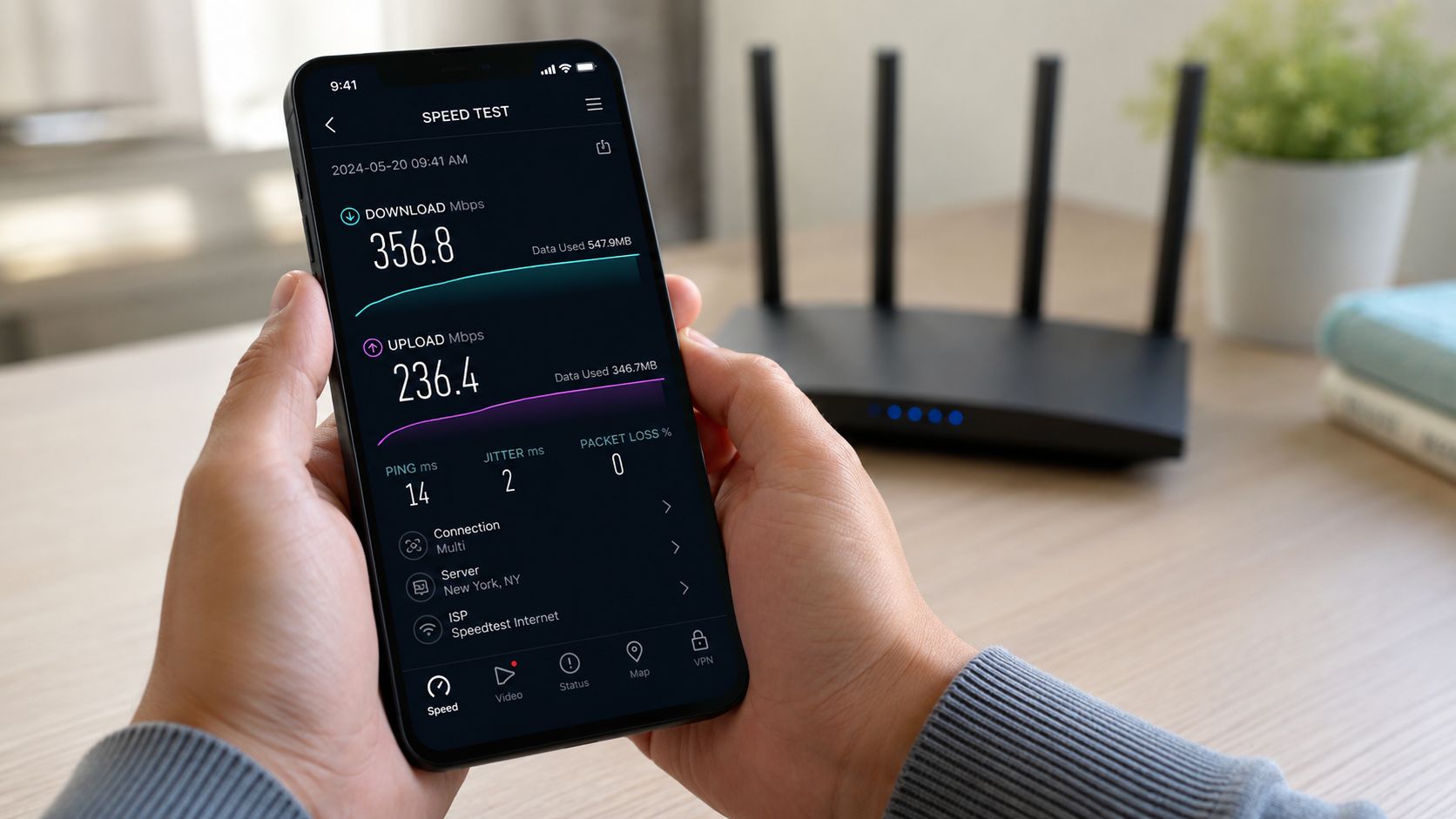
If you want a simple tool to evaluate internet bandwidth, use one that reports download, upload, and latency together. You can also compare your method with this guide on how to test internet speed accurately.
What the results are telling you
Look at three things:
- Download tells you how fast data comes in.
- Upload tells you how fast data goes out.
- Ping or latency tells you how responsive the connection feels.
If download looks fine but upload is much lower than your household needs, that points to the upstream bottleneck discussed earlier. If both are much lower on Wi-Fi than on Ethernet, the issue may be your local wireless setup instead of your provider.
As of March 2025, global data showed that median upload speed for fixed broadband was significantly higher than for mobile broadband, with mobile at 90.64 Mbps median download and fixed broadband at 98.31 Mbps median download, while fixed upload performance was notably stronger according to Statista broadband speed data. That's a good reminder that infrastructure type matters, not just the advertised headline speed.
Common bottlenecks inside the home
A lot of speed complaints come from one of these:
- Weak Wi-Fi placement. Routers hidden in cabinets or tucked into corners struggle to cover the home evenly.
- Old equipment. An outdated router can limit performance even on a good plan.
- Too many simultaneous demands. Several active devices can expose upload limits quickly.
- Distance and interference. Walls, floors, and electronics can weaken wireless signals.
- Service type limits. Some connection types don't offer strong upload headroom.
Here's a short video walk-through that helps visualize the process of checking your connection and understanding the results:
Don't judge your internet from a single speed test on a phone at the far end of the house. Test close, test wired if you can, and compare patterns.
Simple Steps to Improve Your Internet Performance
You don't always need a new plan right away. Sometimes the fix is inside the house.
Start with the easy wins
Try these first:
- Restart your equipment. Routers and modems can get bogged down over time.
- Move the router. A central, open location usually works better than a closet or cabinet.
- Use Ethernet for critical devices. A work computer, gaming console, or streaming box often performs better when wired.
- Reduce background uploads. Cloud photo sync and backup tools can consume upload capacity during busy hours.
Those steps won't change the limits of your service type, but they often remove avoidable friction.
Then check your gear
If your plan should be fast but your devices still struggle, your hardware may be the issue.
- Router age matters. Older hardware may not handle modern Wi-Fi demands well.
- Coverage matters too. A large home may need a better whole-home setup.
- Device capability counts. Some older phones, laptops, and TVs can't use all the speed available to them.
If your home relies on wireless for almost everything, improving the local network can make a noticeable difference. This guide on how to improve home WiFi covers the basics well.
Know when the service itself is the limit
There's a point where repositioning the router won't solve the underlying problem.
If your household regularly does video meetings, cloud work, file transfers, camera uploads, and streaming at the same time, an asymmetrical service may keep running into the same ceiling. That's where switching to a symmetrical fiber plan can matter more than tweaking settings.
One option people consider is a fiber provider with symmetrical plans and managed Wi-Fi support, such as Premier Broadband, especially if they want one service for home coverage, work calls, and stronger upload capacity.
The key idea is simple: optimize your setup first, but if the connection type itself starves uploads, the most effective fix is moving to infrastructure built for two-way traffic.
Frequently Asked Questions About Internet Speed
Why is my Wi-Fi slower than a wired connection
Wi-Fi has to deal with distance, walls, interference, and shared airspace. Ethernet doesn't. A wired connection is usually the cleaner way to see what speed is reaching your home, while Wi-Fi shows how well your local network delivers that speed to each room.
Is 1 Gbps internet really necessary for a home
For some homes, no. For others, yes. If your household mainly browses, streams, and makes occasional calls, you may not need gigabit service. If multiple people work from home, move large files, use cloud apps, run cameras, or want lots of headroom, higher symmetrical speeds can make daily use feel smoother.
Can a new router make my internet faster
Sometimes, yes. A newer router can improve coverage, device handling, and Wi-Fi efficiency. But it can't create upload speed your service doesn't provide. If your bottleneck is an asymmetrical internet plan, better hardware helps only up to that ceiling.
Why do video calls fail when streaming seems fine
Streaming is mostly download and can buffer ahead. Video calls are live and depend heavily on upload quality, latency, and stability. That's why a home can watch movies without issue but still have choppy meetings.
What's considered fast internet today
“Fast” depends on what you do and what kind of connection you have. A useful baseline is the current FCC high-speed definition, but for homes with heavy two-way traffic, the better standard is balanced performance. In plain terms, fast internet today means enough download for all your devices and enough upload that calls, backups, gaming, and cameras don't drag everything else down.
If your internet looks fast on paper but still struggles during calls, uploads, or busy evenings, it may be time to look beyond the headline download number. Premier Broadband offers fiber-based service with symmetrical speeds, which is the kind of connection many modern homes and small businesses need when upload has become a significant bottleneck.