
You upgraded to fast fiber because you were done with buffering, lag, and choppy video calls. Then the movie still stalls in the back bedroom, your game pings spike when someone starts a download, and your laptop acts like the internet is the problem.
Most of the time, the internet plan isn't the weak point. The weak point is the wireless handoff inside the house or office. That's where the WiFi 6 vs WiFi 7 decision starts to matter. Not as a spec-sheet debate, but as a practical question: will a new router fix what you feel every day, or are you about to spend money on a box that won't change much?
Why Your Fast Fiber Internet Might Still Feel Slow
A fast connection can still feel bad when Wi-Fi gets in the way. That shows up in familiar ways. Netflix drops quality on one TV while another room streams fine. A Zoom call freezes even though your speed test looked great earlier. A gaming session runs clean at midnight and rough at 7 p.m. when everyone is online.

In homes and small offices, I usually see the same pattern. People buy more internet speed to solve a Wi-Fi delivery problem. If the signal has to cross thick walls, fight interference, or serve a pile of devices from one overloaded spot, the plan speed won't rescue it.
That's why Wi-Fi standards matter. WiFi 6 and WiFi 7 both aim to make wireless networks handle modern device loads better, but they don't solve the same problems in the same way. One is often the smart buy. The other is sometimes the right buy, but only when the network and the devices can take advantage of it.
Practical rule: If one room works perfectly and another room struggles, the issue is usually Wi-Fi layout, band choice, or interference, not raw internet speed.
Before replacing hardware, it helps to rule out delay issues across the network. A simple guide to fixing high latency at home can point you toward congestion, placement, or device behavior that's hurting performance.
For anyone running a home office or a small company, the same logic applies on a larger scale. Good wireless performance depends on placement, client density, and traffic priorities, which is why this roundup of SMB network performance best practices is useful reading before you assume newer hardware is the only answer.
The Core Difference Between WiFi 6 and WiFi 7
A lot of customers expect WiFi 7 to fix every wireless problem the minute they swap routers. In practice, the core difference is narrower than the marketing suggests. WiFi 6 is built to keep a busy network efficient and stable. WiFi 7 adds new ways to move more data with less delay, but only on compatible devices and usually only under the right conditions.
That distinction matters.
If a home has a lot of everyday traffic, streaming TVs, phones, tablets, laptops, cameras, and smart home gear, WiFi 6 already does the job well. It was designed for crowded environments where many devices need airtime at once. WiFi 7 is more about raising the ceiling for demanding clients, reducing delay on supported hardware, and giving the network more flexibility in how it uses available bands.
Here's the practical comparison:
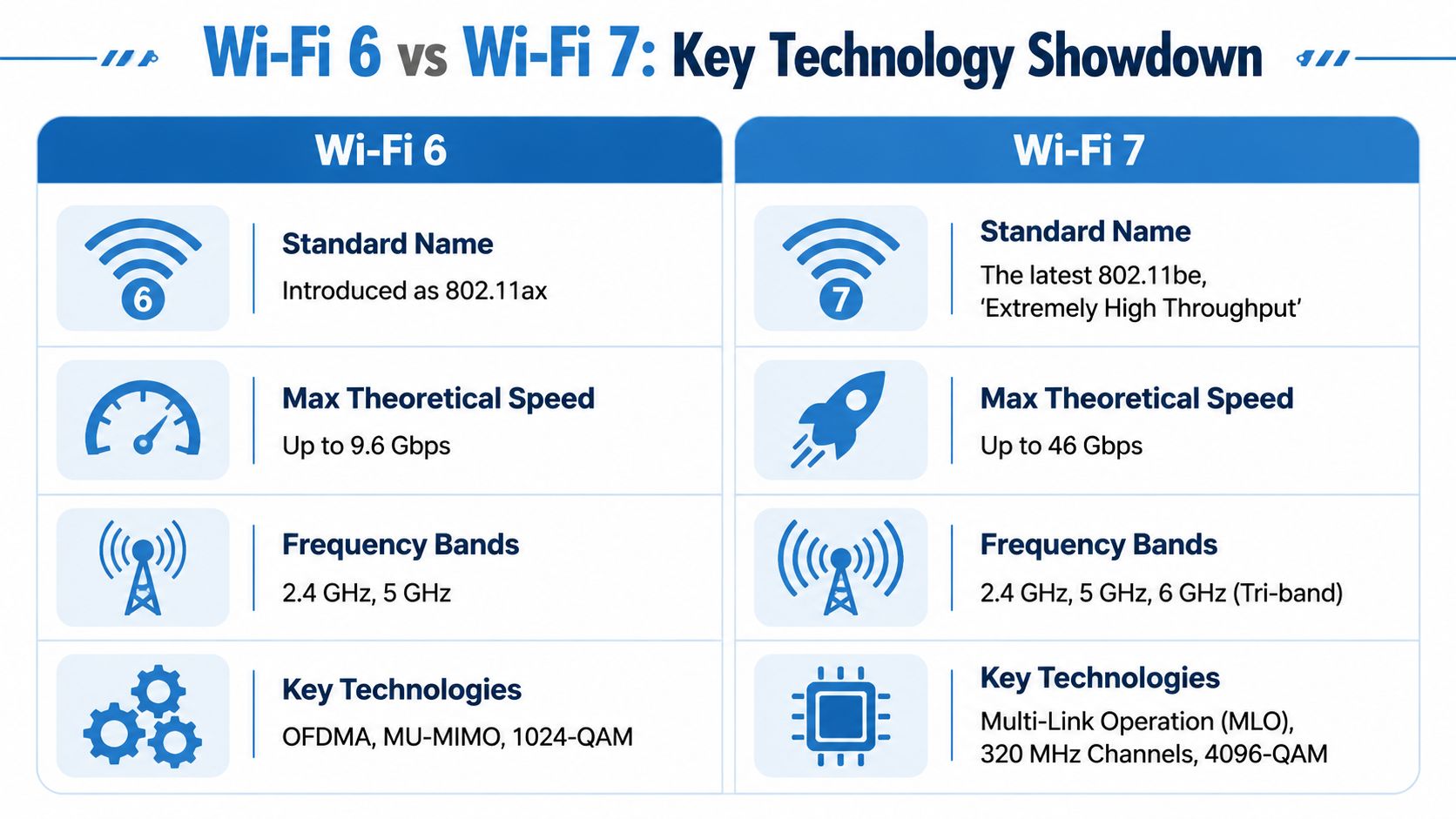
| Feature | WiFi 6 | WiFi 7 |
|---|---|---|
| Standard | 802.11ax | 802.11be |
| Network focus | Efficiency in busy homes | Higher throughput and lower latency on newer gear |
| Channel width | Up to 160 MHz | Up to 320 MHz in 6 GHz |
| Modulation | 1024-QAM | 4096-QAM |
| Spatial streams | Up to 8 | Up to 16 |
| Connection style | Single-band connection | Multi-Link Operation across multiple bands |
The part that matters to a customer is simple. WiFi 6 improves how well the network shares capacity. WiFi 7 improves how fast and how flexibly supported devices can use that capacity.
What that means in plain English
WiFi 6 is still the better value for a lot of homes. If the main goal is reliable 4K streaming, solid Zoom calls, responsive browsing, and stable gaming on a normal mix of devices, a good WiFi 6 setup often feels no different from WiFi 7 day to day.
WiFi 7 starts to make sense when the network has newer phones, laptops, or PCs that can use its added features, especially on 6 GHz. That is where lower-latency links, wider channels, and multi-band operation can help. Fiber customers notice this gap more than cable customers because the internet feed is fast enough that the local Wi-Fi becomes the bottleneck.
There is also a myth worth clearing up. A WiFi 7 router does not make every device in the house run at WiFi 7 performance. Older devices still connect using the standards they support. In many homes, improvement comes from replacing old client devices, improving placement, or adding access points, not from buying the newest router alone.
I tell customers to view WiFi 7 as a targeted upgrade, not an automatic one. If the household uses local NAS transfers, cloud backups on multiple machines, high-end gaming PCs, VR, or a lot of heavy traffic at the same time, it can be the right move. If the network mostly serves streaming sticks, smart TVs, phones, and work laptops, WiFi 6 often remains the smarter buy.
If you want a useful baseline before deciding whether to skip ahead, this primer on Wi-Fi 5 vs Wi-Fi 6 technology helps show why WiFi 6 is still a meaningful upgrade for many homes.
Key Technology Showdown WiFi 6 vs WiFi 7 Specs
Fast fiber can expose weak Wi-Fi faster than any speed test does. A customer sees 2 gig at the modem, then gets choppy cloud backups upstairs or lag spikes during a download on the same network. That gap usually comes down to local wireless limits, not the internet plan.
Speed and throughput
On paper, WiFi 7 pushes more data because it can use wider channels on 6 GHz than WiFi 6. It also packs more data into each transmission with a higher modulation rate. Those are real improvements, but they show up most on newer client devices at short range with a clean signal.
In practical terms, this matters for heavy jobs. Large game installs, fast NAS transfers, multi-gig cloud sync, and high-bitrate media editing benefit. A phone checking email or a TV streaming one 4K show usually will not expose the difference.
Latency and reliability
Raw speed gets the marketing, but latency control is what changes how the network feels.
WiFi 7 adds Multi-Link Operation, or MLO, which lets supported devices use more than one band together instead of relying on a single path. In a busy house, that can help a gaming PC, newer laptop, or flagship phone hold a steadier connection while other devices are active. For video calls and cloud desktops, steadiness matters more than brag-sheet speed.
WiFi 7 also includes preamble puncturing, which helps the router keep using part of a wide channel when interference hits another part of it. In real homes, that means less wasted spectrum and fewer moments where performance drops harder than it should.
Field advice: When customers tell me Wi-Fi feels unpredictable, interference and placement are usually the first things I check. Newer standards help, but they do not fix a bad router location or a dead zone behind three walls.
Capacity in busy homes and offices
Capacity is where newer Wi-Fi can earn its keep. WiFi 7 is designed to handle more simultaneous traffic with more flexibility than WiFi 6, especially in homes loaded with work laptops, phones, cameras, TVs, tablets, and smart home gear all competing for airtime.
According to eero's comparison of Wi-Fi 7 vs 6, WiFi 7 expands the ceiling for spatial streams and lets more devices communicate efficiently at the same time. That does not mean every home needs it. In a small apartment with a few active devices, WiFi 6 is often already plenty. In a larger home or a small office where several people work, stream, game, and back up data at once, the extra headroom can prevent those evening slowdowns that are hard to explain but easy to feel.
Band use and what it means at home
WiFi 6 typically uses 2.4 GHz and 5 GHz. WiFi 7 adds stronger use of 6 GHz, and that extra space is a big part of why it can perform better on the right hardware.
There is a catch. The best WiFi 7 results depend on compatible devices, good placement, and enough signal quality to hold those wider channels. If the clients are older, or the router is stuck in a closet at one end of the house, the upgrade may cost more than it gives back.
Here's the practical spec summary:
| Practical area | WiFi 6 | WiFi 7 | What you'll notice |
|---|---|---|---|
| Per-device throughput | Strong | Higher ceiling | Bigger gains on heavy-use devices |
| Delay under load | Good | Better on supported gear | Smoother gaming, calls, and cloud work |
| Multi-device handling | Strong | Stronger | Fewer slowdowns in dense networks |
| Interference handling | Good | Better | More stable behavior in noisy spaces |
| Best use case | Mature whole-home Wi-Fi | High-demand, low-latency environments | Depends on device mix and layout |
If you want a broader explanation of how these features translate to a home network, this guide on why Wi-Fi 7 is a significant upgrade for your home and office adds useful context.
Real-World Performance What to Actually Expect
A common home setup looks like this. Fiber internet is fast, the speed test at the router looks great, and the Wi-Fi still bogs down when someone starts a 4K stream, another person joins a video call, and a phone begins a cloud backup.
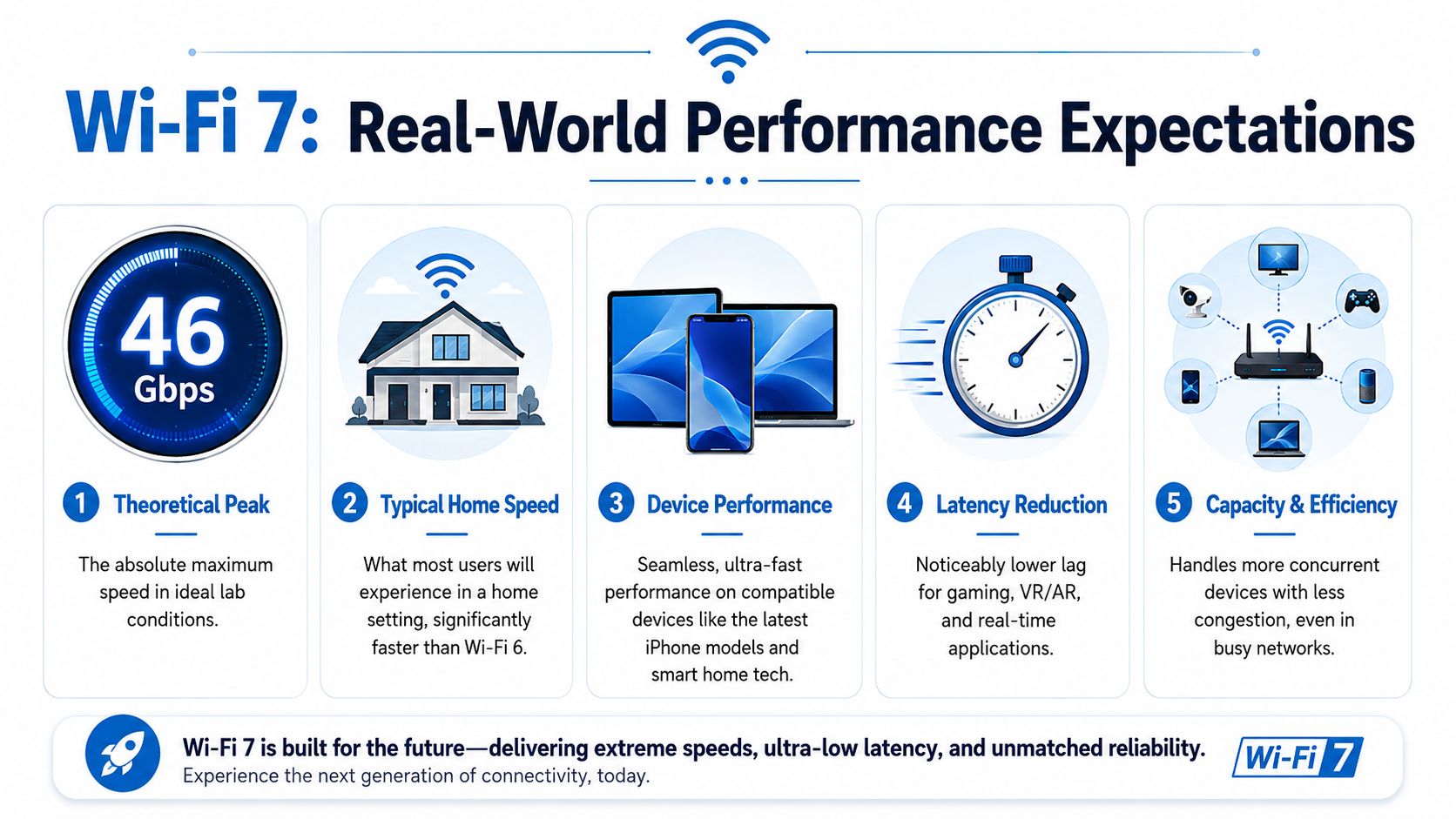
That gap is where WiFi 7 can help. It does not turn every device into a speed demon, and it does not guarantee a dramatic upgrade in every house. What it often does is reduce congestion on supported gear and keep performance steadier when several demanding tasks hit the network at once.
For many homes, that is the difference that matters.
Myth one, a WiFi 7 router makes everything dramatically faster
A new router only helps devices that can use its newer features. Older phones, laptops, TVs, and consoles still connect on the standard they support. If most of the devices in the house are WiFi 5 or WiFi 6, a WiFi 7 router may improve overall traffic handling, but it will not suddenly make every screen feel brand new.
This is why some upgrades disappoint people. The box promises huge peak speeds, but day-to-day performance still depends on the client device, signal quality, distance from the router, and how busy the network gets at the same time.
In practical terms, WiFi 7 usually shows its value in two places. High-end devices can pull more speed at close range, and busy households get fewer slowdowns during peak use.
Myth two, WiFi 7 fixes coverage problems
Coverage problems usually come from placement, building materials, and not having enough access points. A newer Wi-Fi generation does not solve those by itself.
WiFi 7 can be excellent in the right conditions, but some of its best performance depends on 6 GHz, and 6 GHz does not travel through walls as well as lower bands. A large two-story home with dead zones may still need a mesh system or better access point placement. In that situation, replacing one WiFi 6 router with one WiFi 7 router can be a poor use of money.
If the issue is weak signal in the back bedroom, start with placement and coverage design. Our guide on how to improve home Wi-Fi coverage and speed is a smarter first step than replacing good hardware on guesswork.
What people usually notice first
People rarely notice a wireless standard as a number. They notice that the network feels less touchy.
- Streaming households get fewer pauses and less quality dropping when several TVs and tablets are active.
- Remote workers get more stable video calls and fewer upload hiccups during busy evening hours.
- Gamers on Wi-Fi are more likely to notice fewer lag spikes than a huge jump in download speed.
- Fiber customers with multi-gig service are the group most likely to expose the limits of older Wi-Fi gear.
- Homes full of older devices may see only modest gains, even with an expensive WiFi 7 router.
That last point gets missed in a lot of Wi-Fi 7 marketing. If the internet plan is 300 to 500 Mbps, the devices are a few years old, and the current WiFi 6 setup is already stable, upgrading right now may not change much. If the home has gig-plus fiber, newer phones and laptops, and lots of simultaneous traffic, WiFi 7 starts to make practical sense.
Who Needs WiFi 7 Right Now Use Case Recommendations
Not everyone should upgrade today. Some people absolutely should. The right answer depends on what the network is asked to do.
For gamers
If you play competitive games over Wi-Fi, WiFi 7 is appealing because lower-latency features matter more than peak speed. MLO is the standout here. A compatible router and client can keep traffic moving more intelligently when conditions shift.
Still, if your gaming setup is already on Ethernet, or your current WiFi 6 setup is stable and close to the router, you may not notice enough difference to justify replacing good hardware.
Verdict: Strongly consider WiFi 7 if you game wirelessly on high-end gear and your network gets busy. Stick with WiFi 6 if your setup is already stable or wired.
For remote workers
Remote work doesn't need flashy top-end speed. It needs consistency. Video calls, cloud apps, uploads, and screen sharing all punish unstable Wi-Fi more than “slow” Wi-Fi.
A well-tuned WiFi 6 network is still a very practical choice for home offices. WiFi 7 becomes attractive when the home has lots of simultaneous traffic, interference from nearby networks, or a worker who moves between rooms while staying on calls.
If your call quality falls apart only when the house gets busy, newer Wi-Fi may help. If your call quality is bad all the time in one room, fix placement first.
Verdict: Stay with WiFi 6 in most home office setups. Move to WiFi 7 if the workspace shares bandwidth with many active devices and call stability is critical.
For families with lots of streaming and smart devices
This group often gets marketed the hardest, and it's where overspending happens. A family with several TVs, phones, tablets, and smart devices can do extremely well on WiFi 6, especially if the home has proper access point placement or a solid mesh setup.
WiFi 7 starts making more sense when the house is dense with active devices all day, internet service is very fast, and newer client devices are already in the mix.
Verdict: WiFi 6 is still the practical value choice for many families. WiFi 7 is worth it when congestion, not basic coverage, is the primary problem.
For creators and heavy local transfers
If you move large files between devices, use network-attached storage, edit from shared storage, or push multi-gig internet hard, WiFi 7 has a much stronger case. In such cases, wider channels and the extra ceiling can pay off.
The catch is that these gains require the whole chain to cooperate. Router, client device, and local network design all need to be up to the task.
Verdict: Strongly consider WiFi 7 if your workflow is heavy, local, and time-sensitive.
A quick video can help if you're weighing features against actual use at home:
For small businesses
Small offices care about reliability, concurrency, and manageable performance when employees and devices pile onto the same network. WiFi 7's improved capacity and latency tools are useful here, especially in busier spaces.
But if the office mostly needs dependable browsing, cloud apps, VoIP, and conference calls across a moderate footprint, WiFi 6 often remains a smart operational choice.
Verdict: Choose WiFi 7 for dense, modern offices with demanding wireless workloads. Choose WiFi 6 for stable, cost-conscious deployments that value maturity and simplicity.
The Upgrade Path Cost Timing and Compatibility
The biggest upgrade mistake is buying WiFi 7 too early for your own device mix.
A WiFi 7 router can absolutely be the right long-term purchase. But the benefits only show up when your laptops, phones, tablets, and other key clients also support the new standard. If most of your important devices are still on older Wi-Fi generations, the router may be capable of more than your household can use right now.
Ask these three questions first
Do you have compatible devices?
If the answer is no, you're mostly buying future capacity rather than present performance.Do you have a fast enough internet plan and local network to benefit?
WiFi 7 is most compelling on multi-gig internet and in environments with heavy internal traffic.Is your current issue speed, or is it coverage and placement?
If the problem is a weak signal through walls, a newer standard may not solve it.
The practical timing for many households is simple. Upgrade to WiFi 7 when you're replacing hardware anyway, when newer client devices are already in your home, or when you've clearly outgrown a good WiFi 6 setup.
When waiting is the smarter move
For many people, a mature WiFi 6 or WiFi 6E setup remains the better buy today. It's proven, widely supported, and often more than enough for streaming, work, gaming, and smart home use.
WiFi 7 is easier to justify if you check several boxes at once:
- You already own WiFi 7-capable devices
- You use multi-gig fiber
- Your network stays busy with many active clients
- Low latency matters for gaming, real-time work, or advanced media use
If you only check one of those boxes, the upgrade may be premature.
Maximize Your Connection with Premier Broadband
A Wi-Fi upgrade only works as well as the connection feeding it. If the internet itself is inconsistent, neither WiFi 6 nor WiFi 7 can hide that for long.

That's why the best setup starts with reliable fiber, then matches the Wi-Fi hardware to the home, the floor plan, and the device mix. Some households need the maturity and value of WiFi 6. Others need the added headroom and lower-latency features of WiFi 7. The key is making the choice based on real use, not packaging hype.
If gaming is a big part of your decision, this roundup of gaming router recommendations from Budget Loadout is a useful companion read because it looks at router choices through the lens that matters most to players: stable performance, not just flashy marketing.
Premier Broadband takes a lot of the guesswork out of this. A strong fiber foundation, managed Wi-Fi options, and proper setup matter more than chasing the newest standard for its own sake.
If you want internet and Wi-Fi that fit the way you work, stream, and game, talk with Premier Broadband. They can help you decide whether WiFi 6 is still the right value, whether WiFi 7 makes sense for your devices and plan, and how to build a setup that performs well in the rooms where you use it most.