
So, how does VoIP actually work? At its core, VoIP (Voice over Internet Protocol) turns your voice into digital data and sends it across the internet, kind of like sending an email or a text message. It completely skips the old-school copper phone lines and uses your broadband connection instead.
In short, it makes the internet your own personal phone network.
The Journey from Your Voice to an Internet Call
Ever stop to think about how your voice can zip across the internet and reach someone on the other side of the country in an instant? The best way to picture it is to think about sending a high-resolution photo to a friend.
Your phone or computer doesn't just blast the whole picture file out in one giant piece. It’s far too big. Instead, it cleverly breaks the photo down into thousands of tiny digital bits, called packets.
Each one of those packets gets a digital address stamped on it and is sent on its way. VoIP does the exact same thing, but with the sound of your voice. When you speak, your phone captures the analog sound waves and dices them into these small digital packets. These packets then travel across the internet, each one finding the quickest path to its destination.
On the receiving end, the other person's phone or device gathers up all those packets and rapidly puts them back together in the right order, recreating your voice almost instantly. It all happens so fast that the conversation feels perfectly smooth and natural.
From Analog Sound to Digital Data
The first magic trick in any VoIP call is converting the physical sound of your voice into a digital language the internet can understand. This conversion is what separates a modern phone system from the ones we grew up with.
And while it might feel like brand-new tech, the idea has been kicking around for a while. The very first VoIP call was actually made way back in August 1974 on ARPANET, a precursor to the internet. That call transmitted voice data at a crawl—just 16 kbps. To put that in perspective, a decent quality call today needs around 80-100 kbps. We've come a long way.
The Four Core Steps of a VoIP Call
Let's simplify the whole journey. Every single VoIP call you make can be broken down into four main stages. Getting a handle on these steps is the key to understanding how the underlying technology, often involving protocols like those explained in our guide on how SIP trunks work, delivers such clear and reliable calls.
A VoIP call is essentially a conversation broken down into a stream of tiny, well-organized data packages that are sent, received, and reassembled in near-real-time across the internet.
Here’s a simple table to walk you through it.
The Four Core Steps of a VoIP Call
| Step | What Happens | Simple Analogy |
|---|---|---|
| 1. Digitize | Your phone captures your analog voice and a component called a codec converts it into digital data packets. | A translator converting your spoken words into a coded message. |
| 2. Transmit | Each data packet is given an address and sent over your internet connection toward the recipient. | Mailing thousands of tiny postcards, each with the same destination address. |
| 3. Route | The packets travel across the internet, finding the most efficient path to the person you are calling. | Cars taking different routes on a highway to avoid traffic and reach the same exit. |
| 4. Reassemble | The recipient's device receives the packets, puts them back in the right order, and converts them into sound. | A puzzle master reassembling all the pieces to reveal the final picture. |
When you boil it down, that’s really all there is to it. The technology handles these four steps so efficiently that you just pick up the phone and talk, without ever thinking about the complex journey your voice is taking.
Translating Sound into Digital Language
For a VoIP phone to work its magic, it first has to translate the sound waves from your voice into a digital language the internet can understand. This is the key difference that separates modern internet calling from your old landline. It's the moment where speaking meets the digital world.
At its core, Voice over Internet Protocol (VoIP) technology converts these analog voice signals into digital data packets. These packets are then sent over the internet instead of old copper phone lines. This clever method, known as packet switching, breaks your voice down into small, efficient pieces that can be routed quickly across the network. If you want to dive deeper, you can explore more about this fundamental VoIP process on Wikipedia.
This whole conversion happens almost instantly, so your conversation flows naturally without any weird delays. It's a surprisingly complex process that all happens inside your VoIP device.
The Role of the Codec
The unsung hero of this translation process is a piece of technology called a codec (which is short for coder-decoder). You can think of a codec as a highly-skilled digital musician. When you talk, the codec "samples" your voice thousands of times every second.
Each sample grabs a perfect snapshot of your voice's tone, pitch, and volume. The codec then converts these thousands of snapshots into a stream of binary code—the ones and zeros that computers and the internet speak fluently.
This digital stream is then bundled up into data packets, ready for their trip across the network. This graphic gives you a great visual of the entire process from start to finish.
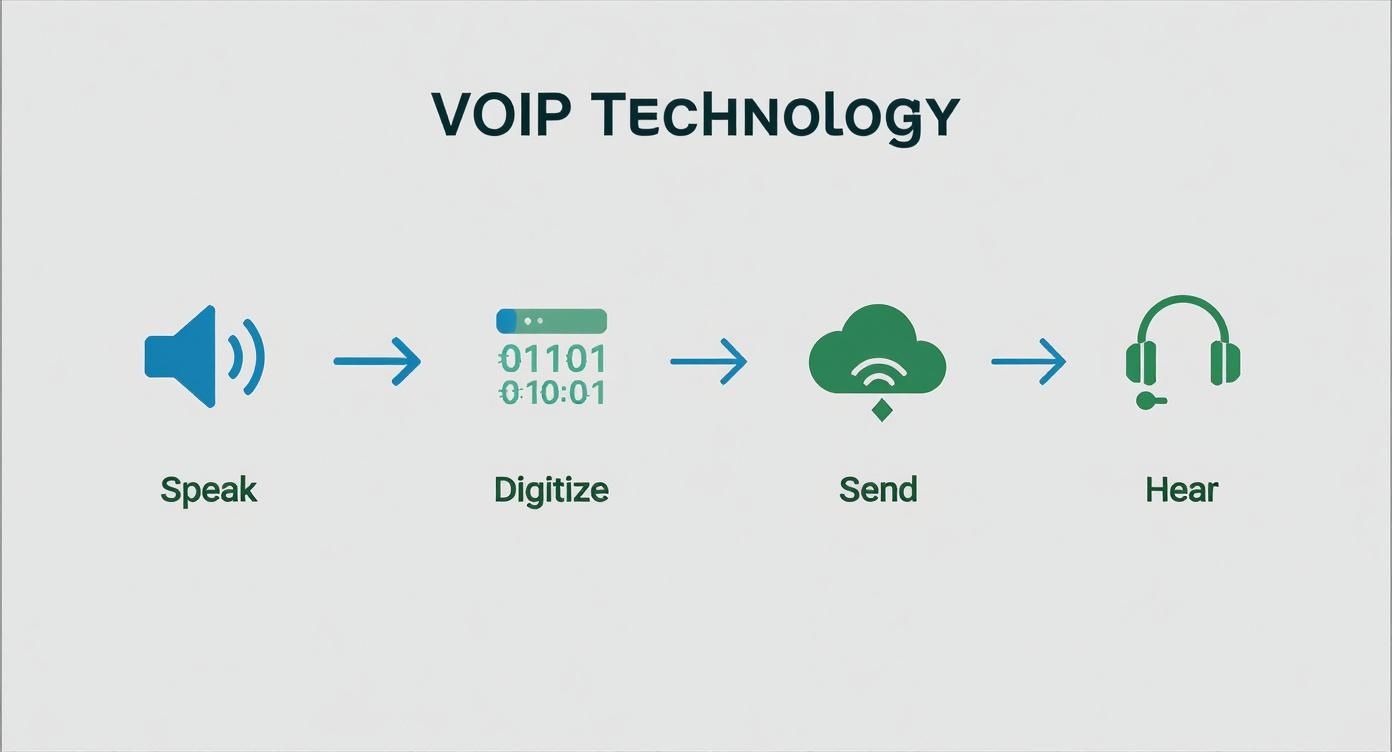
As you can see, the journey is a constant loop of converting, sending, and reassembling sound, and it all happens in the blink of an eye.
Balancing Call Quality and Bandwidth
Here's the thing: not all codecs are the same. Different codecs are built to prioritize either perfect audio quality or network efficiency, and finding that balance is crucial for every call. The choice of codec has a direct impact on how your VoIP phone works and how much of your internet bandwidth it uses.
A codec's job is to compress and decompress your voice data. More aggressive compression saves bandwidth but might slightly lower the audio quality. Less compression gives you crystal-clear sound but uses up more data.
For example, you'll often run into two very common codecs:
- G.711: This is the go-to for high-fidelity audio. It doesn't compress the data much, resulting in call quality that sounds just as good as a traditional landline. It's the best choice when you have plenty of bandwidth and clarity is your top priority.
- G.729: This codec is all about efficiency. It uses a smarter compression method to shrink the voice packets way down. This makes it perfect for situations where your internet connection might be limited, since it uses about one-third of the data of G.711 without a huge drop in quality.
The good news is that you don't have to worry about this. Your VoIP provider handles the selection process automatically, picking the best codec for the job based on your network conditions. This ensures your conversation is always as clear and stable as possible. This smart translation from sound to data is what makes high-quality, internet-based phone calls a reality.
How Your Voice Navigates the Internet Highway
Once your voice is translated into digital bits, its real journey begins. To get where it’s going quickly and clearly, it needs a smart way to navigate the internet. This is where you really see the difference between VoIP and old-fashioned landlines.
Traditional landlines used a system called circuit switching. Think of it like this: to make a call, the phone company had to reserve an entire, private lane on a highway just for your conversation. No one else could use it until you hung up. It worked, but it was incredibly inefficient.
VoIP uses a much smarter approach called packet switching. In this world, the highway is open to everyone. Your voice is broken into tiny packets, which act like smart cars with their own GPS. They jump into the flow of traffic, finding the quickest routes and weaving around congestion to reach their destination.
Giving Every Packet an Address
So how does each tiny piece of your voice know where to go? Simple: every single packet gets a digital "address label." This label includes the destination IP address (where the call is going) and, crucially, its sequence number.
That sequence number is key. Because packets might take different routes to avoid traffic, they can arrive out of order. The phone on the other end uses these numbers to instantly reassemble everything in the correct sequence. The result? The other person hears your words exactly as you said them, without any jumbled-up audio.
The Air Traffic Controller for Your Call
While the packets are the "planes" carrying your voice, they need an air traffic controller to manage the flight plan. For VoIP, this role is handled by a protocol called the Session Initiation Protocol (SIP).
SIP is the signaling technology that makes modern internet calls possible. It doesn't actually carry the audio, but it manages all the critical behind-the-scenes work to ensure your call connects and stays stable.
SIP is the invisible director of your VoIP call. It’s responsible for setting up the connection, managing the call’s features while you talk, and then tearing down the connection cleanly when you hang up.
Here’s what SIP does for every call you make:
- Initiation: When you dial, SIP finds the person you're calling and asks their device if it’s available to talk.
- Management: Once connected, SIP handles everything else—placing a call on hold, transferring it, or adding people to a conference call.
- Termination: When you hang up, SIP sends the final signal to end the conversation and close the connection.
SIP is the backbone of a reliable call. Sometimes, however, routers can interfere with it through a setting called SIP ALG. Knowing what SIP ALG is and how it affects VoIP calls is important for troubleshooting connection issues and keeping your calls crystal clear.
Choosing Your Gear for Internet Calls
Okay, so you understand the magic behind how VoIP phones work. But what do you actually need to plug in and start talking? Picking the right setup is key, and the good news is you’ve got options—whether you need a classic phone for your desk or want to take calls on the go.
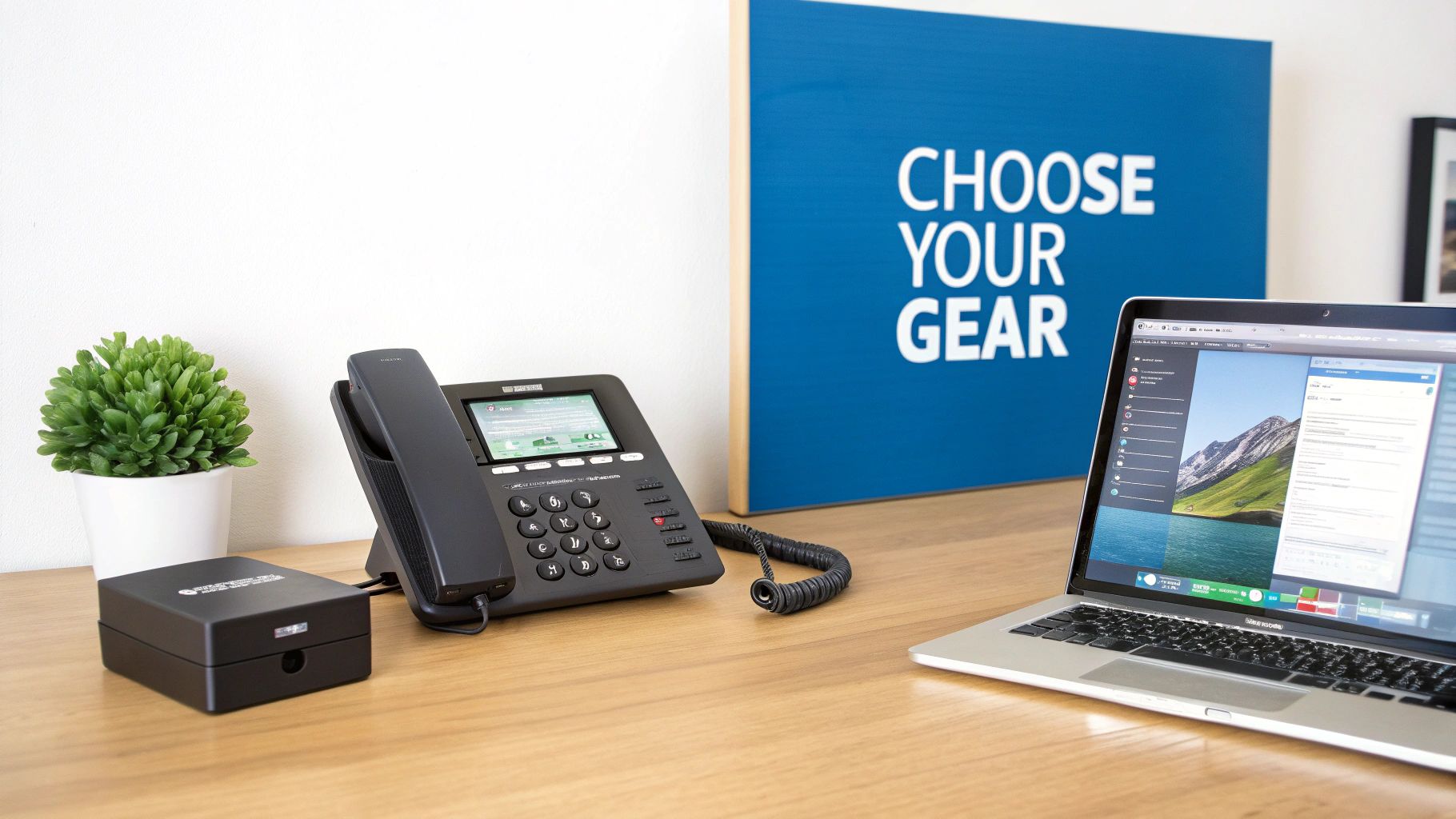
One of the best things about VoIP is how flexible it is. You're not stuck with just one type of device. You can get dedicated hardware that feels familiar, use an adapter to make your old phone work, or skip the hardware entirely and use software.
Let’s break down the three main ways to get set up.
Dedicated VoIP Phones or IP Phones
A dedicated IP phone looks and feels just like the office phone you've used for years. It’s got a handset, a keypad, and all the familiar buttons for hold and transfer. The big difference is on the back—instead of an old-school phone jack, it has an Ethernet port that plugs right into your internet router.
These phones are built from the ground up for high-quality internet calls. Since they are designed for one job, they deliver fantastic audio and rock-solid reliability, often packed with handy features right out of the box.
They’re a perfect fit for:
- Office environments where you need a professional, stationary phone on every desk.
- High-call-volume roles, like receptionists or sales teams who rely on speed-dial keys.
- Anyone who just prefers the feel of a real handset and physical buttons.
Analog Telephone Adapters (ATAs)
What if you love your trusty old telephone but want all the benefits and savings of VoIP? An Analog Telephone Adapter (ATA) is the little gadget that makes it happen. It’s a small box that acts as a bridge between your traditional analog phone and your internet router.
You just plug your old phone into the ATA, and the ATA into your network. That’s it. The adapter takes care of converting your phone's analog signal into digital packets for the internet. It’s a super simple and affordable way to switch to VoIP without having to buy all new phones.
Think of an ATA as a translator. It teaches your reliable old analog phone to speak the digital language of the internet, making it the easiest way to upgrade a home phone to a modern VoIP service.
Softphones for Ultimate Flexibility
Your third option doesn't require a physical phone at all. A softphone is just an app you install on your computer, smartphone, or tablet. It lets you make and receive calls using a headset and microphone right from your device.
This software-first approach gives you incredible mobility. As long as you have an internet connection, your business number goes wherever you do. This level of flexibility helped drive the massive shift to VoIP, with hosted services seeing an annual growth rate of around 17% in the early 2010s as businesses moved away from old copper lines.
Softphones are ideal for remote workers, people who travel often, and any business looking to cut down on hardware costs.
Comparing VoIP Hardware and Software Options
Deciding between a physical phone, an adapter, or a software app can be tough. This table breaks down the most common ways to make VoIP calls to help you choose the best fit for your needs.
| VoIP Method | How It Works | Best For | Key Advantage |
|---|---|---|---|
| IP Phone | A dedicated desk phone that plugs directly into your internet network via an Ethernet cable. | Traditional office settings, reception desks, and high-volume call centers. | Professional feel and the highest call quality and reliability. |
| ATA Adapter | A small device that connects your existing analog telephone to your internet router. | Home users or small businesses wanting to keep their old phones while upgrading to VoIP. | Low-cost entry into VoIP without needing to replace familiar hardware. |
| Softphone | A software application installed on a computer, smartphone, or tablet. | Remote workers, frequent travelers, and teams that need to stay connected on the move. | Unmatched flexibility and mobility, allowing you to take your number anywhere. |
No matter which route you choose, there's a VoIP solution that can work for you. If you're looking for the right fit for your company, there are great resources for comparing small business phone systems, especially cloud-based VoIP options.
Why Your Internet Connection Matters for Call Quality
VoIP technology essentially turns your internet connection into a phone line, but there’s a catch: the quality of your calls is only as good as the internet service it's running on. If you've ever been on a call that sounded robotic, garbled, or kept cutting out, a shaky internet connection was almost certainly the culprit.
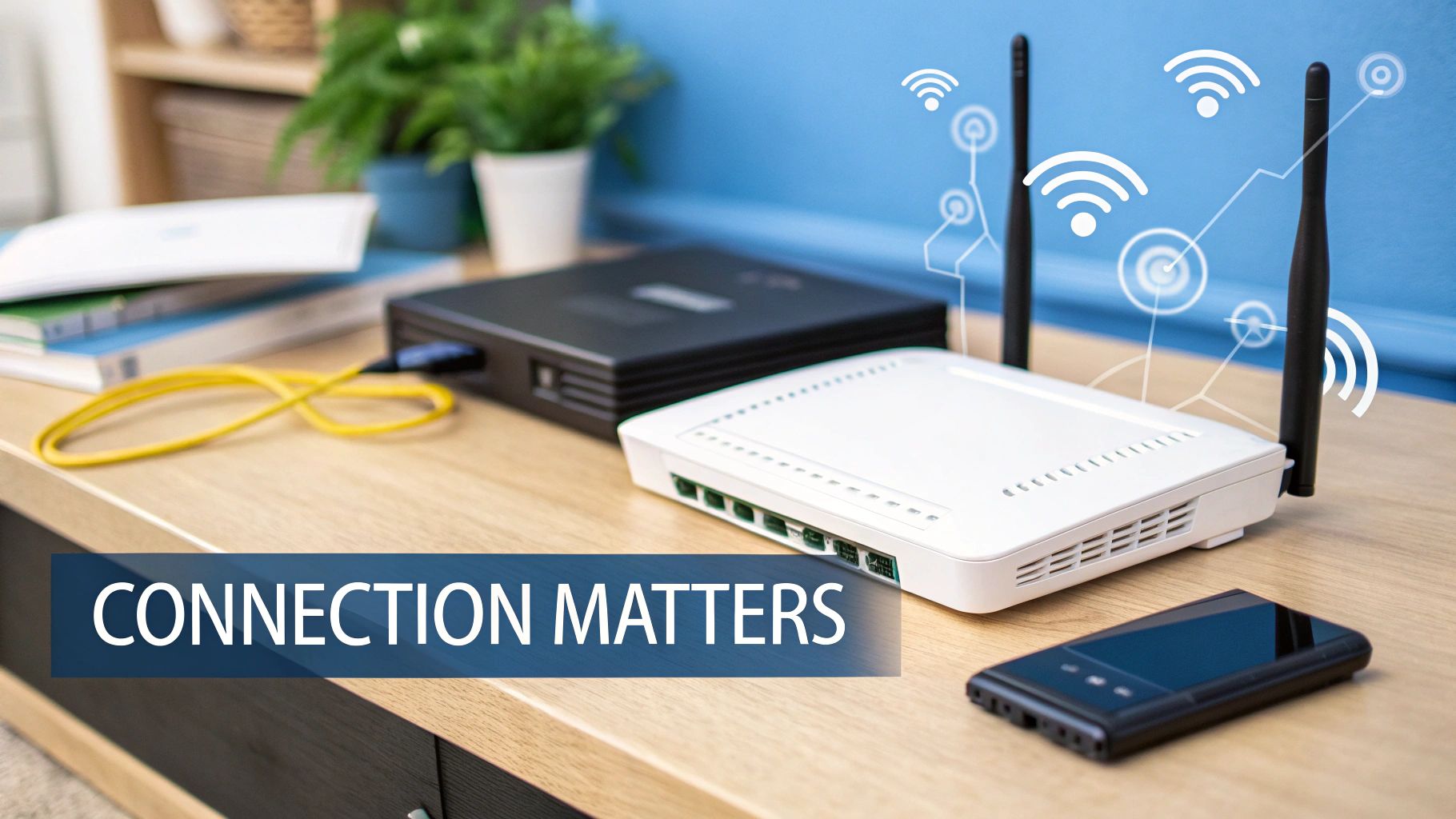
Unlike a traditional landline that has its own dedicated copper wire, your VoIP calls have to share the internet "highway" with everything else. That includes your Netflix stream, your kids' online games, and your computer’s background updates. When this highway gets congested, your voice packets can get delayed, lost, or jumbled up, which directly causes poor audio.
A few key factors will show you exactly how your internet connection is affecting your calls.
Understanding Bandwidth
Think of bandwidth as the number of lanes on your internet highway. More lanes mean more data can flow at once without creating a traffic jam. Each VoIP call needs its own little slice of bandwidth to travel smoothly—typically around 100 kbps for both uploading and downloading.
That might not sound like much, but it adds up fast. If several people in your office are on calls while others are in video meetings, you can quickly run out of lanes. When that happens, voice packets get stuck in traffic, leading to choppy audio and dropped calls.
It’s especially important to have enough upload bandwidth. While most people focus on download speed, a VoIP call is a two-way conversation. To learn more about getting the right balance, check out our guide on what is a good upload speed for things like internet calling.
Latency and Jitter: The Real Call Killers
While bandwidth is important, latency and jitter are often the true villains behind bad VoIP calls. These two are less about the size of the highway and more about the speed and consistency of the traffic flow.
-
Latency: This is the delay it takes for a voice packet to travel from your phone to the other person's. High latency creates that annoying pause where you accidentally talk over each other. It’s like sending a letter that takes too long to arrive, making the conversation feel totally out of sync.
-
Jitter: This measures the variation in when the voice packets arrive. Ideally, all your voice packets would show up in a steady, evenly spaced stream. Jitter is what happens when they arrive erratically—some early, some late, and completely out of order.
Imagine someone tossing you puzzle pieces one by one. If they toss them in a consistent rhythm, you can easily catch them and put the puzzle together. But if they start throwing them randomly—fast, then slow, then all at once—you’ll struggle to piece the picture together. That chaos is jitter.
High jitter forces the phone on the other end to work overtime trying to reassemble the jumbled packets, which is what creates that robotic, garbled audio. For crystal-clear VoIP, a stable, low-jitter connection from a fiber provider is far more important than just having massive bandwidth.
Unlocking Advanced Features Beyond Basic Calls
Thinking about how a VoIP phone works shouldn't stop at just replacing your old landline. It’s really about stepping up to a whole new set of communication tools that can completely change how your business runs day-to-day.
While making calls over the internet is the core job, the real power is in all the advanced features that come built-in. These extras turn a simple phone service into the central hub for your company's communications, making your workflow smoother and your business look more professional—all without clunky, expensive hardware.
More Than Just a Dial Tone
Modern VoIP systems are smart. They’re designed to automate the little things so your team can focus on what really matters. This brings a level of efficiency that old-school phone lines just can't match.
Here are a few of the game-changers:
- Auto-Attendant: Think of this as your "digital receptionist." It gives callers a professional, custom greeting and directs them to the right person or department automatically. No more missed calls and a polished company image, 24/7.
- Voicemail-to-Email Transcription: Forget dialing in to check messages. This feature turns voicemails into text and zips them right to your email. You can scan messages in seconds, prioritize who to call back, and keep an easy-to-search record of everything.
- Find Me/Follow Me: This is smart call forwarding that makes sure you never miss a critical call. You can set it to ring your desk phone, then your cell, then maybe a home office line—it literally "follows" you until you answer.
Creating a Unified Communications Hub
The biggest leap forward with modern VoIP is its knack for pulling all your communication channels together onto one platform. This is often called Unified Communications as a Service (UCaaS), and it blends your voice, video, messaging, and team collaboration tools into a single, easy-to-use system.
When you explore what UCaaS is and how it benefits businesses, you'll quickly see how VoIP is the bedrock for a truly connected workplace. This integration means you can switch from one type of communication to another without missing a beat—like turning a quick phone call into a full-blown video conference with screen sharing, all in the same app.
With VoIP, your phone system stops being a lonely utility. It becomes a fully integrated piece of your business toolkit, connecting with other software to automate work and deliver real insights.
Supercharging Sales and Service with CRM Integration
Here’s a perfect example of that integration in action: connecting your VoIP system to your Customer Relationship Management (CRM) software.
Imagine a customer calls in. Before you even say "hello," their entire contact history pops up on your screen. This gives your team instant context, letting them provide faster, more personal service. Better yet, every call can be logged automatically in the CRM, creating a perfect record of all customer interactions with zero manual effort.
For a sales team, this means sharper tracking and better follow-ups, which feeds directly into business growth. This is how a VoIP phone works not just as a way to talk, but as a strategic asset for your company.
Frequently Asked Questions About VoIP
As you start to see how VoIP works, a few practical questions always pop up. It’s natural to wonder about things like reliability and security when you’re thinking about moving on from the landline you’ve used for years. We’ll give you straight answers to the most common questions we hear, so you can feel confident about making the switch.
Let's clear up the three biggest concerns: Is it as reliable as an old-school phone? Can you keep your number? And how private are your calls?
Is VoIP as Reliable as a Traditional Landline?
This is the big one. The short answer is yes, but its reliability comes down to two things: your internet connection and your power. When you have a solid, high-speed internet service like fiber and a battery backup for your equipment, a VoIP system is incredibly dependable.
It's true that old copper landlines can sometimes work during a power outage when VoIP won't. That’s why a good VoIP service includes a backup plan.
A key feature for reliability is automatic call forwarding. If your internet or power ever drops, our system instantly reroutes all incoming calls to a mobile number you choose. You’ll never miss an important call, even if the lights go out.
Can I Keep My Old Phone Number When I Switch to VoIP?
Absolutely. In nearly all cases, you can bring your existing phone number with you. The official term for this is “number porting,” and it's a standard process that almost every VoIP provider, including us, handles to make switching painless.
To get started, you'll just need to provide your new VoIP provider with your current phone account information. From there, they’ll work with your old company behind the scenes to manage the entire transfer.
Here’s a critical tip: do not cancel your old phone service until you get confirmation that the porting is complete. If you cancel too early, you could lose your number for good.
How Secure Are My Calls on a VoIP System?
It's smart to think about security whenever you send information over the internet, and your voice is no different. Reputable VoIP providers take this seriously, using powerful encryption to shield your conversations from anyone who might try to listen in.
This is done using security protocols like Transport Layer Security (TLS) and Secure Real-time Transport Protocol (SRTP). You can think of them as an armored truck for your voice data—they scramble it on its way across the internet so only the person you're talking to can understand it.
When choosing a provider, especially for a business, always ask if they offer end-to-end encryption. This is the gold standard for security and ensures your conversations stay completely private.
Ready to upgrade to a crystal-clear, feature-rich phone service backed by the reliability of a 100% fiber network? Premier Broadband offers advanced VoIP solutions for both homes and businesses. Learn more and make the switch today at premierbroadband.com.