
You sit down for movie night. The lights are low, snacks are ready, and the opening scene finally starts. Then the screen drops to a blurry mess. A minute later, the spinning buffer icon shows up. At the same time, someone in the next room is on a video call, a kid is watching YouTube on a tablet, and your game console starts downloading an update.
That moment is why so many people start shopping for high speed internet for streaming.
But the frustrating part is this: streaming problems aren't always caused by one simple thing called “slow internet.” Sometimes the issue is download speed. Sometimes it's weak upload capacity, high latency, or Wi-Fi that falls apart once the signal hits two walls and a refrigerator.
That matters because internet use has changed fast. Internet backbone traffic reached 100 Tb/s in 2023 after 30 years of growth, then doubled to 200 Tb/s by early 2026 in just 2.5 years, enough to support roughly 40 million simultaneous 1080p Netflix streams according to Arelion’s connectivity milestone report. Homes aren't just “watching a show” anymore. They're streaming, gaming, video calling, uploading, syncing, and juggling dozens of connected devices.
If you're troubleshooting right now, start with the obvious device-level fixes too. A quick guide on how to clear cache netflix can help when one app behaves badly even though the rest of your connection seems fine.
And if your whole connection feels unstable, this step-by-step help for troubleshooting internet connection problems is a good place to begin before you blame your plan.
Why Your Internet Struggles with Movie Night
A family can have what sounds like a fast plan and still hit buffering. One TV is trying to stream in 4K. A laptop is in a work meeting. A phone is backing up photos. Someone else is live streaming gameplay. The connection starts to feel crowded, even if the advertised speed looked fine on paper.
The common mistake is focusing on a single headline number. Streaming quality depends on a mix of download speed, upload speed, latency, and Wi-Fi performance inside the house. If one of those pieces is weak, the whole experience suffers.
The four parts of a smooth stream
Think of your connection like a road system.
- Download speed is how quickly video reaches your screen.
- Upload speed is how quickly your home sends data back out, which matters for video calls, live streaming, cloud backups, and smart home devices.
- Latency is the delay between request and response. Low latency makes internet use feel instant.
- Wi-Fi quality decides whether your devices receive the connection cleanly in every room.
A lot of confusion comes from the fact that people test speed in one room, on one device, at one moment. Real life isn't that tidy. Your network has to hold up during the busiest hour of the day, when multiple people are online at once.
Smooth streaming isn't just about getting a bigger pipe from your provider. It's also about how evenly that connection reaches every screen in your home.
That's why a better streaming setup starts with understanding what each part of the connection does.
How Much Speed Do You Actually Need to Stream
A good streaming plan starts with one simple question: how many screens need video at the same time?
Internet speed is measured in Mbps, or megabits per second. Mbps works like lane space on a highway. More Mbps gives your home more room to move video, music, downloads, and app traffic without everything piling up at once.
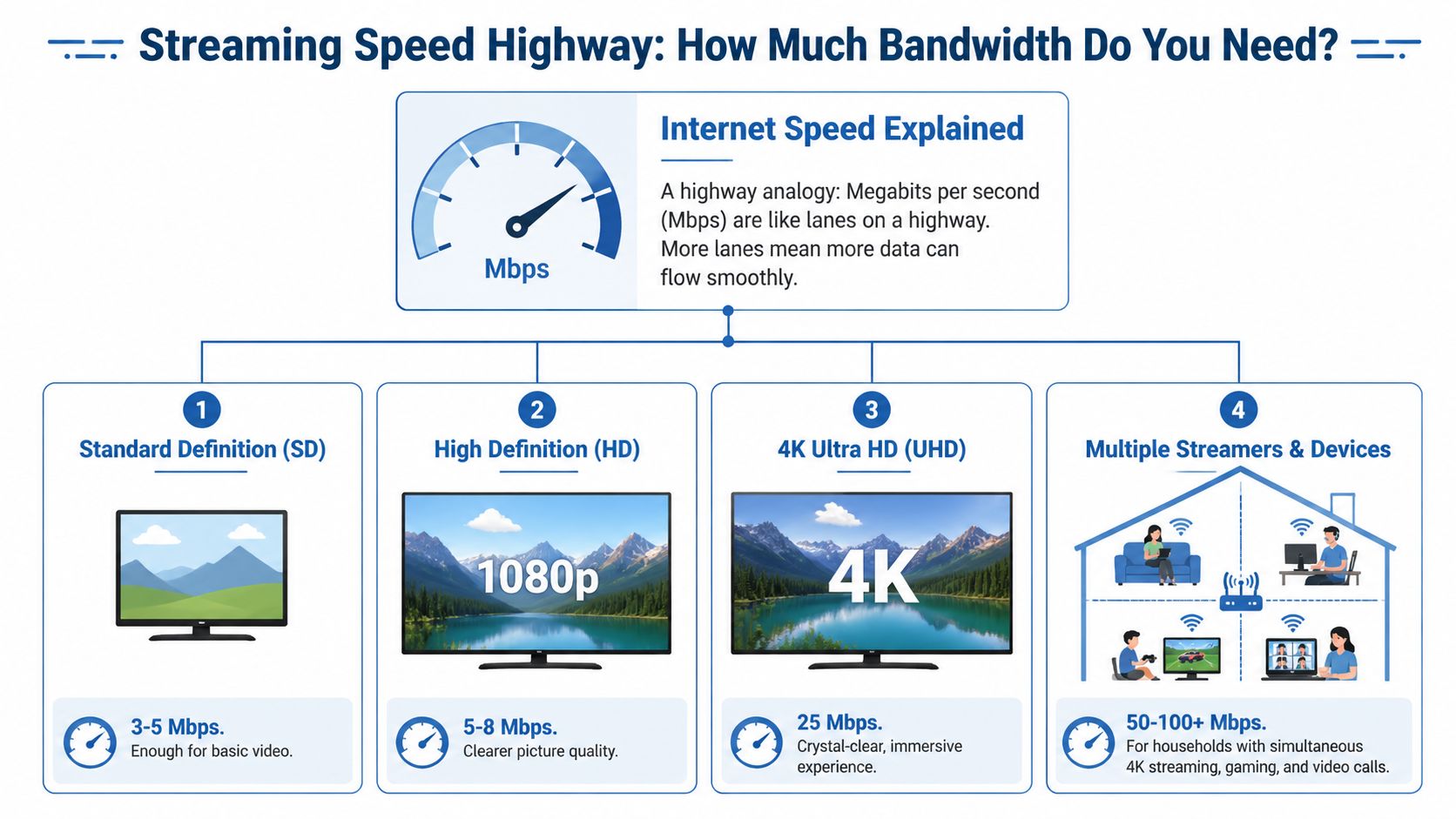
A single TV watching HD video is a light load for many modern connections. A household with two 4K TVs, a tablet playing cartoons, and someone on a video call is different. The connection has to cover all of those demands at the same time, not one by one.
A simple way to read streaming speeds
Streaming quality changes how much bandwidth each screen needs. Higher resolution means more data has to arrive steadily, like filling a larger bucket without letting the water level drop.
Here is a practical baseline for one active stream:
- Standard Definition: about 3 to 5 Mbps
- High Definition: about 5 to 8 Mbps
- 4K Ultra HD: about 25 to 40 Mbps
If you're comparing smaller-screen viewing options and deciding whether 720p is enough or 1080p makes more sense, ClipCreator.ai's resolution guide gives a helpful visual comparison.
Recommended Internet Speeds for Streaming
| Video Quality | Minimum Recommended Speed | Ideal Speed for Smooth Performance |
|---|---|---|
| Standard Definition | 3 Mbps | 5 Mbps |
| High Definition | 5 Mbps | 8 Mbps |
| 4K Ultra HD | 25 Mbps | 40 Mbps |
Those numbers describe one stream. Homes buy internet for shared use.
How to size speed for your household
Start by counting simultaneous activities, not just devices sitting on the Wi-Fi. A house might have 20 connected gadgets, but your plan only feels pressure from the ones doing something demanding right now.
A simple way to estimate your needs:
- Count active streams during your busiest evening.
- Note the quality level for each one, especially 4K TVs.
- Add other heavy traffic like video calls, cloud backups, game downloads, or live streaming.
- Leave extra room so short spikes do not cause buffering.
For example, two 4K streams could need 50 Mbps or more by themselves. Add an HD stream, a work call, and background uploads, and the target climbs quickly. That is why a plan that looks fast on paper can still feel crowded during prime time.
Practical rule: Choose internet for your busiest hour, not your quietest one.
People sometimes focus on the advertised maximum and miss the household pattern underneath. A better approach is to match your speed to how your home behaves at 7:30 p.m., when everyone is online together.
Why "enough" speed can still feel inconsistent
This is the part that causes the most confusion. You can have enough download capacity for streaming and still get buffering in one room or quality drops when someone starts uploading files.
That happens because streaming depends on more than raw download speed. Video needs enough bandwidth, but it also needs steady delivery across your home network. Weak Wi-Fi, tight upload capacity, and delay between devices can all interrupt the experience, even when a speed test looks fine.
If you want a plain-English reference point for matching internet capacity to your household, this guide on what’s a good download speed is a useful follow-up.
Why Symmetrical Speeds and Low Latency Matter
Movie night can fall apart in a way that feels confusing. The TV is streaming fine, then someone starts a video call upstairs, a phone begins backing up photos, and the picture quality drops or the app pauses to buffer. At that point, the issue is often not raw download speed alone. It is how well your connection handles traffic going both directions, and how quickly it responds.

Streaming is usually described as a download activity, but a modern home is always sending data too. Phones upload photos, security cameras send video, smart TVs check for content updates, and video calls need a steady upstream connection the whole time they are running.
According to Astound’s internet speed guide for streaming, many households need upload capacity for HD use, live streaming, and other everyday tasks that happen alongside watching video. That matters because many internet plans still offer far less upload than download, which can create a traffic jam during busy hours.
What are symmetrical speeds?
Symmetrical speeds give you the same upload and download capacity. If you have a 300 Mbps symmetrical plan, you can receive data at up to 300 Mbps and send data at up to 300 Mbps too.
That balance changes how the connection feels in a real household.
A home with strong downloads but limited uploads may look good on a speed test and still struggle once people start doing more than watching. One person uploads a large file. Another joins a video meeting. A doorbell camera is sending clips to the cloud. Meanwhile, the TV still needs a steady stream of incoming video. If the upload side gets crowded, the whole network can start feeling less responsive.
Cable plans often put much more room on the download side than the upload side. That design made sense when internet use was mostly passive. Homes now work more like two-way streets.
Why upload capacity affects streaming
Upload speed matters most when live video enters the picture. If someone in the house streams to Twitch, joins a work call, or shares large files while others are watching Netflix or YouTube, limited upload can cause visible problems across multiple devices.
Those problems often show up as:
- Video calls with frozen faces or choppy audio
- Live streams with dropped frames or blurry picture quality
- Smart cameras that lag when loading clips
- Streaming apps that lower video quality during other household activity
A good way to picture it is a grocery store checkout line. Download speed is how many carts can come into the store at once. Upload speed is how many can get through checkout. If checkout backs up, the whole store feels crowded, even if the entrance is wide open.
For a clearer benchmark on upstream capacity for calls, cloud backups, and live video, this guide to what is a good upload speed explains what different homes tend to need.
Low latency keeps streaming responsive
Latency is the time it takes for your device to send a request and get a response back. Speed measures capacity. Latency measures delay.
That difference trips people up all the time.
A connection can have plenty of bandwidth and still feel sluggish if the response time is slow. You notice that delay when a live stream takes too long to start, a sports feed falls behind, a cloud DVR takes extra time to load, or a video call has awkward pauses because the conversation is arriving late.
Low latency helps with:
- Live TV and sports streams
- Video calls and watch parties
- Online gaming during streaming sessions
- Streaming apps that need quick menu and playback response
Fiber is often a strong fit for homes with heavy streaming habits because it commonly pairs symmetrical speeds with lower latency. That combination supports both capacity and quick response, which is why the experience tends to feel steadier during peak usage.
A short video can help make that difference click:
Why this matters in a busy home
A single TV stream does not tell you much about how well a connection fits your household. The better test is your busiest hour. If your home streams video while also handling calls, uploads, gaming, and smart devices, symmetrical speeds and low latency make a noticeable difference.
You see it in the little moments:
- Streams start faster
- Picture quality stays more consistent
- Video calls hold together better
- Uploads do not disrupt everyone else
- The network feels calmer during prime time
For high speed internet for streaming, download speed is only part of the story. Upload capacity and response time often decide whether movie night feels smooth or fragile.
Your Wi-Fi Could Be the Real Bottleneck
A lot of streaming complaints start with the provider and end with the router.
You can pay for a fast plan, run a strong speed test near the modem, and still get buffering in the living room or bedroom. That doesn't always mean the incoming internet is bad. Sometimes the problem is how the signal moves through your home.
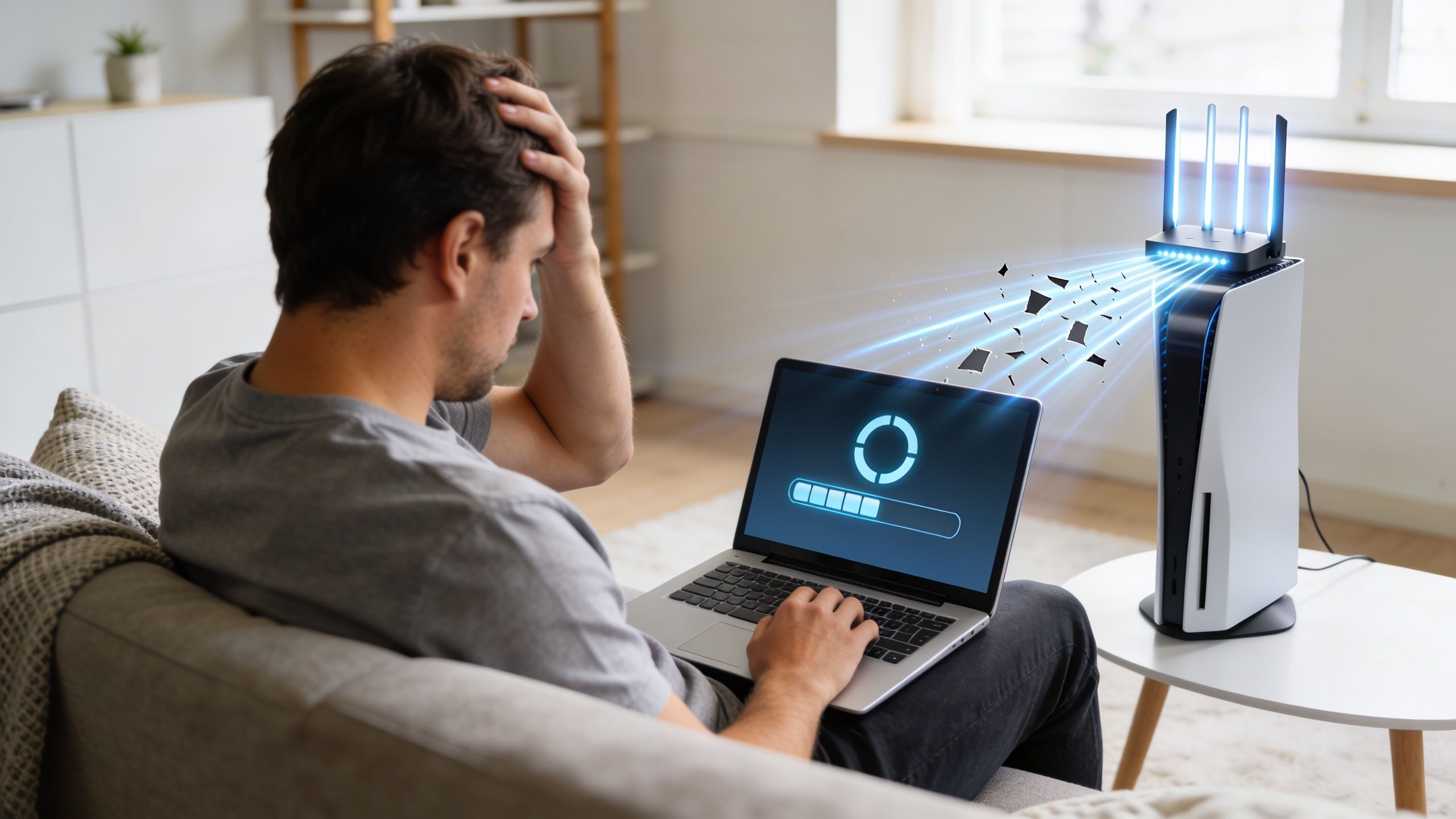
According to InMyArea’s guide to internet types for streaming, 40% of households experience buffering because of Wi-Fi congestion rather than insufficient bandwidth. That same source notes that 5GHz is ideal for speed but struggles through walls, which is why dead zones are so common.
Why one room works and another doesn't
Wi-Fi weakens with distance and obstacles. Walls, floors, metal surfaces, appliances, and even furniture placement can affect signal quality.
That creates a confusing situation for a lot of households:
- The router room feels fast.
- The TV at the far end of the house buffers.
- Phones work fine in one bedroom and crawl in another.
- Evening usage feels worse because more devices compete for the same wireless space.
If that sounds familiar, your issue may be coverage, congestion, or placement, not your plan speed.
The difference between 2.4 GHz and 5 GHz
Most home routers offer two common Wi-Fi bands.
- 2.4 GHz reaches farther and handles walls better, but it tends to be slower and more crowded.
- 5 GHz is usually faster at close range, which makes it great for streaming boxes, TVs, and laptops near the router.
A lot of people treat those bands like “old” and “new.” A better way to think about them is range versus speed. One is better at reaching. The other is better at sprinting.
Place high-demand devices on the strongest nearby band, not just the band with the bigger speed promise.
Small fixes that often help
You don't always need a full network overhaul. Start with the basics.
- Move the router into the open. A router hidden in a cabinet or tucked behind a TV can't broadcast well.
- Put it closer to the center of the home. Wi-Fi spreads outward. Corners waste coverage.
- Keep it away from interference. Large electronics and dense materials can block or distort signals.
- Use Ethernet where possible. A smart TV, gaming console, or desktop computer performs better with a wired connection.
If you want a checklist for these fixes, this guide on how to improve home WiFi walks through the most common causes of weak coverage.
When a mesh system makes sense
Some homes are hard to cover. Long floor plans, thick walls, multiple levels, and detached workspaces can defeat a single router.
That’s where mesh Wi-Fi helps. Instead of one box trying to reach every corner, a mesh system uses multiple access points to spread coverage more evenly through the home.
A managed mesh setup is especially useful when:
| Home situation | Why Wi-Fi struggles | Better fit |
|---|---|---|
| Multi-story house | Signal loses strength across floors | Mesh nodes on each level |
| Long layout | End rooms sit too far from router | Distributed access points |
| Many devices | Wireless congestion builds quickly | Smarter traffic handling |
| Work plus entertainment | Calls and streams compete | Managed whole-home Wi-Fi |
This is also the point where a managed option can save time. Instead of guessing about node placement, channel settings, and device steering, some households choose a provider-managed Wi-Fi service. Premier Broadband offers Premier Protects with managed Wi-Fi, which is designed to improve whole-home coverage and reduce the trial-and-error many people run into with larger or busier homes.
Good Wi-Fi doesn't replace a good internet plan. It completes it. If the signal falls apart between the router and your screen, even strong high speed internet for streaming won't feel reliable.
How to Choose the Right Internet Plan for Your Home
At 7:30 p.m., one person starts a movie in the living room, another joins a video call from the kitchen, a game begins upstairs, and a few phones sync photos in the background. On paper, your plan may still sound fast. In real life, that hour is the test.
Choosing the right internet plan starts with how your home behaves during its busiest stretch, not with the biggest download number in an ad. A small household that streams one show at a time needs something different from a home where entertainment, work, gaming, and smart devices all overlap.
Start with your busiest hour
A good way to size a plan is to focus on concurrency. That means how many things happen online at once.
Ask:
- How many people are online at the same time
- How many TVs, tablets, or phones are streaming video
- Whether anyone works from home on video calls or cloud apps
- Whether anyone games or broadcasts live
- Whether smart cameras, doorbells, or backups are active in the background
This gives you a clearer picture of demand inside the home. Internet plans are a lot like roads. A short burst of traffic is easy to handle, but rush hour shows whether there are enough lanes.
Match the connection type to the job
The type of connection matters because different technologies handle traffic differently. Streaming homes usually feel the difference in three places: how quickly content arrives, how well the connection handles uploads, and how steady performance stays when the neighborhood gets busy.
| Internet type | What it usually does well | Common limitation for streaming homes |
|---|---|---|
| Fiber | Balanced performance for streaming, work, gaming, and uploads | Availability depends on location |
| Cable | Strong downloads for general entertainment | Upload speeds can be much lower and can feel tighter during busy periods |
| DSL | Basic online tasks in lighter-use homes | Can struggle with modern multi-device streaming |
| Satellite | Useful where wired options aren't available | Higher delay can affect interactive use |
| 5G home internet | Convenient in some areas and simple to install | Performance can vary by signal conditions and local congestion |
For lighter use, several of these options may be fine. Once a household starts stacking activities at the same time, the differences become easier to notice.
Give upload speed a real seat at the table
This is one of the most overlooked parts of plan shopping.
Many households shop by download speed because that is the number advertised most often. But uploads keep the two-way parts of home internet running. Video calls, cloud saves, security cameras, live streaming, large file sharing, and photo backups all depend on upstream capacity.
A weak upload path works like a narrow return lane on a highway. Movies may still stream in, but the moment several devices need to send data back out, the whole experience can feel less stable. Calls get choppy. Streams lose quality. Uploads drag on longer than they should.
As noted earlier, homes that create content or stream live need more upload headroom than casual viewing households. Even homes that never broadcast publicly can run into upload limits through ordinary daily use.
A practical way to choose
It helps to group your home by activity pattern rather than by device count alone.
Light streaming home
One or two people stream shows, browse, and make occasional video calls. Consistency matters more than paying for far more capacity than you will use.
Busy family home
Several people stream at once, devices stay connected throughout the day, and overlap is normal in the evening. More headroom helps keep movie night from turning into buffering night.
Work-from-home household
Calls, shared files, cloud platforms, and backups raise the value of stronger uploads and responsive performance.
Gaming or creator setup
Interactive traffic is more sensitive to delay and instability. Here, low latency and steady upload performance deserve the same attention as download speed.
Choose for the busiest hour in your house, not the most attractive headline speed.
Watch for hidden weak points
A plan can look strong and still disappoint if one part of the setup is undersized. Before you decide, check for these common trouble spots:
- Download-heavy plans with limited upload capacity, which can cause trouble during calls, cloud syncs, or live streaming.
- Latency that is high or inconsistent, which matters more for gaming, video meetings, and other real-time traffic than for passive viewing.
- Too little breathing room during overlap, especially in homes where several people are active online at once.
- A connection type that does not fit the household's habits, such as a plan that handles casual browsing well but struggles with daily work and entertainment happening together.
The right internet plan should fit your home the way a well-sized circuit fits a house. Enough capacity matters, but so do the return path, response time, and how traffic moves from room to room. That is what turns "fast enough on paper" into a better streaming experience where people use it.
Why Premier Broadband Delivers a Superior Streaming Experience
A good streaming setup has three jobs. It needs enough speed for modern video quality, enough upstream capacity for calls and uploads, and Wi-Fi that reaches the rooms where people use it.
That combination is why connection quality feels different from one household to the next, even when two plans look similar in an ad.
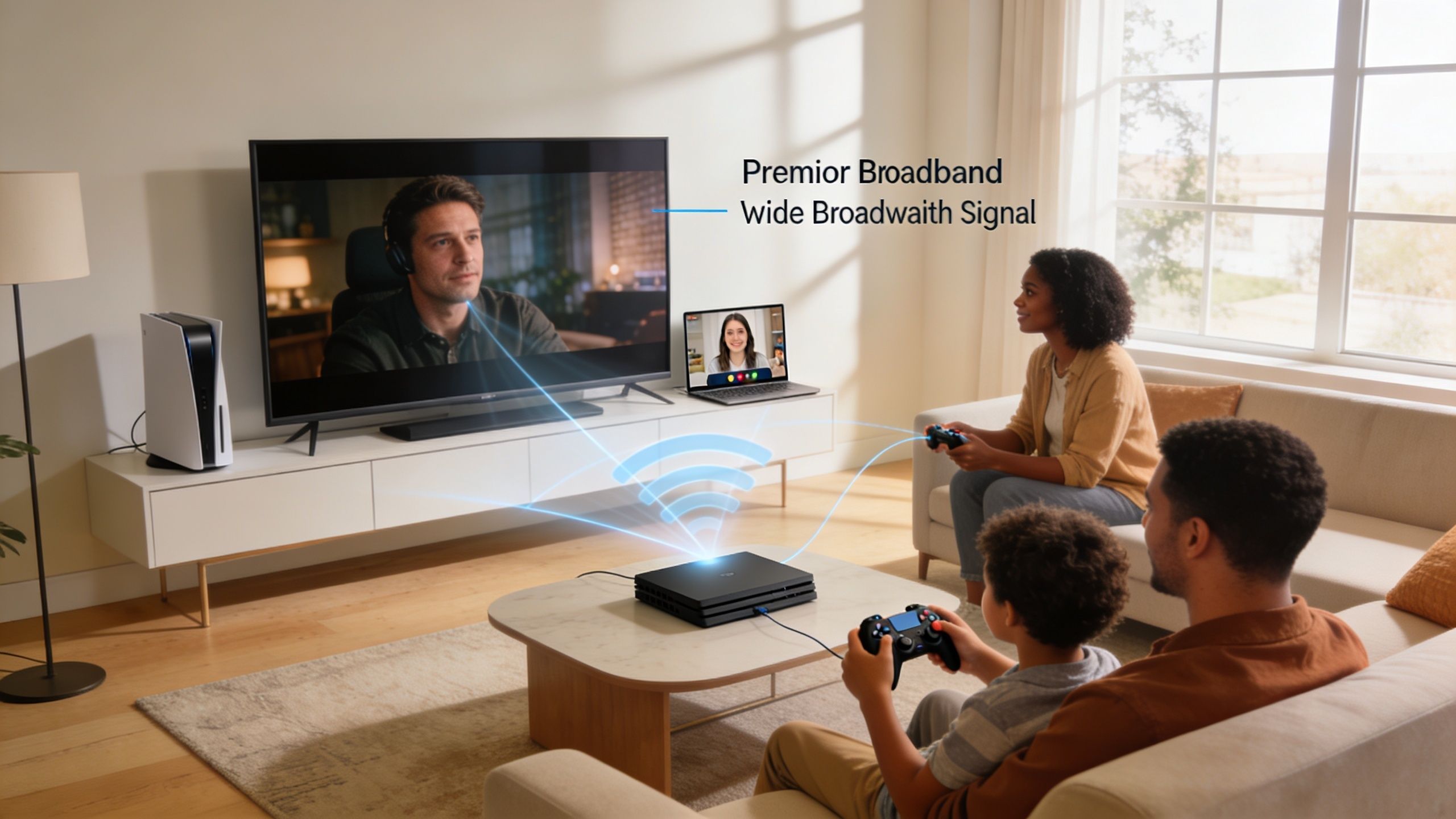
Premier Broadband’s offering lines up with the factors that matter most for high speed internet for streaming:
- 100% fiber connectivity supports the download performance households expect for HD and 4K entertainment.
- Symmetrical upload and download speeds fit homes that also work, game, video call, and create content.
- Managed Wi-Fi through Premier Protects helps address the in-home coverage problems that often cause buffering far from the router.
- Plan options for different household types make more sense than forcing every customer into the same internet profile.
- MyBundle.TV integration gives cord-cutters a simpler way to sort out streaming services and build a setup that fits their viewing habits.
That matters because streaming isn't a single activity anymore. It overlaps with work, school, gaming, smart devices, and cloud apps. A connection that only looks good on a download-speed ad can fall apart under those mixed demands.
Why the full setup matters
The strongest takeaway from everything above is simple. The internet coming into your house and the network inside your house both shape your streaming experience.
If either side is weak, you feel it:
- video that buffers at the worst moment
- meetings that freeze when someone uploads a file
- a bedroom TV that struggles while the living room works fine
- game lag when everyone gets online after dinner
A fiber-based connection with symmetrical performance solves one side of that equation. Managed whole-home Wi-Fi helps solve the other.
If your current setup feels unpredictable, it may be time to check what options are available at your address and compare them against how your home uses the internet.
Frequently Asked Streaming Questions
What’s the difference between Mbps and MBps
This trips people up because the abbreviations look almost identical.
Mbps means megabits per second, and that is the unit internet providers use for plan speeds. MBps means megabytes per second, which is the unit you often see when a laptop, phone, or game console shows file download progress.
A byte is made up of multiple bits, so MBps will always look lower than Mbps for the same connection. That is why your internet plan might say one number while a file download window shows a smaller one. The two readings are measuring speed in different-sized units, like comparing inches to feet.
Is 5G home internet or satellite good enough for streaming
For some homes, yes.
Both can handle streaming, especially in places where cable or fiber is not available. But they tend to be more sensitive to outside conditions such as signal strength, weather, placement of the equipment, and busy network hours.
That matters for streaming because a movie does not only need enough speed on paper. It also needs stable delivery from moment to moment. If your home streams in several rooms, joins video calls, uploads files, or plays online games at the same time, consistency and latency matter just as much as the headline download number.
How should I test my internet speed the right way
A good speed test works like a home checkup. You want to test the connection at the source, then test the rooms where people use it.
- Start near the router to see your best-case result.
- Try a second device if one phone, tablet, or laptop gives a strange reading.
- Pause downloads, backups, and large updates so the test measures the connection, not competing traffic.
- Test in the room with the problem because that often exposes weak Wi-Fi coverage.
- Look at upload speed and latency too, not only download speed.
A speed test beside the router shows what enters the house. A speed test in the room where buffering happens shows what reaches the device.
If the result is strong near the router but weak in a bedroom or upstairs TV room, the issue is often your Wi-Fi layout, not the internet plan itself.
If you want a connection built for streaming, gaming, remote work, and whole-home coverage, check availability with Premier Broadband and compare your options based on the way your household really uses the internet.